

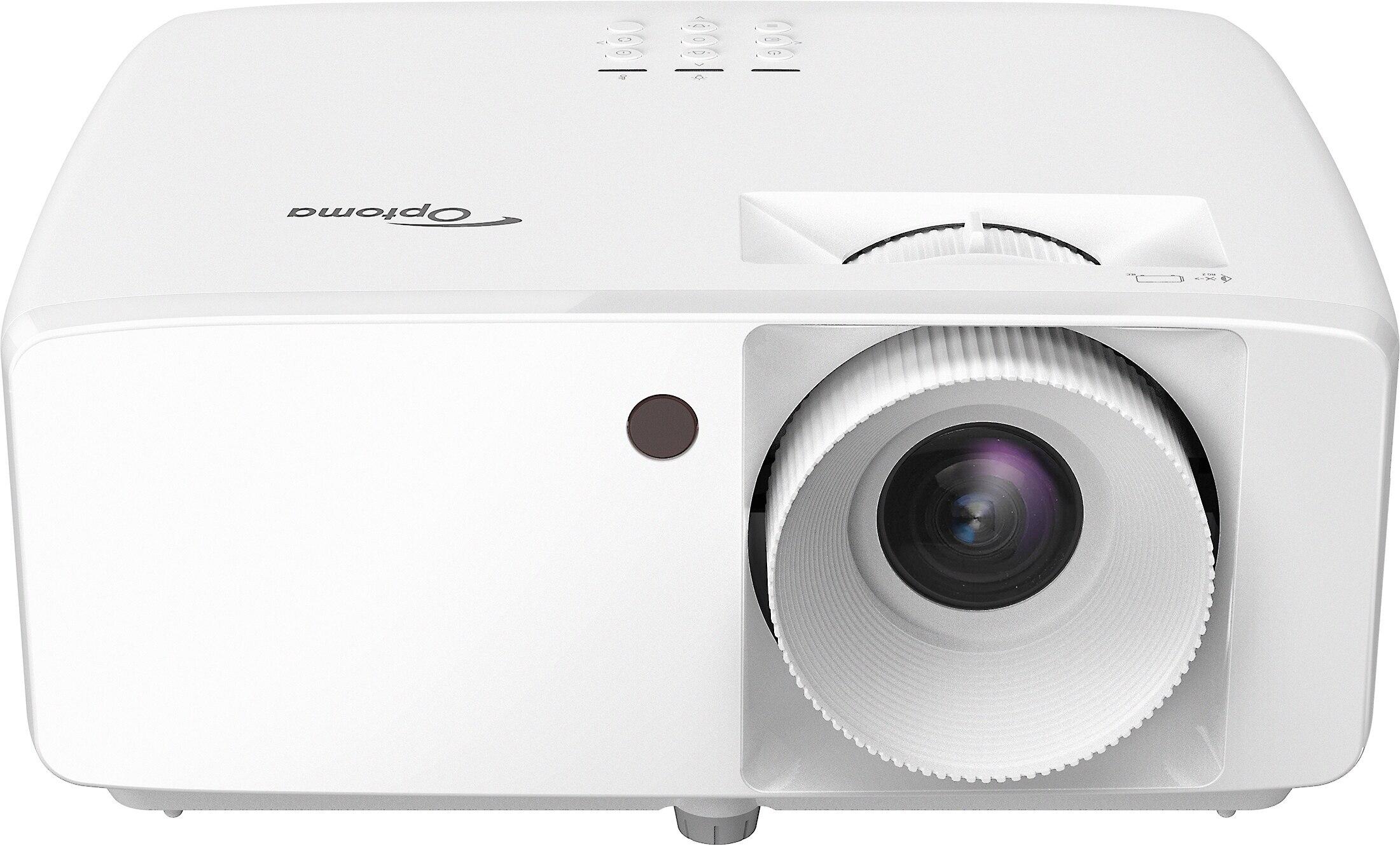
Home projectors have transformed living rooms into cinematic experiences, and they've come a long way from the dim, fuzzy images of the past. While 4K projectors grab headlines with their ultra-sharp resolution, 1080p (Full HD) projectors remain the sweet spot for many consumers, offering an excellent balance of performance and affordability.
When I started exploring the world of home projection, I quickly realized that resolution is just one piece of a complex puzzle. Today, we'll compare two popular 1080p contenders: the laser-powered Optoma HZ40HDR and the lamp-based Epson Home Cinema 1080. These projectors represent different approaches to solving the same problem: how to create a large, vibrant image that brings entertainment to life on your wall or screen.
Let's dive into what makes these projectors tick and, more importantly, which one might be right for your specific needs and budget.
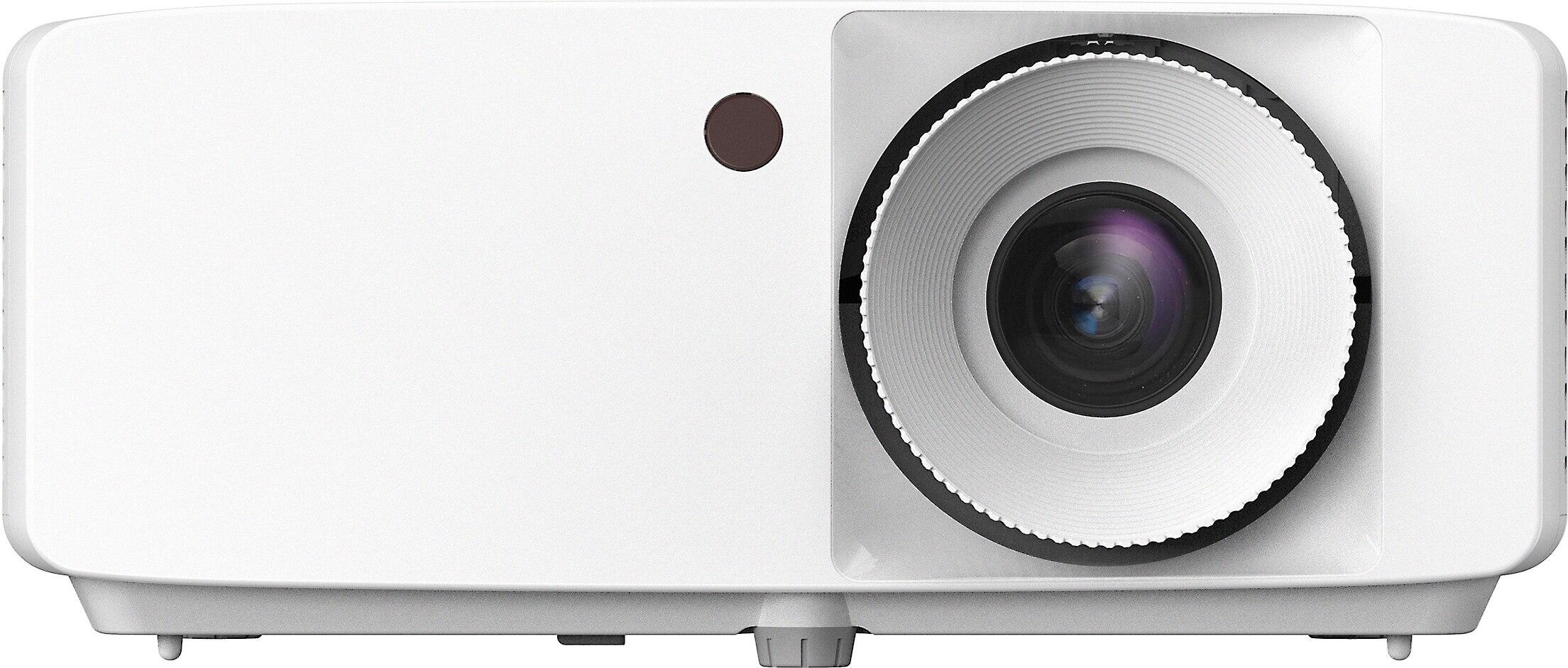
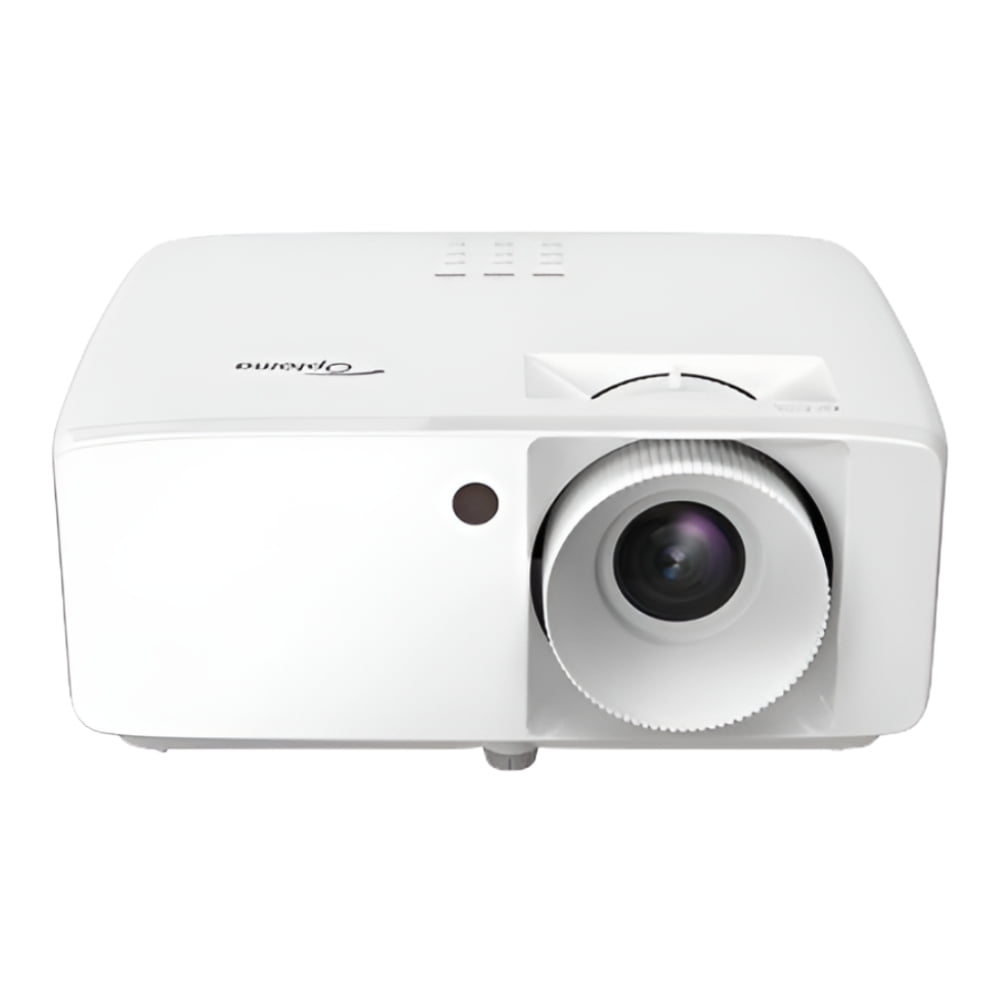
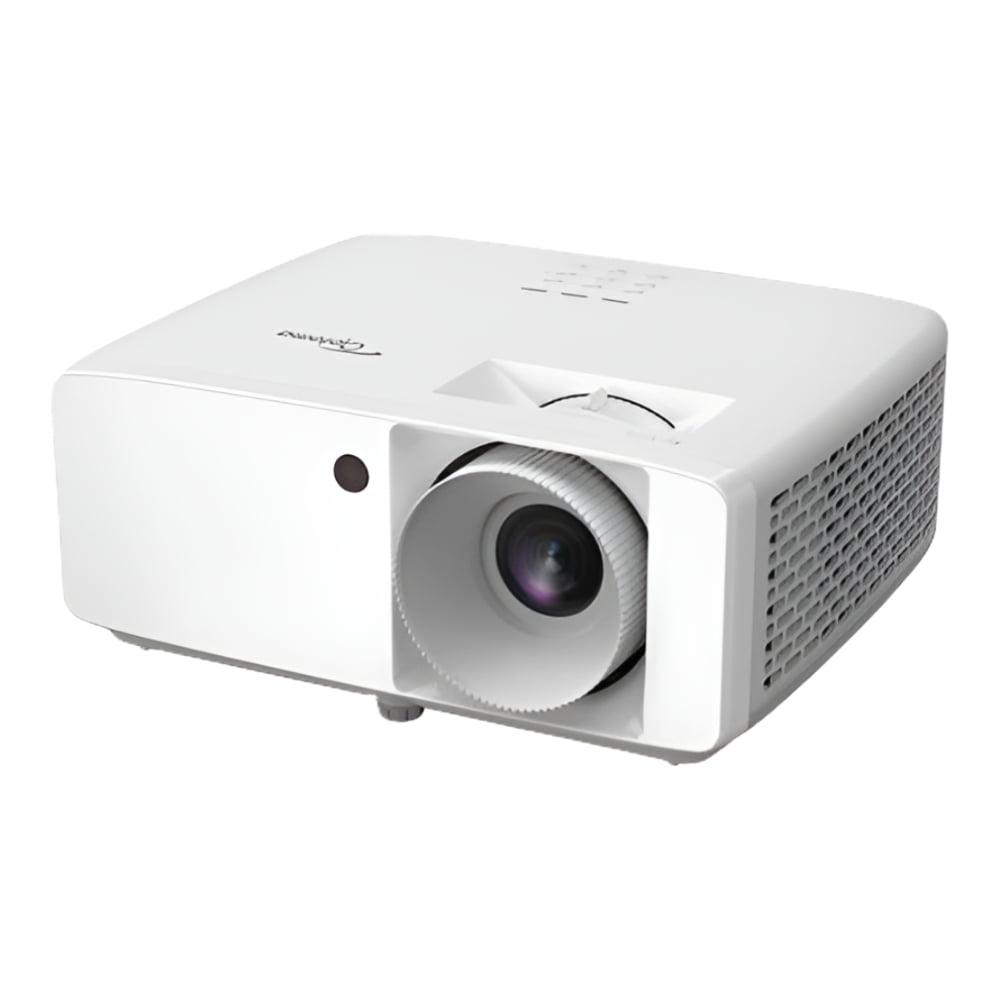
The Optoma HZ40HDR represents the evolution of Optoma's home theater lineup, released in 2020 as part of their push toward laser technology. This model marked a significant shift from traditional lamp-based systems to more durable laser light sources, bringing professional-grade projection technology to more accessible price points.
Optoma has long been known for its DLP (Digital Light Processing) projectors, a technology that uses tiny mirrors on a semiconductor chip to reflect light and create images. What makes the HZ40HDR notable is how it combines this established DLP technology with a modern laser light source, extending lifespan dramatically while maintaining the sharp image quality DLP is known for.
Since its release, many competitors have scrambled to offer similar laser-based solutions, but the HZ40HDR continues to offer a compelling package of features, particularly for gamers seeking responsive performance.
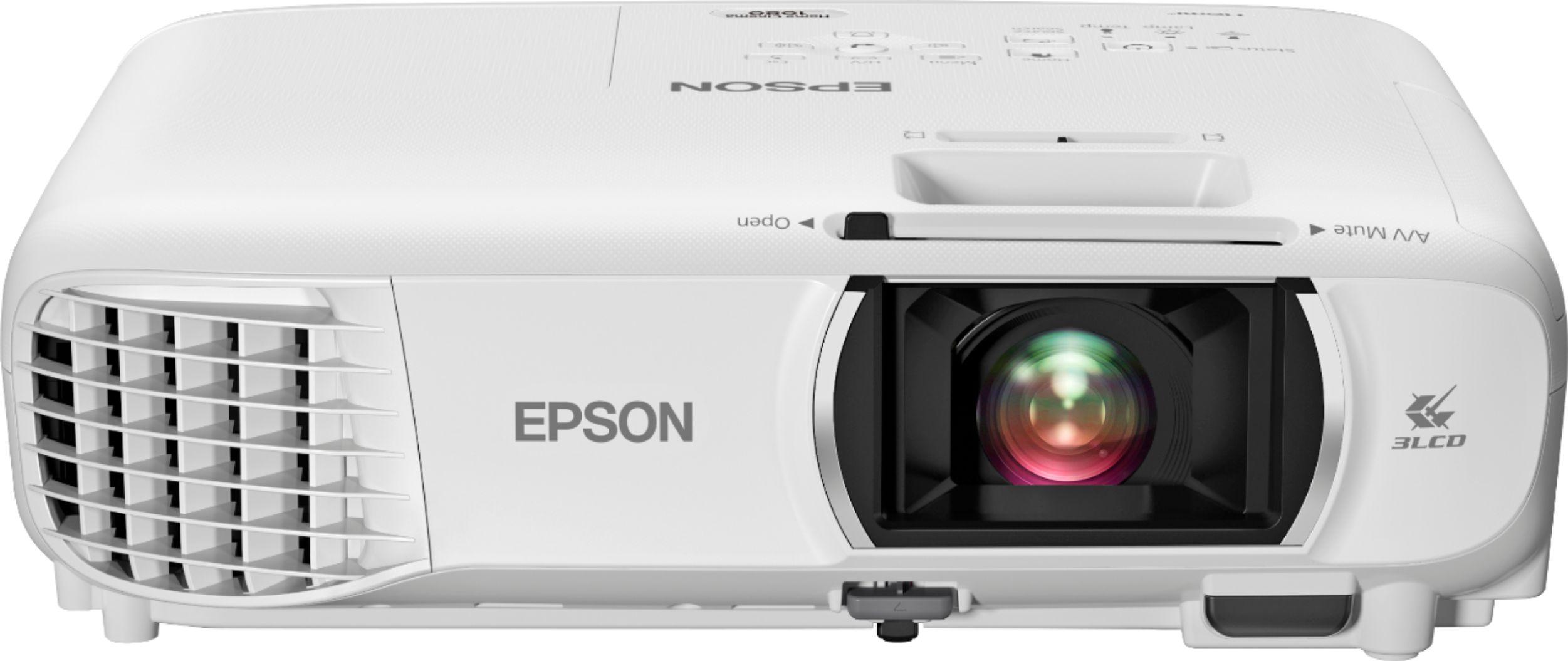
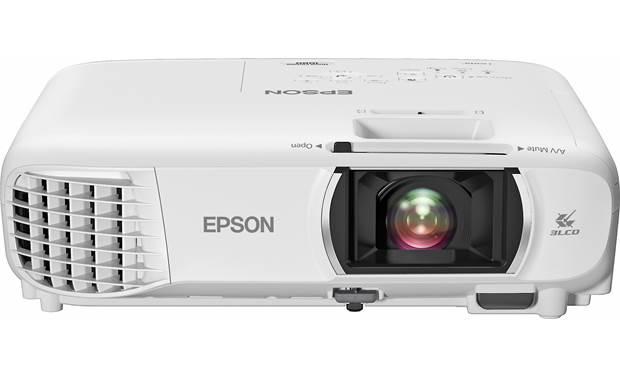
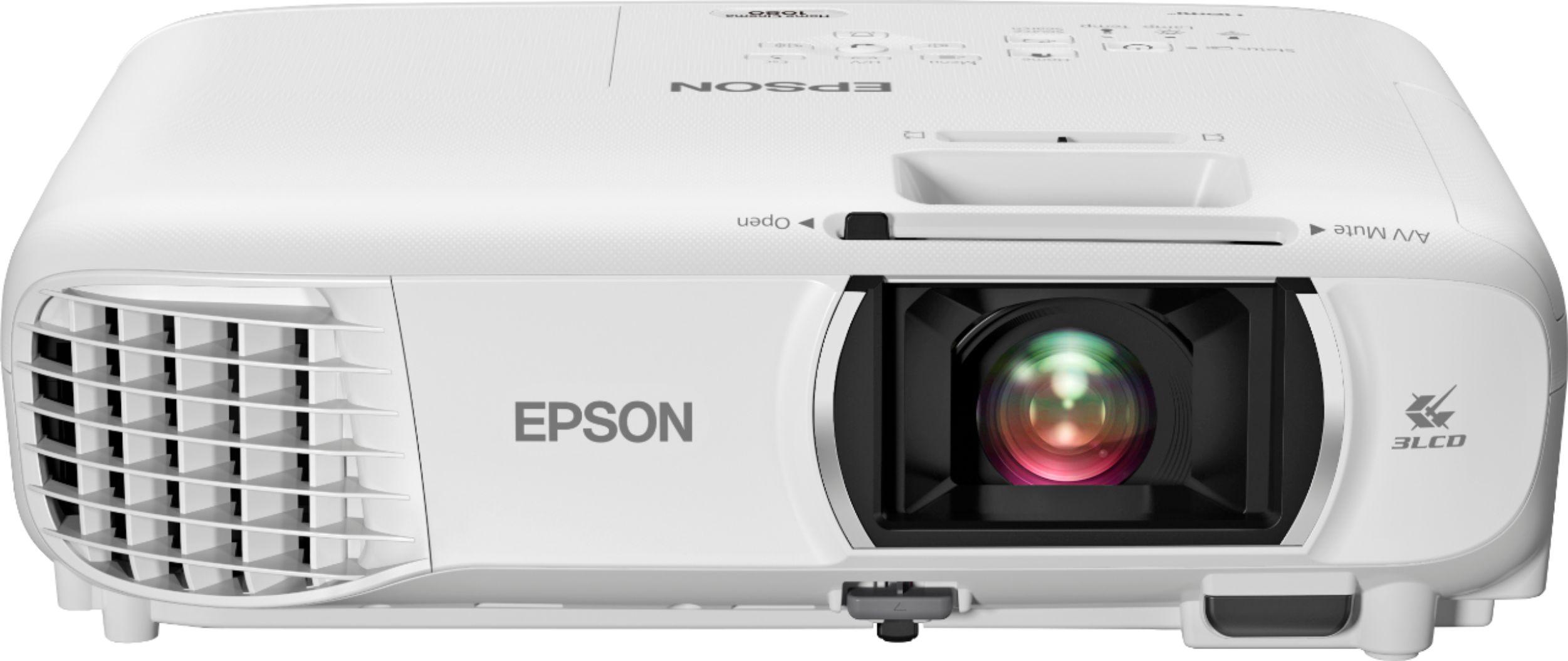
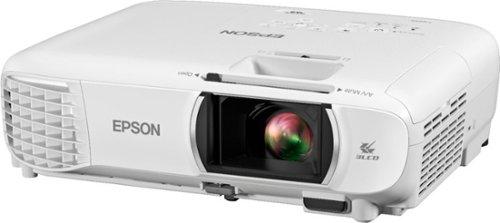
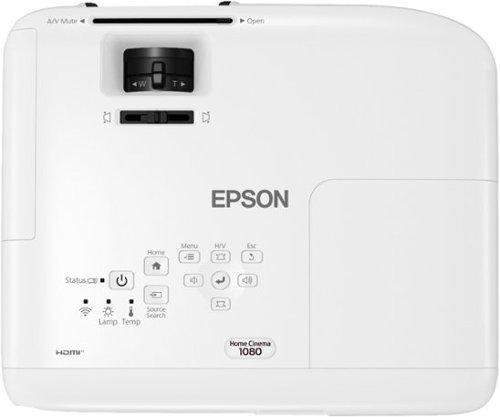
The Epson Home Cinema 1080 hit the market in 2021, continuing Epson's tradition of creating accessible home theater projectors using their refined 3LCD technology. Instead of using mirrors like DLP projectors, 3LCD systems use three separate liquid crystal displays—one each for red, green, and blue light components—to create images with natural color reproduction.
What's interesting about this model is how Epson has managed to maintain a competitive price point while incorporating features previously found only in higher-end models. The wireless connectivity options, in particular, show how projection technology has evolved to accommodate our increasingly cord-free digital lifestyle.
Since its introduction, Epson has continued to iterate on this platform, though the core technology remains similar, focusing on color accuracy and ease of use rather than chasing the brightness wars that some competitors engage in.
The most fundamental difference between these projectors is their light source, which affects everything from image quality to long-term ownership costs.
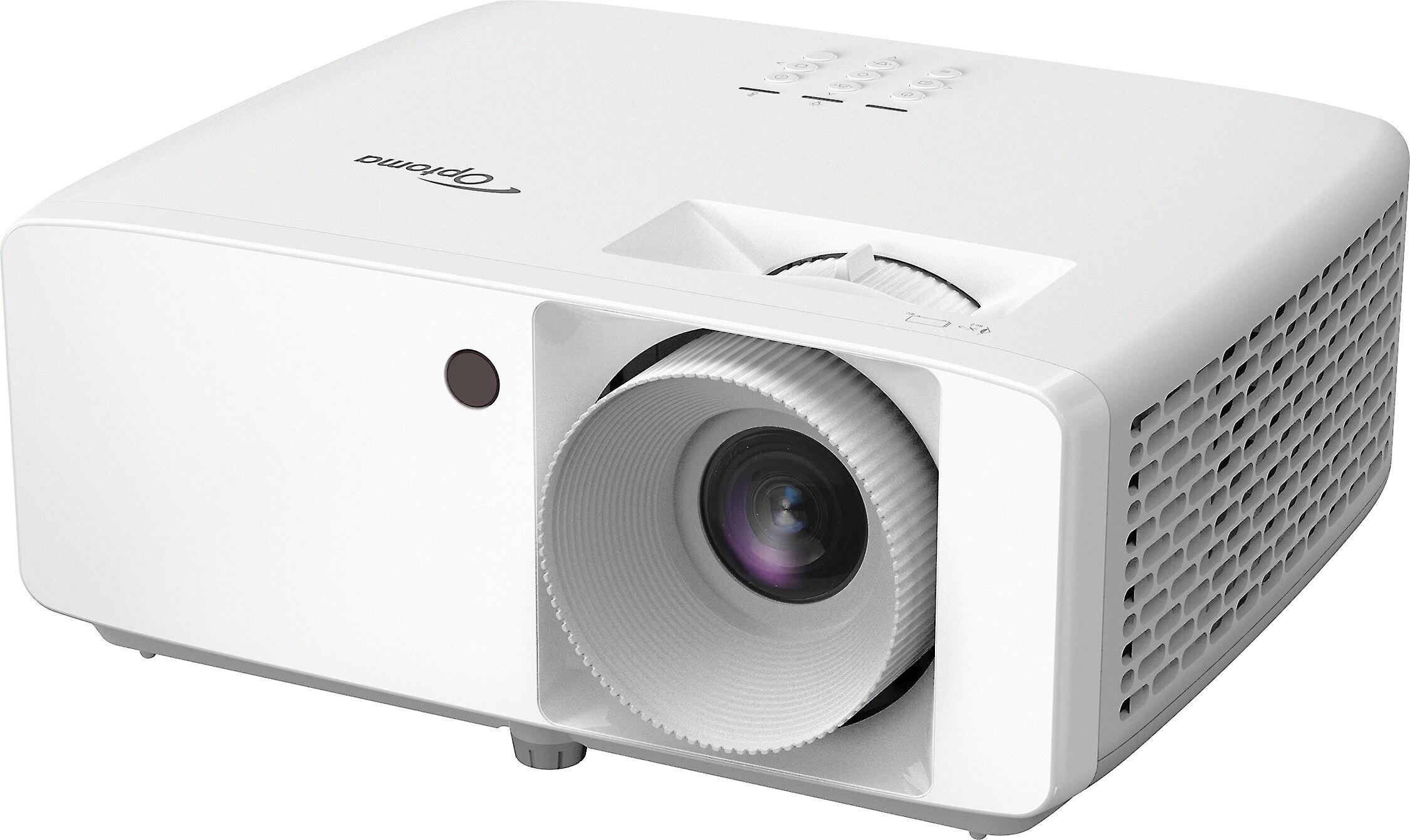
The Optoma HZ40HDR uses a laser phosphor light source that fundamentally changes the projection experience. Unlike traditional bulbs that burn filaments, lasers stimulate phosphor materials to create light, resulting in a longer-lasting and more energy-efficient system.
With a rated lifespan of up to 30,000 hours, the laser in the HZ40HDR could theoretically run for 8 hours daily for over 10 years before showing significant degradation. This extended lifespan means you won't face the periodic lamp replacement costs that have been a traditional pain point for projector owners.
Another advantage that doesn't get enough attention is the consistent brightness throughout that lifespan. Traditional lamps start degrading almost immediately, slowly getting dimmer over time. Laser systems maintain their brightness much longer, meaning the image you enjoy in year five will look much closer to what you saw on day one.
I've noticed that laser projectors also offer more stable color performance over time. Traditional lamps can shift in color temperature as they age, while laser sources tend to maintain their color characteristics more consistently.
The Epson Home Cinema 1080 uses a 210W UHE (Ultra High Efficiency) lamp with a rated lifespan of 6,000 hours in Normal mode and up to 12,000 hours in ECO mode, which reduces brightness to extend lamp life.
While this is significantly shorter than the Optoma's laser source, lamp technology has improved dramatically in recent years. Earlier projector lamps might have lasted only 2,000-3,000 hours, so today's lamps represent a substantial improvement, even if they can't match laser longevity.
The primary advantage of lamp-based systems remains cost. The Epson projector costs significantly less upfront than comparable laser models, making it more accessible for first-time projector buyers or those with tighter budgets.
When the lamp eventually requires replacement (typically costing $100-200), you're essentially giving your projector a refresh, sometimes with newer, improved lamp technology that wasn't available when your projector was first manufactured.
Brightness, measured in lumens, determines how well a projector can combat ambient light and how large an image it can effectively project.
The Optoma HZ40HDR boasts an impressive 4,000 ANSI lumens. ANSI lumens represent a standardized measurement method developed by the American National Standards Institute, generally considered more accurate than non-standardized lumen claims. This brightness level makes the Optoma suitable for rooms with some ambient light—you won't need to completely blackout your space to enjoy a vibrant image.
The Epson Home Cinema 1080 offers 3,400 lumens of both color and white brightness. Epson specifically highlights equal color and white brightness because some competitors (particularly single-chip DLP projectors) may produce color brightness that's lower than their stated white brightness, leading to less vibrant colors than expected.
In real-world use, both projectors are bright enough for typical living room scenarios with controlled lighting. However, the Optoma's extra 600 lumens give it an edge in rooms where you can't fully control light sources like windows or when you want to watch during daytime without completely drawing the curtains.
Contrast ratio—the difference between the brightest whites and darkest blacks a projector can produce—significantly impacts image depth and realism.
The Optoma claims a staggering 300,000:1 contrast ratio, while the Epson lists a more modest 16,000:1. These numbers should be taken with a grain of salt, as manufacturers use different measurement methods, but the substantial difference suggests the Optoma likely has a meaningful advantage in producing deeper blacks and more dynamic range between light and dark scenes.
In my experience with similar models, DLP projectors like the Optoma often produce more film-like contrast in dark scenes, while 3LCD projectors like the Epson tend to have more nuanced shadow detail but slightly elevated black floors (blacks appear more dark gray than true black).
For dedicated home theater use in a fully darkened room, the Optoma's superior contrast would be more noticeable and appreciated, especially when watching movies with many dark scenes.
Color reproduction represents perhaps the starkest philosophical difference between these projectors.
The Optoma HZ40HDR uses single-chip DLP technology with a color wheel to sequentially display red, green, and blue components. This approach allows for excellent motion handling and sharp images, but can sometimes create a "rainbow effect" where some viewers see momentary color artifacts during high-contrast scenes or when moving their eyes quickly across the screen. Not everyone perceives this effect, but it's worth considering if you're sensitive to visual artifacts.
DLP projectors typically excel at producing accurate colors after calibration, and the Optoma supports HDR10 and HLG (Hybrid Log-Gamma) high dynamic range formats, which expand the range of brightness and color the projector can display from compatible content sources.
The Epson Home Cinema 1080 uses 3LCD technology, which processes red, green, and blue color components simultaneously through separate LCD panels. This eliminates any possibility of rainbow artifacts and typically provides more saturated, natural colors straight out of the box without extensive calibration. The Epson features 10-bit color processing, allowing it to display over a billion colors for smooth gradients and natural transitions.
In real-world viewing, the Epson typically produces more naturally balanced colors with less setup, while the Optoma can achieve excellent accuracy but might benefit from some calibration to reach its full potential.
Gaming has become a major use case for projectors, and input lag—the delay between when your gaming device sends a signal and when it appears on screen—is crucial for responsive gameplay.
The Optoma HZ40HDR shines in this department with an exceptionally low 8.6ms input lag at 1080p/120Hz. This approaches the responsiveness of gaming monitors and makes it suitable even for competitive gaming where split-second reactions matter. The ability to handle 120Hz refresh rates also provides smoother motion for compatible gaming systems, reducing motion blur in fast-paced scenes.
The Epson Home Cinema 1080 doesn't specify its input lag, which typically indicates it wasn't designed with gaming as a primary use case. Based on similar Epson models, we can estimate it likely falls somewhere between 30-50ms, which is acceptable for casual gaming but may feel slightly sluggish for fast-paced competitive titles.
Beyond pure response time, how projectors handle motion affects gaming experience. DLP technology in the Optoma typically provides crisper motion with less blur, beneficial for fast-paced games. The 3LCD system in the Epson still performs adequately but may show slightly more motion blur in rapidly moving scenes.
For serious gamers, particularly those playing competitive titles like first-person shooters or fighting games, the Optoma's gaming capabilities represent a significant advantage. Casual gamers who prioritize immersive RPGs or strategy games might find the difference less noticeable or relevant.
Both projectors offer a range of connectivity options, but with different emphases that reflect their intended use cases.
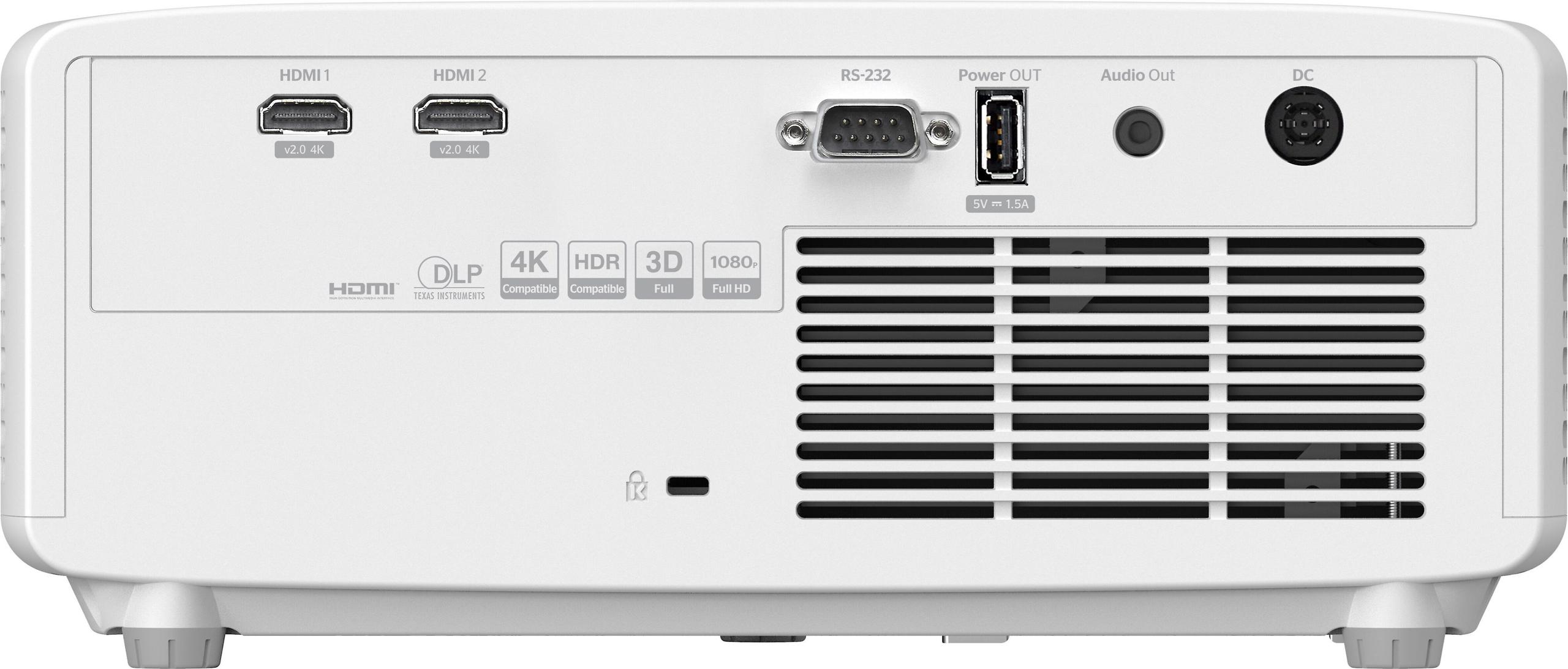
The Optoma HZ40HDR provides two HDMI 2.0 ports, which support modern standards including 4K input (downscaled to 1080p) and HDR. It also includes a USB power port for streaming sticks, a 3.5mm audio output for external speakers or headphones, and an RS-232 port for integration with home automation systems.
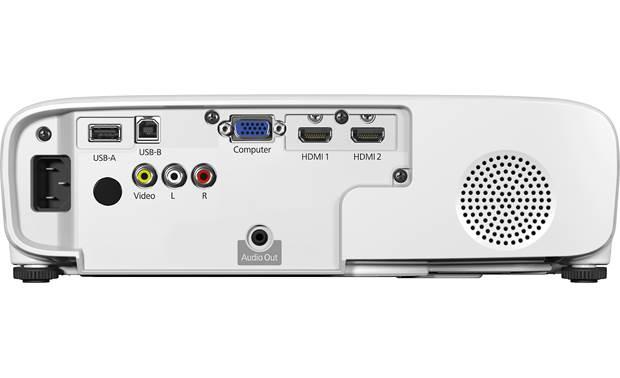
The Epson Home Cinema 1080 matches the two HDMI ports but adds VGA and composite video inputs for legacy devices. It also includes USB-A and USB-B ports for direct media playback and computer display connectivity, offering more versatility for connecting older devices or computers.
This is where the Epson pulls ahead significantly. With built-in Wi-Fi and Miracast support, the Epson allows wireless screen mirroring from compatible smartphones, tablets, and computers without additional adapters or cables. This makes impromptu sharing of photos, videos, or presentations much more convenient.
The Optoma lacks built-in wireless capabilities, requiring external devices like streaming sticks or wireless HDMI transmitters to achieve similar functionality. This reflects its focus on dedicated home theater performance rather than versatility.
Surprisingly for a compact projector, the Optoma HZ40HDR includes a powerful 15W mono speaker that can fill a room with reasonable sound quality. This makes it more viable as a standalone solution for temporary setups or outdoor movie nights.
The Epson Home Cinema 1080 includes a more modest 2W mono speaker that serves as a functional backup but will likely need external speakers for satisfying audio during movies or gaming sessions.
In a dedicated home theater setup, most users will pair either projector with a separate audio system, making this difference less important in permanent installations.
Where and how you can position your projector often determines whether it will work in your specific space.
Throw ratio describes how wide an image a projector creates relative to its distance from the screen. The Optoma HZ40HDR has a throw ratio of 1.48:1 - 1.62:1, meaning that to create a 100-inch wide image, it needs to be positioned roughly 148-162 inches (about 12.3-13.5 feet) from the screen.
The Epson Home Cinema 1080 features a shorter throw ratio of 1.02:1 - 1.23:1, allowing it to create that same 100-inch image from just 102-123 inches (8.5-10.25 feet) away. This more flexible throw ratio makes the Epson better suited for smaller rooms where positioning distance is limited.
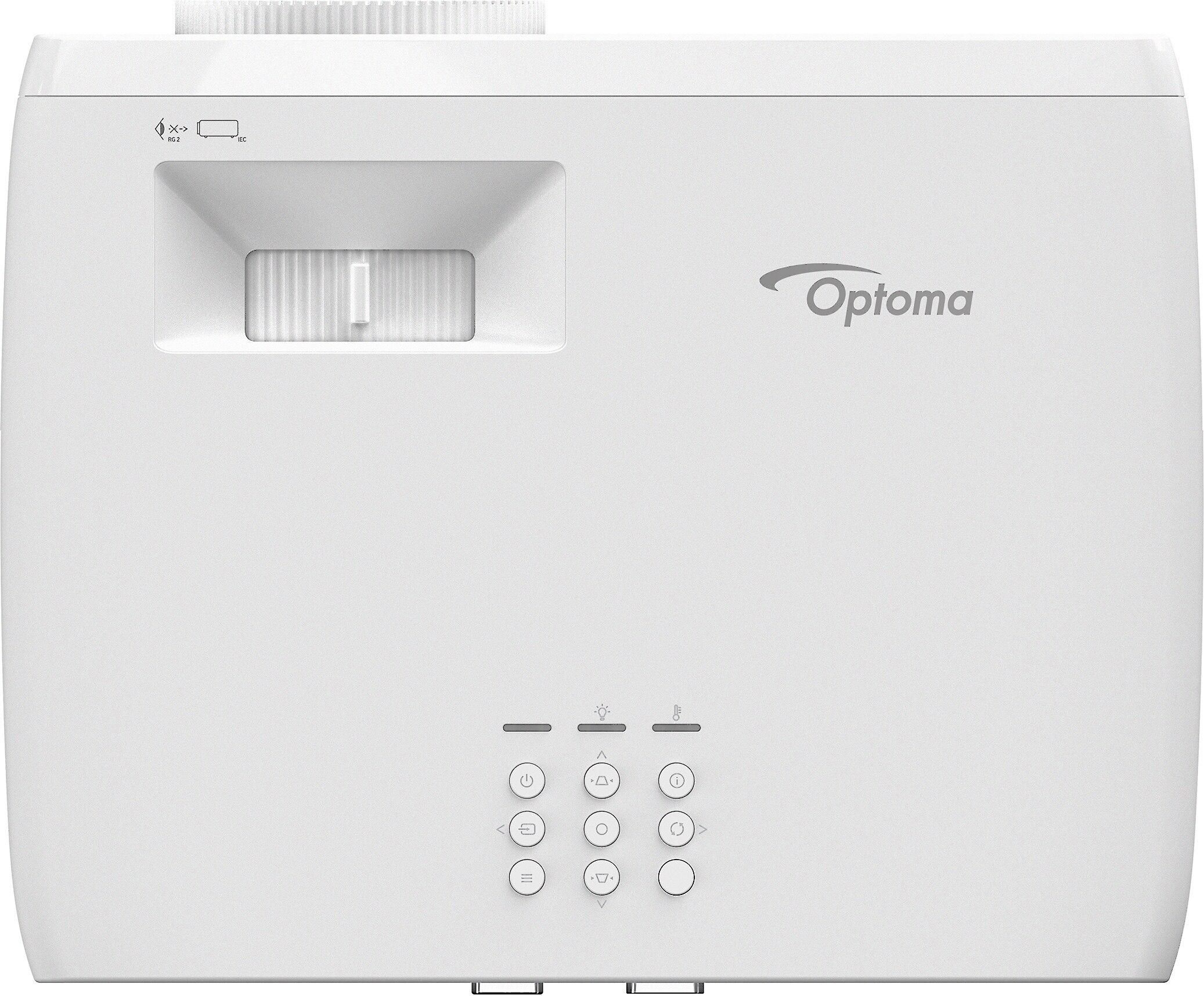
Both projectors offer vertical and horizontal keystone correction (±30°), which adjusts the image shape when the projector can't be positioned directly in front of the screen. This is helpful for real-world setups where ideal positioning isn't always possible.
The Epson offers a slight advantage with its 1.2x optical zoom compared to the Optoma's 1.1x zoom, providing a bit more flexibility in fine-tuning image size without moving the projector. The Epson also features an automatic picture skew sensor that detects and corrects keystone distortion automatically.
Projector fans can be distracting in quiet scenes, so operational noise matters for home theater use. The Optoma HZ40HDR produces 32-34 dB of noise, while the Epson Home Cinema 1080 ranges from 28 dB in ECO mode to 37 dB in Normal mode.
In practical terms, both projectors are reasonably quiet, especially when soundtrack audio is playing, but the Epson in ECO mode would be less noticeable during quiet scenes. The laser-based Optoma also typically produces less heat over time, which can be a consideration for smaller, enclosed spaces.
Projector value extends beyond the initial purchase price to include operational costs, reliability, and longevity.
The Epson Home Cinema 1080 typically costs significantly less upfront than the Optoma HZ40HDR, reflecting the fundamental difference between lamp and laser technology. This lower entry point makes the Epson more accessible for first-time projector buyers or those with limited budgets.
The economic equation changes when considering the total cost of ownership. The Optoma's laser light source eliminates the need for lamp replacements, which for the Epson will be required every 6,000-12,000 hours (depending on usage mode) at approximately $100-200 per replacement.
For someone using their projector 15 hours weekly, the Epson's lamp might need replacement every 8-16 years in ECO mode or 4-8 years in Normal mode. Over a 10-year ownership period, this could add $100-400 to the total cost, still leaving the Epson as the more economical option purely from a financial perspective.
However, the convenience of never dealing with lamp replacements and maintaining consistent brightness throughout the Optoma's lifespan represents a non-monetary value that many users find compelling.
Laser projectors typically consume less electricity over time compared to lamp-based models. The Optoma HZ40HDR is estimated to use up to 45% less power than comparable lamp projectors, resulting in lower electricity bills and reduced environmental impact over the projector's lifetime.
After examining both projectors in detail, the decision comes down to your specific priorities and use case. Here's how to determine which projector might be right for you:
The Optoma represents an investment in longevity and performance, particularly suited for dedicated home theater enthusiasts who will appreciate its superior contrast and gaming capabilities. Its maintenance-free operation and consistent performance make it ideal for users who want a "set and forget" solution.
The Epson offers tremendous value for casual users and those new to projection. Its 3LCD technology provides vibrant, accurate colors straight out of the box, and its wireless capabilities make it more versatile for everyday use beyond just movie watching.
Both the Optoma HZ40HDR and Epson Home Cinema 1080 represent excellent choices within the 1080p projector category, but they approach the projection experience with different philosophies and technologies.
The home projection market continues to evolve rapidly, with technologies once reserved for commercial cinemas now becoming accessible to home users. Laser illumination, once prohibitively expensive, has reached price points that make it a viable consideration for serious enthusiasts. Meanwhile, traditional lamp technology has improved dramatically in efficiency and lifespan.
For most users, the decision will come down to balancing immediate budget constraints against long-term usage plans. The Epson offers more accessible entry into large-screen entertainment with its lower initial cost and wireless convenience. The Optoma represents an investment in premium performance and hassle-free operation that will pay dividends for years, particularly for gamers and movie enthusiasts.
Whichever path you choose, both projectors demonstrate how far home projection technology has come and how accessible the big-screen experience has become for today's entertainment fans. Whether you're gaming, streaming, or enjoying movie night, these capable 1080p projectors prove that you don't need to invest in 4K to create a compelling visual experience in your home.
| Optoma HZ40HDR 1080p Projector | Epson Home Cinema 1080 Projector |
|---|---|
| Light Source Technology - Impacts longevity, maintenance costs, and image consistency | |
| Laser (30,000 hours lifespan, no replacements needed) | Lamp (6,000-12,000 hours, requires periodic replacement) |
| Brightness - Determines image visibility in ambient light and maximum effective screen size | |
| 4,000 ANSI lumens (excellent for rooms with some ambient light) | 3,400 lumens (good for somewhat darkened rooms) |
| Contrast Ratio - Affects black levels, image depth, and overall picture quality | |
| 300,000:1 (superior dark scene performance) | 16,000:1 (good but less dynamic range) |
| Input Lag - Critical for gaming responsiveness | |
| 8.6ms at 1080p/120Hz (excellent for competitive gaming) | Not specified (likely 30-50ms, adequate for casual gaming) |
| Color Technology - Impacts color accuracy and viewer experience | |
| DLP with HDR10/HLG support (accurate colors after calibration, potential rainbow effect) | 3LCD with 10-bit processing (naturally rich colors, no rainbow effect) |
| Throw Ratio - Determines required distance from screen | |
| 1.48:1 - 1.62:1 (requires more distance) | 1.02:1 - 1.23:1 (works better in smaller rooms) |
| Wireless Connectivity - Affects convenience for content sharing | |
| None built-in (requires external streaming devices) | Built-in Wi-Fi with Miracast (easy screen mirroring) |
| Audio Solution - Important for standalone use without external speakers | |
| 15W mono speaker (reasonable for temporary setups) | 2W mono speaker (minimal, likely needs external audio) |
| Operating Noise - Impacts viewing experience during quiet scenes | |
| 32-34 dB (moderately quiet in all modes) | 28 dB in ECO mode, 37 dB in Normal mode (quieter option available) |
| Value Proposition - Long-term cost consideration | |
| Higher initial cost, no ongoing maintenance expenses | Lower upfront cost, periodic lamp replacement expenses ($100-200 each) |
The Optoma HZ40HDR is brighter with 4,000 ANSI lumens compared to the Epson Home Cinema 1080 with 3,400 lumens. This makes the Optoma better for rooms with some ambient light or when you need to project larger images while maintaining brightness. The Epson Home Cinema 1080 is still sufficiently bright for most home theater setups with controlled lighting.
The Optoma HZ40HDR uses laser technology with a 30,000-hour lifespan requiring no replacements, while the Epson Home Cinema 1080 uses a traditional lamp rated for 6,000-12,000 hours depending on the mode. Laser projectors like the Optoma HZ40HDR maintain consistent brightness over their lifespan, turn on/off instantly, and eliminate maintenance costs, but typically cost more upfront.
The Optoma HZ40HDR is significantly better for gaming with an ultra-low 8.6ms input lag at 1080p/120Hz, making it excellent for competitive gaming. The Epson Home Cinema 1080 doesn't specify its input lag but likely falls in the 30-50ms range based on similar models, making it adequate for casual gaming but not ideal for fast-paced competitive titles. The Optoma HZ40HDR also supports higher refresh rates for smoother motion.
Neither the Optoma HZ40HDR nor the Epson Home Cinema 1080 offers native 4K resolution - both are 1080p (Full HD) projectors. However, the Optoma HZ40HDR does support HDR10 and HLG formats, allowing it to display enhanced contrast and color from 4K HDR sources even though it downscales the resolution to 1080p. The Epson Home Cinema 1080 lacks HDR support.
The Epson Home Cinema 1080 requires more maintenance as its lamp needs replacement every 6,000-12,000 hours at a cost of $100-200 per lamp. The Optoma HZ40HDR uses a maintenance-free laser light source rated for up to 30,000 hours, eliminating the need for replacements during the projector's typical lifespan. This makes the Optoma a "set and forget" solution compared to the Epson.
The Epson Home Cinema 1080 works better in smaller rooms due to its shorter throw ratio of 1.02:1 - 1.23:1, allowing it to project a large image from a closer distance. The Optoma HZ40HDR has a longer throw ratio of 1.48:1 - 1.62:1, requiring more distance between the projector and screen. For a 100-inch image, the Epson can be placed about 8.5-10.25 feet away versus 12.3-13.5 feet for the Optoma.
The Epson Home Cinema 1080 generally offers better out-of-the-box color accuracy thanks to its 3LCD technology, which produces equal color and white brightness for naturally vibrant images. The Optoma HZ40HDR can achieve excellent color accuracy after calibration and supports HDR formats for expanded color capabilities, but may require more adjustment to reach its full potential. Some viewers may experience the "rainbow effect" with the DLP-based Optoma, which doesn't occur with the Epson.
The Epson Home Cinema 1080 has built-in Wi-Fi with Miracast support for wireless screen mirroring from compatible devices, making content sharing more convenient. The Optoma HZ40HDR doesn't offer built-in wireless streaming capabilities and requires external devices like streaming sticks (which can be powered via its USB port) or wireless HDMI transmitters to achieve similar functionality.
The Optoma HZ40HDR offers significantly better contrast with a 300,000:1 contrast ratio compared to the Epson Home Cinema 1080 with 16,000:1. This gives the Optoma an advantage for movie watching, particularly for content with dark scenes where it can produce deeper blacks and more dynamic range. For dedicated home theater use in darkened rooms, the Optoma's superior contrast provides a more cinematic experience.
Both the Optoma HZ40HDR and Epson Home Cinema 1080 can be ceiling mounted. They include standard mounting points and offer image flip/invert settings to accommodate various installation positions. Both projectors also provide keystone correction (±30° vertical and horizontal) to help square the image when the projector can't be positioned directly in front of the screen, making them flexible for permanent home theater installations.
Despite its higher initial cost, the Optoma HZ40HDR may be more cost-effective for heavy users due to its maintenance-free laser light source. The Epson Home Cinema 1080 has a lower purchase price but requires lamp replacements every 6,000-12,000 hours at $100-200 each. For someone using their projector 15+ hours weekly, the total ownership cost could eventually favor the Optoma, though casual users who watch just a few hours weekly might find the Epson more economical even with occasional lamp replacements.
The Optoma HZ40HDR features a surprisingly powerful 15W mono speaker that provides reasonable sound quality for temporary setups or rooms without external audio systems. The Epson Home Cinema 1080 includes a more modest 2W mono speaker that serves as a functional backup but will likely be inadequate for most users. For the best home theater experience, both projectors should ideally be paired with dedicated external speakers or a sound system.
We've done our best to create useful and informative comparisons to help you decide what product to buy. Our research uses advanced automated methods to create this comparison and perfection is not possible - please contact us for corrections or questions. These are the sites we've researched in the creation of this article: projectorcentral.com - youtube.com - picclick.com - crutchfield.com - homecinemachoice.com - compsource.com - bestbuy.com - adorama.com - bhphotovideo.com - provantage.com - cdw.com - datavision.com - optomausa.com - manua.ls - ipcstore.com - pcrichard.com - richersounds.com - electronicexpress.com - projexdisplay.com - dubaimachines.com - newegg.com - projectorpoint.co.uk - a.ubuy.com.kw - greentoe.com - crutchfield.com - bestbuy.com - officedepot.com - bestbuy.com - bestbuy.com - audioholics.com - rtings.com - avsforum.com - projectorcentral.com - audiogeneral.com - projectorreviews.com - rtings.com - epson.com - youtube.com - epson.com - projectorreviews.com - projectorreviews.com - walmart.com - shop.avispl.com - bhphotovideo.com - staples.com - mediaserver.goepson.com - staples.com - bhphotovideo.com - epson.com - epson.com - dell.com - epson.com - bestbuy.com

Privacy Policy
Terms and Conditions - Affiliate Policy
Home Security
© Copyright 2008-2026.
11816 Inwood Rd #1211, Dallas, TX 75244