

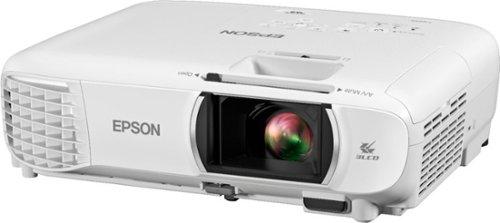
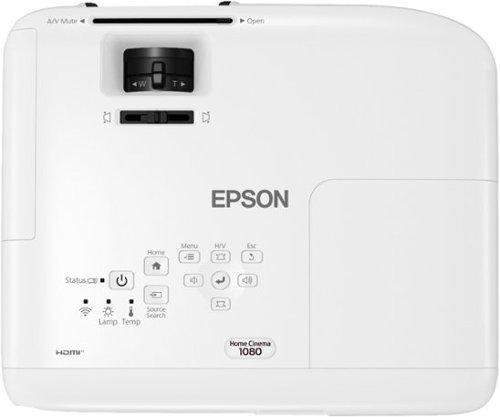
The world of projectors has split into two distinct camps, and choosing between them can feel overwhelming. On one side, you have ultra-portable smart projectors like the JMGO PicoPlay, released in 2024 as part of the latest wave of compact entertainment devices. On the other, traditional home theater projectors like the Epson Home Cinema 1080 continue to deliver the kind of performance that made projectors popular in the first place.
I've spent considerable time with both approaches, and the truth is they're solving fundamentally different problems. Understanding which problem you're trying to solve will make your decision much clearer.
The portable projector category exploded around 2020-2022, driven by work-from-home trends and streaming-first entertainment habits. The JMGO PicoPlay represents the latest evolution of this trend – devices that prioritize convenience and smart features over raw performance.
These projectors use LED or laser light sources instead of traditional lamps, which allows for much smaller designs but typically means lower brightness. Think of it like the difference between a powerful desktop computer and a laptop – you're trading some performance for portability and convenience.
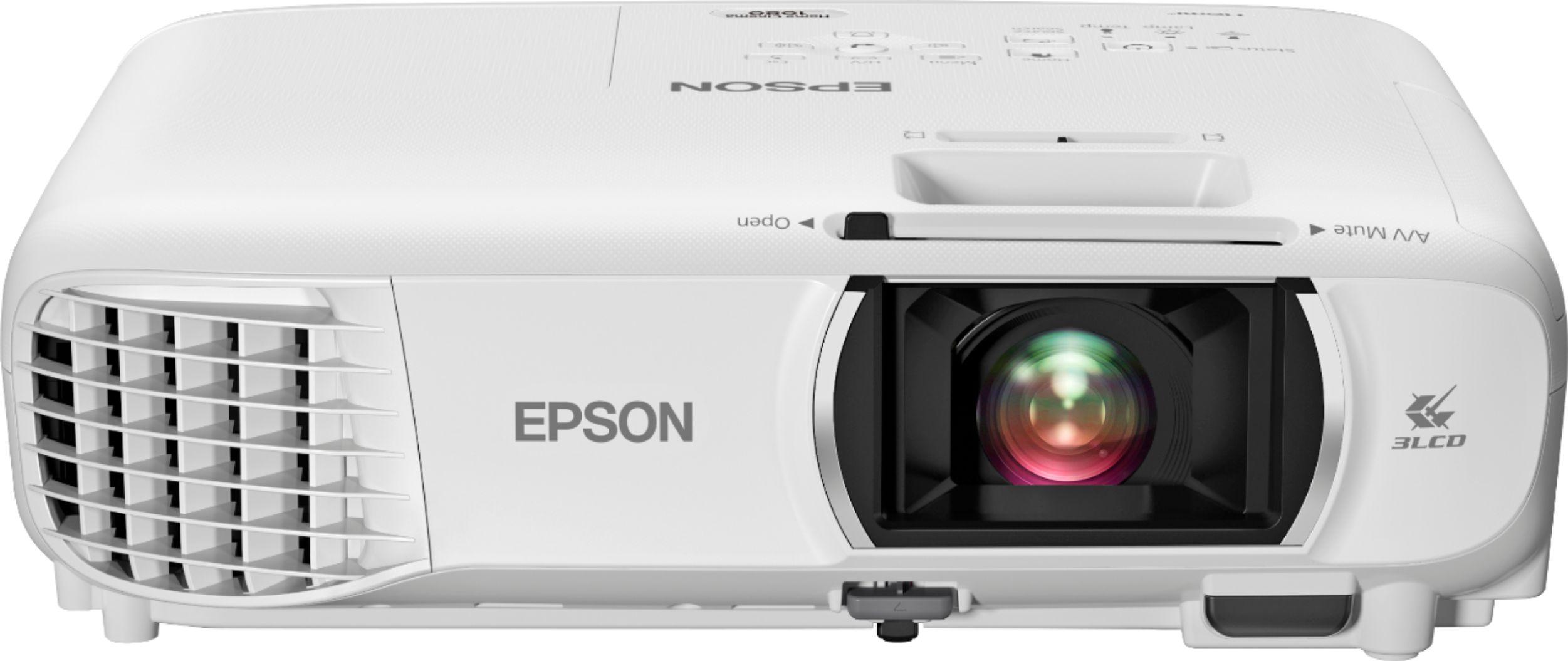
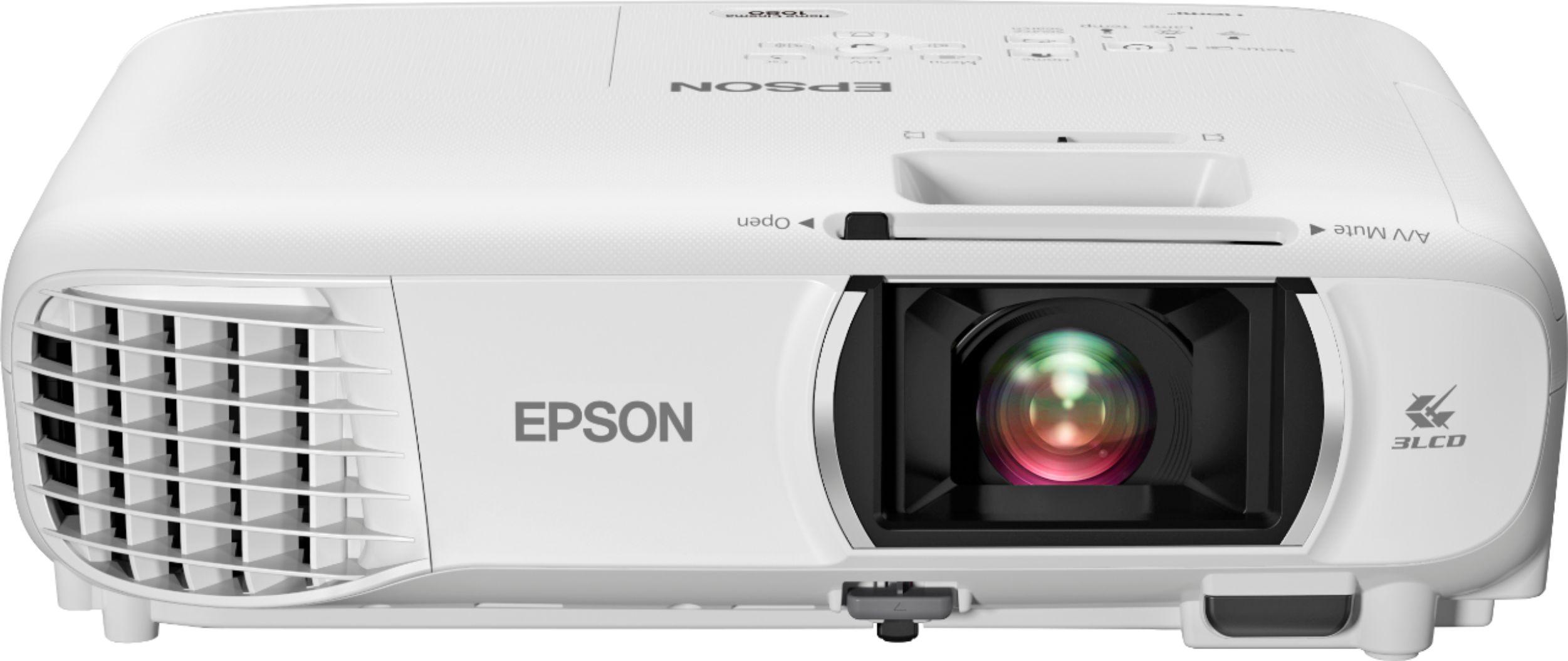
The Epson Home Cinema 1080 follows the traditional projector philosophy that dominated the market for decades. These units prioritize image quality above all else, using powerful lamps that can fill large screens even in rooms with ambient light.
The key difference is that traditional projectors assume you have a dedicated space and are willing to deal with installation complexity in exchange for superior performance. It's like having a full desktop computer setup versus a tablet – more powerful, but requires more commitment.
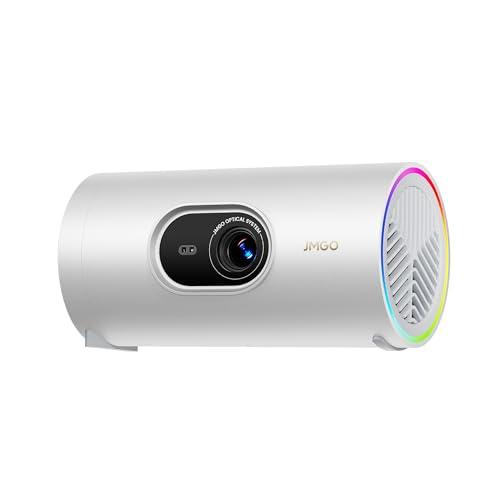
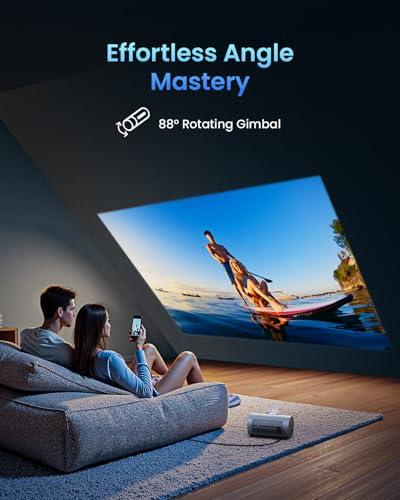
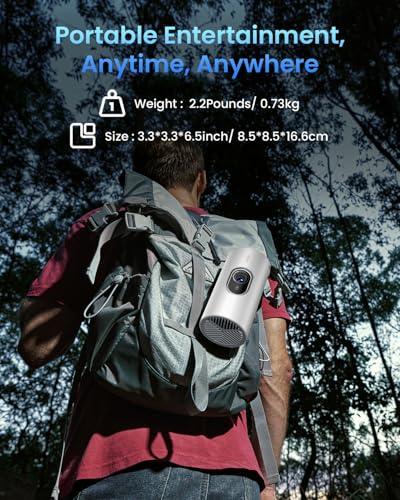
The JMGO PicoPlay takes a radically different approach to projector design. At just 740 grams (about 1.6 pounds), it's roughly the size and weight of a large travel mug. The cylindrical design isn't just for looks – it houses an 88-degree rotating gimbal that lets you easily point the projector at walls or ceilings without moving the entire unit.
This gimbal system is genuinely game-changing for casual use. I've found myself projecting movies onto the ceiling while lying in bed, something that would require an elaborate ceiling mount with a traditional projector. The JMGO PicoPlay makes this as simple as tilting the device.
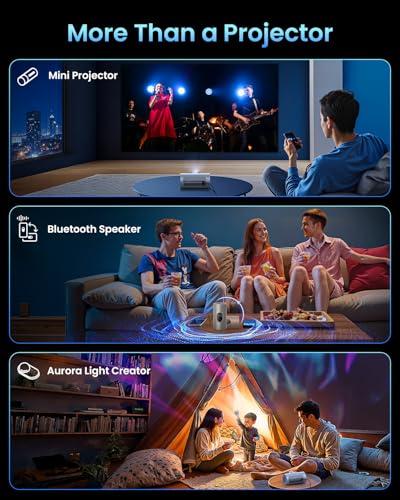
The unit also functions as a Bluetooth speaker and ambient light, creating what JMGO calls a "3-in-1 entertainment hub." While this might sound gimmicky, it actually makes sense for the target audience – people who want simplified, all-in-one solutions rather than complex component systems.
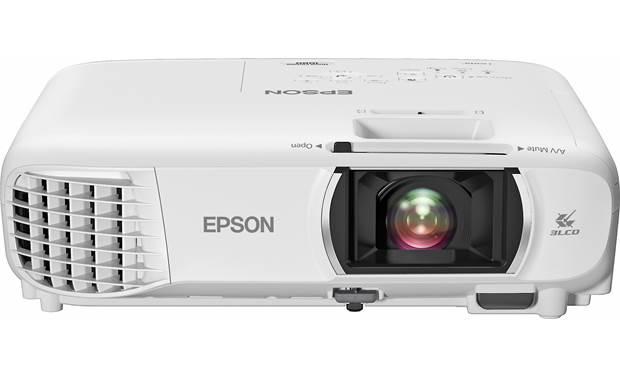
The Epson Home Cinema 1080, weighing 6.2 pounds, represents the conventional wisdom of projector design. It's built like a piece of A/V equipment that belongs in a component rack or mounted to a ceiling. Every design choice prioritizes image quality and connectivity over portability.
This approach allows for larger, more powerful internal components. The lamp alone is 210 watts – more than half the total power consumption of the entire JMGO PicoPlay. This power translates directly into brightness, which is the single most important factor for projector performance in most real-world situations.
Brightness, measured in lumens, determines where and when you can actually use your projector. This is where the fundamental trade-off between portable and traditional designs becomes crystal clear.
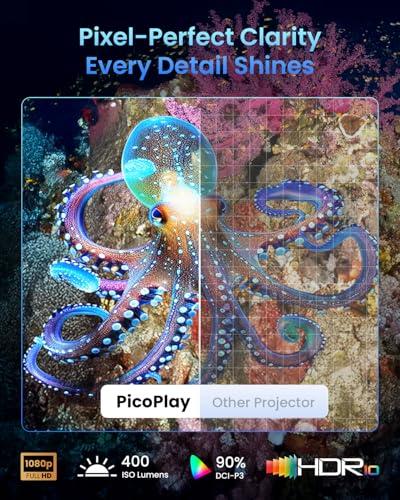
The JMGO PicoPlay produces 400 ISO lumens, which sounds modest but is actually impressive for its size. ISO lumens is a standardized measurement that gives you a more accurate picture of real-world brightness than the inflated "marketing lumens" some manufacturers use.
However, 400 lumens means you need relatively dark conditions for optimal viewing. I've found the JMGO PicoPlay works great for evening movie watching with the lights dimmed, but struggle in rooms with any significant ambient light. The sweet spot is screens around 50-60 inches diagonal in dark rooms.
The Epson Home Cinema 1080 produces 3,400 lumens – nearly nine times brighter. This isn't just a numbers game; it fundamentally changes how you can use the projector. You can watch during the day with window light, project onto much larger screens (up to 300 inches), and don't need to turn off every light in the room.
From my testing, this brightness difference is the single most important factor in choosing between these categories. If you need flexibility in viewing conditions, traditional projectors win hands down.
Both projectors deliver native 1080p Full HD resolution, which remains the sweet spot for most content in 2024. While 4K projectors exist, they come with significant price premiums and many streaming services still deliver 1080p content anyway.
Where things get interesting is color accuracy and contrast. The JMGO PicoPlay covers 124% of the Rec.709 color space and 90% of DCI-P3. These are technical specifications that essentially mean the projector can display a wide range of colors accurately – important for the vibrant content you see on Netflix or YouTube.
The contrast ratio tells you how well a projector handles the difference between bright whites and deep blacks. The JMGO PicoPlay's 400:1 contrast ratio is typical for LED projectors but limited compared to traditional lamp-based units.
The Epson Home Cinema 1080 achieves up to 16,000:1 contrast ratio using its 3LCD technology. This technical approach uses three separate LCD panels for red, green, and blue light, resulting in better color separation and contrast than single-chip designs.
In practical terms, this means the Epson will show more detail in dark movie scenes and produce more vibrant colors overall. It's the difference between watching a movie and feeling like you're watching a movie – that extra contrast and color accuracy creates a more immersive experience.
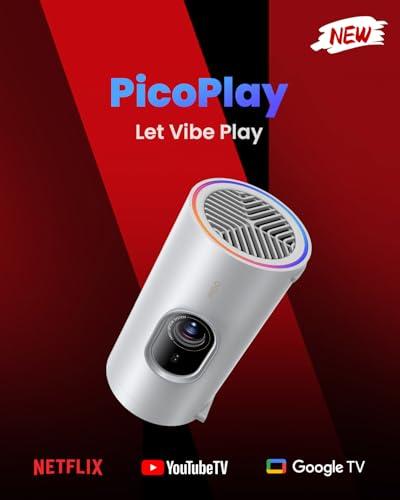
The JMGO PicoPlay runs Google TV natively, giving you direct access to Netflix, YouTube, Amazon Prime Video, and other streaming services. This might seem like a small thing, but it fundamentally changes how you use the projector. There's no need to connect a streaming device, find additional power outlets, or deal with multiple remotes.
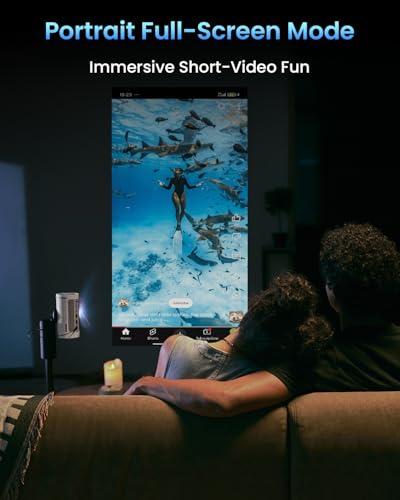
More impressively, the JMGO PicoPlay includes a "Vertical Play" mode optimized for TikTok and Instagram Reels – content designed for phone screens. This feature acknowledges how entertainment consumption has evolved, especially for younger users who consume as much vertical video as traditional horizontal content.
The Epson Home Cinema 1080 takes the traditional approach: it's a display device that shows whatever you connect to it. It has Wi-Fi for screen mirroring from phones and tablets, but for streaming services, you'll need a Roku, Apple TV, Fire TV, or similar device.
This isn't necessarily a disadvantage. Many home theater enthusiasts prefer dedicated streaming devices because they offer more features, regular updates, and often better performance than built-in smart systems. But it does mean additional complexity and cost.
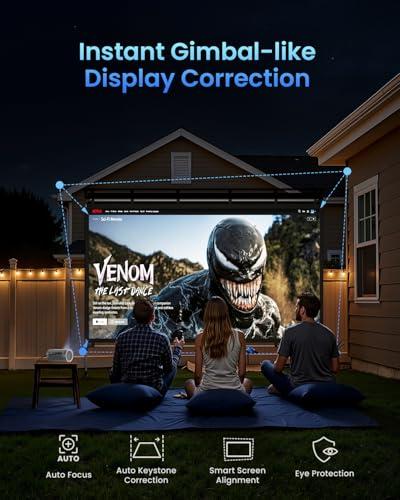
The JMGO PicoPlay's FlexiSmart system demonstrates how modern projectors can eliminate traditional setup headaches. Using a ToF (Time-of-Flight) sensor – similar to what phones use for portrait mode photography – it automatically focuses the image, corrects keystone distortion (when the image looks like a trapezoid instead of a rectangle), and aligns the screen.
From my experience, this works remarkably well. Point the JMGO PicoPlay at any wall or ceiling, and within seconds you have a properly focused, rectangular image. The system also includes eye protection that dims the projector if someone walks in front of it, which is both safer and more family-friendly than traditional units.
The Epson Home Cinema 1080 offers more manual control over image adjustment. It includes 1.2x optical zoom, which lets you fine-tune image size without moving the projector, and extensive keystone correction options for precise placement.
For permanent installations, this level of control is valuable. You can mount the projector exactly where it fits best in your room and adjust the image to perfectly fit your screen. The Epson Home Cinema 1080 also includes lens shift capabilities that let you offset the image up or down without introducing distortion.
The JMGO PicoPlay runs on 65W USB-C power, which sounds convenient but comes with practical limitations. Not every USB-C charger can deliver 65 watts, and not every power bank supports this output. JMGO offers an optional battery stand that provides 3 hours of video playback, but this adds weight and cost.
I've found the power requirements somewhat limiting. While you can technically use the JMGO PicoPlay anywhere, you need to plan ahead to ensure you have appropriate power sources. It's truly portable, but not as grab-and-go simple as it first appears.
The Epson Home Cinema 1080 requires standard AC power and isn't designed to move frequently. However, this allows for much more powerful internal components and eliminates any concerns about battery life or power compatibility.
At the time of writing, the JMGO PicoPlay typically costs several hundred dollars less than the Epson Home Cinema 1080, but simple price comparisons don't tell the whole story.
The JMGO PicoPlay is essentially a complete entertainment system. It includes streaming capabilities, wireless connectivity, and decent audio all in one device. If you were building an equivalent system with the Epson Home Cinema 1080, you'd need to add a streaming device, potentially a sound system, and installation hardware.
However, the performance gap is significant. The Epson Home Cinema 1080 delivers professional-grade image quality that the JMGO PicoPlay simply cannot match due to physics constraints. You're comparing a convenience-focused device to a performance-focused one.
For home theater use specifically, the Epson Home Cinema 1080 provides better long-term value if you have appropriate space and installation capabilities. The lamp is rated for up to 12,000 hours in ECO mode, which could be 6-8 years of regular use.
The JMGO PicoPlay shines in scenarios where traditional projectors would be impractical or overkill. It's perfect for apartment dwellers who can't install ceiling mounts, college students who need entertainment that travels, or anyone who wants to add occasional large-screen viewing without committing to a dedicated home theater.
I've found it particularly useful for outdoor movie nights. The battery operation and quick setup mean you can create an impromptu theater in a backyard or campsite. The ambient lighting feature adds atmosphere, and the built-in speaker eliminates the need for separate audio equipment.
Business presentations are another strong use case. The JMGO PicoPlay's automatic setup and wireless connectivity make it ideal for conference rooms or client visits where you need professional presentation capabilities without technical complications.
The Epson Home Cinema 1080 is designed for serious home theater applications. If you have a dedicated media room, basement theater, or large living room where you regularly watch movies, its superior brightness and image quality create a genuinely cinematic experience.
For families with diverse viewing habits – kids watching cartoons during the day, adults enjoying movies at night – the Epson Home Cinema 1080's brightness flexibility accommodates everyone. You don't need to control room lighting as carefully, making it more practical for everyday use in shared spaces.
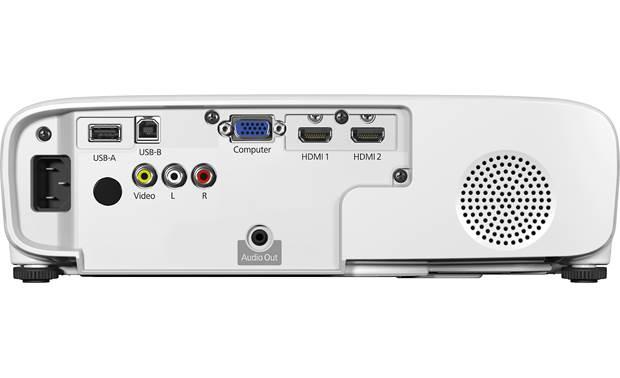
Gaming is another area where the Epson Home Cinema 1080 excels. Multiple HDMI inputs accommodate gaming consoles, cable boxes, and streaming devices simultaneously. The larger, brighter image creates an immersive gaming experience that portable projectors struggle to match.
The projector market has evolved significantly since 2020. LED and laser light sources have improved dramatically, making portable projectors more viable than ever. However, fundamental physics still limit how much light you can generate from a compact, low-power device.
Traditional projector technology has also advanced. Newer lamp designs last longer and produce more accurate colors. The Epson Home Cinema 1080's 3LCD technology has been refined over decades and represents mature, proven engineering.
Looking forward, portable projectors will likely get brighter and smarter, while traditional projectors will focus on image quality improvements and easier installation. The fundamental trade-offs between size and performance will persist, but the gap may narrow.
Choose the JMGO PicoPlay if convenience, portability, and modern smart features matter more than maximum image quality. It's ideal for casual viewing, frequent movers, small spaces, and anyone who wants projector capabilities without projector complexity.
Choose the Epson Home Cinema 1080 if image quality, brightness, and traditional home theater performance are your priorities. It's the right choice for dedicated viewing spaces, large screens, mixed lighting conditions, and anyone building a serious home entertainment system.
The decision ultimately comes down to how you'll actually use the projector. A JMGO PicoPlay that gets used regularly is more valuable than an Epson Home Cinema 1080 that sits unused because setup is too complex. Conversely, if you want the best possible large-screen experience and have the space for it, the Epson Home Cinema 1080's superior performance justifies its size and complexity.
Both approaches have merit, but they solve different problems for different users. Understanding which problem you're trying to solve will point you toward the right choice.
| JMGO PicoPlay 1080P Smart Portable Projector | Epson Home Cinema 1080 Projector |
|---|---|
| Brightness - Most critical factor for viewing flexibility and room lighting tolerance | |
| 400 ISO lumens (requires dark/dim rooms, optimal for 50-60" screens) | 3,400 lumens (works in mixed lighting, supports 100-300" screens) |
| Design & Portability - Determines where and how you can use the projector | |
| 740g cylindrical design with 88° rotating gimbal, fits in travel bag | 6.2 lbs traditional box design, requires permanent setup or cart |
| Power Requirements - Affects placement flexibility and true portability | |
| 65W USB-C (works with power banks, optional battery stand for 3hrs) | Standard AC power (no battery option, requires wall outlet) |
| Smart Features - Built-in streaming vs external device dependency | |
| Native Google TV with Netflix, YouTube, Prime Video, vertical content mode | Wi-Fi with Miracast only, requires streaming device for apps |
| Setup & Adjustment - Time from unpacking to watching | |
| FlexiSmart auto-focus, keystone, and alignment (seconds to setup) | Manual focus, 1.2x optical zoom, precise adjustments (traditional setup) |
| Contrast Ratio - Affects image depth and dark scene detail | |
| 400:1 (typical for LED projectors, limited dark scene performance) | 16,000:1 (excellent dark detail and overall image depth) |
| Connectivity - Number of devices you can connect simultaneously | |
| 1 HDMI (ARC), USB-C, USB-A | 2 HDMI, VGA, composite, USB ports |
| Audio System - Built-in sound quality and external audio options | |
| 8W Dolby Audio speaker, Bluetooth speaker mode, ambient lighting | 2W basic mono speaker, HDMI ARC for external audio systems |
| Lamp Life & Maintenance - Long-term ownership costs and reliability | |
| 25,000-hour LED light source (minimal maintenance) | 6,000-12,000 hour lamp (periodic replacement required) |
| Color Accuracy - Important for movie watching and content creation | |
| 124% Rec.709, 90% DCI-P3 (excellent for size, good streaming quality) | 10-bit color processing with 3LCD (superior overall color accuracy) |
| Unique Features - Special capabilities that differentiate each model | |
| Vertical Play mode for social media, 3-in-1 entertainment hub design | Professional keystone correction, ceiling mount compatibility |
The Epson Home Cinema 1080 is significantly better for dedicated home theater setups. With 3,400 lumens of brightness compared to the JMGO PicoPlay's 400 lumens, the Epson can fill large screens up to 300 inches even with some ambient lighting. The Epson Home Cinema 1080 also delivers superior contrast (16,000:1 vs 400:1) for better dark scene detail that's crucial for cinematic viewing.
The Epson Home Cinema 1080 works reasonably well in rooms with controlled ambient lighting, while the JMGO PicoPlay requires dark or heavily dimmed rooms for optimal viewing. If you need daytime viewing capability, the Epson's much higher brightness makes it the clear choice for mixed lighting conditions.
The JMGO PicoPlay wins decisively for portability, weighing just 740g versus the Epson Home Cinema 1080's 6.2 pounds. The JMGO PicoPlay features automatic focus, keystone correction, and screen alignment that gets you watching in seconds, while the Epson requires manual adjustments and more complex setup.
The JMGO PicoPlay includes built-in Google TV with direct access to Netflix, YouTube, and Amazon Prime Video - no additional devices needed. The Epson Home Cinema 1080 requires a separate streaming device like Roku, Apple TV, or Fire TV Stick to access these services, adding to the total system cost.
Value depends on your priorities. The JMGO PicoPlay offers an all-in-one solution with streaming, decent audio, and portability at a lower price point. The Epson Home Cinema 1080 costs more upfront but delivers professional-grade image quality that justifies the price for serious home theater use.
The JMGO PicoPlay can run on USB-C power from compatible power banks or JMGO's optional battery stand for up to 3 hours of video playback. The Epson Home Cinema 1080 requires standard AC wall power and has no battery option, limiting placement flexibility.
The JMGO PicoPlay features an 8W speaker with Dolby Audio that doubles as a Bluetooth speaker, significantly outperforming the Epson Home Cinema 1080's basic 2W mono speaker. However, for serious home theater use, both benefit from external audio systems.
The Epson Home Cinema 1080 can project much larger images (up to 300 inches) due to its higher brightness, while the JMGO PicoPlay is optimized for 50-80 inch screens in dark rooms. The Epson's superior brightness enables genuinely large-screen home theater experiences.
The Epson Home Cinema 1080 is better for gaming with its dual HDMI inputs allowing multiple consoles to stay connected, plus its brighter, larger image creates more immersive gameplay. The JMGO PicoPlay works for casual gaming but its single HDMI port and smaller optimal screen size limit its gaming appeal.
While both offer 1080p resolution, the Epson Home Cinema 1080 delivers superior overall image quality with its 16,000:1 contrast ratio and 10-bit color processing. The JMGO PicoPlay provides surprisingly good color accuracy for its size but can't match the Epson's contrast and brightness for true cinematic quality.
The JMGO PicoPlay uses an LED light source rated for 25,000 hours with minimal maintenance needs. The Epson Home Cinema 1080 uses a traditional lamp lasting 6,000-12,000 hours that will eventually need replacement, adding to long-term ownership costs but providing superior performance.
The Epson Home Cinema 1080 is designed for ceiling mounting with standard projector mounts and includes proper mounting points. While the JMGO PicoPlay has a tripod mount, its unique cylindrical design with rotating gimbal makes traditional ceiling mounting less practical - it's better suited for tabletop or portable stand use.
We've done our best to create useful and informative comparisons to help you decide what product to buy. Our research uses advanced automated methods to create this comparison and perfection is not possible - please contact us for corrections or questions. These are the sites we've researched in the creation of this article: techbuzzireland.com - youtube.com - newatlas.com - projectorcentral.com - youtube.com - thegadgetflow.com - youtube.com - global.jmgo.com - youtube.com - bestbuy.com - projector-database.com - notebookcheck.net - eu.jmgo.com - crutchfield.com - bestbuy.com - officedepot.com - bestbuy.com - bestbuy.com - audioholics.com - rtings.com - avsforum.com - projectorcentral.com - audiogeneral.com - projectorreviews.com - rtings.com - epson.com - youtube.com - epson.com - projectorreviews.com - projectorreviews.com - walmart.com - shop.avispl.com - bhphotovideo.com - staples.com - mediaserver.goepson.com - staples.com - bhphotovideo.com - epson.com - epson.com - dell.com - epson.com - bestbuy.com

Privacy Policy
Terms and Conditions - Affiliate Policy
Home Security
© Copyright 2008-2026.
11816 Inwood Rd #1211, Dallas, TX 75244