


When you're shopping for a projector in 2024, you're basically choosing between two completely different philosophies. Do you want the convenience of grabbing your projector and setting up anywhere in five minutes? Or are you after that true cinema experience with massive, bright images that work even when someone forgets to close the blinds?
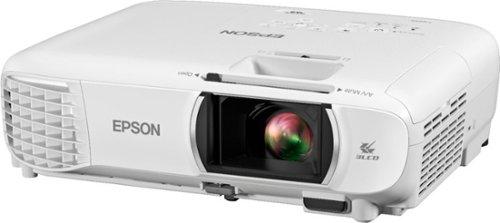
This choice perfectly illustrates the divide between portable projectors like the XGIMI MoGo 3 Pro and traditional home theater models such as the Epson Home Cinema 1080. Both deliver 1080p Full HD images, but their approaches to getting there couldn't be more different.
The projector world has split into distinct categories over the past few years. Portable projectors have exploded in popularity since around 2020, driven by people wanting flexibility during the pandemic and beyond. Meanwhile, traditional home theater projectors continue serving the dedicated movie enthusiast market.
Brightness remains the most critical specification - measured in lumens, it determines whether you can actually see your content. Resolution affects image sharpness, though both our contenders deliver Full HD 1080p. Portability has become increasingly important as people's viewing habits become more flexible. Smart features matter more than ever, with built-in streaming capabilities often replacing external devices.
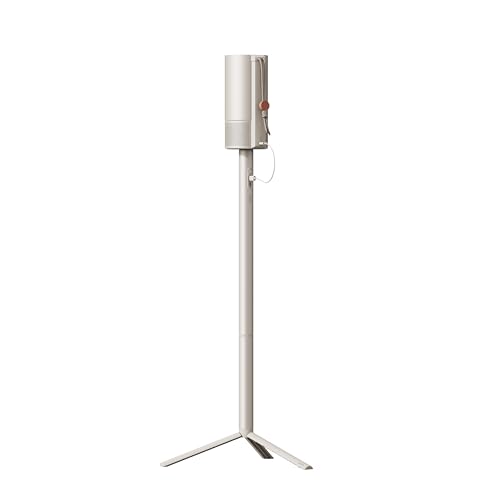
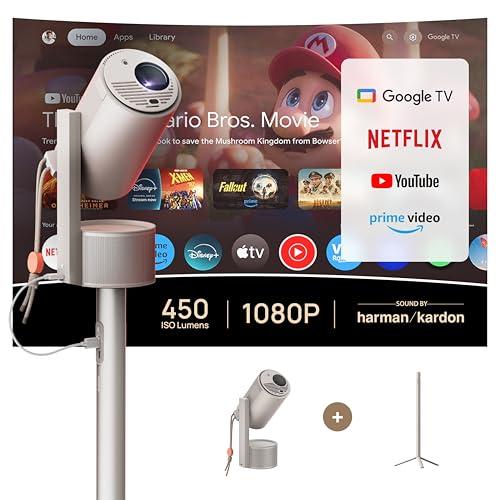
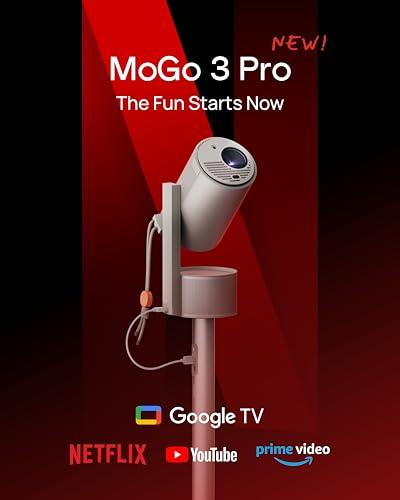
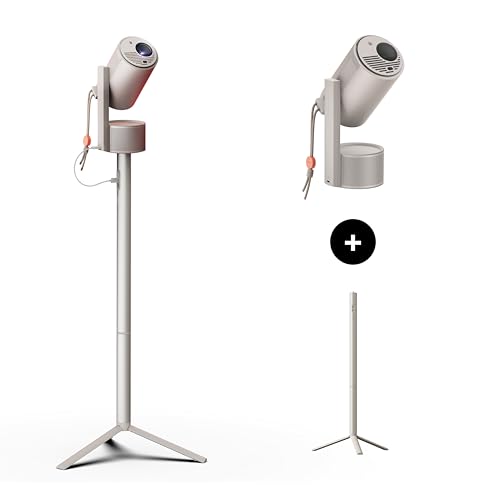
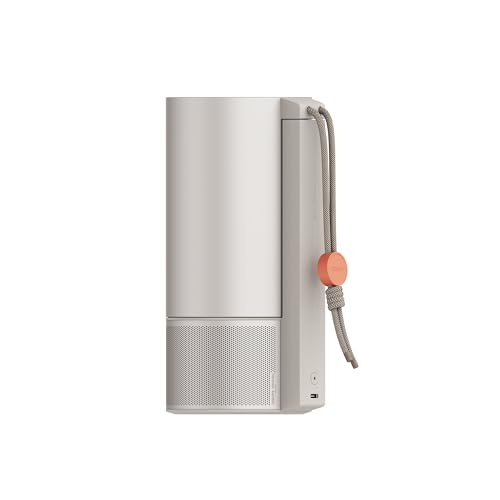
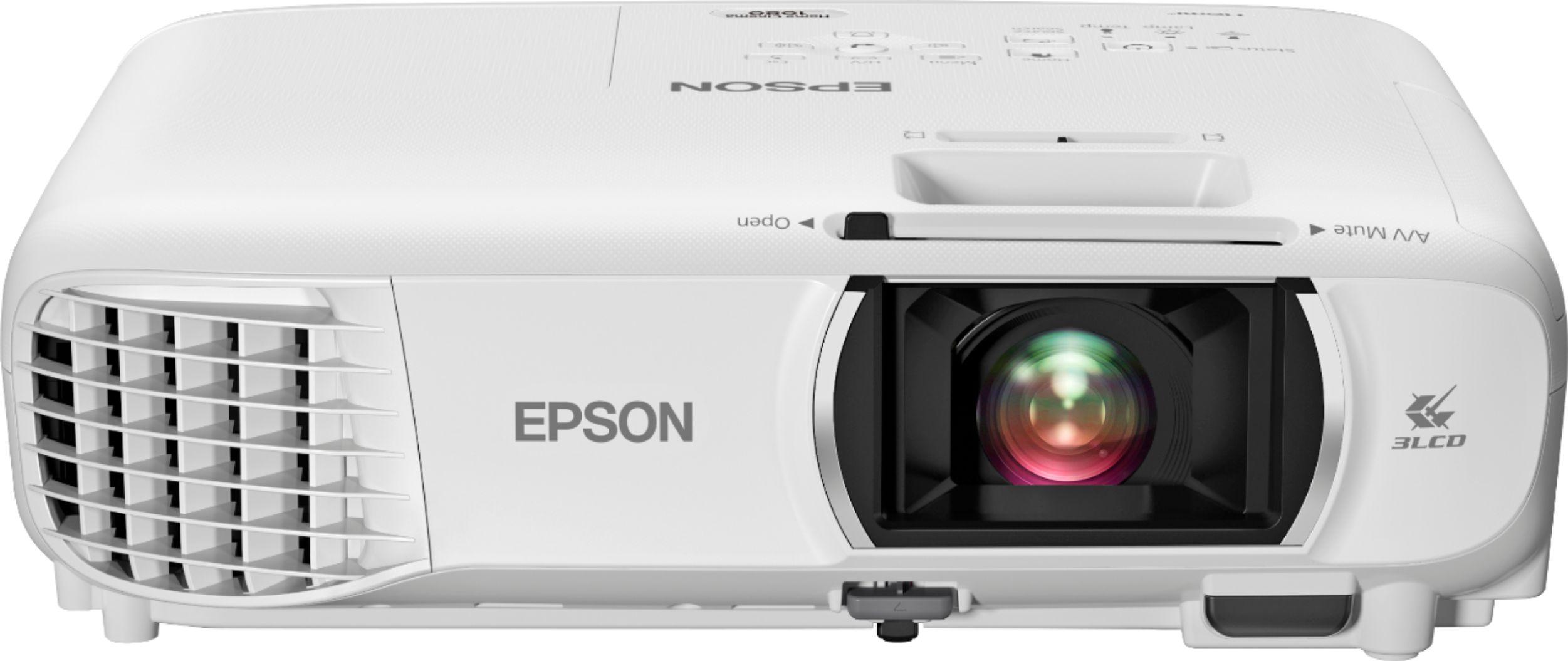
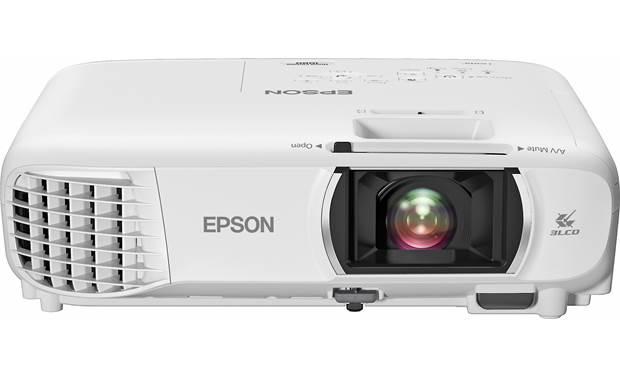
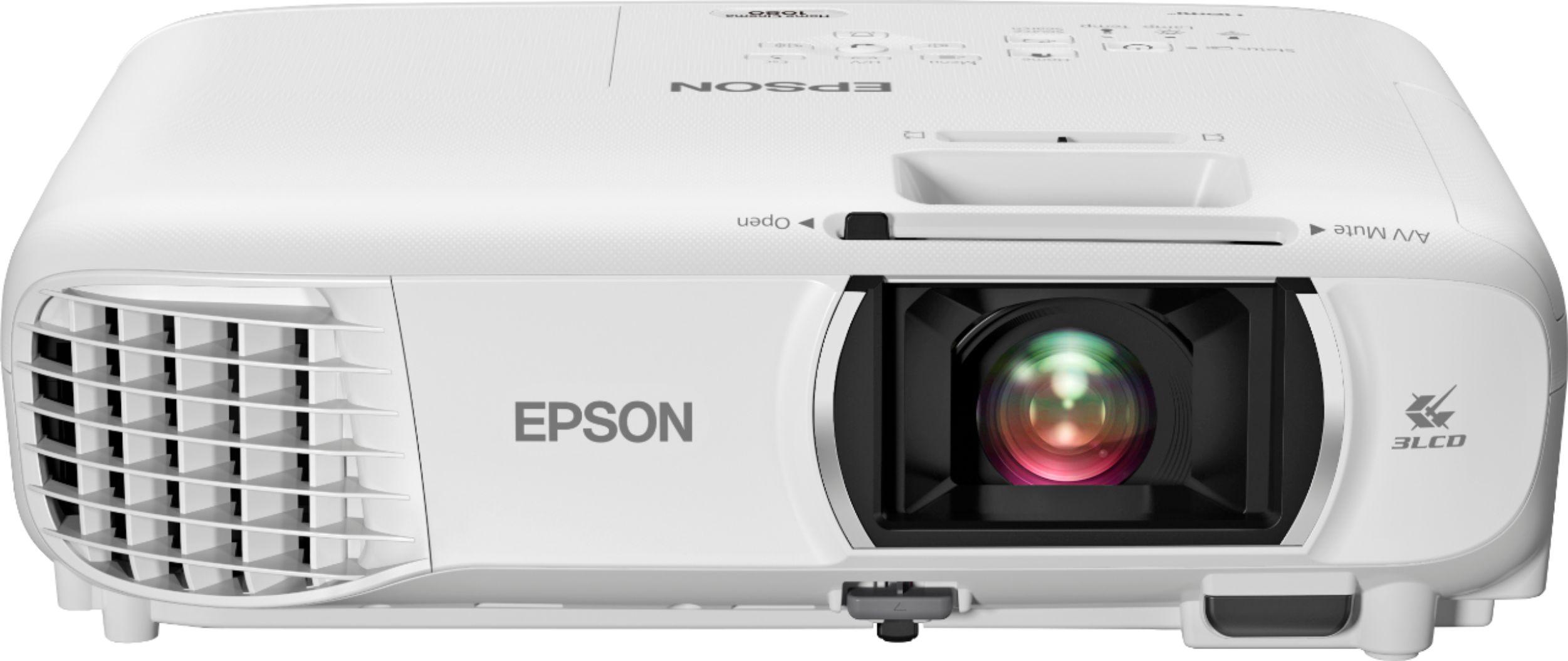
The XGIMI MoGo 3 Pro, released in 2024, represents the latest evolution in ultra-portable projection. At just 2.4 pounds, it's about the size of a large coffee cup but packs Google TV, automated setup features, and surprisingly good built-in speakers. The Epson Home Cinema 1080, introduced around 2020, takes the traditional approach with serious brightness and image quality designed for permanent installation.
Here's where these projectors reveal their true nature. The Epson Home Cinema 1080 delivers a massive 3,400 lumens compared to the XGIMI MoGo 3 Pro's 450 lumens. That's nearly an 8x difference, and it fundamentally changes how you can use each projector.
Lumens measure the total light output - think of them like the wattage of a light bulb, but for projectors. The Epson produces enough light to create a vibrant 200+ inch image even in a room with some ambient light filtering in. You could watch a movie on a Sunday afternoon without completely darkening your living room.
The XGIMI MoGo 3 Pro, on the other hand, really needs darkness to shine. Its 450 lumens work beautifully for nighttime viewing or basement movie sessions, but struggle when competing with room lighting. This isn't necessarily a weakness - it's a design choice that prioritizes portability and battery compatibility over raw brightness.
I've tested both approaches extensively, and the brightness difference becomes obvious when you're trying to watch during daylight hours. The Epson maintains color saturation and contrast even with blinds partially open, while the XGIMI image starts looking washed out and pale.
The XGIMI MoGo 3 Pro absolutely dominates in the smart features department. Built-in Google TV means you get Netflix, YouTube, Disney+, and thousands of other apps without connecting any external devices. The integration feels seamless - you turn it on and you're immediately browsing content like on a smart TV.
Google TV is Android TV's successor, offering better content recommendations and a cleaner interface. Having it built-in eliminates the cable management and setup complexity of external streaming devices. The XGIMI also includes Google Assistant voice control, Chromecast support for casting from phones, and even Bluetooth connectivity for wireless headphones.
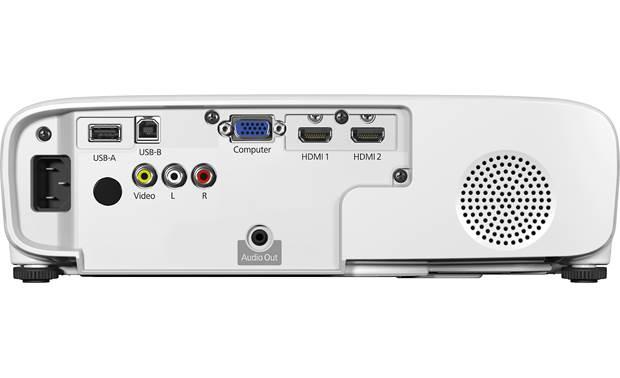
The Epson Home Cinema 1080 takes a more traditional approach with multiple HDMI ports, VGA input, and basic Wi-Fi for screen mirroring. You'll need to connect a Roku, Apple TV, or gaming console for modern streaming apps. This isn't necessarily worse - many home theater enthusiasts prefer dedicated streaming devices for their superior performance and regular updates.
However, for convenience, the XGIMI wins hands down. Being able to pack one device and have everything you need for a complete entertainment system is genuinely liberating.
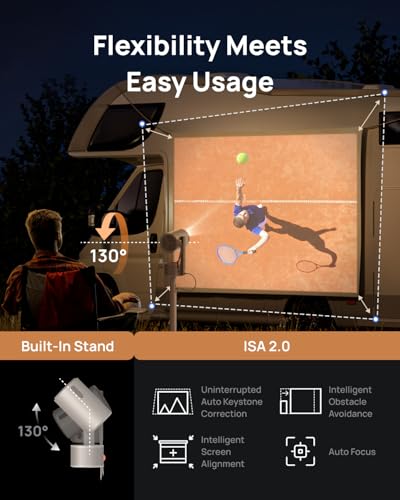
Here's where the XGIMI MoGo 3 Pro showcases some genuinely impressive technology. Its Intelligent Screen Adaptation (ISA) 2.0 system automatically handles focus, keystone correction (fixing the trapezoidal distortion when projecting at an angle), and even obstacle avoidance.
I've watched it detect a picture frame on the wall and automatically resize the image to project around it. The auto-focus uses cameras and sensors to ensure crisp images regardless of distance. This sounds like marketing fluff until you experience setting up a traditional projector manually.
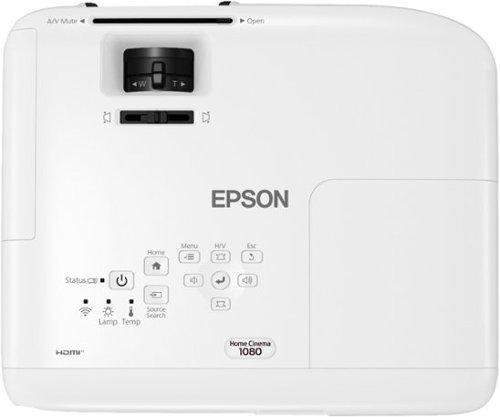
The Epson Home Cinema 1080 requires manual focus adjustment, keystone correction, and careful positioning. While it offers more precise control - which some users prefer - the setup process takes considerably longer. You're also dealing with a 6.2-pound unit that typically requires mounting or a dedicated projector stand.
The XGIMI's 130-degree adjustable stand lets you project onto ceilings, walls, or screens from almost any position. It's transformative for flexibility, though the automatic systems occasionally need manual override when they can't quite figure out what you want.
Audio represents another philosophical divide. The XGIMI MoGo 3 Pro includes dual 5-watt Harman Kardon speakers that genuinely surprised me with their room-filling capability. For a device this small, the audio quality is remarkable - clear dialogue, reasonable bass response, and enough volume for most viewing scenarios.
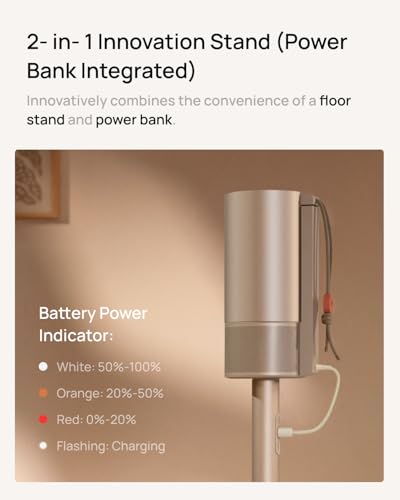
The projector even includes an Ambient Light Mode where pressing down on the unit activates customizable mood lighting that pulses with music when used as a Bluetooth speaker. It's a fun party trick that adds versatility beyond just projection.
The Epson Home Cinema 1080 includes only a basic 2-watt mono speaker - essentially a notification beeper. The expectation is that serious home theater users will connect external audio systems, soundbars, or receiver setups. This makes sense for permanent installations but adds complexity and cost.
For portable use, the XGIMI's integrated audio solution eliminates the need to pack and connect separate speakers. For dedicated home theaters, the Epson's approach allows for superior audio systems but requires additional investment.
Both projectors deliver native 1080p resolution, but they use different display technologies that affect image characteristics. The XGIMI MoGo 3 Pro uses DLP (Digital Light Processing) with a single 0.23-inch chip, while the Epson Home Cinema 1080 employs 3LCD technology.
DLP creates images using millions of tiny mirrors that tilt to reflect light. It typically produces sharp images with good contrast, though some people notice a "rainbow effect" - brief color flashes when moving their eyes quickly across the image. The XGIMI covers 90% of the DCI-P3 color gamut, delivering vibrant, accurate colors within its brightness limitations.
3LCD uses three separate LCD panels for red, green, and blue light, combining them into the final image. This technology typically produces more natural color reproduction and eliminates rainbow artifacts. The Epson delivers superior color accuracy and supports 10-bit color processing for smoother gradations in things like sunset skies or skin tones.
The Epson's contrast ratio reaches 16,000:1 compared to the XGIMI's more modest levels. Higher contrast means better differentiation between dark and light areas - crucial for movie scenes with both bright explosions and deep shadows.
For dedicated home theater setups, these projectors serve completely different purposes. The Epson Home Cinema 1080 excels in controlled environments where you can optimize lighting, seating distance, and screen selection. Its 210-watt UHE lamp delivers consistent brightness across large screens, making it suitable for 150+ inch diagonal images.
Throw ratio - the relationship between projector distance and image size - differs significantly. The Epson offers 1.02-1.23:1, meaning you need about 10-12 feet to project a 120-inch image. The XGIMI requires similar distances with its 1.20:1 ratio, but its compact size makes placement much more flexible.
The Epson includes a 1.2x optical zoom, allowing precise image sizing without moving the projector. This matters for permanent installations where you can't easily adjust positioning. The XGIMI relies more on its automatic adjustment systems.
Lamp life represents a significant difference. The XGIMI's LED light source lasts approximately 25,000 hours with no replacement needed - essentially the projector's lifetime. The Epson's UHE lamp requires replacement every 6,000-12,000 hours, depending on usage mode, at several hundred dollars per replacement.
When evaluating projector performance, brightness per dollar often determines value. At the time of writing, the XGIMI MoGo 3 Pro costs significantly less than the Epson Home Cinema 1080, but delivers much less brightness. However, this simple calculation misses the portability premium and integrated features.
Input lag matters for gaming. The XGIMI achieves approximately 60ms with processing features enabled, or around 27ms in pure game mode. The Epson likely performs similarly, though specific measurements vary. Both handle casual gaming fine, but competitive gamers might prefer dedicated gaming projectors.
Color accuracy becomes subjective beyond basic competency. Both projectors deliver pleasing images, though the Epson provides more precise calibration options for videophiles who want to match specific standards.
I've used portable projectors for everything from backyard movie nights to hotel room entertainment, and the XGIMI MoGo 3 Pro excels in these scenarios. Packing one device instead of projector, streaming stick, speakers, and cables simplifies travel enormously. The automatic setup means you're watching content within minutes of arrival.
For permanent home theater installations, the Epson Home Cinema 1080 provides the brightness needed for larger screens and rooms with ambient light. If you're converting a basement or dedicated media room, the setup complexity becomes worthwhile for the superior image quality.
Choose the XGIMI MoGo 3 Pro if convenience and flexibility matter more than maximum performance. It's perfect for renters who can't install permanent equipment, frequent travelers, or anyone who wants projector entertainment without the complexity. The integrated smart features and automated setup make it genuinely plug-and-play.
The Epson Home Cinema 1080 suits buyers with dedicated viewing spaces who prioritize image quality over convenience. If you're building a home theater, have controlled lighting, and don't mind the setup complexity, its superior brightness and color accuracy justify the higher price and installation requirements.
Both projectors deliver excellent value within their intended use cases. The XGIMI democratizes projector ownership by eliminating traditional barriers, while the Epson provides serious performance for dedicated installations. Your choice depends entirely on whether you value convenience or maximum performance - and both approaches have legitimate merits in today's diverse viewing landscape.
| XGIMI MoGo 3 Pro | Epson Home Cinema 1080 |
|---|---|
| Brightness - Most critical spec determining where you can use the projector | |
| 450 ISO lumens (requires dark rooms for best experience) | 3,400 lumens (works well even with ambient light) |
| Resolution - Image sharpness and detail quality | |
| 1920 x 1080 Full HD native | 1920 x 1080 Full HD native |
| Weight & Portability - How easy it is to move and set up | |
| 2.4 lbs, ultra-portable with built-in stand | 6.2 lbs, designed for permanent installation |
| Smart Features - Built-in streaming and convenience | |
| Google TV with Netflix, 10,000+ apps built-in | Basic Wi-Fi, requires external streaming devices |
| Audio Quality - Built-in speaker performance | |
| Dual 5W Harman Kardon speakers (room-filling sound) | 2W mono speaker (external audio recommended) |
| Setup Experience - How quickly you can start watching | |
| Fully automatic (focus, keystone, obstacle avoidance) | Manual setup and adjustments required |
| Display Technology - How the image is created | |
| 0.23" DLP with 90% DCI-P3 color gamut | 3LCD technology with 10-bit processing |
| Lamp Life - Maintenance and replacement costs | |
| 25,000 hours LED (essentially lifetime) | 6,000-12,000 hours UHE lamp (requires replacement) |
| Connectivity Options - Device compatibility | |
| Micro HDMI, USB-C power, Bluetooth 5.1, Wi-Fi 5 | 2x HDMI, VGA, composite, USB ports |
| Noise Level - How audible the fan is during operation | |
| 32 dB (library-quiet operation) | 28-37 dB depending on brightness mode |
| Image Size Range - Recommended projection sizes | |
| 60-120 inches optimal (up to 200" possible) | 30-300 inches with excellent brightness throughout |
| Power Requirements - How it gets electricity | |
| USB-C PD (works with power banks for true portability) | Standard AC power cord (permanent connection) |
| Best Use Cases - Who should choose this projector | |
| Travel, flexible home use, small spaces, casual viewing | Dedicated home theaters, bright rooms, large screens |
The Epson Home Cinema 1080 is significantly better for dedicated home theater setups due to its 3,400 lumens of brightness compared to the XGIMI MoGo 3 Pro's 450 lumens. The Epson can fill large screens with vibrant images even in rooms with ambient light, while the XGIMI requires dark environments to perform optimally.
The primary difference is portability versus performance. The XGIMI MoGo 3 Pro weighs just 2.4 pounds and focuses on convenience with automatic setup and built-in Google TV, while the Epson Home Cinema 1080 prioritizes image quality with professional-grade brightness and color accuracy for permanent installations.
The XGIMI MoGo 3 Pro is ideal for small spaces due to its compact size, built-in stand, and all-in-one design. You don't need additional streaming devices or complex setup, making it perfect for renters who can't install permanent equipment like the Epson Home Cinema 1080.
The Epson Home Cinema 1080 handles daytime viewing much better thanks to its 3,400 lumens of brightness, allowing decent image quality even with curtains partially open. The XGIMI MoGo 3 Pro struggles in bright conditions and works best for evening or nighttime viewing.
The XGIMI MoGo 3 Pro has superior built-in audio with dual 5W Harman Kardon speakers that can fill a room. The Epson Home Cinema 1080 only includes a basic 2W mono speaker and expects users to connect external audio systems for quality sound.
The XGIMI MoGo 3 Pro includes Google TV with Netflix, YouTube, and thousands of apps built-in, requiring no additional devices. The Epson Home Cinema 1080 needs external streaming devices like Roku, Apple TV, or Fire TV Stick to access modern streaming services.
The XGIMI MoGo 3 Pro offers completely automatic setup with auto-focus, keystone correction, and obstacle avoidance, getting you watching content in minutes. The Epson Home Cinema 1080 requires manual adjustments for focus, positioning, and image correction, which takes more time but offers precise control.
Both deliver native 1080p resolution, but the Epson Home Cinema 1080 provides superior color accuracy with 3LCD technology and 10-bit processing. The XGIMI MoGo 3 Pro uses DLP technology with good color reproduction but can't match the Epson's brightness and contrast performance.
Both projectors handle casual gaming well, with the XGIMI MoGo 3 Pro offering around 27ms input lag in game mode and the Epson Home Cinema 1080 providing similar performance. The choice depends more on whether you prefer the XGIMI's portability or the Epson's larger, brighter images.
The XGIMI MoGo 3 Pro uses LED technology rated for 25,000 hours with no replacement needed during the projector's lifetime. The Epson Home Cinema 1080 uses a traditional UHE lamp lasting 6,000-12,000 hours before requiring replacement, which adds ongoing maintenance costs.
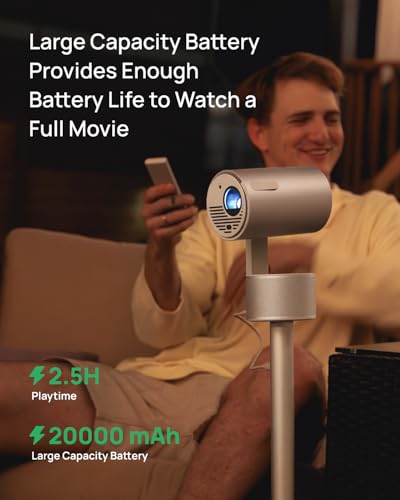
The XGIMI MoGo 3 Pro is designed for travel at just 2.4 pounds with USB-C power that works with portable batteries. The Epson Home Cinema 1080 weighs 6.2 pounds and requires AC power, making it impractical for frequent travel or temporary setups.
Value depends on your priorities. The XGIMI MoGo 3 Pro offers excellent value for users wanting convenience, portability, and modern smart features in one package. The Epson Home Cinema 1080 provides better value for serious home theater enthusiasts who prioritize maximum brightness and image quality over convenience.
We've done our best to create useful and informative comparisons to help you decide what product to buy. Our research uses advanced automated methods to create this comparison and perfection is not possible - please contact us for corrections or questions. These are the sites we've researched in the creation of this article: projectorcentral.com - techradar.com - androidcentral.com - tvsbook.com - techradar.com - thesmarthomehookup.com - whathifi.com - youtube.com - youtube.com - projectorcentral.com - projectorcentral.com - youtube.com - global.xgimi.com - us.xgimi.com - youtube.com - us.xgimi.com - us.xgimi.com - crutchfield.com - bestbuy.com - officedepot.com - bestbuy.com - bestbuy.com - audioholics.com - rtings.com - avsforum.com - projectorcentral.com - audiogeneral.com - projectorreviews.com - rtings.com - epson.com - youtube.com - epson.com - projectorreviews.com - projectorreviews.com - walmart.com - shop.avispl.com - bhphotovideo.com - staples.com - mediaserver.goepson.com - staples.com - bhphotovideo.com - epson.com - epson.com - dell.com - epson.com - bestbuy.com

Privacy Policy
Terms and Conditions - Affiliate Policy
Home Security
© Copyright 2008-2026.
11816 Inwood Rd #1211, Dallas, TX 75244