

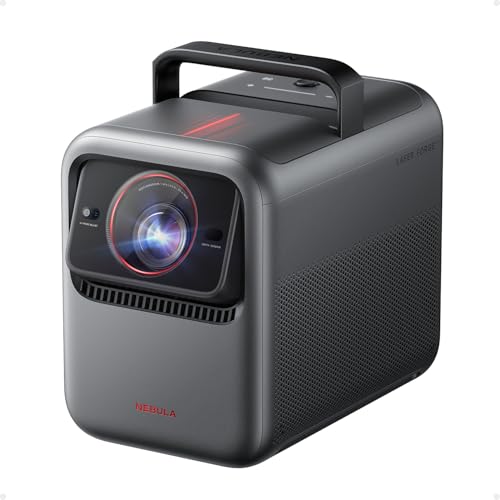
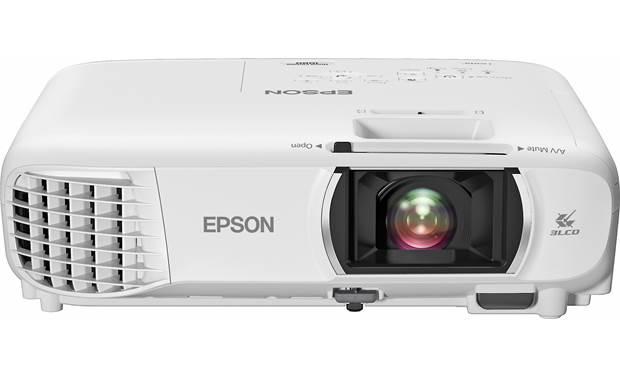
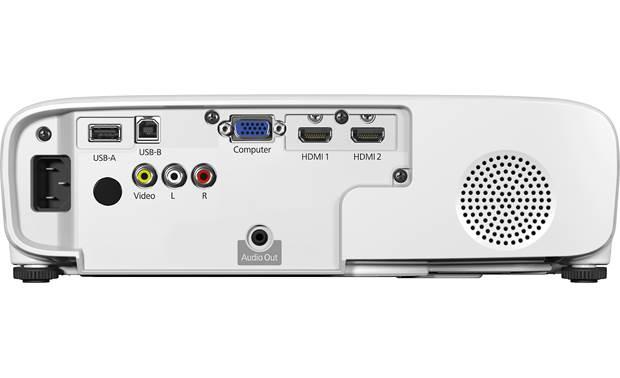
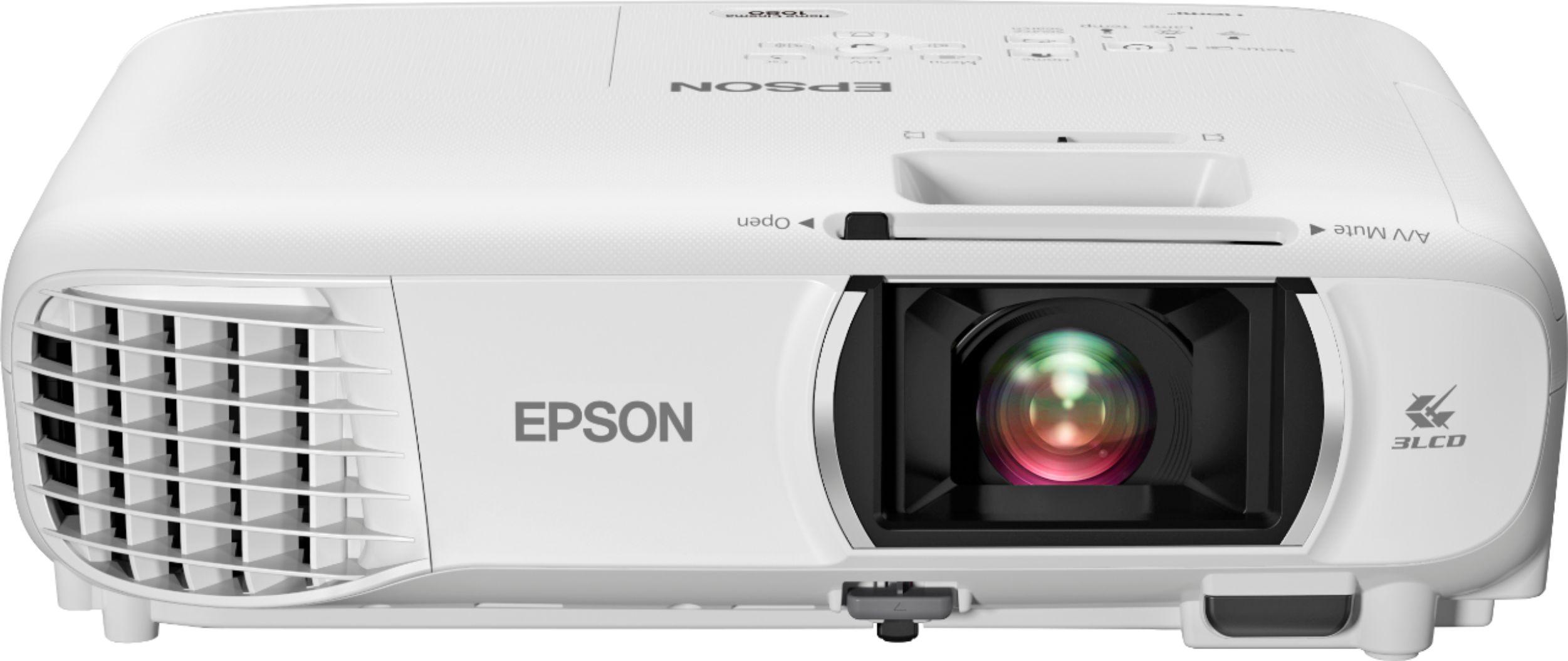
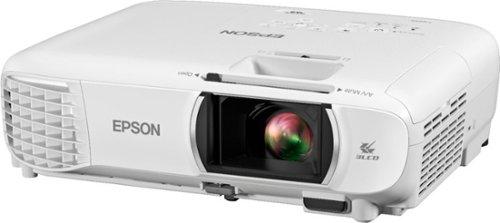
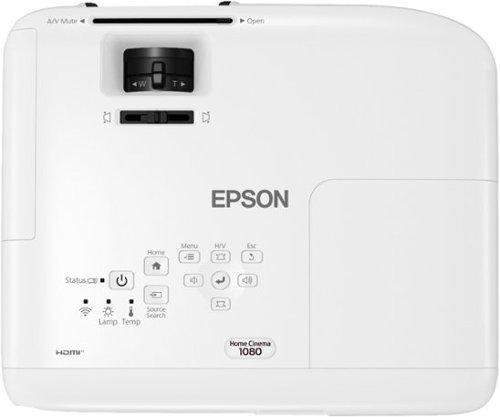
When I first started reviewing projectors over a decade ago, the choices were pretty straightforward: expensive business models or dim home units that required a cave-dark room. Today's market offers incredible options at every price point, but that also makes choosing the right one more complex. Two projectors that perfectly illustrate this evolution are the Nebula X1 4K Triple Laser Projector and the Epson Home Cinema 1080 Projector.
These represent two fundamentally different approaches to home projection. The Nebula X1 embodies the cutting-edge technology that has emerged in recent years, while the Epson Home Cinema 1080 represents refined, accessible projection that has made big-screen entertainment available to mainstream buyers. Understanding which approach fits your needs requires diving into what really matters in projector performance.
The projector landscape has transformed dramatically since 2020. Laser light sources have moved from exotic commercial installations to consumer living rooms, smart features have become standard rather than afterthoughts, and 4K has become achievable at reasonable prices through pixel-shifting technology.
When evaluating projectors today, several key factors determine your viewing experience. Brightness, measured in ANSI lumens, dictates whether you can watch with ambient light or need complete darkness. Contrast ratio – the difference between the brightest whites and darkest blacks – determines how realistic and engaging your image appears. Color accuracy affects how natural skin tones look and how vibrant landscapes appear. Finally, ease of setup and use can make the difference between a projector you love and one that sits unused because it's too complicated.
The Nebula X1, released in 2025, represents the latest evolution in portable projection technology. It incorporates innovations that were barely conceptualized when earlier models hit the market. The Epson Home Cinema 1080, launched in 2020, offers mature, proven technology that has been refined over years of real-world use.
The most fundamental difference between these projectors lies in their core display technology. The Nebula X1 uses a DLP (Digital Light Processing) chip combined with a revolutionary triple laser light source. DLP works by using millions of tiny mirrors that tilt thousands of times per second to create images. This technology typically produces very sharp images with excellent detail, but can sometimes create a "rainbow effect" – brief flashes of red, green, and blue that some viewers notice, particularly when moving their eyes quickly.
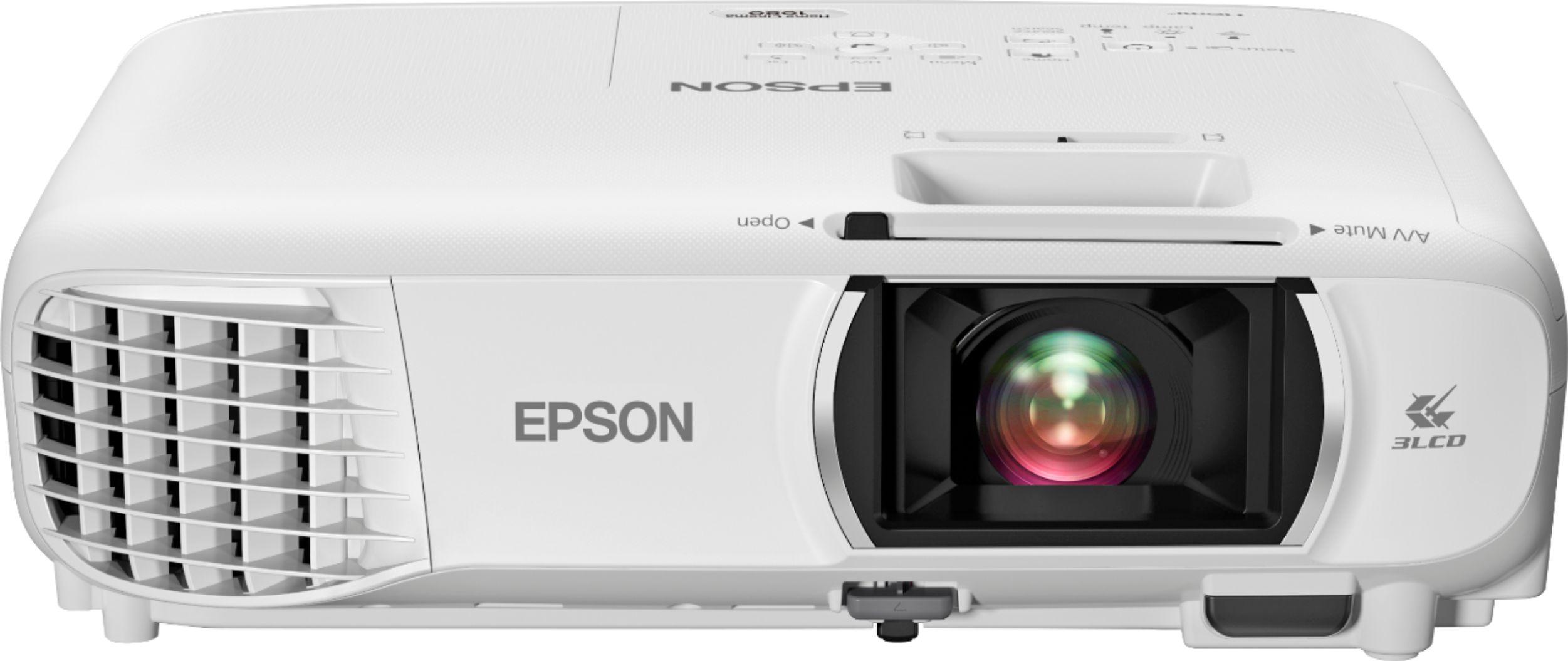
The Epson Home Cinema 1080 employs 3LCD technology, which splits white light into red, green, and blue components using prisms, then processes each color separately before recombining them. This approach completely eliminates the rainbow effect and typically produces more natural-looking colors, especially skin tones. However, 3LCD projectors can sometimes appear less sharp than DLP models and may have slightly less impressive contrast.
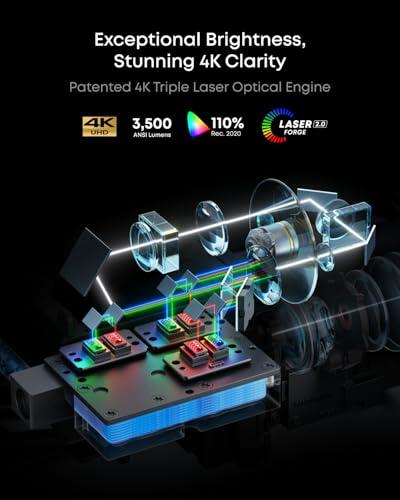
Where these projectors truly diverge is in their light sources. The Nebula X1's triple laser system represents a quantum leap in projection technology. Instead of traditional lamps that gradually dim over time, lasers maintain consistent brightness throughout their lifespan while offering several advantages: they turn on instantly (no warm-up period), produce more accurate colors by generating pure red, green, and blue light, and last much longer than traditional bulbs.
The laser system in the Nebula X1 is particularly sophisticated, using what Anker calls their LaserForge 2.0 engine. This creates a U-shaped optical path that reduces the projector's size while maximizing light efficiency. The system also incorporates a dual-pass speckle diffuser wheel – a component that eliminates the grainy "speckle" pattern that early laser projectors sometimes exhibited.
Resolution represents one of the most significant differences between these projectors. The Nebula X1 delivers 4K images (3840×2160 pixels), while the Epson Home Cinema 1080 provides Full HD (1920×1080 pixels). However, the reality is more nuanced than these numbers suggest.
The Nebula X1 achieves 4K through pixel shifting technology. Its native DLP chip is actually 1080p, but it shifts each pixel four times per frame to create the appearance of 4K resolution. This isn't "true" 4K in the sense of having 8.3 million individual pixels, but it's remarkably effective. In practice, pixel-shifted 4K provides significantly more detail than standard 1080p, especially noticeable in fine textures, text, and distant objects in movies.
The Epson Home Cinema 1080 offers native Full HD resolution without any enhancement. While this might seem limiting compared to 4K, there's something to be said for native resolution. Every pixel is directly addressed without processing, which can result in very clean, artifact-free images. For many viewers, especially those sitting at typical living room distances from screens under 120 inches, the difference between good 1080p and pixel-shifted 4K may be less dramatic than expected.
Both projectors deliver impressive brightness, but they achieve it differently. The Nebula X1 produces 3,500 ANSI lumens from its triple laser system, while the Epson Home Cinema 1080 generates 3,400 lumens from its lamp-based system. These numbers are surprisingly close, but the real-world performance differs significantly.
The Nebula X1's laser system maintains consistent brightness across its entire lifespan. Traditional lamp-based projectors like the Epson start bright but gradually dim over thousands of hours of use. More importantly, the Nebula X1 maintains its color accuracy even at maximum brightness, while lamp-based projectors often sacrifice color fidelity for brightness.
This brightness level puts both projectors in the "lights-on viewing" category, meaning you can watch with some ambient light without the image washing out completely. However, for the best cinematic experience, you'll still want to dim the lights. The difference is that you won't need blackout conditions to enjoy either projector.
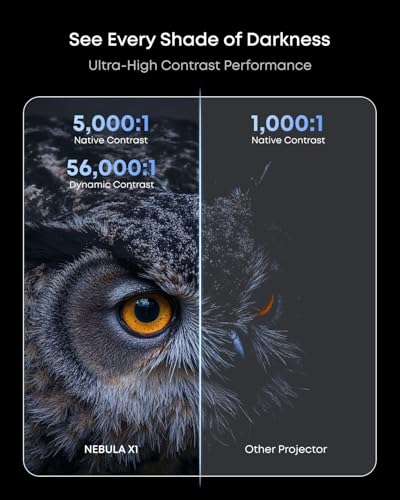
Contrast ratio might be the most important specification that many buyers overlook. It determines how deep blacks appear and how bright highlights can be, which directly affects how engaging and realistic your movies look. Poor contrast makes images appear flat and washed out, while excellent contrast creates that "pop" that makes you forget you're looking at a projection.
The Nebula X1 achieves impressive contrast through multiple technologies working together. Its native contrast ratio of 5,000:1 is enhanced by a dynamic iris – essentially an adjustable aperture that closes during dark scenes to make blacks deeper and opens during bright scenes to maximize highlight detail. Combined with the NebulaMaster 2.0 algorithm that analyzes each frame in real-time, the system can achieve a dynamic contrast ratio of 56,000:1.
The Epson Home Cinema 1080 offers a respectable 16,000:1 contrast ratio, which is quite good for its price class. 3LCD technology traditionally struggles with deep blacks compared to DLP, but Epson has refined their approach over years of development. The result is contrast that, while not matching the Nebula X1, still provides engaging images for most content.
In practice, this contrast difference becomes most apparent during dark, atmospheric scenes – think of the cave sequences in recent Batman movies or space scenes in science fiction films. The Nebula X1 maintains shadow detail while keeping blacks truly dark, creating a more immersive experience.
Color reproduction separates good projectors from great ones, and these two models take different approaches to achieving accurate colors. The Nebula X1 covers 110% of the Rec.2020 color space, which is the standard for HDR content. This wide color gamut means it can display colors that simply don't exist in traditional displays, creating more lifelike and vibrant images.
The projector achieves exceptional color accuracy with a Delta E of less than 0.8. Delta E is a measurement of color accuracy where lower numbers indicate colors closer to the intended standard – anything under 3 is considered very good, so 0.8 represents professional-level accuracy. This means skin tones look natural, skies appear the correct shade of blue, and sunset scenes display with appropriate warmth.
The Epson Home Cinema 1080 benefits from 3LCD's inherent color advantages. Because it processes red, green, and blue light separately, it naturally produces more accurate and saturated colors than many competing technologies. While it doesn't match the Nebula X1's wide color gamut, it delivers pleasant, natural-looking images that most viewers will find completely satisfying.
For HDR content, this difference becomes more pronounced. The Nebula X1 supports Dolby Vision, HDR10, and HLG, displaying the extended color and brightness ranges these formats offer. The Epson, while capable of processing HDR signals, cannot display the full range of colors and brightness levels that HDR content contains.
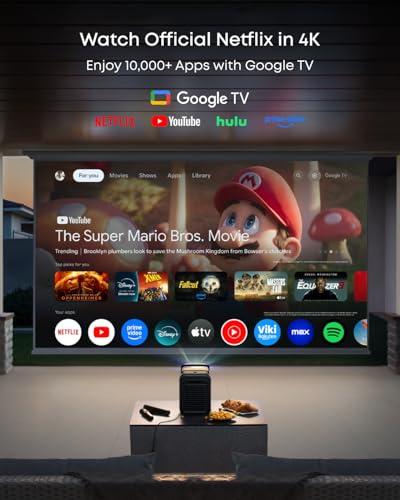
The connected entertainment landscape has evolved rapidly, and projectors have had to keep pace. The Nebula X1 runs Google TV, providing direct access to Netflix, Disney+, Amazon Prime Video, and other streaming services without requiring external devices. This integration includes features like Google Assistant for voice control and Chromecast for wireless casting from mobile devices.
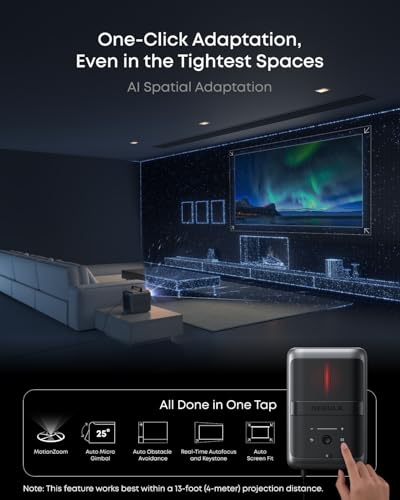
The smart features extend beyond just streaming. AI Spatial Adaptation automatically analyzes your projection surface and adjusts the image size, position, and focus with minimal user input. This technology uses sensors to detect the screen boundaries and environmental conditions, then optimizes the picture accordingly. For someone who moves their projector between rooms or takes it outdoors, this automation eliminates tedious manual adjustments.
The Epson Home Cinema 1080 takes a more traditional approach with built-in Wi-Fi and Miracast support for wireless screen mirroring. While not as comprehensive as the Nebula X1's smart platform, it covers the basics for most users. You can wirelessly display content from smartphones and tablets, and Epson's iProjection app provides additional functionality for presentations and media sharing.
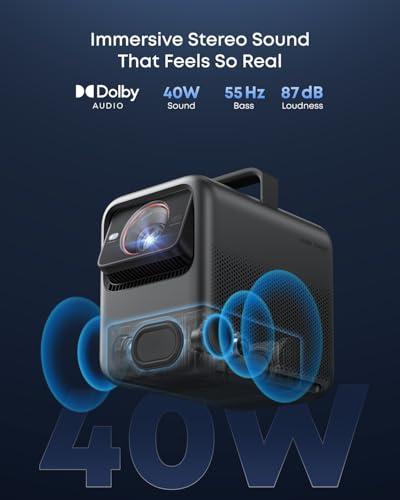
Audio quality can make or break your home theater experience, and these projectors approach sound very differently. The Nebula X1 includes a sophisticated audio system with a base 40W configuration that can be upgraded to a 4.1.2 surround sound system with wireless satellite speakers totaling 200W of power.
The FlexWave upmixing algorithm processes audio to create multidimensional sound that adapts to your room and content. The wireless speakers are IP54 rated, meaning they're resistant to water and dust – perfect for outdoor movie nights. They also include their own batteries, providing up to 8 hours of use without being plugged in.
The Epson Home Cinema 1080 includes a basic 2W mono speaker that's adequate for casual viewing but insufficient for any serious home theater application. Most buyers will need to invest in external speakers or a soundbar to achieve satisfying audio quality.
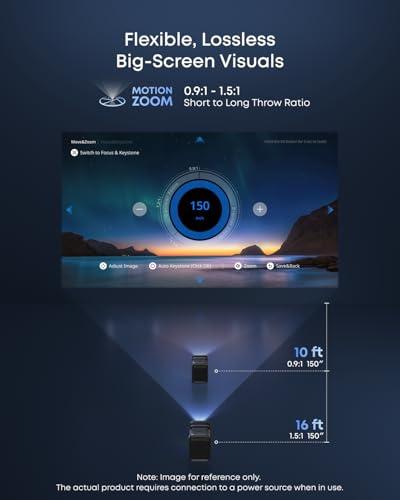
Setup complexity can determine whether you actually use your projector regularly or let it collect dust. The Nebula X1 excels in ease of use with its automated setup features. Its internal gimbal system provides 25 degrees of vertical lens shift, allowing you to position the projector off-center from your screen while maintaining a perfectly rectangular image. Auto keystone correction handles horizontal and vertical image alignment, while autofocus ensures sharp pictures regardless of projection distance.
The portability story is interesting for both models. The Nebula X1 weighs 13.7 pounds and includes a premium carrying case, making it genuinely portable for someone who wants to move between rooms or take it outside. The liquid cooling system keeps it quiet at just 26 dB in normal mode – quieter than most laptop fans.
The Epson Home Cinema 1080 is actually lighter at 6.2 pounds, making it easy to move around. However, it requires more manual setup with keystone correction and focus adjustments each time you relocate it. For a permanent installation, this difference matters less, but for flexible use, the Nebula X1's automation provides significant convenience.
Gaming on projectors has become increasingly popular, and input lag – the delay between controller input and on-screen response – is crucial for competitive gaming. The Nebula X1 achieves impressive input lag under 19ms in its Game Mode, which is excellent for a 4K projector. It supports 4K gaming at 60Hz through its HDMI 2.1 ports, making it compatible with the latest gaming consoles.
The Epson Home Cinema 1080 doesn't specify gaming-optimized modes, but 1080p projectors typically have lower input lag than 4K models due to reduced processing requirements. For casual gaming, either projector will work fine, but serious gamers will appreciate the Nebula X1's optimized performance and higher resolution.
Initial purchase price only tells part of the value story. The Nebula X1 costs significantly more upfront – at the time of writing, expect to pay three to four times the price of the Epson Home Cinema 1080. However, the laser light source eliminates ongoing lamp replacement costs, which can add hundreds of dollars over a projector's lifespan.
The Epson's 210W UHE lamp is rated for 6,000 hours in normal mode or 12,000 hours in eco mode. Replacement lamps typically cost $200-300, and most users will need at least one replacement over five years of regular use. The Nebula X1's laser system is rated for 30,000 hours with no performance degradation.
Factor in the audio system differences, and the value equation becomes more complex. The Nebula X1 includes cinema-quality sound, while the Epson requires external audio equipment for a complete home theater experience.
The Nebula X1 4K Triple Laser Projector makes sense for enthusiasts who want cutting-edge technology and convenience. If you value automated setup, plan to move your projector frequently, want 4K resolution, or prioritize long-term value over upfront cost, the premium price becomes justified. It's particularly appealing for outdoor entertainment where the portable design, robust audio system, and bright image shine.
The Epson Home Cinema 1080 Projector is ideal for budget-conscious buyers who want excellent 1080p performance without premium features. If you're setting up a dedicated home theater where manual adjustments aren't problematic, already own a good audio system, or simply want to experience big-screen entertainment without a major investment, the Epson delivers outstanding value.
For first-time projector buyers, the Epson offers a low-risk entry point into projection, while the Nebula X1 provides a future-proof investment that won't feel outdated as technology continues advancing.
Choose the Nebula X1 if you want the latest technology, plan to use 4K content regularly, value convenience and automation, or see your projector as a long-term investment. Its premium price reflects genuinely advanced features that enhance the viewing experience in measurable ways.
Choose the Epson Home Cinema 1080 if you're working within a strict budget, don't mind manual setup procedures, are satisfied with 1080p resolution, or prefer proven technology with widespread service support.
Both projectors will transform your entertainment experience compared to even large TVs, but they serve different priorities and budgets. The Nebula X1 represents where projection technology is heading, while the Epson proves that excellent performance doesn't require premium pricing. Your choice ultimately depends on which approach better matches your priorities, space, and budget.
| Nebula X1 4K Triple Laser Projector | Epson Home Cinema 1080 Projector |
|---|---|
| Resolution - Higher resolution shows more detail, especially on large screens over 100 inches | |
| 4K (3840×2160) via pixel shifting from native 1080p DLP chip | Native Full HD (1920×1080) with no enhancement |
| Brightness - Critical for viewing with ambient light and larger screen sizes | |
| 3,500 ANSI lumens (laser maintains consistency over time) | 3,400 lumens color/white (lamp dims gradually over lifespan) |
| Light Source Technology - Affects long-term costs and convenience | |
| Triple RGB laser system (30,000 hour lifespan, instant on/off) | 210W UHE lamp (6,000-12,000 hours, requires $200-300 replacements) |
| Contrast Ratio - Makes blacks look deeper and images more cinematic | |
| 5,000:1 native, 56,000:1 dynamic with 6-blade iris and processing | Up to 16,000:1 dynamic contrast |
| Color Performance - Affects how natural and vibrant images appear | |
| 110% Rec.2020 coverage, Delta E <0.8 accuracy, HDR10/Dolby Vision support | Good 3LCD color reproduction, no rainbow effect, basic HDR processing |
| Smart Features - Built-in streaming eliminates need for external devices | |
| Google TV with official Netflix, AI auto-setup, voice control | Basic Wi-Fi with Miracast, Epson iProjection app |
| Audio System - Determines if you need external speakers | |
| 40W built-in, upgradeable to 200W 4.1.2 surround with wireless speakers | 2W mono speaker (external audio system required) |
| Gaming Performance - Important for console gaming and competitive play | |
| <19ms input lag in Game Mode, 4K@60Hz HDMI 2.1 support | Standard input lag, 1080p@60Hz maximum |
| Setup Convenience - Affects how often you'll actually use the projector | |
| AI Spatial Adaptation auto-setup, 25° internal gimbal, auto keystone/focus | Manual keystone correction (±30°), 1.2x optical zoom, manual focus |
| Portability - Matters for moving between rooms or outdoor use | |
| 13.7 lbs with premium carrying case, liquid cooling (26dB quiet) | 6.2 lbs lightweight design, 37dB normal / 28dB eco mode |
| Display Technology - Affects image characteristics and rainbow effects | |
| DLP with triple laser (sharp images, possible rainbow effect for sensitive viewers) | 3LCD technology (eliminates rainbow effect, natural colors) |
| Lens Quality - Impacts image sharpness and long-term focus stability | |
| 14-element all-glass lens with aspherical and ED elements | Standard projection lens with 1.2x optical zoom |
The Nebula X1 4K Triple Laser Projector is better for dedicated home theaters due to its 4K resolution, superior contrast ratio (56,000:1 vs 16,000:1), and wide color gamut covering 110% Rec.2020. The Epson Home Cinema 1080 Projector offers excellent value for casual home theater use with reliable 3LCD technology and good 1080p image quality.
Both projectors offer similar brightness levels - the Nebula X1 delivers 3,500 ANSI lumens while the Epson Home Cinema 1080 produces 3,400 lumens. However, the Nebula X1 maintains consistent brightness over its 30,000-hour laser lifespan, while the Epson gradually dims as its lamp ages.
The Nebula X1 4K Triple Laser Projector uses pixel-shifting technology to create 4K images (3840×2160) from a native 1080p chip, providing noticeably more detail on screens over 100 inches. The Epson Home Cinema 1080 Projector offers native Full HD (1920×1080) resolution, which delivers sharp images but with less fine detail than 4K.
The Nebula X1 runs Google TV with official Netflix support, voice control, and AI auto-setup features that automatically adjust image size and focus. The Epson Home Cinema 1080 offers basic smart features through Wi-Fi connectivity, Miracast screen mirroring, and the Epson iProjection app.
The Nebula X1 4K Triple Laser Projector includes a 40W audio system that can be upgraded to 200W 4.1.2 surround sound with wireless speakers, providing cinema-quality audio. The Epson Home Cinema 1080 Projector has only a basic 2W mono speaker, so you'll need external speakers or a soundbar for good audio quality.
The Nebula X1 offers automated setup with AI Spatial Adaptation that handles focus, keystone correction, and image sizing automatically. It also features a 25° internal gimbal for easy positioning. The Epson Home Cinema 1080 requires manual adjustments for keystone correction and focus, though it's still relatively straightforward to set up.
The Nebula X1 4K Triple Laser Projector uses a triple laser system rated for 30,000 hours with no brightness degradation and no replacement needed. The Epson Home Cinema 1080 Projector uses a traditional lamp lasting 6,000-12,000 hours, with replacement lamps costing several hundred dollars.
The Nebula X1 is superior for gaming with less than 19ms input lag in Game Mode, 4K resolution support, and HDMI 2.1 connectivity for next-gen consoles. The Epson Home Cinema 1080 works fine for casual gaming but doesn't offer gaming-specific optimizations or 4K support.
Both projectors handle ambient light reasonably well due to their high brightness levels. The Nebula X1 4K Triple Laser Projector maintains better color accuracy in bright conditions thanks to its laser light source, while the Epson Home Cinema 1080 Projector provides good performance but may appear slightly washed out in very bright rooms.
The Epson Home Cinema 1080 is lighter at 6.2 pounds compared to the Nebula X1's 13.7 pounds. However, the Nebula X1 includes a premium carrying case and automated setup features that make it more convenient for frequent moving, despite being heavier.
The Nebula X1 4K Triple Laser Projector delivers superior picture quality with 4K resolution, exceptional contrast, wide color gamut, and HDR support including Dolby Vision. The Epson Home Cinema 1080 Projector produces excellent 1080p images with natural 3LCD colors and no rainbow effect, but cannot match the Nebula X1's overall image quality.
The Nebula X1 costs significantly more upfront but eliminates ongoing lamp replacement costs and includes premium audio, making it better long-term value for serious users. The Epson Home Cinema 1080 offers excellent immediate value with lower upfront costs, though you'll need to budget for lamp replacements and external audio equipment over time.
We've done our best to create useful and informative comparisons to help you decide what product to buy. Our research uses advanced automated methods to create this comparison and perfection is not possible - please contact us for corrections or questions. These are the sites we've researched in the creation of this article: youtube.com - seenebula.com - projectorreviews.com - seenebula.com - whathifi.com - bestbuy.com - techradar.com - projectorcentral.com - youtube.com - avsforum.com - seenebula.com - blog.son-video.com - youtube.com - projectorcentral.com - crutchfield.com - bestbuy.com - officedepot.com - bestbuy.com - bestbuy.com - audioholics.com - rtings.com - avsforum.com - projectorcentral.com - audiogeneral.com - projectorreviews.com - rtings.com - epson.com - youtube.com - epson.com - projectorreviews.com - projectorreviews.com - walmart.com - shop.avispl.com - bhphotovideo.com - staples.com - mediaserver.goepson.com - staples.com - bhphotovideo.com - epson.com - epson.com - dell.com - epson.com - bestbuy.com

Privacy Policy
Terms and Conditions - Affiliate Policy
Home Security
© Copyright 2008-2026.
11816 Inwood Rd #1211, Dallas, TX 75244