

When it comes to bringing big-screen experiences into our homes or on the go, projectors have evolved dramatically over the past decade. Today's market offers two distinct approaches: portable projectors designed for flexibility and traditional home cinema projectors built for dedicated entertainment spaces.
The ASUS ZenBeam L2 Smart Portable LED Projector and Epson Home Cinema 1080 Projector represent these two different philosophies perfectly. Released in 2022 and 2021 respectively, these projectors showcase how manufacturers have responded to changing consumer needs – some of us want the flexibility to project anywhere, while others prioritize maximum performance in a fixed location.
Before diving into specifics, it's worth understanding what most people consider when choosing a projector:
Let's explore how these two projectors approach these considerations differently and which might be right for your specific needs.
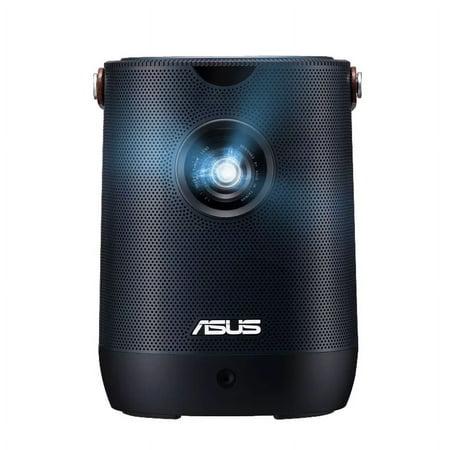
The ASUS ZenBeam L2 represents the modern approach to portable projection. Launched in mid-2022, this compact projector weighs just 1.57kg and measures 132 x 172 x 132mm – roughly the size of a small lunch box. What makes it special is its built-in 65Wh battery providing up to 3.5 hours of cordless projection, freeing you from the constraints of power outlets.
ASUS has positioned this as a premium portable option, using LED illumination technology that offers maintenance-free operation and Android TV integration for a complete entertainment package. At around $699-799, it sits at the higher end of the portable projector market.
Since its release, the portable projector market has continued to evolve, but the ZenBeam L2 remains competitive thanks to its balance of image quality and genuine portability – something many "portable" projectors sacrifice.
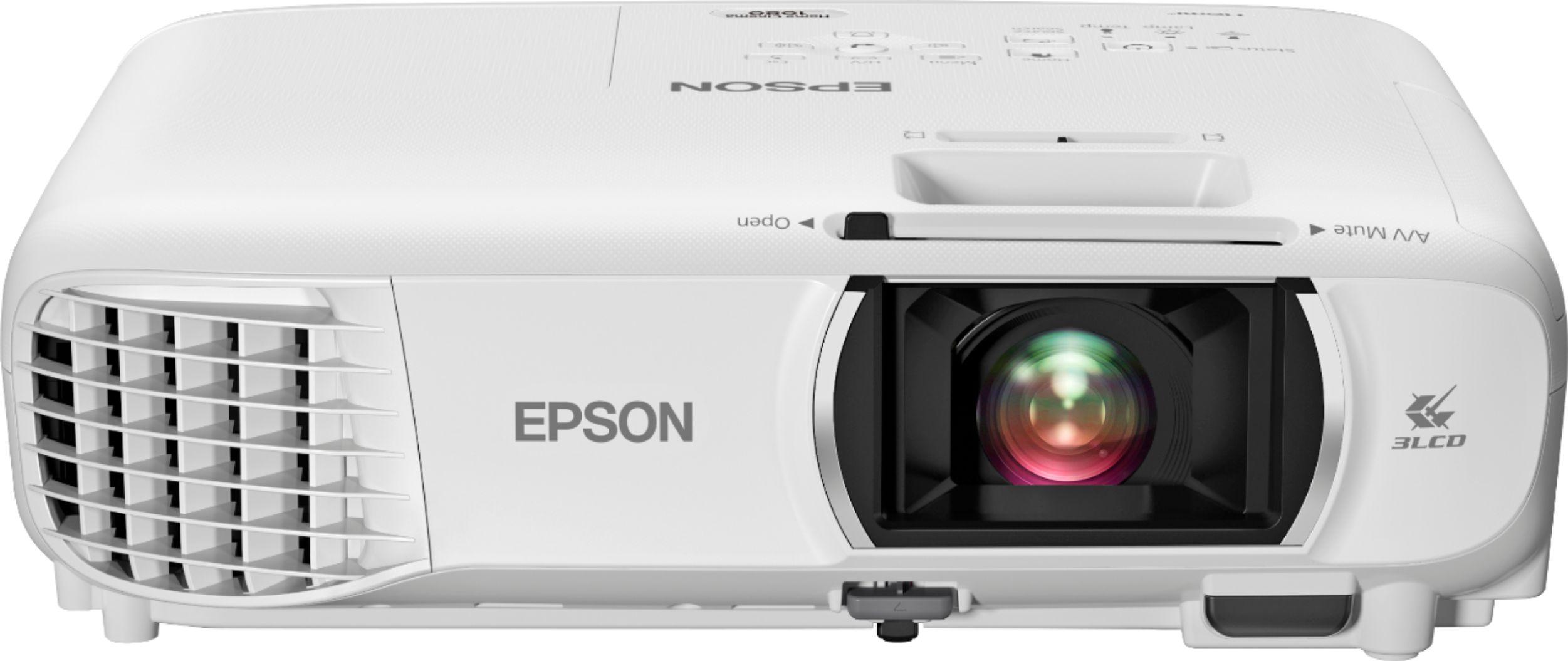
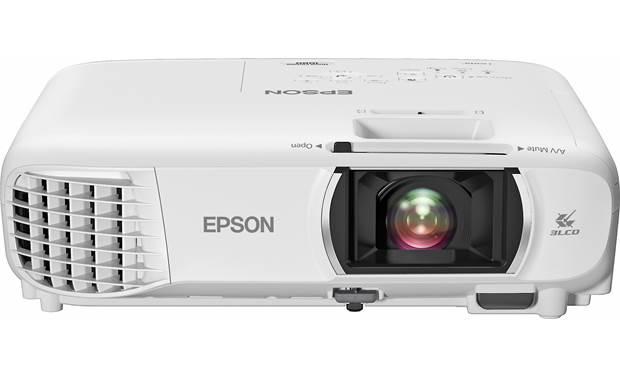
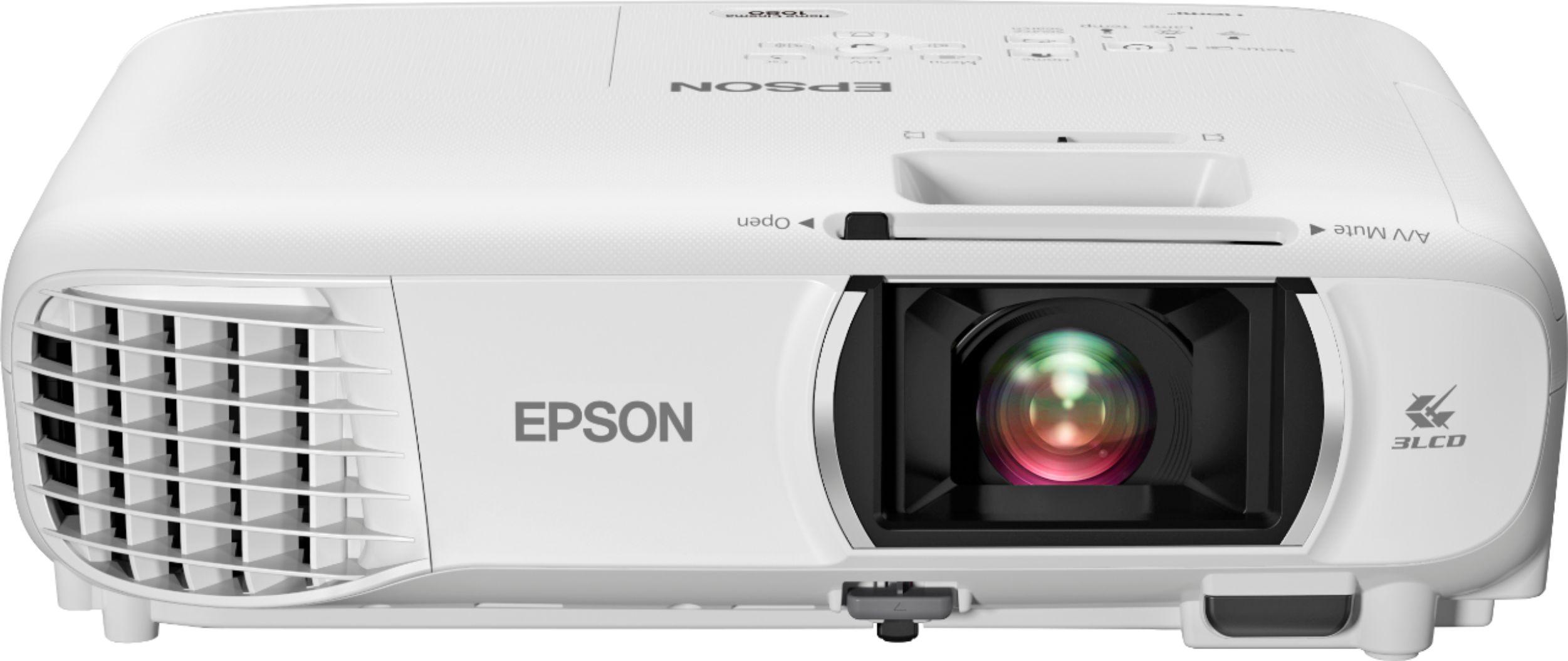
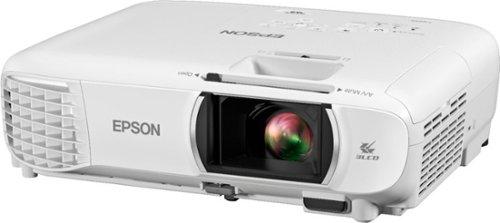
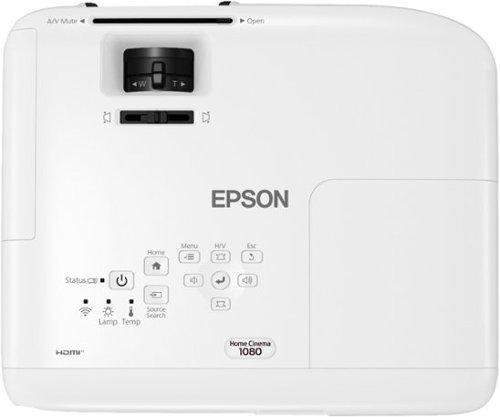
The Epson Home Cinema 1080 follows a more traditional home theater approach. Released in 2021, this projector weighs 2.8kg (6.2 lbs) and measures 11.9" x 9.9" x 3.6" – significantly larger than the ASUS but still compact for a home cinema projector.
Epson's approach focuses on maximizing brightness and image quality for dedicated viewing spaces. The projector utilizes Epson's proven 3LCD technology, which has been refined over many product generations to deliver high color accuracy without the "rainbow effect" that can plague single-chip projectors.
Priced between $649-749, the Home Cinema 1080 offers exceptional brightness and performance for a projector in this range, making it an attractive option for first-time home theater enthusiasts.
Since its launch, Epson has continued to iterate on this line, but the core technologies remain similar, with modest improvements in color processing and interface design in newer models.
Both projectors advertise 1080p (1920x1080) native resolution, providing full HD image quality that most viewers will find satisfactory. However, there are notable differences in how they achieve and maintain this resolution.
The Epson Home Cinema 1080 uses a 3LCD system with dedicated panels for red, green, and blue colors. This approach typically provides sharper pixel definition and better handling of fine details in native 1080p content. During high-contrast scenes, the Epson maintains clearer distinction between fine details, particularly noticeable in text-heavy content like sports statistics or subtitles.
The ASUS ZenBeam L2 utilizes a single DLP (Digital Light Processing) chip with a color wheel, which can sometimes introduce slight softness around edges compared to 3LCD systems. However, ASUS has added 4K input compatibility, meaning it can accept 4K signals and downscale them to its native 1080p resolution. This gives it some future-proofing that the Epson lacks, even if the final output resolution remains 1080p.
In real-world viewing, both provide crisp images that look substantially better than 720p projectors that dominated the entry-level market just a few years ago. For typical movie watching distances, most viewers would be hard-pressed to spot resolution differences without direct side-by-side comparison.
This is where we see the most significant functional difference between these projectors, and it directly impacts when and where you can use them.
The Epson delivers a massive 3,400 ANSI lumens of brightness – an industry-standard measurement that provides consistent comparison between projectors. This extraordinary brightness allows the Epson to produce visible, colorful images even in rooms with significant ambient light, like living rooms with partially drawn curtains during daytime.
By contrast, the ASUS outputs 400 ANSI lumens (or 960 LED lumens – a different measurement system that typically inflates the perceived brightness). This significant brightness gap means the ASUS requires much darker conditions to achieve satisfying image quality. In a completely dark room, both projectors can produce pleasing images, but as ambient light increases, the Epson maintains image vibrancy while the ASUS's image becomes progressively washed out.
It's worth noting that brightness technologies have continued to advance since these models were released. Newer portable projectors are gradually closing this gap with enhanced LED efficiency, but the fundamental difference between portable and home cinema brightness levels remains substantial.
Color performance is where both projectors take different technical approaches to achieve pleasing results.
The ASUS ZenBeam L2 advertises 120% sRGB color gamut coverage, meaning it can theoretically display more colors than standard content requires. This leads to vibrant, punchy colors that pop on screen – particularly noticeable in animated content and sports. The projector uses a DLP system with RGB LEDs as its light source, creating rich colors without requiring color wheel filtering that reduces brightness.
The Epson utilizes 3LCD technology, which splits light through three separate LCD panels (one each for red, green, and blue) before recombining them into a single image. This approach provides equal color and white brightness, avoiding the "rainbow effect" (brief color separation visible to some viewers) sometimes seen in single-chip DLP projectors like the ASUS. The Epson also offers 10-bit color processing, allowing for smoother color gradients in scenes like sunsets or underwater sequences.
Since these projectors' release, both technologies have seen incremental improvements in newer models, but the fundamental approaches remain the same. The Epson's approach generally provides more accurate colors for film content, while the ASUS delivers slightly more saturated, vibrant colors that can be appealing for animated content and games.
Contrast ratio – the difference between the brightest whites and darkest blacks a projector can produce – significantly impacts image depth and realism. This is another area where the projectors show their different design priorities.
The Epson boasts a 16,000:1 contrast ratio, which delivers noticeably deeper blacks and better shadow detail compared to the ASUS's more modest 400:1 ratio. This difference becomes particularly apparent during dark scenes in movies, where the Epson can render subtle details in shadows that get lost in the ASUS's more limited contrast range.
In practice, this means the Epson provides a more cinematic experience with better immersion during darker content like horror films or space scenes. The ASUS performs adequately for general viewing but struggles to convey the full dynamic range in high-contrast scenes.
The physical difference between these projectors reflects their fundamentally different purposes.
The ASUS ZenBeam L2 is designed for true portability at 1.57kg with compact dimensions (132 x 172 x 132mm). It's small enough to fit in a backpack or large purse, making it genuinely portable for taking to friends' homes, outdoor movie nights, or even business presentations. The cube-like design is both aesthetically pleasing and practical for packing.
The Epson Home Cinema 1080 weighs 2.8kg (6.2 lbs) with dimensions of 11.9" x 9.9" x 3.6" – roughly twice the size and weight. While you could transport it occasionally, it's clearly designed with semi-permanent installation in mind. The larger chassis accommodates more powerful components and better cooling systems necessary for its higher brightness output.
This size difference hasn't changed substantially since these models were released – portable projectors continue to prioritize compact designs while home theater models maintain larger footprints to accommodate their more powerful components.
Perhaps the most liberating feature of the ASUS is its built-in 65Wh battery providing up to 3.5 hours of playback without external power. This is enough for most full-length movies and transforms how and where you can use a projector. You can set up an impromptu movie night in the backyard, at a campsite, or in any room of your home without hunting for outlets.
The Epson, like virtually all home cinema projectors, requires constant AC power. This reflects its design philosophy: it's built for maximum performance in a dedicated space, not for flexibility.
Battery technology continues to improve gradually, with newer portable projectors sometimes offering slightly longer runtimes, but the fundamental difference remains – portable models offer cordless operation while home theater projectors require permanent power connections.
Modern projectors have incorporated increasingly sophisticated automatic image adjustment features, and both of these models showcase this trend in different ways.
The ASUS offers an impressive suite of automatic adjustments, including:
These features make the ASUS exceptionally easy to set up in different environments – you can essentially place it, turn it on, and get a properly adjusted image within seconds.
The Epson includes automatic vertical keystone correction but lacks the comprehensive auto-setup features of the ASUS. It requires more manual adjustment when setting up, with physical lens shift and zoom controls that provide precise but less convenient adjustments.
This difference in setup philosophy has become more pronounced since these models were released, with portable projectors increasingly emphasizing one-touch setup while home theater models continue to focus on manual precision.
"Throw ratio" refers to how large an image a projector creates relative to its distance from the screen. Both projectors offer relatively short throw ratios, with the ASUS at 1.2:1 and the Epson at 1.02-1.23:1, meaning they can create large images without needing to be placed far from the screen.
In practical terms, the ASUS can project a 100-inch image from about 2.7 meters away, while the Epson can achieve the same size from approximately 2.5-3 meters, depending on zoom settings. This makes both suitable for average living rooms.
However, the Epson can produce substantially larger maximum images (up to 300" diagonal versus the ASUS's 120" maximum). For dedicated home theater enthusiasts looking to recreate a true cinema experience, this additional size capacity can be significant.
Audio has traditionally been a weakness for projectors, but manufacturers have responded differently to this challenge.
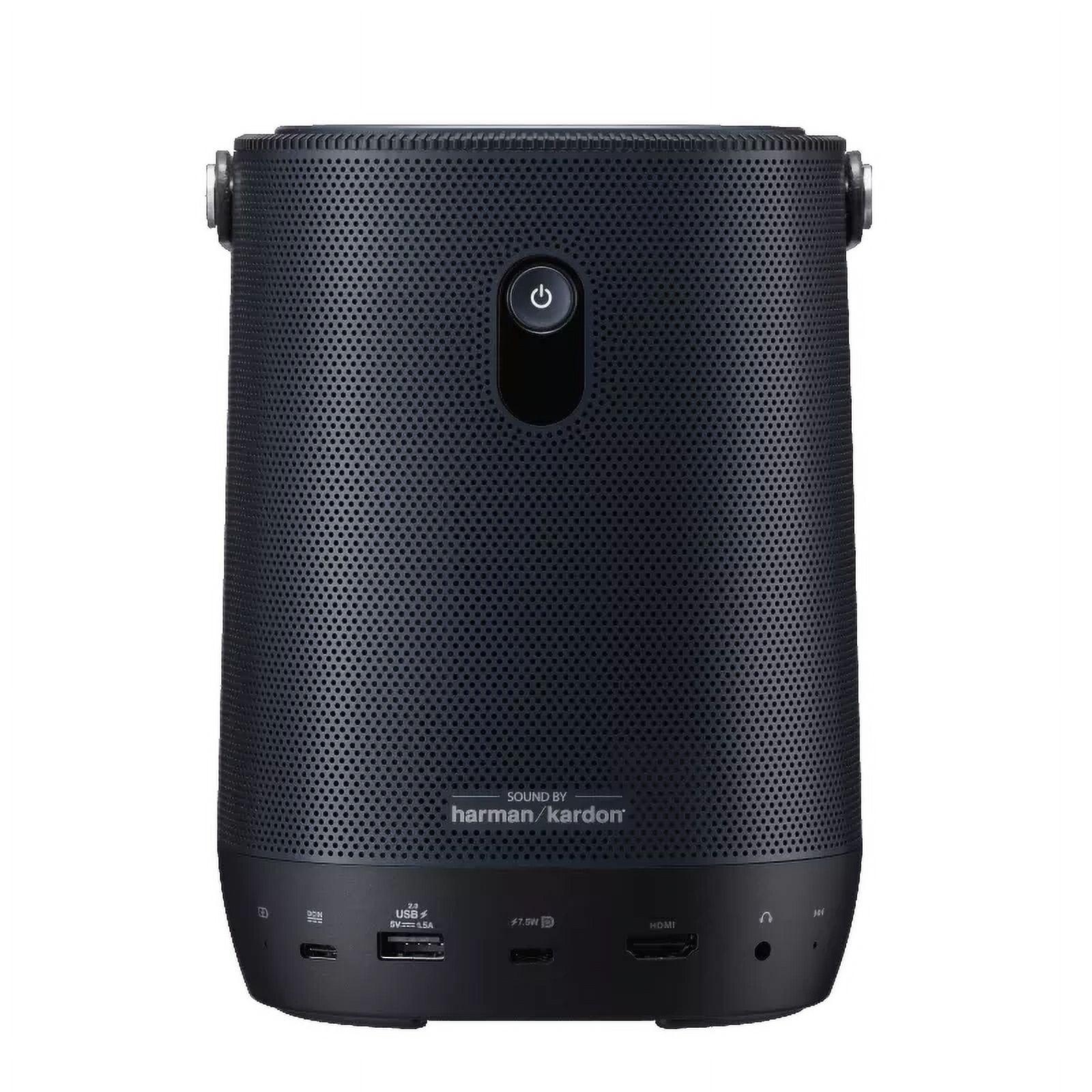
The ASUS ZenBeam L2 features an impressive 10W Harman Kardon speaker that delivers surprisingly rich, room-filling sound. This high-quality built-in audio eliminates the need for external speakers in most casual viewing scenarios – a significant advantage for a portable device. The sound quality is noticeably better than what most projectors offer, with reasonable bass response and clear dialogue.
The Epson Home Cinema 1080 includes only a basic 2W mono speaker that's sufficient for system sounds and casual viewing but inadequate for an immersive movie experience. Epson's approach assumes users will connect to an external sound system in a dedicated home theater setup – reasonable for its intended use case but less convenient for quick setup.
Since these models were released, audio quality in portable projectors has continued to improve, with some newer models incorporating even more sophisticated speaker systems, while home theater projectors still typically prioritize minimal built-in audio under the assumption external systems will be used.
Both projectors offer HDMI connectivity for connecting Blu-ray players, gaming consoles, and streaming devices, but their overall connectivity approaches differ substantially.
The ASUS provides modern, streamlined connectivity with:
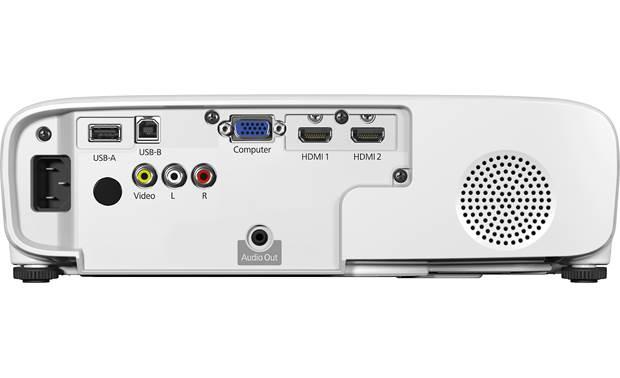
The Epson offers a more comprehensive but legacy-oriented selection:
This difference reflects their target markets – the ASUS focuses on modern, simplified connections while the Epson maintains compatibility with both new and older source devices that might be part of an existing home theater setup.
The smart capabilities of these projectors highlight another significant difference in approach.
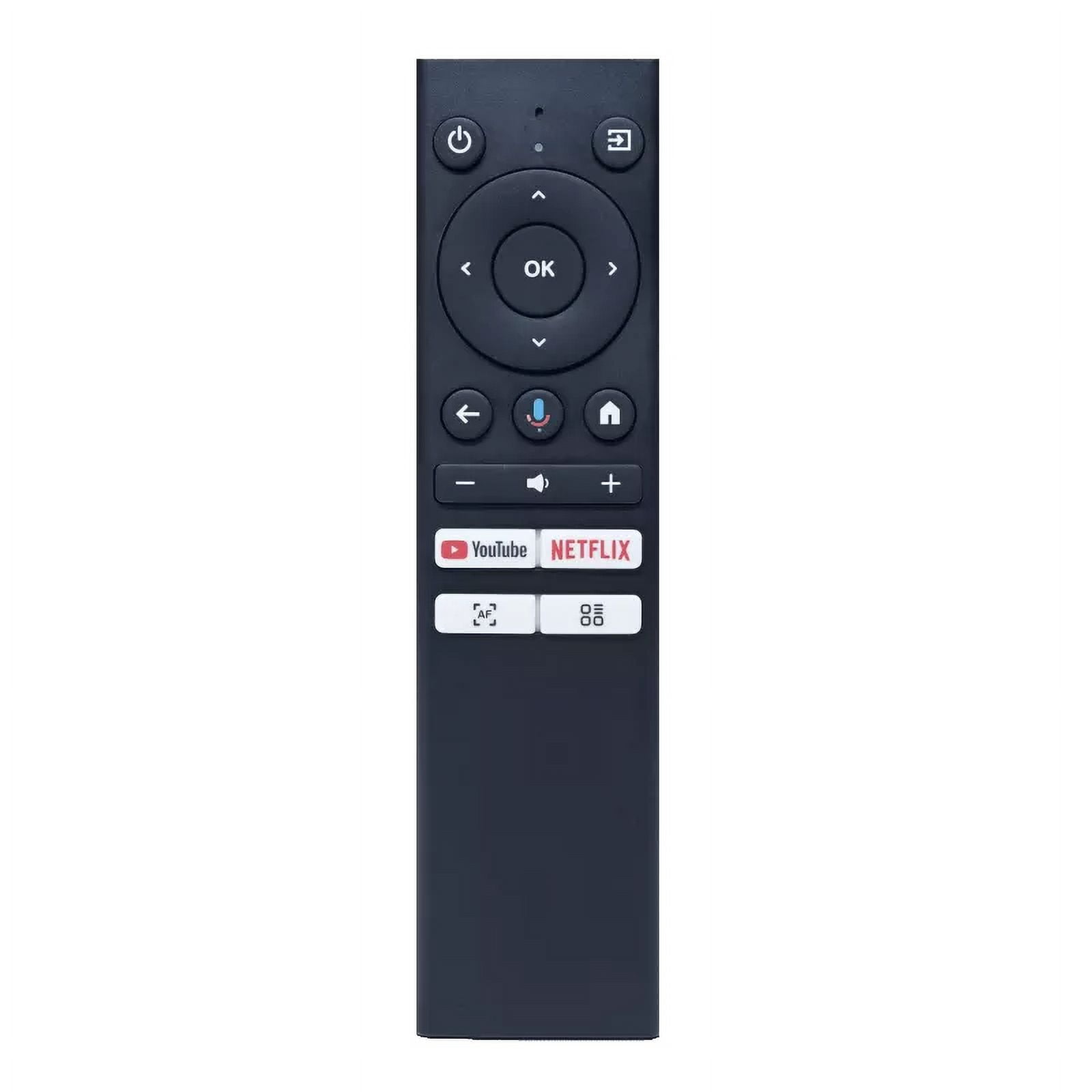
The ASUS includes an Android TV box with pre-loaded streaming apps like Netflix, Disney+, and YouTube, along with Google Assistant voice control. This makes it a complete entertainment system without requiring additional devices – particularly valuable for its portable use case.
The Epson offers built-in Wi-Fi with Miracast for screen mirroring from compatible devices but lacks a comprehensive smart platform. It's designed with the assumption that users will connect external streaming devices like Roku, Apple TV, or Fire TV sticks – again reflecting its focus on being part of a larger home theater ecosystem rather than a standalone solution.
Smart features have continued to evolve rapidly since these projectors were released, with newer models often featuring more sophisticated operating systems and wider app compatibility.
The projectors take fundamentally different approaches to their light sources, with significant implications for long-term maintenance.
The ASUS uses an LED light source rated for 30,000 hours – approximately 10 years of typical use. This light source never requires replacement during the practical lifetime of the projector, making it essentially maintenance-free. LED technology also maintains more consistent brightness and color over its lifespan than traditional lamps.
The Epson employs a traditional UHE (Ultra High Efficiency) lamp rated for 6,000 hours in Normal mode or up to 12,000 hours in ECO mode. This lamp will eventually require replacement at a cost of approximately $99-150, representing an additional ownership expense. Lamp brightness also gradually diminishes over time, with noticeable reduction after several thousand hours.
The projector industry continues to transition toward solid-state illumination (LEDs and laser), with newer home theater models increasingly adopting these technologies, though traditional lamps remain common in many mid-range models due to their cost advantages for achieving high brightness levels.
The ASUS ZenBeam L2 typically retails for $699-799, positioning it as a premium option in the portable projector segment. This price reflects its combination of portability, decent image quality, and comprehensive feature set. When evaluating its value, we must consider not just pure image quality but the flexibility its battery power and compact size provide.
The Epson Home Cinema 1080 is priced competitively at $649-749, offering exceptional brightness and performance for a home cinema projector in this range. Its value proposition centers on delivering maximum image performance per dollar for those with dedicated viewing spaces.
Since these models were released, prices have remained relatively stable, with occasional sales bringing them down by $50-100. Newer models with similar specifications have emerged, but these still represent solid value within their respective categories.
When considering long-term value, several factors beyond initial price become important.
The Epson offers superior pure projection performance per dollar but will incur lamp replacement costs after 6,000-12,000 hours of use. For dedicated home theater enthusiasts who prioritize image quality above all else, this remains a worthwhile tradeoff.
The ASUS commands a premium for its portability and battery power but offers maintenance-free operation through its LED light source. For users who value flexibility and minimal upkeep, this justifies its higher price point relative to its raw performance specifications.
After comparing these projectors across multiple dimensions, the decision ultimately comes down to your specific needs and viewing environment. Here's how to determine which projector might be right for you:
Choose the ASUS ZenBeam L2 if you:
Choose the Epson Home Cinema 1080 if you:
For my part, I've found that the distinction between these two approaches becomes most apparent in real-world usage scenarios. The ASUS ZenBeam L2 shines when spontaneity matters – setting up impromptu movie nights in different rooms or outdoors, taking it to friends' houses, or creating temporary entertainment spaces. The image may not match dedicated home theater projectors, but the freedom to project anywhere without cables is genuinely transformative.
Conversely, the Epson Home Cinema 1080 excels when consistently high performance in a dedicated space is the priority. Its superior brightness and contrast create a more cinema-like experience, especially for movie enthusiasts who've taken steps to control ambient light in their viewing environment.
Ultimately, these projectors aren't direct competitors but rather different tools for different purposes. The best choice depends entirely on whether you prioritize flexibility or absolute performance in a fixed location. Both represent excellent values within their respective categories, delivering experiences that would have cost significantly more just a few years ago.
| ASUS ZenBeam L2 Smart Portable LED Projector | Epson Home Cinema 1080 Projector |
|---|---|
| Resolution - Determines image clarity and detail | |
| 1080p (Full HD) with 4K input compatibility | 1080p (Full HD) native resolution |
| Brightness - Critical for viewing in anything but dark rooms | |
| 400 ANSI lumens (requires dark room for optimal viewing) | 3,400 ANSI lumens (works well even with some ambient light) |
| Portability - Affects where and how you can use the projector | |
| 1.57kg with compact dimensions (132 x 172 x 132mm); truly portable | 2.8kg (6.2 lbs) with larger dimensions (11.9" x 9.9" x 3.6"); semi-portable |
| Battery - Determines if cordless projection is possible | |
| Built-in 65Wh battery with up to 3.5 hours playback | No battery; requires constant AC power connection |
| Light Source - Impacts maintenance costs and longevity | |
| LED rated for 30,000 hours with no replacement needed | UHE lamp rated for 6,000-12,000 hours; requires $99-150 replacement |
| Contrast Ratio - Affects image depth and shadow detail | |
| 400:1 contrast ratio (adequate for casual viewing) | 16,000:1 contrast ratio (superior for cinematic content) |
| Audio Solution - Determines if external speakers are needed | |
| 10W Harman Kardon speaker with good sound quality | Basic 2W mono speaker; external audio likely needed |
| Auto-Setup Features - Impacts ease of use in different environments | |
| Auto focus, auto keystone, obstacle avoidance | Basic auto vertical keystone correction only |
| Smart Features - Affects need for additional streaming devices | |
| Included Android TV box with pre-loaded streaming apps | Built-in Wi-Fi with Miracast; no smart platform |
| Maximum Screen Size - Determines cinema-like experience potential | |
| Up to 120" diagonal image | Up to 300" diagonal image |
| Connectivity - Important for compatibility with various devices | |
| HDMI, USB-C (DisplayPort), USB-A, 3.5mm audio out | 2x HDMI, VGA, Composite video, USB-A, USB-B |
| Price - Value proposition relative to features | |
| $699-799 (premium pricing for portable category) | $649-749 (competitive pricing for home cinema category) |
| Best Use Case - When each projector makes the most sense | |
| Versatile use in multiple locations; travel-friendly; dark rooms | Dedicated home theater setup; consistent performance; works in rooms with some light |
The Epson Home Cinema 1080 Projector is significantly brighter with 3,400 ANSI lumens compared to the ASUS ZenBeam L2 which has 400 ANSI lumens. This makes the Epson much better for rooms with ambient light, while the ASUS ZenBeam L2 requires a darker environment for optimal viewing.
The ASUS ZenBeam L2 is ideal for outdoor use because it has a built-in battery that lasts up to 3.5 hours, allowing cordless projection. The Epson Home Cinema 1080 requires a constant power source, making it less suitable for outdoor viewing unless you have access to electricity.
The Epson Home Cinema 1080 is superior for a dedicated home theater room due to its higher brightness (3,400 lumens), better contrast ratio (16,000:1), and ability to project larger images (up to 300"). The ASUS ZenBeam L2 is designed more for flexibility than optimized home theater performance.
The ASUS ZenBeam L2 features a high-quality 10W Harman Kardon speaker that provides adequate sound for most viewing situations without external speakers. The Epson Home Cinema 1080 has only a basic 2W mono speaker, so external speakers or a sound system are recommended for a better audio experience.
The ASUS ZenBeam L2 requires virtually no maintenance with its LED light source rated for 30,000 hours (about 10 years of typical use). The Epson Home Cinema 1080 uses a traditional lamp that needs replacement after 6,000-12,000 hours, requiring periodic maintenance and additional costs.
Yes, both the ASUS ZenBeam L2 and Epson Home Cinema 1080 have HDMI ports for connecting gaming consoles like PlayStation, Xbox, or Nintendo Switch. The Epson offers two HDMI ports while the ASUS has one, giving the Epson an advantage if you have multiple devices to connect.
The ASUS ZenBeam L2 is significantly easier to set up in various locations thanks to its automatic focus, auto keystone correction, and obstacle avoidance features. The Epson Home Cinema 1080 requires more manual adjustment, making it better suited for a fixed installation rather than frequent repositioning.
Both the ASUS ZenBeam L2 and Epson Home Cinema 1080 offer 1080p (1920x1080) Full HD native resolution. The ASUS has the added benefit of accepting 4K input signals (downscaled to 1080p), while the Epson uses 3LCD technology which can provide slightly better color accuracy at the same resolution.
The Epson Home Cinema 1080 is much better for watching movies in a living room with some ambient light due to its 3,400 lumens brightness. The ASUS ZenBeam L2 with only 400 ANSI lumens will produce a washed-out image unless the room is very dark with blackout curtains.
The ASUS ZenBeam L2 comes with an Android TV box that has pre-loaded streaming apps including Netflix, allowing direct streaming without additional devices. The Epson Home Cinema 1080 doesn't have built-in streaming apps and requires an external streaming device like Roku, Fire TV, or Apple TV to access Netflix.
For pure home theater performance, the Epson Home Cinema 1080 at $649-749 offers better value with its superior brightness and contrast. For versatility and portability, the ASUS ZenBeam L2 at $699-799 provides better value with its battery power, smart features, and maintenance-free design despite its higher price.
The Epson Home Cinema 1080 can project significantly larger images with a maximum screen size of 300 inches diagonal. The ASUS ZenBeam L2 is limited to a maximum of 120 inches diagonal, making the Epson a better choice if you want an immersive, cinema-like experience with a massive screen.
We've done our best to create useful and informative comparisons to help you decide what product to buy. Our research uses advanced automated methods to create this comparison and perfection is not possible - please contact us for corrections or questions. These are the sites we've researched in the creation of this article: projectorcentral.com - youtube.com - mezha.media - asus.com - asus.com - youtube.com - projectorreviews.com - asus.com - digitalcameraworld.com - youtube.com - asus.com - digitalcitizen.life - tweakreviews.com - shop.asus.com - edgeup.asus.com - asus.com - projectorcentral.com - asus.com - uk.store.asus.com - asus.com - thegadgetflow.com - bhphotovideo.com - asus.com - asus.com - crutchfield.com - bestbuy.com - officedepot.com - bestbuy.com - bestbuy.com - audioholics.com - rtings.com - avsforum.com - projectorcentral.com - audiogeneral.com - projectorreviews.com - rtings.com - epson.com - youtube.com - epson.com - projectorreviews.com - projectorreviews.com - walmart.com - shop.avispl.com - bhphotovideo.com - staples.com - mediaserver.goepson.com - staples.com - bhphotovideo.com - epson.com - epson.com - dell.com - epson.com - bestbuy.com

Privacy Policy
Terms and Conditions - Affiliate Policy
Home Security
© Copyright 2008-2026.
11816 Inwood Rd #1211, Dallas, TX 75244