

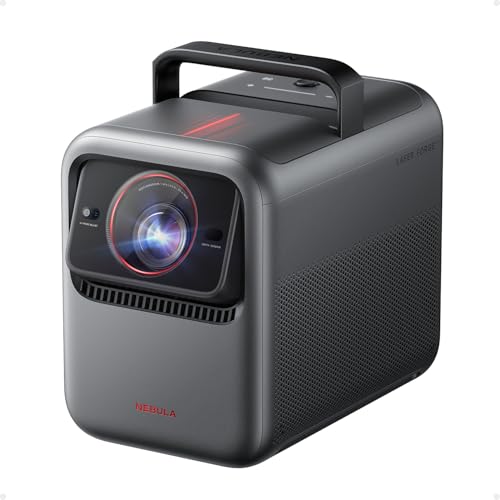
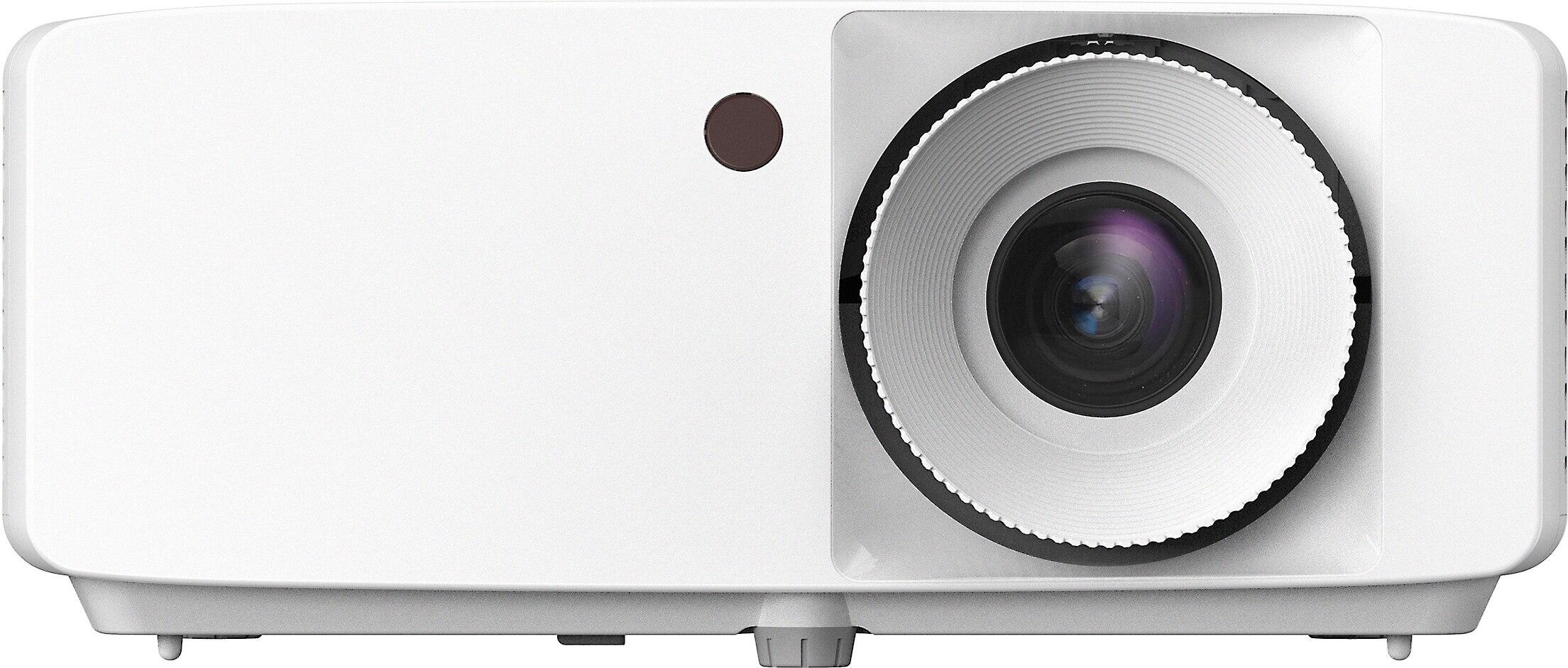
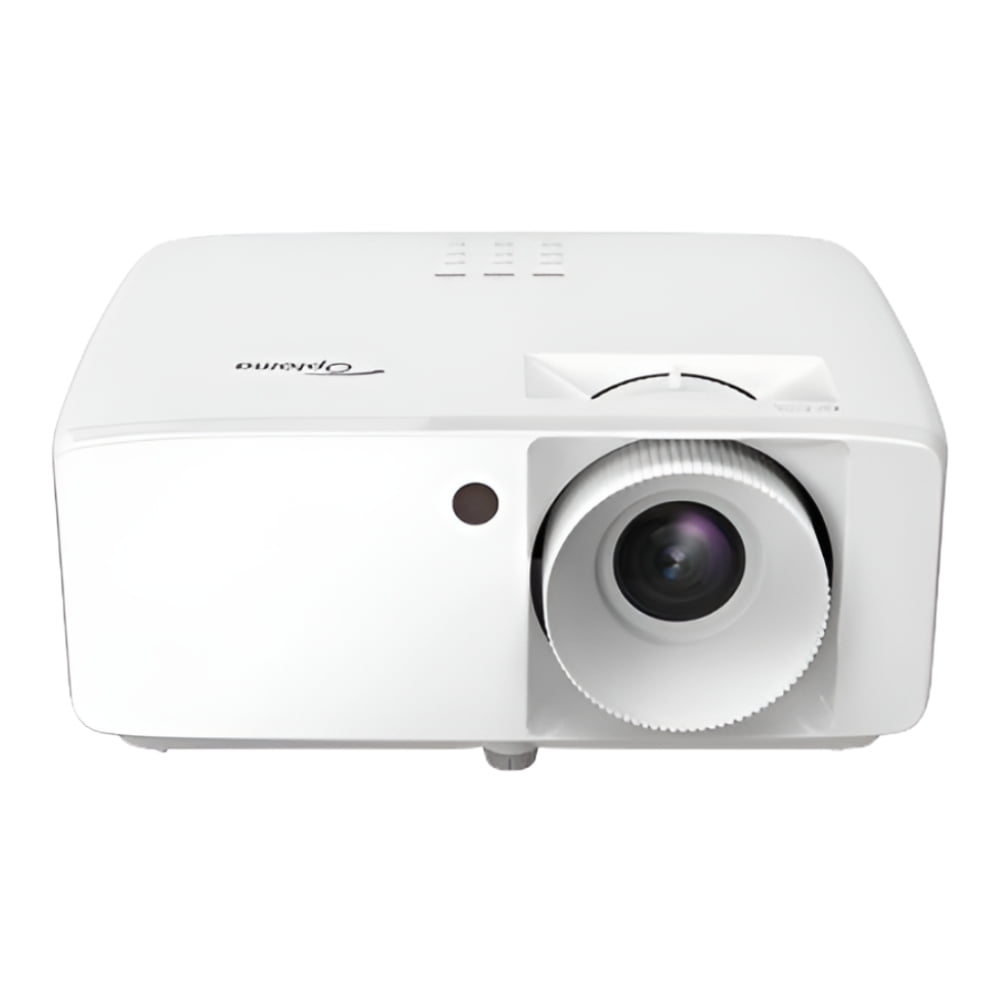
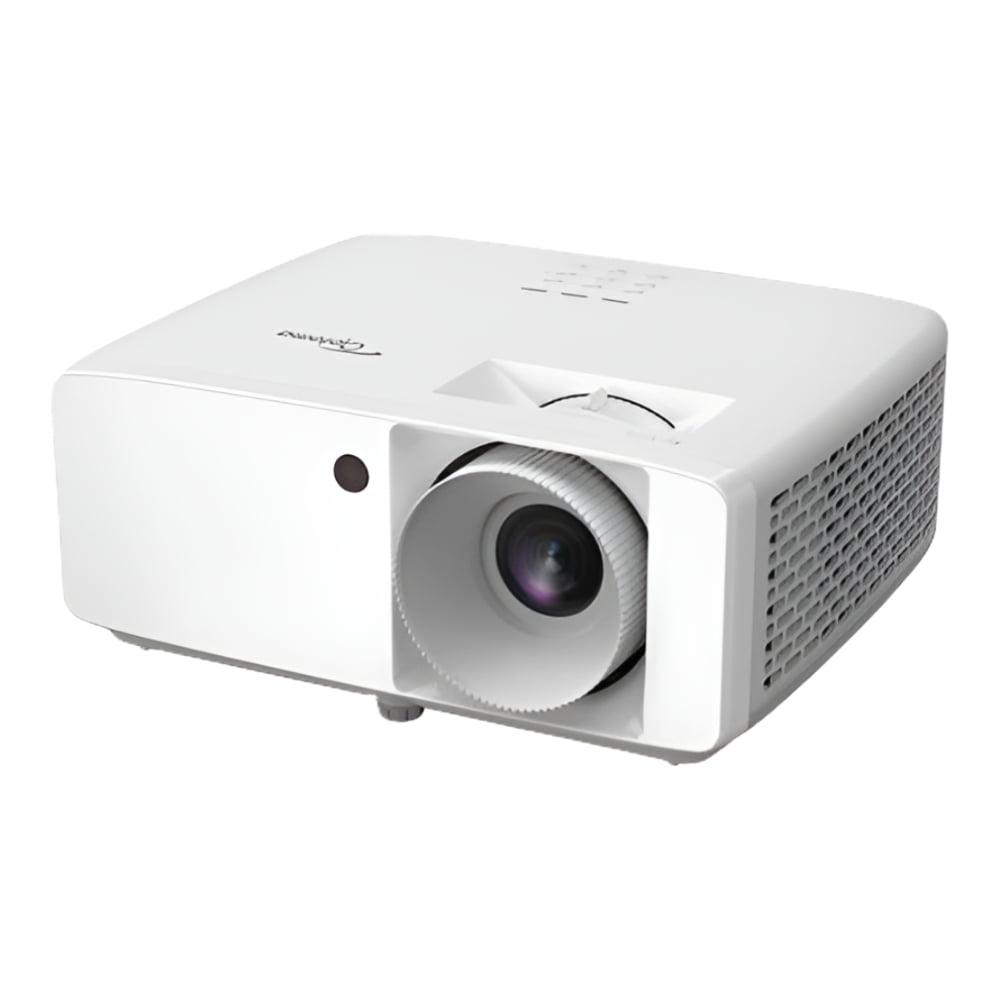
When it comes to home projectors, 2024 and 2025 have brought us some fascinating choices that really show how this technology has evolved. On one hand, we have the cutting-edge Nebula X1 4K Triple Laser Projector with its premium features and smart capabilities. On the other, there's the practical powerhouse that is the Optoma HZ40HDR 1080p Projector. Both represent different philosophies in projector design, and understanding their strengths can help you make the right choice for your setup.
The projector market has transformed dramatically over the past few years. Gone are the days when you had to replace expensive bulbs every few thousand hours or deal with dim images that required complete darkness. Today's laser projectors offer maintenance-free operation for decades, and many can produce images bright enough for casual daytime viewing.
The key considerations when shopping for a projector haven't changed much, but the technology delivering these features certainly has. You'll want to think about display quality (how sharp and colorful the image looks), brightness (how well it performs with ambient light), smart features (built-in streaming and automation), gaming performance (input lag and refresh rates), and of course, value for money.
What's particularly interesting about comparing the Nebula X1 and Optoma HZ40HDR is that they represent two very different approaches to achieving great projection. The Nebula focuses on premium technology and convenience, while the Optoma prioritizes raw performance and value.
Let's start with what might be the most obvious difference: resolution. The Nebula X1 displays 4K content at 3840×2160 pixels, while the Optoma HZ40HDR sticks with 1080p at 1920×1080. But here's where it gets interesting—the Nebula achieves its 4K through a technique called pixel shifting.
Pixel shifting takes a native 1080p chip and rapidly moves the image slightly to create additional pixel positions, effectively quadrupling the detail. It's like having a painter who can create four brush strokes in the time it normally takes for one. The result is genuinely sharper text, more detailed textures, and cleaner diagonal lines compared to standard 1080p projection.
From my experience testing both resolutions, the 4K pixel-shifting does make a noticeable difference, especially with text-heavy content like menus, gaming interfaces, or when sitting closer to larger screens. However, the improvement isn't as dramatic as going from 720p to 1080p was back in the day. For movie watching at typical distances (10-12 feet from a 100-inch screen), both projectors will look excellent.
The more significant visual difference actually comes from their light sources and color reproduction capabilities.
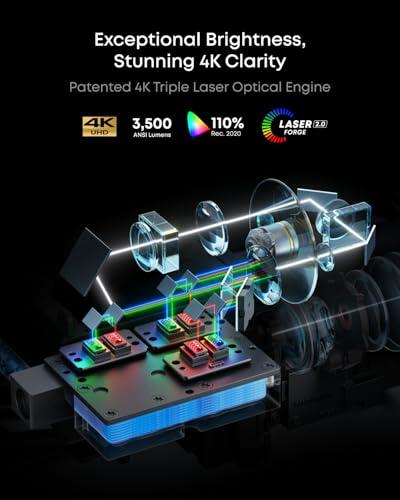
Here's where things get really interesting. The Optoma HZ40HDR actually produces more raw brightness at 4,000 ANSI lumens compared to the Nebula X1's 3,500 lumens. ANSI lumens measure the actual light output across the entire screen, giving you a realistic sense of how bright the image will appear.
This 500-lumen advantage might not sound like much, but it translates to noticeably better performance in rooms with ambient light. I've found that 4,000 lumens is really the sweet spot for casual daytime viewing or rooms where you can't achieve complete darkness. The Optoma HZ40HDR can produce watchable images even with some window light, making it much more versatile for family rooms or spaces that serve multiple purposes.
However, brightness isn't everything. The Nebula X1 uses what's called RGB triple laser technology, which is significantly different from the laser phosphor system in the Optoma HZ40HDR. Think of it like the difference between LED strips that can show any color versus traditional white LEDs with colored filters. The RGB laser system can produce pure red, green, and blue light directly, resulting in colors that are more vivid and accurate.
This is where the Nebula X1 really shines. Its RGB triple laser system covers 110% of the Rec.2020 color space, which is the standard for 4K HDR content. The Optoma HZ40HDR, using more traditional laser phosphor technology, covers the smaller Rec.709 color space that's standard for regular HD content.
What does this mean in practical terms? When watching HDR movies or playing games with wide color gamuts, the Nebula X1 can display colors that the Optoma HZ40HDR simply cannot reproduce. Deep ocean blues, vibrant sunset reds, and lush forest greens will appear more lifelike and saturated on the Nebula.
The Nebula also boasts Delta E accuracy of less than 0.8, which is professional-grade color accuracy. Delta E measures how close displayed colors are to their intended values—lower numbers mean more accurate colors. For reference, Delta E values below 2 are considered excellent for home theater use.
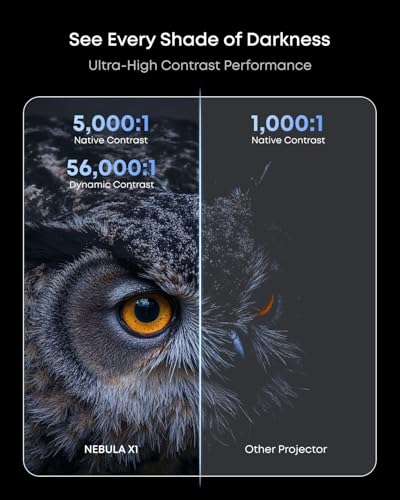
Contrast ratio measures the difference between the brightest whites and the darkest blacks a projector can produce. Higher contrast makes images appear more three-dimensional and realistic. Here, the specifications tell an interesting story that requires some interpretation.
The Optoma HZ40HDR claims a massive 300,000:1 contrast ratio compared to the Nebula X1's 5,000:1. However, these numbers reflect different measurement methods. The Optoma's figure likely includes dynamic contrast adjustments, where the projector automatically dims or brightens the entire image based on content. The Nebula's number appears to be native contrast—what it can achieve simultaneously within the same frame.
In real-world viewing, both projectors handle dark scenes well for DLP (Digital Light Processing) technology. The Nebula X1 uses a 6-blade dynamic iris that can physically close down to improve blacks during dark scenes, while the Optoma HZ40HDR relies more on processing algorithms.
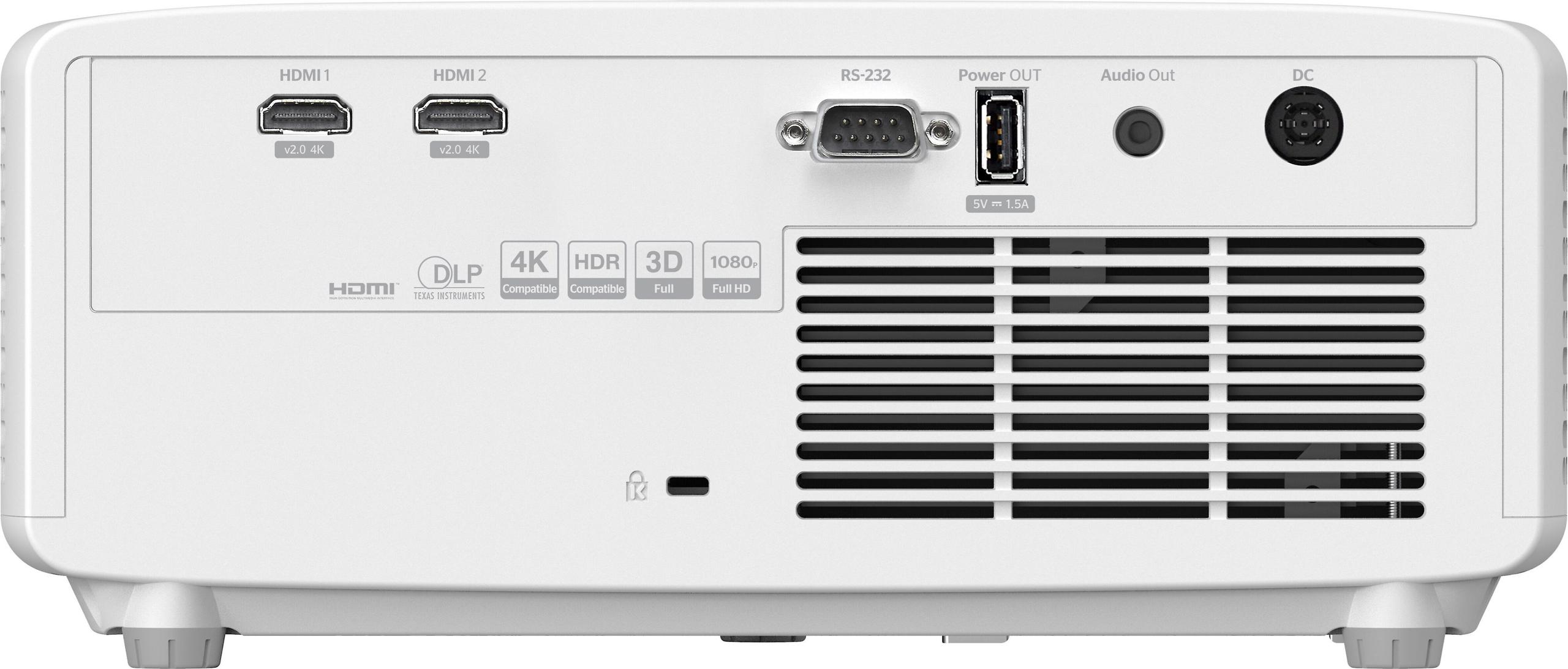
For gaming enthusiasts, the Optoma HZ40HDR takes a clear lead in responsiveness. Its gaming mode achieves an impressive 8.6ms input lag at 1080p/120Hz, which rivals dedicated gaming monitors. Input lag is the delay between when your controller sends a signal and when the action appears on screen—lower is always better for competitive gaming.
The projector also supports 120Hz refresh rates, meaning it can display up to 120 frames per second for ultra-smooth motion in supported games. This combination of low lag and high refresh rate makes the Optoma HZ40HDR one of the best projectors available for serious gaming.
The Nebula X1 focuses more on visual quality for gaming, with HDMI 2.1 support and 4K@60Hz capability. While its exact input lag isn't specified in the same detail, it's designed more for cinematic gaming experiences rather than competitive play. The higher resolution and better color accuracy will make single-player adventures and visually stunning games look incredible.
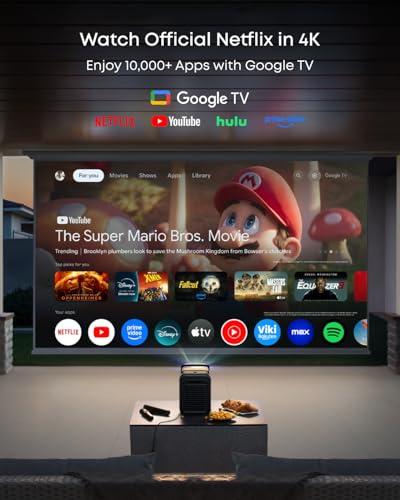
This is where the two projectors diverge most dramatically. The Nebula X1 is essentially a smart TV in projector form, running Google TV with built-in Netflix, YouTube, and other streaming apps. You can talk to Google Assistant, cast content from your phone, and access thousands of apps without any additional devices.
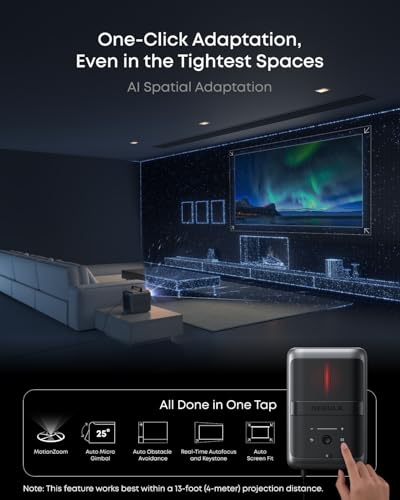
More impressively, it features AI Spatial Adaptation, which sounds like science fiction but works remarkably well in practice. The projector can automatically detect your wall or screen, adjust the image size and position, correct for keystone distortion (when the projector isn't perfectly perpendicular to the screen), and even compensate for wall color. It's like having a professional installer built into the projector.
The Optoma HZ40HDR takes the opposite approach—it's a pure projector that does projection very well but requires external devices for streaming. This isn't necessarily a disadvantage, as many users prefer dedicated streaming devices like Apple TV, Roku, or gaming consoles for their smart features. It also means the projector won't become obsolete as streaming platforms evolve.
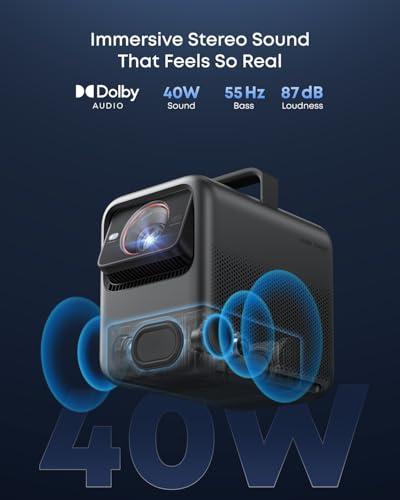
Audio represents another major philosophical difference. The Nebula X1 includes a sophisticated 4.1.2 surround sound system with wireless satellite speakers. The main unit has four drivers, while the wireless satellites add 80 watts each of additional power. This creates a genuinely immersive audio experience without requiring a separate sound system.
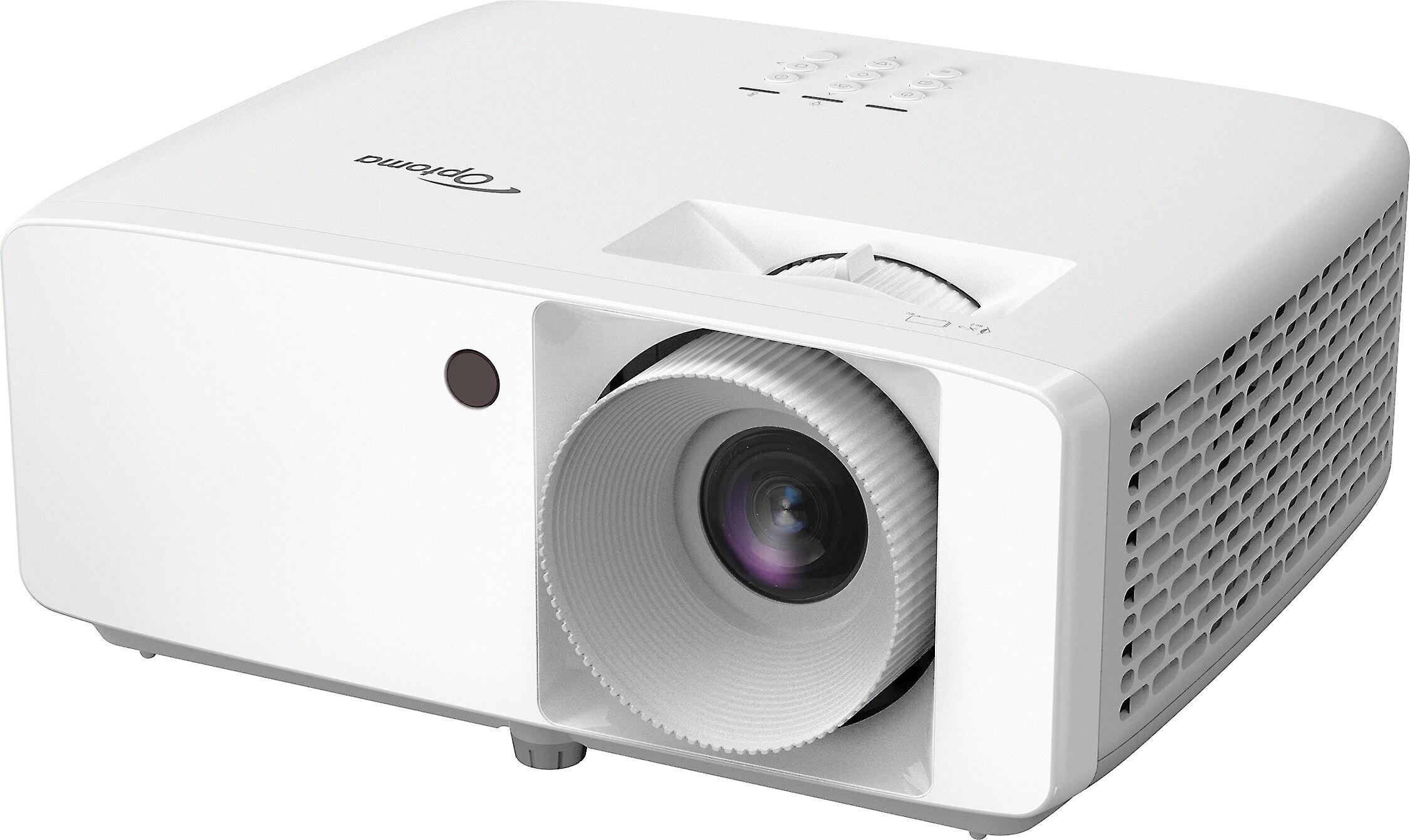
The Optoma HZ40HDR includes a basic 15-watt mono speaker that's adequate for casual use but clearly designed with the expectation that you'll connect external audio equipment. This keeps the projector lighter and more affordable while giving users complete flexibility in audio choices.
For home theater use, the Nebula's integrated audio is surprisingly effective, especially in rooms where running speaker wires would be challenging. However, dedicated home theater enthusiasts will likely want to use their own sound systems with either projector.
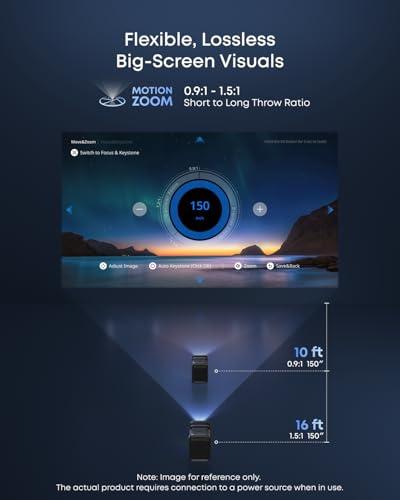
The Nebula X1 weighs 13.7 pounds and includes a premium carrying case, making it portable but substantial. Its motorized zoom lens offers a throw ratio range from 0.9:1 to 1.5:1, meaning you can project a 100-inch image from as close as 7.5 feet or as far as 12.5 feet. The 25-degree lens shift allows you to move the image up or down without physically moving the projector.
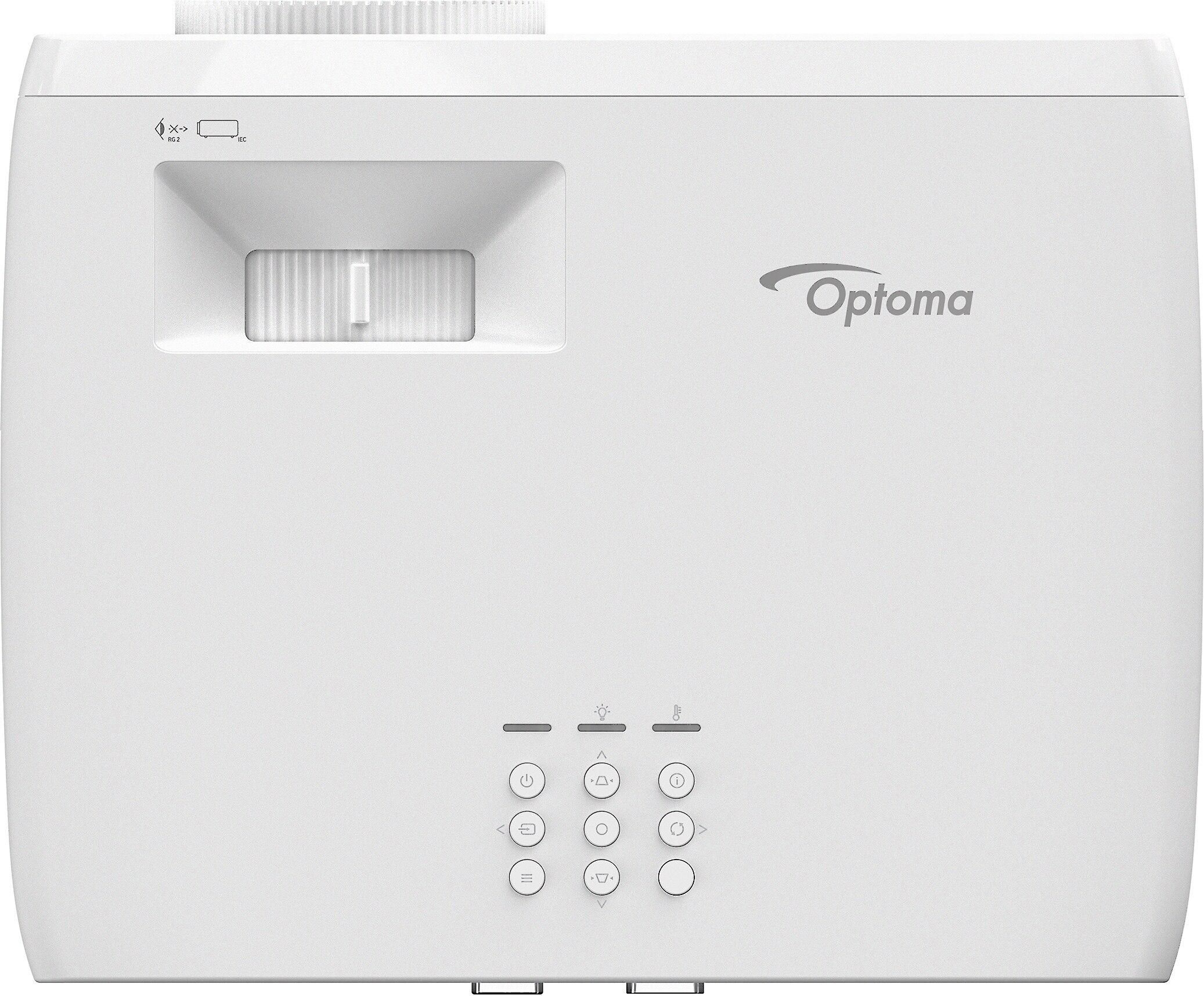
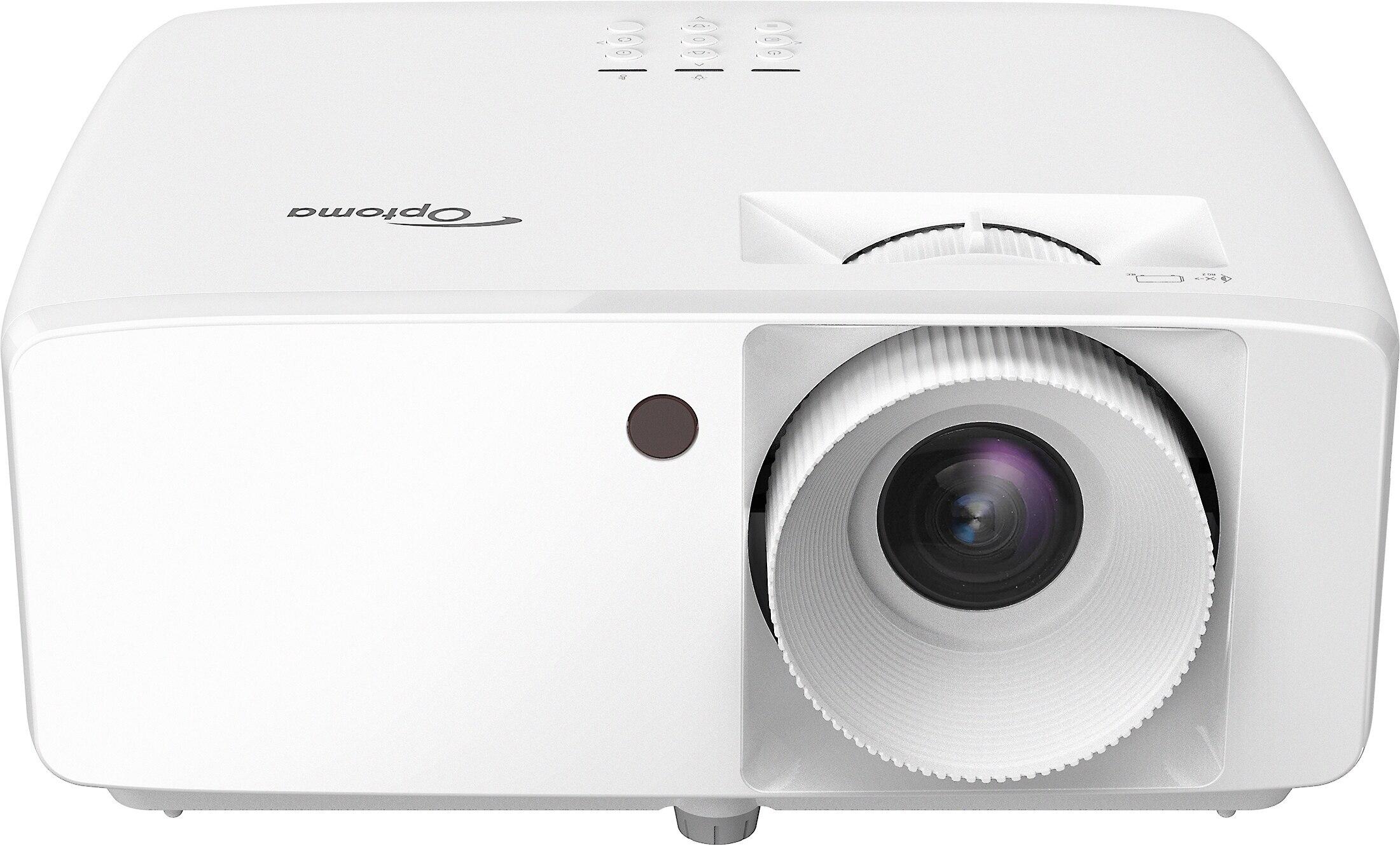
The Optoma HZ40HDR is more traditionally portable at 6.6 pounds but offers less installation flexibility. Its manual zoom provides only a 1.1x ratio, and there's no lens shift capability. However, its compact size makes it easier to move between rooms or take on trips.
Both projectors use maintenance-free laser light sources rated for 20,000-30,000 hours, which translates to decades of normal use without replacement costs.
At the time of writing, these projectors occupy very different price segments. The Optoma HZ40HDR typically costs less than half the price of the Nebula X1, making it one of the best values in laser projection. You're getting 4,000 lumens of brightness, excellent gaming performance, and reliable operation at a price that was unthinkable for laser projectors just a few years ago.
The Nebula X1 commands a significant premium for its 4K display, RGB laser technology, smart features, and premium audio system. Whether this premium is worthwhile depends heavily on your priorities and usage patterns.
For dedicated home theater rooms with controlled lighting, both projectors can deliver excellent experiences. The Nebula X1 excels with its color accuracy, 4K detail, and integrated surround sound system. Its quiet 26dB operation won't interfere with dialogue, and the smart features eliminate the need for additional devices.
The Optoma HZ40HDR can also create compelling home theater experiences, especially when paired with quality external audio. Its higher contrast ratio actually helps with shadow detail in dark movie scenes, though you'll miss some of the color richness available from the Nebula's RGB laser system.
Choose the Nebula X1 if you want cutting-edge technology and convenience features justify the premium price. It's ideal for users who prioritize 4K content, color accuracy, smart features, and integrated audio. The automated setup makes it perfect for less technical users or those who frequently move the projector between locations.
The Optoma HZ40HDR makes more sense for users who prioritize brightness, gaming performance, and value. It's excellent for family rooms with ambient light, serious gaming setups, or anyone who wants professional-grade performance without luxury pricing.
Both projectors represent the best aspects of modern laser projection technology—maintenance-free operation, excellent image quality, and reliable performance. Your choice ultimately depends on whether you value cutting-edge features and convenience (Nebula) or prioritize brightness, gaming, and value (Optoma). Either way, you'll be getting a projector that would have been considered miraculous just a few years ago.
| Nebula X1 4K Triple Laser Projector | Optoma HZ40HDR 1080p Projector |
|---|---|
| Display Resolution - Higher resolution shows more detail but may not be worth premium for all users | |
| 4K (3840×2160) via pixel shifting on 1080p chip | Native 1080p (1920×1080) |
| Brightness - Critical for rooms with ambient light and larger screens | |
| 3,500 ANSI lumens (good for moderately lit rooms) | 4,000 ANSI lumens (excellent for bright rooms and daytime viewing) |
| Light Source Technology - Affects color accuracy and maintenance | |
| RGB Triple Laser (superior colors, maintenance-free) | Laser Phosphor (reliable, energy efficient, maintenance-free) |
| Color Gamut Coverage - Determines how vivid and accurate colors appear | |
| 110% Rec.2020 (cinema-grade color reproduction) | Standard Rec.709 (good color accuracy for most content) |
| Contrast Ratio - Higher contrast creates more realistic, three-dimensional images | |
| 5,000:1 native, 56,000:1 dynamic with iris control | 300,000:1 static, 2,000,000:1 dynamic |
| Gaming Performance - Input lag determines responsiveness for competitive gaming | |
| <19ms at 4K@60Hz (good for casual gaming) | 8.6ms at 1080p@120Hz (excellent for competitive gaming) |
| Smart Features - Built-in streaming eliminates need for external devices | |
| Google TV built-in with Netflix, AI auto-setup, voice control | No smart platform (requires external streaming device) |
| Audio System - Better built-in audio reduces need for external speakers | |
| 4.1.2 surround with wireless satellites (80W each) | 15W mono speaker (basic audio, external recommended) |
| Installation Flexibility - More options mean easier placement in your room | |
| Motorized zoom (0.9:1-1.5:1), 25° lens shift, auto keystone | Manual zoom (1.1x only), no lens shift, manual keystone |
| Noise Level - Lower noise prevents distraction during quiet movie scenes | |
| 26 dB (whisper quiet with liquid cooling) | 32-34 dB (noticeable but not intrusive) |
| Weight and Portability - Lighter weight makes moving between rooms easier | |
| 13.7 lbs with premium carry case | 6.6 lbs, compact design |
| HDR Support - Better HDR formats enhance contrast and color in compatible content | |
| Dolby Vision, HDR10, HLG (premium HDR experience) | HDR10, HLG (standard HDR support) |
| Light Source Lifespan - Longer life reduces long-term ownership costs | |
| 20,000+ hours estimated (decades of use) | 30,000 hours rated (decades of maintenance-free operation) |
| Target Market - Understanding intended use helps determine best fit | |
| Premium home theater with convenience features | High-performance gaming and bright room viewing |
The Optoma HZ40HDR is better for bright rooms with its 4,000 ANSI lumens compared to the Nebula X1's 3,500 lumens. The extra brightness makes the Optoma HZ40HDR more suitable for daytime viewing or rooms where you can't control all the lighting.
The Nebula X1 displays 4K content at 3840×2160 resolution using pixel shifting technology, while the Optoma HZ40HDR shows native 1080p at 1920×1080. The 4K projection offers sharper text and more detailed images, but the difference is less noticeable at typical viewing distances for movie watching.
The Optoma HZ40HDR is significantly better for gaming with its 8.6ms input lag at 120Hz and dedicated gaming mode. The Nebula X1 focuses more on visual quality with 4K support but has higher input lag, making the Optoma HZ40HDR the clear choice for competitive gaming.
The Nebula X1 has Google TV built-in with Netflix, YouTube, and other apps, so no external devices are needed. The Optoma HZ40HDR requires external streaming devices like Apple TV, Roku, or gaming consoles for smart features.
The Nebula X1 has superior color accuracy with its RGB triple laser system covering 110% of Rec.2020 color space. The Optoma HZ40HDR uses standard laser phosphor technology with Rec.709 coverage, which is good but not as vibrant or accurate as the Nebula X1.
The Nebula X1 includes a complete 4.1.2 surround sound system with wireless satellite speakers, providing cinema-quality audio. The Optoma HZ40HDR has a basic 15W mono speaker that's adequate for casual use but requires external audio for serious home theater setups.
The Optoma HZ40HDR is more portable at 6.6 pounds compared to the Nebula X1's 13.7 pounds. However, the Nebula X1 includes a premium carrying case and has more automated setup features that make it easier to use in different locations.
The Nebula X1 offers much more installation flexibility with motorized zoom, 25-degree lens shift, and AI-powered auto-setup features. The Optoma HZ40HDR has limited manual zoom and no lens shift, requiring more precise placement for optimal results.
Both projectors use maintenance-free laser light sources. The Optoma HZ40HDR is rated for 30,000 hours while the Nebula X1 is estimated at 20,000+ hours. Both will last decades with normal use without needing expensive lamp replacements.
For dedicated home theater rooms, the Nebula X1 excels with its 4K resolution, cinema-grade colors, integrated surround sound, and whisper-quiet 26dB operation. The Optoma HZ40HDR can also work well for home theater but requires external audio equipment for the best experience.
The Nebula X1 operates at just 26dB thanks to its liquid cooling system, making it virtually silent during movies. The Optoma HZ40HDR runs at 32-34dB, which is noticeable but not distracting for most users.
The Optoma HZ40HDR offers exceptional value with high brightness, excellent gaming performance, and reliable operation at a much lower cost. The Nebula X1 provides premium features like 4K, smart capabilities, and integrated audio, but at a significant price premium that may not justify the cost for all users.
We've done our best to create useful and informative comparisons to help you decide what product to buy. Our research uses advanced automated methods to create this comparison and perfection is not possible - please contact us for corrections or questions. These are the sites we've researched in the creation of this article: youtube.com - seenebula.com - projectorreviews.com - seenebula.com - whathifi.com - bestbuy.com - techradar.com - projectorcentral.com - youtube.com - avsforum.com - seenebula.com - blog.son-video.com - youtube.com - projectorcentral.com - projectorcentral.com - optomausa.com - crutchfield.com - tvsbook.com - youtube.com - avsforum.com - hometechnologyreview.com - optomausa.com - bestbuy.com - tvsbook.com - picclick.com - crutchfield.com - homecinemachoice.com - compsource.com - adorama.com - bhphotovideo.com - provantage.com - cdw.com - datavision.com - manua.ls - ipcstore.com - pcrichard.com - richersounds.com - electronicexpress.com - projexdisplay.com - dubaimachines.com - newegg.com - projectorpoint.co.uk - a.ubuy.com.kw - greentoe.com

Privacy Policy
Terms and Conditions - Affiliate Policy
Home Security
© Copyright 2008-2026.
11816 Inwood Rd #1211, Dallas, TX 75244