



When you're ready to transform your living room into a home theater, the projector market can feel overwhelming. Do you need 4K resolution? How important is brightness? Should you pay extra for smart features? I've spent considerable time with both traditional and modern projectors, and the choice often comes down to understanding what matters most for your specific setup.
Today we're comparing two very different approaches to home projection: the Nebula Cosmos 4K SE, a modern 4K smart projector released in 2024, and the Epson Home Cinema 1080, a traditional 1080p model that launched in 2020. These projectors represent fundamentally different philosophies—one prioritizes cutting-edge features and convenience, while the other focuses on proven performance and value.
Before diving into specifics, let's establish what makes a great home theater projector. Unlike TVs with fixed screen sizes, projectors offer the flexibility to create massive displays—we're talking 100, 150, even 300 inches diagonally. However, this flexibility comes with considerations you don't face with traditional TVs.
Resolution determines how sharp your image looks, especially as screen sizes increase. While 1080p (1920×1080 pixels) remains perfectly watchable for most content, 4K (3840×2160 pixels) provides four times the detail—crucial when you're sitting close to a large screen.
Brightness, measured in ANSI lumens, determines how well the projector performs in ambient light. Think of lumens like the wattage of a light bulb—more lumens mean a brighter image that can compete with room lighting. Most home theater projectors range from 1,000 to 4,000 lumens.
Throw ratio describes how far back you need to place the projector for a given screen size. A 1.2:1 throw ratio means you need 12 feet of distance to achieve a 10-foot-wide screen. This matters enormously for room planning.
The projector landscape has evolved dramatically since 2020. We've seen the introduction of hybrid light sources combining LED and laser technology, advanced auto-setup features using artificial intelligence, and built-in smart TV platforms. These improvements address traditional projector pain points: complicated setup, frequent bulb replacements, and the need for external streaming devices.
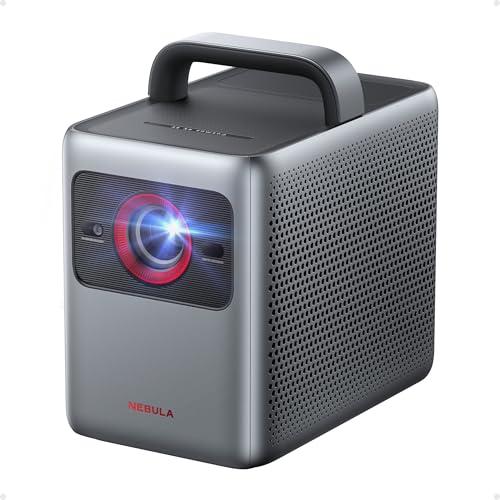
The Nebula Cosmos 4K SE represents the latest thinking in portable projection. Released in 2024, it's essentially a smart TV in projector form—complete with Google TV, automatic setup, and premium audio. At the time of writing, it commands a premium price reflecting its advanced feature set.
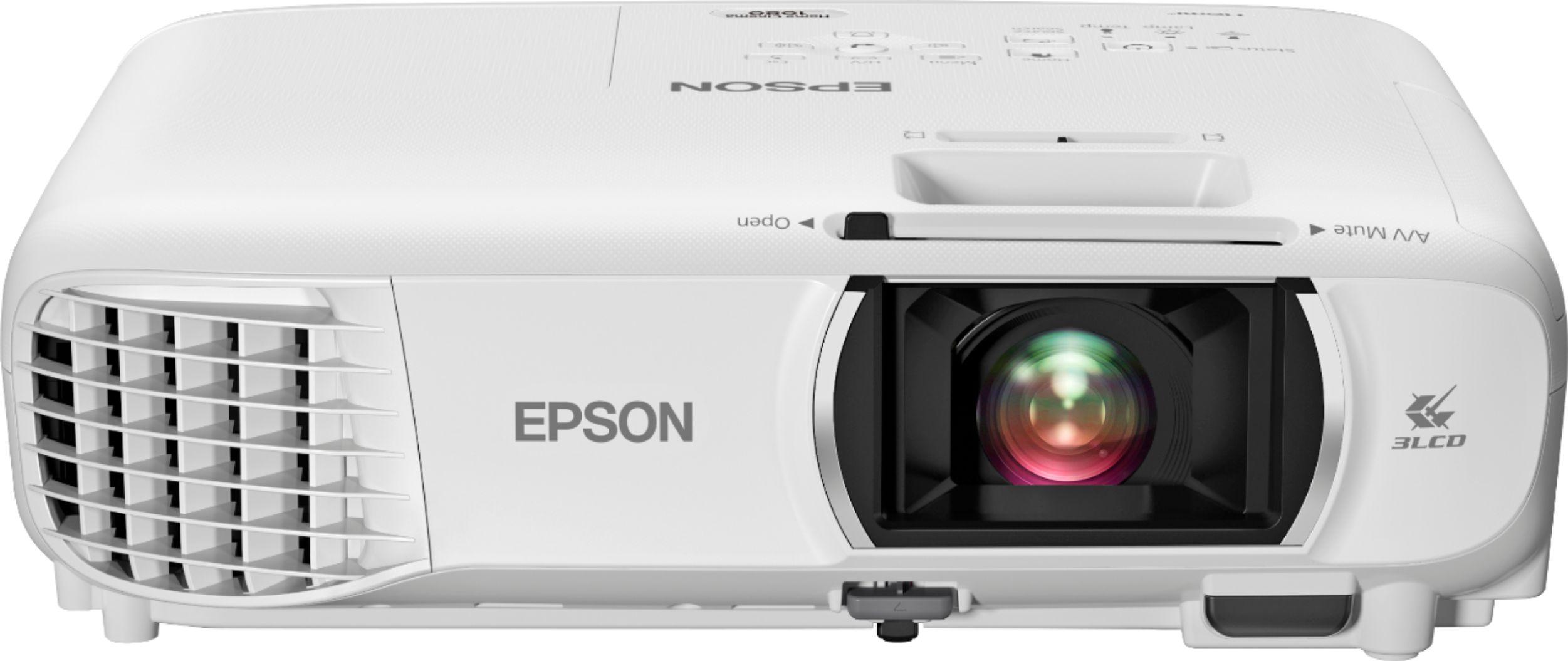
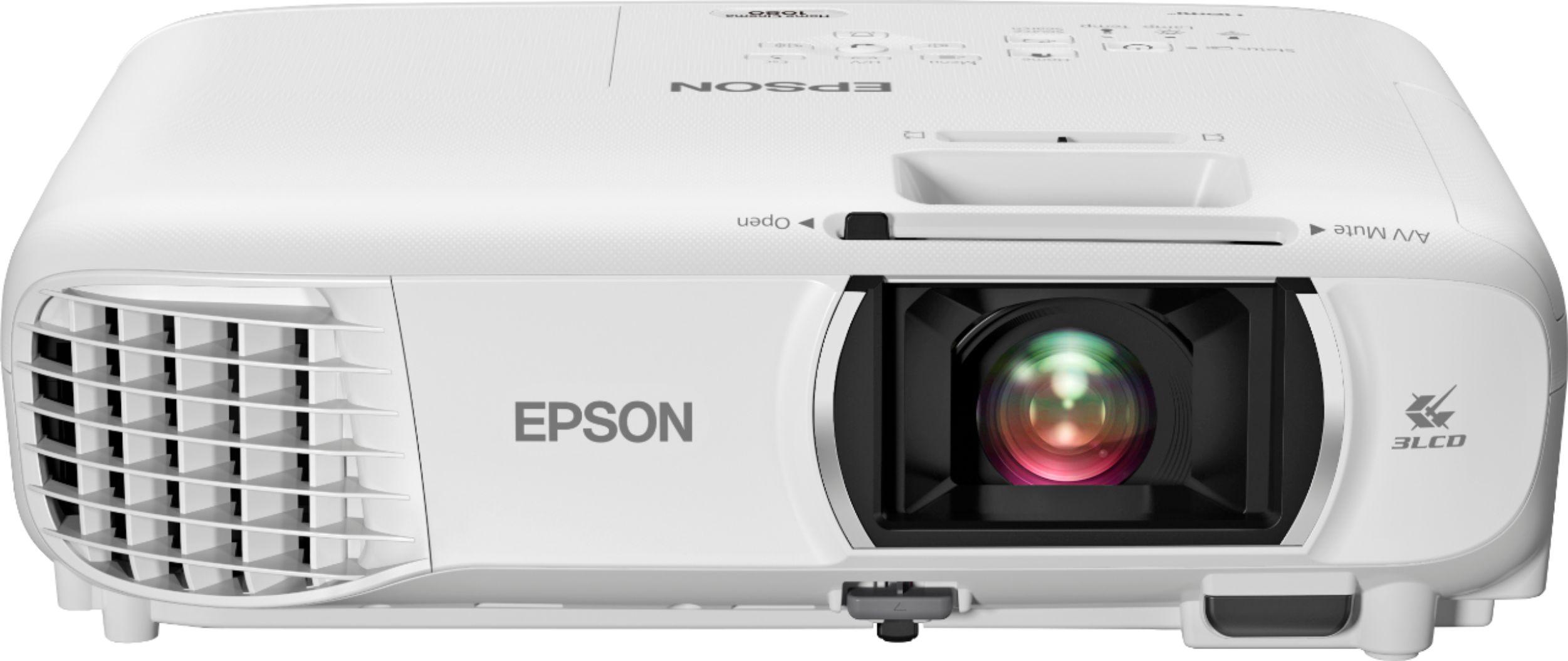
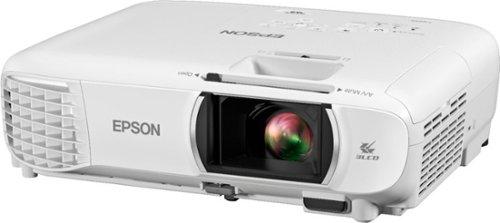
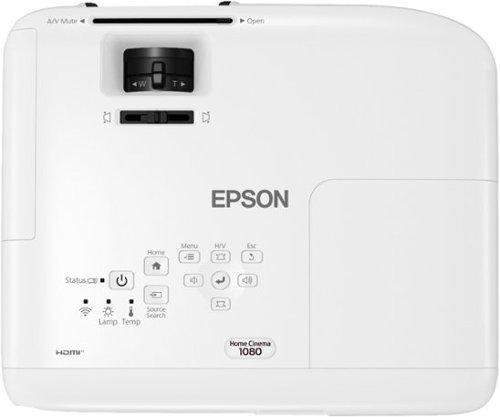
The Epson Home Cinema 1080, launched in 2020, takes a more traditional approach. It focuses on core projection fundamentals: bright, accurate images using proven 3LCD technology. Its pricing positions it in the budget-friendly category, making it accessible to more buyers.
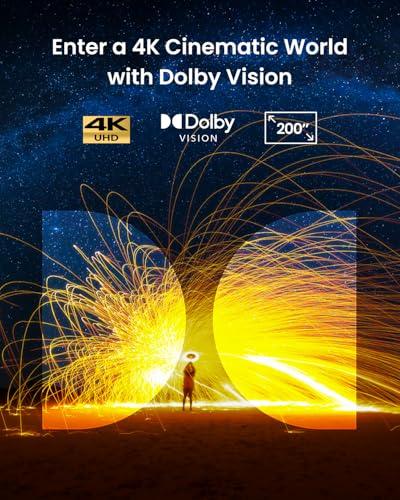
Here's where the comparison gets interesting. The Cosmos 4K SE technically wins the resolution battle with its 4K UHD output, achieved through pixel shifting—a technology that rapidly moves each pixel to four different positions, creating the effect of four times the resolution. While not "native" 4K like expensive cinema projectors, this approach delivers genuinely sharp images that benefit from 4K content.
However, resolution isn't everything. The Home Cinema 1080 produces excellent 1080p images using 3LCD technology—a system that separates light into red, green, and blue components before recombining them. This eliminates the "rainbow effect" some people notice with DLP projectors (brief color flashes when moving your eyes quickly).
In my experience, the 4K advantage of the Cosmos 4K SE becomes most apparent on screens larger than 120 inches or when sitting closer than 1.5 times the screen width. For typical living room setups with 100-inch screens and standard seating distances, both projectors deliver satisfying sharpness.
The Cosmos 4K SE also supports HDR (High Dynamic Range), including Dolby Vision—technologies that enhance contrast and color range for more lifelike images. HDR content shows deeper blacks, brighter highlights, and more vibrant colors. The projector's color accuracy measures at ΔE<1, meaning color deviations are virtually imperceptible to human eyes.
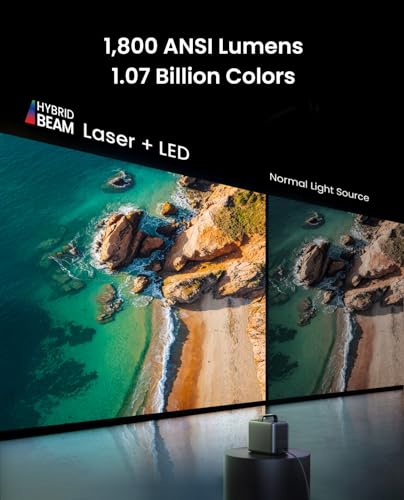
This is where the Epson Home Cinema 1080 shines—literally. With 3,400 ANSI lumens of both color and white brightness, it significantly outperforms the Cosmos 4K SE's 1,800 lumens. In real-world testing, this brightness difference is immediately apparent.
The Epson's advantage stems from its mature 3LCD technology and powerful 210W lamp. While this lamp will eventually need replacement (rated for 6,000-12,000 hours depending on mode), it delivers consistent, bright output that handles ambient light well.
The Cosmos 4K SE uses HybridBeam technology—combining LED and laser light sources for improved color gamut and longer lifespan (30,000 hours). However, this hybrid approach prioritizes color accuracy and longevity over peak brightness.
For practical use, the Home Cinema 1080 works well in family rooms with windows, finished basements, or anywhere you can't achieve complete darkness. The Cosmos 4K SE performs best in dedicated theater rooms or carefully controlled lighting situations.
I've found that brightness becomes increasingly critical as screen sizes grow. A 150-inch screen from the Cosmos 4K SE in a moderately lit room appears washed out, while the same content looks vibrant from the Home Cinema 1080.
The Nebula Cosmos 4K SE transforms the traditional projector experience. Its Google TV operating system provides direct access to Netflix, Disney+, Amazon Prime Video, and thousands of other apps—no streaming stick required. The interface feels familiar to anyone who's used an Android TV or Chromecast, with personalized recommendations and voice control through Google Assistant.
This integration eliminates the cable management and remote juggling typical of projector setups. You power on the Cosmos 4K SE, and you're immediately in a smart TV interface. It also supports HDMI 2.1 with eARC (Enhanced Audio Return Channel), allowing high-quality audio passthrough to soundbars or AV receivers.
The Home Cinema 1080 takes the traditional approach: HDMI inputs, basic wireless screen mirroring (Miracast), and that's about it. You'll need a separate streaming device—Roku, Apple TV, or gaming console—for smart features.
While some might view this as a limitation, there are benefits to the Epson's approach. External streaming devices often receive software updates longer than built-in smart platforms. They're also easily replaceable when new streaming standards emerge.
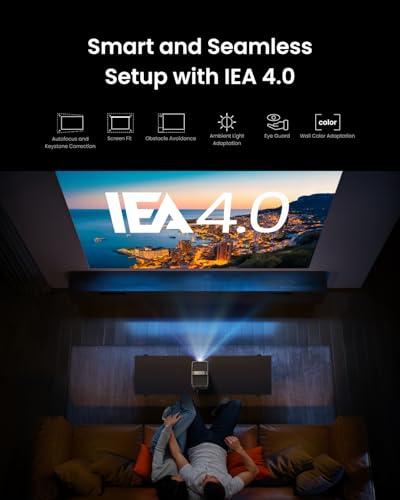
The Cosmos 4K SE's IEA 4.0 (Intelligent Environment Adaptation) system represents a significant leap in projector usability. Power it on, and it automatically focuses the image, corrects keystone distortion, avoids obstacles, and even adjusts for wall color. If you bump the projector, it recalibrates itself.
This automation addresses the historically frustrating aspects of projector ownership. Traditional setup involves manually focusing, adjusting keystone correction (fixing trapezoidal distortion), and fine-tuning position—processes that can take 15-20 minutes and require re-doing if the projector moves.
The Home Cinema 1080 includes some automation—vertical and horizontal keystone correction, and a built-in skew sensor—but requires more manual intervention. However, it compensates with a 1.2x optical zoom, providing placement flexibility the Cosmos 4K SE lacks.
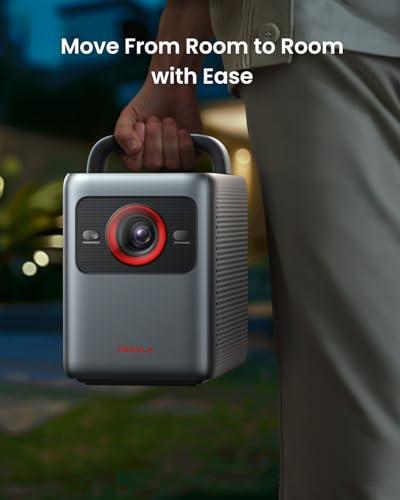
From a portability standpoint, the Cosmos 4K SE includes an integrated handle and weighs 9.9 pounds—manageable for occasional moves between rooms. The Home Cinema 1080 is lighter at 6.2 pounds but lacks the convenient carrying design.
Built-in projector audio historically ranges from "barely adequate" to "actively bad." The Cosmos 4K SE breaks this pattern with dual 15-watt speakers (30 watts total) that actually fill a room with quality sound. The system supports Dolby Audio and can process Dolby Atmos via HDMI eARC.
I was genuinely surprised by the Cosmos 4K SE's audio performance during testing. While not matching dedicated soundbars or speaker systems, it eliminates the immediate need for external audio in smaller rooms. The projector also functions as a Bluetooth speaker when not displaying content.
The Home Cinema 1080 includes a basic 2-watt mono speaker—sufficient for setup menus but requiring external audio for any serious viewing.
Modern gaming increasingly benefits from low input lag and high refresh rates. The Cosmos 4K SE includes a dedicated gaming mode that reduces input lag to as low as 18.5 milliseconds—competitive with gaming monitors. It also supports MEMC (Motion Estimation, Motion Compensation), which smooths fast-moving content by inserting interpolated frames.
The Home Cinema 1080 provides adequate gaming performance for casual players but lacks the specific optimizations competitive gamers seek.
For console gaming, the Cosmos 4K SE better supports modern systems like PlayStation 5 and Xbox Series X, which output 4K HDR content. However, the Home Cinema 1080 handles 1080p gaming excellently and works well with Nintendo Switch or older consoles.
At the time of writing, the Home Cinema 1080 costs roughly half what you'll pay for the Cosmos 4K SE. This price difference significantly impacts the value equation.
The Epson delivers excellent core performance—bright, accurate 1080p images—at a budget-friendly price. Money saved could fund a quality screen, ceiling mount, or sound system, potentially creating a better overall experience than the projector alone.
The Cosmos 4K SE commands a premium for its feature integration and convenience. For users who value the latest technology and simplified setup, this premium may be justified. However, you're paying significantly more for features like smart TV integration and automatic calibration that some users won't fully utilize.
Consider total ownership costs too. The Home Cinema 1080 requires eventual lamp replacement (typically $100-200), while the Cosmos 4K SE's LED/laser hybrid should last the projector's lifetime.
Your room's lighting conditions should heavily influence your decision. If you're setting up in a basement, dedicated theater room, or can achieve good light control, the Cosmos 4K SE provides superior image quality and modern conveniences.
For family rooms, great rooms, or anywhere achieving darkness is challenging, the Home Cinema 1080's brightness advantage becomes crucial. No amount of smart features compensates for a washed-out image.
Consider your technical comfort level too. The Cosmos 4K SE works better for users who want everything to "just work" without extensive setup or external devices. The Home Cinema 1080 suits those comfortable with traditional AV setups or who prefer separating components.
Screen size plans matter enormously. If you're targeting screens larger than 120 inches, the Cosmos 4K SE's resolution advantage becomes more apparent. For typical 80-100 inch setups, both provide satisfying sharpness.
Budget considerations extend beyond initial purchase price. The Home Cinema 1080 leaves room in most budgets for screens, mounts, and audio upgrades. The Cosmos 4K SE is more of an all-in-one solution but at a premium price point.
Neither projector is objectively "better"—they serve different needs and priorities. The Epson Home Cinema 1080 excels as a bright, reliable, budget-friendly option that handles varied lighting conditions well. It's particularly suitable for first-time projector buyers or those prioritizing screen brightness over advanced features.
The Nebula Cosmos 4K SE represents the future of home projection: intelligent, convenient, and feature-rich. It's ideal for tech enthusiasts, dedicated theater rooms, or anyone wanting a premium, simplified experience.
Your specific room, usage patterns, and budget will ultimately determine which approach serves you better. Both projectors can create engaging home theater experiences—the question is which philosophy aligns with your priorities and constraints.
| Nebula Cosmos 4K SE Smart Projector | Epson Home Cinema 1080 Projector |
|---|---|
| Resolution - Higher resolution shows more detail on large screens | |
| 4K UHD (3840×2160) via pixel shifting | Native 1080p (1920×1080) |
| Brightness - Critical for viewing in rooms with ambient light | |
| 1,800 ANSI lumens (best in dark rooms) | 3,400 ANSI lumens (handles bright rooms well) |
| Smart Features - Eliminates need for external streaming devices | |
| Google TV OS with Netflix, Disney+, 10,000+ apps built-in | Basic connectivity, requires external streaming device |
| Display Technology - Affects color accuracy and rainbow effects | |
| DLP with HybridBeam (LED + laser light source) | 3LCD technology (no rainbow effects) |
| HDR Support - Enhanced contrast and color for compatible content | |
| Dolby Vision, HDR10, HLG support | No HDR support |
| Audio System - Better built-in audio reduces need for external speakers | |
| Dual 15W speakers (30W total) with Dolby Audio | Single 2W mono speaker (external audio recommended) |
| Setup Automation - Reduces manual adjustments and setup time | |
| IEA 4.0 auto-focus, keystone, obstacle avoidance | Basic keystone correction, manual focus required |
| Gaming Performance - Lower input lag benefits competitive gaming | |
| 18.5ms input lag in Game Mode Extreme | Standard projector input lag (not optimized for gaming) |
| Light Source Lifespan - Affects long-term maintenance costs | |
| 30,000 hours (LED/laser hybrid, no replacement needed) | 6,000-12,000 hours (lamp replacement required) |
| Portability - Important for multi-room or outdoor use | |
| 9.9 lbs with integrated carrying handle | 6.2 lbs, lighter but no carrying handle |
| Zoom and Placement Flexibility - Affects installation options | |
| No optical zoom (fixed throw ratio) | 1.2x optical zoom for flexible placement |
| Connectivity - Modern ports support latest devices and audio formats | |
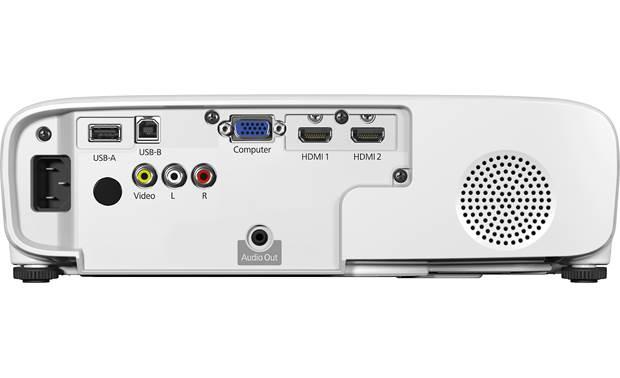
| HDMI 2.1 with eARC, USB-A, Wi-Fi, Bluetooth | 2x HDMI, VGA, USB, basic Wi-Fi (Miracast only) |
The Epson Home Cinema 1080 is significantly better for bright rooms with its 3,400 ANSI lumens compared to the Nebula Cosmos 4K SE's 1,800 lumens. The Epson can handle ambient light from windows or room lighting much better, making it ideal for family rooms or spaces where you can't control lighting completely.
For screens under 100 inches or typical living room viewing distances, the Epson Home Cinema 1080's 1080p resolution is perfectly adequate. The Nebula Cosmos 4K SE's 4K resolution becomes more beneficial for screens larger than 120 inches or when sitting closer to the screen, providing noticeably sharper detail.
The Nebula Cosmos 4K SE has full Google TV built-in with Netflix, Disney+, Prime Video, and over 10,000 apps ready to use. The Epson Home Cinema 1080 requires an external streaming device like Roku or Apple TV since it only has basic connectivity and Miracast wireless mirroring.
The Nebula Cosmos 4K SE features automatic setup with IEA 4.0 technology that handles focus, keystone correction, and image alignment automatically. The Epson Home Cinema 1080 requires more manual adjustment but offers a 1.2x optical zoom for easier placement flexibility.
The Nebula Cosmos 4K SE is superior for gaming with its 18.5ms input lag in Game Mode and support for 4K gaming from modern consoles. The Epson Home Cinema 1080 works fine for casual gaming but lacks the low input lag optimization that competitive gamers prefer.
The Nebula Cosmos 4K SE has significantly better audio with dual 15W speakers (30W total) and Dolby Audio support that can fill a room. The Epson Home Cinema 1080 has only a basic 2W mono speaker that requires external audio equipment for quality sound.
The Epson Home Cinema 1080 offers excellent value with bright, reliable 1080p performance at a budget-friendly price point. The Nebula Cosmos 4K SE costs more but includes premium features like 4K resolution, smart TV functionality, and superior audio that may justify the higher cost for some buyers.
The Nebula Cosmos 4K SE uses LED/laser technology rated for 30,000 hours with no bulb replacement needed. The Epson Home Cinema 1080 uses a traditional lamp lasting 6,000-12,000 hours that will eventually need replacement, adding to long-term costs.
In a dark, dedicated theater room, the Nebula Cosmos 4K SE excels with its 4K resolution, HDR support including Dolby Vision, and excellent built-in audio. The controlled lighting environment negates the Epson Home Cinema 1080's brightness advantage while maximizing the 4K projector's image quality benefits.
The Nebula Cosmos 4K SE weighs 9.9 pounds and includes an integrated carrying handle, making it designed for portability between rooms. The Epson Home Cinema 1080 is lighter at 6.2 pounds but lacks a carrying handle and is designed more for permanent installation.
The Nebula Cosmos 4K SE has HDMI 2.1 with eARC support, perfect for modern gaming consoles, soundbars, and 4K devices. The Epson Home Cinema 1080 has standard HDMI ports that work with all devices but lack the advanced features for the latest equipment.
Choose the Epson Home Cinema 1080 if you prioritize brightness for versatile room lighting or have budget constraints. Select the Nebula Cosmos 4K SE if you want the latest technology, can control room lighting, and value the convenience of built-in smart features and superior audio.
We've done our best to create useful and informative comparisons to help you decide what product to buy. Our research uses advanced automated methods to create this comparison and perfection is not possible - please contact us for corrections or questions. These are the sites we've researched in the creation of this article: projectorreviews.com - tvsbook.com - youtube.com - projectorcentral.com - youtube.com - projectorcentral.com - techradar.com - youtube.com - projectorcentral.com - youtube.com - the-gadgeteer.com - newegg.com - projectorreviews.com - projectorcentral.com - youtube.com - seenebula.com - seenebula.com - bestbuy.com - crutchfield.com - bestbuy.com - officedepot.com - bestbuy.com - bestbuy.com - audioholics.com - rtings.com - avsforum.com - projectorcentral.com - audiogeneral.com - projectorreviews.com - rtings.com - epson.com - youtube.com - epson.com - projectorreviews.com - projectorreviews.com - walmart.com - shop.avispl.com - bhphotovideo.com - staples.com - mediaserver.goepson.com - staples.com - bhphotovideo.com - epson.com - epson.com - dell.com - epson.com - bestbuy.com

Privacy Policy
Terms and Conditions - Affiliate Policy
Home Security
© Copyright 2008-2026.
11816 Inwood Rd #1211, Dallas, TX 75244