


Finding the right portable projector feels a bit like shopping for a laptop—you're balancing performance, portability, and price in ways that weren't possible even a few years ago. The projector market has evolved dramatically since 2020, with manufacturers cramming smart TV features, automatic setup systems, and surprisingly good image quality into increasingly compact packages.
Today, I'm comparing two projectors that represent completely different philosophies: the ultra-portable XGIMI Elfin Flip and the premium Nebula Cosmos 4K SE. At the time of writing, these projectors sit at opposite ends of the portable projector price spectrum, with the Elfin Flip positioned as an budget-friendly option and the Cosmos 4K SE commanding premium pricing—roughly three times more expensive.
Before diving into specifics, it's worth understanding what makes today's portable projectors so compelling. Unlike the dim, noisy business projectors of the past, modern portable projectors integrate streaming apps, automatic focus systems, and surprisingly powerful built-in speakers. They're designed to replace your TV in spaces where mounting a large screen isn't practical.
The key considerations when choosing any portable projector center around brightness (measured in lumens, which determines how much ambient light the projector can overcome), resolution (the number of pixels that determine image sharpness), and smart features (the built-in apps and connectivity options). These factors directly impact where and how you'll use your projector.
Brightness particularly matters because projectors work by bouncing light off a surface back to your eyes. Unlike TVs that emit their own light, projectors fight against ambient light in your room. This is why many projectors work best in darkened spaces, though higher-brightness models can handle more varied lighting conditions.
The most fundamental difference between the XGIMI Elfin Flip and Nebula Cosmos 4K SE lies in their display specifications, and these differences have real-world implications for your viewing experience.
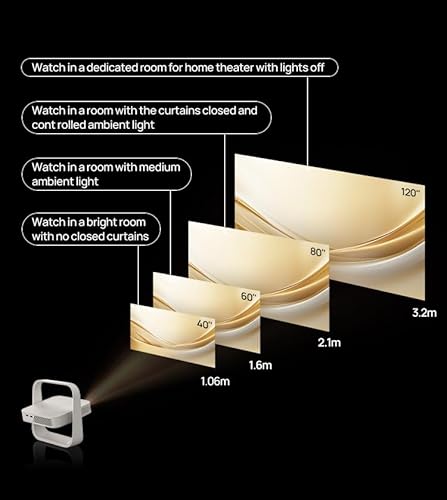
The Elfin Flip delivers native Full HD resolution at 1920×1080 pixels. This might sound dated in our 4K world, but 1080p remains perfectly adequate for most viewing scenarios, especially at typical projection distances. The human eye's ability to discern individual pixels depends on screen size and viewing distance—what's called pixel density.
For screens up to about 100 inches diagonal viewed from 8-10 feet away, the difference between 1080p and 4K becomes less noticeable. This is similar to how your phone's screen looks sharp despite being much smaller than your TV—it's all about pixel density relative to viewing distance.
The Cosmos 4K SE, meanwhile, delivers true 4K UHD resolution at 3840×2160 pixels using a technique called pixel shifting. The projector uses a 0.47" DLP (Digital Light Processing) chip—that's the tiny mirror array that creates the image—combined with Texas Instruments' four-phase pixel shifting technology. Essentially, the chip rapidly shifts the image by half-pixel increments to create four overlapping 1080p images that your eye perceives as a single 4K image.
This technical approach works remarkably well. When projecting images larger than 120 inches diagonal, the 4K advantage becomes clearly visible in fine details like text, architectural elements in movies, or the intricate patterns in nature documentaries. The extra resolution also provides more flexibility for digital zooming without losing detail.
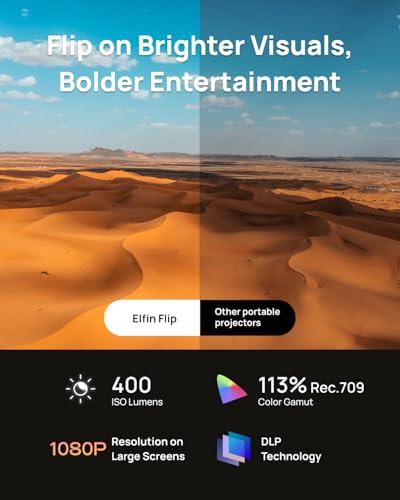
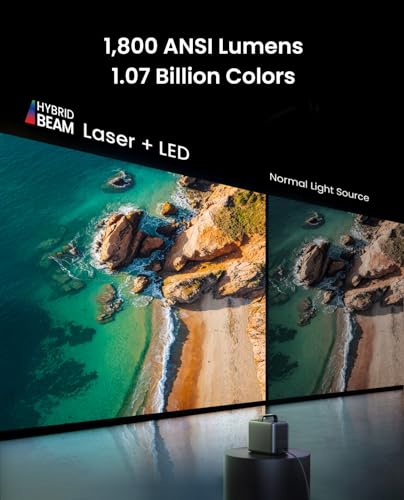
Here's where these projectors diverge most dramatically. The Elfin Flip produces 400 ISO lumens, while the Cosmos 4K SE delivers 1,800 ANSI lumens—about 4.5 times brighter. This brightness difference fundamentally changes how and where you can use each projector.
Understanding lumen measurements helps here. ISO lumens and ANSI lumens are slightly different measurement standards, but both indicate light output. As a practical reference point, movie theaters typically operate at around 14-16 foot-lamberts of brightness, which translates to roughly 1,000-1,200 lumens for a 100-inch screen in a completely dark room.
The Elfin Flip's 400 lumens means it performs best in darkened rooms, similar to a traditional home theater setup. Turn on a few lamps or open curtains during daytime, and the image becomes washed out and difficult to see. This isn't necessarily a limitation if you plan to use the projector primarily for evening entertainment or in controlled lighting environments.
The Cosmos 4K SE's 1,800 lumens opens up much more flexibility. You can watch movies with some ambient light, use it for casual daytime viewing, or set up outdoor movie nights without waiting for complete darkness. This brightness level approaches what you'd find in dedicated home theater projectors costing significantly more.
Both projectors support HDR (High Dynamic Range), which expands the range of colors and contrast the projector can display. Think of HDR as allowing both deeper blacks and brighter whites in the same image, creating more realistic and vivid visuals.
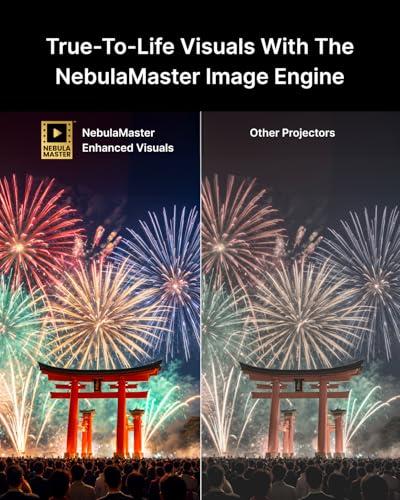
The Elfin Flip supports HDR10 and covers 113% of the Rec.709 color gamut. The Rec.709 color space is the standard for most HD content, so covering more than 100% means the projector can display colors more saturated than the content creators originally intended. In practice, this translates to vibrant, punchy colors that look great with animated content and many modern movies.
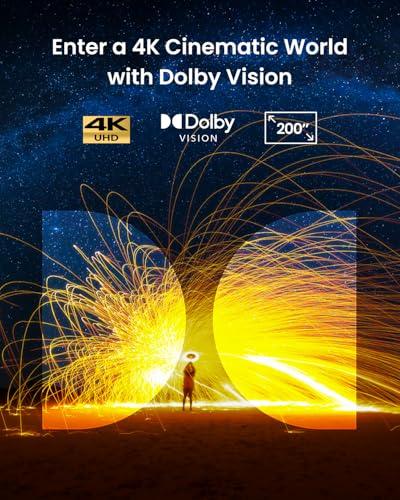
The Cosmos 4K SE goes further with Dolby Vision support alongside HDR10 and HLG (Hybrid Log-Gamma). Dolby Vision is a premium HDR format that adjusts brightness and color on a scene-by-scene or even frame-by-frame basis. It covers 123.3% of Rec.709 and about 95% of the DCI-P3 color space used in movie theaters.
However, the Cosmos 4K SE has a significant weakness that impacts its otherwise impressive specifications: poor contrast performance. Contrast ratio measures the difference between the brightest whites and deepest blacks a display can produce. Despite its technical advantages, the Cosmos 4K SE struggles with black levels, meaning dark scenes in movies can appear grayish rather than truly black. This is particularly noticeable in dimly lit dramatic scenes or space movies where you expect inky black backgrounds.
The Elfin Flip, while less technically advanced on paper, delivers more consistent performance across different content types without these contrast issues.
Modern projectors are essentially Android tablets with powerful light engines attached. The quality of the smart TV experience can make or break your daily usage, regardless of image quality.
The XGIMI Elfin Flip runs XGIMI OS, which is based on Android TV but customized by XGIMI. Released in 2024, it represents the latest generation of XGIMI's software development. The interface feels responsive and includes pre-installed Netflix, YouTube, Disney+, and Prime Video apps. XGIMI also includes their own XGIMI TV service, which provides free content and livestreams.
Navigation feels smooth and responsive, similar to using a modern smart TV. The remote control is well-designed with dedicated buttons for major streaming services, and the system rarely stutters or freezes during normal use.
The Cosmos 4K SE runs Google TV OS, which replaced Android TV as Google's smart TV platform. In theory, this should provide access to over 10,000 apps through the Google Play Store, plus Google Assistant integration and personalized content recommendations.
Unfortunately, the software experience significantly undermines the Cosmos 4K SE's otherwise impressive hardware. Users consistently report sluggish menu performance, interface stuttering, and frustrating delays between pressing remote buttons and seeing on-screen responses. Sometimes the system doesn't provide feedback for button presses, leading to accidentally overshooting menu selections when you press buttons repeatedly.
Even more problematically, some premium streaming features don't work properly. Apps like MAX and Prime Video cannot display Dolby Vision content correctly, forcing users to rely on external streaming devices to access the HDR features they paid premium pricing to get.
Both projectors offer access to major streaming platforms, but their approaches differ. The Elfin Flip comes with essential apps pre-installed and working reliably. It supports Chromecast built-in, so you can easily cast content from your phone or tablet when you need apps that aren't available natively.
The Cosmos 4K SE provides broader theoretical access to apps through the Google Play Store, including the distinction of being one of the first portable projectors with native 4K Netflix certification. This means you can stream Netflix content in full 4K resolution directly from the projector without needing external devices.
However, the software reliability issues mentioned above often make the user experience frustrating enough that many users end up connecting external streaming devices anyway, negating the advantage of the built-in smart TV features.
Both projectors include sophisticated automatic setup features that would have been unimaginable in projectors even five years ago. These systems use cameras and sensors to automatically focus the image, correct geometric distortion, and adapt to your room conditions.
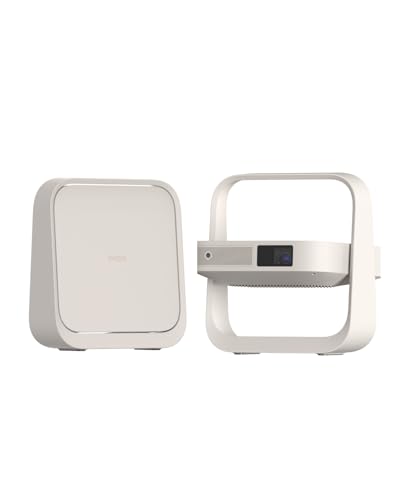
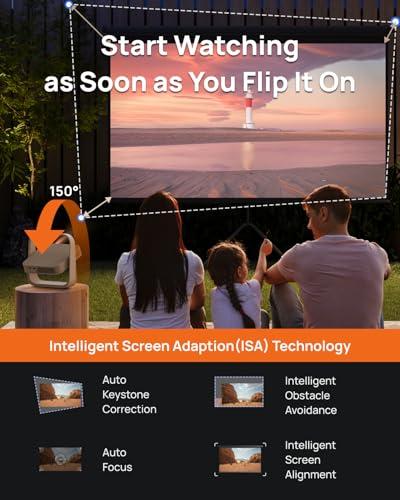
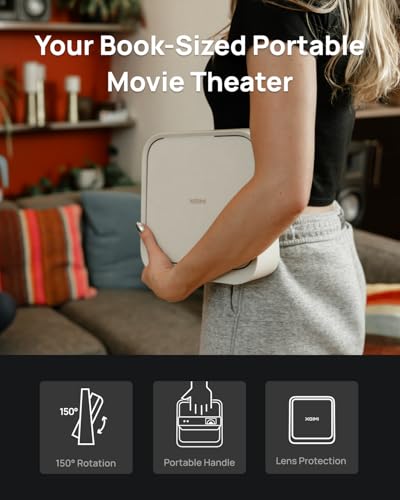
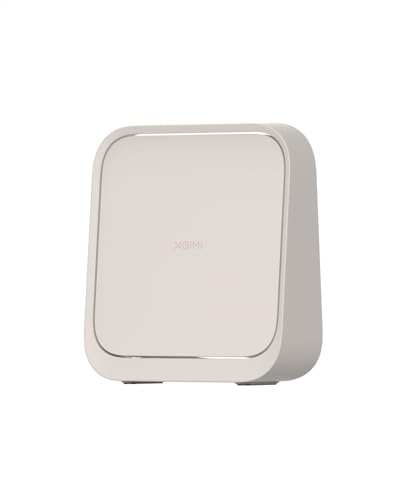
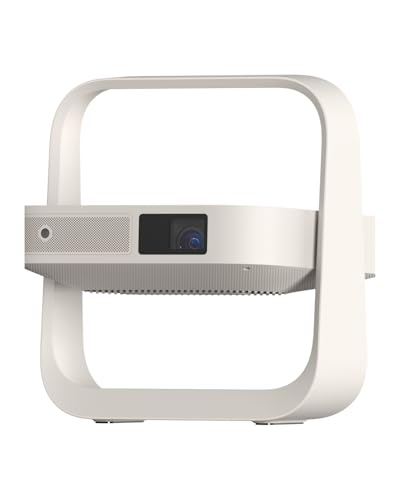
The XGIMI Elfin Flip takes a genuinely innovative approach to portable projector design. It's shaped like an oversized book and weighs just 2.6 pounds, making it easily packable in a backpack or carry-on bag. The "flip" mechanism is both the projector's stand and lens protection system—when folded, it protects the lens during transport, and when opened, it provides a 150-degree adjustable stand that allows projection at almost any angle.
This design innovation solves two common portable projector problems: lens protection and setup flexibility. You can project onto a wall, ceiling, or even at odd angles without needing additional mounting hardware or tripods.
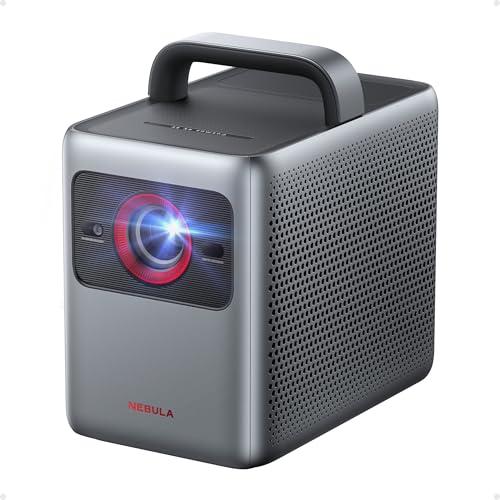
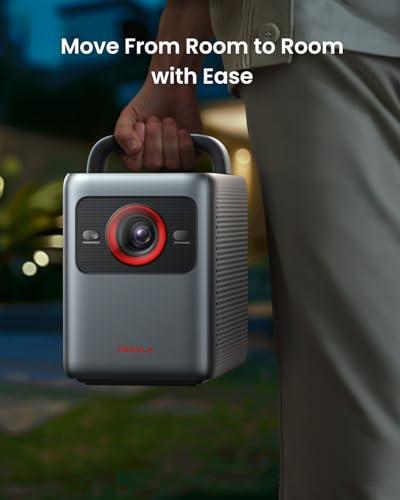
The Cosmos 4K SE takes a more traditional approach, weighing 9.9 pounds with conventional projector styling and a carrying handle. While still portable compared to home theater projectors, it's nearly four times heavier than the Elfin Flip and requires more careful packing for transport.
The Elfin Flip includes Intelligent Screen Adaptation (ISA) technology that combines auto focus, automatic keystone correction (fixing the trapezoid distortion when projecting at angles), intelligent obstacle avoidance, and screen alignment. The system works quickly and reliably, usually achieving a properly focused, rectangular image within seconds of powering on.
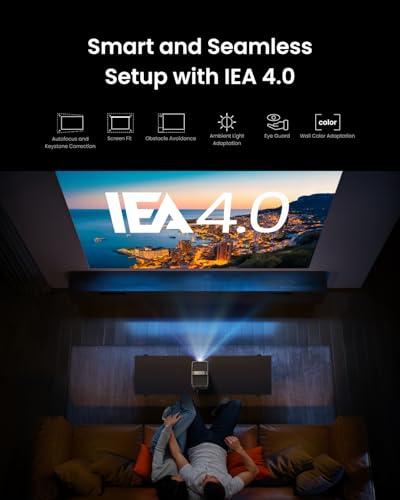
The Cosmos 4K SE features IEA 4.0 (Intelligent Environment Adaptation), which goes beyond basic setup automation. It can adapt to wall color (compensating if you're projecting on a colored wall rather than white), ambient light conditions, and even obstacle avoidance. In theory, this creates a more optimized image for your specific environment.
However, users report that while these features work, they sometimes require manual fine-tuning for perfect results, especially on larger screens. The automatic systems are impressive but not quite as reliable as XGIMI's implementation.
Projector audio has traditionally been an afterthought, but both of these models include surprisingly capable built-in speaker systems that can eliminate the need for external audio in many situations.
The XGIMI Elfin Flip includes dual 3-watt speakers with support for Dolby Audio, DTS Virtual:X, and DTS:X. The total 6-watt output is adequate for casual viewing in smaller spaces, though you'll want external speakers or headphones for more immersive experiences or larger rooms.
The Cosmos 4K SE significantly outperforms its competitor with dual 15-watt speakers delivering 30 watts total output. The system includes multiple sound modes optimized for different content types—Movie mode emphasizes dialogue clarity and dynamic range, while Music mode enhances stereo separation and bass response.
The audio difference is immediately noticeable. The Cosmos 4K SE can fill medium-sized rooms with clear, room-filling sound that rivals entry-level soundbars. It can even function as a standalone Bluetooth speaker when you're not projecting video.
For home theater use, the Cosmos 4K SE's audio system might eliminate the need for additional audio equipment, while the Elfin Flip will likely require external speakers for serious movie watching.
Gaming performance depends primarily on input lag—the delay between pressing a controller button and seeing the action on screen. Modern projectors have made significant improvements in this area, though they still typically lag behind gaming-focused monitors and TVs.
Both projectors include dedicated gaming modes that reduce input lag by bypassing some image processing. The Elfin Flip achieves approximately 10ms input lag in its gaming mode, which is excellent for a projector and suitable for competitive gaming.
The Cosmos 4K SE measures around 18-35ms depending on the gaming mode selected, with an "extreme" gaming mode achieving the lower latency figure. While not quite as responsive as the Elfin Flip, this performance level works well for most gaming scenarios except the most competitive esports titles where every millisecond matters.
The 4K resolution of the Cosmos 4K SE provides advantages for gaming on larger screens where text readability and fine detail become important. However, the Elfin Flip's superior input lag might be more important for action games and competitive scenarios.
When considering either projector for home theater use, several factors beyond basic image quality become important.
Room Requirements: The Elfin Flip demands a darkened room for optimal performance, similar to traditional home theaters. This actually aligns well with dedicated home theater spaces where you control lighting completely. The Cosmos 4K SE offers more flexibility but still benefits from light control for best contrast performance.
Screen Size Optimization: Both projectors work well for large screen sizes, but the Cosmos 4K SE's 4K resolution provides clear advantages once you exceed 120-inch diagonal screens. At these sizes, the resolution difference becomes clearly visible in movie details and text elements.
Audio Integration: Home theater setups often include separate audio systems. Both projectors offer HDMI eARC or audio output options for connecting to external audio systems. However, the Cosmos 4K SE's superior built-in audio might eliminate the need for additional speakers in smaller home theater spaces.
Installation Flexibility: The Elfin Flip's innovative stand design actually provides more installation options than traditional projectors. You can easily achieve ceiling projection or unusual angles without ceiling mounts or complex tripod setups.
At the time of writing, these projectors represent very different value propositions. The XGIMI Elfin Flip delivers approximately 85% of the core functionality at roughly 30% of the premium price, while the Nebula Cosmos 4K SE commands a significant price premium for its 4K resolution, higher brightness, and superior audio system.
Choose the XGIMI Elfin Flip if:
The Elfin Flip excels for bedroom entertainment, dorm room setups, business presentations, and users who prioritize convenience and reliability over maximum performance.
Choose the Nebula Cosmos 4K SE if:
The Cosmos 4K SE better serves primary living room entertainment, larger installations, and users who prioritize maximum image quality and audio performance.
For most users seeking portable projection, the XGIMI Elfin Flip represents superior value. Its combination of genuine portability, reliable performance, and accessible pricing covers the majority of portable projector use cases effectively. The software experience feels polished and responsive, setup is genuinely convenient, and image quality satisfies most viewing needs in appropriate environments.
The Nebula Cosmos 4K SE offers meaningful advantages in resolution, brightness, and audio quality, but these benefits come with notable caveats including software reliability issues, contrast performance problems, and significantly higher pricing. Unless you specifically need 4K resolution or the brightness flexibility for varied lighting conditions, the premium pricing becomes difficult to justify.
The projector market continues evolving rapidly, with manufacturers improving brightness, reducing size, and enhancing smart TV features each generation. Both of these projectors represent the current state of portable projection technology, but they approach the challenge from completely different angles—ultra-portable convenience versus premium performance. Your choice depends on which approach better matches your specific needs and budget constraints.
| XGIMI Elfin Flip Portable Projector | Nebula Cosmos 4K SE Smart Projector |
|---|---|
| Resolution - Higher resolution provides sharper details on larger screens | |
| Native Full HD (1920×1080) - Sharp enough for screens up to 100" | True 4K UHD (3840×2160) - Noticeably better detail on 120"+ screens |
| Brightness - Determines usability in different lighting conditions | |
| 400 ISO lumens (requires darkened rooms for optimal viewing) | 1,800 ANSI lumens (works well in moderately lit rooms, 4.5x brighter) |
| Portability - Critical for users who move projectors frequently | |
| 2.6 lbs, book-sized design with integrated flip stand and handle | 9.9 lbs, traditional projector form with carrying handle |
| Smart TV Performance - Affects daily usability and frustration levels | |
| XGIMI OS - Responsive interface, reliable app performance | Google TV - Broader app selection but suffers from sluggish performance and interface stuttering |
| Audio System - Built-in speakers can eliminate need for external audio | |
| Dual 3W speakers (6W total) - Adequate for casual viewing | Dual 15W speakers (30W total) - Room-filling sound that rivals entry soundbars |
| HDR Support - Enhanced contrast and color for premium content | |
| HDR10 support with consistent performance across content types | Dolby Vision, HDR10, HLG - Premium formats but hampered by poor black levels |
| Gaming Performance - Input lag affects responsiveness for gaming | |
| ~10ms input lag in gaming mode (excellent for competitive gaming) | 18-35ms input lag depending on mode (good for most gaming scenarios) |
| Setup Automation - Reduces manual adjustments and setup time | |
| ISA technology with reliable auto-focus and keystone correction | IEA 4.0 with wall color adaptation - more features but sometimes needs manual fine-tuning |
| Power Consumption - Affects heat generation and electricity usage | |
| 65W consumption, runs cool and quiet at 28 dB | 200W consumption, generates more heat and fan noise |
| Light Source Lifespan - Long-term ownership costs and reliability | |
| LED lamp rated for 25,000 hours | Hybrid laser + LED rated for 30,000 hours |
| Best Use Cases - Who should choose each projector | |
| Bedroom entertainment, travel, presentations, budget-conscious buyers | Living room entertainment, 4K content enthusiasts, users needing flexible lighting conditions |
The XGIMI Elfin Flip Portable Projector is significantly better for beginners due to its simple setup process and reliable software performance. The flip design with integrated stand eliminates the need for mounting hardware or tripods, while the responsive XGIMI OS interface rarely stutters or freezes. In contrast, the Nebula Cosmos 4K SE Smart Projector suffers from sluggish menu performance and software issues that can frustrate new users, despite its premium features.
The primary difference is resolution and brightness: the XGIMI Elfin Flip offers Full HD resolution at 400 lumens in an ultra-portable 2.6-pound package, while the Nebula Cosmos 4K SE delivers 4K resolution at 1,800 lumens but weighs nearly 10 pounds. This makes the Elfin Flip ideal for true portability and the Cosmos 4K SE better for stationary setups requiring higher image quality and brightness.
The Nebula Cosmos 4K SE Smart Projector is significantly better for bright rooms with its 1,800 ANSI lumens—about 4.5 times brighter than the XGIMI Elfin Flip. The Elfin Flip at 400 lumens requires darkened rooms for optimal viewing, similar to traditional home theaters. For daytime viewing or rooms with ambient light, the Cosmos 4K SE is the clear choice.
4K resolution becomes worthwhile on screens larger than 120 inches diagonal or when viewing from closer distances. The Nebula Cosmos 4K SE provides noticeably sharper text and fine details on large screens, while the XGIMI Elfin Flip's Full HD resolution remains perfectly adequate for typical viewing scenarios up to 100 inches. Consider your planned screen size and viewing distance when deciding between these projectors.
The XGIMI Elfin Flip Portable Projector is dramatically more portable at just 2.6 pounds with a book-sized design that easily fits in backpacks. Its innovative flip mechanism provides both lens protection and a built-in stand. The Nebula Cosmos 4K SE at 9.9 pounds is still portable compared to home theater projectors but requires more careful packing and isn't suitable for frequent transport like the Elfin Flip.
The Nebula Cosmos 4K SE Smart Projector has significantly better audio with dual 15W speakers (30W total) that can fill medium-sized rooms and rival entry-level soundbars. The XGIMI Elfin Flip includes adequate dual 3W speakers suitable for casual viewing but will likely require external speakers for serious movie watching or larger spaces.
The XGIMI Elfin Flip Portable Projector offers superior gaming performance with approximately 10ms input lag, making it excellent for competitive gaming. The Nebula Cosmos 4K SE achieves 18-35ms input lag depending on the gaming mode, which works well for most gaming but isn't as responsive as the Elfin Flip for fast-paced or competitive games.
The XGIMI Elfin Flip provides a more reliable smart TV experience with responsive navigation and consistent app performance. The Nebula Cosmos 4K SE Smart Projector, despite offering broader app access through Google TV, suffers from significant performance issues including sluggish menus, interface stuttering, and problems with premium streaming features like Dolby Vision on some apps.
The XGIMI Elfin Flip Portable Projector delivers exceptional value by providing approximately 85% of core functionality at a fraction of the cost of the Cosmos 4K SE. Unless you specifically need 4K resolution, higher brightness for varied lighting conditions, or premium built-in audio, the Elfin Flip covers most portable projector needs effectively while being much more budget-friendly.
Both can work for home theater use, but with different strengths. The XGIMI Elfin Flip suits dedicated dark home theater rooms and offers excellent installation flexibility with its flip stand design. The Nebula Cosmos 4K SE provides better performance for larger screens over 120 inches and includes superior built-in audio that might eliminate the need for external speakers in smaller home theater spaces.
Both projectors include sophisticated auto-setup systems, but the XGIMI Elfin Flip tends to be more reliable with its ISA technology providing quick, accurate auto-focus and keystone correction. The Nebula Cosmos 4K SE Smart Projector offers more advanced features like wall color adaptation through its IEA 4.0 system, but users report it sometimes requires manual fine-tuning for perfect results, especially on larger screens.
Choose the XGIMI Elfin Flip Portable Projector if you prioritize true portability, reliable performance, budget-consciousness, and primarily watch in darkened rooms. Select the Nebula Cosmos 4K SE Smart Projector if you need 4K resolution, brightness for varied lighting conditions, premium built-in audio, and can tolerate software reliability issues for hardware advantages. For most users, the Elfin Flip represents better overall value.
We've done our best to create useful and informative comparisons to help you decide what product to buy. Our research uses advanced automated methods to create this comparison and perfection is not possible - please contact us for corrections or questions. These are the sites we've researched in the creation of this article: us.xgimi.com - projectorcentral.com - tvsbook.com - us.xgimi.com - bikmantech.com - projectorreviews.com - tvsbook.com - us.xgimi.com - youtube.com - youtube.com - richersounds.com - us.xgimi.com - youtube.com - walmart.com - global.xgimi.com - youtube.com - global.xgimi.com - us.xgimi.com - projectorreviews.com - tvsbook.com - youtube.com - projectorcentral.com - youtube.com - projectorcentral.com - techradar.com - youtube.com - projectorcentral.com - youtube.com - the-gadgeteer.com - newegg.com - projectorreviews.com - projectorcentral.com - youtube.com - seenebula.com - seenebula.com - bestbuy.com

Privacy Policy
Terms and Conditions - Affiliate Policy
Home Security
© Copyright 2008-2026.
11816 Inwood Rd #1211, Dallas, TX 75244