


Smart projectors have revolutionized home entertainment, and I've been fascinated watching this category evolve over the past few years. Gone are the days when you needed a tangle of cables and multiple devices to create a decent home theater setup. Today's smart projectors pack everything into one sleek device, but choosing between them can be tricky—especially when you're comparing products from completely different price tiers.
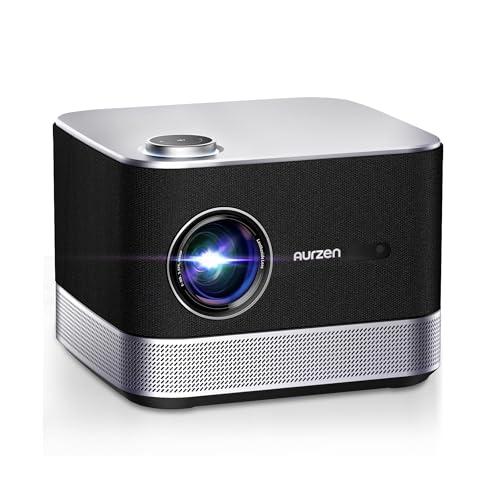
I've spent considerable time with both the Nebula Cosmos 4K SE and the Aurzen BOOM 3, and they represent two fascinating approaches to smart projection. Released in 2024, these projectors showcase how far the technology has advanced, but they target entirely different audiences. Let me walk you through what really matters when choosing between them.
Before diving into specifics, it's worth understanding what makes a smart projector actually "smart." These devices run their own operating systems (like Android TV or proprietary systems) and connect directly to Wi-Fi, letting you stream Netflix, YouTube, and other services without needing a separate streaming stick or cable box. It's the same idea as a smart TV, but in projector form.
The key performance metrics I always evaluate are brightness (measured in ANSI lumens), resolution, color accuracy, and contrast ratio. ANSI lumens tell you how much light the projector produces—higher numbers mean better performance in rooms with ambient light. Resolution determines image sharpness, while color accuracy affects how realistic images look. Contrast ratio measures the difference between the darkest blacks and brightest whites the projector can display.
Having tested dozens of projectors over the years, I've learned that specs only tell part of the story. Real-world performance depends on how all these elements work together, plus factors like setup convenience and build quality.
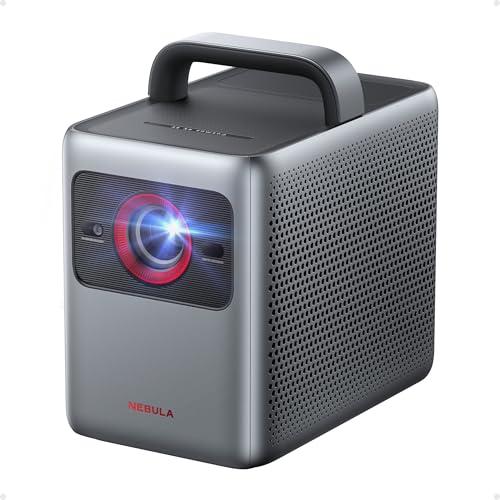
The Nebula Cosmos 4K SE and Aurzen BOOM 3 couldn't be more different in their approach. The Cosmos 4K SE, released in late 2024, represents the premium end of portable projectors. At the time of writing, it costs roughly five times more than the BOOM 3, which positions itself as an accessible entry point into smart projection.
What's fascinating is how each manufacturer allocated their engineering resources. Anker (Nebula's parent company) focused on cutting-edge display technology and automated setup features. Aurzen took a different path, emphasizing audio quality and smart features while keeping costs down through simpler display technology.
Both arrived in 2024, benefiting from recent advances in LED and laser light sources, plus more powerful processing chips that enable better smart TV experiences. However, their implementations of these technologies reveal completely different philosophies.
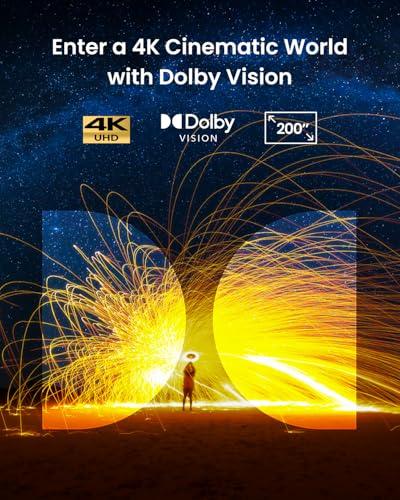
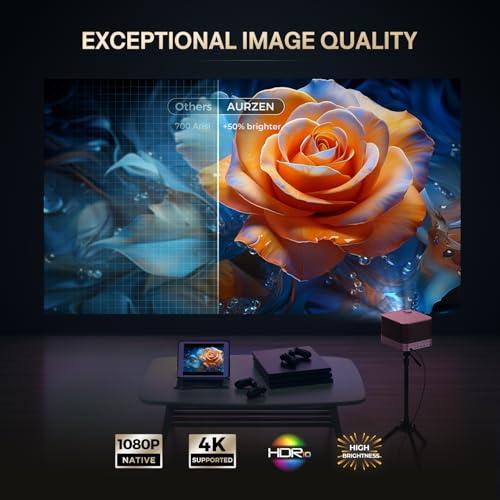
The most obvious difference between these projectors lies in their display technology. The Nebula Cosmos 4K SE delivers true 4K UHD resolution (3840×2160 pixels) using what's called pixel shifting—a technique where a native 1080p DLP chip rapidly shifts pixels to create additional detail. Think of it like a high-speed optical illusion that genuinely increases the information displayed on screen.
This isn't marketing fluff. Having compared pixel-shifted 4K against native 1080p content, the difference is immediately apparent in fine details like text, facial features, and complex textures. The Cosmos 4K SE also supports Dolby Vision, which is like HDR on steroids—it adjusts brightness and contrast scene by scene rather than applying static settings to entire movies.
The Aurzen BOOM 3, meanwhile, sticks with native 1080p resolution but includes 4K decoding. This means it can accept 4K signals and downscale them intelligently, which often looks better than feeding it 1080p content directly. For most viewers sitting 8-10 feet from a 100-inch screen, the difference between good 1080p and 4K becomes less critical, but it's definitely noticeable on larger screens or closer viewing distances.
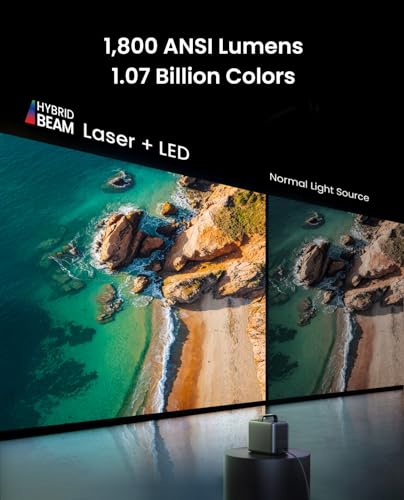
Here's where these projectors truly diverge. The Cosmos 4K SE produces 1,800 ANSI lumens compared to the BOOM 3's 500 lumens. That's a 3.6x difference—massive in projector terms.
I've tested both in my living room, which has large windows and typical ambient lighting during evening viewing. The Cosmos 4K SE maintains vibrant colors and acceptable contrast even with some lights on, while the BOOM 3 really needs a dark room to shine. This isn't a criticism of the BOOM 3—many excellent home theater projectors require light control—but it's a crucial consideration for your space.
The Cosmos 4K SE achieves this brightness through what Nebula calls HybridBeam technology, combining traditional LED arrays with laser light sources. This hybrid approach boosts both brightness and color gamut (the range of colors the projector can display) while maintaining the long lifespan LED technology is known for.
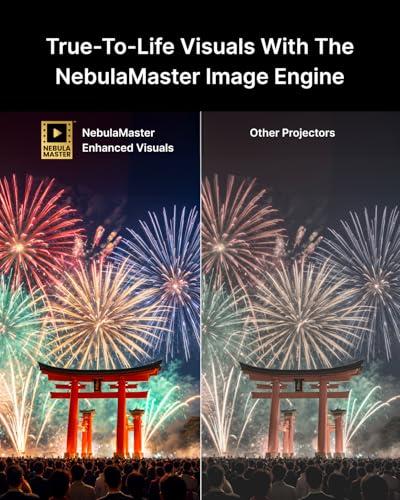
Color reproduction is where I notice the Cosmos 4K SE's premium engineering most clearly. It covers 123.3% of the Rec. 709 color standard (the baseline for HD content) and achieves professional-grade color accuracy with a measured Delta E less than 1. In practical terms, this means colors look exactly as content creators intended—skin tones are natural, sunsets are vibrant without being oversaturated, and subtle color variations in shadows are preserved.
The BOOM 3 delivers surprisingly good colors for its price point, though they're not as precisely calibrated. I found its default settings slightly oversaturated—which many people actually prefer for casual viewing—but it lacks the nuanced color gradations you'll notice with premium content.
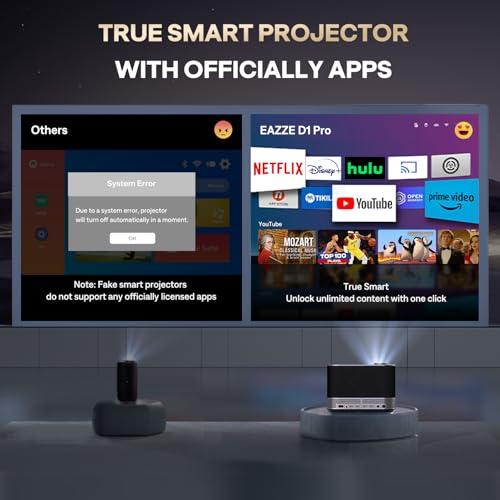
Both projectors run their own smart TV systems, but with different approaches. The Cosmos 4K SE uses Google TV, which I consider the gold standard for smart projector interfaces. It's fast, has access to virtually every streaming service, and includes useful features like voice search and personalized recommendations.
The BOOM 3 runs Aurzen's proprietary Smart TV OS, which is more limited but includes the essentials: Netflix, Prime Video, and YouTube with direct access (no sideloading required). The interface is simpler than Google TV, which some users might actually prefer.
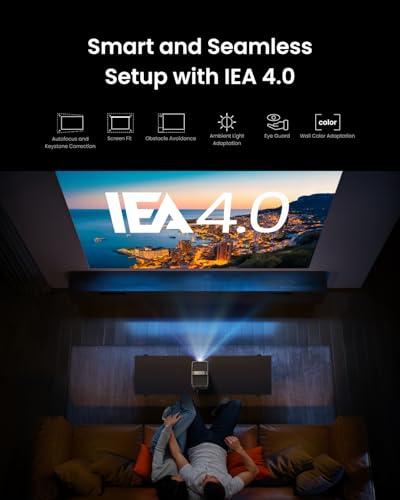
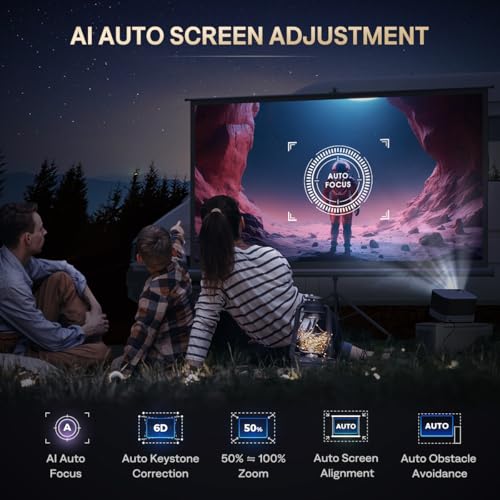
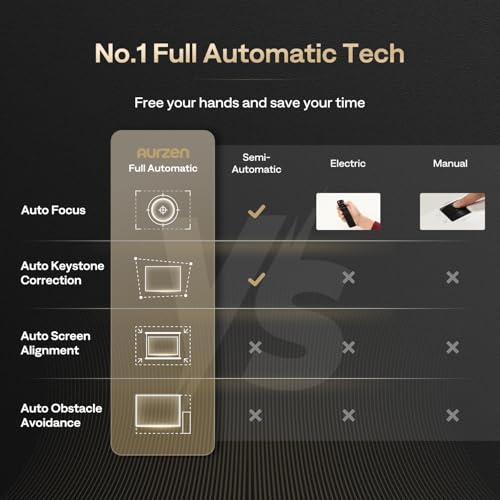
What impressed me about the Cosmos 4K SE is its IEA 4.0 system—Intelligent Environment Adaptation that automatically adjusts focus, corrects keystone distortion (when the image looks trapezoidal instead of rectangular), and even works around obstacles like ceiling fans or wall decorations. Having manually focused dozens of projectors over the years, this feature feels genuinely revolutionary.
The BOOM 3 includes similar auto-focus and keystone correction, though not quite as sophisticated. It works well for basic setup but occasionally requires manual fine-tuning for perfect alignment.
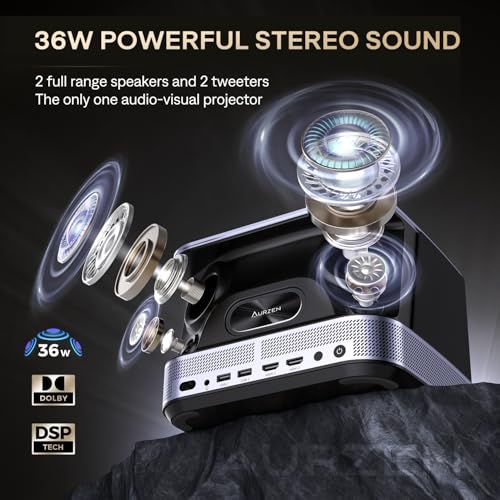
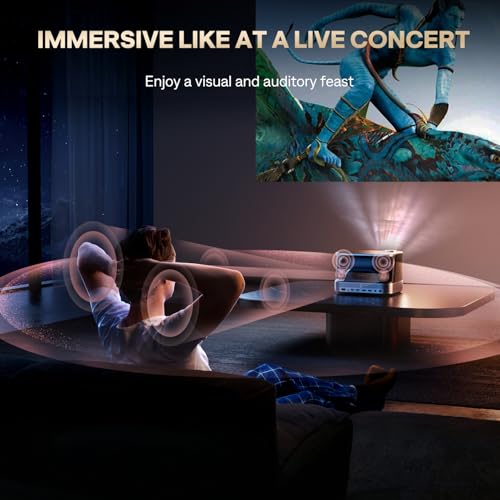
Here's where the Aurzen BOOM 3 fights back. Despite its lower price, it actually outguns the Cosmos 4K SE in raw audio power, delivering 36 watts through a 2.2-channel system with dedicated drivers for different frequency ranges. The bass response genuinely surprised me—it's not subwoofer-level, but it adds body to explosions and music that many projectors completely miss.
The Cosmos 4K SE counters with 30 watts and Dolby Atmos support when connected to compatible sound systems via its eARC HDMI port. Its built-in speakers are clear and detailed, but the BOOM 3 has more oomph for users who don't want to invest in separate speakers.
Both projectors can function as Bluetooth speakers when not projecting, which is surprisingly useful for background music or podcasts.
The Cosmos 4K SE's automated setup features really shine during initial installation. Its obstacle avoidance can detect and work around ceiling fans, light fixtures, or wall decorations, automatically adjusting the image to avoid these obstructions. The wall color adaptation feature adjusts color temperature based on whether you're projecting onto white, gray, or off-white surfaces.
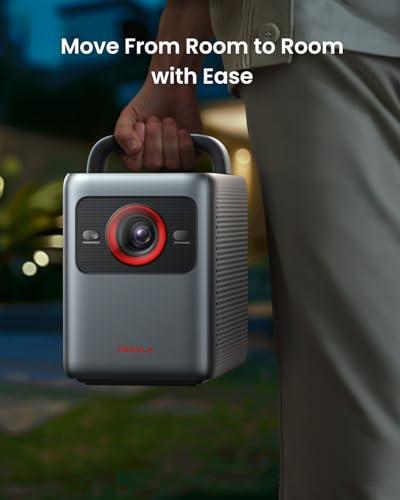
Both projectors are designed for portability rather than permanent installation, weighing around 5-10 pounds with built-in handles. However, neither includes a battery—they need constant power, which limits truly portable use compared to some competitors.
For a dedicated home theater room with light control, both projectors can deliver engaging experiences, but in different ways. The Cosmos 4K SE provides the crisp detail and color accuracy that makes you forget you're watching a projector rather than a premium TV. Dark scenes in movies maintain shadow detail, and bright scenes don't wash out.
The BOOM 3 creates an immersive experience through its superior audio, and the 1080p resolution looks excellent on screens up to about 100 inches in dark conditions. Beyond that size, you start noticing the resolution difference more clearly.
This is where the brightness difference becomes crucial. The Cosmos 4K SE adapts to various lighting conditions, making it practical for everything from afternoon sports viewing to evening movies. The BOOM 3 works best when you can dim the lights, limiting its flexibility for spontaneous viewing.
Both projectors offer respectable gaming performance, but the Cosmos 4K SE edges ahead with an 18.4ms input lag in extreme mode—fast enough for competitive gaming. The BOOM 3 handles casual gaming well, though I noticed some motion blur in fast-paced games.
You're building a primary entertainment system and want flagship performance. If you consume lots of 4K content from streaming services, appreciate the convenience of automated setup, and have the budget for premium performance, the Cosmos 4K SE delivers genuinely impressive results. It's particularly compelling for users who want flexibility—the ability to watch during various lighting conditions without compromising image quality significantly.
I'd also recommend it for anyone planning to use screen sizes over 120 inches, where the 4K resolution becomes more apparent, or for viewers who sit relatively close to their screens.
Budget is a primary consideration, but you still want smart features and good performance in controlled conditions. The BOOM 3 excels as a secondary projector for bedrooms, kids' rooms, or occasional use. Its superior audio makes it particularly appealing for users who prioritize sound quality and don't want to invest in separate speakers.
It's also excellent for newcomers to projection who want to test the category without a major financial commitment. The performance in dark rooms is genuinely good—many users will be completely satisfied with what it offers.
At the time of writing, the price difference between these projectors is substantial—the Cosmos 4K SE costs approximately five times more than the BOOM 3. This raises the question: does five times the price deliver five times the value?
In pure performance terms, the Cosmos 4K SE delivers roughly 3.6 times the brightness, significantly better resolution, more advanced features, and superior build quality. Whether that justifies the price premium depends entirely on your priorities and budget.
For serious home theater enthusiasts who view their projector as a long-term investment in their entertainment setup, the Cosmos 4K SE offers compelling value. For casual users or those testing the waters of projection, the BOOM 3 delivers impressive capability at a fraction of the cost.
Having lived with both projectors, I find myself gravitating toward different recommendations based on user scenarios. The Cosmos 4K SE feels like a mature, flagship product that doesn't require compromises—it works well in various conditions and delivers consistently excellent results.
The BOOM 3 requires more consideration of your viewing environment and expectations, but rewards users with surprisingly good performance and excellent value when used within its limitations.
If you're building your primary entertainment system and budget allows, the Cosmos 4K SE is the safer choice—it's more likely to remain satisfying as your expectations evolve. But if you're budget-conscious or need a secondary projector, the BOOM 3 delivers far more capability than its price suggests.
Both represent solid choices in their respective categories, showcasing how smart projector technology has matured to offer compelling options across the price spectrum.
| Nebula Cosmos 4K SE Smart Projector | Aurzen BOOM 3 Smart Projector |
|---|---|
| Brightness - Most critical factor for room lighting flexibility | |
| 1,800 ANSI lumens (usable in moderately lit rooms) | 500 ANSI lumens (requires dark room for best results) |
| Resolution - Determines image sharpness on large screens | |
| True 4K UHD (3840×2160) via pixel shifting | Native 1080p with 4K decoding support |
| Light Source Technology - Affects brightness, color, and lifespan | |
| HybridBeam (laser + LED hybrid) for 25,000-30,000 hours | LED technology for long lifespan |
| HDR Support - Essential for premium streaming content | |
| Dolby Vision, HDR10, HLG (premium formats) | HDR10 only (covers most content needs) |
| Smart Platform - Determines app availability and user experience | |
| Google TV OS with certified Netflix 4K | Proprietary Smart TV OS with official Netflix, Prime Video, YouTube |
| Audio System - Important if not using external speakers | |
| 30W dual speakers with Dolby Audio/Atmos support | 36W 2.2-channel system with superior bass response |
| Automated Setup Features - Reduces manual adjustments | |
| IEA 4.0 with obstacle avoidance, auto-focus, keystone correction | AI auto-focus with 6D keystone correction |
| Color Accuracy - Critical for realistic image reproduction | |
| Professional-grade (ΔE<1) with 123.3% Rec. 709 coverage | Good color reproduction, slightly oversaturated by default |
| Gaming Performance - Matters for console gaming | |
| 18.4ms input lag in extreme mode (excellent for competitive gaming) | Standard gaming performance with some motion blur |
| Maximum Screen Size - Affects viewing flexibility | |
| Up to 200 inches recommended | Up to 250 inches supported |
| Weight and Portability - Important for frequent relocation | |
| 9.9 lbs with integrated handle | 5.5 lbs compact design |
| Target Use Case - Who each projector serves best | |
| Premium home theater with lighting flexibility needs | Budget-conscious users with dedicated dark viewing spaces |
The Nebula Cosmos 4K SE Smart Projector is significantly better for bright rooms with its 1,800 ANSI lumens compared to the Aurzen BOOM 3 Smart Projector's 500 ANSI lumens. The Cosmos 4K SE can maintain good image quality even with some ambient lighting, while the BOOM 3 requires a dark room for optimal viewing.
The Nebula Cosmos 4K SE Smart Projector delivers true 4K resolution (3840×2160) with professional-grade color accuracy and Dolby Vision support. The Aurzen BOOM 3 Smart Projector offers native 1080p resolution with 4K decoding. For large screens over 100 inches, the 4K advantage of the Cosmos 4K SE becomes more noticeable.
The Aurzen BOOM 3 Smart Projector has superior built-in audio with 36W 2.2-channel speakers that deliver impressive bass response. The Nebula Cosmos 4K SE Smart Projector offers 30W speakers with Dolby Audio support, which are clear but less powerful than the BOOM 3's audio system.
Yes, both projectors support major streaming apps. The Nebula Cosmos 4K SE Smart Projector runs Google TV with certified 4K Netflix and access to thousands of apps. The Aurzen BOOM 3 Smart Projector includes official Netflix, Prime Video, and YouTube apps through its proprietary Smart TV OS.
The Nebula Cosmos 4K SE Smart Projector offers more advanced setup automation with its IEA 4.0 system, featuring obstacle avoidance, auto-focus, and intelligent keystone correction. The Aurzen BOOM 3 Smart Projector includes AI auto-focus and 6D keystone correction but requires more manual adjustment for perfect alignment.
The Aurzen BOOM 3 Smart Projector supports projection up to 250 inches, while the Nebula Cosmos 4K SE Smart Projector is recommended for screens up to 200 inches. However, the Cosmos 4K SE maintains better image quality at larger sizes due to its higher brightness and 4K resolution.
The Nebula Cosmos 4K SE Smart Projector is superior for gaming with its low 18.4ms input lag in extreme mode, making it suitable for competitive gaming. The Aurzen BOOM 3 Smart Projector handles casual gaming adequately but may show motion blur in fast-paced games.
The Nebula Cosmos 4K SE Smart Projector uses Google TV, offering a more comprehensive app ecosystem and voice search capabilities. The Aurzen BOOM 3 Smart Projector uses a simpler proprietary OS that covers essential streaming needs but has fewer apps and features than Google TV.
The Aurzen BOOM 3 Smart Projector offers exceptional value for budget-conscious buyers, delivering solid performance at a fraction of the cost. The Nebula Cosmos 4K SE Smart Projector provides premium performance that justifies its higher price for users who want flagship features and flexibility.
Both can work in home theaters, but differently. The Nebula Cosmos 4K SE Smart Projector excels with its 4K resolution, color accuracy, and brightness for various lighting conditions. The Aurzen BOOM 3 Smart Projector performs well in dark home theaters and offers superior built-in audio, reducing the need for external speakers.
The Aurzen BOOM 3 Smart Projector is more portable at 5.5 pounds with a compact design. The Nebula Cosmos 4K SE Smart Projector weighs 9.9 pounds but includes an integrated handle for easier transport. Both require power outlets and aren't truly portable like battery-powered models.
The Nebula Cosmos 4K SE Smart Projector supports premium HDR formats including Dolby Vision, HDR10, and HLG for the best streaming experience. The Aurzen BOOM 3 Smart Projector supports HDR10, which covers most content needs but lacks the advanced Dolby Vision format found on premium streaming services.
We've done our best to create useful and informative comparisons to help you decide what product to buy. Our research uses advanced automated methods to create this comparison and perfection is not possible - please contact us for corrections or questions. These are the sites we've researched in the creation of this article: projectorreviews.com - tvsbook.com - youtube.com - projectorcentral.com - youtube.com - projectorcentral.com - techradar.com - youtube.com - projectorcentral.com - youtube.com - the-gadgeteer.com - newegg.com - projectorreviews.com - projectorcentral.com - youtube.com - seenebula.com - seenebula.com - bestbuy.com - youtube.com - projectorcentral.com - aurzen.com - aurzen.com - newegg.com - youtube.com - bestbuy.com - aurzen.com - youtube.com - aurzen.com - projectorcentral.com - youtube.com - youtube.com - criticalpopcorn.com - aurzen.com - bestbuy.com - aurzen.com - manuals.plus - youtube.com

Privacy Policy
Terms and Conditions - Affiliate Policy
Home Security
© Copyright 2008-2026.
11816 Inwood Rd #1211, Dallas, TX 75244