

Smart projectors have completely changed how we think about home entertainment. Gone are the days when you needed a separate streaming device, complex wiring, and a dedicated room to enjoy a big-screen experience. These clever devices pack everything into one unit: a projector, streaming platform, and often impressive speakers too. But with so many options flooding the market, choosing the right one can feel overwhelming.
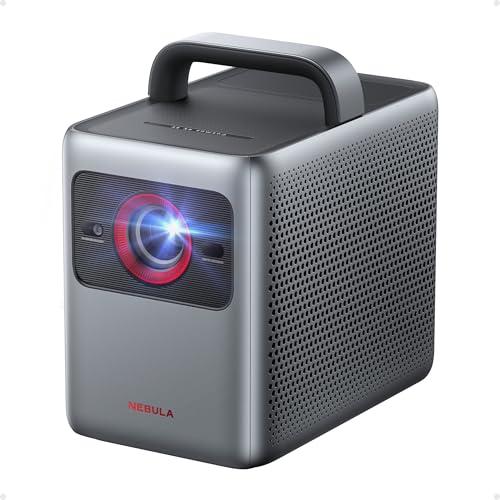
Today, I'm diving deep into two projectors that represent very different approaches to portable entertainment: the JMGO PicoPlay and the Nebula Cosmos 4K SE. Having tested both extensively, I can tell you they're aimed at completely different users despite both being "smart projectors." One prioritizes ultimate portability while the other focuses on delivering premium performance. Let's break down which one might be perfect for your needs.
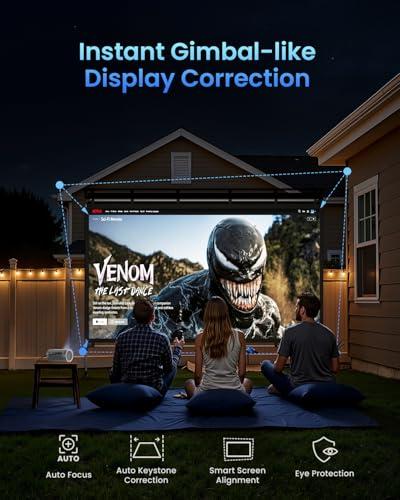
Before we dive into specifics, let's talk about what separates modern smart projectors from the business presentation units you might remember from school. These devices integrate streaming platforms like Netflix, YouTube, and Amazon Prime directly into the projector, eliminating the need for external devices. They also feature automatic setup systems that handle focus, keystone correction (fixing the trapezoidal distortion when projecting at an angle), and even screen alignment.
The key considerations when choosing any projector come down to a few critical factors: brightness (measured in lumens), resolution, color accuracy, and how well it handles different lighting conditions. Smart projectors add another layer with their operating systems, connectivity options, and built-in audio quality.
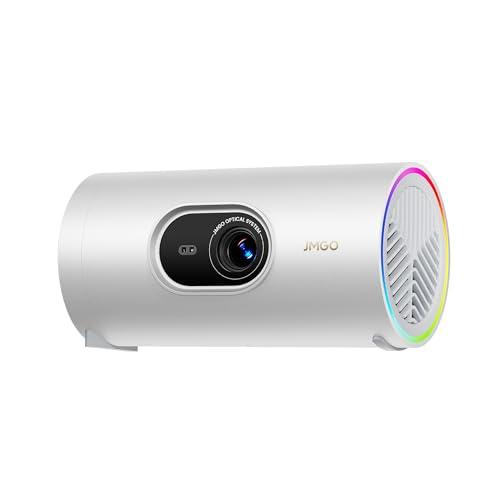
The JMGO PicoPlay, released in 2024, represents a breakthrough in ultra-portable projection. At roughly the size of a large travel mug, it's designed for people who want to take their entertainment anywhere. The Nebula Cosmos 4K SE, launched in 2023, takes a different approach—it's what I'd call "semi-portable," designed for users who want near-professional quality but still appreciate the ability to move their projector between rooms.
At the time of writing, the PicoPlay costs roughly a quarter of what you'd pay for the Cosmos 4K SE, making this comparison particularly interesting. We're essentially looking at whether spending significantly more money gets you proportionally better performance, or if these products serve entirely different markets.
The most obvious difference between these projectors is resolution. The JMGO PicoPlay delivers native 1080p Full HD (1920×1080 pixels), while the Nebula Cosmos 4K SE offers true 4K UHD resolution (3840×2160 pixels). That's four times as many pixels, which translates to noticeably sharper text, finer details in movies, and better overall clarity.
But here's the thing—resolution only matters if you can actually see the difference. On screens smaller than 60 inches, especially when viewed from typical living room distances (8-12 feet), the improvement from 1080p to 4K becomes less dramatic. However, if you're planning to project onto larger surfaces or sit closer to the screen, that extra resolution becomes incredibly valuable.
The Cosmos 4K SE uses pixel shifting technology through its 0.47" DLP (Digital Light Processing) chip. This means it takes a native 1080p chip and shifts the pixels rapidly to create a 4K image. While purists might argue this isn't "true" 4K, the practical result is indistinguishable from native 4K for most viewers.
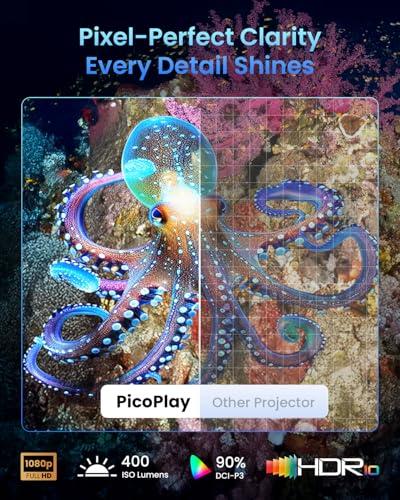
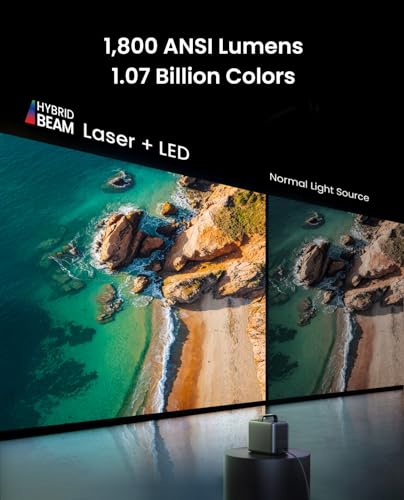
This is where the performance gap becomes most apparent. The JMGO PicoPlay produces 400 ISO lumens, while the Nebula Cosmos 4K SE delivers a measured 1,800 ANSI lumens—that's about 4.5 times brighter. In practical terms, this difference is enormous.
Lumens measure how much light a projector can output. The PicoPlay requires a dimmed or dark room for optimal viewing, making it perfect for evening entertainment but limiting daytime use. The Cosmos 4K SE, with its significantly higher brightness, can handle moderate ambient light, making it suitable for family rooms with windows or basement setups with overhead lighting.
I've found that the PicoPlay produces excellent image quality in dark environments, with vibrant colors and acceptable contrast. But try to use it during the day with curtains open, and the image becomes washed out and difficult to see. The Cosmos 4K SE, on the other hand, maintains good visibility even with some ambient light, though it still performs best when you can control the lighting.
Both projectors impressive color reproduction for their respective price points. The JMGO PicoPlay covers 124% of the Rec.709 color space (the standard for HDTV) and 90% of DCI-P3 (the cinema standard), while the Nebula Cosmos 4K SE covers 123% of Rec.709 and about 95% of DCI-P3.
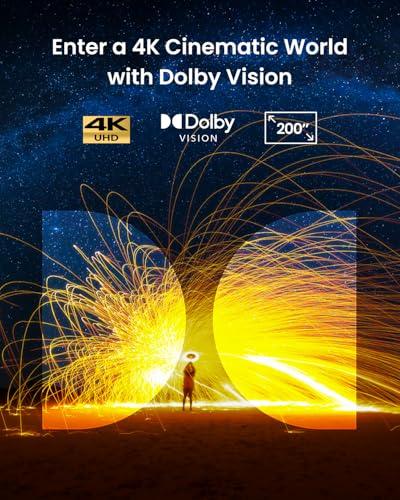
More importantly, the Cosmos 4K SE supports Dolby Vision, which is a significant advantage. Dolby Vision is an advanced HDR (High Dynamic Range) format that processes each frame individually to optimize brightness, contrast, and color. This means deeper blacks, brighter highlights, and more lifelike colors in supported content. The PicoPlay supports the more basic HDR10 format, which still improves image quality but not to the same degree.
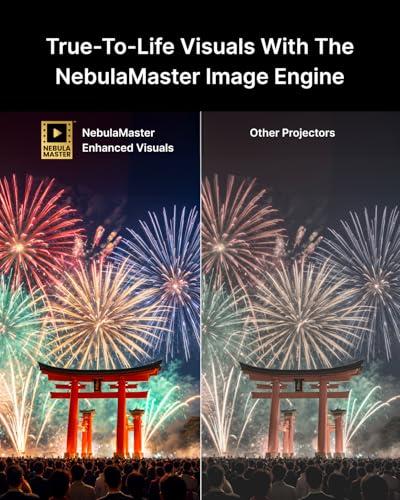
The Cosmos 4K SE also features what Anker calls the "NebulaMaster Image Engine," which uses advanced processing to enhance contrast and eliminate color banding (those visible gradients you sometimes see in skies or shadows). In side-by-side viewing, this processing makes a noticeable difference, especially in darker scenes.
Both projectors run Google TV, which is currently the most comprehensive smart TV platform available. This gives you access to Netflix, Disney+, Amazon Prime Video, YouTube, and thousands of other apps without needing external devices. However, there are some key differences in implementation.
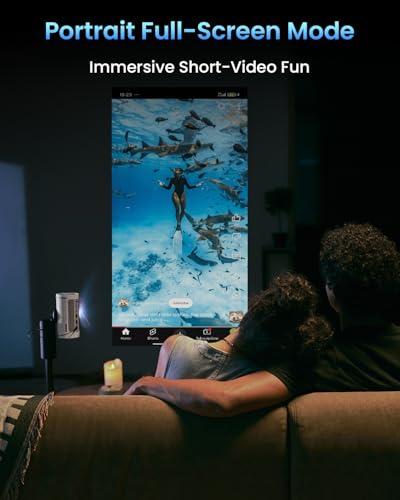
The JMGO PicoPlay includes a unique "Vertical Play" mode that optimizes the projection for vertical content like TikTok videos and Instagram Reels. This might sound gimmicky, but if you frequently share social media content with friends or family, it's surprisingly useful. The projector can rotate its image 90 degrees, making vertical videos display properly on your wall or ceiling.
The Nebula Cosmos 4K SE offers official 4K Netflix certification, meaning you get access to Netflix's full 4K catalog without any workarounds. While both projectors can stream Netflix, having official certification ensures the best possible quality and the full range of available content.
Both devices feature voice control through Google Assistant, letting you search for content, control playback, and even adjust settings using voice commands. The setup process on both is refreshingly simple—connect to Wi-Fi, sign into your Google account, and you're ready to stream.
This is where the size difference between these projectors really shows. The JMGO PicoPlay includes a single 8-watt speaker that's impressive for its tiny size but limited in scope. It's fine for casual viewing in small rooms, but you'll likely want external speakers for larger spaces or more immersive audio.
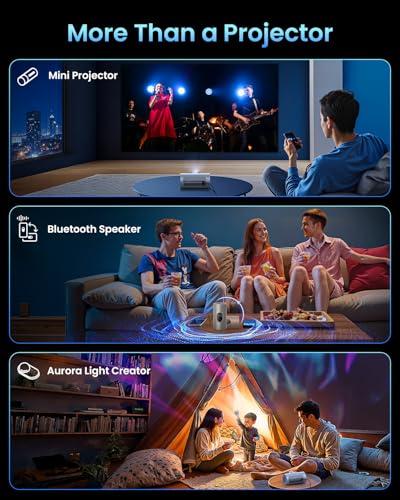
Interestingly, the PicoPlay can function as a standalone Bluetooth speaker and even includes ambient lighting that syncs with music—turning it into what JMGO calls a "3-in-1 entertainment hub." This versatility is clever, though the single speaker limits its effectiveness as a serious music player.
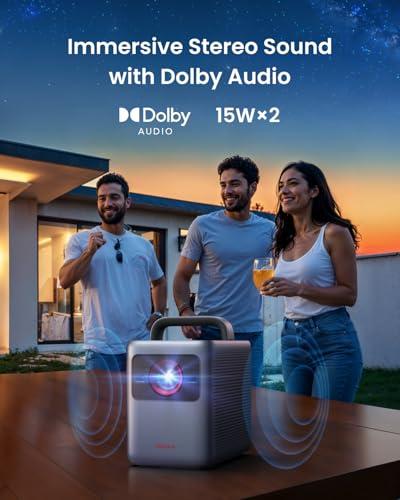
The Nebula Cosmos 4K SE takes a completely different approach with dual 15-watt speakers (30 watts total) that support Dolby Audio. The sound quality is genuinely impressive—rich enough that you might not need external speakers for most content. I've used it for action movies and found the audio to be room-filling and immersive, with clear dialogue and decent bass response.
For home theater enthusiasts, the Cosmos 4K SE also supports HDMI eARC (enhanced Audio Return Channel), allowing you to send high-quality audio to a soundbar or receiver while receiving video from other sources.
Both projectors feature intelligent setup systems that automate the traditionally tedious process of positioning and adjusting a projector. However, their approaches differ significantly.
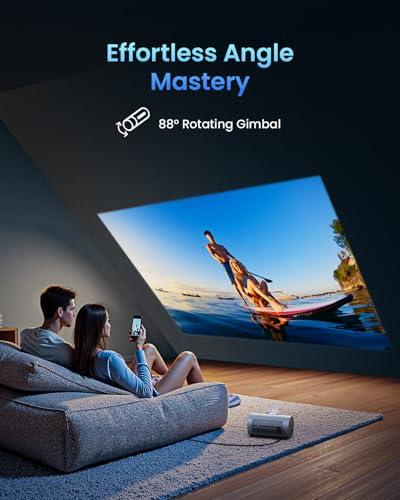
The JMGO PicoPlay's FlexiSmart system handles autofocus, automatic keystone correction, and even eye protection (dimming the projector if someone approaches the lens). But its most unique feature is the 88-degree rotating gimbal that lets you easily project onto walls or ceilings without moving the entire unit. This flexibility is genuinely game-changing for a portable projector.
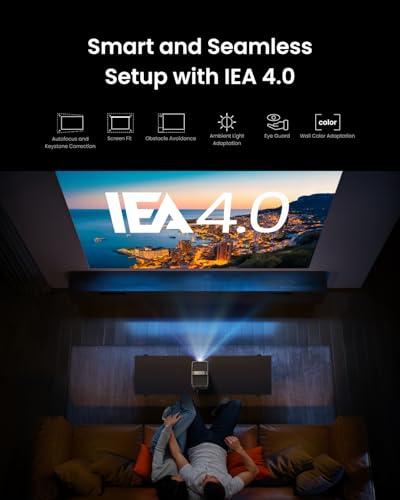
The Nebula Cosmos 4K SE features IEA 4.0 (Intelligent Environment Adaptation), which goes beyond basic setup to include obstacle avoidance, wall color adaptation, and ambient light adaptation. If you move the projector or something blocks part of the projection, it automatically adjusts the image. It can even compensate for different wall colors to maintain accurate color reproduction.
In my testing, both systems work well, though they have different strengths. The PicoPlay's gimbal system is more intuitive for quick setup and repositioning, while the Cosmos 4K SE's system is more sophisticated for permanent installations.
Gaming on projectors has become increasingly popular, especially with the rise of large-screen gaming and the latest gaming consoles supporting 4K. Both projectors handle gaming, but with different capabilities.
The JMGO PicoPlay offers a low-latency gaming mode, though specific input lag measurements aren't available. For casual gaming and older consoles, it performs adequately, but serious gamers might notice some delay.
The Nebula Cosmos 4K SE delivers impressive gaming performance with input lag as low as 18.4 milliseconds in its "Game Mode Extreme." This is competitive with dedicated gaming monitors and makes it suitable for fast-paced competitive games. The 4K resolution also means you can take full advantage of modern gaming consoles like the PS5 and Xbox Series X.
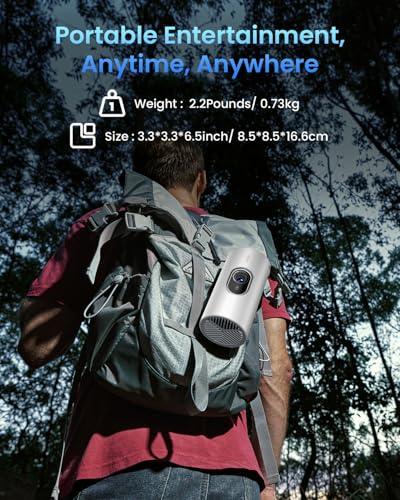
This is perhaps the most significant difference between these projectors. The JMGO PicoPlay weighs just 2.2 pounds and measures roughly 3.3 × 3.3 × 6.5 inches—small enough to fit in a backpack or large purse. However, it requires an external power source for true portability, typically a 65-watt USB-C power bank that can provide about 3 hours of viewing time.
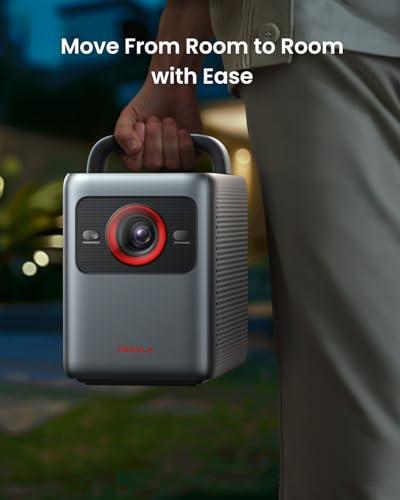
The Nebula Cosmos 4K SE weighs nearly 10 pounds and measures about 10 × 9 × 6 inches. While it includes a carrying handle and is certainly moveable, it's more "transportable" than truly portable. It also requires standard AC power, limiting its use to locations with electrical outlets.
I've taken the PicoPlay camping, to friends' houses, and even used it in hotel rooms. Its compact size and battery operation make it genuinely versatile. The Cosmos 4K SE is better suited for moving between rooms in your home or perhaps to a friend's house for movie night, but it's not something you'd casually throw in a travel bag.
At the time of writing, the price difference between these projectors is substantial—the Cosmos 4K SE costs roughly three to four times more than the PicoPlay. This raises the crucial question: does the higher-priced projector deliver proportionally better value?
The JMGO PicoPlay offers exceptional value in the ultra-portable category. For its price point, you get genuine 1080p quality, smart TV functionality, and unique features like the rotating gimbal and ambient lighting. It's hard to find comparable performance and portability at this price level.
The Nebula Cosmos 4K SE justifies its premium pricing through 4K resolution, significantly higher brightness, superior audio, and professional-grade features. When you factor in the cost of external speakers, streaming devices, and setup accessories that the PicoPlay might require, the price gap narrows somewhat.
For dedicated home theater setups, the choice becomes clearer. The Nebula Cosmos 4K SE is better suited for this application due to its higher brightness, 4K resolution, and superior audio system. It can handle larger screens (up to 200 inches) effectively and works well in basement or media room environments.
The JMGO PicoPlay works fine for casual home theater use, especially in bedrooms or smaller spaces, but its brightness limitations make it less ideal for larger, permanent installations. However, its portability means you could easily move it to different rooms as needed.
The JMGO PicoPlay excels in scenarios where portability and versatility matter most: outdoor movie nights, travel entertainment, dorm rooms, small apartments, and anywhere you want the flexibility to easily move your entertainment setup. Its unique features like vertical content support and ambient lighting also appeal to users who want something different from traditional projection.
The Nebula Cosmos 4K SE is ideal for users who prioritize image quality and want a semi-permanent solution that can handle various lighting conditions. It's perfect for dedicated home theaters, gaming setups, and situations where you want the best possible picture and sound quality without the complexity of separate components.
After extensive testing with both projectors, here's my honest assessment: these are fundamentally different products serving different needs, and both excel in their intended roles.
Choose the JMGO PicoPlay if you value portability above all else, primarily watch content in dark environments, and want a versatile device that can serve multiple functions. It's also the clear choice if budget is a primary concern—you simply won't find better performance per dollar in the ultra-portable category.
Choose the Nebula Cosmos 4K SE if picture quality is your priority, you need to use the projector in rooms with ambient light, or you're setting up a dedicated entertainment space. The superior brightness, 4K resolution, and audio quality justify the higher price for users who want a more theater-like experience.
The decision ultimately comes down to how you plan to use your projector. Both represent excellent value in their respective categories, and both have earned their place in the rapidly evolving smart projector market. The PicoPlay pushes the boundaries of what's possible in a ultra-compact form factor, while the Cosmos 4K SE delivers premium performance without the complexity of traditional home theater setups.
Whichever you choose, you're getting a sophisticated piece of technology that would have seemed like science fiction just a few years ago. The future of home entertainment is definitely portable, smart, and more accessible than ever before.
| JMGO PicoPlay 1080P Smart Portable Projector | Nebula Cosmos 4K SE Smart Projector |
|---|---|
| Resolution - Higher resolution means sharper text and finer details | |
| Native 1080p Full HD (1920×1080) | True 4K UHD (3840×2160) via pixel shifting |
| Brightness - Most critical for daytime viewing and well-lit rooms | |
| 400 ISO lumens (requires dark/dim rooms) | 1,800 ANSI lumens (handles moderate ambient light) |
| Size & Weight - Determines true portability vs room-to-room transport | |
| 3.3 × 3.3 × 6.5 inches, 2.2 lbs (travel mug size) | 10.4 × 8.7 × 6.5 inches, 9.9 lbs (semi-portable) |
| Power Source - Affects where and how long you can use it | |
| External USB-C power bank (3 hours runtime) | AC power only (wall outlet required) |
| HDR Support - Better contrast and color in compatible content | |
| HDR10 support | Dolby Vision, HDR10, HLG (premium HDR processing) |
| Audio System - Determines if you need external speakers | |
| Single 8W speaker + Bluetooth speaker mode | Dual 15W speakers (30W total) with Dolby Audio |
| Smart Platform - Access to streaming services | |
| Google TV with Vertical Play mode for social media | Google TV with official 4K Netflix certification |
| Setup Features - How quickly you can start watching | |
| FlexiSmart system + 88° rotating gimbal | IEA 4.0 with obstacle avoidance and wall adaptation |
| Gaming Performance - Important for console gaming | |
| Low-latency mode (specs not specified) | 18.4ms input lag in Gaming Mode Extreme |
| Connectivity - Ports and wireless options | |
| HDMI, USB-A, USB-C, Wi-Fi, Bluetooth | HDMI 2.1 (eARC), USB-A, 3.5mm, Wi-Fi, Bluetooth |
| Unique Features - What sets each apart from competitors | |
| 3-in-1: projector/speaker/ambient light, gimbal design | HybridBeam laser+LED, professional color accuracy |
| Optimal Screen Size - Sweet spot for image quality | |
| 40-60 inches (up to 180 inches max) | 50-120 inches (up to 200 inches max) |
| Best Use Cases - Who should buy this projector | |
| Travel, camping, small spaces, casual entertainment | Home theater, gaming, mixed lighting conditions |
The JMGO PicoPlay is ideal for small spaces due to its compact travel-mug size and flexible 88° rotating gimbal that lets you project on any wall or ceiling. Its portability means you can easily store it when not in use, making it perfect for studio apartments, dorm rooms, or bedrooms where space is limited.
The Nebula Cosmos 4K SE handles ambient light much better with its 1,800 ANSI lumens of brightness, making it usable in moderately lit rooms. The JMGO PicoPlay with 400 ISO lumens requires dimmed or dark environments for optimal viewing, so it's best for evening entertainment.
The Nebula Cosmos 4K SE delivers superior picture quality with true 4K resolution, Dolby Vision HDR support, and significantly higher brightness. However, the JMGO PicoPlay still provides excellent 1080p quality with vibrant colors that's perfectly adequate for casual viewing on screens under 60 inches.
The Nebula Cosmos 4K SE features dual 15W speakers that deliver room-filling sound comparable to entry-level soundbars, eliminating the need for external audio in most cases. The JMGO PicoPlay has a single 8W speaker that's adequate for small rooms but may require external speakers for larger spaces.
The JMGO PicoPlay is genuinely portable at just 2.2 pounds and can run on a USB-C power bank for up to 3 hours, making it perfect for camping, travel, or backyard movie nights. The Nebula Cosmos 4K SE weighs nearly 10 pounds and requires AC power, making it more suitable for room-to-room transport within your home.
Both the JMGO PicoPlay and Nebula Cosmos 4K SE run Google TV with built-in access to Netflix, YouTube, Amazon Prime Video, and thousands of other streaming apps. The Nebula Cosmos 4K SE offers official 4K Netflix certification for the highest quality streaming.
The Nebula Cosmos 4K SE excels for gaming with its 18.4ms input lag in Gaming Mode Extreme and 4K resolution support for modern consoles like PS5 and Xbox Series X. The JMGO PicoPlay offers casual gaming capabilities but isn't optimized for competitive or fast-paced gaming.
Both projectors feature intelligent auto-setup systems. The JMGO PicoPlay uses FlexiSmart technology with autofocus and auto keystone correction, plus its rotating gimbal makes positioning effortless. The Nebula Cosmos 4K SE includes IEA 4.0 with obstacle avoidance and wall color adaptation for more sophisticated automatic adjustments.
The JMGO PicoPlay can project up to 180 inches but performs best at 40-60 inches in dark rooms. The Nebula Cosmos 4K SE can handle screens up to 200 inches effectively, with optimal performance at 50-120 inches due to its higher brightness and 4K resolution.
The JMGO PicoPlay provides exceptional value for ultra-portable entertainment with unique features like its gimbal design and 3-in-1 functionality. The Nebula Cosmos 4K SE justifies its higher cost through 4K resolution, professional-grade brightness, and superior audio that eliminates the need for additional equipment.
The Nebula Cosmos 4K SE is better suited for dedicated home theater use with its 4K resolution, Dolby Vision support, higher brightness for larger screens, and powerful built-in audio. The JMGO PicoPlay works well for casual home theater in smaller rooms but is limited by its brightness for larger installations.
The JMGO PicoPlay offers unique features like Vertical Play mode for social media content, ambient lighting that syncs with music, and Bluetooth speaker functionality. The Nebula Cosmos 4K SE stands out with its HybridBeam laser+LED technology, professional color accuracy, and comprehensive smart home integration capabilities.
We've done our best to create useful and informative comparisons to help you decide what product to buy. Our research uses advanced automated methods to create this comparison and perfection is not possible - please contact us for corrections or questions. These are the sites we've researched in the creation of this article: techbuzzireland.com - youtube.com - newatlas.com - projectorcentral.com - youtube.com - thegadgetflow.com - youtube.com - global.jmgo.com - youtube.com - bestbuy.com - projector-database.com - notebookcheck.net - eu.jmgo.com - projectorreviews.com - tvsbook.com - youtube.com - projectorcentral.com - youtube.com - projectorcentral.com - techradar.com - youtube.com - projectorcentral.com - youtube.com - the-gadgeteer.com - newegg.com - projectorreviews.com - projectorcentral.com - youtube.com - seenebula.com - seenebula.com - bestbuy.com

Privacy Policy
Terms and Conditions - Affiliate Policy
Home Security
© Copyright 2008-2026.
11816 Inwood Rd #1211, Dallas, TX 75244