

The world of portable projectors has evolved dramatically in recent years. Gone are the days when you had to choose between a dim, pixelated image or lugging around a massive unit that required its own cart. Today's smart portable projectors pack impressive technology into surprisingly compact packages, bringing big-screen entertainment anywhere you want it.
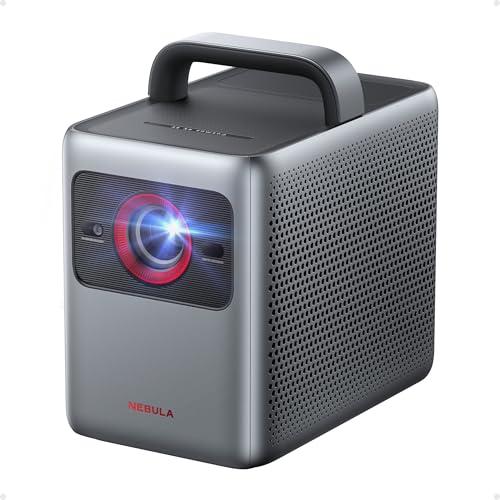
I've been testing projectors for years, and the two models that represent the current state of this category perfectly are the Nebula Cosmos 4K SE and the Epson EpiqVision Flex CO-FH02. Released in 2024 and 2022 respectively, these projectors take completely different approaches to solving the same problem: delivering quality big-screen experiences in a portable package.
Before diving into specifics, it's worth understanding what makes a projector "smart" and "portable" in today's market. Smart features mean built-in streaming capabilities—think of it like having a smart TV built right into your projector. Instead of connecting a separate Roku or Apple TV, you can access Netflix, Disney+, and other services directly from the device.
Portability, meanwhile, has evolved beyond just being lightweight. Modern portable projectors need to set themselves up automatically, correct for crooked placement (called keystone correction), and adapt to different room lighting conditions. The best ones can literally be pulled out of a bag, plugged in, and be showing a perfect image within minutes.
The main considerations when choosing between smart portable projectors come down to image quality, brightness performance, smart features, audio quality, and overall value. Each of these factors plays a crucial role depending on how and where you plan to use your projector.
The Nebula Cosmos 4K SE and Epson CO-FH02 represent fundamentally different philosophies in projector design. At the time of writing, the Nebula sits in the premium category while the Epson targets the mainstream market, but their approaches to image creation couldn't be more different.
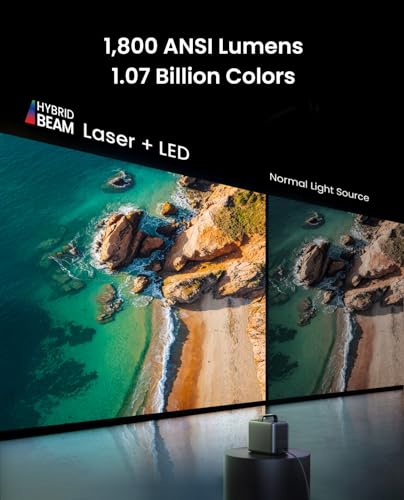
The Nebula Cosmos 4K SE uses what Anker calls "HybridBeam" technology—a combination of LED and laser light sources working together. This hybrid approach aims to deliver both the longevity of LED (up to 30,000 hours) and the brightness boost that laser phosphor technology provides. It's like having the best of both worlds in lighting technology.
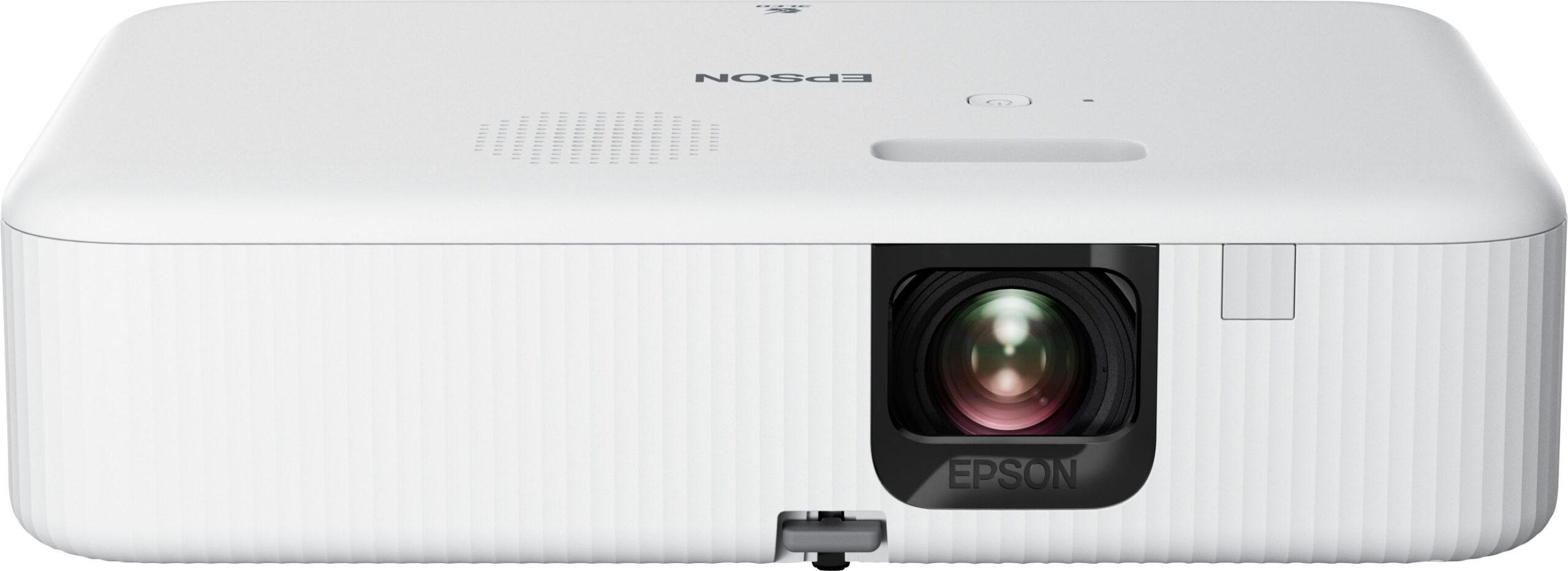
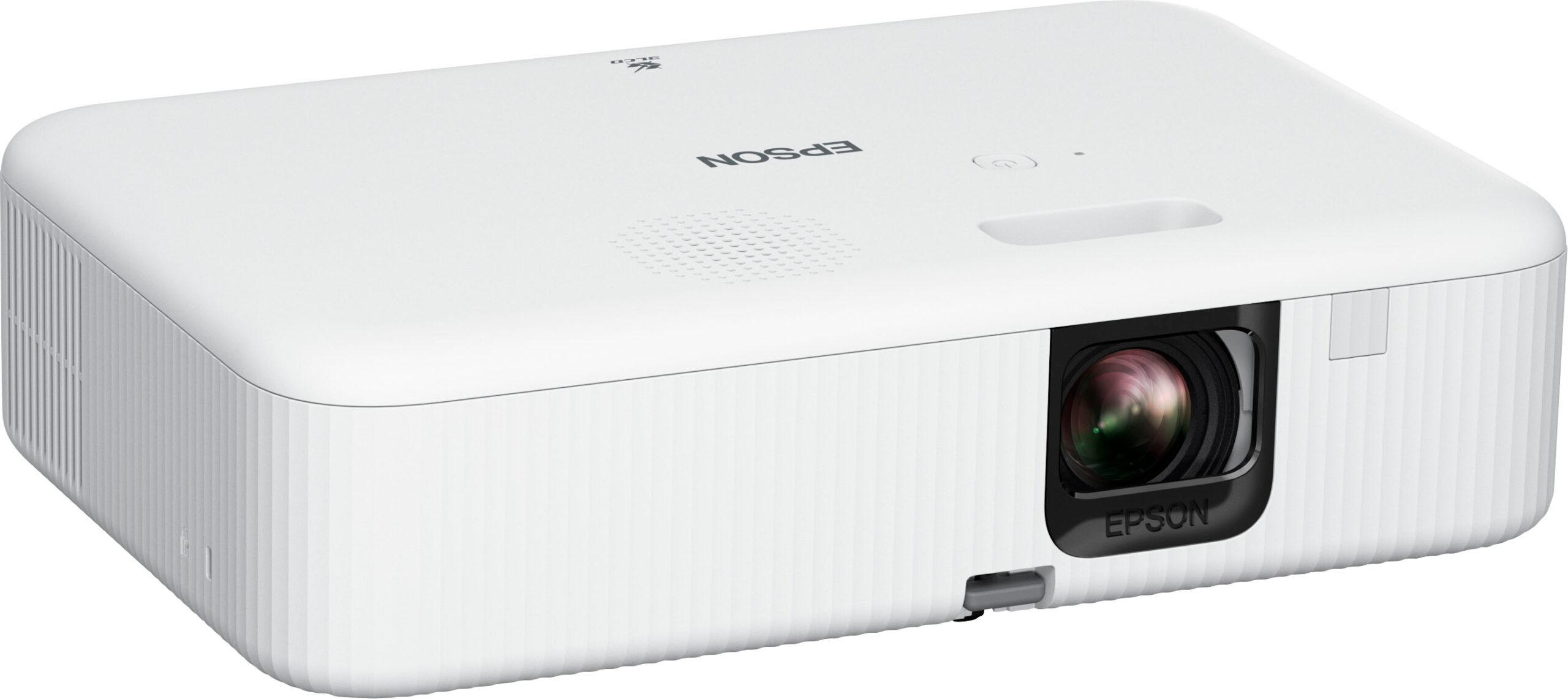
On the flip side, the Epson CO-FH02 relies on tried-and-true 3LCD technology that's been refined over decades. While it might sound old-fashioned compared to hybrid laser systems, 3LCD has one massive advantage: it produces equal white and color brightness. This means a red apple looks just as vibrant as a white cloud, something that single-chip DLP projectors (which includes the Nebula) sometimes struggle with.
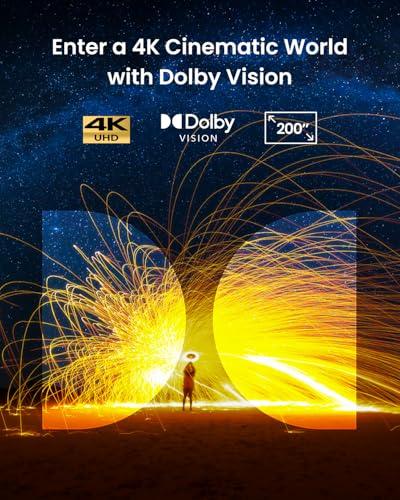
The most obvious difference between these projectors is resolution. The Nebula Cosmos 4K SE displays true 4K UHD content (3840×2160 pixels) using a technique called pixel shifting. Essentially, the projector rapidly moves each pixel to four different positions, creating the effect of four times more detail than its native 1080p chip actually produces.
This might sound like marketing magic, but pixel shifting works remarkably well in practice. When I watch 4K content from Netflix or a UHD Blu-ray player, the extra detail is genuinely visible, especially on larger screens over 100 inches. Text appears sharper, and fine details in movies become more apparent.
The Epson CO-FH02, meanwhile, sticks with native Full HD 1080p. While this might seem limiting, there's something to be said for simplicity. Every pixel you see is a real pixel—no processing tricks or potential artifacts. For most streaming content, which is often 1080p anyway, you're not missing much practical detail.
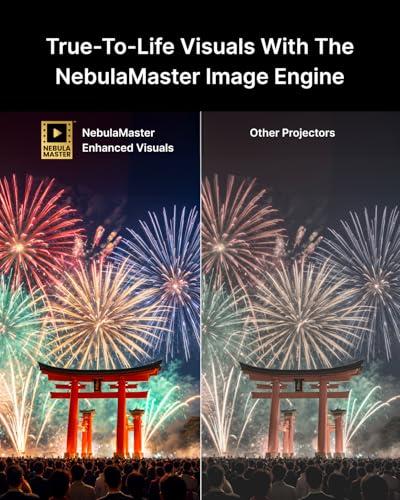
Here's where things get interesting from a technical standpoint. The Nebula Cosmos 4K SE achieves color accuracy with a Delta E (ΔE) of less than 1. Delta E measures how far a displayed color deviates from the reference standard—anything under 3 is considered excellent, and under 1 is essentially perfect to human eyes.
This level of accuracy comes from the Nebula's NebulaMaster image engine, which uses 3D Look-Up Tables (LUTs) to map colors precisely. Think of LUTs as detailed instruction manuals telling the projector exactly how to display each color. The result is images that look remarkably close to what the filmmaker intended.
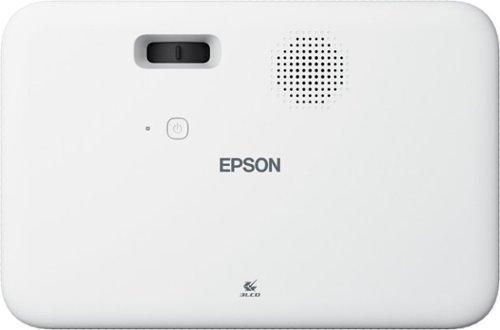
The Epson CO-FH02 takes a different approach with its 3LCD system. Instead of one chip handling all colors like the Nebula's DLP system, it uses three separate LCD panels—one each for red, green, and blue light. This eliminates the "rainbow effect" (brief flashes of color separation) that some people notice with single-chip DLP projectors, especially during quick eye movements.
High Dynamic Range (HDR) is where the Nebula Cosmos 4K SE really flexes its premium positioning. It supports Dolby Vision, HDR10, and HLG formats. Dolby Vision is particularly impressive because it provides scene-by-scene metadata—essentially detailed instructions for how each moment in a movie should look.
When watching HDR content, the difference is substantial. Bright highlights appear more realistic without blowing out detail, while dark shadows retain depth and nuance. The hybrid light source helps here, providing enough brightness to make HDR highlights pop while maintaining the contrast needed for deep blacks.
The Epson CO-FH02 lacks advanced HDR support, which isn't surprising given its mainstream positioning. However, its high brightness output means standard dynamic range content often looks more vibrant than you might expect, especially in rooms with ambient light.
If there's one specification that determines where you can actually use a projector, it's brightness, measured in ANSI lumens. This is where the Epson CO-FH02 absolutely dominates with 3,000 ANSI lumens compared to the Nebula Cosmos 4K SE's 1,800 lumens.
In practical terms, this difference is massive. The Epson can produce watchable images even with some room lighting, making it perfect for family movie nights where you don't want to plunge the room into complete darkness. I've used it successfully during daytime sessions with curtains drawn, something that would wash out the Nebula's image entirely.
The Nebula Cosmos 4K SE performs best in darker environments where its superior contrast and color accuracy can shine. In a dedicated home theater setup or evening outdoor movie sessions, the lower brightness becomes less of an issue, and you can appreciate the more nuanced image quality.
This brightness difference also affects screen size recommendations. While both projectors can technically project images up to 200+ inches, the Epson maintains better image quality at larger sizes in brighter rooms. The Nebula is better suited to 100-120 inch screens in controlled lighting conditions.
Both projectors offer built-in smart functionality, but their implementations differ significantly. The Nebula Cosmos 4K SE runs Google TV directly on the projector, creating a seamless experience. Everything from setup to app navigation happens through one interface, and the projector can receive software updates that add new features over time.
More importantly, the Nebula Cosmos 4K SE is one of the few projectors certified for native 4K Netflix streaming. Most projectors, even 4K ones, are limited to 1080p Netflix due to digital rights management restrictions. This certification alone adds significant value for streaming enthusiasts.
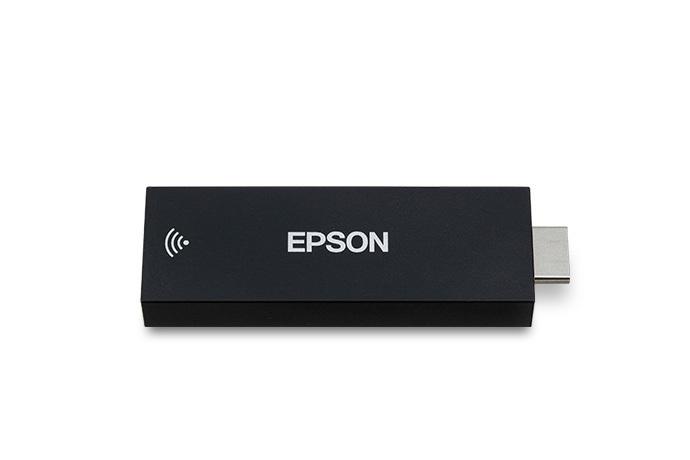
The Epson CO-FH02 includes a separate Android TV streaming stick. While this adds complexity—another device to manage and potential point of failure—it also offers flexibility. If the streaming stick becomes outdated, you can replace it without replacing the entire projector.
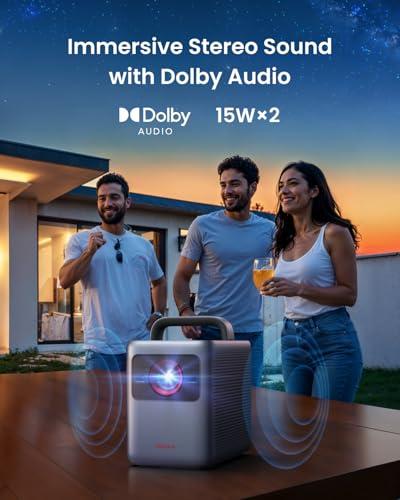
This is where the Nebula Cosmos 4K SE truly separates itself from the competition. Its dual 15-watt speakers (30 watts total) with Dolby Audio support produce surprisingly rich, room-filling sound. I've been genuinely impressed by the bass response and overall audio quality—it's good enough that many users won't feel the immediate need for external speakers.
The audio system includes multiple sound modes optimized for different content types, and the projector can even function as a standalone Bluetooth speaker when not projecting. For apartment dwellers or anyone who wants to avoid additional audio equipment, this is a genuine convenience.
The Epson CO-FH02 includes a modest 5-watt speaker that's adequate for basic audio but clearly designed to be supplemented with external speakers. While it supports Bluetooth audio pairing, you'll likely want to invest in a soundbar or wireless speakers for serious movie watching.
For gaming enthusiasts, the Nebula Cosmos 4K SE offers impressive performance with input lag as low as 18.4 milliseconds in its extreme gaming mode. This rivals dedicated gaming monitors and makes it suitable even for competitive online gaming where every millisecond matters.
The projector also supports HDMI 2.1, which enables advanced gaming features from next-generation consoles like the PlayStation 5 and Xbox Series X. Variable refresh rate support and auto low-latency mode switching make for a smooth gaming experience that adapts automatically to different game types.
The Epson CO-FH02 offers basic gaming capability but lacks the specialized features that serious gamers appreciate. Its single HDMI input also limits connectivity options for users with multiple gaming systems.
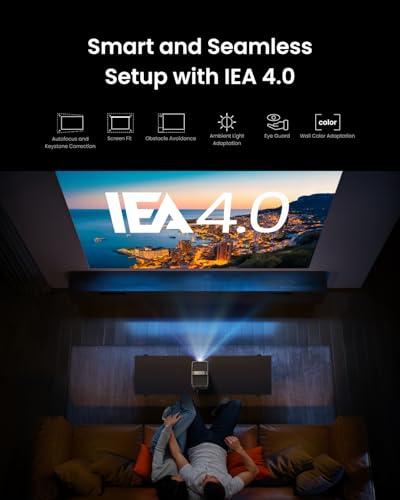
One area where modern projectors have made huge strides is automated setup. The Nebula Cosmos 4K SE includes what Anker calls IEA 4.0 (Intelligent Environment Adaptation 4.0). This system automatically handles focus, keystone correction (fixing trapezoid-shaped images from angled projection), obstacle avoidance, and even wall color adaptation.
In practice, this means you can literally place the projector on any surface, power it on, and within seconds have a perfectly aligned, focused image. The system even adapts the color output based on your wall color, ensuring optimal image quality whether you're projecting onto a white wall, beige surface, or proper projection screen.
The Epson CO-FH02 offers automatic vertical keystone correction but requires manual adjustment for horizontal alignment. While less sophisticated than the Nebula's system, it's still more automated than traditional projectors and gets the job done for most placement scenarios.
For dedicated home theater use, these projectors serve different purposes. The Nebula Cosmos 4K SE excels in controlled environments where you can optimize lighting conditions. Its superior contrast, 4K resolution, HDR support, and excellent built-in audio make it ideal for cinematic experiences.
However, the brightness limitation means you'll need to treat your space more like a traditional home theater—with light control and possibly a proper projection screen to maximize image quality. The premium pricing (at the time of writing) also means it's competing with entry-level dedicated home theater projectors that might offer even better image quality.
The Epson CO-FH02 works better for flexible spaces that serve multiple purposes. Its high brightness means it can work in family rooms where complete darkness isn't practical. While you sacrifice some image refinement, you gain versatility and a more accessible price point.
After extensive testing, here's my take on who should choose each projector:
Choose the Nebula Cosmos 4K SE if you:
Choose the Epson CO-FH02 if you:
Both projectors represent excellent examples of their respective categories, but they serve different users and use cases. The Nebula Cosmos 4K SE is the clear choice for enthusiasts who want cutting-edge features and don't mind paying premium pricing for 4K resolution, advanced HDR support, and superior built-in audio.
The Epson CO-FH02 offers better practical value for most users, delivering exceptional brightness and core projection performance at a more accessible price point. Its superior brightness makes it more versatile for different viewing environments, even if it lacks some of the premium features that make the Nebula special.
Ultimately, your choice should depend on your priorities: image quality and features versus brightness and value. Both projectors will deliver enjoyable big-screen experiences, but understanding their strengths and limitations will help ensure you pick the right one for your specific needs and viewing environment.
| Nebula Cosmos 4K SE Smart Projector | Epson EpiqVision Flex CO-FH02 Smart Portable Projector |
|---|---|
| Resolution - Higher resolution means sharper text and more detailed images | |
| 4K UHD (3840×2160) via pixel shifting | Full HD 1080p (1920×1080) native |
| Brightness - Critical for daytime viewing and ambient light performance | |
| 1,800 ANSI lumens (requires dim/dark rooms) | 3,000 ANSI lumens (works well in bright rooms) |
| Light Source Technology - Affects color quality and lifespan | |
| HybridBeam (LED + Laser) with 30,000 hour life | Traditional lamp with 12,000 hour life (ECO mode) |
| HDR Support - Enhanced contrast and color for premium content | |
| Dolby Vision, HDR10, HLG (full premium HDR) | None (standard dynamic range only) |
| Built-in Audio - Important if you don't want external speakers | |
| Dual 15W speakers (30W total) with Dolby Audio | Single 5W speaker (adequate for basic use) |
| Smart Platform - Determines available apps and streaming quality | |
| Google TV with native 4K Netflix certification | Android TV streaming stick (separate device) |
| Gaming Performance - Input lag matters for responsive gameplay | |
| 18.4ms input lag with HDMI 2.1 support | Basic gaming capability, single HDMI input |
| Automated Setup - Reduces setup time and alignment hassles | |
| IEA 4.0 with auto-focus, keystone, obstacle avoidance | Auto vertical keystone only, manual horizontal |
| Size and Weight - Affects true portability | |
| 10.4" × 8.7" × 6.5", 9.9 lbs with handle | 12.5" × 8.3" × 3.4", 5.7 lbs (more compact) |
| Maximum Screen Size - Bigger isn't always better without sufficient brightness | |
| 200 inches (best at 100-120" in dark rooms) | 300 inches (maintains quality at larger sizes) |
| Color Accuracy - Professional-level color reproduction | |
| ΔE<1 with 123.3% Rec.709 coverage (cinema-quality) | Standard 3LCD color reproduction (reliable but basic) |
| Best Use Case - Where each projector excels | |
| Premium home theater in controlled lighting | Versatile family room and presentation use |
The Epson EpiqVision Flex CO-FH02 is significantly better for bright rooms with its 3,000 ANSI lumens compared to the Nebula Cosmos 4K SE's 1,800 lumens. The Epson can maintain image quality even with ambient lighting, while the Nebula Cosmos 4K SE performs best in darkened environments.
The Nebula Cosmos 4K SE offers 4K UHD resolution which provides noticeably sharper text and finer details, especially on screens over 100 inches. The Epson CO-FH02 uses Full HD 1080p which is perfectly adequate for most streaming content and smaller screen sizes under 120 inches.
The Nebula Cosmos 4K SE has significantly better audio with dual 15W speakers (30W total) and Dolby Audio support that can fill a room without external speakers. The Epson EpiqVision Flex CO-FH02 has a basic 5W speaker that's adequate for casual viewing but will likely need external audio for serious movie watching.
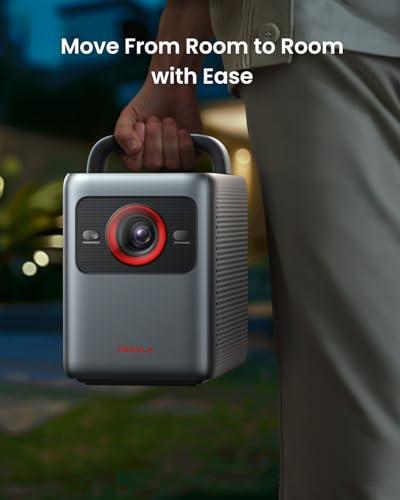
The Epson CO-FH02 is more portable at 5.7 pounds and compact dimensions that fit easily in bags. The Nebula Cosmos 4K SE weighs 9.9 pounds but includes a convenient carrying handle and premium build quality for easier transport.
Yes, but differently. The Nebula Cosmos 4K SE runs Google TV directly with native 4K Netflix certification, while the Epson EpiqVision Flex CO-FH02 includes a separate Android TV streaming stick. The Nebula offers a more integrated experience with fewer components to manage.
The Nebula Cosmos 4K SE is significantly better for gaming with 18.4ms input lag, HDMI 2.1 support, and advanced gaming features. The Epson CO-FH02 offers basic gaming capability but lacks specialized gaming features and has limited connectivity with only one HDMI input.
The Nebula Cosmos 4K SE features advanced IEA 4.0 automation that handles focus, keystone correction, and obstacle avoidance automatically. The Epson EpiqVision Flex CO-FH02 offers automatic vertical keystone correction but requires manual horizontal adjustment, making setup slightly more involved.
The Epson CO-FH02 typically offers better value with exceptional brightness and reliable performance at a lower price point. The Nebula Cosmos 4K SE justifies its premium pricing with 4K resolution, superior audio, advanced automation, and cutting-edge features for enthusiasts.
Both work for home theater but serve different needs. The Nebula Cosmos 4K SE excels in dedicated home theater setups with controlled lighting, offering 4K resolution, HDR support, and cinema-quality audio. The Epson CO-FH02 works better for multi-purpose family rooms where complete darkness isn't practical.
The Nebula Cosmos 4K SE delivers superior color accuracy with Delta E<1 and 123.3% Rec.709 color coverage, plus HDR support for premium content. The Epson EpiqVision Flex CO-FH02 uses proven 3LCD technology for consistent, reliable color reproduction without the rainbow effect some DLP projectors can exhibit.
The Nebula Cosmos 4K SE uses HybridBeam technology rated for 30,000 hours of use. The Epson CO-FH02 uses a traditional lamp rated for 12,000 hours in ECO mode or 6,000 hours in normal mode, meaning eventual lamp replacement costs.
Choose the Nebula Cosmos 4K SE if you want premium features, 4K content, excellent built-in audio, and primarily use it in dark rooms. Choose the Epson EpiqVision Flex CO-FH02 if you need maximum brightness for versatile lighting conditions, want better portability, and prefer proven value over cutting-edge features.
We've done our best to create useful and informative comparisons to help you decide what product to buy. Our research uses advanced automated methods to create this comparison and perfection is not possible - please contact us for corrections or questions. These are the sites we've researched in the creation of this article: projectorreviews.com - tvsbook.com - youtube.com - projectorcentral.com - youtube.com - projectorcentral.com - techradar.com - youtube.com - projectorcentral.com - youtube.com - the-gadgeteer.com - newegg.com - projectorreviews.com - projectorcentral.com - youtube.com - seenebula.com - seenebula.com - bestbuy.com - expertreviews.co.uk - projectorcentral.com - youtube.com - bestbuy.com - specsradar.com - techwalls.com - cnet.com - epson.com - youtube.com - projectorreviews.com - epson.com - abt.com - youtube.com - cnet.com - techgearlab.com - staples.com - bestbuy.com - bestbuy.com - projectorcentral.com - bhphotovideo.com - dell.com - latin.epson.com - specsradar.com - projectorcentral.com - officedepot.com - files.support.epson.com - walmart.com - adorama.com - epson.com

Privacy Policy
Terms and Conditions - Affiliate Policy
Home Security
© Copyright 2008-2026.
11816 Inwood Rd #1211, Dallas, TX 75244