


The world of portable projectors underwent a dramatic shift in 2024 when manufacturers began pushing the boundaries of what "portable" actually means. At one extreme, we have projectors that truly fit in your pocket. At the other, we have devices that deliver near-cinematic quality while remaining transportable between rooms. The Aurzen ZIP Tri-Fold Portable Mini Projector and Nebula Cosmos 4K SE Smart Projector represent these two fascinating approaches to portable projection technology.
Having tested both extensively, I can tell you that choosing between them isn't about finding the "better" projector—it's about understanding which philosophy matches your needs. One prioritizes convenience above all else, while the other focuses on delivering the best possible viewing experience in a moveable package.
The portable projector market has evolved far beyond the dim, blurry business presentation tools of the past. Modern devices split into two distinct categories, each serving different user priorities.
Ultra-compact projectors like the Aurzen ZIP prioritize maximum portability. These devices sacrifice some image quality to achieve sizes and weights that make them genuinely pocketable. They're designed for spontaneous use—think impromptu movie nights while camping or quick presentations in conference rooms without dedicated AV equipment.
Portable home theater projectors like the Nebula Cosmos 4K SE take a different approach. They're still moveable, but they focus on delivering image quality that can genuinely replace your living room TV. These projectors typically require wall power and weigh several pounds, but they offer brightness levels and resolution that work in normal lighting conditions.
The key considerations when choosing between these approaches center on how you'll actually use the device. Will you primarily watch in dedicated, darkened spaces, or do you need something that works with ambient light? Do you value being able to set up anywhere in seconds, or are you willing to spend time optimizing the image? Most importantly, what's your tolerance for the inevitable trade-offs each approach requires?
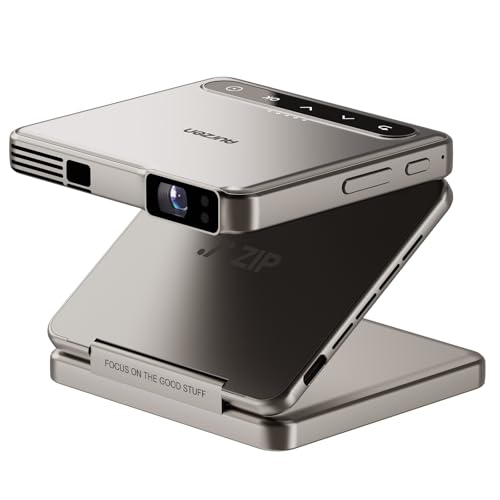
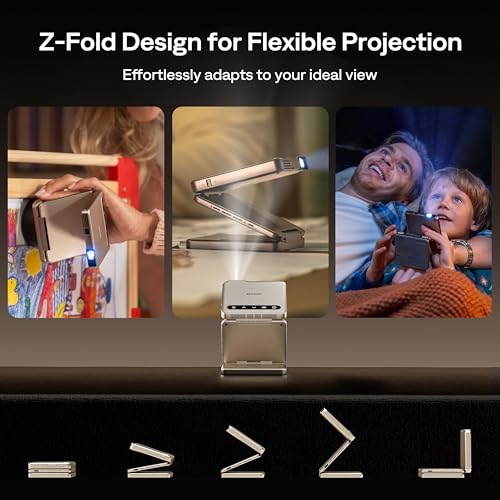
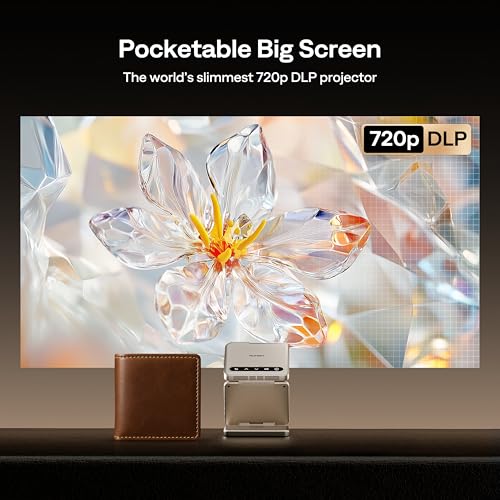
The Aurzen ZIP's tri-fold design represents the most innovative approach to projector portability I've encountered. When folded, it measures just 3.3 by 3.1 by 1 inch and weighs under 10 ounces—smaller than most smartphones and lighter than a paperback book. The Z-shaped hinge mechanism allows it to unfold into a stable projection platform while doubling as a flexible stand.
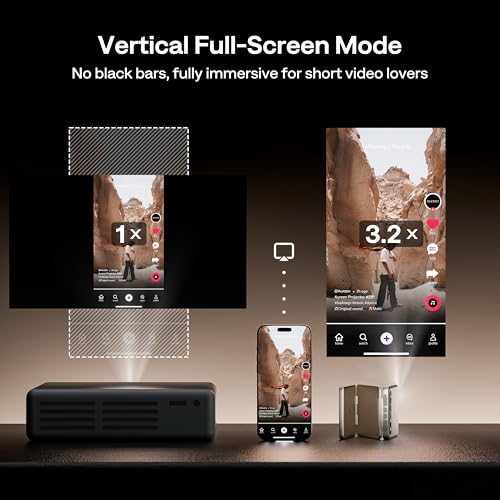
What makes this design particularly clever is how it enables both landscape and portrait projection. You can watch traditional movies in widescreen format, then flip it sideways for TikTok videos or Instagram stories. This versatility reflects how content consumption has evolved, especially for younger users who regularly switch between horizontal and vertical video formats.
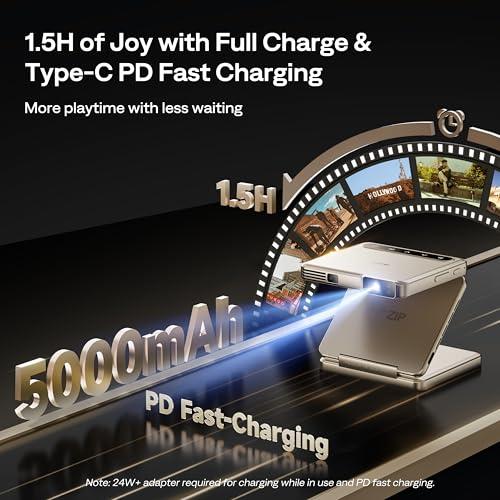
The built-in 5,000mAh battery provides about 90 minutes of continuous use—sufficient for most movies or extended gaming sessions. More importantly, this battery operation means you can literally take it anywhere. I've used it successfully while camping (projecting onto a tent wall), in hotel rooms, and even outdoors during evening gatherings.
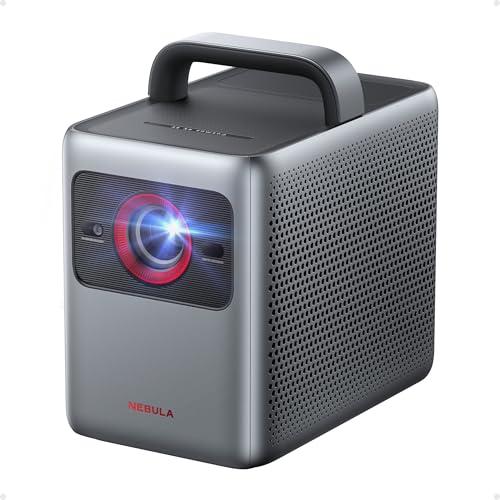
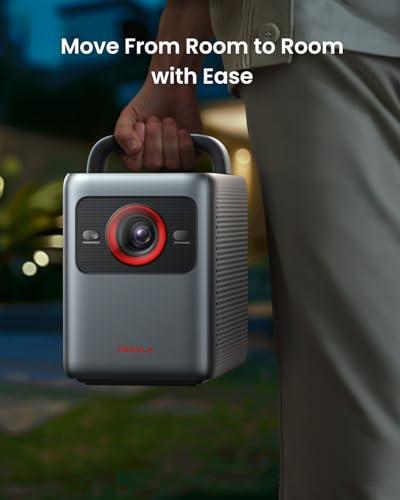
The Nebula Cosmos 4K SE weighs nearly 10 pounds and measures roughly the size of a large toaster. While it includes a carrying handle, this clearly isn't a device you'll slip into a backpack for spontaneous use. Instead, it's designed for planned viewing sessions where image quality takes priority over ultimate portability.
However, this larger size enables significant performance advantages. The chassis accommodates more powerful cooling systems, larger optical components, and robust speakers that would be impossible in an ultra-compact design. The result is a projector that can genuinely serve as your primary display device.
The requirement for wall power initially seems limiting, but it actually provides advantages for home use. You never worry about battery levels during long viewing sessions, and the consistent power supply enables higher brightness output and more sophisticated processing features.
The most significant technical difference between these projectors lies in their resolution capabilities. The Aurzen ZIP delivers 720p HD resolution (1280×720 pixels) using a tiny 0.16-inch DMD chip—the smallest digital mirror device ever used in a consumer projector. To achieve even this resolution, it uses XPR (eXpanded Pixel Resolution) technology, which rapidly shifts pixels to create the impression of higher resolution from a native 640×360 array.
While 720p might seem outdated in our 4K world, it's actually quite reasonable for the ZIP's intended screen sizes of 40-60 inches. At typical viewing distances, the difference between 720p and higher resolutions becomes less noticeable on smaller screens, especially when watching compressed streaming content.
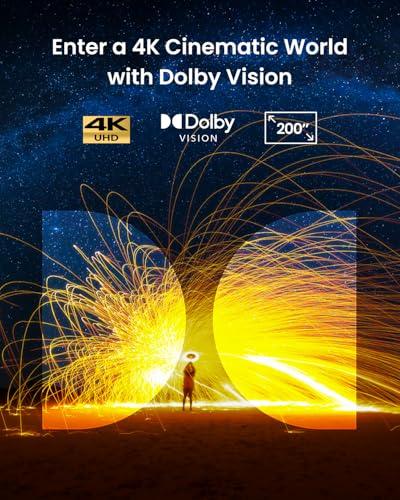
The Nebula Cosmos 4K SE delivers true 4K UHD resolution (3840×2160 pixels) using a larger 0.47-inch DMD chip. It achieves this through Texas Instruments' four-phase pixel shifting technology, starting from a native 1080p array and shifting pixels rapidly to create 4K detail. This approach provides genuinely sharp images on screens up to 200 inches.
Having compared them side-by-side, the resolution difference is most apparent with text, fine details, and when sitting close to larger screens. For casual movie watching at moderate sizes, the gap is less dramatic than the specifications suggest.
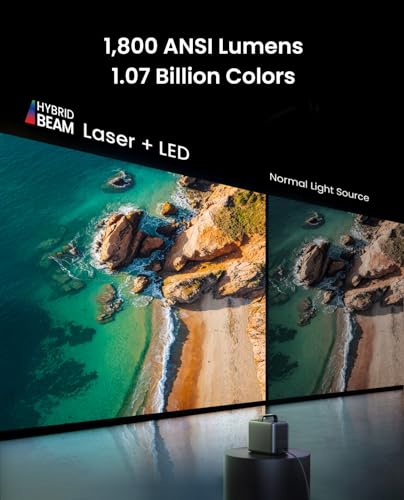
Here's where these projectors diverge most dramatically. The ZIP produces 100 ANSI lumens, while the Cosmos 4K SE generates 1,800 ANSI lumens—an 18-fold difference that fundamentally changes how and where you can use each device.
ANSI lumens measure actual light output under standardized conditions, providing a reliable comparison between projectors. For context, most movie theaters operate at around 48 lumens per square meter, while home viewing typically requires 16-32 lumens per square meter for comfortable viewing.
The ZIP's 100-lumen output restricts it to dark environments. I've found it works beautifully in bedrooms with blackout curtains, tents, or outdoor spaces after sunset. However, even modest ambient light—like a few table lamps—significantly washes out the image. This isn't a flaw; it's an inevitable consequence of physics. Brighter light sources require larger, more power-hungry components that would eliminate the ZIP's primary advantage: extreme portability.
The Cosmos 4K SE's 1,800-lumen output enables viewing in moderately lit rooms. You can watch during the day with curtains drawn, or in the evening with some ambient lighting. This brightness comes from a hybrid light engine combining LED and laser phosphor technology—a sophisticated system that maintains color accuracy while boosting output.
The ZIP uses a standard LED light source that covers the basic Rec. 709 color standard adequately for casual viewing. Colors appear natural and pleasing, though they lack the saturation and accuracy of premium displays.
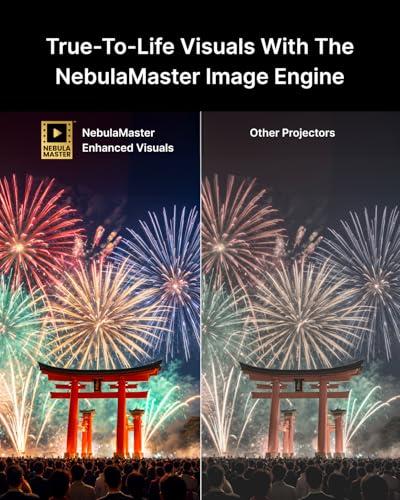
The Cosmos 4K SE incorporates advanced color technology, covering 95% of the DCI-P3 color gamut used in commercial cinemas. Its NebulaMaster image engine performs real-time color calibration using 3D lookup tables (LUTs)—essentially color translation maps that ensure accurate reproduction of the filmmaker's original intent.
More significantly, the Cosmos supports Dolby Vision HDR, a format that provides scene-by-scene optimization of brightness and color. When watching HDR content, the difference is striking—deeper blacks, brighter highlights, and more vivid colors that bring scenes to life. The ZIP lacks HDR support entirely, limiting it to standard dynamic range content.
Audio quality often determines whether a projector succeeds as a home entertainment device. Both projectors include built-in speakers, but their approaches differ dramatically.
The ZIP's dual 1-watt speakers provide adequate sound for personal viewing. They're surprisingly clear for their size, though they lack the power and bass response for immersive movie experiences. For serious viewing, you'll want to pair them with Bluetooth headphones or external speakers.
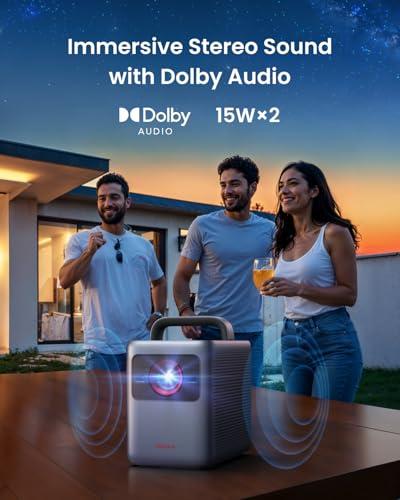
The Cosmos 4K SE's 30-watt speaker system (two 15-watt drivers) delivers genuinely impressive audio. It supports Dolby Audio processing and can even decode Dolby Atmos soundtracks when connected via HDMI eARC (enhanced Audio Return Channel). The sound is rich enough for most movie viewing without additional equipment, though audiophiles will still prefer dedicated speakers.
I've been particularly impressed by the Cosmos's ability to function as a Bluetooth speaker when not projecting. This dual-purpose design adds value for users who want quality audio throughout their space.
Modern projectors increasingly function as smart TV replacements, making software and connectivity crucial considerations.
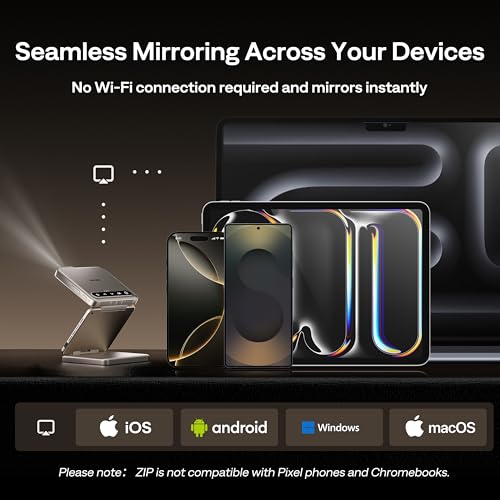
The ZIP takes a minimalist approach, focusing on wireless screen mirroring through its AirLink technology. This system works without requiring Wi-Fi networks—your device connects directly to the projector. Setup is genuinely effortless: power on the ZIP, select it from your device's screen mirroring options, and you're connected within seconds.
However, this simplicity comes with limitations. The ZIP doesn't run streaming apps directly, so you're dependent on your connected device. More problematically, it can't display DRM-protected content from services like Netflix or Disney+ when mirroring—these services detect the "untrusted" display and refuse to play premium content.
The Cosmos 4K SE runs full Google TV OS, providing direct access to over 10,000 apps including all major streaming services. It's one of the first projectors certified for 4K Netflix streaming, eliminating the DRM restrictions that plague many projection devices. The interface is identical to modern smart TVs, complete with Google Assistant integration and personalized recommendations.
For home theater use, this smart platform integration is invaluable. You can access content directly without juggling multiple devices, and the experience feels polished and intentional rather than like a workaround.
Gaming on projectors has become increasingly popular, especially with large screen sizes that create immersive experiences impossible on traditional displays.
The ZIP provides basic gaming capability with its 60Hz refresh rate and reasonable input lag. It's perfectly adequate for casual gaming, turn-based strategies, or retro games. However, the 720p resolution and limited brightness constrain the experience, particularly for modern games designed around 4K detail.
The Cosmos 4K SE delivers serious gaming performance. Its low input lag mode reduces delay to just 18.4 milliseconds—competitive with dedicated gaming monitors. The 4K resolution showcases modern games beautifully, while MEMC (Motion Estimation, Motion Compensation) technology smooths fast-moving scenes by interpolating frames.
Having played competitive online games on both, the Cosmos provides a genuinely enhanced experience that justifies its positioning as a TV replacement. The ZIP works for casual gaming but doesn't transform the experience the way large-screen 4K projection can.
The Aurzen ZIP shines in scenarios where traditional projectors simply aren't practical. I've successfully used it for:
Business Travel: Presentations in hotel rooms or client offices without AV equipment become effortless. The quick setup and battery operation eliminate the usual technical difficulties.
Outdoor Entertainment: Camping trips, backyard movie nights, or beach gatherings benefit from true portability. The ability to project onto any light-colored surface—including tent walls—opens creative possibilities.
Small Spaces: Dorm rooms, studio apartments, or bedrooms where storage space is premium benefit from the ZIP's minimal footprint.
Portrait Content: The unique ability to easily rotate for vertical video makes it perfect for social media content or video calls with large groups.
The Nebula Cosmos 4K SE excels when image quality and features matter more than ultimate portability:
Home Theater Replacement: In dedicated viewing rooms or living spaces, it can genuinely replace a large TV while offering even bigger screen sizes.
Family Entertainment: The combination of bright output, good built-in audio, and smart TV features makes it ideal for household use where multiple people with different preferences need to be satisfied.
Gaming Setup: For gamers who want massive screens without the cost of giant TVs, the 4K resolution and low input lag provide competitive performance.
Professional Use: Business environments where image quality matters—like client presentations or training sessions—benefit from the reliable brightness and sharp resolution.
At the time of writing, these projectors occupy different price tiers that reflect their distinct approaches. The ZIP is priced as a premium ultra-portable device, while the Cosmos 4K SE competes in the serious home projector market.
The ZIP's value proposition centers on its unique form factor and the convenience it enables. If you frequently need projection in unpredictable environments, or if storage space is extremely limited, its premium over basic mini projectors is justified by genuinely superior usability.
The Cosmos 4K SE's pricing reflects its comprehensive feature set and performance capabilities. When compared to equivalent 4K smart TVs in large sizes (75 inches and above), the projector often provides better value while offering size flexibility that fixed displays cannot match.
Both projectors justify their positioning within their respective categories, but buyers should carefully consider their actual usage patterns rather than aspirational use cases.
For dedicated home theater use, these projectors serve very different roles. The ZIP works best as a secondary or supplementary display—perhaps for a bedroom system or occasional outdoor viewing. Its brightness limitations and resolution constraints prevent it from serving as a primary home theater display.
The Cosmos 4K SE can genuinely anchor a home theater system. Its brightness enables viewing with some ambient light, while its 4K resolution and HDR support showcase modern content as intended. The smart TV integration eliminates the complexity of external streaming devices, while the robust audio system reduces the need for immediate speaker upgrades.
However, serious home theater enthusiasts should consider that even 1,800 lumens represents a compromise compared to dedicated home theater projectors. In completely dark rooms, higher-end models provide better contrast ratios and more accurate color reproduction. The Cosmos strikes a balance between performance and flexibility that works well for most users but may not satisfy perfectionist viewers.
The choice between the Aurzen ZIP Tri-Fold and Nebula Cosmos 4K SE ultimately depends on your primary use case and personal priorities.
Choose the ZIP if you value ultimate portability above all else. If you travel frequently, have extremely limited space, or need a projector that works in unpredictable environments, its unique form factor and battery operation provide capabilities that no other projector currently matches. Accept that you're trading image quality for convenience, and ensure your typical viewing environments can accommodate its brightness limitations.
Choose the Cosmos 4K SE if you want a projector that can serve as your primary display device. If you have a dedicated viewing space, consistent power access, and prioritize image quality and features, it delivers a comprehensive entertainment experience that justifies its larger size and higher cost.
The beauty of today's projector market is that both approaches have merit. The ZIP represents the future of ultra-portable projection, while the Cosmos demonstrates how portable projectors can achieve serious home theater performance. Your choice should align with how you actually plan to use the device, not just how you imagine you might use it.
Consider your 80/20 rule: if 80% of your usage will be in fixed locations with power access, the Cosmos makes sense. If 80% of your usage requires true portability, the ZIP's convenience will prove invaluable. Most importantly, both projectors succeed brilliantly at their intended purposes—they're just solving very different problems.
| Aurzen ZIP Tri-Fold Portable Mini Projector | Nebula Cosmos 4K SE Smart Projector |
|---|---|
| Size & Weight - Determines how and where you can actually use it | |
| 3.3" × 3.1" × 1", 9.88 oz (truly pocketable) | 10.4" × 8.7" × 6.5", 9.9 lbs (requires planning to transport) |
| Power Source - Affects usage flexibility and setup locations | |
| Built-in 5,000mAh battery (90 minutes runtime) | Mains power required (no battery operation) |
| Brightness - Most critical factor for image visibility | |
| 100 ANSI lumens (dark rooms only) | 1,800 ANSI lumens (moderate ambient light OK) |
| Resolution - Impacts image sharpness and detail | |
| 720p HD (1280×720) via pixel shifting | True 4K UHD (3840×2160) via pixel shifting |
| Screen Size Range - Determines optimal viewing experience | |
| 40-60" optimal (up to 80" possible) | Up to 200" with excellent clarity |
| Auto-Focus Technology - Affects setup speed and convenience | |
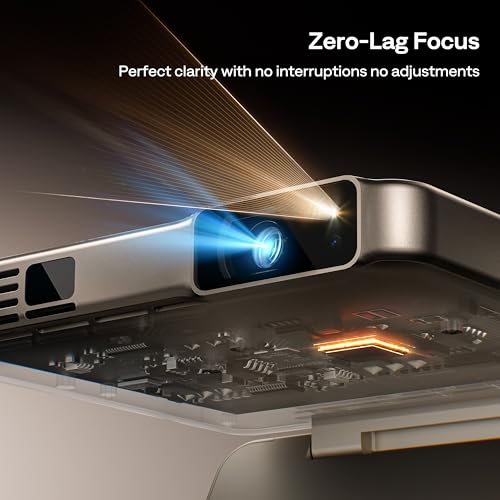
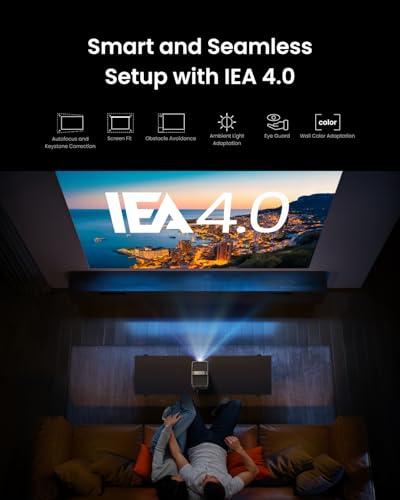
| ToF sensor with zero-lag adjustment | IEA 4.0 with obstacle avoidance and room adaptation |
| Audio System - Important for standalone entertainment | |
| Dual 1W speakers (adequate for personal viewing) | 30W Dolby Audio system (room-filling sound) |
| Smart Features - Determines content access and ease of use | |
| Wi-Fi-free screen mirroring only | Full Google TV OS with 10,000+ apps |
| HDR Support - Enhances color and contrast in premium content | |
| None (standard dynamic range only) | Dolby Vision, HDR10, HLG support |
| Gaming Performance - Matters for console and PC gaming | |
| Basic 60Hz (casual gaming only) | 18.4ms input lag, MEMC (serious gaming capable) |
| Light Source Lifespan - Long-term durability and replacement costs | |
| 20,000 hours LED | 30,000 hours hybrid LED+laser |
| DRM Content Compatibility - Affects Netflix, Disney+ streaming | |
| Requires external dongle for protected content | Native 4K Netflix and all major streaming services |
The Aurzen ZIP Tri-Fold Portable Mini Projector is significantly more portable, weighing only 9.88 ounces and folding to pocket size (3.3" × 3.1" × 1"). It includes a built-in battery for 90 minutes of use anywhere. The Nebula Cosmos 4K SE Smart Projector weighs 9.9 pounds and requires wall power, making it better suited for room-to-room transport rather than true travel portability.
The Nebula Cosmos 4K SE produces 1,800 ANSI lumens compared to the Aurzen ZIP's 100 ANSI lumens—an 18x difference. This means the Cosmos can handle moderate ambient light and larger screens, while the ZIP requires dark environments for optimal viewing.
Only the Nebula Cosmos 4K SE Smart Projector can stream Netflix directly through its built-in Google TV OS. The Aurzen ZIP Tri-Fold requires screen mirroring from your device and needs an additional dongle to play DRM-protected content like Netflix due to content protection restrictions.
The Nebula Cosmos 4K SE delivers superior image quality with true 4K UHD resolution (3840×2160), HDR support including Dolby Vision, and much higher brightness. The Aurzen ZIP provides 720p HD resolution, which is adequate for its intended portable use but cannot match the Cosmos's sharpness and color accuracy.
Only the Aurzen ZIP Tri-Fold Portable Mini Projector has a battery, providing approximately 90 minutes of continuous use from its 5,000mAh capacity. The Nebula Cosmos 4K SE requires constant connection to wall power and has no battery operation capability.
The Nebula Cosmos 4K SE Smart Projector offers superior gaming performance with 4K resolution, 18.4ms input lag in gaming mode, and MEMC technology for smooth motion. The Aurzen ZIP provides basic 720p gaming capability but lacks the resolution and responsiveness needed for competitive or modern gaming.
The Nebula Cosmos 4K SE can project up to 200 inches with excellent clarity due to its high brightness and 4K resolution. The Aurzen ZIP Tri-Fold works best at 40-60 inch screen sizes, though it can project up to 80 inches in very dark conditions.
The Nebula Cosmos 4K SE features a powerful 30W Dolby Audio system that delivers room-filling sound suitable for movie watching. The Aurzen ZIP's dual 1W speakers provide adequate audio for personal viewing but you'll likely want external speakers or headphones for the best experience.
The Nebula Cosmos 4K SE Smart Projector handles moderate ambient light well thanks to its 1,800 ANSI lumens output. The Aurzen ZIP Tri-Fold requires dark environments due to its 100 ANSI lumens and is not suitable for bright room viewing.
Yes, both projectors feature advanced auto-focus systems. The Aurzen ZIP uses ToF (Time-of-Flight) sensor technology for zero-lag focusing, while the Nebula Cosmos 4K SE employs IEA 4.0 technology that includes auto-focus plus obstacle avoidance and room adaptation features.
For dedicated home theater use, the Nebula Cosmos 4K SE Smart Projector provides better value despite its higher cost, offering 4K resolution, HDR support, bright output for larger screens, and integrated smart TV features. The Aurzen ZIP works better as a secondary or bedroom projector due to its brightness limitations.
The Aurzen ZIP Tri-Fold Portable Mini Projector offers the simplest setup—just unfold, power on, and start mirroring from your device. The Nebula Cosmos 4K SE requires more initial setup but provides a complete smart TV experience once configured. Both offer automatic focus and keystone correction for quick adjustments.
We've done our best to create useful and informative comparisons to help you decide what product to buy. Our research uses advanced automated methods to create this comparison and perfection is not possible - please contact us for corrections or questions. These are the sites we've researched in the creation of this article: aurzen.com - youtube.com - tomsguide.com - aurzen.com - aurzen.com - projectorcentral.com - appleinsider.com - youtube.com - aurzen.com - aurzen.com - aurzen.com - aurzen.com - projectorreviews.com - tvsbook.com - youtube.com - projectorcentral.com - youtube.com - projectorcentral.com - techradar.com - youtube.com - projectorcentral.com - youtube.com - the-gadgeteer.com - newegg.com - projectorreviews.com - projectorcentral.com - youtube.com - seenebula.com - seenebula.com - bestbuy.com

Privacy Policy
Terms and Conditions - Affiliate Policy
Home Security
© Copyright 2008-2026.
11816 Inwood Rd #1211, Dallas, TX 75244