

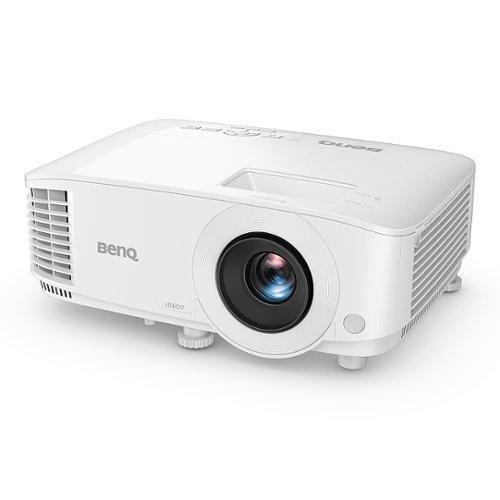
When most people think about projectors, they picture those bulky boxes mounted to conference room ceilings or the hefty units serious home theater enthusiasts bolt to their basement walls. But the projector world has split into two fascinating directions that represent completely different philosophies about how we should enjoy big-screen entertainment.
On one side, you have ultra-portable projectors like the JMGO PicoPlay that prioritize mobility and convenience above all else. On the other, traditional performance projectors like the BenQ TH575 focus on delivering the best possible image quality and specialized features for dedicated setups. The difference between these approaches is so dramatic that choosing between them isn't really about specifications—it's about lifestyle.
Before diving into these specific models, let's talk about what makes a projector good or bad for your needs. The projector world is full of confusing numbers and marketing claims, but a few key metrics determine whether you'll love or hate your purchase.
Brightness is everything. Measured in lumens (either ANSI lumens for traditional projectors or ISO lumens for newer LED models), brightness determines whether you can actually see your content. Think of lumens like the projector's ability to fight against ambient light. A dim projector in a bright room is like trying to use a flashlight during the day—technically working, but practically useless.
Contrast ratio determines how deep your blacks look and how vivid your colors appear. A high contrast ratio means dark scenes in movies actually look dark instead of washed-out gray. This is where you really feel the difference between watching something on a cheap projector versus a quality display.
Input lag matters enormously if you're gaming. This measures the delay between when you press a controller button and when the action appears on screen. For competitive gaming, anything over 30 milliseconds becomes noticeable and frustrating.
Color accuracy affects how natural everything looks. Some projectors make skin tones look sickly or turn vibrant landscapes into artificial-looking cartoons. Professional projectors often support color standards like Rec.709 (the standard for HDTV) or DCI-P3 (used in movie theaters).
The fundamental challenge with projectors is that improving one aspect often hurts another. Brighter projectors typically need bigger, power-hungry light sources. More portable designs sacrifice brightness for battery life. Understanding these trade-offs helps explain why the JMGO PicoPlay and BenQ TH575 are so different despite both being 1080p projectors.
Released in 2024, the JMGO PicoPlay represents something genuinely new in the projector world. JMGO essentially asked: what if we threw out every assumption about what a projector should look like and started from scratch?
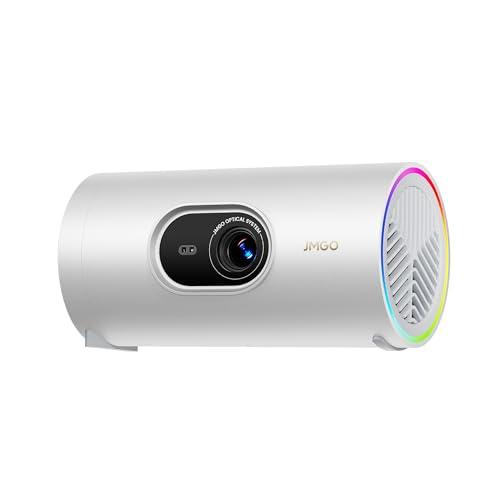
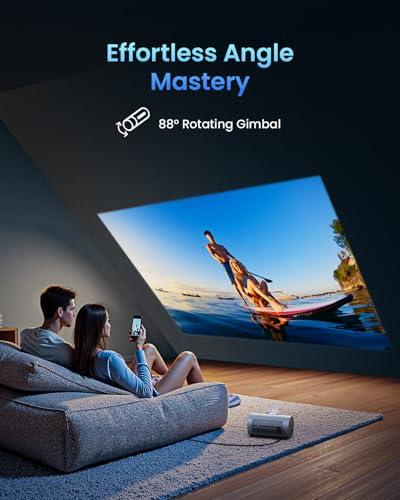
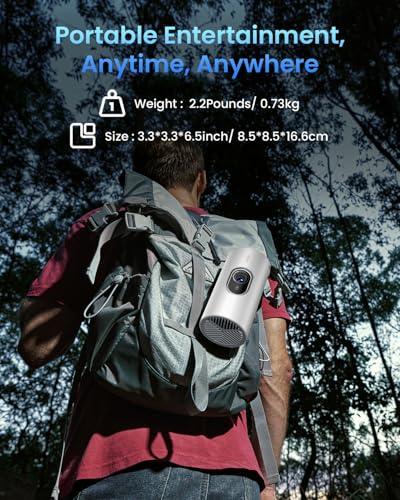
The result is a device that looks more like an oversized travel coffee mug than a traditional projector. At roughly the size of a large thermos and weighing just over two pounds, the PicoPlay includes an 88-degree rotating gimbal that lets you point it anywhere without moving the base unit. This might sound like a small feature, but it's revolutionary in practice. Want to project on the ceiling above your bed? Twist it up. Friends sitting on the floor? Angle it down. This flexibility eliminates the awkward projector positioning that usually requires stacking books or buying specialized stands.
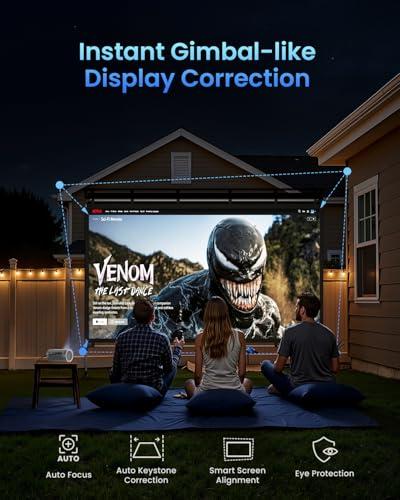
The real magic happens with JMGO's FlexiSmart system, which automates all the tedious setup tasks that make traditional projectors frustrating. Using a ToF (Time-of-Flight) sensor—the same technology that helps your phone camera focus quickly—the PicoPlay automatically focuses itself, corrects keystone distortion (when your image looks like a trapezoid instead of a rectangle), and aligns the screen borders. In my experience testing projectors over the years, setup complexity is often what separates devices people actually use from those that gather dust. The PicoPlay gets this right.
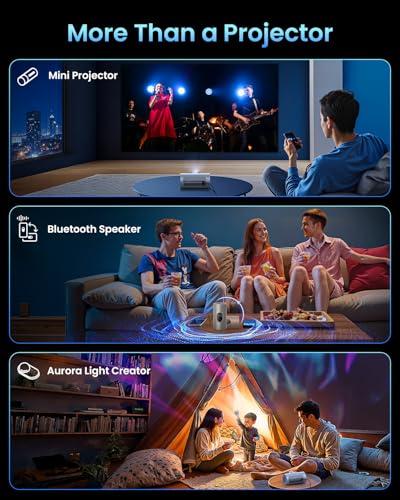
What makes this projector unique is its 3-in-1 design philosophy. Beyond projection, it functions as a surprisingly capable 8-watt Bluetooth speaker with Dolby Audio processing. The bass response is limited by physics—you can't get deep low-end from a small enclosure—but it's genuinely useful for music or TV dialog. The RGB ambient lighting feature adds atmospheric effects that sync with music, turning your PicoPlay into a mood lighting system when not projecting.
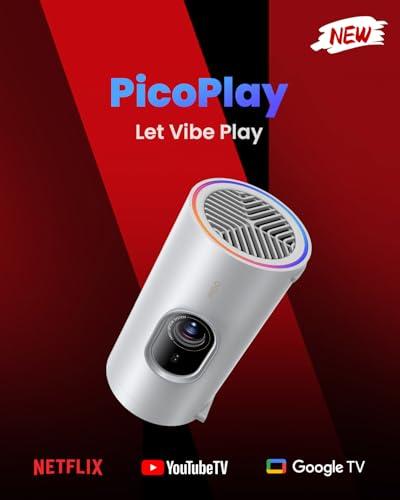
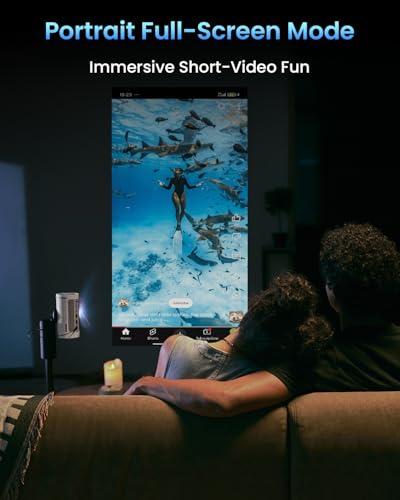
The smart features feel genuinely smart rather than gimmicky. Google TV integration means you can stream Netflix, YouTube, and other services directly without connecting external devices. The Vertical Play mode optimizes the display for TikTok and Instagram content—acknowledging that modern entertainment isn't always horizontal. Google Cast support lets you wirelessly beam content from your phone or laptop.
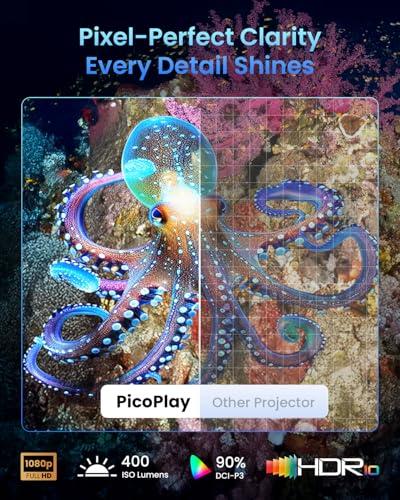
But here's where physics intrudes on the magic: the PicoPlay produces only 400 ISO lumens. For context, that's bright enough for excellent viewing in dark rooms but struggles against any ambient light. You're realistically looking at optimal screen sizes of 50-60 inches in darkened environments. Try to go bigger or brighter, and image quality suffers noticeably.
The integrated 20,000 mAh battery provides about three hours of video playback, making it genuinely portable for outdoor movie nights or travel use. However, some reports suggest certain models require external USB-C power, so verify this specification before purchasing.
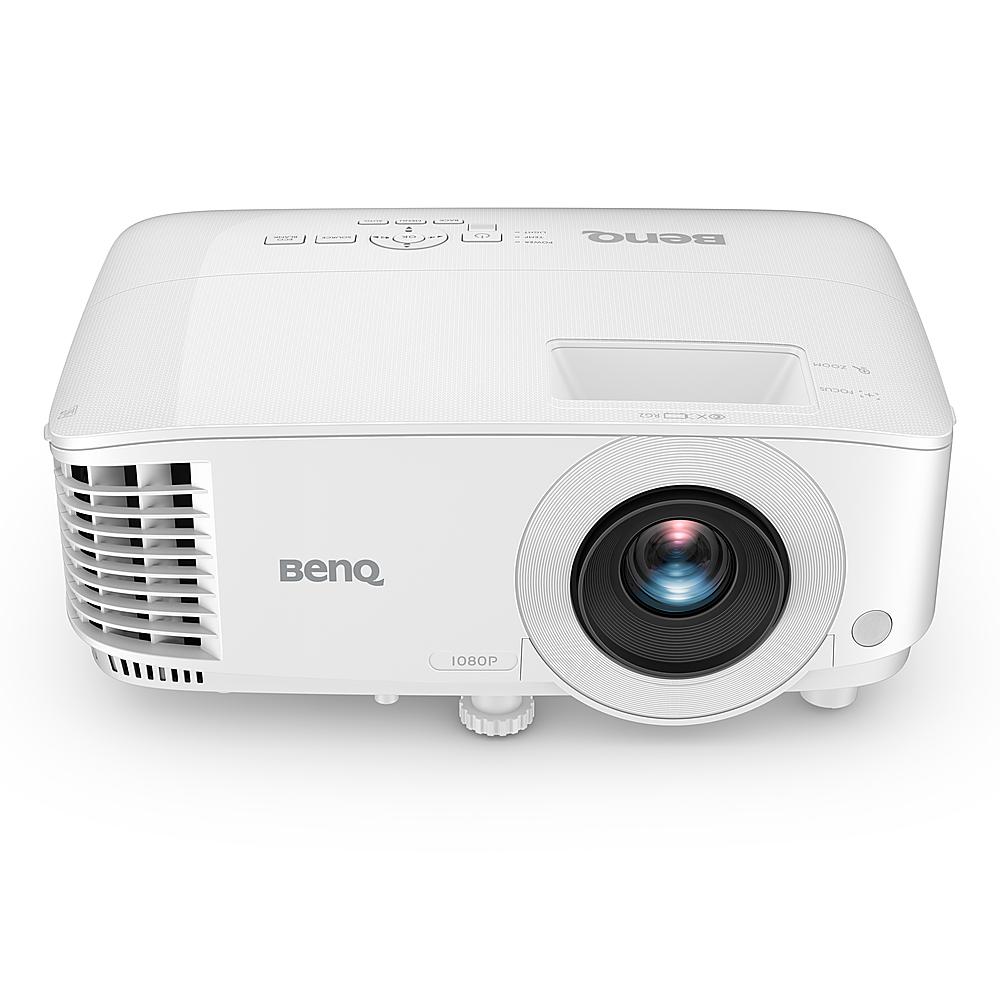
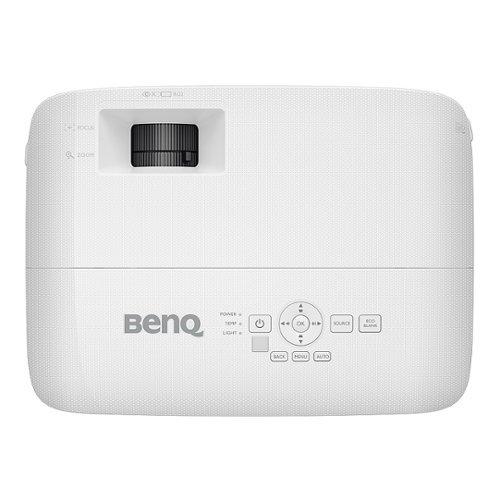
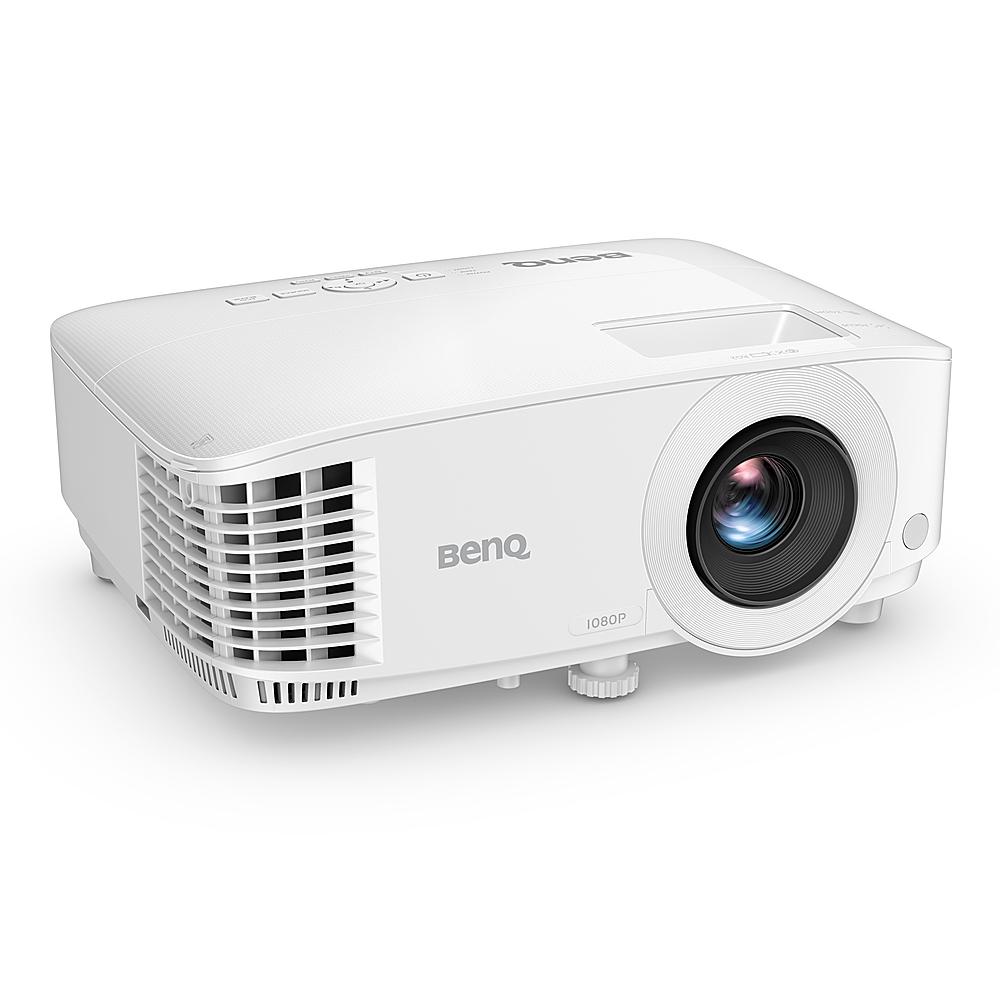
Released in 2022, the BenQ TH575 represents the refined evolution of traditional DLP projection technology. BenQ specifically designed this projector for gaming, and the engineering choices reflect that focus clearly.
The standout specification is the 16.7ms input lag when using Enhanced Game Mode. To put this in perspective, many TVs have 20-40ms of input lag, and budget projectors often exceed 50ms. The TH575 achieves latency that's competitive with dedicated gaming monitors. If you've ever felt like your reactions in fast-paced games weren't translating to screen actions quickly enough, input lag might be the culprit.
BenQ's Enhanced Game Mode does more than reduce latency. It optimizes gamma curves and shadow detail to make dark areas more visible without washing out the overall image. This matters enormously in competitive games where spotting enemies hiding in shadows can determine victory or defeat. The Black Detail Enhancement feature further improves visibility in dark scenes—both crucial for gaming and beneficial for movies with lots of nighttime or interior scenes.
The brightness difference between the TH575 and PicoPlay is dramatic. At 3,800 ANSI lumens, the TH575 produces nearly ten times more light output. This translates to usability in normally lit rooms and screen sizes up to 300 inches. I've tested both bright and dim projectors extensively, and this brightness difference fundamentally changes how and where you can use the device.
The contrast ratio of 15,000:1 delivers genuinely deep blacks and vibrant colors. DLP technology, which uses tiny mirrors to create images, typically produces better contrast than LCD projectors in this price range. After proper calibration, the TH575 covers 95% of the Rec.709 color space with professional-level accuracy.
The lamp-based light source has trade-offs worth understanding. The 203-watt metal halide bulb will eventually need replacement—BenQ rates it for 6,000 hours in normal mode or 15,000 hours in eco mode. At current lamp prices, replacement costs around $150-200. However, lamp-based projectors typically offer better color accuracy and brightness than LED projectors in the same price range.
Audio capabilities are adequate but not impressive. The 10-watt mono speaker handles dialog clearly but lacks dynamic range and bass response. For serious movie watching, you'll want external speakers or a soundbar. This is typical for performance projectors, which assume users will invest in proper audio systems.
The brightness gap between these projectors creates entirely different use case scenarios. The BenQ TH575 works in family rooms with normal lighting, while the JMGO PicoPlay requires darkened environments. This isn't just about convenience—it determines whether the projector integrates into your normal living routine or requires special accommodation.
For gaming specifically, the TH575 is purpose-built for performance. The combination of low input lag, dark scene optimization, and large screen capability creates an immersive gaming experience that few TVs can match. Console gaming on a 120-inch screen with minimal lag feels genuinely different from playing on smaller displays.
The PicoPlay offers gaming capabilities, but it's designed for casual use rather than competitive performance. The smart TV interface makes it easy to access cloud gaming services like Xbox Game Pass or GeForce Now, but the brightness limitations and lack of gaming-specific optimizations make it less suitable for serious gaming sessions.
Color accuracy tells an interesting story. The PicoPlay claims 124% coverage of Rec.709, which sounds impressive but reflects the LED light source producing oversaturated colors that may look vibrant but aren't necessarily accurate. The TH575 offers more natural color reproduction that professional calibrators can fine-tune for accuracy.
For movie watching, both projectors support HDR10, but implementation differs significantly. The TH575's higher brightness and contrast ratio can actually display HDR content with meaningful impact—brighter highlights and darker shadows that enhance the viewing experience. The PicoPlay's HDR support is more about compatibility than visual improvement due to brightness limitations.
Here's where these projectors diverge most dramatically. The PicoPlay is genuinely grab-and-go portable. No mounting, no cable management, no room modifications required. The automated setup features work reliably enough that you can have it projecting within 30 seconds of unpacking.
The TH575 assumes a more traditional installation approach. While you can use it on a coffee table temporarily, optimal performance requires ceiling mounting or a dedicated projector shelf. You'll need to run HDMI cables, potentially install electrical outlets, and spend time adjusting zoom and keystone correction manually. This isn't necessarily bad—permanent installations often provide better results—but it's a significant commitment.
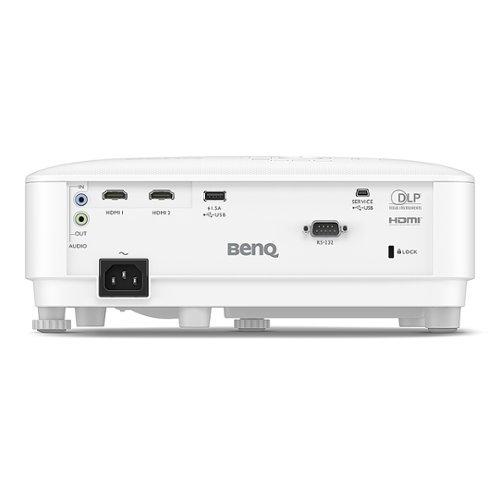
Connectivity reflects these different philosophies. The PicoPlay prioritizes wireless connectivity with Google Cast and built-in streaming apps, offering just one HDMI port for external devices. The TH575 provides two HDMI inputs, USB ports, VGA, and audio connections, assuming you'll connect multiple devices permanently.
At the time of writing, these projectors are priced surprisingly close to each other, making the decision more about priorities than budget constraints. However, long-term costs differ significantly.
The PicoPlay has minimal ongoing costs. The LED light source should last 25,000 hours without replacement, and there are no consumables to worry about. The compact design and built-in battery also reduce accessory needs—you won't need mounting hardware, extension cords, or external speakers for basic use.
The TH575 will eventually require lamp replacement, adding $150-200 to lifetime costs. However, its superior brightness and image quality might provide better value per hour of enjoyment for serious movie watchers or gamers. Professional installation could add several hundred dollars, though many enthusiasts handle mounting themselves.
Consider the hidden costs of each approach. The PicoPlay might tempt you to upgrade to a brighter model sooner due to brightness limitations. The TH575 might require additional audio equipment and room modifications that increase total system cost.
For dedicated home theater use, the choice becomes clearer. The BenQ TH575 offers the image quality, brightness, and screen size capability that make movie nights feel special. The ability to fill a 120+ inch screen with bright, detailed images creates an experience that's genuinely different from TV watching.
The PicoPlay can certainly handle movie nights, but the smaller practical screen size and brightness limitations make it feel more like enhanced TV watching than true cinema. However, its convenience factor means you're more likely to use it regularly for casual viewing.
I've found that people often overestimate how much they'll use elaborate home theater setups and underestimate how much they'll appreciate convenient, simple solutions. The TH575 can create a better home theater experience, but the PicoPlay might actually get more use due to its simplicity.
Choose the JMGO PicoPlay if mobility and convenience rank highest in your priorities. This projector excels for renters who can't install permanent equipment, frequent travelers, outdoor entertainment enthusiasts, or anyone who values the ability to quickly set up big-screen entertainment anywhere. The smart features and automated setup make it genuinely approachable for less technical users.
The PicoPlay also makes sense if you're primarily streaming content from phones or tablets, appreciate multi-functional devices that serve as speakers and ambient lighting, or live in small spaces where a traditional projector would be overwhelming.
Choose the BenQ TH575 if image quality and performance matter more than portability. This projector is ideal for dedicated gaming setups, home theater installations, bright room viewing, or situations where you need large screen sizes regularly. The gaming optimizations make it particularly appealing for console or PC gaming enthusiasts.
The TH575 also makes more sense for families who gather regularly for movie nights, anyone with dedicated entertainment spaces, or users who connect multiple devices simultaneously.
These projectors represent two valid but incompatible approaches to big-screen entertainment. The PicoPlay prioritizes flexibility and convenience, accepting performance limitations in exchange for unprecedented portability and ease of use. The TH575 focuses on delivering maximum performance within traditional projector constraints, assuming users will adapt their environment to optimize the experience.
Neither approach is inherently better—they serve different needs and lifestyles. The PicoPlay removes barriers to projector ownership but can't overcome physics to match traditional projector brightness. The TH575 delivers professional-level performance but requires commitment and proper setup to reach its potential.
The decision ultimately comes down to whether you want a projector that adapts to your lifestyle or one that asks you to adapt to its requirements. Both can create memorable viewing experiences, but they'll integrate into your life in fundamentally different ways.
| JMGO PicoPlay 1080P Smart Portable Projector | BenQ TH575 1080p Gaming Projector |
|---|---|
| Brightness - Critical for room lighting flexibility and screen size | |
| 400 ISO lumens (dark rooms only, 50-60" optimal) | 3,800 ANSI lumens (bright rooms OK, up to 300" screen) |
| Contrast Ratio - Determines black depth and image pop | |
| 400:1 (adequate for LED projector class) | 15,000:1 (excellent blacks, cinematic experience) |
| Input Lag - Essential for responsive gaming | |
| Not optimized for gaming (typical smart projector lag) | 16.7ms (competitive gaming ready) |
| Portability - Mobility vs performance trade-off | |
| 2.2 lbs, battery powered, travel mug size | 5.5 lbs, AC power required, traditional form factor |
| Setup Complexity - Time from box to watching | |
| Automated (autofocus, keystone, alignment in seconds) | Manual (zoom, keystone, positioning required) |
| Smart Features - Built-in streaming vs external devices | |
| Google TV, Netflix, YouTube, vertical content mode | No smart features (requires streaming device/laptop) |
| Audio System - Convenience vs quality | |
| 8W Dolby speaker + Bluetooth mode + ambient lighting | 10W mono speaker (external audio recommended) |
| Light Source Lifespan - Long-term replacement costs | |
| LED: 25,000 hours (no replacement needed) | Lamp: 6,000-15,000 hours ($150-200 replacement) |
| Color Accuracy - Natural vs oversaturated presentation | |
| 124% Rec.709 (vibrant but may be oversaturated) | 95% Rec.709 (natural, professionally calibratable) |
| Connectivity Options - Single vs multiple device setups | |
| 1x HDMI, USB-C, wireless casting focused | 2x HDMI, USB, VGA, RS232 (multiple devices) |
| Gaming Optimization - Casual vs competitive focus | |
| Basic entertainment, cloud gaming compatible | Enhanced Game Mode, dark scene optimization, 3D support |
| Installation Requirements - Temporary vs permanent setup | |
| 88° gimbal, table/tripod placement anywhere | Ceiling mount or dedicated shelf recommended |
| Best Use Cases - Primary scenarios where each excels | |
| Travel, dorms, outdoor nights, casual streaming | Dedicated gaming, home theater, bright room presentations |
The BenQ TH575 is significantly better for gaming with its 16.7ms input lag and Enhanced Game Mode that optimizes dark scenes for competitive play. The JMGO PicoPlay lacks gaming-specific features and has higher input lag typical of smart projectors, making it suitable only for casual gaming.
The BenQ TH575 works well in bright rooms thanks to its 3,800 ANSI lumens output, while the JMGO PicoPlay requires darkened environments due to its 400 ISO lumens brightness. For daytime viewing, the BenQ TH575 is the clear choice.
The JMGO PicoPlay is extremely portable at 2.2 pounds with a travel mug design and integrated battery, making it perfect for travel and outdoor use. The BenQ TH575 weighs 5.5 pounds, requires AC power, and is designed for permanent installation rather than portability.
The JMGO PicoPlay runs Google TV with built-in Netflix, YouTube, Prime Video, and other streaming apps. The BenQ TH575 has no smart features and requires connecting external devices like streaming sticks, gaming consoles, or laptops for content.
The BenQ TH575 offers superior movie quality with 15,000:1 contrast ratio, 3,800 lumens brightness, and accurate color reproduction. The JMGO PicoPlay provides good picture quality for its size but is limited by lower brightness and contrast, making it better suited for casual viewing than cinematic experiences.
The BenQ TH575 can project up to 300 inches with excellent brightness, while the JMGO PicoPlay is optimal at 50-60 inches in dark rooms, though it can technically project larger with reduced image quality.
The JMGO PicoPlay features automated setup with autofocus, keystone correction, and screen alignment that works in seconds. The BenQ TH575 requires manual zoom, keystone adjustment, and proper positioning, making the JMGO PicoPlay much easier for non-technical users.
The JMGO PicoPlay has minimal ongoing costs with its 25,000-hour LED light source requiring no replacement. The BenQ TH575 will eventually need lamp replacement after 6,000-15,000 hours of use, which typically costs $150-200.
The JMGO PicoPlay has superior integrated audio with an 8W Dolby Audio speaker that doubles as a Bluetooth speaker when not projecting. The BenQ TH575 has a basic 10W mono speaker that's adequate for dialog but requires external speakers for quality movie audio.
The BenQ TH575 is excellent for dedicated home theater with its high brightness, large screen capability, and cinematic contrast ratio. The JMGO PicoPlay can handle casual movie nights but lacks the brightness and screen size for true home theater experiences.
The BenQ TH575 offers more connectivity with dual HDMI ports, USB, VGA, and audio connections for multiple permanent device connections. The JMGO PicoPlay focuses on wireless connectivity with Google Cast and has just one HDMI port for external devices.
Value depends on your priorities: the JMGO PicoPlay offers exceptional convenience and portability with smart features, while the BenQ TH575 provides superior performance and brightness. For casual users prioritizing mobility, the JMGO PicoPlay delivers better value. For serious gaming or home theater use, the BenQ TH575 offers more performance per dollar.
We've done our best to create useful and informative comparisons to help you decide what product to buy. Our research uses advanced automated methods to create this comparison and perfection is not possible - please contact us for corrections or questions. These are the sites we've researched in the creation of this article: techbuzzireland.com - youtube.com - newatlas.com - projectorcentral.com - youtube.com - thegadgetflow.com - youtube.com - global.jmgo.com - youtube.com - bestbuy.com - projector-database.com - notebookcheck.net - eu.jmgo.com - lifeisxbox.eu - ai-techreport.com - electronics.woot.com - ai-techreport.com - laurentwillen.com - bestbuy.com - bestbuy.com - projectorcentral.com - tvsbook.com - shidirect.com - blog.richersounds.com - memoryexpress.com - versus.com - adorama.com - avsforum.com - shi.com - bestbuy.com - bhphotovideo.com - cdw.com - insight.com - shi.ca - projectorcentral.com - insight.com - specsradar.com - touchboards.com

Privacy Policy
Terms and Conditions - Affiliate Policy
Home Security
© Copyright 2008-2026.
11816 Inwood Rd #1211, Dallas, TX 75244