

Portable projectors have transformed how we think about home entertainment. Gone are the days when creating a big-screen experience meant drilling holes in your ceiling or dedicating an entire room to a home theater setup. Today's portable projectors can deliver impressive visuals while offering the flexibility to move your entertainment anywhere – from your living room to the backyard, or even on vacation.
But here's the thing: not all portable projectors are created equal. Some prioritize ultimate portability, while others focus on delivering the best possible image quality in a relatively compact package. The JMGO N1S Pro 4K and ASUS ZenBeam L2 represent two completely different philosophies in portable projection, and understanding these differences is crucial to making the right choice for your needs.
When shopping for a portable projector, you're essentially choosing between different trade-offs. The fundamental tension exists between image quality and true portability. Do you want theater-quality visuals that require plugging into the wall, or do you prioritize the ability to set up anywhere with built-in battery power?
The light source technology plays a massive role here. LED projectors use arrays of light-emitting diodes – the same technology in your phone's flashlight, but much more sophisticated. LEDs last incredibly long (often 20,000+ hours) and generate less heat, but they're limited in how bright they can get. Laser projectors, on the other hand, use focused laser light to create images. They can achieve much higher brightness levels and often produce more vivid colors, but they're typically more expensive and complex.
Another critical factor is resolution. While 1080p (Full HD) remains perfectly watchable for most content, 4K offers four times the detail – and that difference becomes more apparent as screen sizes increase. If you're planning to project images larger than 100 inches, native 4K resolution starts to matter significantly more.
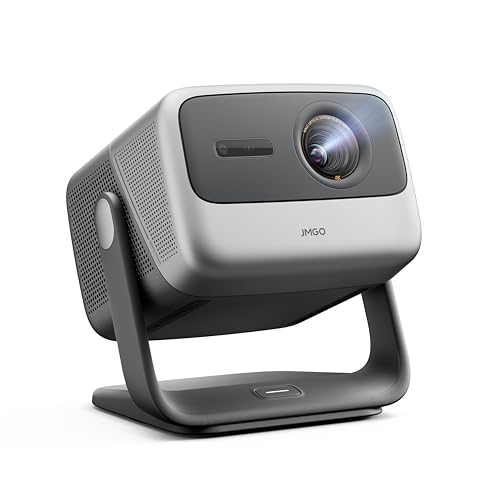
The JMGO N1S Pro 4K, released in 2024, represents the "performance-first" approach to portable projection. It's built around advanced laser technology and prioritizes image quality above all else. The ASUS ZenBeam L2, also launched in recent years, takes the opposite approach – it's designed for true mobility with battery operation, accepting performance compromises for maximum convenience.
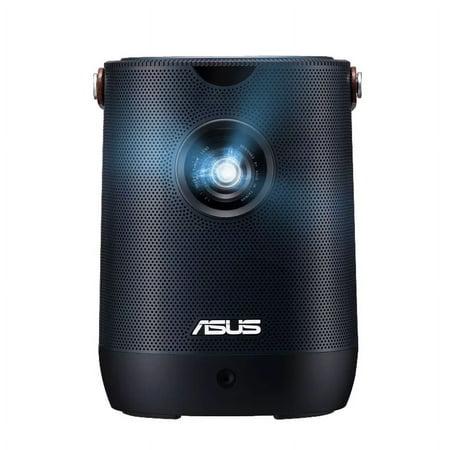
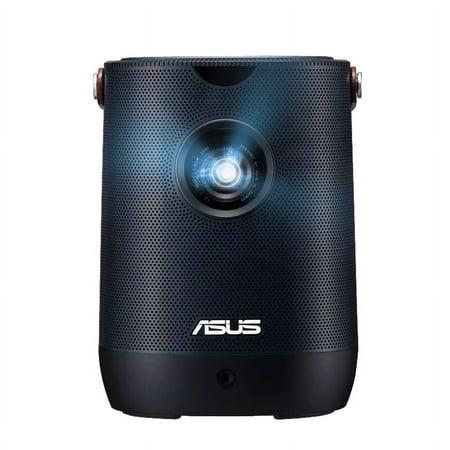
These different philosophies become apparent the moment you see these projectors side by side. The JMGO is noticeably larger and heavier, while the ZenBeam L2 feels more like an oversized portable speaker than a serious projection device.
The most obvious difference between these projectors is resolution. The JMGO N1S Pro 4K delivers true 4K UHD (3840x2160 pixels), while the ASUS ZenBeam L2 provides 1080p Full HD (1920x1080 pixels). This might seem like technical jargon, but it has real-world implications.
When projecting smaller images – say, 60 to 80 inches – the resolution difference is noticeable but not overwhelming. Both projectors can display sharp text and detailed images at these sizes. However, push either projector to create larger images approaching 120+ inches, and the JMGO's 4K advantage becomes unmistakable. Text remains crisp, fine details in movies stay visible, and the overall image maintains its quality even at large sizes.
The ZenBeam L2 can accept 4K input signals, which is nice for compatibility, but it downscales everything to 1080p. This means you're not getting the full benefit of 4K content from Netflix or your gaming console.
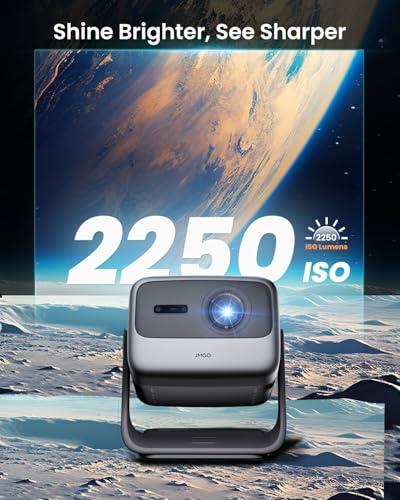
This is where the technical specifications really matter for everyday use. The JMGO N1S Pro 4K produces approximately 2,400 ANSI lumens according to its specifications, though real-world measurements by reviewers typically find actual output closer to 1,200-1,600 lumens depending on the color mode used. ANSI lumens, by the way, is the industry standard measurement that gives you the most accurate idea of how bright a projector actually appears in use.
The ZenBeam L2 outputs 400 ANSI lumens, though ASUS markets it as "960 LED lumens." Here's where you need to be careful: LED lumens isn't a standardized measurement, and manufacturers often use it to make their projectors sound brighter than they actually are. The 400 ANSI lumens figure is what matters for real-world performance.
This brightness difference fundamentally changes how you can use each projector. The JMGO can handle moderate ambient light – think typical living room lighting in the evening – and still produce a watchable image up to 150+ inches. The ZenBeam L2 really needs a dark room to shine, and performance starts degrading noticeably beyond 80-inch projections.
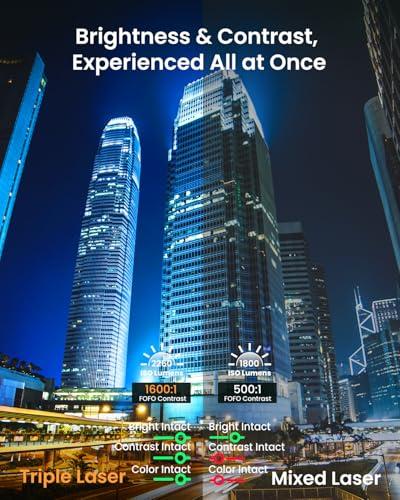
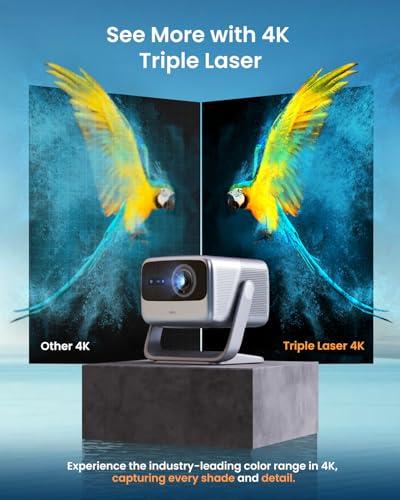
The JMGO N1S Pro 4K uses something called MALC 2.0 triple RGB laser technology. Without getting too deep into the physics, this means it uses three separate lasers (red, green, and blue) to create images, covering 110% of the BT.2020 color space. BT.2020 is a newer, wider color standard that encompasses more of the colors your eyes can actually see compared to older standards.
What this means in practice is incredibly vibrant, saturated colors. Sunsets look stunning, animated movies pop with life, and HDR content (High Dynamic Range – think of it as enhanced contrast and color) really shows its benefits. However, based on professional reviews, the JMGO tends to prioritize vibrancy over accuracy. Colors look amazing and eye-catching, but they're not always true to what the filmmaker intended.
The ZenBeam L2 uses traditional LED technology covering 120% of the sRGB color space – an older but still relevant color standard that most content is designed for. The colors tend to be more natural and balanced, especially in the projector's Theater mode. However, the Bright mode suffers from a noticeable green tint that makes images look unnatural.
If gaming is important to you, this comparison becomes straightforward. The JMGO N1S Pro 4K measures about 35ms of input lag – that's the delay between when you press a button and when you see the action on screen. While this isn't as fast as dedicated gaming monitors (which often achieve 1-5ms), it's perfectly playable for most games, especially single-player adventures and casual multiplayer.
The ZenBeam L2 shows approximately 79ms of input lag, which makes most games feel sluggish and unresponsive. ASUS has even stated that the L2 wasn't designed with gaming in mind. If you want to game on a big screen, the JMGO is your only realistic option between these two.
Both projectors include built-in speakers, which is crucial for portable setups where you might not want to deal with separate audio equipment. The JMGO N1S Pro 4K includes 20W stereo speakers with Dolby Digital Plus support, and based on user feedback, they're surprisingly good. Users consistently mention punchy bass, clear dialogue, and sufficient volume for most viewing scenarios.
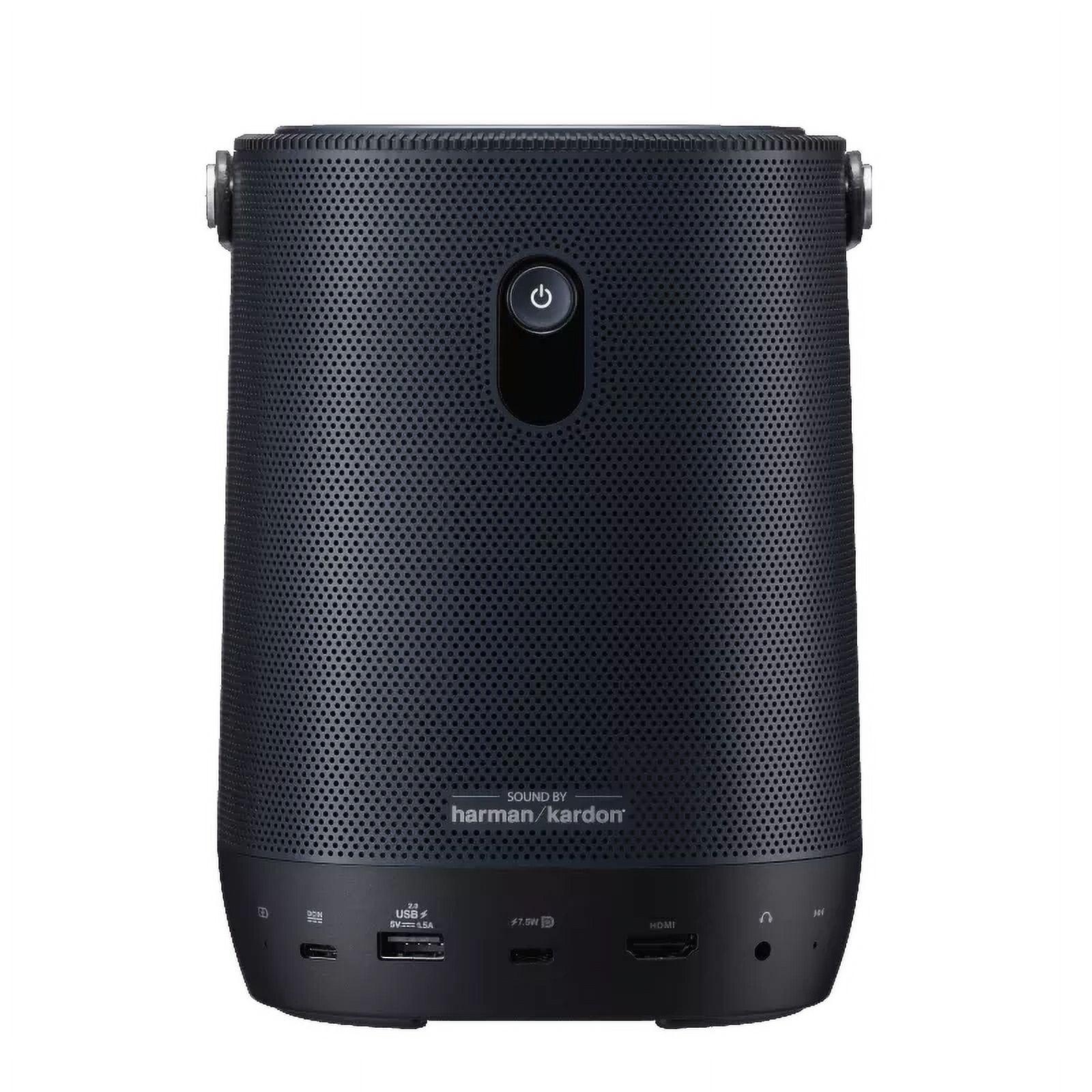
The ZenBeam L2 features 10W Harman Kardon speakers. While Harman Kardon is a respected audio brand, the lower power output and single-speaker design limits performance compared to the JMGO's stereo setup.
For casual viewing, both projectors can eliminate the need for external speakers, but the JMGO provides a more complete audio experience that better matches its superior visual performance.
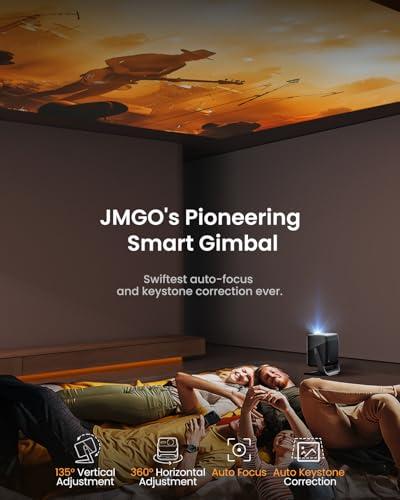
Here's where these projectors showcase their most interesting differences. The JMGO N1S Pro 4K features an auto-stabilized gimbal system – essentially a motorized mount that can rotate the projector 135 degrees vertically and 360 degrees horizontally. This sounds gimmicky until you realize what it enables: you can project onto walls, ceilings, or at angles without moving the entire projector.
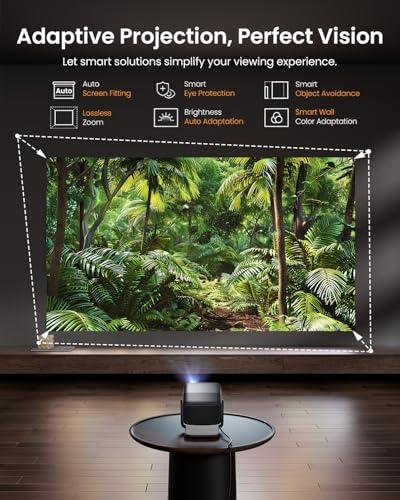
Combined with instant autofocus, auto keystone correction (which fixes the trapezoidal distortion you get when projecting at angles), and smart object avoidance, the JMGO can adapt to almost any room layout. The projector uses sensors to detect obstacles and automatically adjusts the image to avoid them.
The ASUS ZenBeam L2 takes a more traditional approach with standard auto keystone correction and obstacle avoidance, but you'll need to physically move the projector to change projection angles. However, it weighs only 3.5 pounds compared to the JMGO's 9.9 pounds, making repositioning much easier.
This is the ZenBeam L2's ace in the hole. Its built-in 65Wh battery provides about 3.5 hours of viewing time, making it truly portable. You can take it camping, use it in hotel rooms, or set up outdoor movie nights without worrying about power outlets.
The JMGO N1S Pro 4K requires AC power, which limits where you can use it. This isn't necessarily a deal-breaker – most home setups have accessible power outlets – but it does mean the JMGO is "portable" in the sense that you can move it between rooms, not that you can take it anywhere.
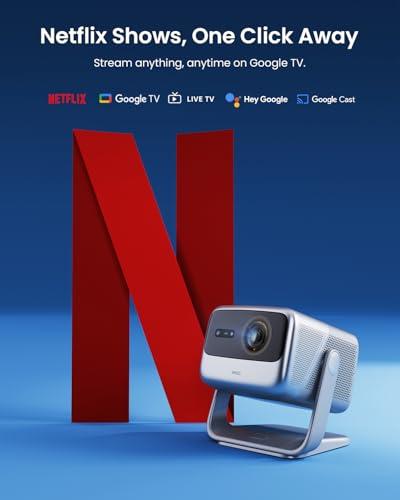
Both projectors run full smart TV platforms. The JMGO N1S Pro 4K uses Google TV with access to over 10,000 apps, including native Netflix – a big deal since many projectors don't support Netflix directly due to DRM restrictions. The ZenBeam L2 runs Android TV, also with comprehensive app support and Netflix compatibility.
Connectivity options favor the JMGO slightly, with two HDMI 2.1 ports (one supporting eARC for advanced audio setups) versus the ZenBeam L2's single HDMI port. Both include USB-C, Wi-Fi 6, and Bluetooth connectivity.
If you're considering either projector as a primary home entertainment system, the JMGO N1S Pro 4K is the clear choice. Its combination of 4K resolution, high brightness, and advanced positioning features makes it capable of replacing a traditional TV for most households.
The gimbal positioning system is particularly valuable in home theater setups. Instead of ceiling mounting or precise shelf placement, you can position the JMGO on a coffee table or side table and use the gimbal to achieve perfect image placement. This flexibility makes it much easier to integrate into existing living spaces.
The ZenBeam L2 works better as a supplementary device – great for occasional outdoor movie nights, travel entertainment, or situations where you need a quick big-screen setup.
At the time of writing, these projectors occupy different price tiers that reflect their different priorities. The JMGO N1S Pro 4K commands a premium price that positions it against high-end portable projectors and entry-level permanent installation models. The ZenBeam L2 sits in the mid-range portable segment.
The JMGO's higher cost reflects its laser technology, 4K capability, and advanced features. Whether this represents good value depends on how much you prioritize image quality and whether you'll use the projector as a primary entertainment system.
The ZenBeam L2's pricing is reasonable for what it offers, especially considering the built-in battery and true portability. However, the cost per lumen is relatively high compared to AC-powered alternatives.
Choose the JMGO N1S Pro 4K if you want the best possible image quality in a portable package. It's ideal for people who plan to use their projector as a TV replacement, want to game on a big screen, or need bright output for moderate ambient light conditions. The advanced positioning features make it particularly appealing for people who want flexibility without complicated installation.
The ASUS ZenBeam L2 is perfect for people who truly need portability above all else. If you want to take your projector camping, travel frequently, or primarily use it outdoors, the battery operation and compact size are invaluable. It's also a good choice for people with smaller budgets who can accept 1080p resolution and lower brightness.
Based on our research and analysis of user reviews, the JMGO N1S Pro 4K represents the better overall projector for most users. Its superior image quality, gaming capability, and advanced features justify the higher price if you plan to use it regularly. The gimbal positioning system alone makes setup significantly easier than most projectors in this category.
However, the ASUS ZenBeam L2 fills a specific niche perfectly. If true portability with battery operation is essential for your use case, it's one of the best options available. Just understand its limitations and plan your usage accordingly.
The portable projector market continues evolving rapidly, with manufacturers finding new ways to balance performance, portability, and cost. Both of these projectors represent solid choices within their respective categories, but make sure you understand which category better matches your priorities before making your decision.
| JMGO N1S Pro 4K Projector | ASUS ZenBeam L2 Smart Portable LED Projector |
|---|---|
| Resolution - Critical for image sharpness on screens over 100 inches | |
| True 4K UHD (3840x2160) - crisp detail at any size | 1080p Full HD (1920x1080) - adequate for smaller screens |
| Brightness - Determines usability in ambient light conditions | |
| 2,400 ANSI lumens (measured ~1,200-1,600) - works in moderate lighting | 400 ANSI lumens - requires dark room for best results |
| Light Source Technology - Affects color quality and lifespan | |
| MALC 2.0 triple RGB laser - vibrant colors, 30,000 hour life | LED arrays - natural colors, 30,000 hour life |
| Power Requirements - Key factor for true portability | |
| AC power required - limits placement flexibility | Built-in 65Wh battery (3.5 hours) - use anywhere |
| Weight & Portability - Impacts setup convenience and mobility | |
| 9.9 lbs - portable between rooms, not truly mobile | 3.5 lbs - genuinely portable for travel and outdoor use |
| Gaming Performance - Input lag affects responsiveness | |
| 35ms input lag - acceptable for casual gaming | 79ms input lag - too slow for most games |
| Positioning Features - Affects setup flexibility | |
| Auto-stabilized gimbal (135°/360° adjustment) + auto everything | Standard auto keystone correction and obstacle avoidance |
| Audio System - Important for standalone use without external speakers | |
| 20W stereo speakers with Dolby Digital Plus - surprisingly good | 10W Harman Kardon speaker - adequate for portable use |
| Smart Platform - Determines app availability and streaming options | |
| Google TV with native Netflix and 10,000+ apps | Android TV with Netflix and comprehensive app support |
| Connectivity - Affects device compatibility and setup options | |
| 2x HDMI 2.1 (one eARC), USB-C, Wi-Fi 6, Bluetooth 5.2 | HDMI, USB-C DisplayPort, USB-A, Wi-Fi, Bluetooth |
| Value Proposition - Who should consider each projector | |
| Premium performance for home theater replacement | Maximum portability with battery power for mobile use |
The JMGO N1S Pro 4K Projector is significantly better for home theater applications. It offers true 4K resolution, much higher brightness (2,400 vs 400 ANSI lumens), and superior audio with 20W stereo speakers. The ASUS ZenBeam L2 is better suited for occasional viewing rather than replacing a TV.
The key difference is their design philosophy: the JMGO N1S Pro 4K prioritizes image quality with 4K resolution and laser technology, while the ASUS ZenBeam L2 focuses on portability with built-in battery power and compact size. One is performance-focused, the other is mobility-focused.
The JMGO N1S Pro 4K Projector delivers superior image quality with true 4K resolution, triple RGB laser technology, and 6x higher brightness output. The ZenBeam L2 provides decent 1080p quality but can't match the detail and brightness of the JMGO.
Only the ASUS ZenBeam L2 can operate on battery power, providing about 3.5 hours of runtime. The JMGO N1S Pro 4K requires AC power, making it portable between rooms but not truly mobile like the battery-powered ZenBeam L2.
The JMGO N1S Pro 4K Projector is much better for gaming with 35ms input lag compared to the ZenBeam L2's 79ms. The ASUS ZenBeam L2 has too much lag for responsive gaming, while the JMGO handles casual gaming well at 4K resolution.
The JMGO N1S Pro 4K can project crisp images up to 180 inches thanks to its high brightness and 4K resolution. The ASUS ZenBeam L2 works best under 80 inches due to its lower 400 ANSI lumen output - larger sizes become too dim to enjoy.
The JMGO N1S Pro 4K Projector handles ambient light much better with its 2,400 ANSI lumen output. The ZenBeam L2 requires a dark room for optimal viewing due to its limited 400 ANSI lumen brightness.
The JMGO N1S Pro 4K has superior audio with 20W stereo speakers and Dolby Digital Plus that users consistently praise. The ASUS ZenBeam L2 includes 10W Harman Kardon speakers that are adequate for portable use but not as powerful as the JMGO's system.
The ASUS ZenBeam L2 is far more portable at 3.5 pounds with battery operation, making it ideal for travel and outdoor use. The JMGO N1S Pro 4K weighs 9.9 pounds and needs AC power, so it's portable between rooms but not truly mobile.
Yes, both the JMGO N1S Pro 4K and ASUS ZenBeam L2 include smart TV platforms with native Netflix support and access to thousands of streaming apps. The JMGO uses Google TV while the ZenBeam L2 runs Android TV.
Value depends on your priorities. The JMGO N1S Pro 4K Projector offers better performance per dollar if you want home theater quality. The ASUS ZenBeam L2 provides better value for true portability needs, though you pay a premium for battery operation and compact design.
The JMGO N1S Pro 4K features an advanced gimbal system with 360° rotation and automatic focus/keystone correction, making setup very flexible. The ASUS ZenBeam L2 has standard auto-correction features but requires manual positioning, though its light weight makes repositioning easy.
We've done our best to create useful and informative comparisons to help you decide what product to buy. Our research uses advanced automated methods to create this comparison and perfection is not possible - please contact us for corrections or questions. These are the sites we've researched in the creation of this article: techradar.com - projectorcentral.com - gray9.in - projectorreviews.com - howtogeek.com - the-gadgeteer.com - projectorcentral.com - global.jmgo.com - global.jmgo.com - cnet.com - cnet.com - youtube.com - global.jmgo.com - avsforum.com - youtube.com - youtube.com - projectorcentral.com - youtube.com - mezha.media - asus.com - asus.com - youtube.com - projectorreviews.com - asus.com - digitalcameraworld.com - youtube.com - asus.com - digitalcitizen.life - tweakreviews.com - shop.asus.com - edgeup.asus.com - asus.com - projectorcentral.com - asus.com - uk.store.asus.com - asus.com - thegadgetflow.com - bhphotovideo.com - asus.com - asus.com

Privacy Policy
Terms and Conditions - Affiliate Policy
Home Security
© Copyright 2008-2026.
11816 Inwood Rd #1211, Dallas, TX 75244