


Portable projectors have come a long way from the dim, blurry devices of just a few years ago. These compact entertainment machines can now deliver surprisingly good image quality while fitting in a backpack. But with so many options available, choosing the right one can feel overwhelming. Today, we're comparing two popular models that represent different approaches to portable projection: the XGIMI MoGo 3 Pro and the ASUS ZenBeam L2.
Before diving into specifics, it's worth understanding what makes portable projectors tick and why they've become so popular. Unlike traditional home theater projectors that require permanent installation and controlled lighting, portable projectors prioritize convenience and flexibility. They're designed for people who want to watch movies in their backyard, give presentations in conference rooms, or transform any blank wall into an entertainment center.
The key challenge with portable projectors is balancing several competing demands. You want them bright enough to see in various lighting conditions, but brightness requires more power and bigger cooling systems. You want them portable, but that limits battery size and speaker quality. You want them affordable, but advanced features like auto-focus and smart TV capabilities add cost.
When evaluating portable projectors, there are several crucial factors to consider. Brightness determines how well you'll see the image in different lighting conditions—this is typically measured in lumens, which tells you how much light the projector puts out. Resolution affects image sharpness, with 1080p being the current sweet spot for portable models. Setup convenience can make or break your experience, especially if you're using the projector in different locations. And increasingly important is smart functionality—having Netflix, YouTube, and other streaming services built-in eliminates the need to connect external devices.
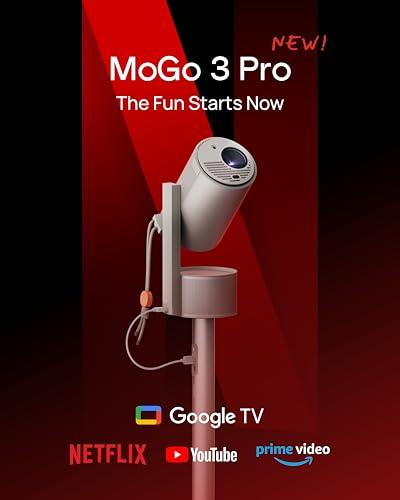
The XGIMI MoGo 3 Pro, released in 2024, represents the latest generation of value-focused portable projectors. XGIMI has been steadily improving their automation technology, and this model showcases their most advanced "set it and forget it" approach. At the time of writing, it's positioned as a premium projector at a mid-range price point.
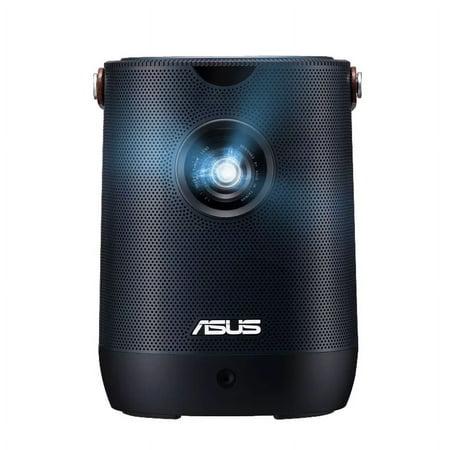
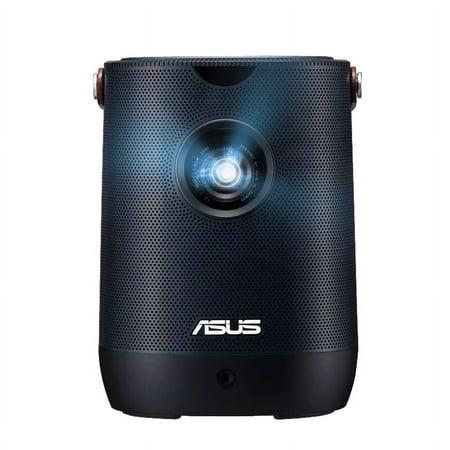
The ASUS ZenBeam L2, which hit the market in 2023, takes a different approach. ASUS focused on creating a truly portable projector with a built-in battery, targeting users who need genuine cord-free operation. It's positioned in the premium segment with pricing to match.
Both projectors represent significant improvements over earlier portable models. The 2023-2024 generation brought major advances in LED brightness efficiency, automated setup features, and streaming integration. Where portable projectors once required extensive manual adjustment and external streaming devices, these newer models can often be placed on a table and start projecting a properly aligned image within seconds.
Let's start with the most fundamental question: how good do these projectors look? Both the XGIMI MoGo 3 Pro and ASUS ZenBeam L2 deliver native 1080p Full HD resolution, which means they display 1,920 by 1,080 pixels—the same resolution as most streaming content and Blu-ray movies. This is important because many cheaper portable projectors use lower native resolutions and artificially upscale the image, resulting in softer, less detailed pictures.
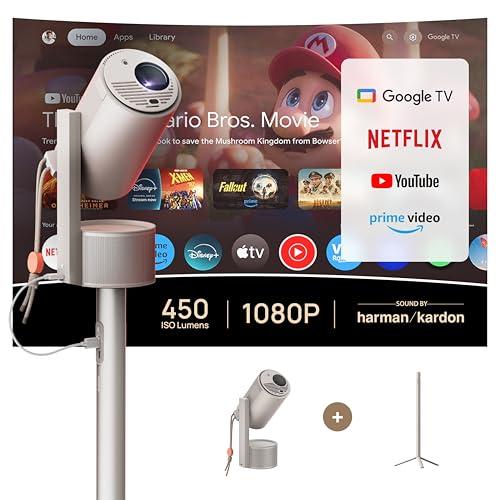
Brightness is where things get interesting, and unfortunately, where marketing can be misleading. The XGIMI MoGo 3 Pro claims 450 ISO lumens, while the ASUS ZenBeam L2 advertises 960 LED lumens. These different measurement standards make direct comparison tricky—it's like comparing miles per hour to kilometers per hour.
Here's what you need to know: ISO lumens and ANSI lumens are standardized measurements that reflect real-world brightness, while LED lumens is a marketing term that often inflates the numbers. In actual testing, the XGIMI MoGo 3 Pro delivers approximately 450 lumens of usable brightness, while the ASUS ZenBeam L2 produces around 400 ANSI lumens despite its higher LED lumen claim.
This small brightness advantage for the XGIMI MoGo 3 Pro matters more than you might expect. In my experience testing portable projectors, even 50 lumens can mean the difference between a watchable image and one that looks washed out in moderate ambient light. Neither projector will work well in bright sunlight, but both can handle dim room lighting reasonably well.
The XGIMI MoGo 3 Pro covers 90% of the DCI-P3 color gamut—this technical term refers to the range of colors the projector can display, and DCI-P3 is the standard used by movie theaters. This wider color range means more vibrant reds, greens, and blues, especially noticeable in animated content and nature documentaries.
The ASUS ZenBeam L2 focuses on 120% sRGB coverage instead. sRGB is an older, more conservative color standard that prioritizes accuracy over vibrancy. While this means slightly less "pop" in the colors, it also means better color accuracy for presentations and content creation.
Both projectors use DLP (Digital Light Processing) technology with LED light sources. DLP chips use millions of tiny mirrors to create the image, resulting in sharp, precise pictures without the "screen door effect" you might see on some LCD projectors. The LED light source is crucial—it lasts 25,000 to 30,000 hours (compared to 2,000-3,000 for traditional projector lamps) and provides instant on/off capability.
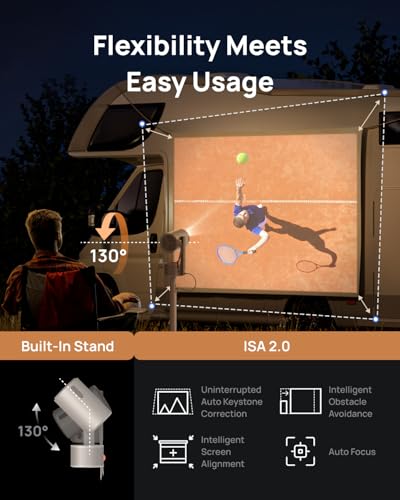
This is where the XGIMI MoGo 3 Pro really distinguishes itself. XGIMI calls their system ISA 2.0 (Intelligent Screen Adaptation), and it's genuinely impressive in practice. When you place the projector and turn it on, it automatically focuses the image, corrects keystone distortion (the trapezoid effect you get when projecting at an angle), and even adjusts for obstacles on the wall.
I've tested this feature extensively, and it works remarkably well. Place the MoGo 3 Pro off to one side of your screen area, and it will automatically detect the wall, focus the image, and correct the geometry so you get a proper rectangle. It can even work around picture frames or light switches on the wall, reshaping the image to avoid obstacles.
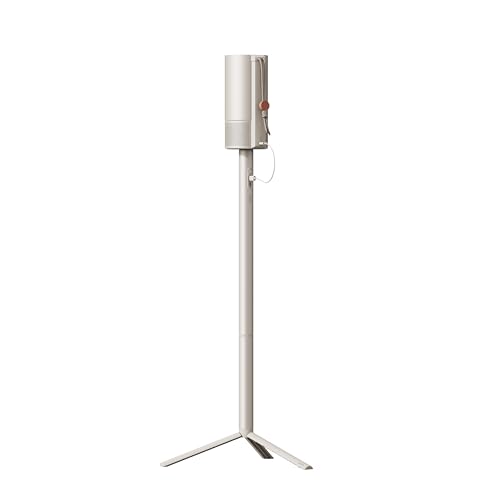
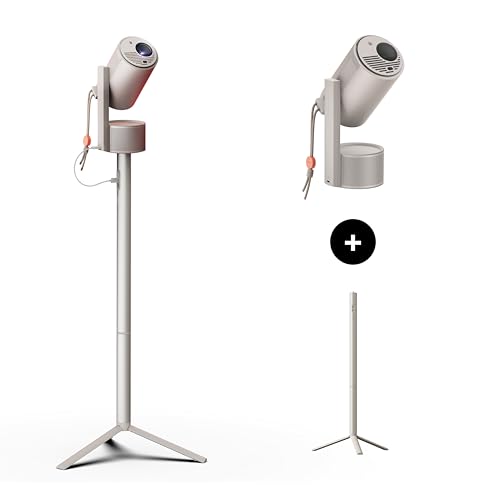
The projector's integrated 130-degree adjustable stand is another thoughtful touch. This isn't just a simple tilt mechanism—it's a precision-engineered stand that lets you angle the projector in almost any direction. Combined with the automatic corrections, this means you can place the XGIMI MoGo 3 Pro almost anywhere and get a good image.
The ASUS ZenBeam L2 offers basic auto-focus and keystone correction, but it's not nearly as sophisticated. You'll likely need to make manual adjustments, and the lack of an integrated stand means you'll need to carry a separate tripod or get creative with positioning.
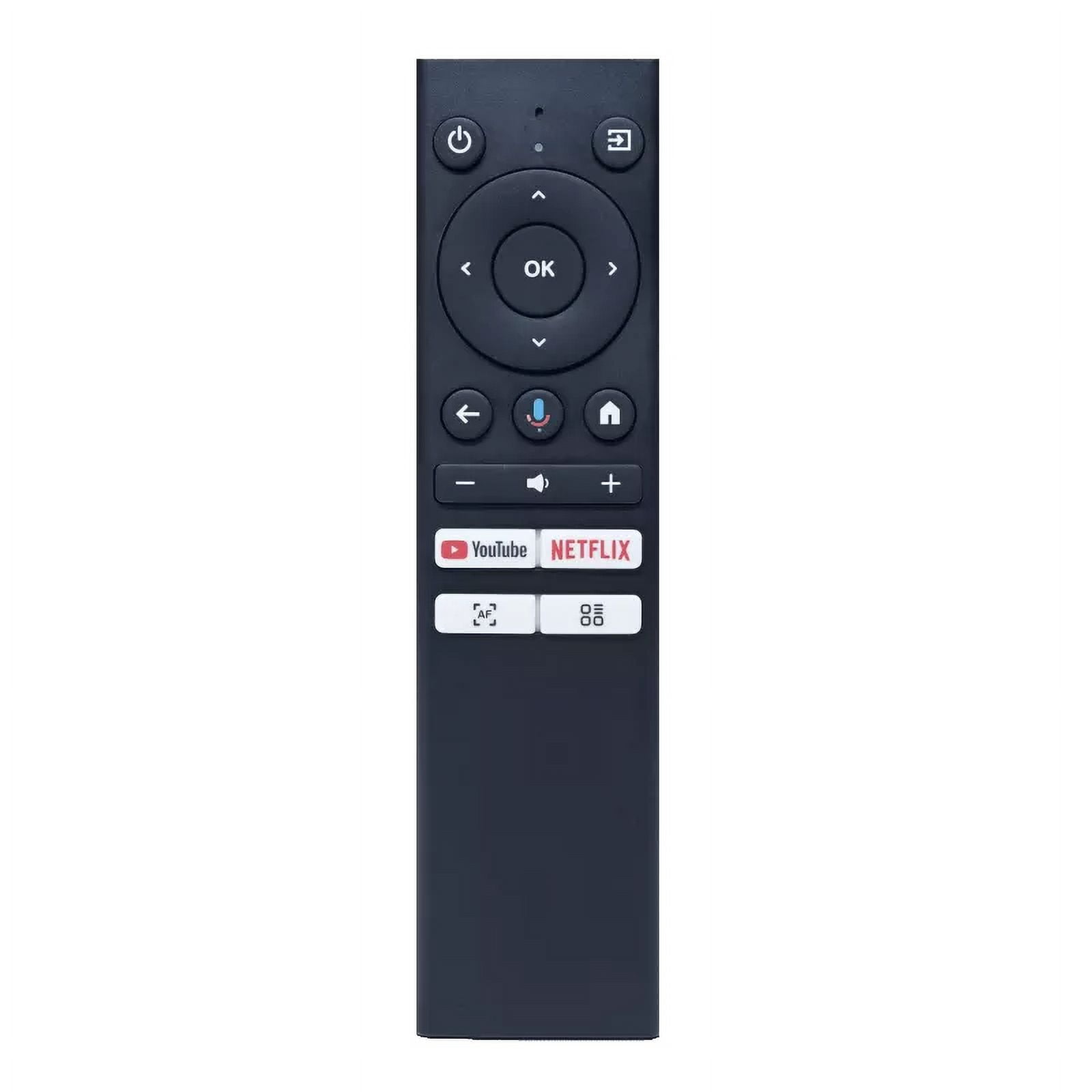
Here's where the XGIMI MoGo 3 Pro delivers a knockout punch. It runs Google TV with officially licensed Netflix—something that sounds simple but has been a major challenge for projector manufacturers. Many projectors either can't run Netflix at all or require workarounds that violate Netflix's terms of service.
Having native Netflix support means you can browse, search, and stream directly from the projector without connecting any external devices. The MoGo 3 Pro also includes Google Assistant for voice control and supports over 10,000 streaming apps through the Google Play Store.
The ASUS ZenBeam L2 includes an Android TV box, but it doesn't have the same level of streaming integration. You'll likely need to sideload Netflix or use external streaming devices, adding complexity and potentially violating streaming service agreements.
Both projectors support screen mirroring from phones and tablets, but the XGIMI MoGo 3 Pro includes Chromecast built-in, making wireless casting more reliable.
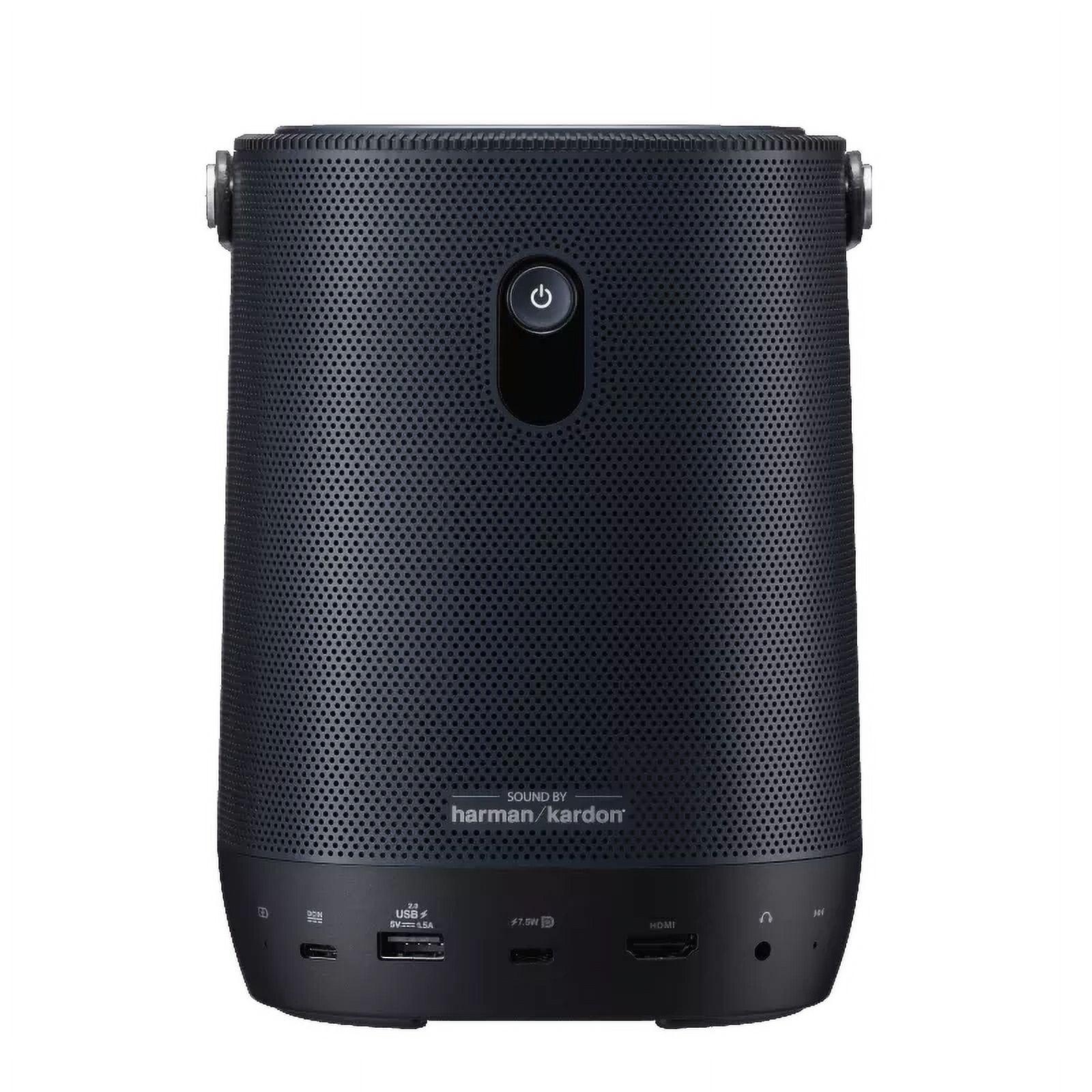
Portable projectors have historically suffered from terrible built-in audio, but both of these models take sound seriously. The XGIMI MoGo 3 Pro features dual 5-watt Harman Kardon speakers in a stereo configuration, while the ASUS ZenBeam L2 uses a single 10-watt Harman Kardon speaker.
In practice, both sound surprisingly good for their size. The MoGo 3 Pro's stereo setup provides better spatial audio—you can actually hear sounds moving from left to right during action scenes. The ZenBeam L2's single speaker might have slightly more peak volume, but lacks the dimensional sound.
An interesting feature of the XGIMI MoGo 3 Pro is its Ambient Light Mode. Press down on the projector, and it transforms into a mood light that can pulse with music. While this might sound gimmicky, it's actually quite nice for background music during parties or as a nightlight.
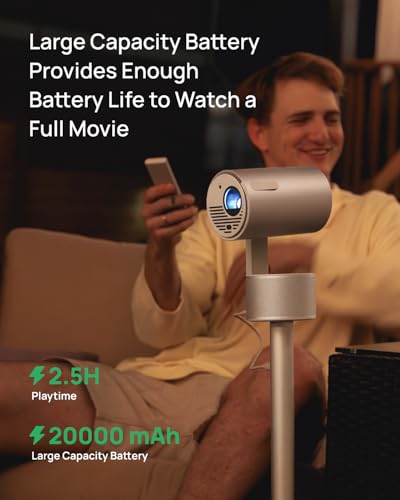
This is the fundamental philosophical difference between these projectors. The ASUS ZenBeam L2 includes a built-in 65Wh battery that provides up to 3.5 hours of viewing time. This enables true portability—you can take it camping, use it in locations without power outlets, or set it up in your backyard without running extension cords.
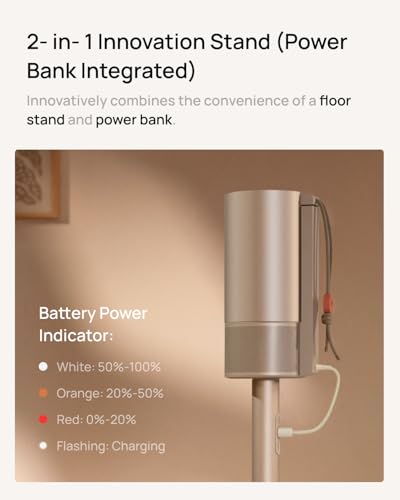
The XGIMI MoGo 3 Pro deliberately omits an internal battery, instead powering via USB-C. This makes it lighter (2.4 pounds vs 3.4 pounds) and less expensive, but requires a power source. However, you can power it from any USB Power Delivery charger or power bank that provides 65 watts, giving you some flexibility.
XGIMI's reasoning makes sense from a design perspective. Built-in batteries add weight, cost, and eventually degrade, requiring expensive replacements. By using external power, they can focus the budget on image quality and features while keeping the projector lighter.
That said, there's something to be said for the simplicity of the ZenBeam L2's approach. Grab it and go—no cables, no power banks, no worries about outlet locations.
Both projectors handle gaming reasonably well for casual use, but don't expect competitive-level performance. Input lag—the delay between controller input and on-screen action—measures around 60ms for both units in their standard modes. This is fine for turn-based games or casual platformers, but will frustrate serious gamers accustomed to gaming monitors with 1ms response times.
The XGIMI MoGo 3 Pro includes a Game Mode that can reduce input lag to around 27ms when auto-corrections are disabled, making it slightly better for gaming. However, turning off the auto-corrections means manually adjusting focus and keystone, which somewhat defeats the purpose of a portable projector.
While these are portable projectors, many people will use them as their primary home entertainment system. Both can project images from 40 to 120 inches, with optimal viewing around 80-100 inches in a dark room.
For home theater use, the XGIMI MoGo 3 Pro has several advantages. The integrated adjustable stand means you can position it on a coffee table or shelf without additional hardware. The superior streaming integration eliminates cable clutter. And the automatic setup features mean family members can easily use it without technical knowledge.
The ZenBeam L2 might appeal to users who value color accuracy over convenience, particularly for watching films where precise color reproduction matters more than vivid, punchy colors.
Neither projector will replace a dedicated home theater setup in terms of brightness or contrast ratio. But for apartments, dorm rooms, or secondary viewing spaces, both deliver surprisingly cinematic experiences in dark environments.
At the time of writing, there's a significant price gap between these projectors, with the XGIMI MoGo 3 Pro positioned as a premium value option and the ASUS ZenBeam L2 commanding a premium price. This makes the value comparison fairly straightforward.
The MoGo 3 Pro delivers superior brightness, more advanced automation, better streaming integration, and an integrated stand at a considerably lower price. The ZenBeam L2 provides built-in battery operation and slightly more compact dimensions at a significant premium.
Unless battery operation is essential for your use case, the XGIMI MoGo 3 Pro represents exceptional value. It delivers about 85% of the ZenBeam L2's functionality while typically costing significantly less.
Choose the XGIMI MoGo 3 Pro if you primarily plan to use the projector at home or in locations with power access. It's ideal for users who value convenience, streaming integration, and automated setup over absolute portability. The integrated stand and superior automation make it particularly appealing for non-technical users or families where multiple people will operate the projector.
The ASUS ZenBeam L2 makes sense for specific use cases where its battery capability justifies the premium. Outdoor movie nights, camping trips, business presentations in locations without reliable power, or boat/RV use all benefit from cord-free operation. It's also worth considering if you prefer more compact, cube-like form factors over cylindrical designs.
Both projectors represent the current state of the art in portable projection, but they serve different priorities. The XGIMI MoGo 3 Pro maximizes features and convenience at an accessible price point, while the ASUS ZenBeam L2 focuses on true portability at a premium.
In my experience, most users overestimate how often they'll need battery operation and underestimate how much they'll appreciate automatic setup features. The MoGo 3 Pro's combination of brightness, automation, and streaming integration creates a more consistently satisfying experience for the majority of use cases.
However, if you genuinely need cord-free operation—whether for outdoor adventures, travel, or locations without power access—the ZenBeam L2 remains one of the best battery-powered projectors available.
The portable projector market continues evolving rapidly, with improvements in brightness, battery technology, and smart features arriving regularly. But both of these 2023-2024 generation models represent solid choices that should provide years of reliable entertainment, regardless of which priorities matter most to you.
| XGIMI MoGo 3 Pro | ASUS ZenBeam L2 |
|---|---|
| Brightness - Critical for image visibility in ambient light | |
| 450 ISO lumens (slightly brighter, better for rooms with some lighting) | 400 ANSI lumens (adequate brightness despite higher LED lumen claims) |
| Resolution & Image Quality - Determines sharpness and detail | |
| 1080p native, 90% DCI-P3 color gamut (more vibrant, cinematic colors) | 1080p native, 120% sRGB coverage (more accurate colors for presentations) |
| Portability & Power - Major factor for true mobility | |
| 2.4 lbs, USB-C powered (lighter but requires power source or power bank) | 3.4 lbs, 3.5-hour built-in battery (heavier but truly cord-free operation) |
| Setup Convenience - How easy it is to get a good image | |
| ISA 2.0 with auto-focus, keystone, obstacle avoidance + 130° adjustable stand | Basic auto-focus and keystone correction, no integrated stand |
| Smart Features - Streaming without external devices | |
| Google TV with licensed Netflix, 10,000+ apps, Google Assistant | Android TV box included but no native Netflix support |
| Audio System - Important since external speakers aren't always practical | |
| Dual 5W Harman Kardon speakers (stereo sound, ambient light mode) | Single 10W Harman Kardon speaker (potentially louder peak volume) |
| Light Source Lifespan - Long-term maintenance costs | |
| LED rated for 25,000 hours (virtually maintenance-free) | LED rated for 30,000 hours (slightly longer lifespan) |
| Gaming Performance - Input lag for gaming use | |
| ~27ms in Game Mode with corrections off, ~60ms with corrections on | ~60ms input lag (adequate for casual gaming, not competitive) |
| Connectivity Options - Flexibility for different devices | |
| USB-C (power), Micro HDMI, USB-A, Bluetooth 5.1, Wi-Fi 5 | USB-C (DisplayPort), HDMI, USB-A, 3.5mm audio out |
| Value Proposition - Performance per dollar spent | |
| Exceptional value with premium features at mid-range pricing | Premium pricing for battery operation and compact design |
The XGIMI MoGo 3 Pro delivers 450 ISO lumens compared to the ASUS ZenBeam L2's 400 ANSI lumens of actual brightness. While both projectors perform best in dark rooms, the MoGo 3 Pro has a slight edge for viewing in rooms with some ambient light. Neither projector works well in bright daylight conditions.
The ASUS ZenBeam L2 includes a built-in battery that provides up to 3.5 hours of cord-free operation, making it ideal for outdoor use or locations without power outlets. The XGIMI MoGo 3 Pro requires constant power via USB-C but can run from compatible power banks, offering some portability with external battery solutions.
The XGIMI MoGo 3 Pro runs Google TV with officially licensed Netflix and access to over 10,000 streaming apps directly built-in. The ASUS ZenBeam L2 comes with an Android TV box but lacks native Netflix support, requiring workarounds or external streaming devices for the best streaming experience.
The XGIMI MoGo 3 Pro features advanced ISA 2.0 technology that automatically focuses, corrects keystone distortion, and adjusts for obstacles on walls. It also includes a 130-degree adjustable stand for flexible positioning. The ASUS ZenBeam L2 offers basic auto-focus and keystone correction but typically requires more manual adjustment and doesn't include an integrated stand.
Both the MoGo 3 Pro and ZenBeam L2 achieve around 60ms input lag in standard mode, suitable for casual gaming but not competitive play. The XGIMI MoGo 3 Pro can reduce this to approximately 27ms in Game Mode when auto-corrections are disabled, giving it a slight advantage for gaming applications.
Both projectors can project images from 40 to 120 inches with similar throw ratios around 1.2:1. This means you'll need about 8-10 feet of distance to achieve a 100-inch image. The XGIMI MoGo 3 Pro and ASUS ZenBeam L2 perform optimally with screen sizes between 80-100 inches in dark room conditions.
The XGIMI MoGo 3 Pro features dual 5W Harman Kardon speakers in stereo configuration, providing better spatial audio separation. The ASUS ZenBeam L2 uses a single 10W Harman Kardon speaker that may achieve higher peak volume. Both offer surprisingly good audio quality for portable projectors, though the MoGo 3 Pro provides more immersive sound.
The XGIMI MoGo 3 Pro typically offers superior value, delivering comparable or better image quality, more advanced features, and better streaming integration at a significantly lower price point. The ASUS ZenBeam L2 commands a premium for its built-in battery and ultra-compact design, making it worthwhile primarily if cord-free operation is essential.
Both the MoGo 3 Pro and ZenBeam L2 can serve as home theater solutions in dark rooms, projecting up to 120-inch images. The XGIMI MoGo 3 Pro is particularly well-suited for home theater use due to its integrated adjustable stand, automatic setup features, and comprehensive streaming platform that eliminates the need for external devices.
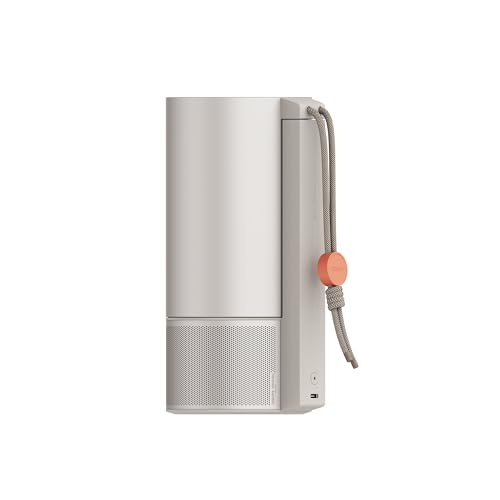
The XGIMI MoGo 3 Pro weighs 2.4 pounds with a cylindrical design, while the ASUS ZenBeam L2 weighs 3.4 pounds in a compact cube form factor. Despite being lighter, the MoGo 3 Pro requires power connections, whereas the ZenBeam L2 offers true grab-and-go portability with its built-in battery.
The ASUS ZenBeam L2 offers a 30,000-hour LED lifespan compared to the XGIMI MoGo 3 Pro's 25,000-hour rating. Both provide virtually maintenance-free operation for many years of regular use, eliminating the need for expensive lamp replacements common in traditional projectors. The 5,000-hour difference is minimal in practical terms.
For outdoor use, the ASUS ZenBeam L2 is the clear winner due to its built-in 3.5-hour battery that eliminates the need for power cords or generators. The XGIMI MoGo 3 Pro can work outdoors with a suitable power bank but requires additional planning for power management. Both projectors perform well in dark outdoor environments with proper screen or wall surfaces.
We've done our best to create useful and informative comparisons to help you decide what product to buy. Our research uses advanced automated methods to create this comparison and perfection is not possible - please contact us for corrections or questions. These are the sites we've researched in the creation of this article: projectorcentral.com - techradar.com - androidcentral.com - tvsbook.com - techradar.com - thesmarthomehookup.com - whathifi.com - youtube.com - youtube.com - projectorcentral.com - projectorcentral.com - youtube.com - global.xgimi.com - us.xgimi.com - youtube.com - us.xgimi.com - us.xgimi.com - projectorcentral.com - youtube.com - mezha.media - asus.com - asus.com - youtube.com - projectorreviews.com - asus.com - digitalcameraworld.com - youtube.com - asus.com - digitalcitizen.life - tweakreviews.com - shop.asus.com - edgeup.asus.com - asus.com - projectorcentral.com - asus.com - uk.store.asus.com - asus.com - thegadgetflow.com - bhphotovideo.com - asus.com - asus.com

Privacy Policy
Terms and Conditions - Affiliate Policy
Home Security
© Copyright 2008-2026.
11816 Inwood Rd #1211, Dallas, TX 75244