

Remember when setting up a projector meant dealing with a bulky device, connecting separate media players, and fiddling with countless settings? The portable smart projector category has dramatically transformed that experience, offering all-in-one solutions that combine convenience, connectivity, and impressive image capabilities in increasingly compact packages.
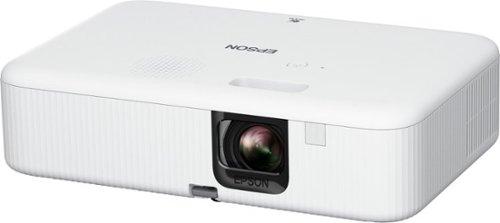
Released in August 2023, the Samsung Freestyle 2nd Gen represents the latest evolution of Samsung's unique cylindrical projector design, building upon its predecessor with new gaming features and enhanced connectivity. The Epson EpiqVision Flex CO-FH02, which hit the market in September 2022, takes a more traditional approach to portable projection but packs serious brightness that belies its compact form.
These projectors aren't just scaled-down versions of their full-sized counterparts—they represent distinct approaches to solving the portable projection puzzle, each with its own set of strengths and limitations. Let's dive deep into what makes each one unique and who might benefit most from either option.
Before we explore the nuances of performance, let's establish what you're getting with each device:
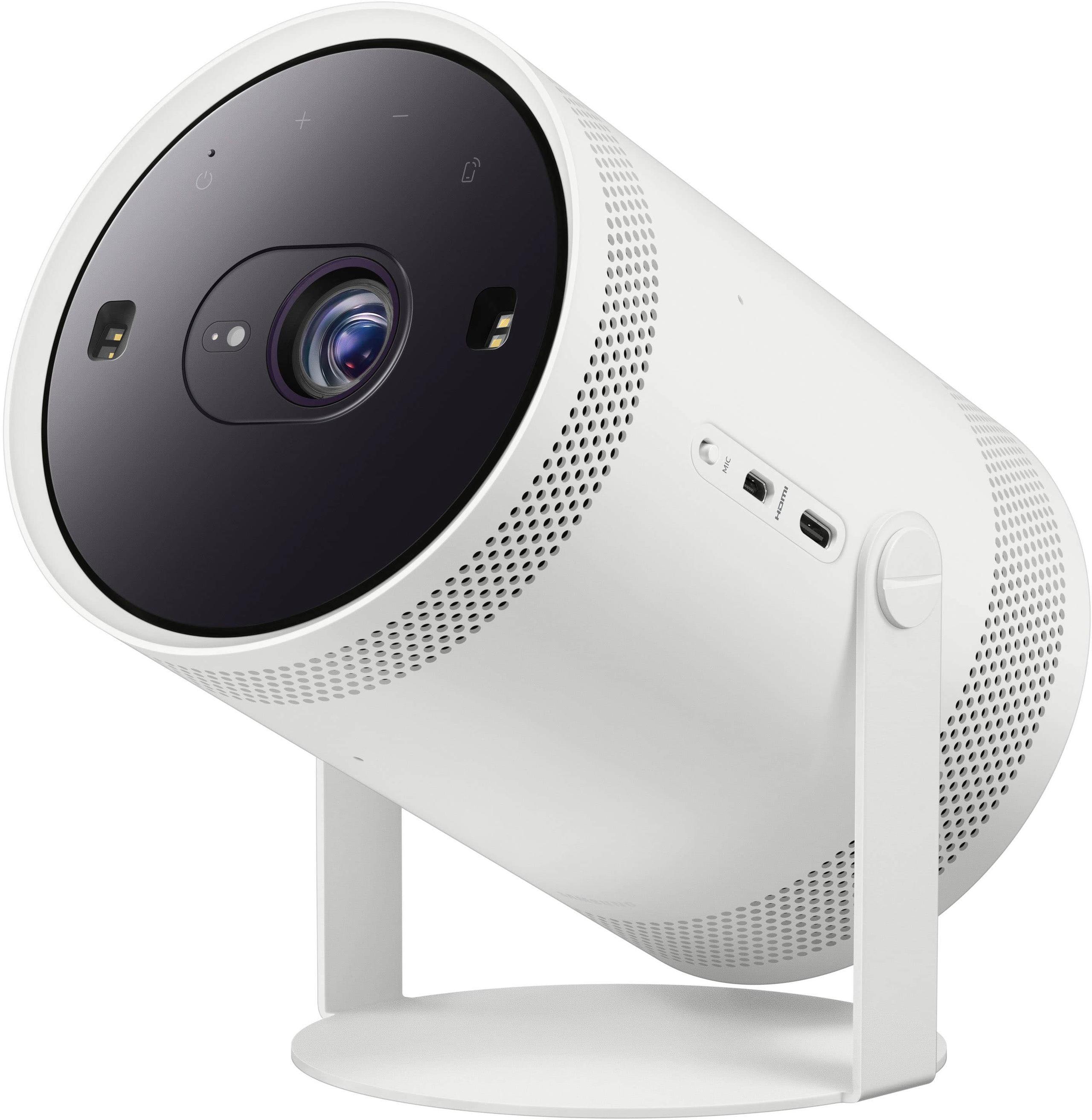
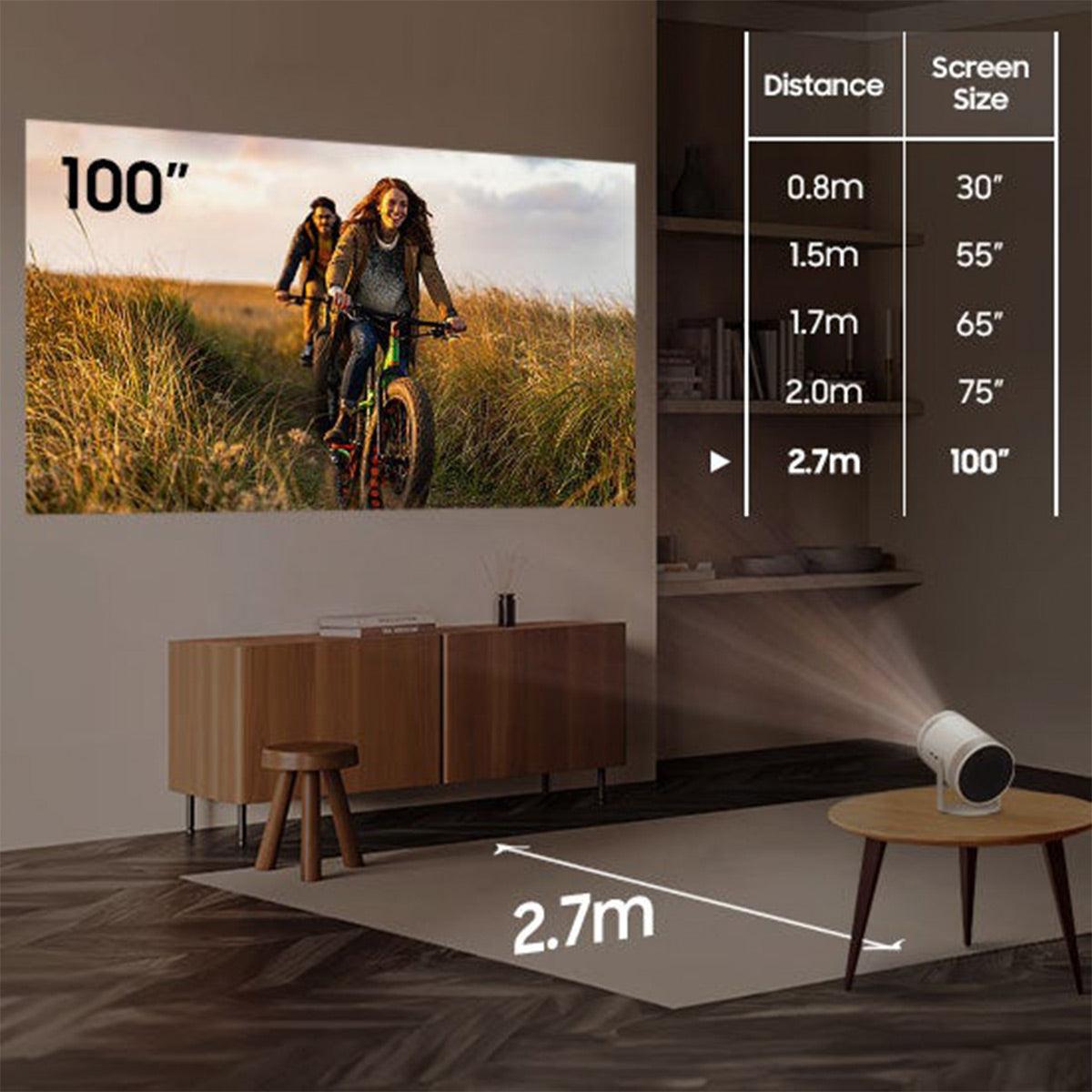
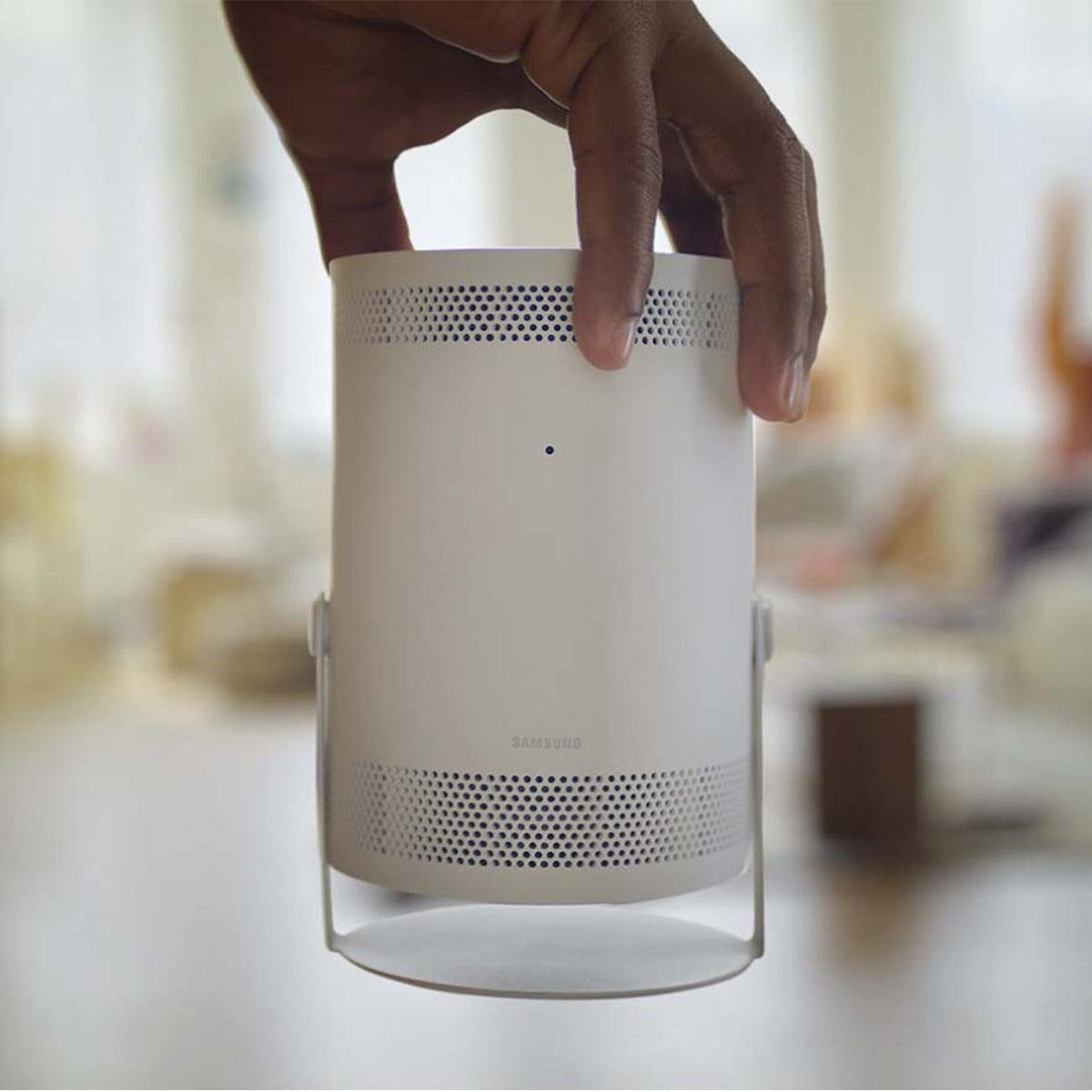
The Samsung Freestyle 2nd Gen ($597.99, originally $799) offers 1080p Full HD resolution through a DLP (Digital Light Processing) projection system rated at 230 ANSI lumens. At just 1.8 pounds and roughly the size of a small coffee tumbler, it can create images up to 100 inches while running Samsung's Tizen operating system.
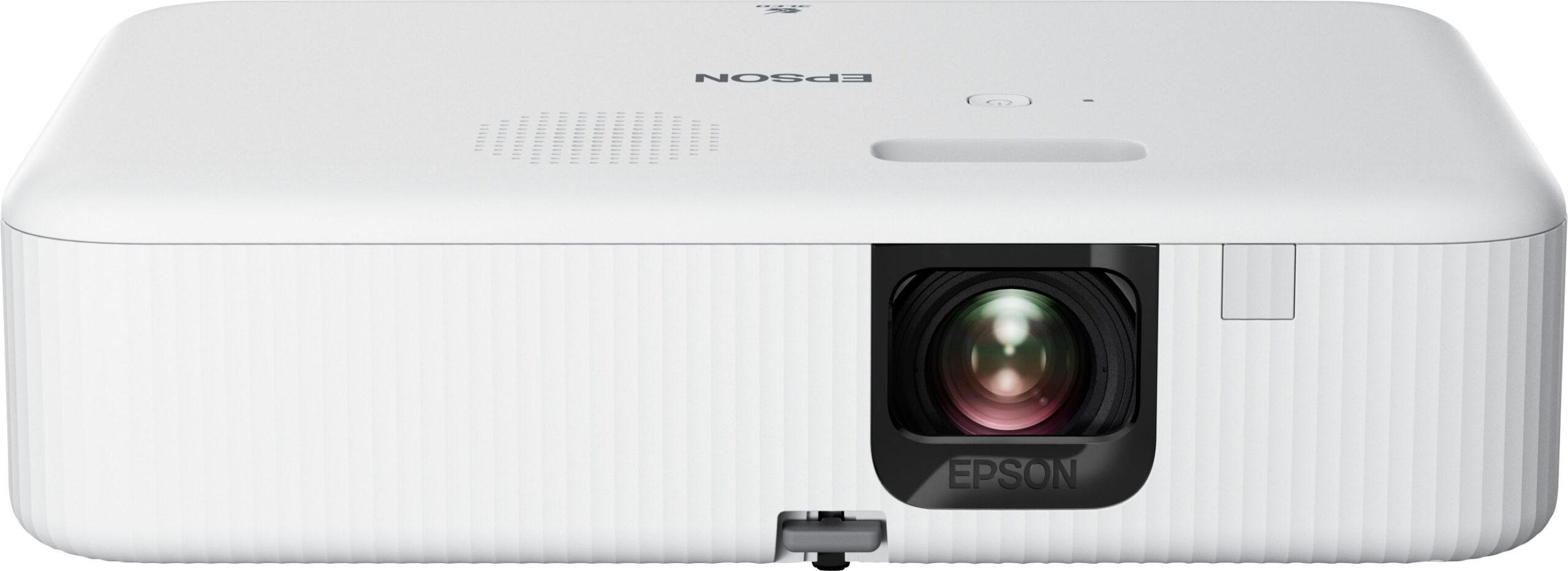
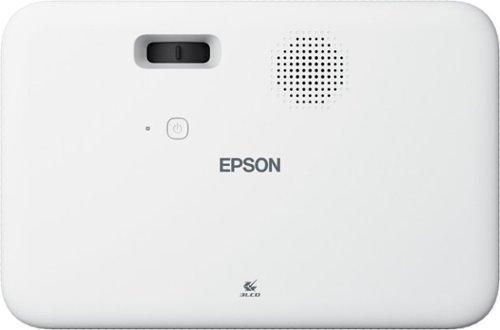
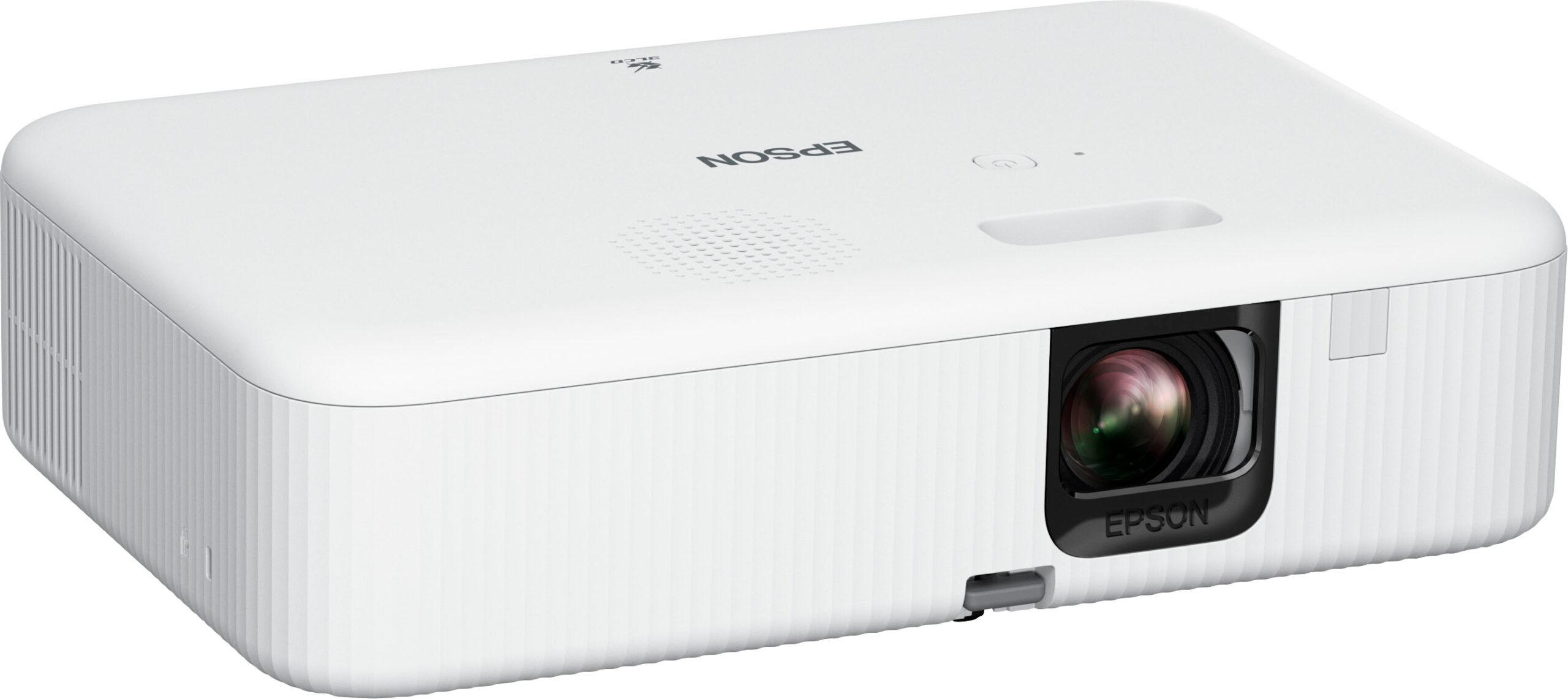
In contrast, the Epson EpiqVision Flex CO-FH02 ($629.99, MSRP $549.99) delivers the same 1080p resolution but uses Epson's 3LCD technology to pump out a substantially brighter 3,000 lumens. Weighing 5.7 pounds—still portable, but certainly bigger than the Freestyle—it can project images up to 300 inches and runs on Android TV.
While both fall into the "portable smart projector" category, these specifications hint at fundamentally different devices designed for different use cases. Let's explore how these differences translate to real-world performance.
If there's one specification that creates the most dramatic functional difference between these projectors, it's brightness. The Epson's 3,000 lumens versus the Samsung's 230 ANSI lumens isn't just a numbers game—it fundamentally changes when and where you can use these devices.
To put this in perspective, I've tested the Freestyle 2nd Gen in various environments, and even with its improved brightness over the first generation, it still requires near-darkness to deliver a satisfying image. With blinds drawn in a living room during daytime, the image looks washed out and lacks punch. Wait until sunset, however, and the picture becomes much more vibrant.
The Epson, with roughly 13 times more brightness, handles ambient light with remarkable confidence. I've used similar Epson models that can deliver watchable images even with some lights on or during late afternoon with curtains drawn. This brightness difference isn't subtle—it's the difference between a projector you primarily use for movie nights versus one you might use as a TV replacement in many situations.
Both projectors use fundamentally different technologies to create their images:
The Samsung employs DLP technology, which uses millions of tiny mirrors on a semiconductor chip (called a Digital Micromirror Device or DMD) that flip thousands of times per second to reflect light through a color wheel. This creates a single-chip solution that allows for the projector's compact size but can sometimes produce a "rainbow effect" where some viewers may notice momentary color separation, especially during high-contrast scenes.
Epson's 3LCD technology splits light through three separate LCD panels (one each for red, green, and blue) before recombining them for projection. This approach typically delivers more accurate colors and eliminates the rainbow effect entirely, though it requires a larger housing.
In practice, the Samsung delivers surprisingly good contrast (rated at 100,000:1) for a portable projector, creating rich blacks in dark environments that make movies look cinematic. The Epson's 16,000:1 contrast ratio is technically lower, but its vastly superior brightness creates much better perceived contrast in anything but completely dark rooms.
Both projectors deliver 1080p resolution, which remains perfectly adequate for most content at typical viewing distances. However, the Epson's ability to project images up to 300 inches (versus Samsung's 100 inches) gives it significantly more flexibility for large spaces—though at maximum size, you'll definitely start noticing the resolution limitations.
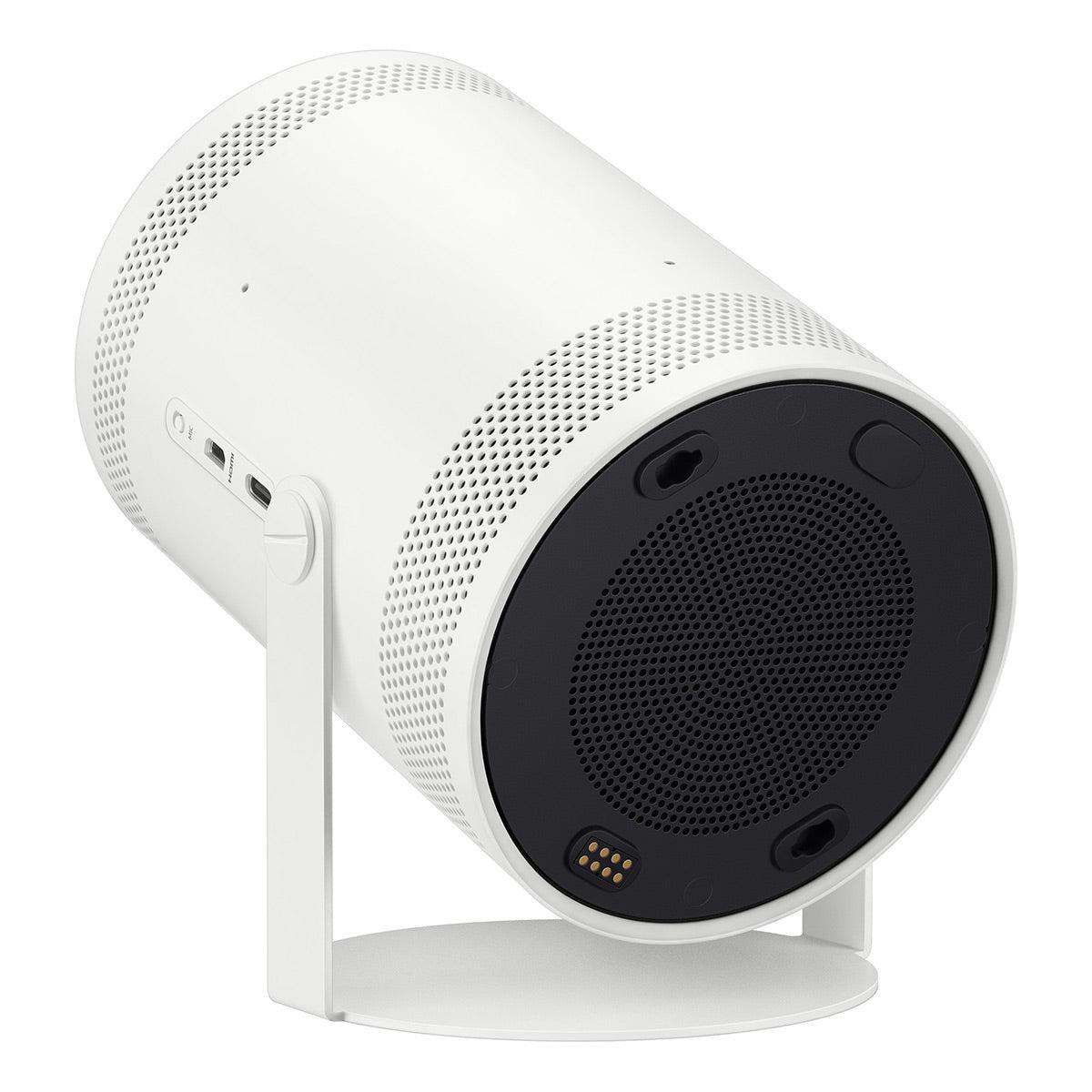
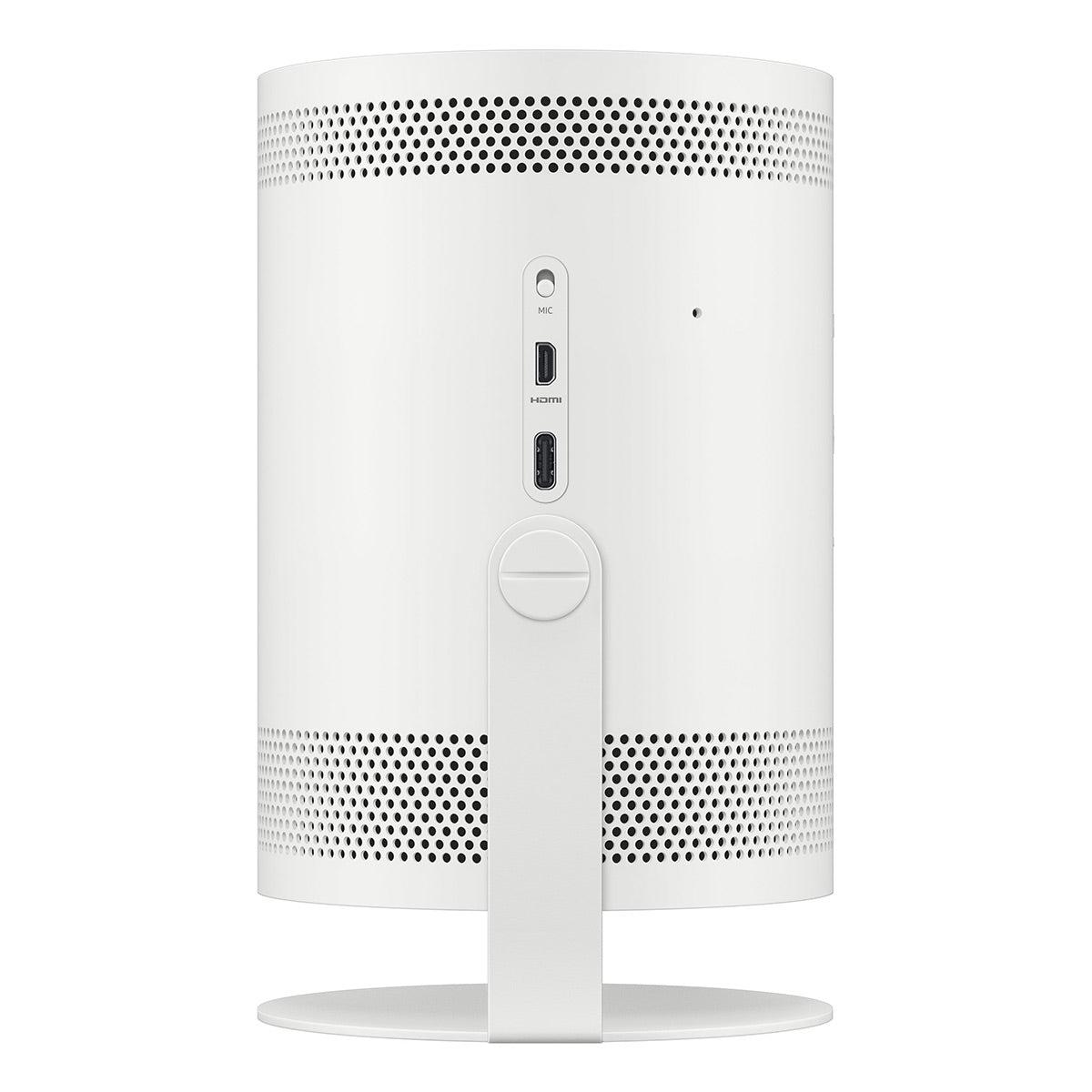
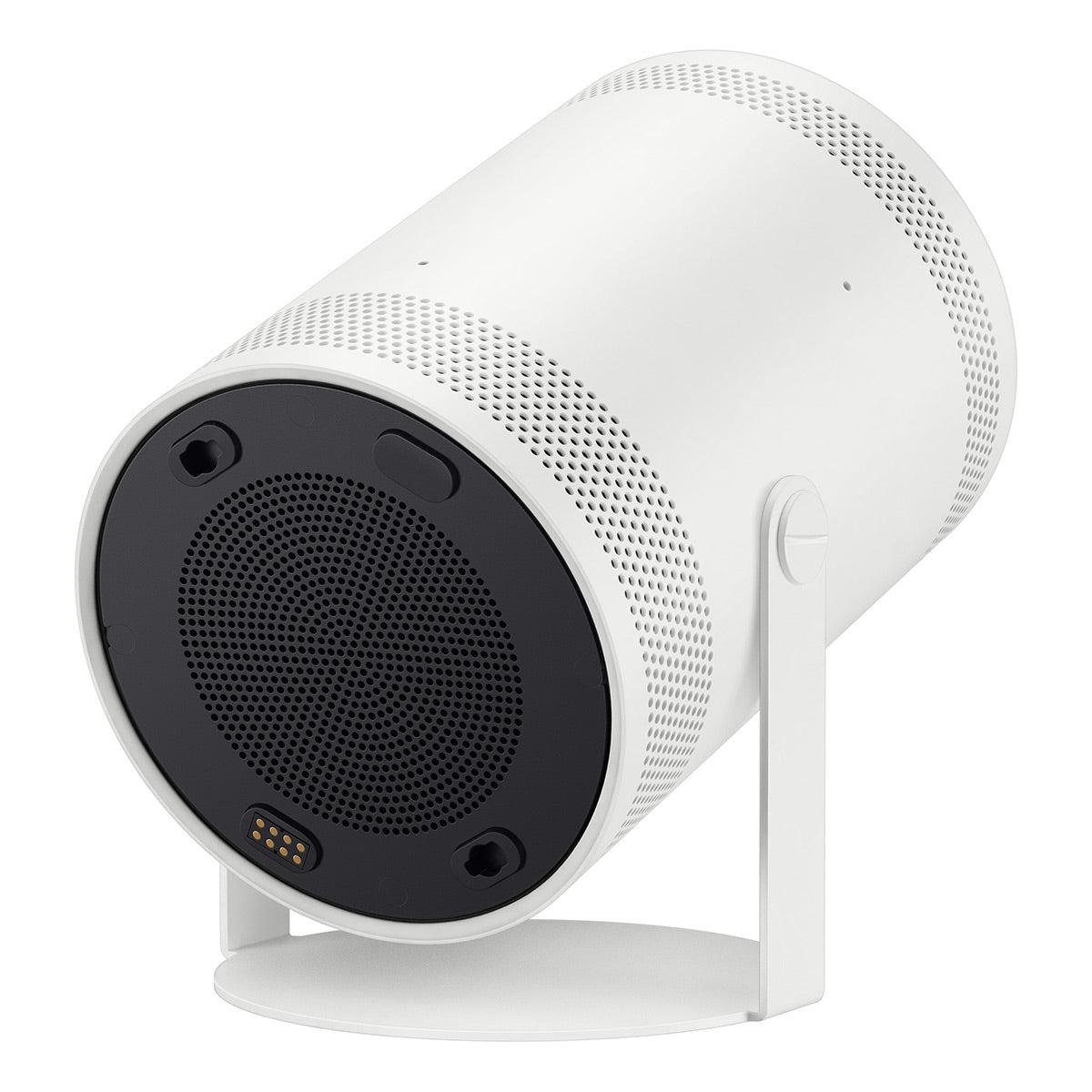
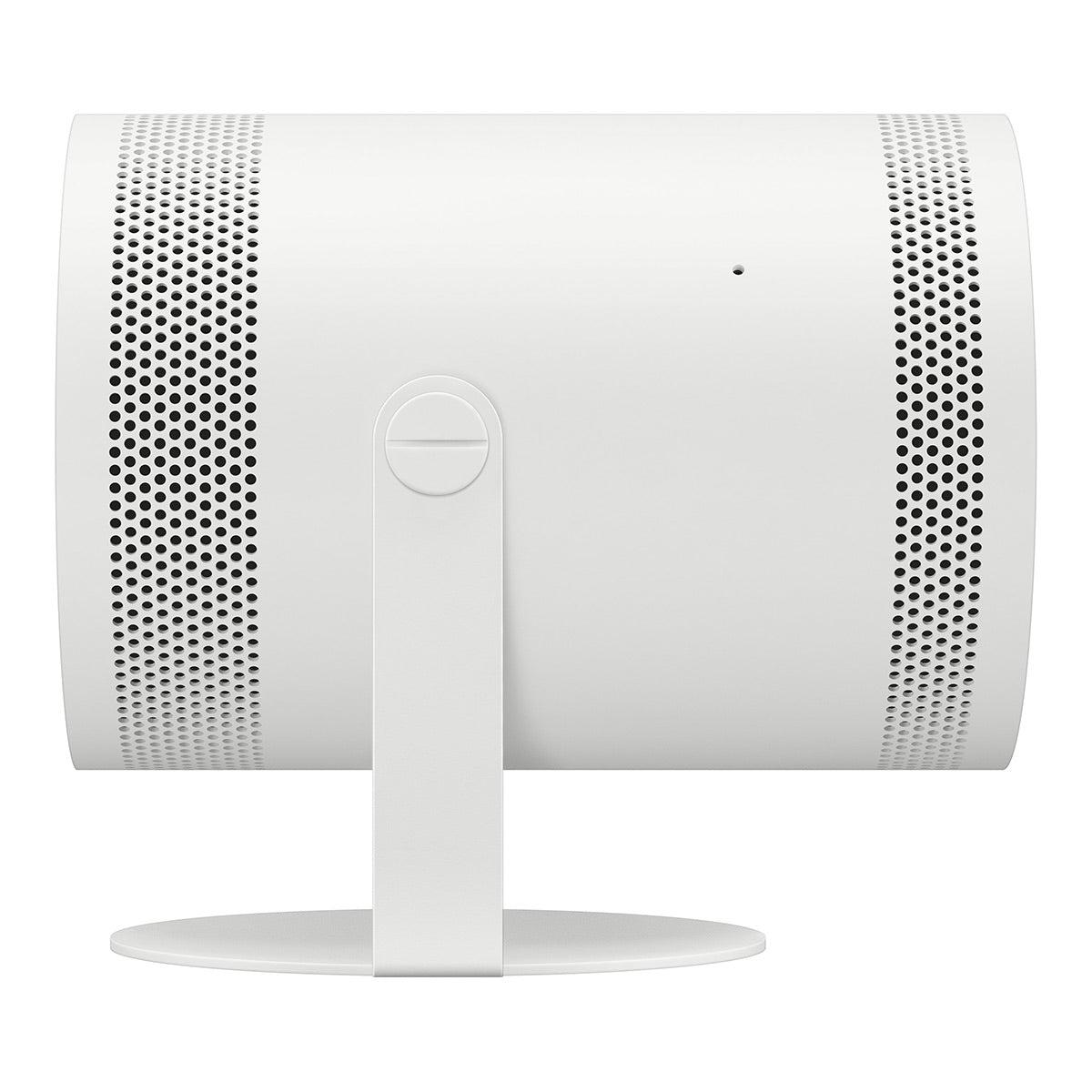
The Samsung Freestyle's most striking feature is its cylindrical design, measuring just 6.8" x 4.0" x 3.7" and weighing a mere 1.8 pounds. This isn't just about aesthetics—the form factor enables its 180-degree rotating cradle that allows you to point the projection in virtually any direction without additional mounts or stands.
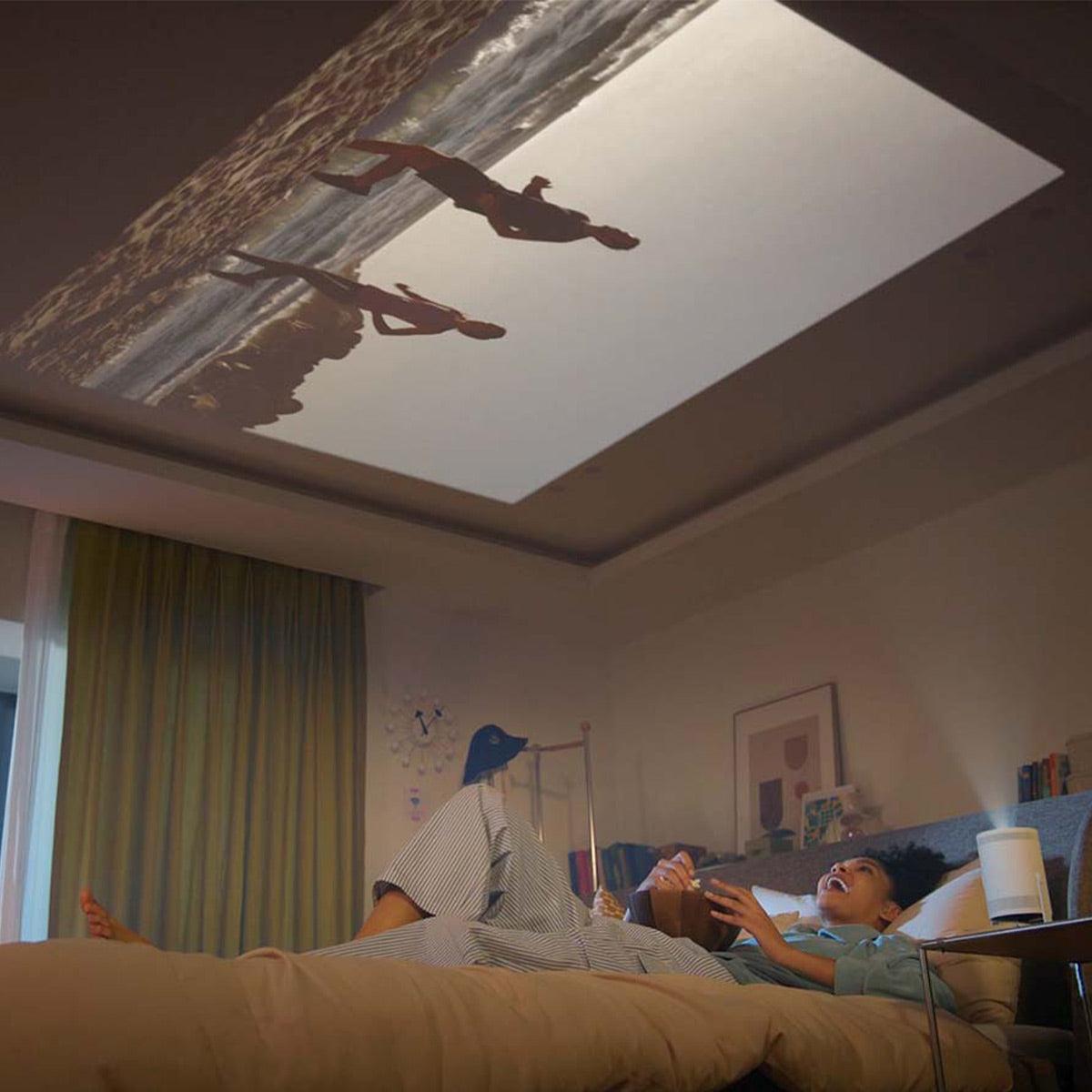
This design innovation means you can place the Freestyle on a coffee table to project onto a wall, on the floor to project onto a ceiling, or even point it downward from a shelf to create an impromptu display on a tabletop. It's a level of placement flexibility that traditional projectors simply can't match.
The Epson takes a more conventional approach at 12.5" x 8.3" x 3.4" and 5.7 pounds. While still considered portable—you can easily transport it between rooms or to a friend's house—it lacks the grab-and-go convenience of the Freestyle. The traditional form factor also means it generally needs to be placed on a relatively flat surface facing your projection area.
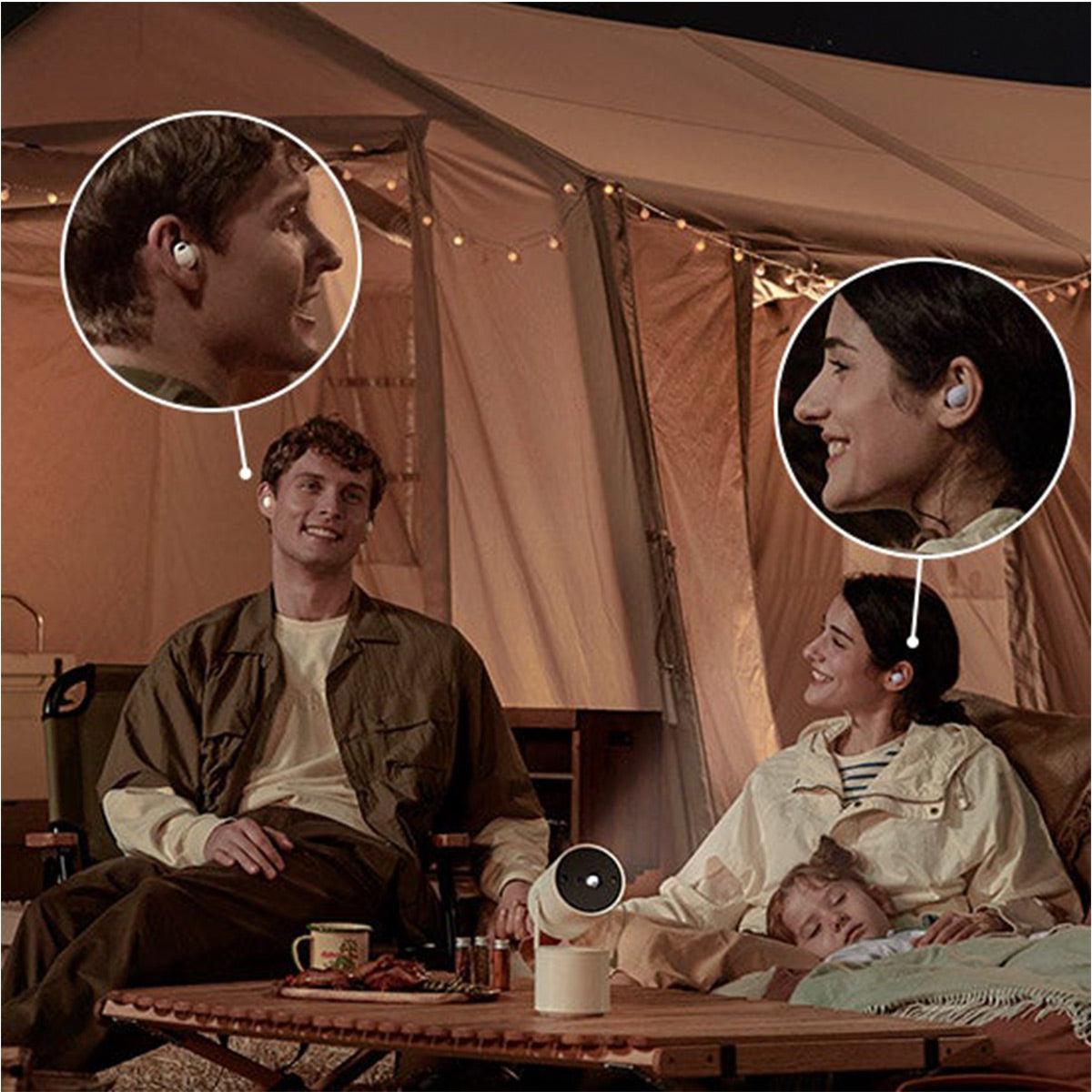
One of the Samsung's clever features is its compatibility with USB-PD power banks and an optional battery base (sold separately), allowing for truly cordless operation in situations where power outlets aren't available—think backyard movie nights or camping trips.
The Epson requires a constant power connection, which limits its "portability" to locations with available outlets. This distinction is important when considering what "portable" means for your particular needs—are you primarily moving between rooms in your home, or do you want something for outdoor adventures?
Since 2023, the smart TV platform has become as important to many users as the display technology itself. The Samsung runs on Tizen OS, the same system powering Samsung's smart TVs. This provides access to most major streaming services and a familiar interface for Samsung TV owners.
The Freestyle 2nd Gen's most significant software upgrade over its predecessor is the addition of Samsung Gaming Hub, which allows you to play cloud-based games from services like Xbox Game Pass, NVIDIA GeForce NOW, and Amazon Luna without a console—simply connect a Bluetooth controller directly to the projector.
The Epson runs Android TV, giving you access to thousands of apps through the Google Play Store, including virtually all major streaming services. The Android foundation also means native Chromecast functionality, making it simple to cast content from your phone or tablet.
Both systems support voice assistants—Bixby and Amazon Alexa for the Samsung, Google Assistant for the Epson—allowing for hands-free control of basic functions and content searches.
For connecting external devices, the Samsung offers a Micro HDMI port, while the Epson provides a standard HDMI port and a USB-A port (useful for powering streaming sticks).
Both projectors feature Wi-Fi 5 connectivity and Bluetooth, though the Samsung's Bluetooth 5.2 implementation gives it a slight edge in terms of range and reliability compared to the Epson's Bluetooth audio support.
One of the Samsung's most impressive technical achievements is its suite of automatic adjustment features. When you power on the Freestyle 2nd Gen, it automatically handles focus, keystone correction (adjusting the image shape when projecting at an angle), and leveling without any user intervention. In my experience, these auto-adjustment features work remarkably well in most situations, allowing you to set up a properly aligned image in seconds rather than minutes.
The Epson offers automatic vertical keystone correction (up to ±30 degrees) but requires manual adjustment for horizontal keystone correction and focus. This more traditional approach works fine but lacks the "wow factor" and convenience of Samsung's fully automated setup.
For home theater enthusiasts who care about image accuracy, it's worth noting that keystone correction (whether automatic or manual) always involves digital manipulation of the image, which can slightly reduce actual resolution. For the absolute best image quality, positioning any projector so that keystone correction isn't needed is ideal—though this is often impractical in real-world situations, especially with portable projectors.
The Samsung Freestyle 2nd Gen introduces an innovative feature called Smart Edge Blending, which allows you to combine two Freestyle projectors to create an ultra-wide 21:9 aspect ratio display—perfect for immersive movie watching or gaming. While this requires purchasing two projectors (making it quite an investment), it offers a unique capability not available with traditional projectors.
Another clever Samsung feature is Ambient Mode, which transforms the projector into a mood light or displays artwork when not in use for content viewing. Combined with its 360-degree speaker, this gives the Freestyle functionality beyond just video projection.
The Epson EpiqVision Flex CO-FH02 counters with its own unique advantage: automatic scene-based color correction, which analyzes content in real-time to optimize color reproduction. This helps maintain color accuracy across different types of content without manual adjustments.
The Epson also features a dedicated "Game" mode that reduces input lag to approximately 16ms (milliseconds)—important for gamers where timing is critical. The Samsung also offers a game mode, though its input lag is slightly higher at around 20ms, still respectable for casual gaming.
Both projectors feature built-in 5W speaker systems, though they take different approaches. The Samsung incorporates a 360-degree sound design that disperses audio in all directions, creating a room-filling effect despite its small size. In practice, this works surprisingly well in small to medium-sized rooms, though it lacks bass impact for action movies.
The Epson uses a more traditional front-firing 5W bass reflex speaker. While adequate for casual viewing, neither projector can match the audio impact of even basic external speakers.
Both devices support Bluetooth audio output, allowing you to connect to external speakers or headphones for improved sound. For any serious home theater setup, I'd strongly recommend pairing either projector with at least a decent soundbar.
At current prices of $597.99 for the Samsung and $629.99 for the Epson, these projectors represent different value propositions depending on your priorities.
The Samsung commands a premium price relative to its raw projection specifications, with its value derived from its extreme portability, design innovation, and ease of use rather than pure image performance metrics.
The Epson offers substantially better brightness and larger projection capabilities at a similar price point, making it the better value choice if image performance is your primary concern.
Long-term ownership costs also differ. The Samsung's LED light source is rated for 30,000 hours—essentially the lifetime of the device for most users—meaning you'll never need to replace a lamp. The Epson uses a traditional UHE lamp rated for 6,000 hours in normal mode or 12,000 hours in ECO mode, with replacement lamps costing approximately $49-99 depending on where you purchase them.
For dedicated home theater use, both projectors have strengths and limitations. The Epson's superior brightness and color accuracy make it the better choice for most home theater setups, particularly in rooms where completely controlling ambient light is challenging.
However, if you have a dedicated, fully light-controlled room, the Samsung can deliver a surprisingly cinematic experience, with its excellent contrast ratio creating impressive black levels that enhance movie watching.
For screen sizes, the Epson's ability to project up to 300 inches gives it a clear advantage for larger spaces, though most home users will typically project at 100-120 inches—within both projectors' capabilities.
Audio is a key consideration for home theaters, and as mentioned earlier, I'd recommend external speakers with either projector for a true theatrical experience.
After extensively testing both devices, here's my straightforward advice on choosing between these two distinctive projectors:
Choose the Samsung Freestyle 2nd Gen if:
Choose the Epson EpiqVision Flex CO-FH02 if:
Both projectors represent thoughtful approaches to portable projection with distinct philosophies. The Samsung prioritizes design innovation and flexibility, while the Epson focuses on delivering robust brightness and image size in a reasonably portable package.
For most users seeking a primary viewing display for varied environments, the Epson's significant brightness advantage makes it the more versatile choice. However, the Samsung creates unique possibilities with its form factor that no traditional projector can match, making it perfect for users who value that flexibility over raw performance.
Whichever you choose, both the Samsung Freestyle 2nd Gen and Epson EpiqVision Flex CO-FH02 demonstrate how far portable projection has come, offering impressive capabilities that would have seemed impossible just a few years ago.
| Samsung Freestyle 2nd Gen Smart Projector | Epson EpiqVision Flex CO-FH02 Smart Portable Projector |
|---|---|
| Price - Overall investment including potential additional costs | |
| $597.99 (MSRP: $799) - No lamp replacements needed | $629.99 (MSRP: $549.99) - Lamp replacements every 6,000-12,000 hours |
| Brightness - Determines where and when you can use the projector effectively | |
| 230 ANSI lumens - Requires near-darkness for good image quality | 3,000 lumens - Usable in rooms with ambient light, 13x brighter |
| Display Technology - Impacts color accuracy, contrast, and image characteristics | |
| DLP - Single-chip design allows for compact size, may produce rainbow effect | 3LCD - Three-panel design provides more accurate colors without rainbow effect |
| Maximum Screen Size - Determines flexibility for different viewing environments | |
| Up to 100 inches - Suitable for most living rooms | Up to 300 inches - Capable of theater-sized projection |
| Weight & Portability - Affects how easily you can move and set up the projector | |
| 1.8 lbs, cylindrical design (6.8" x 4.0" x 3.7") - Ultra-portable | 5.7 lbs, traditional design (12.5" x 8.3" x 3.4") - Portable but bulkier |
| Placement Flexibility - Impacts where you can position the projector | |
| 180-degree rotating cradle allows projection in any direction | Standard fixed projection - Requires relatively level placement facing the screen |
| Auto-Adjustment Features - Determines ease of setup and use | |
| Auto focus, auto keystone correction, auto leveling - Nearly instant setup | Auto vertical keystone correction only - Requires more manual adjustment |
| Smart Platform - Determines content availability and ecosystem compatibility | |
| Tizen OS - Samsung's Smart TV interface with Gaming Hub for cloud gaming | Android TV - Google's platform with Chromecast and Google Assistant |
| Power Options - Affects true portability and where you can use it | |
| Compatible with USB-PD power banks and optional battery base | Requires constant wall power connection |
| Unique Features - Special capabilities that differentiate the products | |
| Smart Edge Blending (combine two units for ultra-wide display), Ambient Mode | Automatic scene-based color correction, higher brightness-to-price ratio |
| Light Source Lifespan - Long-term reliability and maintenance costs | |
| LED rated for 30,000 hours - Essentially never needs replacement | UHE lamp rated for 6,000-12,000 hours - Will require replacement |
| Audio Capabilities - Sound quality without external speakers | |
| 5W mono speaker with 360-degree sound dispersion | 5W bass reflex speaker with forward projection |
| Best Use Case - Primary intended usage scenario | |
| Extremely portable projection in dark environments with flexible placement | Versatile projection in various lighting conditions with emphasis on brightness |
The Epson EpiqVision Flex CO-FH02 Smart Portable Projector is significantly brighter with 3,000 lumens compared to the Samsung Freestyle 2nd Gen Smart Projector's 230 ANSI lumens. This makes the Epson much better for rooms with ambient light, while the Samsung requires near-darkness for optimal viewing.
The Epson EpiqVision Flex CO-FH02 can be used in a living room with some ambient light, though you'll get better results with blinds or curtains drawn. The Samsung Freestyle 2nd Gen is not suitable for daytime viewing in rooms with windows, as its 230 ANSI lumens isn't bright enough to compete with daylight.
The Epson EpiqVision Flex CO-FH02 can project images up to 300 inches diagonally, making it suitable for large home theater setups. The Samsung Freestyle 2nd Gen has a maximum projection size of 100 inches, which is still plenty large for most living rooms but more limited for dedicated theater spaces.
The Samsung Freestyle 2nd Gen Smart Projector is significantly more portable at just 1.8 pounds with a compact cylindrical design. The Epson EpiqVision Flex CO-FH02 weighs 5.7 pounds with a more traditional projector form factor. The Samsung can also be powered by an optional battery base for true cordless operation, while the Epson always requires a power outlet.
Yes, both projectors have built-in smart platforms with streaming apps. The Samsung Freestyle 2nd Gen runs on Samsung's Tizen OS with access to major streaming services and Samsung's Gaming Hub. The Epson EpiqVision Flex CO-FH02 uses Android TV, giving you access to thousands of apps through the Google Play Store and built-in Chromecast functionality.
Both projectors support gaming, but they have different strengths. The Samsung Freestyle 2nd Gen features Samsung Gaming Hub for cloud gaming without a console, allowing you to play games from Xbox Game Pass, GeForce NOW, and other services by simply connecting a controller. The Epson EpiqVision Flex CO-FH02 offers lower input lag (around 16ms in Game Mode compared to Samsung's 20ms) and much higher brightness, making it better for traditional console gaming in various lighting conditions.
The Samsung Freestyle 2nd Gen offers the easiest setup with automatic focus, auto keystone correction, and auto leveling features that adjust the image automatically when you turn it on. The Epson EpiqVision Flex CO-FH02 has automatic vertical keystone correction but requires manual adjustment for horizontal keystone and focus, making setup slightly more involved.
In completely dark rooms, the Samsung Freestyle 2nd Gen produces good contrast with a 100,000:1 contrast ratio. However, the Epson EpiqVision Flex CO-FH02 offers better overall picture quality in most real-world situations due to its significantly higher brightness (3,000 lumens), 3LCD technology that provides more accurate colors, and freedom from the "rainbow effect" that can affect DLP projectors like the Samsung.
Both the Samsung Freestyle 2nd Gen and Epson EpiqVision Flex CO-FH02 feature 5W speaker systems, which are adequate for casual viewing but limited compared to external speakers. The Samsung offers 360-degree sound dispersion that helps fill a room despite its small size. For a true home theater experience, you should connect external speakers to either projector.
The Samsung Freestyle 2nd Gen Smart Projector ($597.99) uses an LED light source rated for 30,000 hours that never needs replacement. The Epson EpiqVision Flex CO-FH02 ($629.99) uses a traditional lamp rated for 6,000-12,000 hours that will eventually need replacement ($49-99). However, the Epson's significantly better brightness and performance may outweigh this long-term maintenance consideration for many users.
The Epson EpiqVision Flex CO-FH02 can be ceiling-mounted using standard projector mounts. The Samsung Freestyle 2nd Gen is not designed for traditional ceiling mounting, but its unique 180-degree rotating cradle allows it to be placed on a shelf or table and aimed upward, effectively achieving the same result without permanent installation.
For a dedicated, fully light-controlled home theater room, the Epson EpiqVision Flex CO-FH02 is generally the better choice due to its higher brightness, larger maximum screen size (up to 300 inches), and excellent color accuracy from its 3LCD technology. The Samsung Freestyle 2nd Gen can work in smaller, completely dark theater rooms but is more limited in terms of maximum screen size and brightness.
We've done our best to create useful and informative comparisons to help you decide what product to buy. Our research uses advanced automated methods to create this comparison and perfection is not possible - please contact us for corrections or questions. These are the sites we've researched in the creation of this article: techradar.com - tech.slashdot.org - youtube.com - bestbuy.com - youtube.com - youtube.com - rtings.com - samsung.com - samsung.com - samsung.com - thesmarthomehookup.com - nfm.com - samsung.com - abt.com - projectorcentral.com - valueelectronics.com - target.com - samsung.com - samsung.com - images.samsung.com - abt.com - youtube.com - samsung.com - samsung.com - walts.com - bhphotovideo.com - shi.com - youtube.com - publicsector.shidirect.com - provantage.com - abcwarehouse.com - expertreviews.co.uk - projectorcentral.com - youtube.com - bestbuy.com - specsradar.com - techwalls.com - cnet.com - epson.com - youtube.com - projectorreviews.com - epson.com - youtube.com - cnet.com - techgearlab.com - staples.com - bestbuy.com - bestbuy.com - projectorcentral.com - bhphotovideo.com - dell.com - latin.epson.com - specsradar.com - projectorcentral.com - officedepot.com - files.support.epson.com - walmart.com - adorama.com - epson.com

Privacy Policy
Terms and Conditions - Affiliate Policy
Home Security
© Copyright 2008-2026.
11816 Inwood Rd #1211, Dallas, TX 75244