

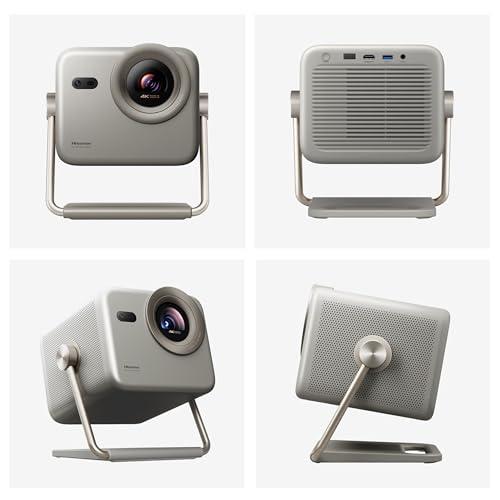
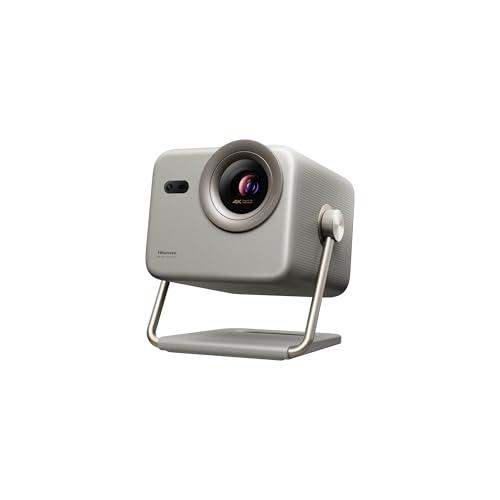
The world of portable projectors has completely transformed over the past few years. Gone are the days when "portable" meant sacrificing image quality for convenience. Today's 4K triple laser projectors deliver cinema-quality experiences while remaining compact enough to move around your home or take on outdoor adventures.
Two projectors that perfectly represent this evolution are the Hisense M2 Pro and the Nebula X1. Both use advanced triple laser technology, but they take dramatically different approaches to balancing portability, performance, and price. Understanding these differences will help you choose the right projector for your specific needs and budget.
Before diving into the comparison, it's worth understanding what makes these projectors special. Triple laser technology uses three separate laser light sources—red, green, and blue—to create the projected image. This is a significant upgrade from traditional lamp-based projectors or even single-laser models.
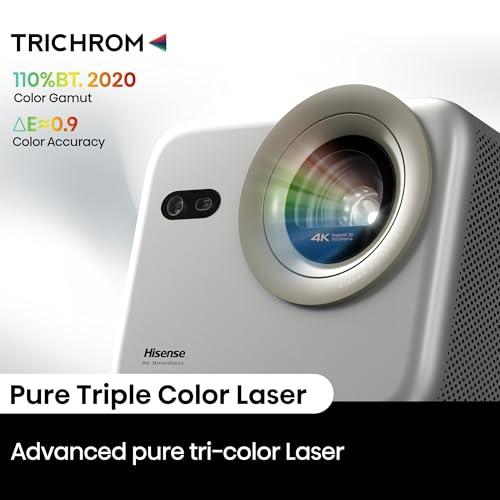
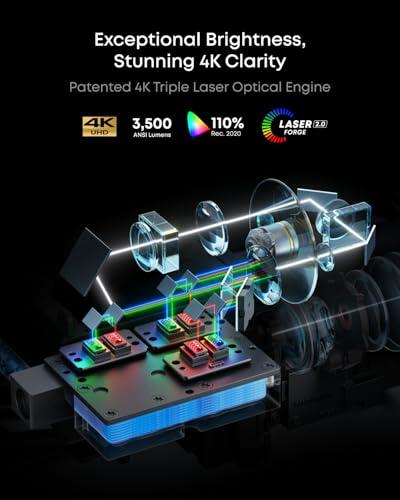
The advantages are substantial: triple lasers produce more accurate colors (covering 110% of the BT.2020 color space, which is the modern standard for high-quality displays), last much longer than traditional bulbs (25,000+ hours versus 3,000-5,000 for lamps), and maintain consistent brightness over their entire lifespan. They also turn on instantly without the warm-up time that plagues older projector technologies.
Both the M2 Pro and X1 leverage this technology, but with very different implementations and target audiences in mind.
The Hisense M2 Pro, released in 2025, represents what I'd call the "democratization approach" to premium projection. Hisense took advanced triple laser technology and engineered it into the most compact, affordable package possible without major compromises to image quality. At roughly one-third the price of premium competitors, it makes serious projection technology accessible to a much broader audience.
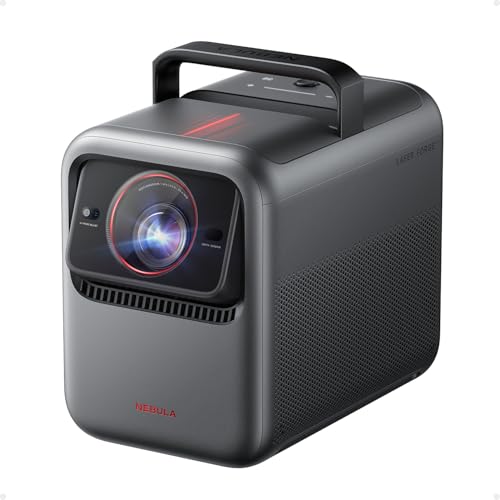
The Nebula X1, which launched in 2024, takes the opposite approach. Anker's subsidiary Nebula built this projector with a "no compromises" philosophy, incorporating industry-first technologies and premium components throughout. The result is a projector that competes directly with fixed-installation home theater models while maintaining portability.
When evaluating projectors, brightness measured in ANSI lumens is often the most critical specification because it determines where and when you can actually use the device. This is where the two projectors diverge most dramatically.
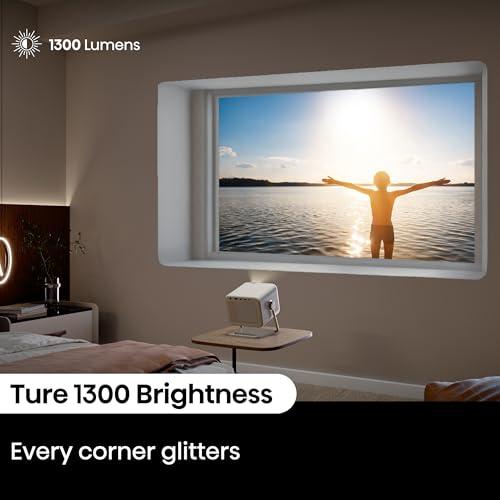
The Nebula X1 produces an impressive 3,500 ANSI lumens, while the M2 Pro delivers 1,300 ANSI lumens. This isn't just a numbers difference—it fundamentally changes how you can use each projector.
With the X1's higher brightness, you can watch movies in your living room with table lamps on, host outdoor movie nights during dusk, or project onto larger screens without the image appearing washed out. The extra brightness also means better performance in non-ideal conditions like projecting onto off-white walls or in rooms with reflective surfaces.
The M2 Pro, while significantly dimmer, still provides excellent image quality in the right conditions. In a darkened room or for outdoor use after sunset, 1,300 lumens delivers a sharp, vibrant picture. The key is understanding that this projector requires more control over your viewing environment.
Based on extensive user feedback and professional reviews, the brightness difference becomes most noticeable when projecting images larger than 120 inches or when dealing with any ambient light. For smaller screens in controlled environments, both projectors perform admirably.
Both projectors achieve excellent color reproduction, covering 110% of the BT.2020 color space. However, they accomplish this through different technical approaches that reveal each manufacturer's priorities.
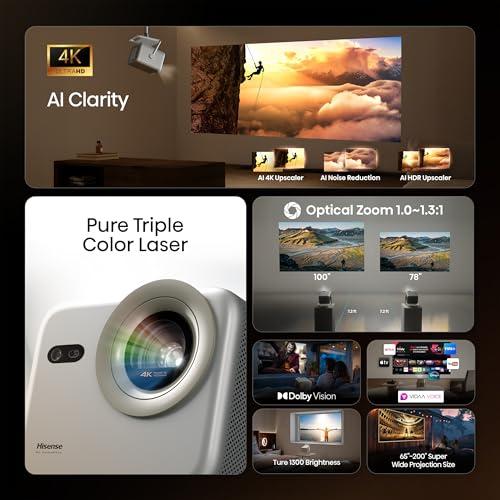
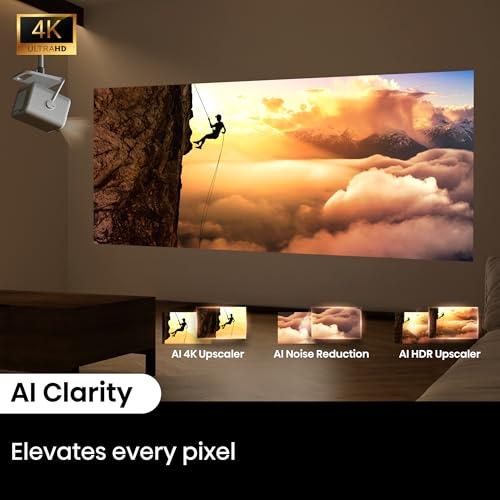
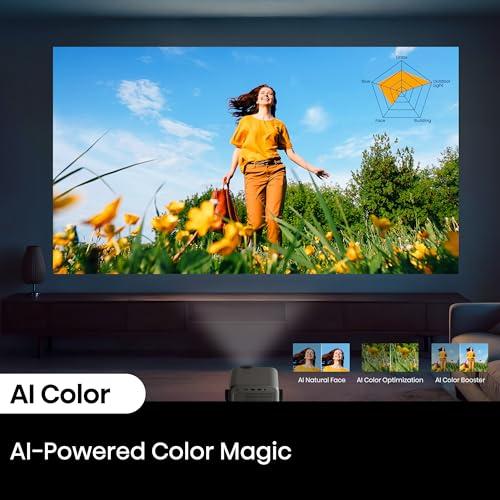
The M2 Pro incorporates Hisense's AI 4K Clarity Engine, which uses machine learning algorithms to enhance image quality in real-time. This system includes AI upscaling (which improves lower-resolution content), AI noise reduction (cleaning up compression artifacts from streaming content), and AI HDR enhancement (optimizing contrast and brightness). In practical terms, this means Netflix shows, YouTube videos, and even older Blu-ray discs often look better than their original quality.
The X1 takes a more hardware-focused approach with its 14-element all-glass lens system. This is genuinely impressive engineering—most projectors in this category use plastic lenses or simple glass arrangements. The all-glass construction provides superior clarity, minimizes color fringing (chromatic aberration), and maintains focus consistency as the projector heats up during use. This attention to optical quality pays dividends in sharpness and color accuracy, particularly at larger projection sizes.
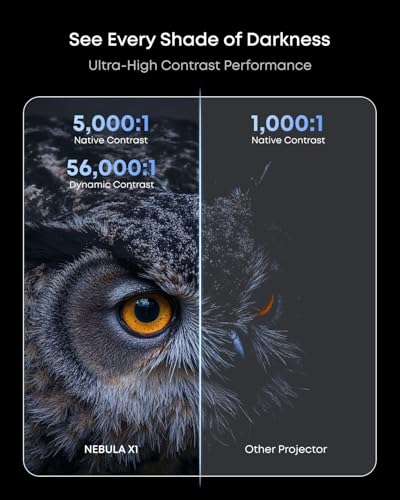
For contrast performance, the X1 includes a 6-blade dynamic iris that can adjust the aperture in real-time, achieving a dynamic contrast ratio of 56,000:1 compared to the M2 Pro's 1,000:1 native ratio. This translates to deeper blacks and more detailed shadows, which is particularly noticeable in dark movie scenes.
Both projectors cater to gamers, but with different strengths that appeal to different gaming preferences.
The M2 Pro offers an ultra-low 12ms input lag and supports refresh rates up to 240Hz. Input lag is the delay between when you press a controller button and when the action appears on screen—12ms is excellent for competitive gaming where split-second reactions matter. The high refresh rate capability means smoother motion in fast-paced games, though you'll need a capable gaming PC to take advantage of 240Hz at 4K resolution.
The X1 provides <19ms input lag, which is still very good for gaming, along with HDMI 2.1 connectivity. While slightly higher latency than the M2 Pro, the difference is barely perceptible for most gaming scenarios. The HDMI 2.1 support is particularly valuable for next-generation console gaming, enabling features like Variable Refresh Rate (VRR) and Auto Low Latency Mode (ALLM) with PlayStation 5 and Xbox Series X systems.
For most gaming scenarios, either projector performs well. Competitive esports players might prefer the M2 Pro's lower latency, while console gamers will appreciate the X1's HDMI 2.1 features.
Audio quality represents one of the clearest differentiators between these projectors and significantly impacts the total cost of ownership.
The M2 Pro includes a respectable 20-watt stereo speaker system with Dolby Audio support. For a compact projector, the sound quality is quite good—clear dialogue, decent stereo separation, and sufficient volume for small to medium rooms. However, it lacks the depth and immersion that truly enhances the cinema experience.
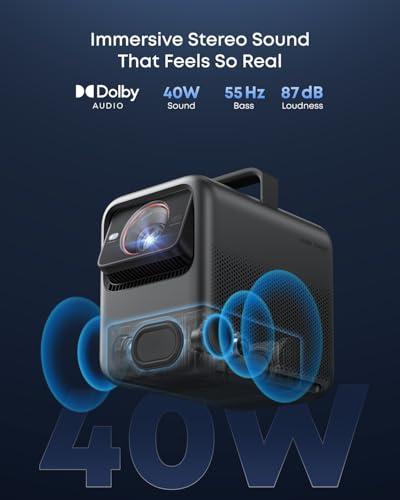
The X1 incorporates a sophisticated 4.1.2 surround sound system with wireless satellite speakers. This setup includes multiple drivers optimized for different frequency ranges and FlexWave upmixing technology that creates a more spacious soundstage from stereo content. The wireless satellites can be positioned around your viewing area to create genuine surround sound without running cables.
In practical terms, this means the X1 can serve as a complete home theater system without additional audio equipment, while the M2 Pro benefits significantly from external speakers or a soundbar for the full cinematic experience.
Modern projectors have largely solved the setup complexity that plagued earlier models, but these two take different approaches to user convenience.
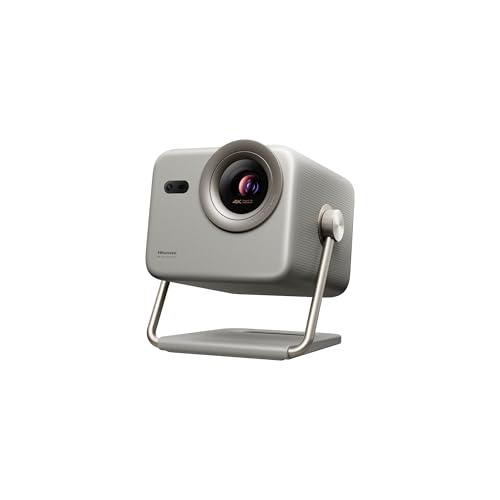
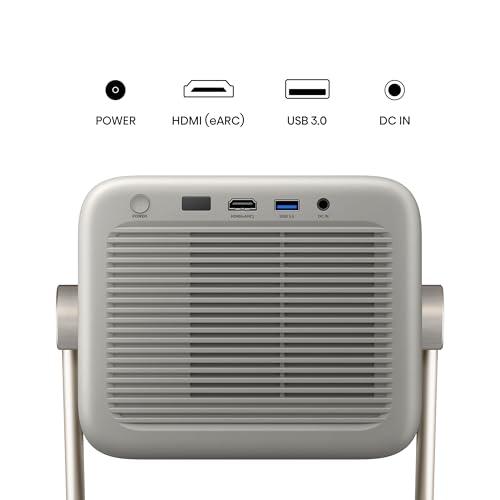
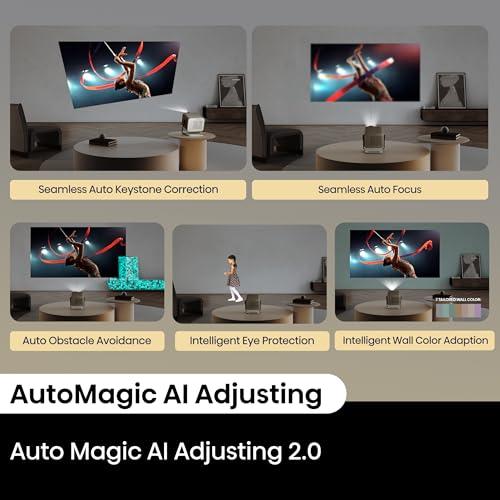
The M2 Pro focuses on physical flexibility with its unique gimbal design that allows 360-degree horizontal rotation and 135-degree vertical adjustment. This means you can project onto walls, ceilings, or angled surfaces with ease. The automatic keystone correction and wall color adaptation work reliably to ensure proper image geometry and color balance regardless of projection surface.
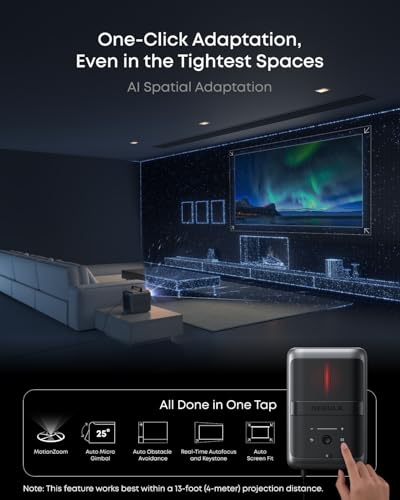
The X1 emphasizes intelligent automation through its AI Spatial Adaptation system. This technology uses multiple sensors to analyze your projection environment and automatically adjusts focus, keystone correction, and image positioning. The motorized lens system provides power zoom and focus, while the built-in gimbal offers 25 degrees of lens shift for fine-tuning image placement.
Both approaches work well, but serve different use cases. The M2 Pro excels when you're frequently moving the projector or using it in unconventional positions. The X1 is better suited for semi-permanent installations where you want premium convenience features.
While both projectors are marketed as "portable," they interpret this concept differently.
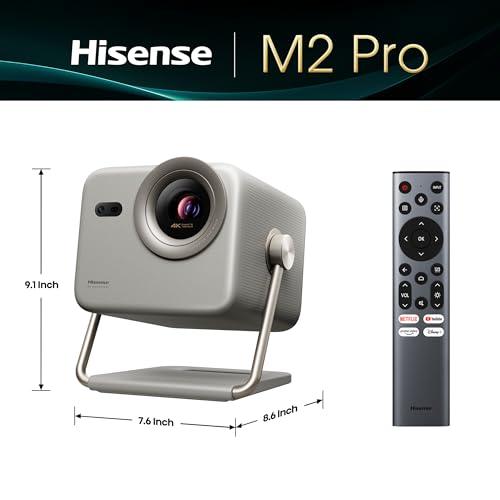
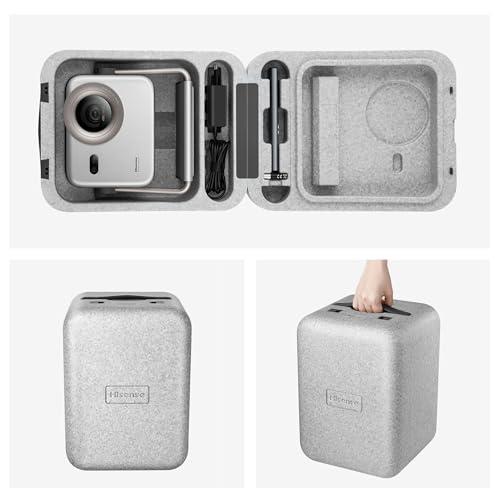
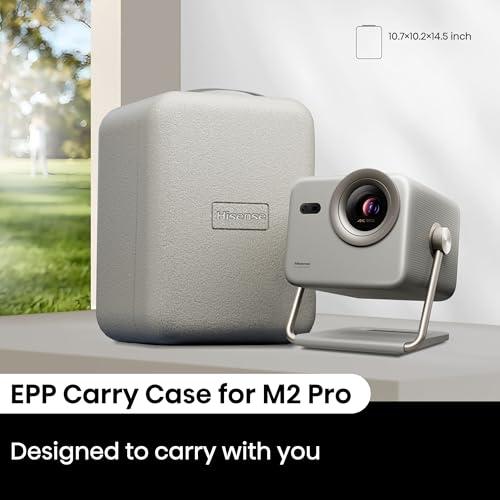
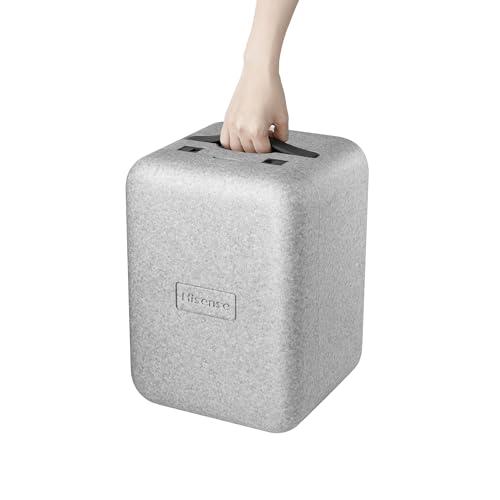
The M2 Pro weighs 8.6 pounds and measures 7.6 × 8.6 × 9.1 inches, making it genuinely travel-friendly. The included carry case is compact enough for airline travel, and the projector's light weight makes it comfortable to move around regularly. The build quality feels solid without being overly robust—appropriate for frequent handling but designed with cost considerations in mind.
The X1 is larger and heavier, though specific weight wasn't disclosed in available specifications. However, it includes premium construction elements like the liquid cooling system (inspired by high-end gaming PCs) and more substantial housing to accommodate the higher-power laser system. The included carrying case is more substantial and protective, reflecting the higher-value hardware inside.
Both projectors offer modern smart TV functionality, but through different platforms that may influence your decision.
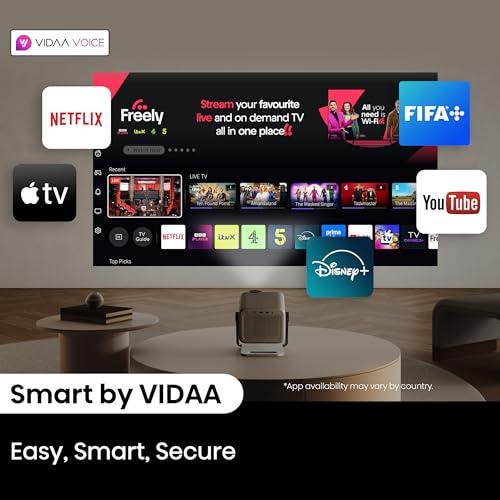
The M2 Pro runs Hisense's VIDAA OS, which provides access to major streaming services including Netflix, Disney+, Amazon Prime Video, and YouTube. The interface is straightforward and responsive, though not as sophisticated as Google TV. VIDAA Voice provides hands-free control, and the system supports screen mirroring from smartphones and tablets.
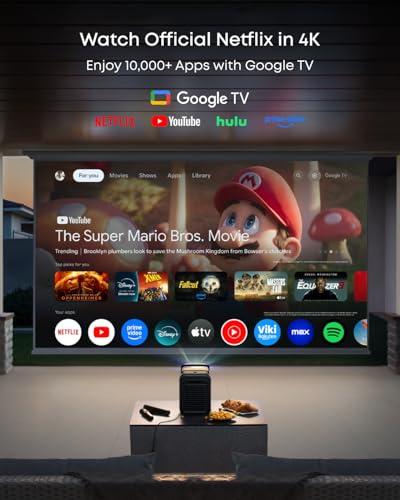
The X1 uses Google TV, which many users prefer for its more intuitive interface, better content recommendations, and seamless integration with Google services. The official Netflix certification is particularly valuable, as some projectors struggle with Netflix's content protection requirements.
Platform preference often comes down to personal ecosystem choices, but Google TV generally offers a more polished smart TV experience.
At the time of writing, the pricing difference between these projectors reflects their different market positions rather than simple feature variations.
The M2 Pro represents exceptional value for users who want premium triple laser projection without premium pricing. It delivers about 85-90% of the performance of projectors costing significantly more, making it ideal for budget-conscious buyers who don't want to compromise on core image quality.
The X1 commands a substantial premium but justifies it through superior brightness, professional-grade optics, advanced audio systems, and comprehensive smart features. For users who prioritize maximum performance and convenience, the higher cost delivers meaningful benefits.
Understanding how these projectors perform in common use cases helps clarify which is right for your situation.
Home Theater Replacement: The X1 excels here, with sufficient brightness for family room environments and audio quality that eliminates the need for separate speakers. The M2 Pro works well in dedicated media rooms but requires more environmental control.
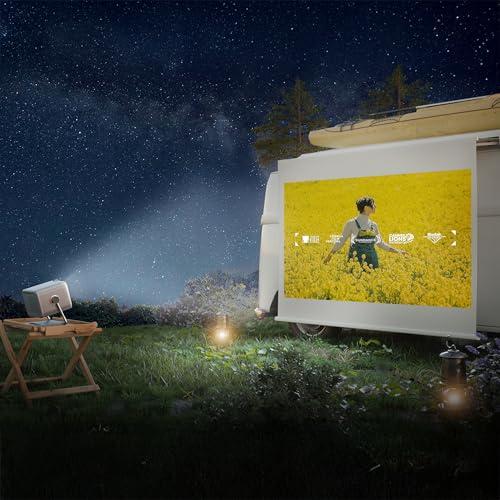
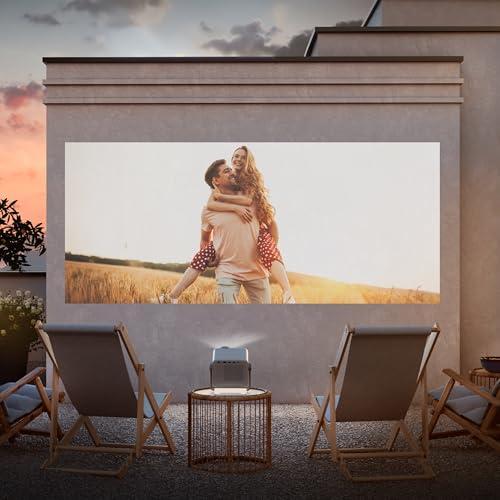
Outdoor Entertainment: Both projectors work for backyard movie nights, but the X1's extra brightness extends usable time closer to sunset. The M2 Pro performs excellently once natural light fades.
Gaming Setup: Either projector works well for gaming, with the choice depending on whether you prioritize ultra-low latency (M2 Pro) or next-gen console features (X1).
Frequent Travel: The M2 Pro's compact size and lighter weight make it clearly superior for users who regularly transport their projector.
After researching extensive user feedback and professional reviews, clear patterns emerge for who should choose each projector.
Choose the Hisense M2 Pro if you're looking for excellent value, prioritize portability, typically watch in controlled lighting conditions, or want to enter the premium projection market without a premium budget. It's particularly well-suited for apartment dwellers, frequent travelers, or anyone who wants "good enough" performance at an attractive price point.
Choose the Nebula X1 if performance is your primary concern, you need flexibility with ambient lighting, want the best possible audio experience, or plan to use the projector as your primary viewing system. It's ideal for dedicated home theater enthusiasts, users with bright living spaces, or anyone who values premium engineering and comprehensive features.
The decision ultimately comes down to balancing performance needs with budget constraints. Both projectors deliver genuinely impressive 4K triple laser projection, but they serve different points on the performance-to-value curve. Understanding your specific viewing environment, usage patterns, and feature priorities will guide you to the right choice for your home theater setup.
| Hisense M2 Pro 4K Triple Laser Portable Projector | Nebula X1 4K Triple Laser Projector |
|---|---|
| Brightness - Most critical spec for ambient light handling and screen size flexibility | |
| 1,300 ANSI lumens (requires controlled lighting for optimal performance) | 3,500 ANSI lumens (excellent for bright rooms and outdoor dusk viewing) |
| Native Resolution - True 4K vs upscaled clarity | |
| True 4K UHD (3840 x 2160) with 0.47" DMD chip | 4K UHD via 4-way pixel shifting from 1080p base |
| Color Gamut - Determines color accuracy and vibrancy | |
| 110% BT.2020 coverage with TriChroma triple laser | 110% Rec.2020 coverage with RGB Triple Laser Forge |
| Contrast Ratio - Critical for deep blacks and shadow detail | |
| 1,000:1 native contrast | 5,000:1 native, 56,000:1 dynamic with 6-blade iris |
| Projection Size Range - Flexibility for different rooms and setups | |
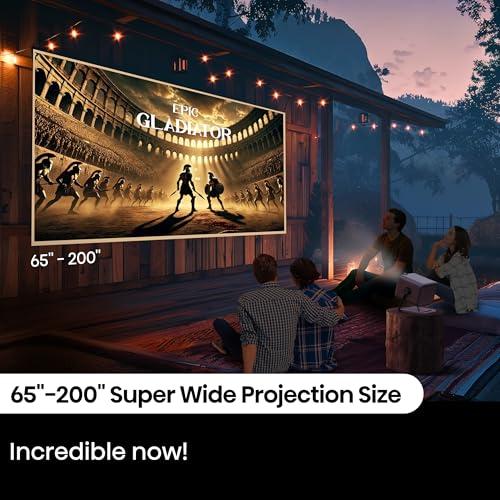
| 65" to 200" screen sizes | Up to 300" screen sizes |
| Optical System - Affects image sharpness and thermal stability | |
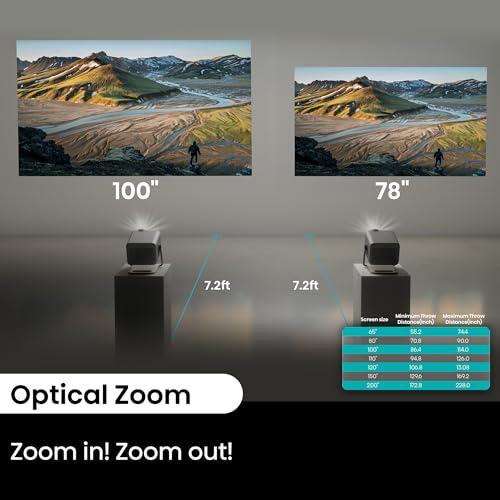
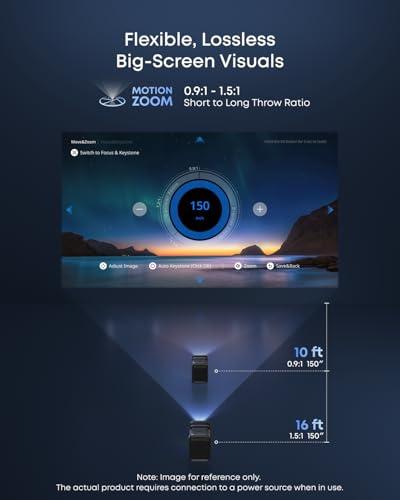
| Standard optical system with 1.0-1.3x zoom | 14-element all-glass lens with motorized zoom/focus |
| Gaming Performance - Input lag matters for competitive gaming | |
| 12ms input lag, 240Hz refresh rate support | <19ms input lag, 4K@60Hz via HDMI 2.1 |
| Audio System - Determines if external speakers are needed | |
| 20W stereo speakers with Dolby Audio | 4.1.2 surround with wireless satellites (40W total built-in) |
| Weight and Portability - Important for frequent transport | |
| 8.6 lbs (3.9kg) - highly portable for travel | Heavier build for premium components (weight not specified) |
| Smart Platform - Affects streaming app availability and user experience | |
| VIDAA OS with major streaming apps | Google TV with official Netflix certification |
| Setup Automation - Convenience for non-technical users | |
| Auto keystone, auto focus, wall color adaptation | AI Spatial Adaptation with obstacle avoidance and spatial recall |
| Lens Adjustment - Flexibility for installation and room layouts | |
| 360° horizontal, 135° vertical gimbal adjustment | 25° motorized lens shift with micro gimbal |
| Laser Lifespan - Long-term cost of ownership | |
| 25,000+ hours rated lifespan | 30,000 hours with liquid cooling system |
| HDR Support - Enhanced contrast and color for premium content | |
| Dolby Vision, HDR10, HDR10+, HLG | Dolby Vision, HDR10, HLG |
| Cooling System - Affects noise levels and component longevity | |
| Standard fan cooling | Industry-first liquid cooling (26dB operation) |
| Target Market - Who each projector is designed for | |
| Value-focused users wanting premium features at accessible pricing | Performance enthusiasts prioritizing maximum capability and convenience |
The Nebula X1 is significantly brighter at 3,500 ANSI lumens compared to the Hisense M2 Pro's 1,300 ANSI lumens. This means the Nebula X1 can handle rooms with ambient light and outdoor use during dusk, while the M2 Pro performs best in darker, controlled environments.
The primary difference is brightness and price positioning. The Hisense M2 Pro focuses on portability and value with excellent image quality at a more accessible price point. The Nebula X1 prioritizes maximum performance with premium features like higher brightness, advanced optics, and superior audio systems.
For dedicated home theaters in dark rooms, both projectors perform excellently. However, for family rooms or spaces with some ambient light, the Nebula X1 is superior due to its higher brightness and built-in 4.1.2 surround sound system that eliminates the need for external speakers.
Yes, but with different definitions of portable. The Hisense M2 Pro weighs 8.6 pounds and is genuinely travel-friendly with a compact carry case. The Nebula X1 is larger and heavier but still portable for moving between rooms or outdoor use, though less suitable for frequent travel.
Both excel at gaming but in different ways. The Hisense M2 Pro offers ultra-low 12ms input lag and 240Hz support, making it ideal for competitive gaming. The Nebula X1 provides <19ms input lag with HDMI 2.1 features like VRR and ALLM, perfect for next-gen console gaming.
The Hisense M2 Pro has decent 20W stereo speakers but benefits from external audio for the full cinema experience. The Nebula X1 includes a complete 4.1.2 surround sound system with wireless satellites, providing theater-quality audio without additional equipment.
The Hisense M2 Pro delivers exceptional value, offering premium triple laser technology and 4K resolution at approximately one-third the cost of comparable projectors. The Nebula X1 justifies its premium pricing through superior brightness, professional-grade optics, and comprehensive features.
The Hisense M2 Pro supports screen sizes from 65" to 200", while the Nebula X1 can project up to 300". However, the M2 Pro's lower brightness means it performs best at smaller sizes (65-120") unless in very dark conditions.
Both offer automated setup features. The Hisense M2 Pro provides auto keystone correction, auto focus, and wall color adaptation with flexible gimbal positioning. The Nebula X1 features advanced AI Spatial Adaptation that automatically handles focus, positioning, and environmental adjustments with spatial memory for multiple locations.
The Hisense M2 Pro runs VIDAA OS with access to major streaming services and voice control. The Nebula X1 uses Google TV with official Netflix certification, superior content recommendations, and seamless Google ecosystem integration. Both support screen mirroring from mobile devices.
For outdoor use after dark, both projectors work well, with the Hisense M2 Pro being easier to transport. However, the Nebula X1 extends your viewing window closer to sunset due to its higher brightness and includes IP54-rated wireless speakers designed for outdoor use.
The Hisense M2 Pro offers 25,000+ hours of laser life, while the Nebula X1 provides 30,000 hours with its advanced liquid cooling system. Both far exceed traditional lamp projectors (3,000-5,000 hours) and maintain consistent brightness throughout their lifespan, making either projector a long-term investment.
We've done our best to create useful and informative comparisons to help you decide what product to buy. Our research uses advanced automated methods to create this comparison and perfection is not possible - please contact us for corrections or questions. These are the sites we've researched in the creation of this article: thegadgetflow.com - valueelectronics.com - youtube.com - projectorscreenstore.com - whathifi.com - hisense-usa.com - tomsguide.com - content.syndigo.com - youtube.com - shop.hisense-usa.com - avsforum.com - projectorscreen.com - projectorscreen.com - projectorcentral.com - avsforum.com - youtube.com - projector-database.com - youtube.com - seenebula.com - projectorreviews.com - seenebula.com - whathifi.com - bestbuy.com - techradar.com - projectorcentral.com - youtube.com - avsforum.com - seenebula.com - blog.son-video.com - youtube.com - projectorcentral.com

Privacy Policy
Terms and Conditions - Affiliate Policy
Home Security
© Copyright 2008-2026.
11816 Inwood Rd #1211, Dallas, TX 75244