

The smart projector market has exploded over the past few years, transforming how we think about home entertainment. Gone are the days when you needed a separate streaming device, complex wiring, and hours of setup just to watch Netflix on a big screen. Today's smart projectors pack everything into one device, but the question remains: should you go budget-friendly or splurge on premium features?
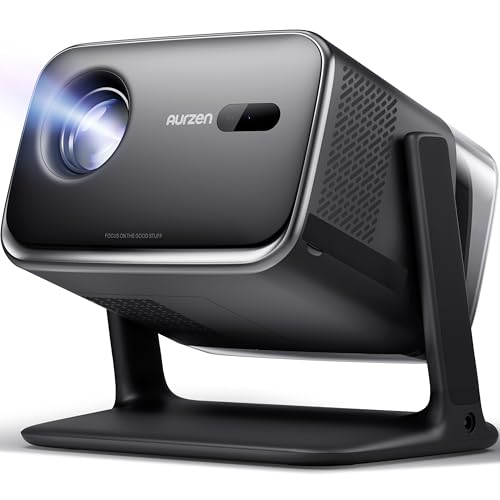
We're comparing two projectors that represent opposite ends of the spectrum: the Aurzen BOOM Mini Smart Projector Google TV and the Nebula X1 4K Triple Laser Projector. These aren't just different price points – they represent fundamentally different approaches to projection technology and what compromises you're willing to make.
Before diving into specifics, let's talk about what makes a projector truly useful in 2025. The "smart" part refers to built-in streaming capabilities – think of it like having a Roku or Apple TV permanently installed inside your projector. This eliminates cable clutter and simplifies setup, but the underlying projection technology determines whether you'll actually enjoy using it.
Brightness is king in the projector world. Measured in ANSI lumens (a standardized brightness measurement), this determines whether you can watch during the day or need to turn off every light. Resolution affects how crisp text and fine details appear, while contrast ratio determines how well you can see details in dark scenes versus bright ones.
The throw ratio tells you how far back you need to place the projector to get a certain screen size – lower numbers mean you can get bigger images from shorter distances. Color gamut describes how many different colors the projector can display, with wider gamuts producing more vibrant, realistic images.
The Aurzen BOOM Mini, released in early 2025, represents the "smart projection for everyone" approach. At roughly one-tenth the cost of premium alternatives, it packs official Google TV, decent 1080p image quality, and genuine portability into an affordable package.
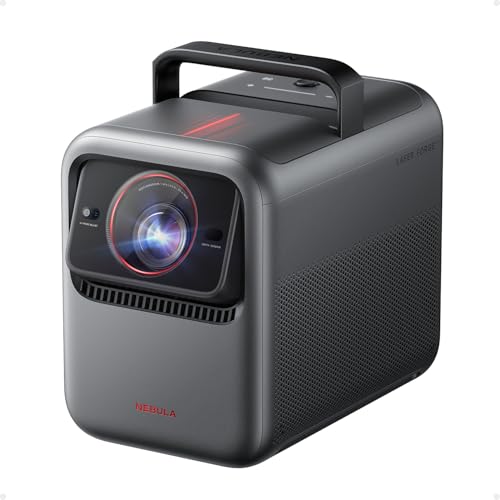
The Nebula X1, also hitting the market in 2025, takes the opposite approach: spare no expense in creating a portable projector that rivals traditional home theater setups. Its triple laser technology and professional-grade optics push the boundaries of what's possible in a portable device.
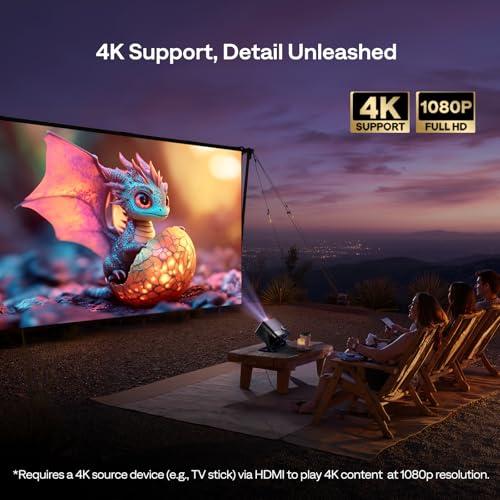
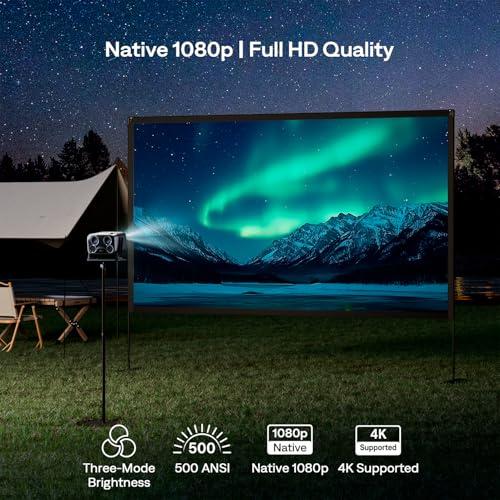
The BOOM Mini delivers native 1920×1080 resolution using LCD technology with LED backlighting. This means each pixel on your wall corresponds to an actual pixel on the internal display panel. While it accepts 4K input signals, it downscales them to 1080p for display – think of it like viewing a 4K photo on a 1080p monitor.
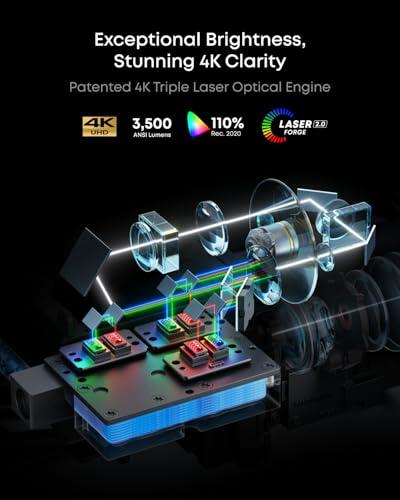
The Nebula X1 uses a completely different approach with DLP (Digital Light Processing) technology and a technique called XPR wobulation. The internal chip is actually 1080p, but it rapidly shifts each pixel four times per frame to create the appearance of true 4K resolution. This isn't quite the same as having 8.3 million individual pixels, but it's remarkably close and produces genuinely sharp 4K images that are virtually indistinguishable from native 4K in most viewing scenarios.
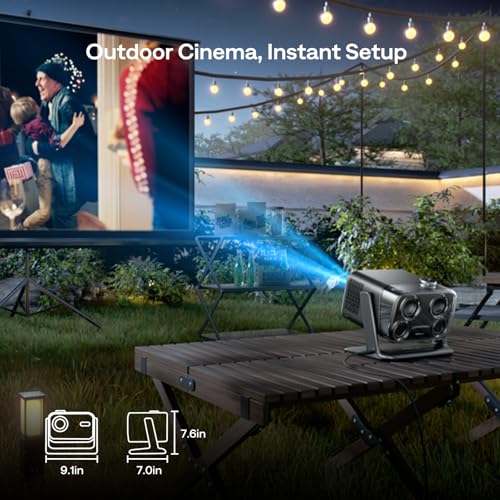
Here's where these projectors diverge dramatically. The BOOM Mini produces 500 ANSI lumens – enough for comfortable viewing in dark rooms and acceptable performance with minimal ambient lighting. Picture watching a movie in your bedroom with blackout curtains, or setting up outdoors after sunset.
The Nebula X1 blasts out 3,500 ANSI lumens, making it seven times brighter. This isn't just a numbers game – it's the difference between being usable only in darkness versus handling normal living room lighting. Based on our research into user experiences, the X1 can produce watchable images even with some daylight streaming through windows, something completely impossible with the BOOM Mini.
This brightness advantage comes from the X1's triple laser light source, which uses separate red, green, and blue lasers instead of traditional LED lighting. Laser projection offers several advantages: much higher brightness potential, better color accuracy, and longer lifespan (rated for 30,000 hours of use).
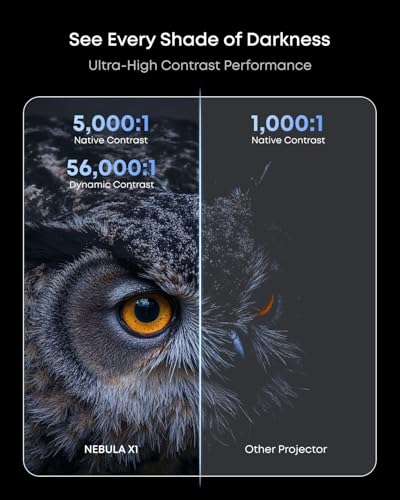
The BOOM Mini uses standard LCD color reproduction, which tends to be accurate but not particularly vibrant. Its 1,000:1 contrast ratio means the brightest whites are 1,000 times brighter than the darkest blacks it can produce – decent for basic viewing but limiting for dramatic scenes with deep shadows.
The X1 covers 110% of the Rec. 2020 color space, which is the ultra-wide color standard used for premium HDR content. In practical terms, this means more vibrant greens in nature documentaries, richer reds in action movies, and more realistic skin tones. Its 5,000:1 native contrast ratio (expanding to 56,000:1 with dynamic processing) reveals details in both bright highlights and dark shadows that would be lost on lesser projectors.
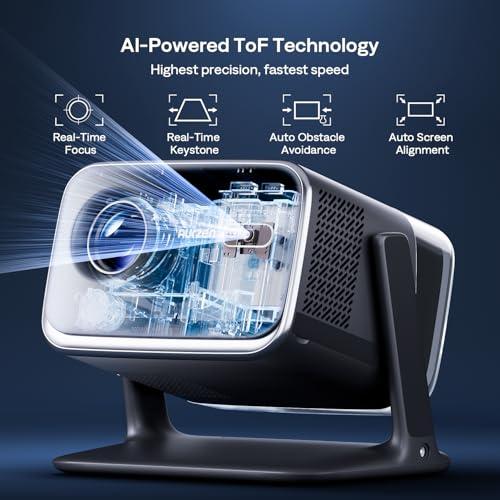
The BOOM Mini uses a straightforward lens system with real-time autofocus and keystone correction. When you move the projector or change the projection surface, it automatically refocuses and corrects for angular distortion (keystone effect) within about three seconds. It's genuinely convenient and works well for its intended use cases.
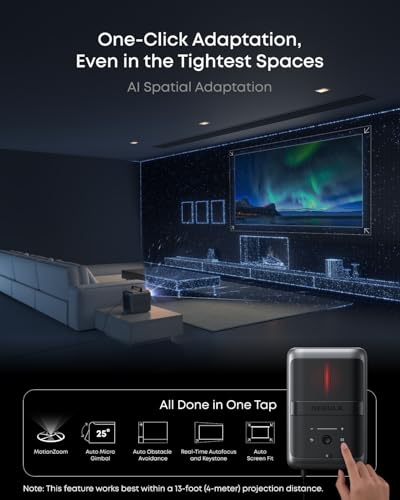
The X1 takes this much further with its 14-element all-glass lens system. This isn't marketing fluff – it includes specialized low-dispersion elements that prevent color fringing (chromatic aberration) and maintain sharp focus across the entire image. The entire optical assembly sits on a motorized gimbal that can tilt 25 degrees, allowing for ceiling projection and automatic image alignment.
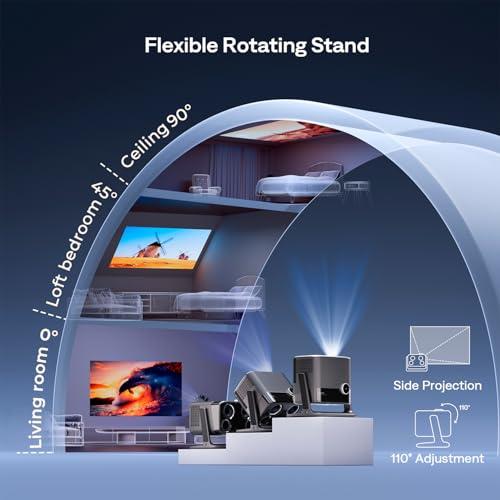
Both projectors offer automated setup features, but they operate at different sophistication levels. The BOOM Mini handles basic focus and keystone correction automatically, with a flexible stand that adjusts 110 degrees vertically. You can set it up for wall or ceiling projection in minutes.
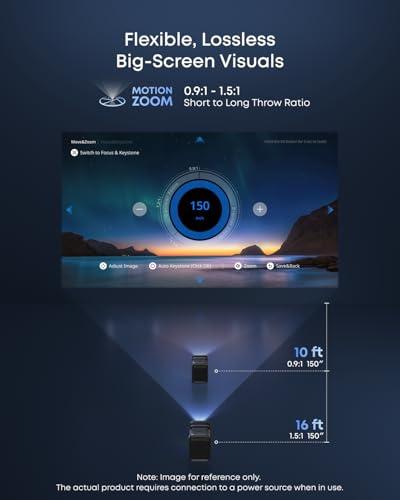
The X1 includes AI Spatial Adaptation, which uses sensors to scan your room and automatically adjust image size, position, and focus with minimal user input. It can remember settings for different locations – handy if you move between your living room and backyard regularly. The throw ratio of 0.9:1 to 1.5:1 means you can project a 100-inch image from just six feet away, crucial for smaller rooms.
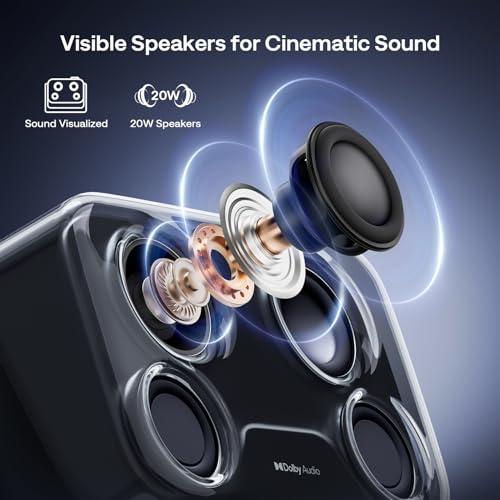
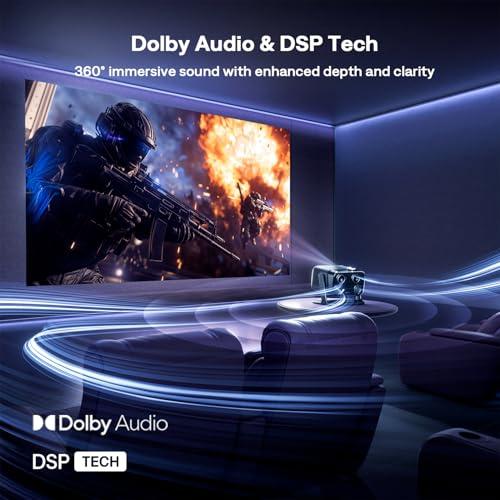
The BOOM Mini includes dual 10-watt speakers (20 watts total) with Dolby Audio support. The sound is adequate for casual viewing and significantly better than typical projector audio, though it lacks the depth for truly cinematic experiences. It can also function as a Bluetooth speaker when not projecting, adding versatility.
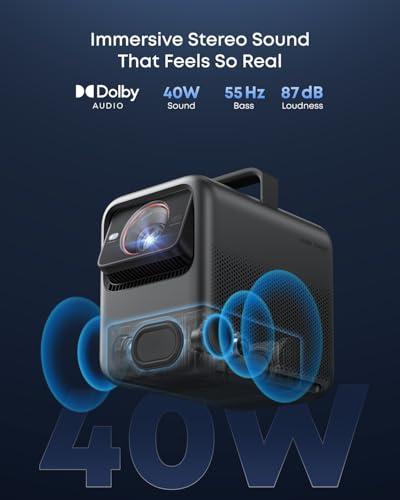
The X1 features a 4.1.2 surround sound system with FlexWave upmixing technology. This creates genuine surround effects from stereo content and includes optional wireless satellite speakers that are IP54-rated for outdoor use. The total system can produce immersive audio that rivals dedicated home theater speaker setups, particularly impressive for a portable projector.
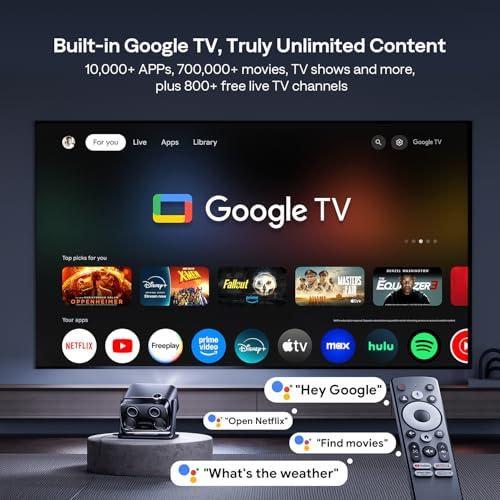
Both projectors run official Google TV, but their hardware implementations differ significantly. The BOOM Mini uses an MT9630 processor with 2GB of RAM and 16GB of storage. This provides smooth operation for most streaming apps, though you might notice occasional loading delays with graphics-intensive content.
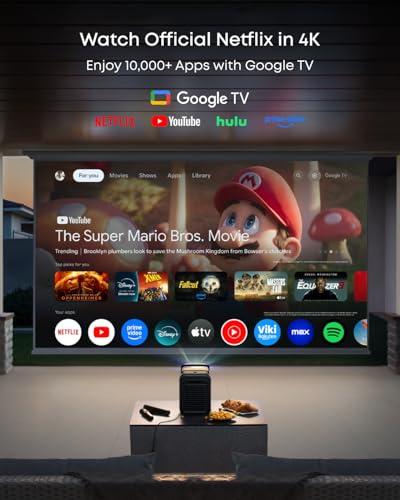
The X1 employs a more powerful quad-core ARM processor with the same RAM but double the storage. Navigation feels more responsive, and apps launch faster. Both support all major streaming services including Netflix, Disney+, and Amazon Prime Video without requiring external devices.
The Google TV integration eliminates one of the traditional pain points of projector ownership. You're not juggling multiple remotes or dealing with HDMI switching – everything runs through one interface with personalized recommendations and voice control via Google Assistant.
Gaming reveals another significant divide between these projectors. The BOOM Mini handles casual gaming adequately with standard input lag and 1080p resolution. It's perfectly fine for party games or retro consoles but won't satisfy serious gamers.
The X1 supports full 4K gaming at 60Hz through HDMI 2.1 with input lag under 19 milliseconds in Game Mode. This rivals many dedicated gaming monitors and makes it viable for competitive gaming on a massive screen. The combination of high brightness and low lag opens up gaming scenarios that simply aren't possible with dimmer projectors.
"Portable" means different things to different people. The BOOM Mini weighs 4.7 pounds and fits in a small bag – truly grab-and-go portable. You could easily take it to a friend's house or set it up in different rooms regularly.
The X1 weighs 13.7 pounds and comes with a professional carrying case. While still technically portable, it's more like moving a small desktop computer. The included case protects the investment and makes transport feasible, but this isn't something you'd casually relocate daily.
At the time of writing, these projectors sit at opposite ends of the price spectrum – the BOOM Mini costs roughly one-tenth of the X1. This massive price difference reflects fundamentally different target markets and performance expectations.
The BOOM Mini delivers legitimate smart projection at an accessible price point. For many users, its combination of 1080p image quality, integrated streaming, and true portability provides everything needed for occasional movie nights or bedroom entertainment.
The X1 targets users seeking professional-grade performance in a portable package. Its brightness levels, color accuracy, and audio system approach what you'd expect from dedicated home theater equipment costing significantly more.
You're looking for an affordable entry into smart projection technology. This projector excels in dark or dimly-lit environments, making it perfect for bedroom entertainment, dorm rooms, or outdoor movie nights after sunset. The compact size and simple setup make it ideal for renters who can't install permanent equipment or anyone who wants to move their projector between rooms regularly.
The BOOM Mini also makes sense as a secondary display – perhaps for a kids' playroom or guest bedroom where you want the convenience of built-in streaming without major investment.
You're replacing a traditional TV or building a serious home entertainment system. The X1 handles challenging lighting conditions that would render cheaper projectors unusable, making it viable as a primary living room display. Its 4K resolution and color accuracy satisfy serious movie buffs, while the gaming performance appeals to console enthusiasts.
The sophisticated audio system eliminates the need for separate speakers in many setups, and the automated setup features justify the premium for users who value convenience over budget constraints.
Smart projectors have advanced rapidly since their introduction around 2018. Early models suffered from dim output, poor smart platform integration, and reliability issues. The 2025 crop represents significant maturation, with official streaming app support, automated setup features, and brightness levels that were previously limited to expensive fixed-installation units.
The BOOM Mini benefits from cost reductions in LCD and LED technology, allowing decent image quality at unprecedented price points. The X1 showcases how laser technology – once limited to commercial installations – has become viable for consumer products.
For dedicated home theater use, both projectors offer advantages over traditional TVs: massive screen sizes, flexible placement, and immersive viewing experiences that make your living room feel like a movie theater.
The BOOM Mini works best in dedicated dark rooms where you can control ambient lighting. Paired with a proper projection screen and external audio system, it can deliver genuinely cinematic experiences that rival much more expensive setups.
The X1 opens up home theater possibilities in normal living spaces where controlling lighting isn't practical. Its brightness and contrast performance work with existing room lighting, while the built-in audio system eliminates the complexity of separate speakers.
The choice between these projectors ultimately comes down to your specific needs and budget. The BOOM Mini democratizes smart projection technology, bringing the convenience of built-in streaming and decent image quality to price-conscious consumers. It's not trying to replace your main TV but rather supplement your entertainment options.
The X1 aims higher, delivering professional-grade performance that can genuinely replace traditional displays in most scenarios. Its premium price reflects premium capabilities that unlock new use cases impossible with budget alternatives.
Consider your primary use case: occasional entertainment in dark rooms favors the BOOM Mini, while regular use in varied lighting conditions justifies the X1. Both represent solid value propositions within their respective market segments, assuming your needs align with their capabilities.
The smart projector category continues evolving rapidly, but these two models capture the current state of accessible versus premium projection technology. Choose based on your specific needs rather than aspirational features you might never use.
| Aurzen BOOM Mini Smart Projector Google TV | Nebula X1 4K Triple Laser Projector |
|---|---|
| Brightness - Most critical factor determining where you can actually use the projector | |
| 500 ANSI lumens (dark rooms only) | 3,500 ANSI lumens (works in bright living rooms and outdoors) |
| Resolution - Affects text sharpness and detail clarity | |
| Native 1080p LCD (accepts 4K input, downscales) | True 4K UHD via DLP wobulation (sharper text and fine details) |
| Display Technology - Different approaches with distinct advantages | |
| LCD + LED (no rainbow effect, lower brightness ceiling) | DLP + Triple Laser (exceptional brightness and color, possible rainbow effect) |
| Color Performance - Impact on movie and content realism | |
| Standard color gamut, 1,000:1 contrast | 110% Rec.2020 color gamut, 5,000:1 contrast (cinema-grade colors) |
| Lens System - Determines image quality and setup flexibility | |
| Standard lens with real-time autofocus | 14-element all-glass lens with motorized gimbal and 25° lens shift |
| Audio System - Whether you need external speakers | |
| Dual 10W speakers, 20W total (adequate for casual viewing) | 4.1.2 surround with FlexWave upmixing + optional wireless satellites |
| Smart Platform - Streaming convenience and app performance | |
| Google TV on MT9630, 2GB RAM/16GB storage | Google TV on quad-core ARM, 2GB RAM/32GB storage (faster performance) |
| Gaming Performance - Console and PC gaming capabilities | |
| 1080p gaming, standard input lag | 4K@60Hz via HDMI 2.1, <19ms input lag (competitive gaming ready) |
| Portability - How easily you can move and transport it | |
| 4.7 lbs, compact design (truly grab-and-go) | 13.7 lbs with professional carry case (portable but substantial) |
| Setup and Installation - Time and effort to get perfect image | |
| Real-time autofocus and keystone correction | AI Spatial Adaptation with memory for multiple rooms |
| Projection Size and Distance - Room placement flexibility | |
| 40"-200" from 4-20 feet away | Up to 300" with 0.9:1-1.5:1 throw ratio (100" from 6 feet) |
| Light Source Lifespan - Long-term cost considerations | |
| LED rated 30,000 hours | Triple laser rated 30,000 hours (more stable over time) |
| Target Use Case - Who this projector serves best | |
| Budget-conscious users, dark room viewing, occasional use | Premium home theater replacement, bright room performance, daily use |
The Nebula X1 4K Triple Laser Projector is significantly better for bright rooms with its 3,500 ANSI lumens compared to the Aurzen BOOM Mini Smart Projector Google TV's 500 ANSI lumens. The X1 can handle normal living room lighting and even some daylight, while the BOOM Mini requires dark or dimly lit environments for optimal viewing.
The Nebula X1 delivers true 4K resolution with superior color accuracy (110% Rec.2020 color gamut) and higher contrast (5,000:1), while the Aurzen BOOM Mini offers native 1080p resolution with standard color reproduction and 1,000:1 contrast. The X1 provides sharper text, more vibrant colors, and better detail in both bright and dark scenes.
The Aurzen BOOM Mini Smart Projector Google TV is much more portable at 4.7 pounds with a compact design that fits in a small bag. The Nebula X1 weighs 13.7 pounds and comes with a professional carrying case, making it portable but less convenient for frequent transport between locations.
Yes, both the Aurzen BOOM Mini and Nebula X1 run official Google TV with access to Netflix, Disney+, YouTube, and other major streaming services. However, the X1 has a more powerful processor that provides faster app loading and smoother navigation compared to the BOOM Mini.
The Nebula X1 4K Triple Laser Projector is superior for gaming with 4K@60Hz support via HDMI 2.1 and input lag under 19ms, making it suitable for competitive gaming. The Aurzen BOOM Mini handles casual gaming at 1080p with standard input lag but isn't optimized for serious gaming.
The Nebula X1 features a comprehensive 4.1.2 surround sound system with FlexWave upmixing and optional wireless satellite speakers for immersive audio. The Aurzen BOOM Mini Smart Projector Google TV has dual 10W speakers (20W total) that provide adequate sound for casual viewing but lack the depth for cinematic experiences.
The Aurzen BOOM Mini offers exceptional value for budget-conscious buyers seeking basic smart projection capabilities, while the Nebula X1 provides premium value for users who need professional-grade performance and can justify the significantly higher investment for superior brightness, 4K resolution, and advanced features.
The Nebula X1 4K Triple Laser Projector can effectively replace a TV in most living rooms due to its high brightness and 4K resolution that works well with ambient lighting. The Aurzen BOOM Mini works better as a secondary display or for specific use cases like bedroom entertainment where lighting can be controlled.
Both projectors offer automated setup, but the Nebula X1 includes advanced AI Spatial Adaptation that automatically adjusts image size, position, and focus while remembering settings for different rooms. The Aurzen BOOM Mini Smart Projector Google TV provides real-time autofocus and keystone correction that works well for basic setup needs.
The Nebula X1 is far superior for outdoor use with its 3,500 ANSI lumens that can handle some ambient light and larger projection sizes up to 300 inches. The Aurzen BOOM Mini only works outdoors in complete darkness after sunset, limiting its outdoor versatility.
The Nebula X1 4K Triple Laser Projector offers more flexibility with a 0.9:1-1.5:1 throw ratio, allowing a 100-inch image from just 6 feet away. The Aurzen BOOM Mini requires 4-20 feet for its 40"-200" projection range, needing more space for larger images.
For dedicated home theaters with controlled lighting, the Aurzen BOOM Mini Smart Projector Google TV can provide good results at a budget-friendly cost. However, the Nebula X1 delivers true home theater quality with 4K resolution, cinema-grade colors, immersive surround sound, and brightness that works in normal living spaces, making it the premium choice for serious home theater setups.
We've done our best to create useful and informative comparisons to help you decide what product to buy. Our research uses advanced automated methods to create this comparison and perfection is not possible - please contact us for corrections or questions. These are the sites we've researched in the creation of this article: aurzen.com - aurzen.com - the-gadgeteer.com - projectorcentral.com - aurzen.com - aurzen.com - youtube.com - bestbuy.com - bestbuy.com - youtube.com - aurzen.com - youtube.com - hometechnologyreview.com - youtube.com - aurzen.com - youtube.com - seenebula.com - projectorreviews.com - seenebula.com - whathifi.com - bestbuy.com - techradar.com - projectorcentral.com - youtube.com - avsforum.com - seenebula.com - blog.son-video.com - youtube.com - projectorcentral.com

Privacy Policy
Terms and Conditions - Affiliate Policy
Home Security
© Copyright 2008-2026.
11816 Inwood Rd #1211, Dallas, TX 75244