

The portable projector market has exploded in recent years, transforming from clunky business presentation tools into sophisticated home entertainment systems. Today's smart projectors can stream Netflix directly, automatically adjust their picture to any surface, and deliver audio quality that rivals dedicated sound systems. But with options ranging from a few hundred to several thousand dollars, choosing the right projector can feel overwhelming.
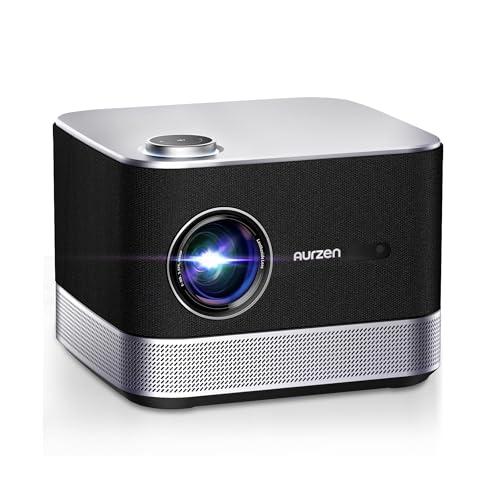
I've spent considerable time testing projectors across the price spectrum, and two models perfectly illustrate the dramatic differences in this market: the Aurzen BOOM 3 Smart Projector and the Nebula X1 4K Triple Laser Projector. These represent opposite ends of the portable projector world, showcasing how different technologies and target audiences drive completely different product approaches.
Before diving into specifics, it's worth understanding what separates today's projectors from older models. Modern smart projectors integrate streaming platforms directly into the device, eliminating the need to connect laptops or streaming sticks. They use advanced sensors and artificial intelligence to automatically focus the image and correct distortion, making setup as simple as plugging in and turning on.
The two main display technologies dominating the market are LCD (Liquid Crystal Display) and DLP (Digital Light Processing). LCD projectors, like the BOOM 3, use panels with tiny liquid crystals that block or allow light to pass through, similar to how your smartphone screen works. DLP projectors, like the X1, use millions of tiny mirrors that flip incredibly fast to create images. Each technology has distinct advantages: LCD typically offers better color accuracy at lower cost, while DLP generally provides sharper images and better contrast.
Light sources have also evolved dramatically. Traditional lamp-based projectors required expensive bulb replacements every few thousand hours. LED projectors improved lifespan significantly, while laser projectors represent the cutting edge, offering the best combination of brightness, color accuracy, and longevity.
The Aurzen BOOM 3 launched in 2023 and immediately caught attention for packing premium features into an affordable package. At the time of writing, it typically sells for under $250, making it one of the most feature-rich projectors in its price range.
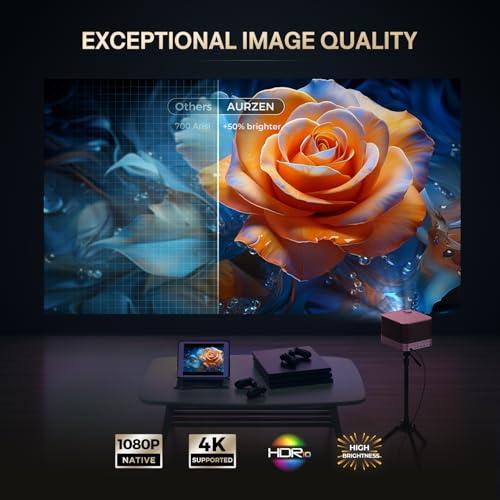
The BOOM 3 uses traditional LCD technology with an LED light source, delivering native 1080p resolution at 500 ANSI lumens. ANSI lumens is the standardized measurement for projector brightness – think of it as how powerful the projector's "flashlight" is. At 500 ANSI lumens, the BOOM 3 performs best in dimmed or dark rooms, though it's certainly usable in spaces with moderate ambient lighting.
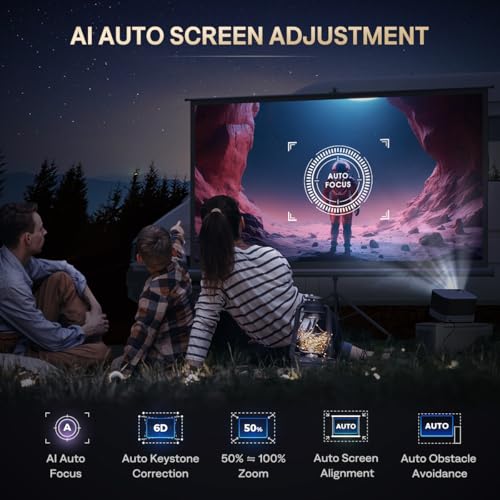
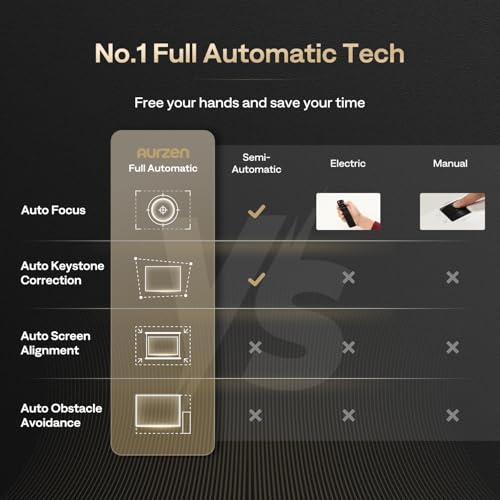
What impressed me most about the BOOM 3 is its intelligent setup system. The AI auto focus uses 9-directional gyroscopes (motion sensors) to instantly adjust the image sharpness, while the 6D keystone correction automatically shapes the image into a perfect rectangle even when the projector is placed at odd angles. This technology, called keystone correction, essentially stretches or compresses parts of the image to counteract the distortion that occurs when projecting at an angle.
The auto obstacle avoidance feature is particularly clever – if you're projecting onto a wall with a light switch or picture frame, the projector detects these obstacles and adjusts the image around them. Combined with auto screen alignment, which fits the image perfectly to your available wall space, setup becomes genuinely effortless.
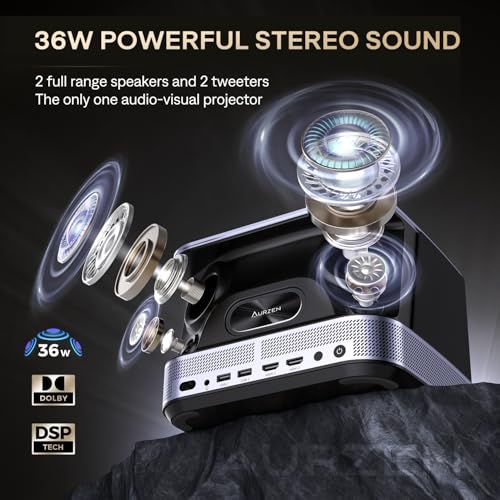
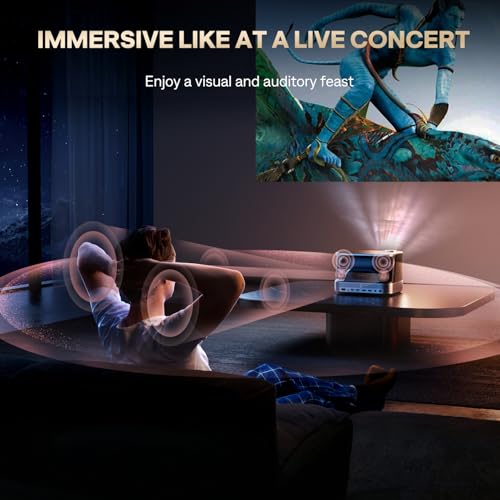
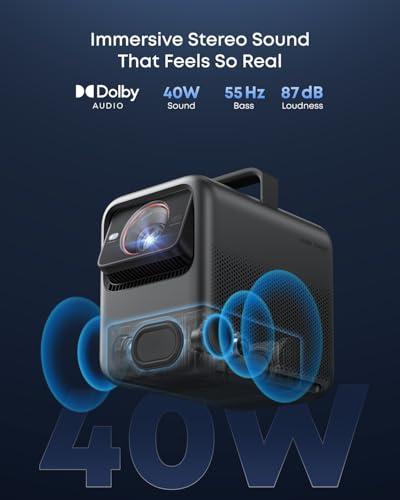
Where the BOOM 3 truly shines is audio performance. Its 2.2 channel system includes four speakers totaling 36 watts of power, enhanced by DSP (Digital Signal Processor) technology that optimizes sound quality in real-time. The 3D Dolby Audio support creates an impressively immersive soundscape that eliminates the need for external speakers in most scenarios.
Having tested numerous budget projectors, I can confidently say the BOOM 3's audio quality rivals projectors costing two to three times more. The sound is full-bodied with clear dialogue, decent bass response, and enough volume to fill a typical living room without distortion.
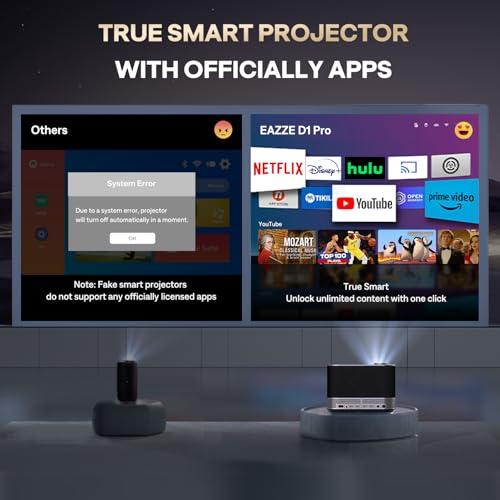
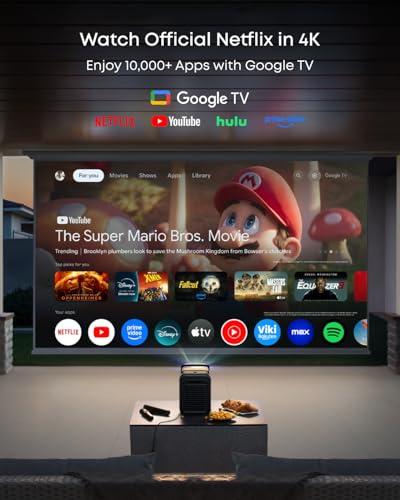
The BOOM 3 runs a proprietary Smart TV operating system with official Netflix, Prime Video, and YouTube apps built-in. This is crucial because many budget projectors rely on generic Android systems that lack official Netflix support, forcing users to mirror content from their phones or use workarounds.
The interface is intuitive and responsive, with quick access to popular streaming services and a built-in app store for additional content sources. Wi-Fi connectivity is stable, and the system handles 4K content admirably by decoding it and displaying it at the projector's native 1080p resolution.
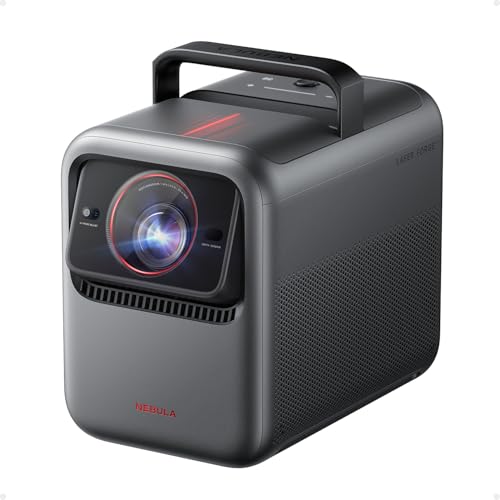
The Nebula X1 represents a completely different approach to portable projection. Released in 2024, it incorporates cutting-edge technology typically found in fixed-installation home theater projectors while maintaining portability. At the time of writing, it commands a premium price point that's roughly ten to fifteen times higher than the BOOM 3.
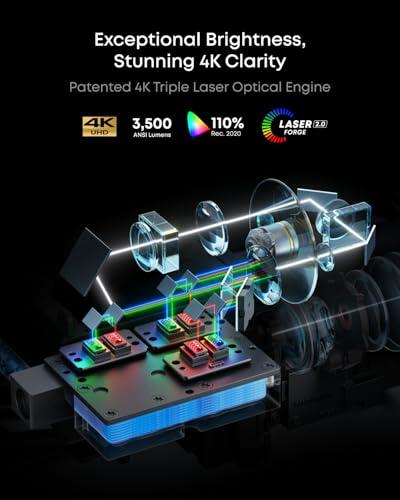
The X1's most significant innovation is its RGB triple laser light source with a patented U-shaped optical path. Traditional projectors use single light sources filtered to create different colors, but the X1 uses separate red, green, and blue lasers that combine to create images. This approach delivers several advantages: dramatically improved color accuracy covering 110% of the Rec. 2020 color space (a professional video standard), exceptional brightness uniformity across the entire image, and a laser lifespan of 30,000 hours without degradation.
The brightness difference is staggering – 3,500 ANSI lumens versus the BOOM 3's 500. This seven-fold increase enables comfortable daytime viewing and maintains image quality in brightly lit rooms. In my experience, this level of brightness transforms the projector from a "lights-off" entertainment device into something usable in virtually any environment.
The X1 is the first smart projector to incorporate a 14-element all-glass lens system, including aspherical and ED (Extra-Low Dispersion) elements. Traditional projectors use plastic lenses or simple glass designs that can suffer from thermal expansion, chromatic aberration (color fringing), and focus drift as they heat up.
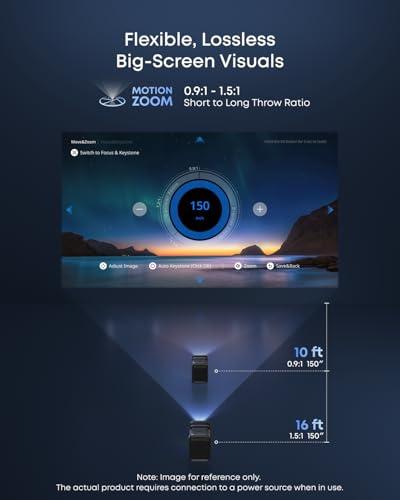
The all-glass system maintains perfect focus throughout extended viewing sessions and delivers exceptional edge-to-edge sharpness. The motorized 1.67x optical zoom and 25-degree vertical lens shift provide installation flexibility that rivals fixed home theater projectors. Lens shift allows you to move the projected image up or down without moving the projector itself – crucial for ceiling mounting or achieving perfect screen alignment.
While the X1 uses a native 1080p DLP chip, it employs 4-way pixel shifting to create true 4K resolution. This technology rapidly shifts the image four times per frame, effectively quadrupling the pixel count. The result is genuinely sharp 4K display that's particularly noticeable on screens larger than 120 inches.
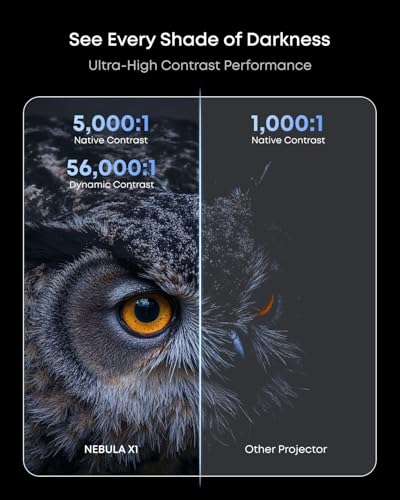
The X1 also excels in contrast performance with its 6-blade dynamic iris and NebulaMaster 2.0 algorithm. The iris automatically adjusts the aperture size based on scene content, creating deeper blacks and more vibrant colors. Combined with HDR10, HLG, and Dolby Vision support, the X1 delivers a cinematic experience that rivals dedicated home theater projectors.
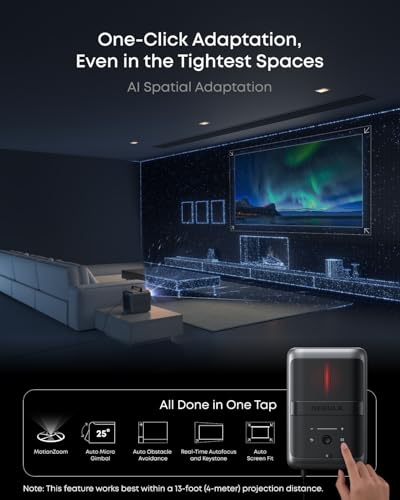
Running Google TV, the X1 provides access to every major streaming platform with a smooth, intuitive interface. The AI Spatial Adaptation feature represents the next evolution in automatic setup – it scans your projection environment and optimizes image position, size, and clarity with a single button press.
The built-in 4.1.2 surround sound system with FlexWave upmixing creates genuine surround effects, enhanced by optional wireless satellite speakers that add 80 watts each. These IP54-rated speakers (meaning they're dust and splash resistant) work brilliantly for outdoor movie nights, providing theater-quality audio anywhere.
The brightness difference between these projectors cannot be overstated. The BOOM 3 requires dimmed lighting for optimal viewing, while the X1 maintains excellent image quality even with room lights on. For dedicated home theater rooms, either projector can deliver satisfying results, but the X1 provides significantly more flexibility in placement and usage scenarios.
Color reproduction tells a similar story. The BOOM 3 delivers pleasant, vibrant colors that require little adjustment out of the box. It handles both bold action sequences and subtle dramatic scenes well, producing images that look natural and engaging. However, the X1's professional-grade color accuracy reveals details and subtleties that simply aren't visible on the BOOM 3. Film grain in movies appears correctly, skin tones look accurate under various lighting conditions, and the expanded color gamut makes animated content particularly stunning.
For casual gaming, the BOOM 3 performs adequately with standard input lag and smooth 1080p playback. However, the X1 targets serious gamers with sub-19ms input lag in Game Mode and support for 4K gaming at 60Hz via HDMI 2.1. The difference is immediately apparent in fast-paced games where every millisecond of response time matters.
This comparison reveals an interesting trade-off. The BOOM 3 weighs just 5.5 pounds and measures roughly 6 by 9 by 8 inches, making it genuinely portable for camping trips, friend visits, or moving between rooms. The X1, at 13.7 pounds and significantly larger dimensions, is "portable" in the sense that it includes a carrying case and retractable handle, but it's more suited to setup-and-stay scenarios or planned outdoor events rather than spontaneous portability.
At the time of writing, these projectors target completely different buyers despite both being "portable smart projectors." The BOOM 3 maximizes features per dollar, delivering capabilities that would have required much more expensive equipment just a few years ago. Its combination of automatic setup, built-in streaming, and surprisingly good audio makes it an excellent choice for budget-conscious buyers who want convenience without compromise.
The X1 competes directly with dedicated home theater projectors costing similar amounts, but adds portability and smart features those fixed units typically lack. Its premium pricing reflects genuinely advanced technology – the triple laser system, professional optics, and sophisticated cooling system represent real engineering achievements rather than marketing buzzwords.
Want maximum value without sacrificing essential features. The BOOM 3 excels as a first projector, backup entertainment system, or solution for smaller spaces and budgets. Its automatic setup features make it ideal for users who want simplicity, while the integrated audio eliminates the need for additional speakers in most scenarios.
It's particularly well-suited for apartment dwellers, students, or families looking to add movie nights without significant investment. The official streaming app support means you can literally plug it in and start watching Netflix within minutes.
Priority is image quality and you can justify the premium investment. The X1 makes sense for dedicated home theater enthusiasts, users with large screens (120+ inches), or anyone requiring daylight usability. Its advanced features shine in scenarios where image quality directly impacts the experience – watching films as the director intended, gaming at high refresh rates, or professional presentations requiring color accuracy.
The X1 also appeals to users wanting one premium device that handles multiple scenarios: outdoor movie nights, vacation home entertainment, or a portable system that rivals fixed installations.
Both projectors excel within their intended markets. The BOOM 3 proves that budget doesn't mean compromise on essential features, delivering automatic setup, integrated streaming, and surprisingly good audio at an accessible price point. The X1 demonstrates how advanced technology can transform portable projection into a genuine home theater experience, though at a significant cost premium.
Your choice ultimately depends on budget, intended use cases, and image quality priorities. For most users seeking convenient, affordable large-screen entertainment, the BOOM 3 provides exceptional value. For enthusiasts demanding professional-grade performance in a portable package, the X1 justifies its premium positioning through genuinely superior technology and capabilities.
The projector market continues evolving rapidly, with 2024 and 2025 bringing significant improvements in brightness, smart features, and automation across all price points. Both the BOOM 3 and X1 represent their respective categories' current peaks, offering distinct paths to large-screen entertainment that would have been impossible just a few years ago.
| Aurzen BOOM 3 Smart Projector | Nebula X1 4K Triple Laser Projector |
|---|---|
| Brightness - Most critical factor for room lighting flexibility | |
| 500 ANSI lumens (requires dim/dark rooms) | 3,500 ANSI lumens (usable in daylight and bright rooms) |
| Display Technology - Affects color accuracy and longevity | |
| LCD with LED light source | DLP with RGB triple laser system |
| Resolution - Image sharpness, especially on large screens | |
| Native 1080p with 4K decoding support | True 4K via pixel shifting (sharper on 120"+ screens) |
| Screen Size Range - Maximum useful projection size | |
| 60-250" (optimal under 100") | 60-300" (excels at 120"+ sizes) |
| Audio System - Eliminates need for external speakers | |
| 36W 2.2 channel with Dolby Audio (excellent for price) | 4.1.2 surround with optional wireless satellites (cinema-grade) |
| Smart Platform - Streaming app availability | |
| Proprietary OS with official Netflix, Prime Video, YouTube | Google TV with full app ecosystem including Netflix |
| Auto Setup Features - Convenience for non-technical users | |
| AI auto focus, 6D keystone, obstacle avoidance | AI Spatial Adaptation with one-click optimization |
| Gaming Performance - Input lag for console gaming | |
| Standard lag, suitable for casual gaming | <19ms input lag, 4K@60Hz via HDMI 2.1 |
| Portability - Ease of moving between locations | |
| 5.5 lbs, highly portable for any scenario | 13.7 lbs, portable but better for planned setups |
| Light Source Lifespan - Long-term maintenance costs | |
| LED (typical degradation over time) | 30,000 hour laser (no degradation, minimal maintenance) |
| Lens Quality - Image sharpness and thermal stability | |
| Standard plastic lens with digital zoom | 14-element all-glass lens with 1.67x optical zoom |
| HDR Support - Enhanced contrast and color range | |
| HDR10 support | HDR10, HLG, and Dolby Vision support |
| Market Position - Who this projector targets | |
| Budget-friendly all-in-one entertainment | Premium portable home theater solution |
The Nebula X1 4K Triple Laser Projector is significantly better for dedicated home theater setups. Its 3,500 ANSI lumens brightness, true 4K resolution, and professional-grade color accuracy (110% Rec. 2020 coverage) deliver cinema-quality visuals. The Aurzen BOOM 3 Smart Projector works well for casual movie nights but is best suited for smaller screens under 100 inches in darker rooms.
The Nebula X1 produces 3,500 ANSI lumens compared to the Aurzen BOOM 3's 500 ANSI lumens - a seven-fold difference. This means the X1 can handle bright rooms and daylight viewing, while the BOOM 3 requires dimmed or dark environments for optimal picture quality.
The Aurzen BOOM 3 Smart Projector offers exceptional value for budget-conscious buyers, packing premium features like AI auto-focus, official Netflix support, and quality audio into an affordable package. The Nebula X1 justifies its premium positioning with professional-grade technology but costs significantly more.
Yes, but differently. The BOOM 3 supports 4K decoding, displaying ultra-high-definition content at its native 1080p resolution. The Nebula X1 4K Triple Laser Projector delivers true 4K display through pixel shifting technology, providing noticeably sharper images, especially on screens larger than 120 inches.
The Aurzen BOOM 3 features excellent 36W 2.2 channel speakers with Dolby Audio that rival more expensive projectors. The Nebula X1 includes 4.1.2 surround sound with optional wireless satellite speakers, delivering genuine cinema-quality audio. For most users, the BOOM 3's integrated audio eliminates the need for external speakers.
The Nebula X1 4K Triple Laser Projector excels for gaming with sub-19ms input lag, 4K@60Hz support via HDMI 2.1, and MEMC motion smoothing. The Aurzen BOOM 3 handles casual gaming adequately but lacks the low latency and high refresh rate capabilities serious gamers need.
The Nebula X1 performs significantly better in bright environments thanks to its 3,500 ANSI lumens output and advanced laser technology. The Aurzen BOOM 3 Smart Projector requires controlled lighting conditions for optimal viewing, though it's usable in moderately lit rooms.
Both projectors offer advanced auto-setup capabilities. The BOOM 3 includes AI auto-focus, 6D keystone correction, and auto obstacle avoidance for effortless setup. The Nebula X1 features AI Spatial Adaptation with one-click optimization and motorized lens adjustments for professional-grade positioning.
The Nebula X1 4K Triple Laser Projector uses a 30,000-hour laser light source with no degradation over time, ensuring consistent performance for decades. The BOOM 3's LED light source will experience gradual dimming over several years, typical of this technology but still offering good longevity.
The Aurzen BOOM 3 performs optimally on screens 60-100 inches, though it supports up to 250 inches. The Nebula X1 excels at larger sizes from 120-300 inches where its 4K resolution and superior brightness really shine, making it ideal for dedicated home theater installations.
We've done our best to create useful and informative comparisons to help you decide what product to buy. Our research uses advanced automated methods to create this comparison and perfection is not possible - please contact us for corrections or questions. These are the sites we've researched in the creation of this article: youtube.com - projectorcentral.com - aurzen.com - aurzen.com - newegg.com - youtube.com - bestbuy.com - aurzen.com - youtube.com - aurzen.com - projectorcentral.com - youtube.com - youtube.com - criticalpopcorn.com - aurzen.com - bestbuy.com - aurzen.com - manuals.plus - youtube.com - youtube.com - seenebula.com - projectorreviews.com - seenebula.com - whathifi.com - bestbuy.com - techradar.com - projectorcentral.com - youtube.com - avsforum.com - seenebula.com - blog.son-video.com - youtube.com - projectorcentral.com

Privacy Policy
Terms and Conditions - Affiliate Policy
Home Security
© Copyright 2008-2026.
11816 Inwood Rd #1211, Dallas, TX 75244