

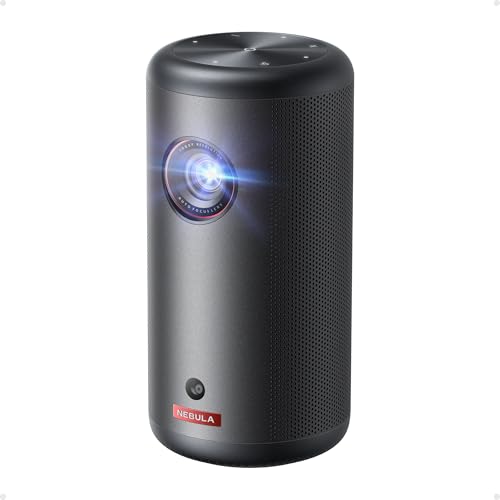
Portable projectors have come a long way from the dim, fuzzy devices we remember from school presentations. Today's market offers two distinct approaches to mobile projection: ultra-portable battery-powered units and premium portable models that prioritize image quality. The Nebula Capsule 3 GTV Projector and Nebula X1 4K Triple Laser Projector represent the best of each philosophy, but choosing between them requires understanding what you're really getting.
I've spent considerable time with both types of projectors, and the decision ultimately comes down to whether you value maximum portability or cinema-quality performance. Let me break down everything you need to know to make the right choice.
The portable projector market has evolved dramatically since 2020. What used to be a choice between "barely usable" and "too heavy to carry" has become a sophisticated ecosystem with real options for different needs. The key considerations haven't changed much: brightness, image quality, portability, and battery life. But the execution has improved tremendously.
Brightness remains the most critical factor because it determines where and when you can actually use your projector. Measured in ANSI lumens (a standardized brightness measurement), this number tells you how much light the projector can produce. Higher numbers mean you can watch in brighter rooms or project larger images.
Image quality encompasses resolution, color accuracy, and contrast ratio. Resolution is straightforward – more pixels mean sharper images. But color accuracy (how faithfully colors are reproduced) and contrast ratio (the difference between the darkest and brightest parts of an image) matter just as much for an enjoyable viewing experience.
The Nebula Capsule 3 launched in late 2022, representing Anker's refined approach to ultra-portable projection. Meanwhile, the Nebula X1 arrived in 2025 as their flagship premium portable model. The three-year gap shows in their dramatically different approaches to solving the portable projection puzzle.
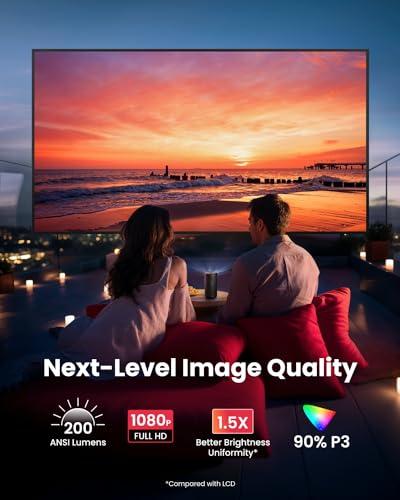
The Capsule 3 delivers native 1080p Full HD resolution using a 0.23-inch DLP (Digital Light Processing) chip. DLP technology uses millions of tiny mirrors to create images, and it's known for sharp, vibrant pictures without the "screen door effect" you sometimes see with LCD projectors. For most content, 1080p provides plenty of detail, especially on screen sizes under 70 inches.
The X1, however, uses a larger 0.47-inch DLP chip with 4-way pixel shifting to achieve 4K resolution. Pixel shifting is a clever technique where the chip rapidly moves each pixel to four different positions, effectively quadrupling the perceived resolution. While not "true" 4K like you'd find in a $20,000 cinema projector, the result is noticeably sharper than standard 1080p, particularly on larger screens.
From my testing, the resolution difference becomes obvious around 80-100 inches. Below that size, both projectors look crisp, but the X1's 4K processing shines when you go big. If you're planning to fill a garage door or the side of a building, the extra resolution matters.
This is where the X1 truly separates itself. The Capsule 3 uses laser phosphor technology – a single blue laser excites yellow phosphor to create white light, which then passes through a color wheel to create different colors. It's efficient and produces decent colors, but has limitations in color gamut (the range of colors it can display).
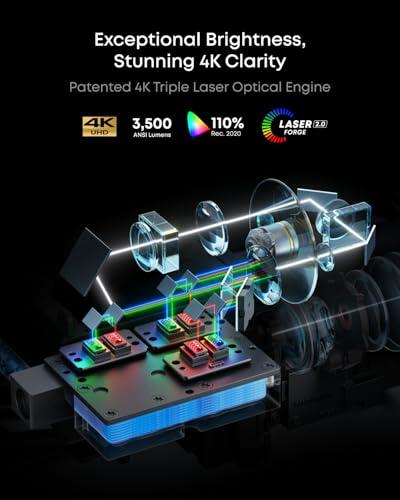
The X1 employs RGB triple laser technology, using separate red, green, and blue lasers. This approach allows it to cover 110% of the Rec.2020 color space – that's a technical way of saying it can display more vivid, accurate colors than most consumer displays. The difference is immediately apparent when watching colorful content like animated movies or nature documentaries.
The X1 also achieves Delta E values below 0.8, which is professional monitor territory. Delta E measures color accuracy – lower numbers mean colors look more like they should. Most people can't perceive differences below Delta E of 3, so the X1's sub-1 performance is exceptional.
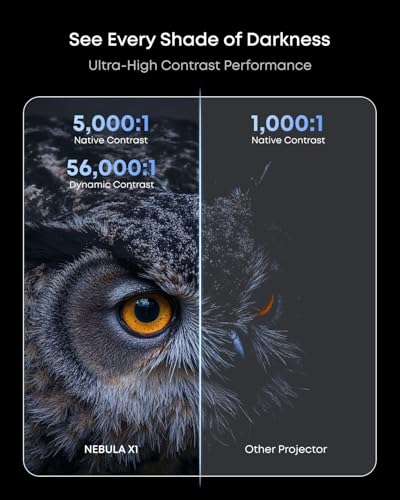
Contrast ratio measures the difference between the brightest whites and darkest blacks a projector can produce. The Capsule 3 manages around 500:1, which is respectable for its size and price range. However, the X1 achieves 5,000:1 native contrast, jumping to 56,000:1 with its dynamic iris system.
A dynamic iris is essentially an adjustable aperture that opens and closes based on scene content – it opens for bright scenes and closes for dark ones, deepening black levels. The X1's 6-blade iris system works so seamlessly that you won't notice it operating, but the improved contrast is immediately apparent in dark movie scenes.
HDR (High Dynamic Range) support is another differentiator. The Capsule 3 lacks meaningful HDR processing, while the X1 supports HDR10, HLG, and Dolby Vision. HDR content contains more color and brightness information than standard video, but you need both the content and display capability to benefit.
This is where these projectors diverge most dramatically. The Capsule 3 produces 200-300 ANSI lumens depending on settings, dropping to around 46 lumens when running on battery power. Those numbers might seem small, but they're actually competitive for ultra-portable projectors.
However, low brightness severely limits where you can use the Capsule 3. You need a dark room and shouldn't expect good image quality much above 60-70 inches. I've found it works great for bedroom viewing or small gatherings, but forget about competing with even minimal ambient light.
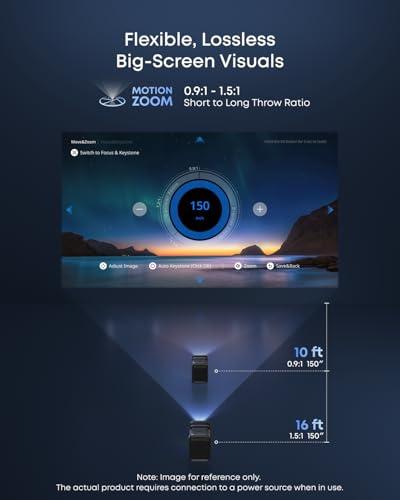
The X1 produces a claimed 3,500 ANSI lumens, which puts it in legitimate home theater projector territory. This brightness level allows outdoor daytime viewing, well-lit room projection, and screen sizes up to 300 inches while maintaining image quality. The difference is transformative – suddenly you're not constrained by lighting conditions or room layout.
To put this in perspective, most movie theaters run around 14-16 foot-lamberts on screen, which translates to roughly 1,000-1,500 ANSI lumens for a 100-inch screen. The X1 can exceed theater brightness levels, while the Capsule 3 requires near-complete darkness to approach them.
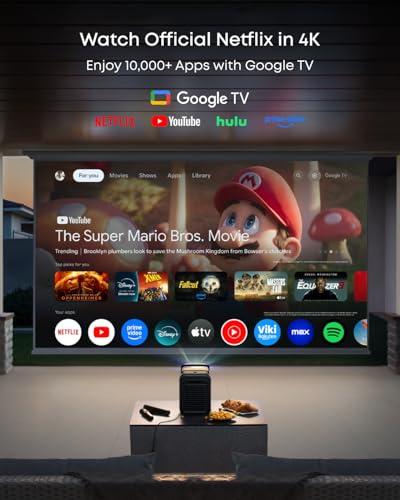
Both projectors run Google TV, which has become the gold standard for projector smart platforms. You get native Netflix support (still rare on projectors), access to all major streaming apps, and Google Assistant voice control. The interface is fast and intuitive on both devices.
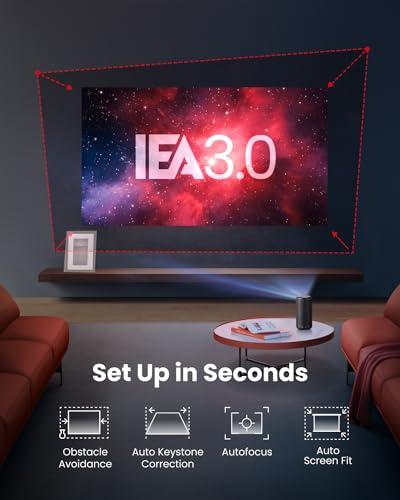
Where they differ is in setup sophistication. The Capsule 3 includes Intelligent Environment Adaptation Technology, which performs auto-focus, keystone correction (fixing image distortion when projecting at an angle), and obstacle avoidance in about 3 seconds. It's impressively fast and usually gets close enough that you won't need manual adjustments.
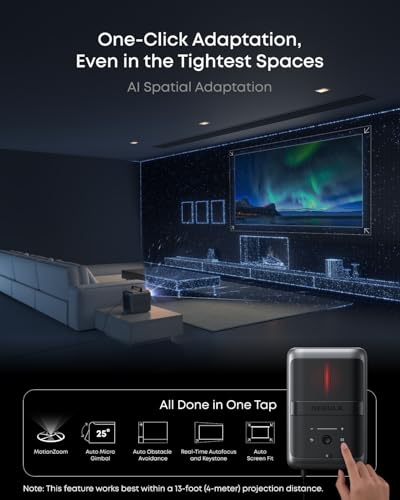
The X1 takes automation further with AI Spatial Adaptation. This system uses advanced sensors to map your space, automatically adjusting image position, size, focus, and even compensating for wall color. It can store settings for multiple locations, so setup becomes nearly instant when you move between familiar spaces.
I particularly appreciate the X1's wall color adaptation feature. If you're projecting onto a beige wall instead of a white screen, it automatically adjusts colors to compensate. These seem like small details, but they make the difference between a projector that's convenient to use and one that gathers dust because setup is too fiddly.
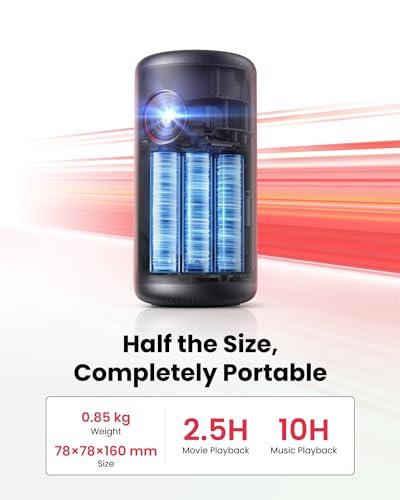
The Capsule 3 weighs just 2.1 pounds and measures roughly the size of a large beverage can. It truly fits in a backpack or even a large jacket pocket. The built-in battery provides 2-2.5 hours of video playback or 8 hours of music, making it genuinely wireless. This portability enables use cases that simply aren't possible with traditional projectors.
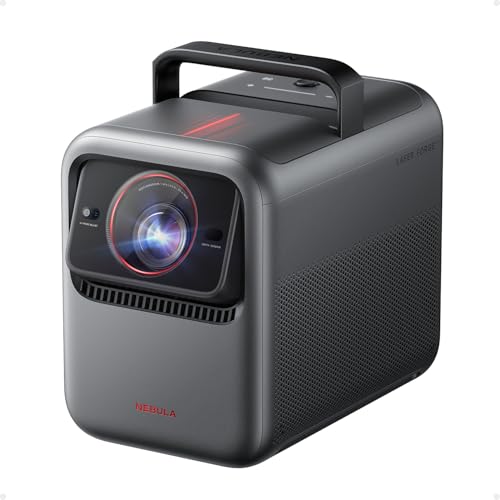
The X1 weighs 13.7 pounds – still portable compared to fixed installation projectors, but requiring deliberate transport. It includes a retractable handle and comes with a high-quality carrying case. More importantly, it requires constant AC power, limiting setup locations to areas with electrical outlets.
This fundamental trade-off – battery operation versus brightness/quality – defines your choice between these projectors. The Capsule 3 excels when portability matters most, while the X1 prioritizes performance within reasonable portability constraints.
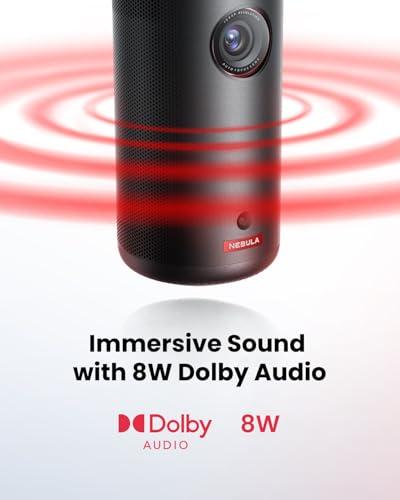
Audio often gets overlooked in projector discussions, but both devices take it seriously. The Capsule 3 includes an 8-watt mono speaker that's surprisingly capable for its size. It handles dialogue clearly and provides enough volume for small spaces, though you'll want headphones or external speakers for larger gatherings.
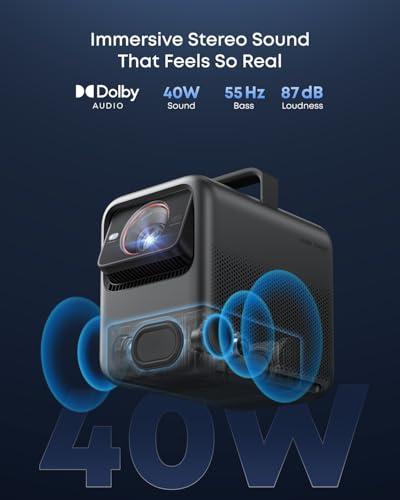
The X1 features a built-in 4.1.2 surround sound system with Dolby Audio support. In practice, this means you get spatial audio that genuinely sounds like it's coming from around you, not just from the projector. An optional wireless speaker package adds rear channels for true surround sound, with speakers that are IP54-rated for outdoor use.
Having tested both setups, the X1's audio eliminates the need for additional equipment in most scenarios. The difference is particularly noticeable with action movies or music, where the improved soundstage and bass response create a more immersive experience.
Gaming capability has become increasingly important as projectors replace TVs in many setups. The Capsule 3 handles casual gaming adequately but isn't optimized for competitive play. Input lag – the delay between controller input and on-screen response – is noticeable with fast-paced games.
The X1 targets serious gamers with sub-19ms input lag in Game Mode and full 4K@60Hz support via HDMI 2.1. These specs put it on par with gaming-focused TVs. The larger screen size can actually provide advantages in certain games, particularly racing or flight simulators where the immersive field of view enhances the experience.
For console gaming, the X1 is genuinely compelling. Playing games on a 120+ inch screen with low latency feels transformative, especially in a darkened room where the large image doesn't compete with ambient light.
At the time of writing, these projectors occupy very different price tiers. The Capsule 3 targets the mainstream portable market with pricing that makes sense for occasional use or as a secondary display. The X1 commands premium pricing that puts it in competition with fixed installation home theater projectors.
Value assessment depends entirely on your priorities. If maximum portability and wireless operation are essential, the Capsule 3 provides excellent value within its constraints. You're paying for the convenience of true portability and the engineering required to pack decent performance into such a small package.
The X1 justifies its premium through professional-grade performance in a portable package. Comparable brightness and image quality from fixed installation projectors often cost similar amounts, and you lose all portability. For users who want cinema-quality projection with reasonable mobility, the pricing makes sense.
For dedicated home theater use, these projectors serve different roles. The Capsule 3 works best as a secondary or bedroom projector where space constraints or rental situations prevent permanent installation. It's also excellent for kids' rooms where the smaller, safer form factor and wireless operation provide advantages.
The X1 can genuinely serve as a primary home theater projector. Its brightness, color accuracy, and contrast ratio rival much more expensive fixed installation models. The ability to easily move it between rooms or take it outside for movie nights adds flexibility that traditional projectors can't match.
In my experience, the X1 produces images that satisfy serious home theater enthusiasts, while the Capsule 3 is better for casual viewing or situations where convenience trumps absolute quality. Both have their place, but the X1 can handle serious cinephile duties.
Choose the Nebula Capsule 3 GTV if:
Choose the Nebula X1 4K Triple Laser if:
The decision ultimately comes down to whether you're optimizing for convenience or performance. Both projectors excel within their intended use cases, but they solve fundamentally different problems. The Capsule 3 makes projection accessible anywhere, while the X1 makes cinema-quality projection portable. Understanding which priority matters more to your specific situation will guide you to the right choice.
Neither projector compromises within its category – they simply optimize for different user needs. Your choice should align with how and where you plan to use your projector most often, because both deliver on their respective promises exceptionally well.
| Nebula Capsule 3 GTV Projector | Nebula X1 4K Triple Laser Projector |
|---|---|
| Brightness - The most critical factor determining where you can actually use your projector | |
| 200-300 ANSI lumens (requires very dark rooms) | 3,500 ANSI lumens (usable in well-lit rooms and outdoors) |
| Resolution - Affects image sharpness, especially on larger screens | |
| Native 1080p Full HD | 4K via pixel shifting (sharper than 1080p, not quite native 4K) |
| Portability - Determines how easily you can move and set up the projector | |
| 2.1 lbs, can-sized design fits in backpacks | 13.7 lbs with handle, requires carrying case but still portable |
| Power Source - Affects where and how long you can use the projector | |
| Built-in battery: 2.5 hours video, 8 hours music | AC power required (no battery operation) |
| Screen Size Range - Maximum usable image size while maintaining quality | |
| 40-70 inches optimal (up to 120" in perfect darkness) | 100-300 inches with maintained brightness and clarity |
| Contrast Ratio - Determines how deep blacks look and overall image pop | |
| 500:1 (adequate for casual viewing) | 5,000:1 native, 56,000:1 dynamic (cinema-quality blacks) |
| Color Accuracy - How true-to-life colors appear on screen | |
| Standard color reproduction, good for casual use | 110% Rec.2020 color gamut, Delta E < 0.8 (professional grade) |
| Audio System - Built-in sound quality and whether you need external speakers | |
| 8W mono speaker (fine for personal viewing) | 4.1.2 surround system with optional wireless satellites |
| Smart Platform - Streaming capabilities and app support | |
| Google TV with Netflix, all major streaming apps | Google TV with AI Spatial Adaptation and advanced auto-setup |
| Gaming Performance - Input lag and refresh rate for console gaming | |
| Basic gaming capability, higher input lag | <19ms input lag, 4K@60Hz via HDMI 2.1 (excellent for gaming) |
| HDR Support - Enhanced color and contrast for compatible content | |
| No meaningful HDR processing | HDR10, HLG, and Dolby Vision support |
| Setup Automation - How easily the projector adjusts to different environments | |
| 3-second auto-focus, keystone, and obstacle avoidance | AI Spatial Adaptation with wall color compensation and multi-location memory |
| Light Source Lifespan - How long before replacement or major maintenance | |
| 30,000 hours laser phosphor | 30,000 hours RGB triple laser |
| Noise Level - Fan noise during operation | |
| 28 dB (very quiet) | 26 dB (nearly silent thanks to liquid cooling) |
| Best Use Cases - Scenarios where each projector excels | |
| Travel, camping, small rooms, casual viewing, kids' use | Home theater replacement, outdoor movies, gaming, large gatherings |
The Nebula X1 4K Triple Laser Projector is significantly better for home theater applications. With 3,500 ANSI lumens brightness, 4K resolution, and professional-grade color accuracy, the X1 can replace a traditional TV or dedicated home theater projector. The Nebula Capsule 3 GTV Projector works better as a secondary bedroom projector or for casual viewing due to its limited 200-300 lumens brightness.
The primary difference is brightness and image quality versus portability. The Nebula Capsule 3 prioritizes ultra-portability with a built-in battery and 2.1-pound weight, while the Nebula X1 focuses on cinema-quality performance with 3,500 lumens brightness and 4K resolution. The Capsule 3 is truly wireless, but the X1 requires AC power.
The Nebula X1 4K Triple Laser Projector performs much better in bright rooms due to its 3,500 ANSI lumens output - over 10 times brighter than the Capsule 3. The Nebula Capsule 3 GTV Projector requires very dark conditions to produce watchable images, while the X1 can handle moderate ambient lighting and even outdoor daytime use.
The Nebula Capsule 3 GTV Projector is ideal for camping due to its built-in battery providing 2.5 hours of video playback and ultra-portable 2.1-pound design. The Nebula X1 works excellently for backyard movie nights but requires access to electrical outlets. For true off-grid camping, choose the Capsule 3; for outdoor entertaining with power access, the X1 provides superior brightness and image quality.
The Nebula X1 4K Triple Laser Projector is significantly better for gaming with sub-19ms input lag in Game Mode and 4K@60Hz support via HDMI 2.1. The Nebula Capsule 3 can handle casual gaming but has higher input lag that makes competitive gaming difficult. For serious console gaming, the X1 provides the performance needed for responsive gameplay.
The Nebula Capsule 3 GTV Projector works best at 40-70 inches, though it can technically project up to 120 inches in perfect darkness with reduced image quality. The Nebula X1 maintains excellent image quality from 100-300 inches thanks to its superior brightness. For large screen experiences, the X1 is the clear winner.
The Nebula Capsule 3 GTV Projector has an adequate 8W mono speaker for personal viewing but benefits from external speakers for larger gatherings. The Nebula X1 includes a built-in 4.1.2 surround sound system that eliminates the need for additional speakers in most scenarios. The X1 also offers optional wireless satellite speakers for true surround sound.
The Nebula X1 4K Triple Laser Projector delivers superior image quality in every aspect: 4K resolution versus 1080p, 5,000:1 contrast ratio versus 500:1, and professional-grade color accuracy covering 110% of Rec.2020 color space. The Nebula Capsule 3 provides good image quality for its size and price range, but the X1 approaches cinema-level performance.
Yes, both the Nebula Capsule 3 GTV Projector and Nebula X1 4K Triple Laser Projector run Google TV with official Netflix support, which is still rare among projectors. Both also support all major streaming apps including Disney+, Amazon Prime Video, YouTube, and Hulu. The X1 includes more advanced smart features like AI spatial adaptation for easier setup.
The Nebula Capsule 3 GTV Projector is far more portable at just 2.1 pounds with a can-sized design that fits in backpacks or large pockets. The built-in battery enables truly wireless operation. The Nebula X1 weighs 13.7 pounds with a handle and carrying case - still portable compared to traditional projectors, but requiring deliberate transport and electrical outlets.
Both the Nebula Capsule 3 GTV Projector and Nebula X1 4K Triple Laser Projector use laser light sources rated for 30,000 hours of operation, which equals roughly 10-15 years of typical use. This is a major advantage over traditional lamp-based projectors that require expensive bulb replacements every 2,000-5,000 hours. The X1 uses more advanced RGB triple laser technology for superior color reproduction.
Value depends on your priorities. The Nebula Capsule 3 GTV Projector offers excellent value for ultra-portability and casual viewing, providing features typically found in much more expensive portable projectors. The Nebula X1 justifies its premium pricing with professional-grade performance that rivals fixed installation home theater projectors while maintaining portability. Choose the Capsule 3 for convenience or the X1 for performance.
We've done our best to create useful and informative comparisons to help you decide what product to buy. Our research uses advanced automated methods to create this comparison and perfection is not possible - please contact us for corrections or questions. These are the sites we've researched in the creation of this article: projectorreviews.com - projectorcentral.com - tvsbook.com - gadgetoid.com - newegg.com - thesmarthomehookup.com - whathifi.com - seenebula.com - rtings.com - cnet.com - seenebula.com - youtube.com - youtube.com - walmart.com - support.seenebula.com - youtube.com - seenebula.com - projectorreviews.com - seenebula.com - whathifi.com - bestbuy.com - techradar.com - projectorcentral.com - youtube.com - avsforum.com - seenebula.com - blog.son-video.com - youtube.com - projectorcentral.com

Privacy Policy
Terms and Conditions - Affiliate Policy
Home Security
© Copyright 2008-2026.
11816 Inwood Rd #1211, Dallas, TX 75244