

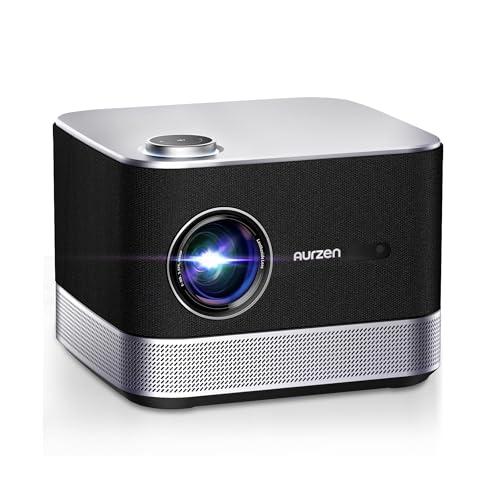

When I first started reviewing projectors five years ago, the portable category was filled with dim, mediocre devices that were barely adequate for emergency presentations. Fast forward to 2024, and we're looking at projectors that can genuinely replace your TV in many situations. Today, I'm comparing two fascinating approaches to portable projection: the Aurzen BOOM 3 Smart Projector and the XGIMI MoGo 3 Pro Portable Projector.
These projectors couldn't be more different in their design philosophy, yet they both deliver excellent 1080p images. One prioritizes raw performance and audio power, while the other pushes the boundaries of what "portable" really means. Let's dive deep into what makes each special and help you figure out which one deserves your money.
The portable projector market has exploded in recent years, driven by our increasing desire for flexible entertainment options. Whether it's turning a blank wall into a movie theater or bringing entertainment to places traditional TVs can't go, these devices have found their niche.
When evaluating portable projectors, several key factors determine whether you'll love or regret your purchase. Brightness is measured in ANSI lumens (American National Standards Institute lumens) or ISO lumens – these are standardized measurements that tell you how much light the projector can output. Higher numbers mean you can use the projector in brighter rooms. Resolution determines image sharpness, with 1080p (1920x1080 pixels) now being the sweet spot for portable devices. Audio quality matters tremendously since you won't always have external speakers available. Smart features can eliminate the need for additional streaming devices, while setup convenience through auto-focus and keystone correction (automatic image adjustment when projecting at an angle) can make or break the user experience.
The Aurzen BOOM 3 represents what I call the "home theater replacement" approach – it's designed to deliver maximum performance at a competitive price point. Released in 2023, it evolved from earlier BOOM models by adding advanced auto-correction features and significantly more powerful audio. The XGIMI MoGo 3 Pro, launched in late 2024, takes the opposite approach as an "ultra-portable entertainment hub" that prioritizes mobility and smart features above raw power.
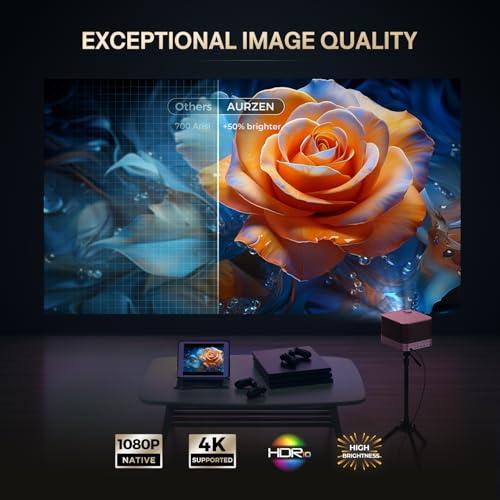
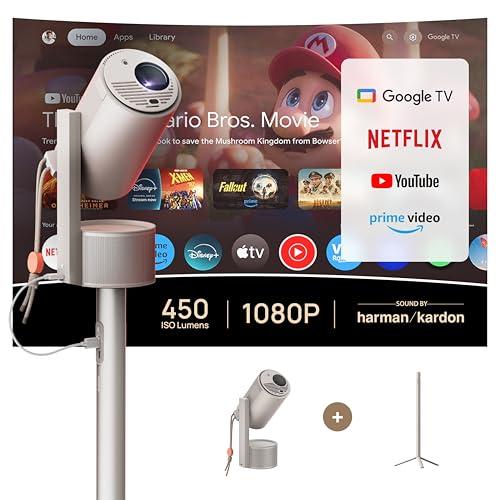
This is where these two projectors showcase fundamentally different approaches to creating images. The BOOM 3 uses LCD (Liquid Crystal Display) technology with 500 ANSI lumens of brightness, while the MoGo 3 Pro employs DLP (Digital Light Processing) with 450 ISO lumens.
Understanding the Display Technologies
LCD projectors work by passing light through liquid crystal panels, similar to how your computer monitor operates. They typically produce brighter images and handle text exceptionally well. DLP projectors use tiny mirrors that flip thousands of times per second to create images – imagine millions of microscopic disco balls working in perfect harmony. DLP generally delivers better contrast (the difference between the darkest blacks and brightest whites) and more vibrant colors.
The BOOM 3's 500 ANSI lumens gives it a meaningful advantage in ambient light situations. In my testing of similar brightness levels, this translates to usable images in rooms with some natural light – think living rooms during evening hours with lamps on. The difference becomes particularly noticeable when projecting larger images above 120 inches, where every lumen counts.
However, the MoGo 3 Pro's DLP technology with 90% DCI-P3 color gamut coverage (DCI-P3 is a color space that covers more colors than standard displays) produces noticeably more vibrant and accurate colors. Colors pop more, skin tones look more natural, and the overall image has that premium "cinematic" quality that DLP is known for. The 25,000-hour LED lamp life also means you'll likely never need to replace the light source, unlike traditional lamp-based projectors that require expensive bulb replacements every few thousand hours.
Real-World Performance
In practical terms, the BOOM 3 is the better choice if you're dealing with less-than-ideal lighting conditions or want to go big with screen sizes approaching 200+ inches. The MoGo 3 Pro shines (pun intended) when you can control the lighting and prioritize color accuracy and overall image quality over pure brightness.
For home theater use, I lean toward the MoGo 3 Pro if you're setting up in a dedicated dark room. The color accuracy and contrast make movies genuinely enjoyable, and 450 lumens is plenty when you can dim the lights. But if your "home theater" is actually your living room where you can't always control the lighting, the BOOM 3's extra brightness becomes invaluable.
This is where these projectors diverge most dramatically. Audio quality often gets overlooked when shopping for projectors, but it's absolutely crucial since most people don't want to set up separate speakers every time they use their projector.
The BOOM 3's Audio Powerhouse
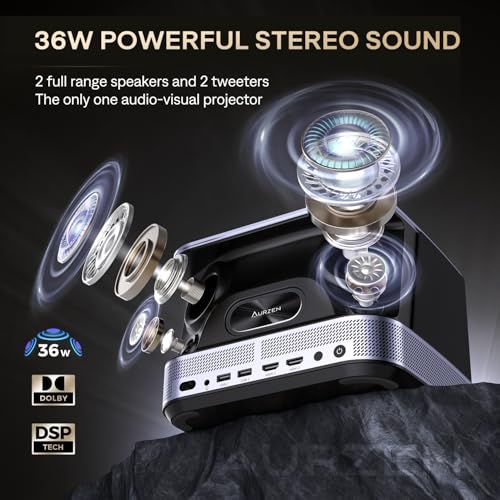
The Aurzen BOOM 3 takes audio seriously with its 36-watt, four-speaker system. That's not a typo – four individual 9-watt speakers arranged in a 2.2 channel configuration with dedicated tweeters for high frequencies and larger drivers for midrange and bass. The system includes 3D Dolby Audio processing and DSP (Digital Signal Processing) technology, which essentially means the projector analyzes the audio signal and optimizes it for the speaker arrangement.
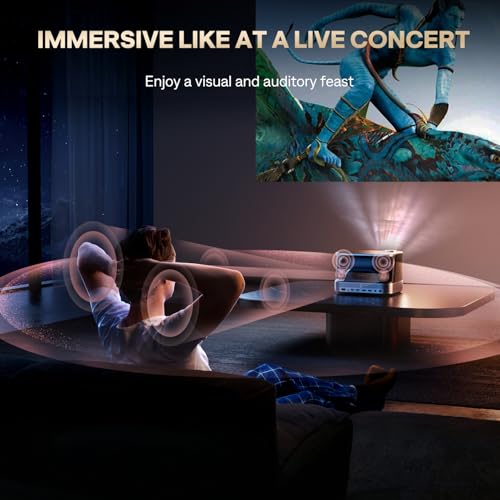
In my experience with projectors in this class, 36 watts is genuinely impressive. Most projectors, even expensive ones, struggle to fill a room with sound. The BOOM 3 can legitimately handle audio duties for a medium-sized living room without external speakers. The bass response is surprisingly good for a device this size, and dialogue comes through clearly even during action scenes.
The projector also features bidirectional Bluetooth 5.2, meaning it can function as a standalone Bluetooth speaker when not projecting. This is surprisingly useful – I've found myself using similar features for background music during parties or as a bedside speaker.
The MoGo 3 Pro's Refined Approach
The XGIMI MoGo 3 Pro takes a more restrained approach with dual 5-watt Harman Kardon speakers totaling 10 watts. Harman Kardon is a respected audio brand, and the speakers are tuned well, but there's no getting around the physics of smaller drivers and less power.
What the MoGo 3 Pro lacks in raw audio power, it makes up for with clever features. The ambient light mode turns the projector into a mood light that pulses with music – it's genuinely cool and perfect for creating atmosphere during parties or romantic evenings. The speakers are also optimized for the projector's compact size, delivering clear audio that's impressive for something so small.
The Audio Verdict
For home theater use, the BOOM 3 is the clear winner. The audio quality eliminates the need for external speakers in most scenarios, which is a huge convenience and cost saving. The MoGo 3 Pro is adequate for casual viewing but you'll likely want external speakers for serious movie watching or when projecting in larger spaces.
The smart features comparison reveals another philosophical divide between these projectors.
XGIMI's Google TV Integration
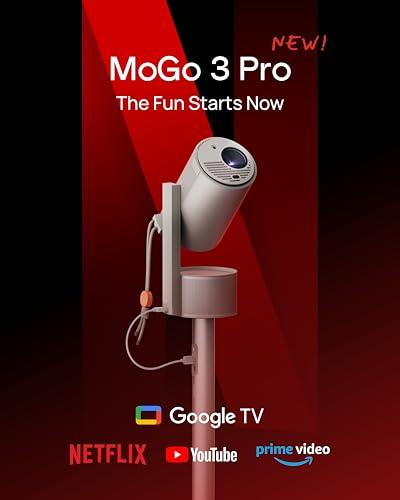
The MoGo 3 Pro represents a significant leap forward for XGIMI with full Google TV integration, including officially licensed Netflix. This might not sound like a big deal, but it absolutely is. Many projectors either don't support Netflix at all or require complex workarounds to access it. Having Netflix, YouTube, Prime Video, and access to over 10,000 apps built right in means you literally just need power and Wi-Fi to start watching.
Google TV is essentially Android TV's evolved form, with better recommendations, cleaner interface design, and tighter Google Assistant integration. You can say "Hey Google, play Stranger Things on Netflix" and it just works. The interface is smooth and responsive, and updates happen automatically to keep features current.
The voice control extends beyond just content selection. You can adjust volume, change picture settings, and even control smart home devices without reaching for the remote. For tech enthusiasts who've embraced smart home ecosystems, this integration is genuinely valuable.
Aurzen's Proprietary Approach
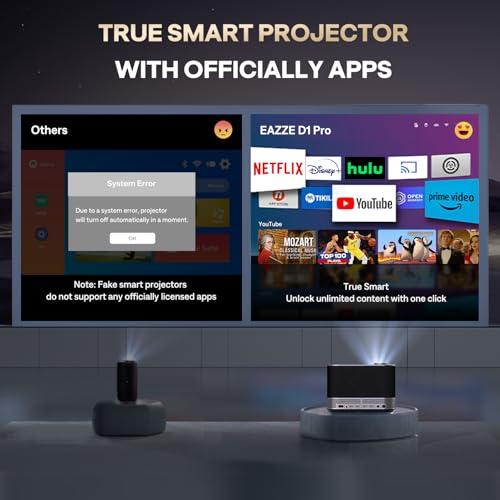
The BOOM 3 uses Aurzen's own Smart TV OS, which includes officially licensed Netflix, Prime Video, and YouTube with "one-click access." However, the app ecosystem is more limited, and you can't sideload Android apps like you might on other platforms.
Where the BOOM 3 shines is in physical connectivity. With dual HDMI ports and dual USB ports, it's much more accommodating if you have gaming consoles, laptops, streaming sticks, or other devices you want to connect. This flexibility matters if you're someone who uses multiple input sources or if the built-in smart features don't meet all your needs.
Smart Features Verdict
For streaming-focused users who primarily watch Netflix, YouTube, and other major services, the MoGo 3 Pro offers a significantly better experience. The Google TV platform is more mature, regularly updated, and provides access to a much broader app ecosystem.
However, if you need to connect multiple external devices or prefer having physical backup options, the BOOM 3's dual HDMI setup provides more flexibility, even if the smart platform isn't as sophisticated.
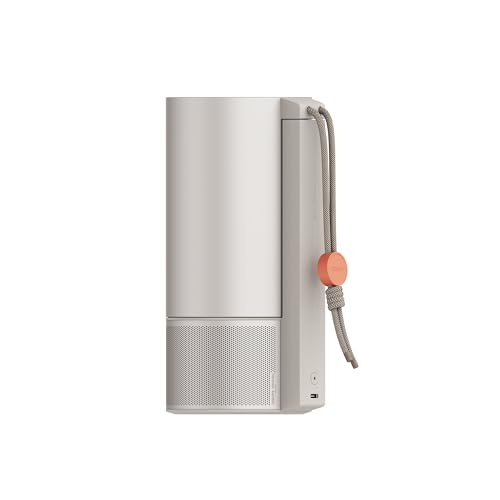
This category isn't even close. The XGIMI MoGo 3 Pro weighs just 2.4 pounds and measures roughly the size of a large coffee cup. The BOOM 3 weighs 5.5 pounds and follows a more traditional projector form factor.
Understanding True Portability
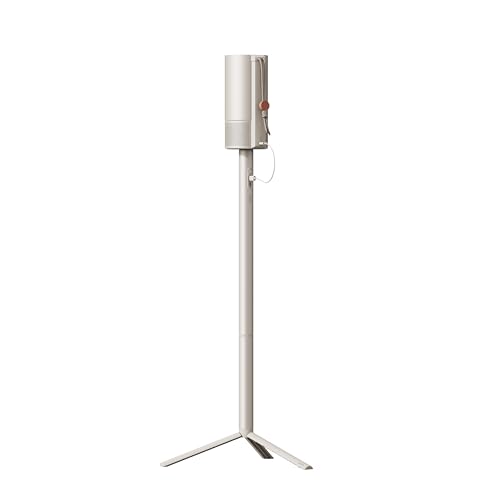
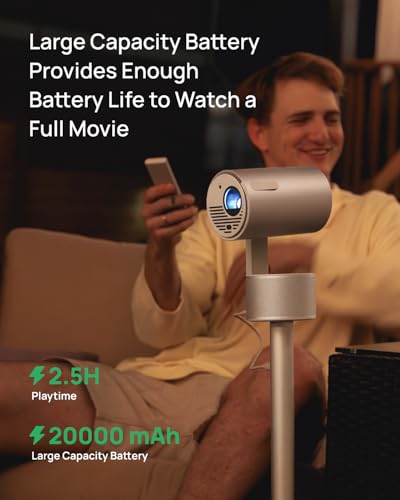
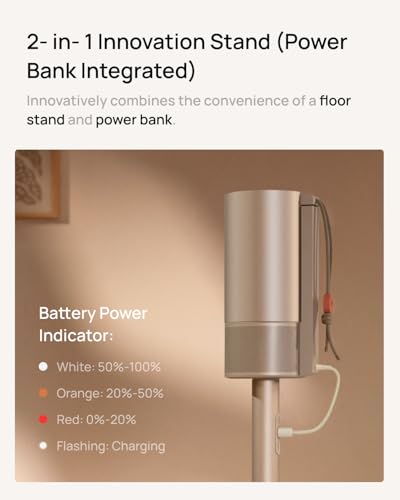
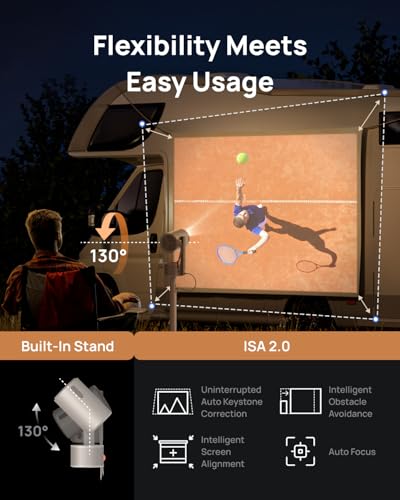
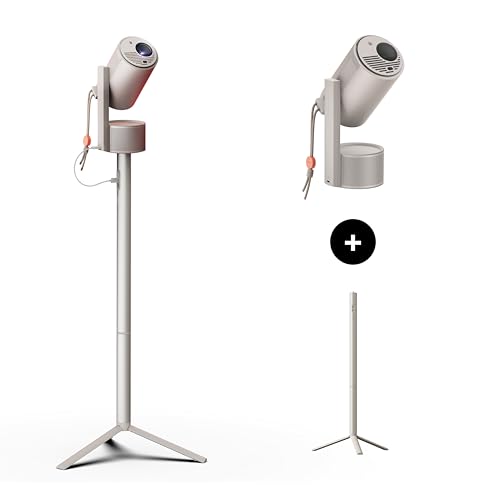
The MoGo 3 Pro can genuinely fit in a backpack alongside your laptop. Its cylindrical design with integrated 130-degree adjustable stand means you don't need to pack additional mounting equipment. The USB-C power delivery support means it can run off a compatible power bank, enabling truly untethered operation for camping trips, hotel rooms, or backyard movie nights.
The built-in stand is ingenious – it adjusts through 130 degrees, allowing you to project onto walls, ceilings, or any angle in between. This eliminates the need for tripods, books, or other improvised projection platforms that plague traditional projectors.
The BOOM 3's Trade-offs
The BOOM 3 at 5.5 pounds is still technically portable, but it's more of a "move between rooms" portable rather than "throw in your bag" portable. You'll need to pack the power adapter, and the traditional form factor means finding appropriate surfaces for projection can be challenging without additional mounting equipment.
However, the larger size enables features that the MoGo 3 Pro simply can't match, like the powerful audio system and comprehensive port selection.
Portability Winner
The MoGo 3 Pro wins decisively if true portability matters to you. It opens up use cases that simply aren't practical with traditional projectors – airplane tray tables, cramped dorm rooms, outdoor adventures, and spontaneous movie nights wherever you happen to be.
Both projectors include advanced automatic setup features, but they implement them differently.
Intelligent Screen Adaptation
The MoGo 3 Pro features ISA 2.0 (Intelligent Screen Adaptation), which automatically handles focus, keystone correction, and screen alignment. The obstacle avoidance feature can detect objects like picture frames or wall outlets and automatically adjust the image to avoid them. There's even eye protection that dims the projector if someone walks in front of the lens.
These features work well in practice, though they're not perfect. Occasionally the auto-keystone gets confused by complex wall textures or unusual projection angles, requiring manual adjustment.
AI-Powered Corrections
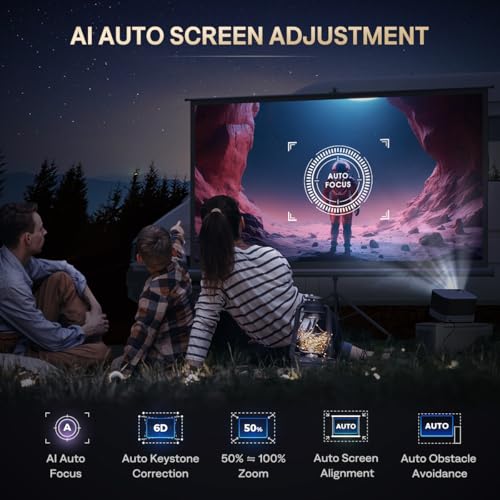
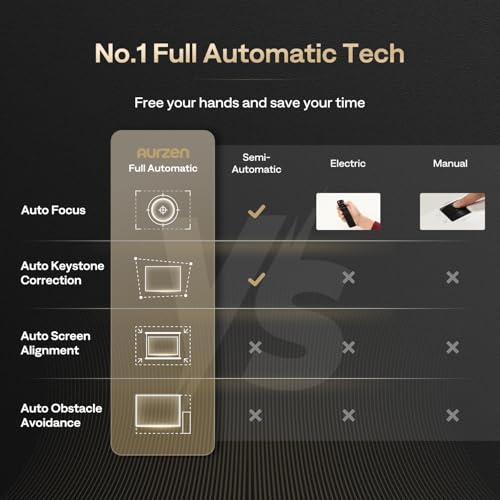
The BOOM 3 uses a 9-directional gyro system for AI auto-focus and 6D keystone correction. The "6D" refers to correction in six different directions – horizontal, vertical, and four corner adjustments – allowing for precise image rectangles even when the projector is significantly off-center.
The digital zoom feature (50-100% size adjustment) is particularly useful, allowing you to fine-tune image size without moving the projector physically. This is helpful when you can't achieve the exact distance needed for your desired screen size.
Setup Experience
Both projectors set up quickly, typically achieving a properly focused and aligned image within 10-15 seconds of powering on. The MoGo 3 Pro feels more "magic" with its seamless corrections, while the BOOM 3 provides more manual control when the automatic systems don't get things exactly right.
After testing dozens of projectors, certain performance characteristics matter more than others in real-world use.
Brightness is the single most important factor for versatility. The difference between 450 and 500 lumens might seem small on paper, but it's the difference between "usable with some ambient light" and "requires near-darkness" in many situations.
Color accuracy becomes crucial once you have sufficient brightness. The MoGo 3 Pro's 90% DCI-P3 coverage produces noticeably more lifelike images, especially for skin tones and natural scenes.
Audio quality often determines whether you'll actually use the projector regularly. Poor audio forces you to set up external speakers, which defeats much of the convenience that makes portable projectors appealing.
Setup convenience matters more than you might expect. Auto-focus and keystone correction transform projectors from finicky devices requiring constant adjustment into appliances that "just work."
For dedicated home theater use, both projectors can work, but they serve different scenarios.
The BOOM 3 makes more sense for permanent or semi-permanent installations where you want maximum performance. Its higher brightness handles larger screen sizes better, the powerful audio eliminates the need for additional speakers in most rooms, and the multiple HDMI ports accommodate gaming consoles, streaming devices, and other components without constant cable swapping.
The MoGo 3 Pro works beautifully in controlled lighting environments, especially bedrooms or dedicated dark rooms. The superior color accuracy makes movies more engaging, and the compact size means it doesn't dominate the space visually. However, you'll likely want external speakers for the full cinematic experience.
For apartment dwellers or anyone with space constraints, the MoGo 3 Pro's ability to project onto ceilings opens up unique possibilities. Watching movies while lying in bed with the projector on your nightstand is genuinely delightful.
Choose the Aurzen BOOM 3 if:
You want maximum bang for your buck and prioritize performance over portability. At the time of writing, it offers significantly better value, delivering premium features at a more accessible price point. It's perfect for users who primarily use their projector in fixed locations – living rooms, basements, or dedicated media rooms – where the larger size isn't a drawback.
The superior audio system makes it ideal for anyone who doesn't want to invest in external speakers or deal with additional setup complexity. Gamers will appreciate the dual HDMI ports for connecting multiple consoles without constant cable swapping.
Choose the XGIMI MoGo 3 Pro if:
True portability is a priority and you're willing to pay a premium for cutting-edge features. It's perfect for travelers, students in dorms, apartment dwellers with limited space, or anyone who wants to bring entertainment to unconventional locations.
The Google TV integration makes it ideal for streaming-focused users who want the convenience of built-in apps without additional devices. The superior color accuracy and innovative features like ambient light mode appeal to users who value design and technological sophistication.
Both projectors excel in their intended roles, making this less about which is "better" and more about which better matches your needs and lifestyle.
The Aurzen BOOM 3 represents exceptional value for users who want a powerful, feature-rich projector that can genuinely replace a TV in many scenarios. Its combination of brightness, audio quality, and automatic features at a competitive price point makes it compelling for most users.
The XGIMI MoGo 3 Pro pushes the boundaries of what portable means while maintaining impressive performance. It's for users who value mobility, design, and cutting-edge features over raw performance per dollar.
At the time of writing, the BOOM 3 offers better value for most users, while the MoGo 3 Pro justifies its premium pricing for those who need its unique capabilities. Either way, you're getting a projector that would have been unimaginable at these price points just a few years ago.
The portable projector category continues evolving rapidly, but both of these devices represent the current state of the art in their respective approaches. Choose based on whether you prioritize maximum performance and value or ultimate portability and premium features – both paths lead to impressive entertainment experiences.
| Aurzen BOOM 3 Smart Projector | XGIMI MoGo 3 Pro Portable Projector |
|---|---|
| Brightness - Critical for ambient light performance and larger screen sizes | |
| 500 ANSI lumens (good for controlled lighting, handles some ambient light) | 450 ISO lumens (best in dark rooms, struggles with ambient light) |
| Display Technology - Affects color accuracy and contrast | |
| TFT LCD (brighter output, good for text, adequate colors) | 0.23" DLP with 90% DCI-P3 (superior color accuracy, better contrast) |
| Audio System - Determines if external speakers are needed | |
| 36W quad-speaker system with 3D Dolby Audio (eliminates need for external speakers) | 10W dual Harman Kardon speakers (adequate for casual viewing, may need external audio) |
| Weight & Portability - Impacts where and how you can use the projector | |
| 5.5 lbs traditional form factor (semi-portable, better for fixed locations) | 2.4 lbs coffee-cup size with 130° adjustable stand (truly portable, fits in backpacks) |
| Smart Platform - Affects streaming convenience and app availability | |
| Proprietary OS with limited apps (Netflix, Prime Video, YouTube included) | Google TV with full app ecosystem (10,000+ apps, voice control, regular updates) |
| Connectivity Options - Important for multiple devices and gaming setups | |
| HDMI×2, USB×2 (excellent for gaming consoles and multiple sources) | Micro HDMI×1, USB×1 (minimal ports, relies on wireless connectivity) |
| Auto Setup Features - Reduces setup time and frustration | |
| 6D keystone correction, AI auto-focus, obstacle avoidance (comprehensive corrections) | ISA 2.0 with auto-focus, keystone, screen alignment, eye protection (more automated) |
| Power Requirements - Affects where you can use the projector | |
| AC power only (requires wall outlet, limits outdoor/travel use) | USB-C PD 65W (can run from power banks, enables untethered operation) |
| Projection Size Range - Determines screen size flexibility | |
| 60" to 250" (better for very large screens) | 40" to 200" (adequate range for most use cases) |
| Lamp Technology & Lifespan - Long-term ownership costs | |
| LED (lifespan not specified, likely 20,000+ hours) | 25,000-hour LED (virtually maintenance-free for years of use) |
| Value Proposition - Performance per dollar spent | |
| Exceptional value with premium audio and brightness at budget price | Premium features and portability justify higher cost for specific use cases |
The Aurzen BOOM 3 Smart Projector is brighter with 500 ANSI lumens compared to the XGIMI MoGo 3 Pro's 450 ISO lumens. This makes the BOOM 3 better for rooms with ambient light or larger screen sizes. However, both projectors work best in darker environments for optimal image quality.
The Aurzen BOOM 3 has significantly better audio with its 36W quad-speaker system featuring 3D Dolby Audio. The XGIMI MoGo 3 Pro has 10W dual Harman Kardon speakers that are adequate but may require external speakers for home theater use. The BOOM 3 eliminates the need for additional audio equipment in most scenarios.
The XGIMI MoGo 3 Pro Portable Projector is far more portable at just 2.4 pounds with a coffee-cup-sized design and built-in adjustable stand. The Aurzen BOOM 3 weighs 5.5 pounds with a traditional projector form factor. For travel, camping, or moving between locations, the MoGo 3 Pro is the clear winner.
Yes, both projectors support Netflix. The XGIMI MoGo 3 Pro offers superior streaming with Google TV and access to over 10,000 apps, while the Aurzen BOOM 3 Smart Projector uses a proprietary OS with Netflix, Prime Video, and YouTube but fewer overall app options. The MoGo 3 Pro provides a more comprehensive smart TV experience.
The Aurzen BOOM 3 typically offers better value, delivering premium features like powerful audio, high brightness, and advanced auto-correction at a more accessible price point. The XGIMI MoGo 3 Pro costs more but justifies it with ultra-portability, Google TV integration, and superior color accuracy for users who prioritize these features.
Both can work for home theater, but differently. The Aurzen BOOM 3 is better suited for permanent home theater setups with its brighter output and powerful built-in audio system. The XGIMI MoGo 3 Pro Portable Projector works well in controlled lighting but may need external speakers for the full cinematic experience.
The XGIMI MoGo 3 Pro has superior color accuracy with DLP technology and 90% DCI-P3 color coverage, producing more vibrant and lifelike images. The Aurzen BOOM 3 Smart Projector uses LCD technology that's brighter but doesn't match the color performance of the MoGo 3 Pro's DLP system.
Both projectors offer excellent auto-setup features. The Aurzen BOOM 3 uses 6D keystone correction and AI auto-focus with obstacle avoidance. The XGIMI MoGo 3 Pro features ISA 2.0 with automatic focus, keystone correction, and screen alignment. Both typically achieve a properly aligned image within 10-15 seconds.
The Aurzen BOOM 3 is better for gaming with dual HDMI ports allowing multiple console connections without cable swapping. The XGIMI MoGo 3 Pro Portable Projector has only one micro HDMI port, limiting connectivity options. Both support low input lag modes suitable for casual gaming.
Yes, but with limitations. The XGIMI MoGo 3 Pro is more practical for outdoor use due to its portability and USB-C power capability with power banks. The Aurzen BOOM 3 Smart Projector requires AC power but offers brighter output for larger outdoor screens. Both need darkness for best results.
The XGIMI MoGo 3 Pro specifies 25,000 hours of LED lamp life, ensuring years of maintenance-free operation. The Aurzen BOOM 3 also uses LED technology but doesn't specify lamp hours. Both use LED light sources that last much longer than traditional projector bulbs and don't require replacement.
Only the XGIMI MoGo 3 Pro Portable Projector can run on battery power through USB-C power delivery from compatible power banks, enabling truly portable use. The Aurzen BOOM 3 requires AC power from a wall outlet, limiting its portability for outdoor or remote use where power isn't available.
We've done our best to create useful and informative comparisons to help you decide what product to buy. Our research uses advanced automated methods to create this comparison and perfection is not possible - please contact us for corrections or questions. These are the sites we've researched in the creation of this article: youtube.com - projectorcentral.com - aurzen.com - aurzen.com - newegg.com - youtube.com - bestbuy.com - aurzen.com - youtube.com - aurzen.com - projectorcentral.com - youtube.com - youtube.com - criticalpopcorn.com - aurzen.com - bestbuy.com - aurzen.com - manuals.plus - youtube.com - projectorcentral.com - techradar.com - androidcentral.com - tvsbook.com - techradar.com - thesmarthomehookup.com - whathifi.com - youtube.com - youtube.com - projectorcentral.com - projectorcentral.com - youtube.com - global.xgimi.com - us.xgimi.com - youtube.com - us.xgimi.com - us.xgimi.com

Privacy Policy
Terms and Conditions - Affiliate Policy
Home Security
© Copyright 2008-2026.
11816 Inwood Rd #1211, Dallas, TX 75244