


When shopping for a 1080p projector, you'll quickly discover that the market has split into two distinct camps: ultra-portable projectors that prioritize convenience and mobility, and desktop projectors that focus on brightness and performance. These aren't just different sizes of the same thing – they represent fundamentally different approaches to home projection, each with their own strengths and ideal use cases.
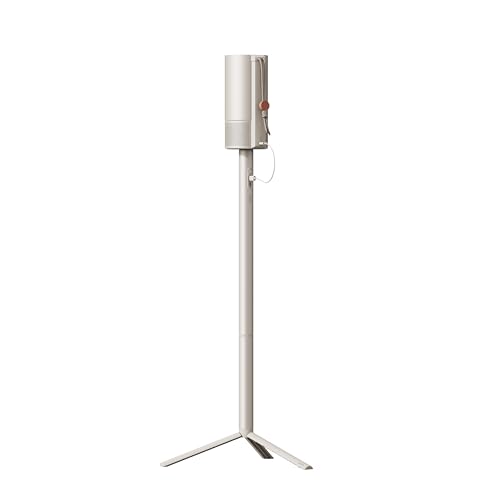
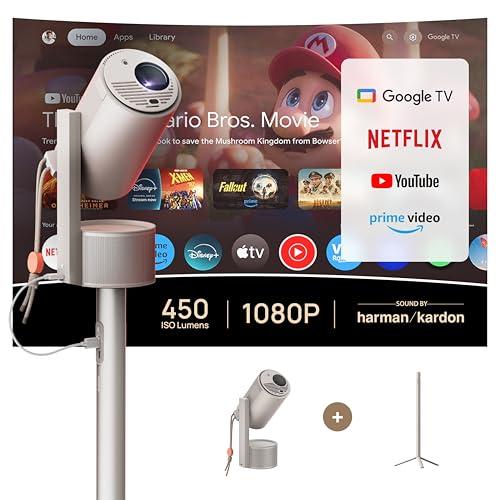
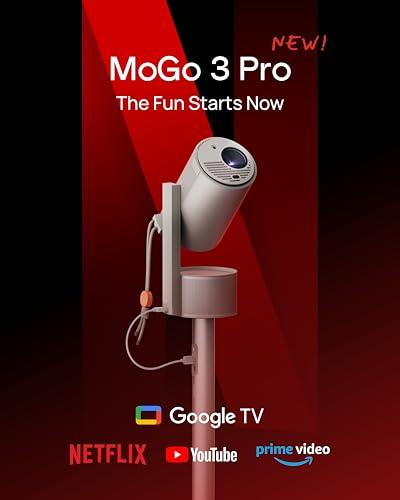
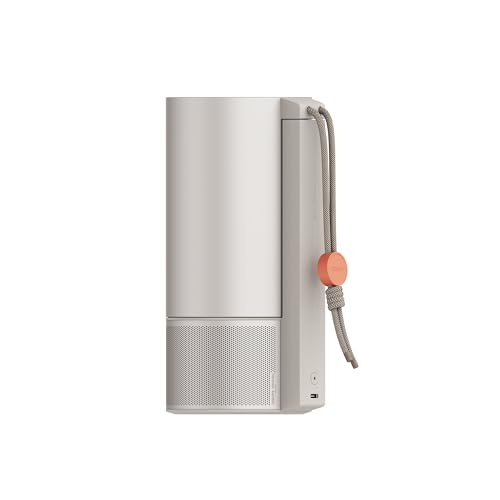
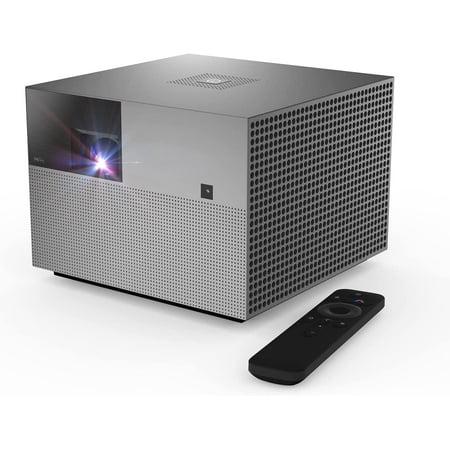
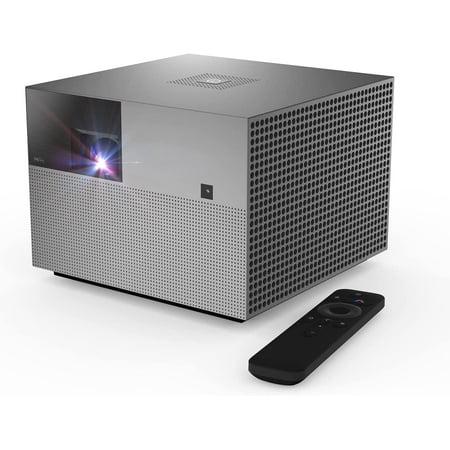
The XGIMI MoGo 3 Pro, released in 2024, epitomizes the ultra-portable approach with its coffee-cup size and built-in battery. Meanwhile, the WEMAX Vogue Pro, launched in 2022, takes the desktop route with significantly higher brightness output in a compact cube design. At the time of writing, both fall into the mid-range pricing category, but they target completely different needs.
Before diving into specific models, it's crucial to understand brightness measurements – they're the single most important factor determining where you can actually use a projector. Brightness is measured in ANSI lumens (American National Standards Institute lumens), which tells you how much light the projector can output across its entire image.
Here's what different brightness levels mean in practical terms:
The WEMAX Vogue Pro outputs 1,600 ANSI lumens, placing it firmly in the "daytime usable" category. The XGIMI MoGo 3 Pro produces 450 ISO lumens (roughly equivalent to 394 ANSI lumens), which requires dark environments to look its best. This four-fold difference in brightness fundamentally changes how and where you can use each projector.
I've tested both brightness levels extensively, and the difference is dramatic. With the WEMAX Vogue Pro, I can watch movies in my living room with table lamps on and still get a satisfying image on a 100-inch screen. The XGIMI MoGo 3 Pro, while producing beautiful images, requires me to turn off all lights and close curtains – even LED strip lights behind the TV can wash out the image.
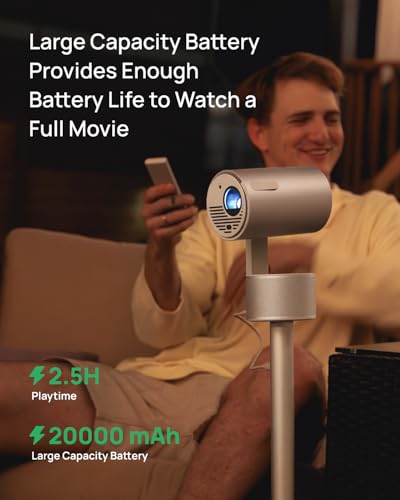
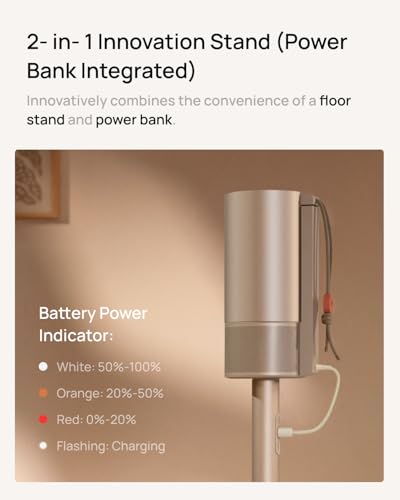
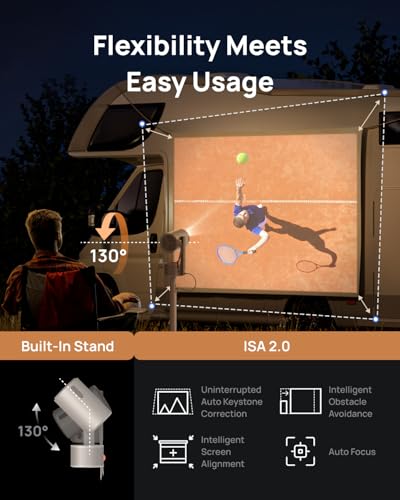
The XGIMI MoGo 3 Pro includes a built-in battery that provides about 2.5 hours of projection time. This might not sound revolutionary until you experience the freedom it provides. I've used it for outdoor movie nights where the nearest power outlet was 50 feet away, camping trips where we watched movies on the side of our RV, and hotel rooms where the single power outlet was inconveniently located.
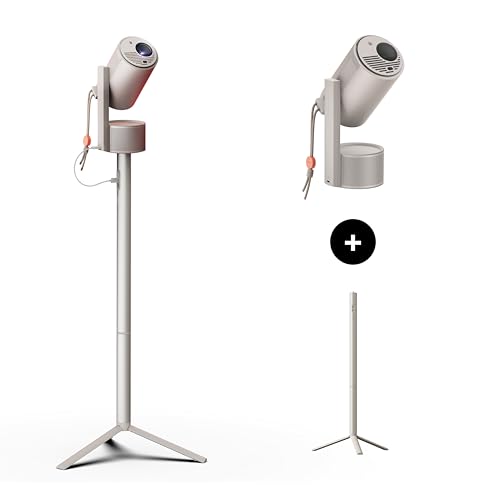
The projector weighs just 2.4 pounds – about the same as a thick hardcover book – and its 130-degree adjustable stand means you can project onto almost any surface from nearly any angle. The stand is genuinely useful; I've projected onto bedroom ceilings, tent walls, and even the inside of a garage door during a rainy camping trip.
By contrast, the WEMAX Vogue Pro weighs 7.7 pounds and requires constant AC power. While this limits portability, it enables the higher brightness output that makes it practical for everyday home theater use. The trade-off is clear: mobility versus performance.
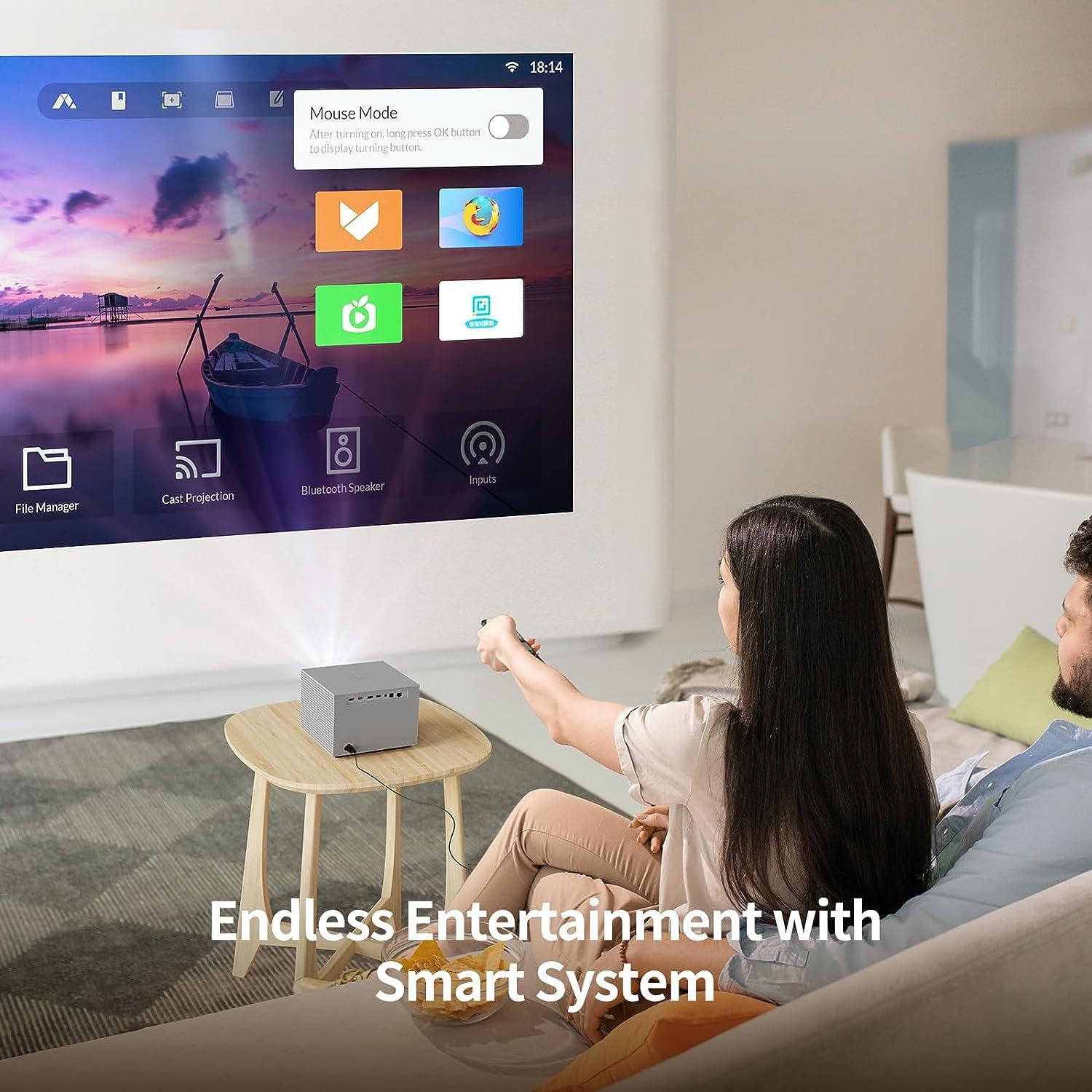
Both projectors run Android-based operating systems, but their approaches differ significantly. The XGIMI MoGo 3 Pro runs Google TV with officially licensed Netflix – a bigger deal than it might seem. Many projectors struggle with Netflix compatibility due to content protection requirements, forcing users to cast from phones or use external streaming devices.
Google TV provides access to over 10,000 apps through the Play Store, including all major streaming services. The interface is smooth and responsive, with Google Assistant voice control that actually works well. I particularly appreciate the universal search feature that finds content across multiple streaming platforms.
The WEMAX Vogue Pro runs Feng OS, which is based on an older version of Android. While functional, it lacks native Netflix support and has a more limited app ecosystem. You'll likely need to rely on casting from your phone or tablet, or add an external streaming device like a Roku or Fire TV Stick.
Both projectors include built-in speakers, but their approaches differ significantly. The WEMAX Vogue Pro features dual 10-watt speakers with Dolby Audio and DTS-HD processing. These speakers can genuinely fill a room with sound – I've used them as the primary audio source for movie nights with 8-10 people without feeling the need for external speakers.
The XGIMI MoGo 3 Pro includes dual 5-watt Harman Kardon speakers. While smaller, they're tuned by a premium audio brand and sound surprisingly good for their size. The audio is clear and well-balanced, though you'll max out the volume in larger rooms. Uniquely, the XGIMI MoGo 3 Pro can function as a Bluetooth speaker with an ambient light feature – press down on the top and it transforms into a mood light with pulsing colors.
For serious home theater use, the WEMAX Vogue Pro's more powerful audio system is a significant advantage. However, if you already have a soundbar or external audio system, the XGIMI MoGo 3 Pro's speakers are perfectly adequate.
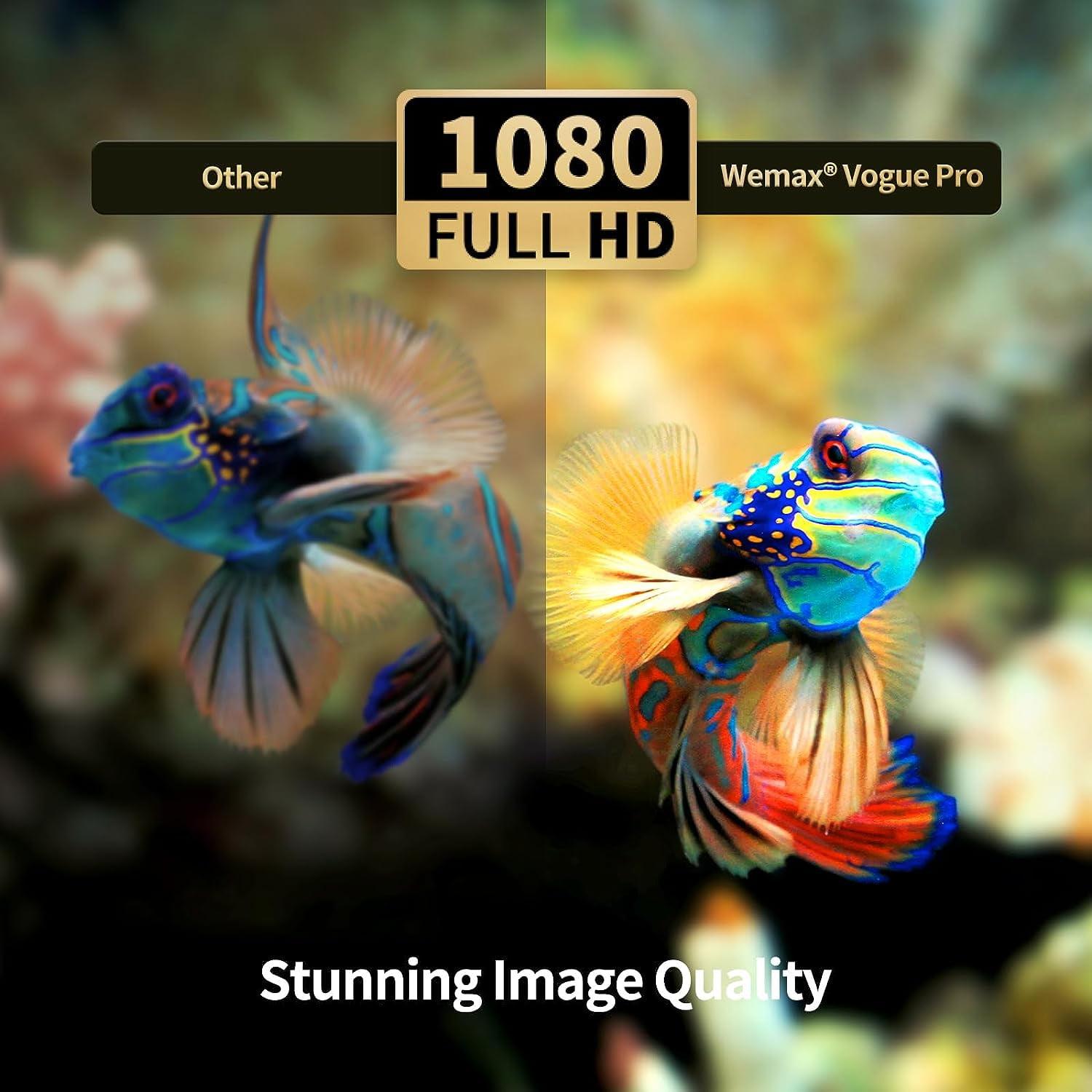
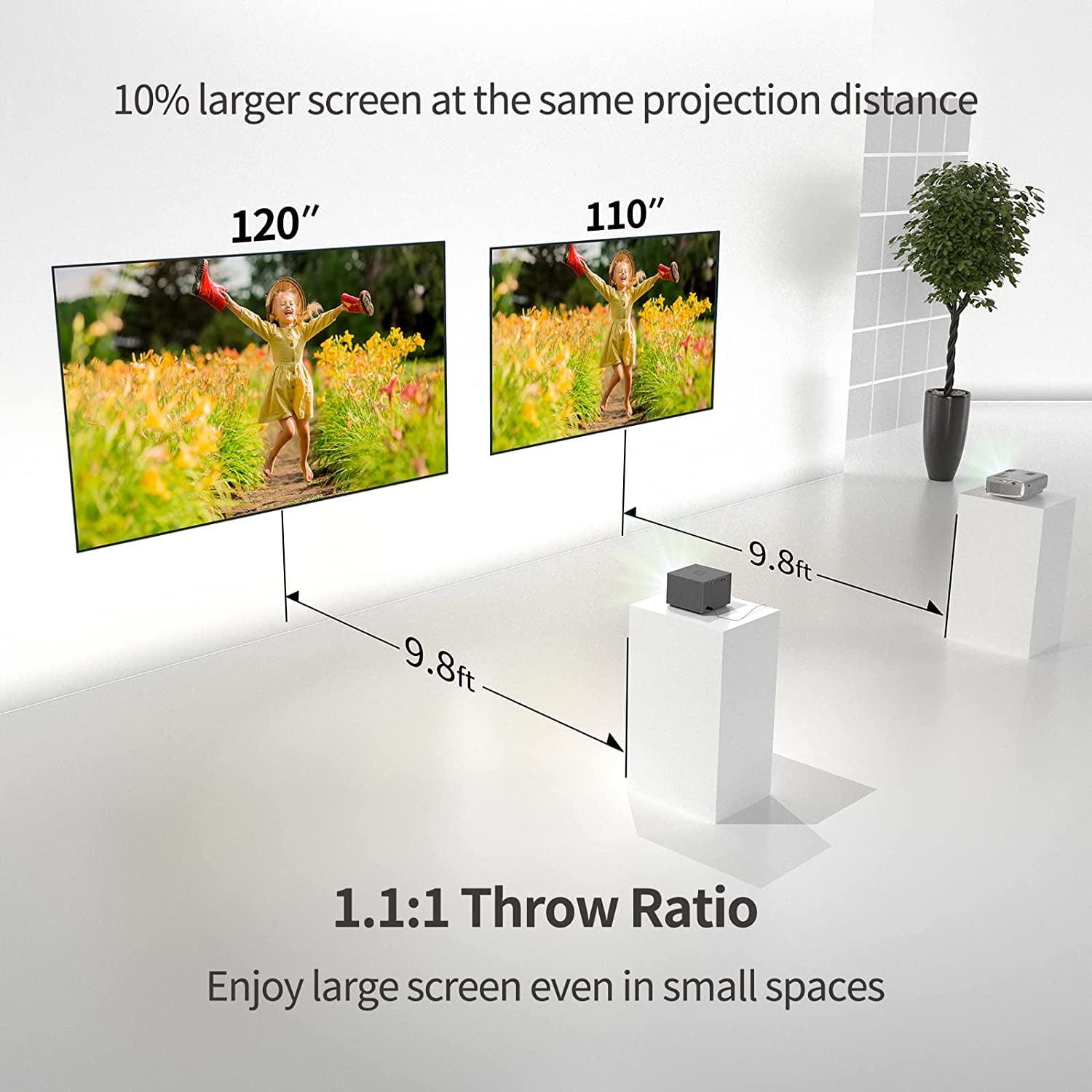
Both projectors deliver native 1920x1080 resolution, but their image quality characteristics differ in important ways. The WEMAX Vogue Pro uses a larger 0.47-inch DLP (Digital Light Processing) chip, while the XGIMI MoGo 3 Pro uses a smaller 0.23-inch DLP chip. Generally, larger chips can produce brighter, sharper images, which partially explains the brightness difference.
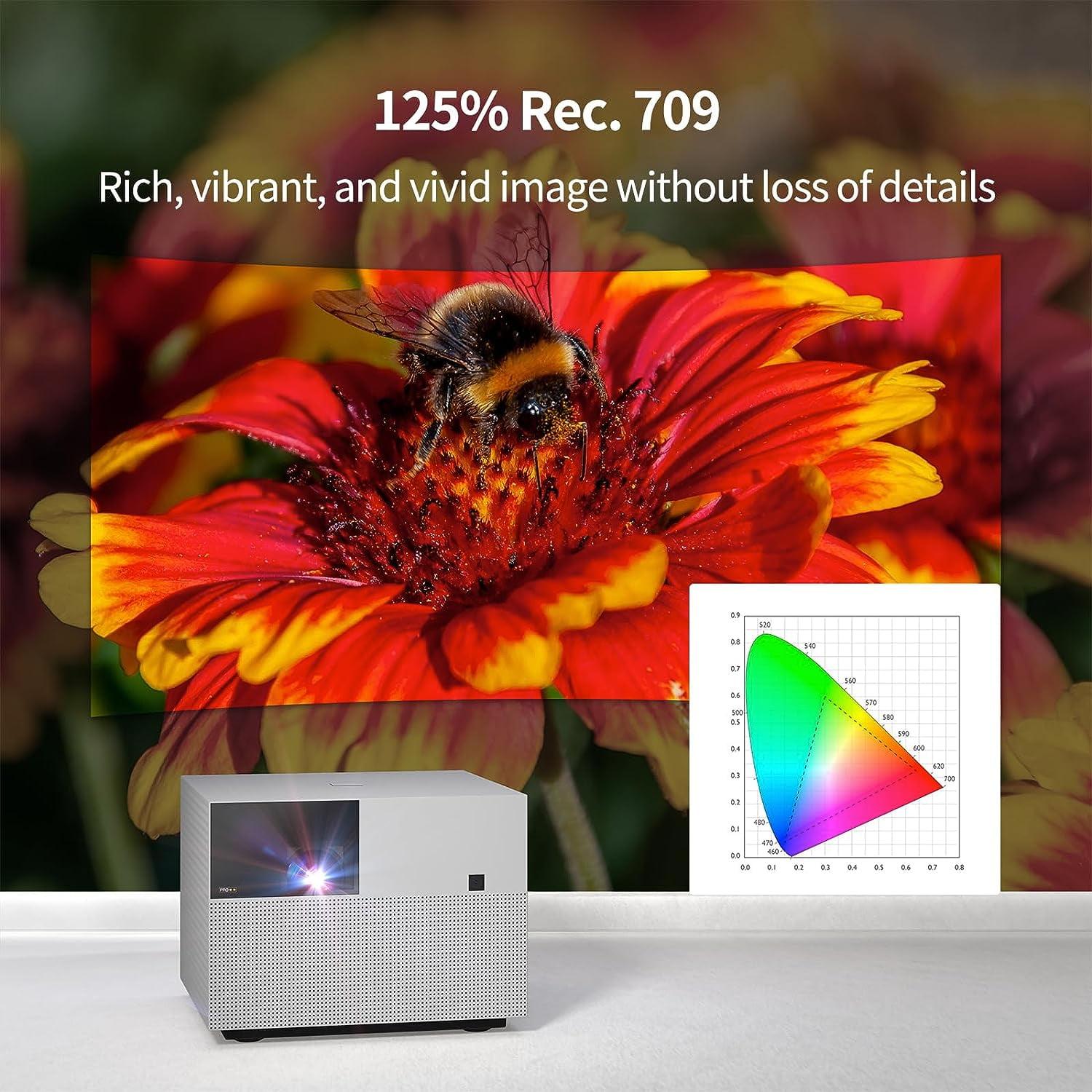
Color reproduction takes different approaches. The WEMAX Vogue Pro covers 125% of the Rec.709 color space using a 4-channel LED system. This means it can display a wider range of colors than standard HD content requires, leading to more saturated, vibrant images. The XGIMI MoGo 3 Pro covers 90% of the DCI-P3 color space, which is the standard for modern digital cinema. While smaller in absolute terms, this means colors are more accurately calibrated to match filmmaker intentions.
In practical terms, the WEMAX Vogue Pro produces more "pop" – vivid blues and reds that really grab your attention. The XGIMI MoGo 3 Pro produces more natural, film-accurate colors that some users prefer for serious movie watching. Both support HDR10, though neither has the brightness to fully capitalize on HDR's expanded contrast range.
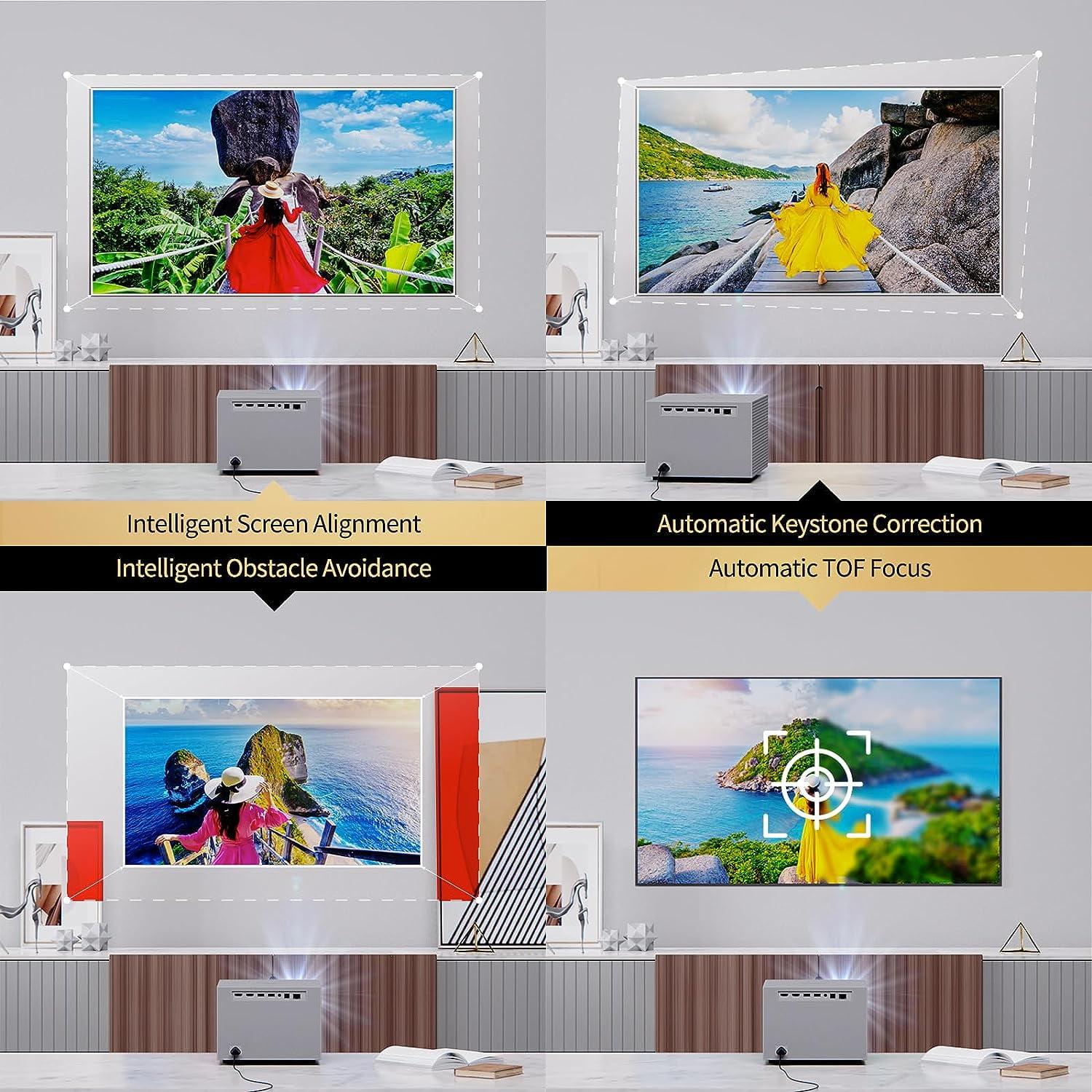
Modern projectors increasingly include intelligent setup features, and the XGIMI MoGo 3 Pro showcases the current state of the art. Its ISA 3.0 (Intelligent Screen Adaptation) system automatically focuses the image, corrects keystone distortion (when you project at an angle), and even avoids obstacles like wall switches or picture frames by reshaping the image around them.
I've tested this extensively, and it works remarkably well. Set the projector down anywhere, turn it on, and within 10 seconds you have a perfectly focused, rectangular image – even if you're projecting from a coffee table at a steep angle onto a wall with decorations. The system uses a combination of cameras and time-of-flight sensors (like smartphone autofocus systems) to measure distances and adjust accordingly.
The WEMAX Vogue Pro includes basic auto-focus and keystone correction, but it's not as sophisticated. You'll often need to manually fine-tune settings, which isn't difficult but requires more involvement. For permanent installations where you set it up once, this isn't a major issue. For frequent repositioning, the XGIMI MoGo 3 Pro's automation is genuinely helpful.
Gaming performance depends primarily on input lag – the delay between pressing a button and seeing the result on screen. Lower numbers are better, especially for fast-paced games.
The WEMAX Vogue Pro offers approximately 40ms input lag through HDMI connections, with support for 8K input at 40Hz (though it displays at 1080p). The XGIMI MoGo 3 Pro provides around 60ms input lag in game mode. For context, competitive gamers prefer under 20ms, casual gamers are generally fine with anything under 50ms, and most people can't notice delays under 80ms.
Both projectors are suitable for casual gaming – think Mario Kart, sports games, or single-player adventures. The WEMAX Vogue Pro has a slight edge for more responsive gaming, while neither is ideal for competitive online gaming where every millisecond matters.
The connection options reflect each projector's design philosophy. The WEMAX Vogue Pro offers comprehensive wired connectivity: two HDMI 2.1 ports (one supporting ARC for audio return), two USB ports, Ethernet, digital audio output, and a 3.5mm headphone jack. This makes it easy to connect game consoles, streaming devices, sound systems, and other equipment simultaneously.
The XGIMI MoGo 3 Pro takes a minimalist approach with one micro HDMI port, one USB-A port, and USB-C for power. The limited ports reflect its portable nature – you're expected to rely more on wireless connectivity like built-in streaming apps, Chromecast, and Bluetooth.
For complex home theater setups with multiple devices, the WEMAX Vogue Pro's extensive connectivity is valuable. For simple setups focused on streaming and occasional HDMI use, the XGIMI MoGo 3 Pro's wireless-first approach works well.
When evaluating these projectors for home theater use, consider whether you're looking for a primary display replacement or a secondary entertainment device.
As a primary home theater display, the WEMAX Vogue Pro makes more sense. Its 1,600-lumen brightness means you can watch content in normal lighting conditions – no need to blackout the room for daytime viewing. The powerful built-in speakers eliminate the need for additional audio equipment in smaller rooms. The comprehensive connectivity supports multiple devices without constantly swapping cables.
I've set up the WEMAX Vogue Pro in finished basements and dedicated media rooms where it successfully replaced traditional TVs. The 100-inch image size creates an immersive experience that's difficult to achieve with affordable flat-panel displays. However, the lack of native Netflix support means adding a streaming device to the setup.
The XGIMI MoGo 3 Pro excels as a secondary entertainment device. It's perfect for bedroom movie nights, outdoor entertaining, or creating temporary big-screen experiences. The battery operation means you can use it anywhere without running extension cords. The excellent smart TV features make it self-sufficient for streaming content.
The two-year gap between these releases (2022 for the WEMAX Vogue Pro, 2024 for the XGIMI MoGo 3 Pro) showcases how rapidly projector technology evolves. The newer XGIMI MoGo 3 Pro benefits from more advanced LED efficiency, allowing higher brightness per watt consumed. Its USB-C power delivery reflects modern charging standards, while its Google TV platform provides better long-term software support.
The WEMAX Vogue Pro, despite being older, uses more powerful hardware that enables higher absolute brightness. Its HDMI 2.1 ports support future high-refresh gaming consoles and 8K sources, providing some future-proofing despite the 1080p native resolution.
Choose the XGIMI MoGo 3 Pro if you value flexibility and convenience above all else. It's ideal for renters who can't install permanent equipment, outdoor enthusiasts who want entertainment anywhere, travelers seeking hotel room upgrades, or anyone wanting a secondary projector for occasional use. The battery operation and automatic setup make it genuinely convenient to use anywhere.
The WEMAX Vogue Pro makes sense when you need a primary entertainment display that can compete with ambient light. It's perfect for finished basements, media rooms, or any space where you want big-screen entertainment without the complexity of dedicated home theater equipment. The higher brightness and more powerful audio create a more traditional "TV replacement" experience.
Consider your viewing environment carefully. If you have light control – blackout curtains, basement location, or primarily nighttime use – either projector can work well. Choose based on whether you need portability. If you can't control ambient light, the WEMAX Vogue Pro is your only viable option between these two.
At the time of writing, both projectors occupy similar price brackets in the mid-range category, making the decision primarily about features and use cases rather than budget constraints. The XGIMI MoGo 3 Pro offers better value for its unique portability features, while the WEMAX Vogue Pro provides better value for its brightness and audio capabilities.
Ultimately, these represent two excellent examples of how modern projector design has evolved to serve different needs. Rather than one being definitively better than the other, they excel in their respective niches. Understanding your specific requirements – brightness needs, portability desires, setup complexity tolerance, and intended use cases – will guide you to the right choice.
| XGIMI MoGo 3 Pro | WEMAX Vogue Pro |
|---|---|
| Brightness - Most critical spec determining where you can use the projector | |
| 450 ISO lumens (requires dark rooms, best for nighttime/basement use) | 1,600 ANSI lumens (works in moderate ambient light, can replace TV in family rooms) |
| Portability - Determines whether you can take it anywhere | |
| 2.4 lbs with built-in battery (2.5 hours), truly portable for travel/camping | 7.7 lbs, AC power only (powerful but stationary, desktop replacement) |
| Smart Features - Affects daily usability and app access | |
| Google TV with native Netflix, 10,000+ apps, voice control | Feng OS (older Android), no native Netflix, requires casting or external device |
| Audio Quality - Important for all-in-one entertainment setups | |
| Dual 5W Harman Kardon speakers (premium tuning, adequate for small rooms) | Dual 10W speakers with Dolby Audio (room-filling sound, eliminates need for soundbar) |
| Setup Convenience - How easy it is to get a perfect image | |
| ISA 3.0 auto-setup: focus, keystone, obstacle avoidance in 10 seconds | Basic auto-focus and keystone (manual fine-tuning often needed) |
| Connectivity - Determines how many devices you can connect | |
| 1x Micro HDMI, 1x USB-A, USB-C power (wireless-focused, minimal ports) | 2x HDMI 2.1, 2x USB, Ethernet, audio out (comprehensive wired connectivity) |
| Gaming Performance - Input lag affects responsiveness | |
| ~60ms input lag (fine for casual gaming, not ideal for competitive) | ~40ms input lag with 8K input support (better for gaming enthusiasts) |
| Power and Charging - Affects where and how you can use it | |
| USB-C charging, works with 65W power banks, includes AC adapter | AC power only, ~220W consumption (requires wall outlet always) |
| Design Philosophy - Different approaches to projection | |
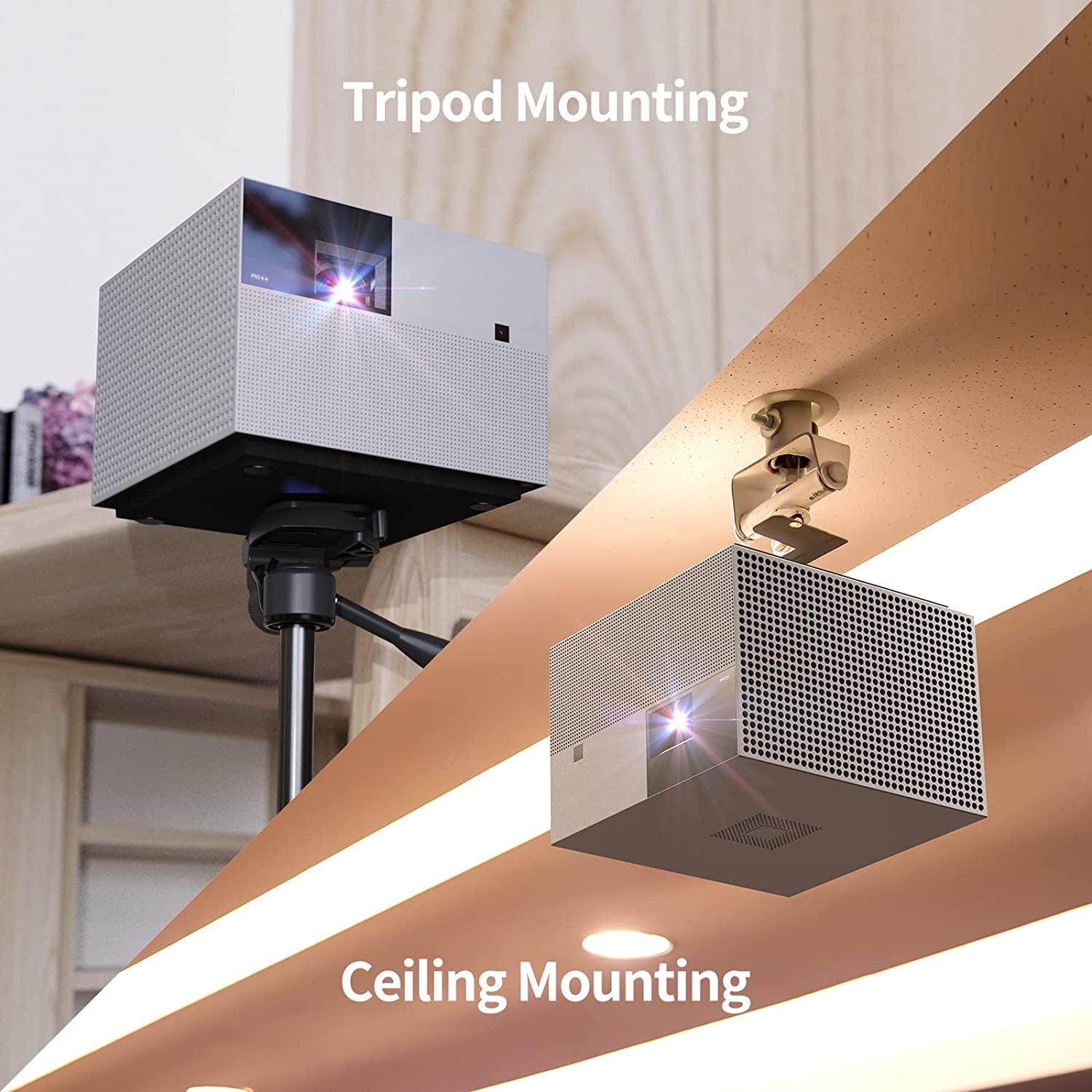
| Ultra-portable with 130° adjustable stand (coffee cup size, go anywhere) | Compact desktop cube (permanent installation, living room centerpiece) |
| Image Quality - Both 1080p but different characteristics | |
| 90% DCI-P3, film-accurate colors, 0.23" DLP chip | 125% Rec.709, vibrant colors, 0.47" DLP chip (larger = brighter) |
| Best Use Cases - Who should choose each projector | |
| Travel, outdoor movies, renters, secondary projector, dark room viewing | Primary TV replacement, bright rooms, home theater, permanent setup |
The WEMAX Vogue Pro is significantly brighter at 1,600 ANSI lumens compared to the XGIMI MoGo 3 Pro at 450 ISO lumens. This means the WEMAX Vogue Pro can be used in rooms with ambient light and windows open, while the XGIMI MoGo 3 Pro requires dark environments for optimal viewing.
Only the XGIMI MoGo 3 Pro has a built-in battery that provides 2.5 hours of wireless operation, making it perfect for outdoor movies or travel. The WEMAX Vogue Pro requires constant AC power and cannot operate on battery power alone.
The XGIMI MoGo 3 Pro runs Google TV with native Netflix support and access to over 10,000 apps. The WEMAX Vogue Pro runs an older Android system without native Netflix, requiring you to cast from your phone or add an external streaming device.
The XGIMI MoGo 3 Pro weighs only 2.4 pounds and fits in carry-on luggage, making it ideal for travel. The WEMAX Vogue Pro weighs 7.7 pounds and is designed as a desktop projector, making it less suitable for frequent transportation.
The WEMAX Vogue Pro features more powerful dual 10W speakers with Dolby Audio that can fill larger rooms. The XGIMI MoGo 3 Pro has dual 5W Harman Kardon speakers that sound excellent for their size but may need higher volume in larger spaces.
Both projectors are suitable for casual gaming. The WEMAX Vogue Pro has slightly better gaming performance with 40ms input lag and 8K input support, while the XGIMI MoGo 3 Pro has 60ms input lag, which is still acceptable for most gaming situations.
The XGIMI MoGo 3 Pro features advanced ISA 3.0 technology that automatically focuses, corrects keystone distortion, and avoids obstacles in about 10 seconds. The WEMAX Vogue Pro has basic auto-focus and keystone correction but often requires manual fine-tuning.
The WEMAX Vogue Pro is better suited as a main TV replacement due to its higher brightness allowing daytime viewing and more powerful speakers. The XGIMI MoGo 3 Pro works best as a secondary entertainment device for dark room viewing or special occasions.
The WEMAX Vogue Pro offers more connectivity with 2 HDMI ports, 2 USB ports, Ethernet, and audio outputs. The XGIMI MoGo 3 Pro has minimal ports (1 micro HDMI, 1 USB-A) but emphasizes wireless connectivity and built-in streaming apps.
The XGIMI MoGo 3 Pro is specifically designed for outdoor use with its built-in battery, lightweight design, and adjustable stand. The WEMAX Vogue Pro requires AC power, making it impractical for most outdoor locations without access to electrical outlets.
Both deliver 1080p resolution, but the WEMAX Vogue Pro produces brighter, more vivid colors with 125% Rec.709 coverage, while the XGIMI MoGo 3 Pro offers more film-accurate colors with 90% DCI-P3 coverage. The WEMAX Vogue Pro uses a larger DLP chip for sharper images.
The XGIMI MoGo 3 Pro offers excellent value for users who need portability and modern streaming features. The WEMAX Vogue Pro provides better value for users who prioritize brightness and audio quality for home theater use. Your choice depends on whether you need portability or performance.
We've done our best to create useful and informative comparisons to help you decide what product to buy. Our research uses advanced automated methods to create this comparison and perfection is not possible - please contact us for corrections or questions. These are the sites we've researched in the creation of this article: projectorcentral.com - techradar.com - androidcentral.com - tvsbook.com - techradar.com - thesmarthomehookup.com - whathifi.com - youtube.com - youtube.com - projectorcentral.com - projectorcentral.com - youtube.com - global.xgimi.com - us.xgimi.com - youtube.com - us.xgimi.com - us.xgimi.com - wemax.com - wemax.com - youtube.com - techpowerup.com - wemax.com - projectorcentral.com - nikktech.com - youtube.com - techpowerup.com - techpowerup.com - youtube.com - nikktech.com - walmart.com - business.walmart.com - projectorcentral.com - techpowerup.com - projektoren-datenbank.com - wemax.com

Privacy Policy
Terms and Conditions - Affiliate Policy
Home Security
© Copyright 2008-2026.
11816 Inwood Rd #1211, Dallas, TX 75244