














Choosing the right gaming monitor has become surprisingly complex. Just a few years ago, the decision was straightforward—bigger was better, and refresh rates barely mattered. Today's gaming monitors represent a fundamental split in philosophy: do you chase the smoothest possible motion for competitive advantage, or prioritize crystal-clear visuals that make every game look cinematic?
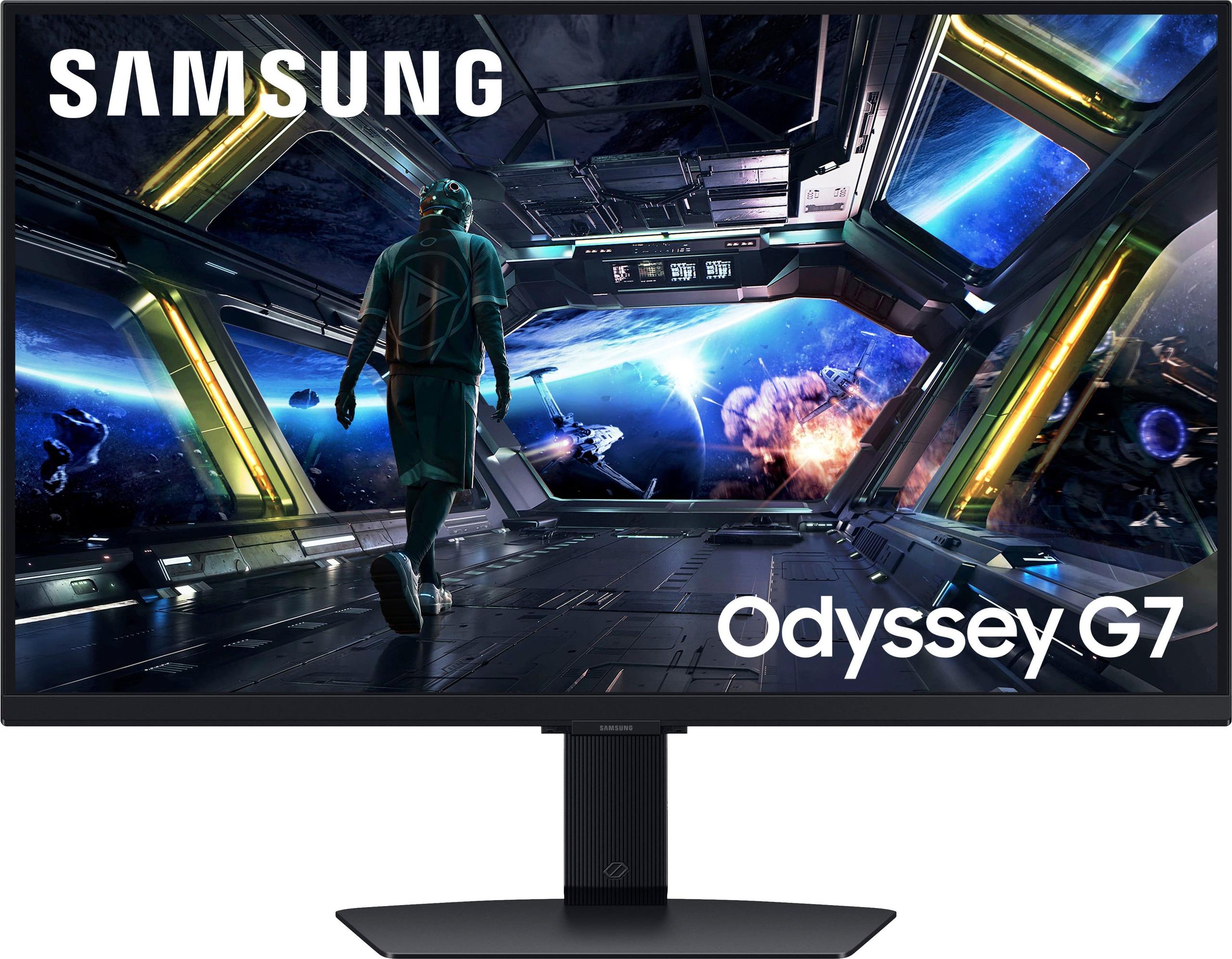
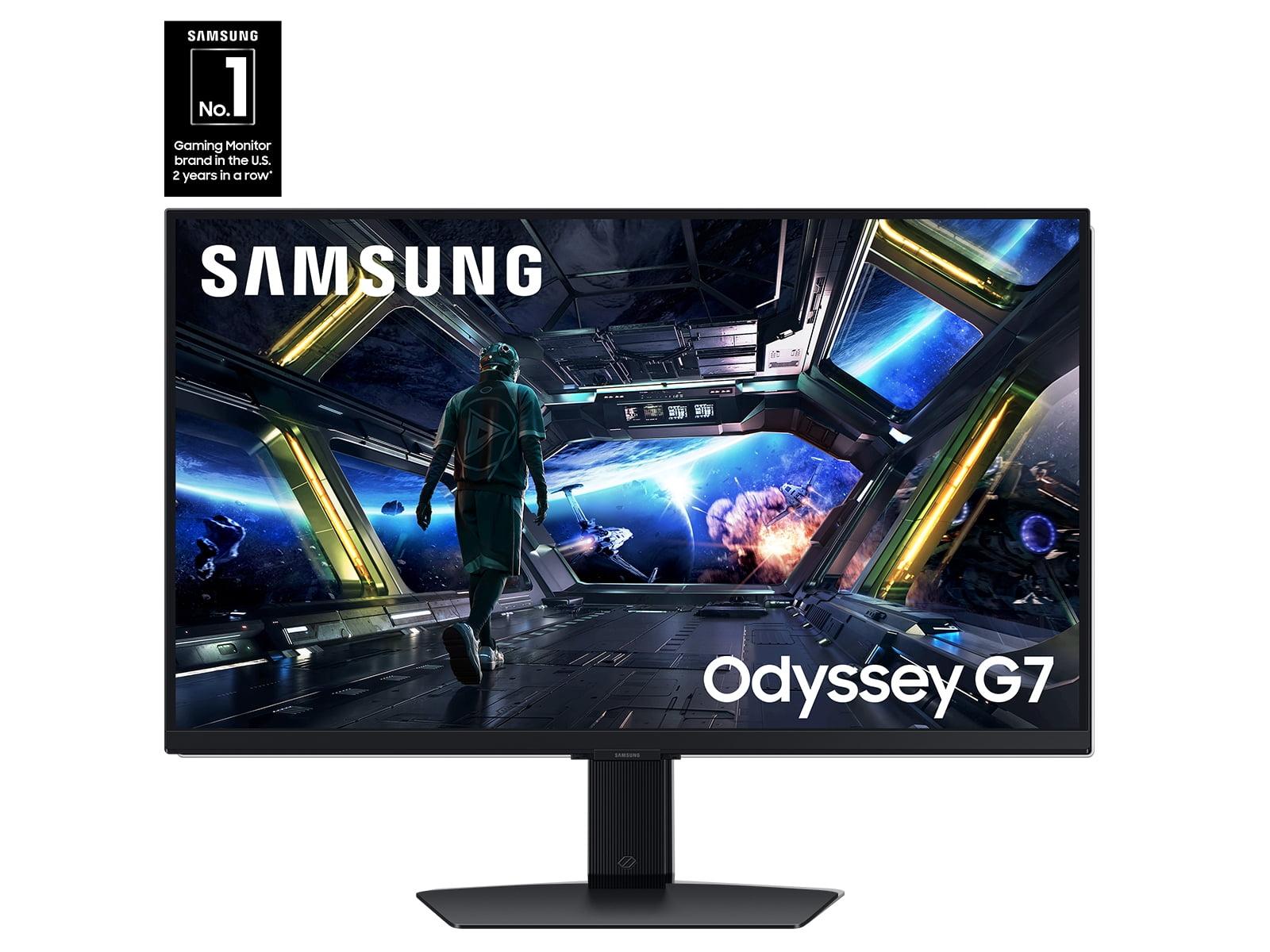
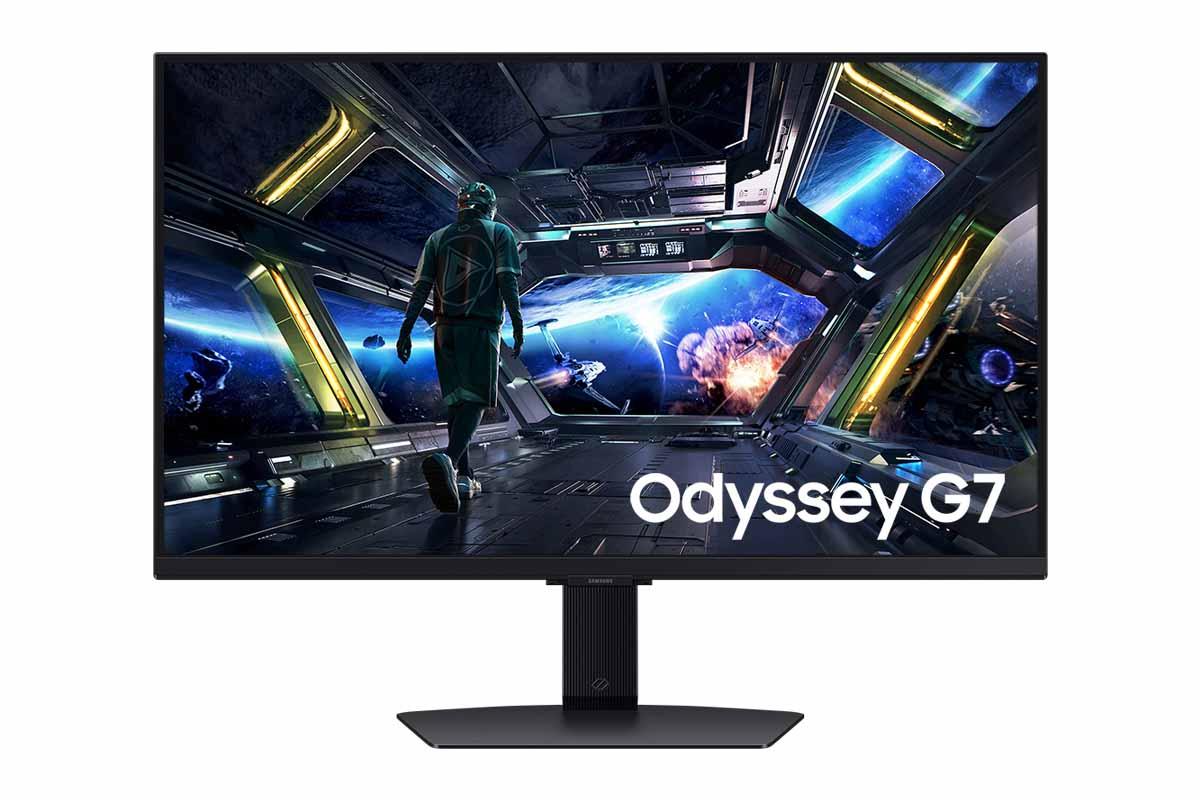
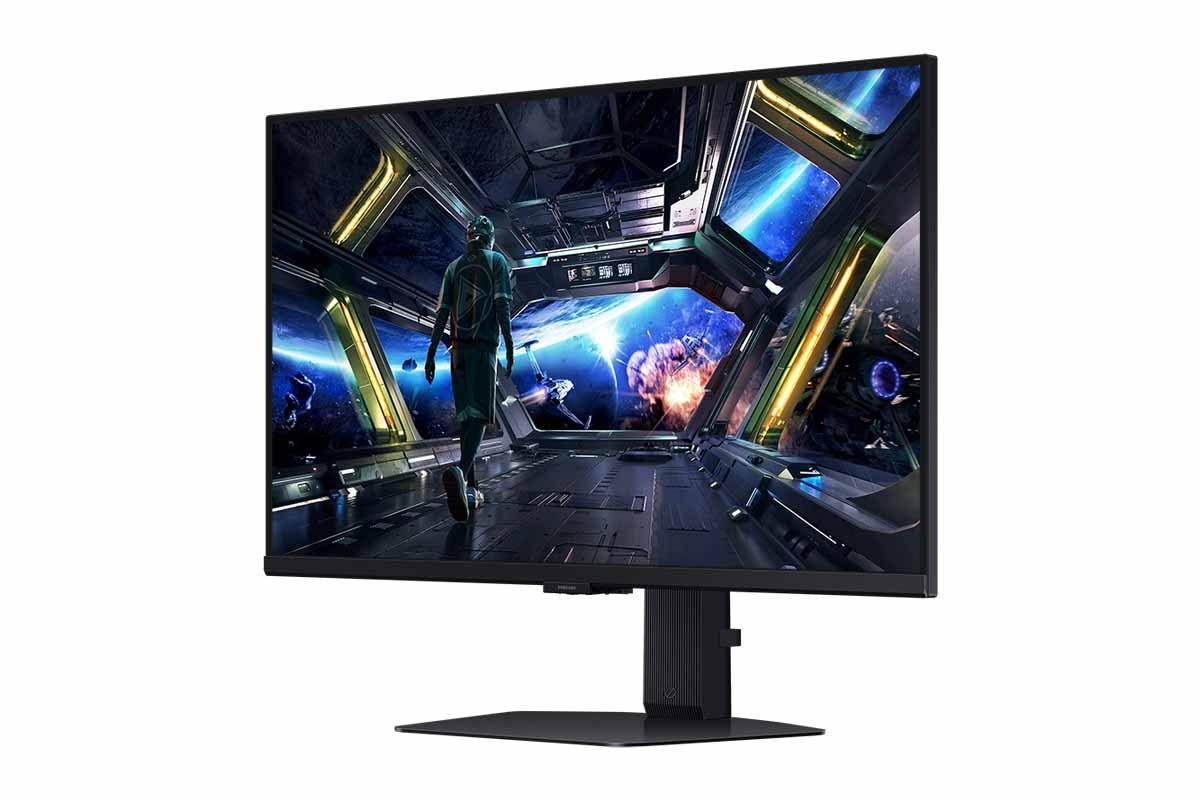
The Alienware AW2725DM and Samsung Odyssey G7 G70D perfectly embody this divide. Both launched in 2024, but they target completely different gaming experiences. One prioritizes blazing-fast refresh rates at an accessible price, while the other delivers premium 4K visuals with smart TV features at a significant cost premium.
Before diving into these specific models, it's crucial to understand what separates today's gaming monitors from basic displays. Gaming monitors optimize for three key metrics that traditional monitors largely ignore: refresh rate, response time, and input lag.
Refresh rate measures how many times per second your monitor can display a new image, expressed in Hertz (Hz). A 60Hz monitor updates 60 times per second, while a 180Hz monitor updates 180 times. Higher refresh rates create smoother motion, reduce perceived blur, and can provide competitive advantages in fast-paced games.
Response time indicates how quickly individual pixels can change from one color to another, typically measured in milliseconds (ms). Lower response times reduce "ghosting"—the trail effect you see behind moving objects. Modern gaming monitors achieve 1ms response times, compared to 5-15ms on standard displays.
Input lag represents the delay between your controller input and the corresponding action appearing on screen. Gaming monitors minimize this delay through specialized processing circuits and direct communication with graphics cards.
The technology has advanced dramatically since these monitors' predecessors. In 2020, you'd pay premium prices for 144Hz displays. By 2024, manufacturers were delivering 180Hz panels at budget-friendly prices while simultaneously pushing 4K resolution into the mainstream gaming space.
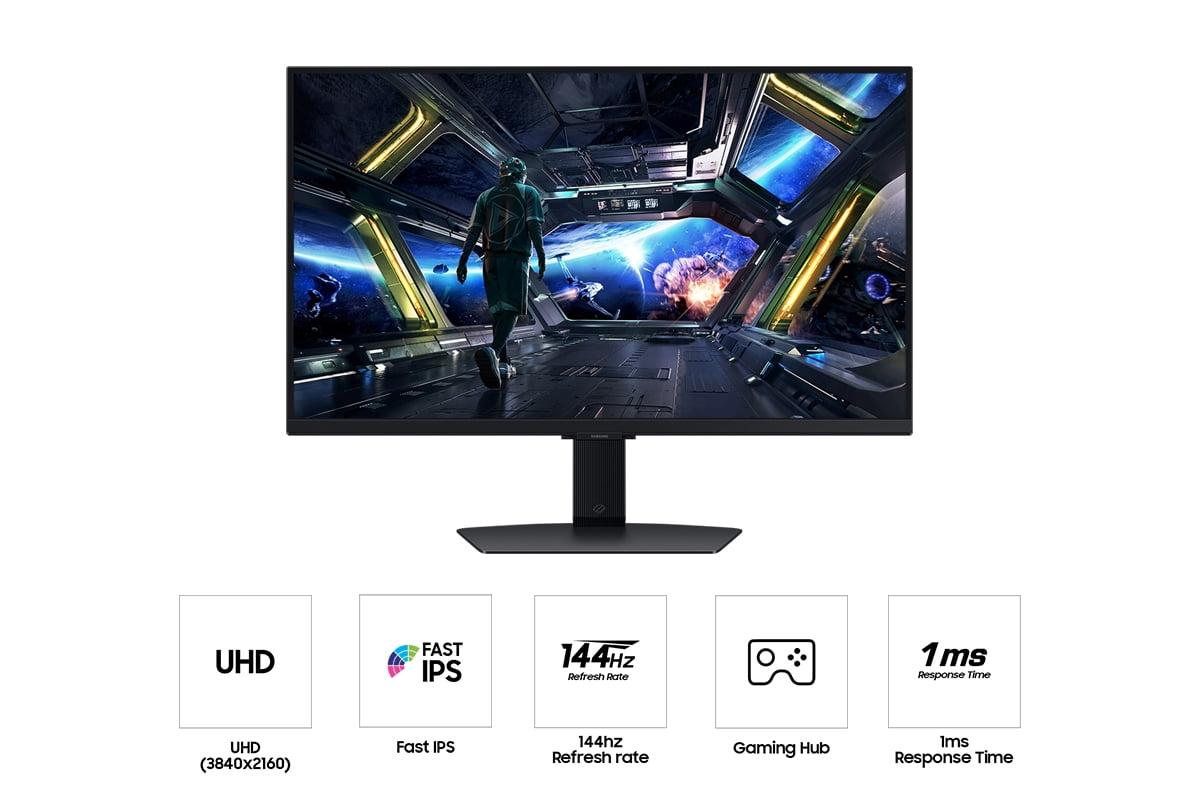
This comparison highlights gaming's most important modern trade-off. The Alienware AW2725DM delivers 1440p resolution at 180Hz, while the Samsung Odyssey G7 G70D provides 4K resolution at 144Hz. These aren't just numbers—they represent fundamentally different gaming experiences.
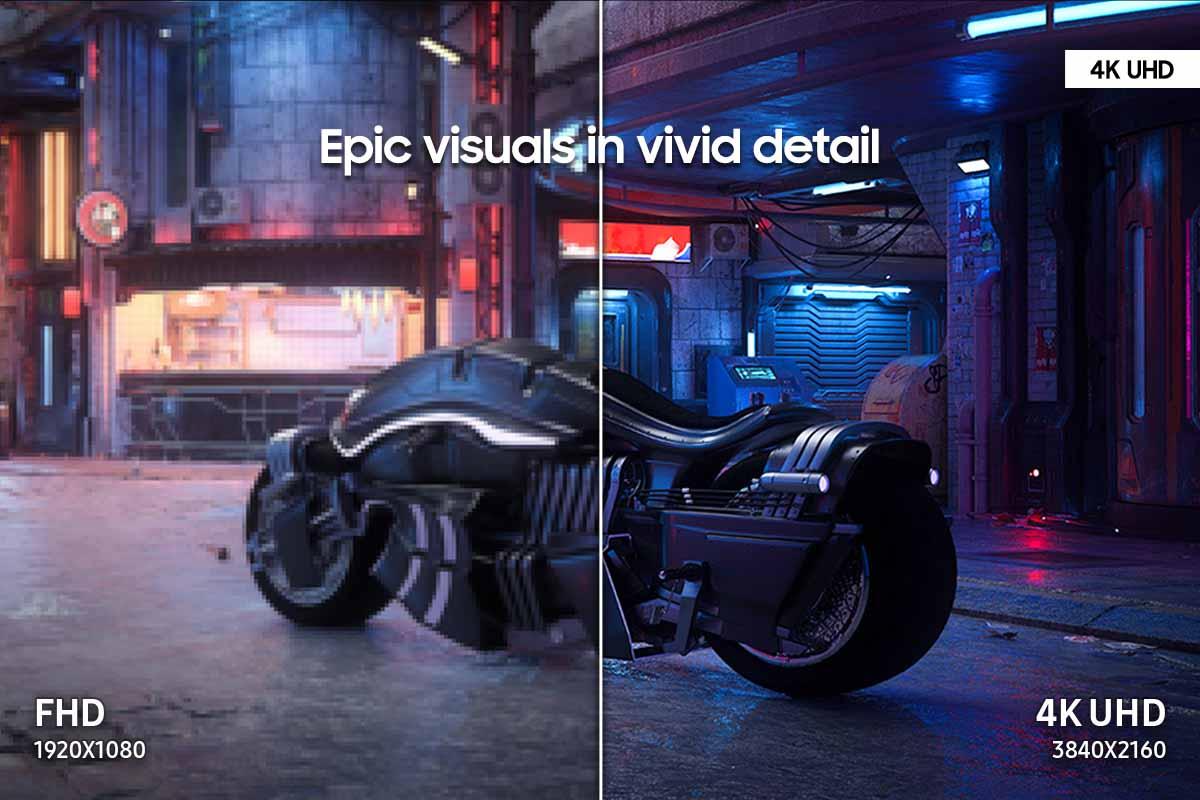
Understanding Resolution Impact: The Samsung's 4K display contains 8.3 million pixels compared to the Alienware's 3.7 million pixels. That's 2.25 times more detail, creating noticeably sharper text, clearer textures, and more defined distant objects in games. When playing strategy games like Civilization VI or exploring detailed worlds in Red Dead Redemption 2, the difference is immediately apparent.
However, rendering those extra pixels demands serious graphics processing power. A graphics card that maintains 180 fps at 1440p might struggle to achieve 100 fps at 4K in the same game. This creates a cascading effect on your entire system—you'll need more powerful (and expensive) hardware to fully utilize the Samsung's capabilities.
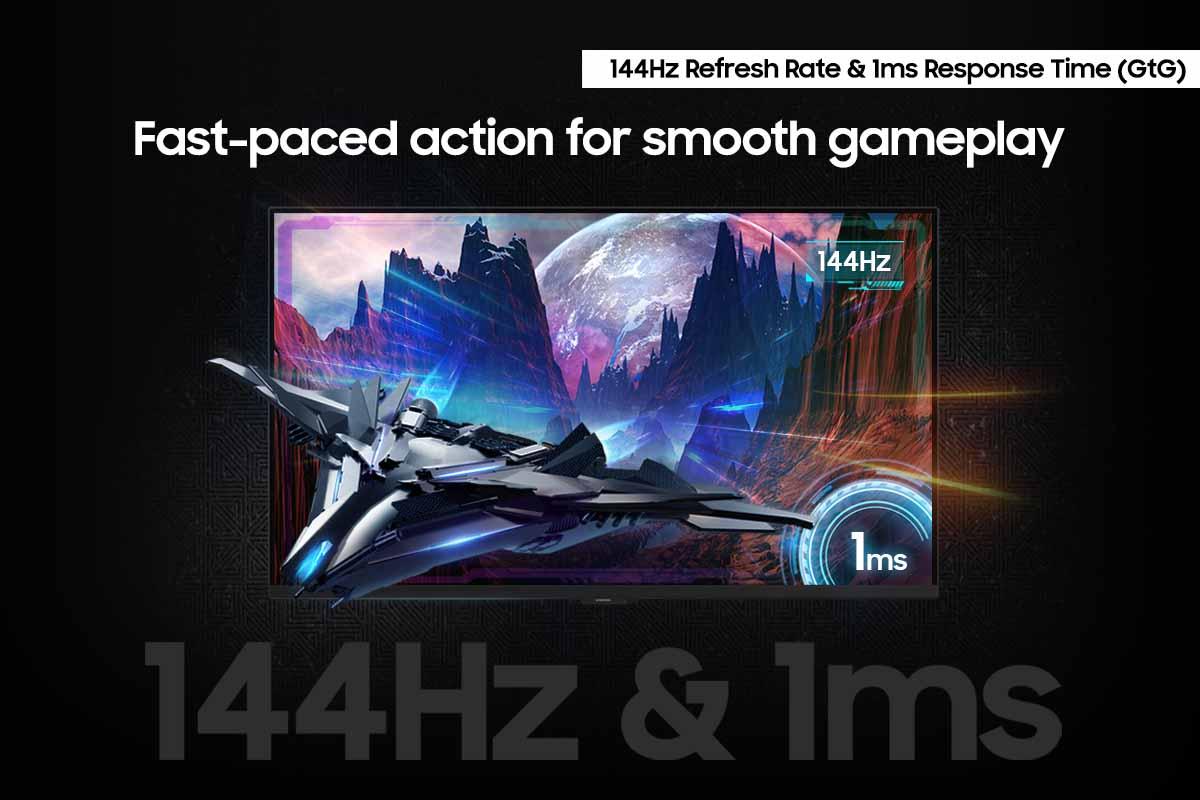
Refresh Rate Advantages: The Alienware's 180Hz capability provides tangible benefits in competitive scenarios. In first-person shooters like Valorant or Counter-Strike, that extra 36Hz over the Samsung's 144Hz translates to information appearing on your screen roughly 2.5 milliseconds sooner. While that sounds insignificant, professional esports players consistently report feeling the difference, and frame rate analysis confirms smoother motion tracking.
The practical impact varies by game type. Racing games, fighting games, and competitive shooters benefit enormously from higher refresh rates. Single-player RPGs, strategy games, and story-driven adventures gain more from higher resolution detail.
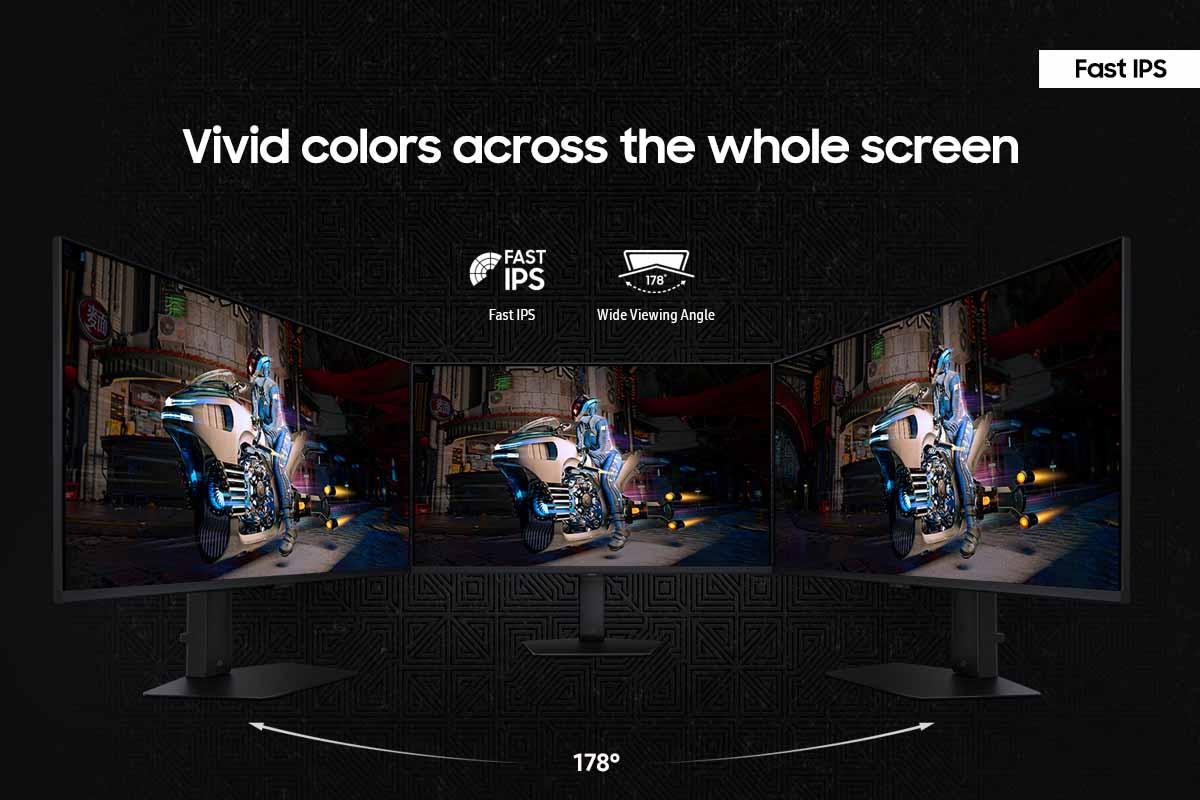
Both monitors utilize Fast IPS (In-Plane Switching) panels, representing the current sweet spot for gaming displays. IPS technology provides wide viewing angles—colors remain consistent whether you're sitting directly in front or viewing from the side. This matters more than you might expect, especially if you occasionally watch content with others or use your monitor for video calls.
Color Performance: IPS panels traditionally struggled with contrast ratios, and both monitors reflect this limitation with 1000:1 static contrast. This means pure blacks appear more like dark gray, particularly noticeable in dimly lit rooms. However, IPS excels at color accuracy and reproduction, with both monitors covering over 95% of the sRGB color space used in most games and media.
The Samsung G70D includes additional color processing through its NQM AI Processor, which attempts to enhance colors and upscale lower-resolution content to near-4K quality. In practice, this works well for streaming video but can sometimes oversharpen game graphics, creating artificial-looking edges around characters and objects.
Brightness and HDR Capabilities: Both monitors support VESA DisplayHDR 400, but this represents the entry level of HDR certification. With peak brightness around 350-400 nits, neither monitor delivers the dramatic contrast improvements you'd see from premium HDR displays reaching 1000+ nits.
The HDR implementation feels more like a checkbox feature than a transformative visual upgrade. HDR games look slightly more vibrant, but don't expect the jaw-dropping contrast you'd see on a high-end OLED TV. For most users, standard SDR gaming provides the better overall experience on these monitors.
Motion Handling: Both monitors achieve impressive 1ms gray-to-gray response times, but the Alienware AW2725DM edges ahead in overall motion clarity due to its higher refresh rate. Fast-paced games like Rocket League or Apex Legends look noticeably smoother on the Alienware, with less motion blur during quick camera movements.
The Samsung compensates with better pixel density. While motion might appear slightly less fluid, individual game elements look sharper and more defined. This trade-off becomes apparent in different game genres—the Alienware excels in competitive multiplayer games, while the Samsung shines in detailed single-player experiences.
Adaptive Sync Performance: Both monitors support variable refresh rate technology, which synchronizes your monitor's refresh rate with your graphics card's frame output. This eliminates screen tearing (where parts of different frames appear simultaneously) and reduces stuttering when frame rates fluctuate.
The Alienware supports both NVIDIA G-SYNC Compatible and AMD FreeSync Premium, ensuring broad compatibility across graphics cards. The Samsung focuses primarily on AMD FreeSync Premium Pro, with more limited NVIDIA support. This difference rarely matters in practice—modern graphics cards work well with either implementation.
Input Lag Analysis: Gaming monitors minimize input lag through specialized circuits that bypass traditional image processing. Both monitors achieve excellent input lag performance, typically measuring under 5 milliseconds from controller input to screen response. The difference between them falls within measurement margins, making both suitable for competitive gaming.
The performance differences between these monitors extend beyond the displays themselves—they influence your entire gaming setup's requirements and costs.
Graphics Card Demands: The Samsung G70D's 4K resolution demands significantly more graphics processing power. To maintain smooth 144Hz gaming, you'll need at least an RTX 4070 Ti or RX 7800 XT class graphics card, with many games requiring even more powerful hardware for consistent high frame rates.
The Alienware AW2725DM's 1440p resolution remains accessible to mid-range graphics cards. An RTX 4060 or RX 7600 XT can achieve 180Hz in many competitive games, while maintaining high settings in demanding single-player titles.
This hardware requirement difference has cost implications. At the time of writing, the graphics card upgrade needed to properly drive the Samsung could cost $200-400 more than what's required for the Alienware. Factor this into your total system cost when comparing these monitors.
Console Gaming Considerations: Modern gaming consoles add another layer to this comparison. The PlayStation 5 and Xbox Series X support 4K gaming, making the Samsung's resolution advantage more relevant for console users. However, most console games prioritize visual quality over frame rates, rarely achieving the 120+ fps needed to fully utilize either monitor's high refresh capabilities.
For console gaming, the Samsung's 4K resolution provides more immediate benefits, while the Alienware's higher refresh rate advantage largely goes unused. This makes the Samsung more appealing for mixed PC/console setups.
The Samsung Odyssey G7 G70D includes comprehensive smart TV functionality through Samsung's Gaming Hub OS, representing a unique approach in the monitor market. This system provides direct access to streaming services, cloud gaming platforms, and various entertainment apps without requiring a connected PC or console.
Smart Platform Capabilities: The Gaming Hub allows you to play Xbox Game Pass cloud games, stream Netflix, or browse YouTube directly from the monitor. The included remote control and built-in speakers complete the smart TV experience. For users with limited desk space or those wanting an all-in-one entertainment solution, these features provide genuine value.
User Experience Challenges: However, our research into user reviews reveals significant frustrations with Samsung's smart TV interface. Users consistently complain about the intrusive menu system, tiny button controls, and mandatory Samsung account requirements for full functionality. Several reviews mention returning the monitor specifically due to interface problems, describing the smart TV OS as "way too intrusive" and creating a "terrible UX."
The Alienware AW2725DM takes the opposite approach—a clean, gaming-focused interface without smart TV complications. The traditional OSD (On-Screen Display) menu provides quick access to gaming settings, response time adjustments, and input selection without navigating through streaming app menus.
For users who want a straightforward gaming monitor without extra complexity, the Alienware's traditional approach proves more satisfying. However, those who genuinely value integrated streaming capabilities might find the Samsung's features worth the interface trade-offs.
While both monitors primarily target gaming, they offer different advantages for home theater integration.
The Samsung G70D's 4K resolution and smart TV features make it more suitable for mixed entertainment use. The larger pixel count provides better detail for movies and streaming content, while the integrated apps eliminate the need for separate streaming devices. However, the 27-inch screen size limits its effectiveness as a primary home theater display—most users prefer 32+ inch screens for movie watching.
The Alienware AW2725DM's higher brightness (400 vs. 350 nits) provides better visibility in rooms with ambient lighting, but its lower resolution reduces detail in high-quality video content. For users primarily focused on gaming with occasional media consumption, the Alienware's approach works well. For those wanting a desk-based entertainment center, the Samsung's features provide more versatility.
Neither monitor excels at true home theater applications due to their 27-inch size and limited contrast ratios. They work best as personal displays for gaming and productivity, with entertainment features serving as useful bonuses rather than primary selling points.
At the time of writing, these monitors occupy very different value propositions. The Alienware AW2725DM represents exceptional performance-per-dollar in the high refresh rate gaming category, while the Samsung Odyssey G7 G70D commands a significant price premium for its 4K resolution and smart features.
The Alienware's pricing strategy appears designed to make high refresh rate gaming accessible to mainstream buyers. Previously, 180Hz gaming monitors commanded premium prices. The AW2725DM's aggressive pricing brings this performance level within reach of budget-conscious gamers without sacrificing essential gaming features.
The Samsung's premium positioning reflects its 4K resolution and smart TV functionality. However, the price difference—nearly three times higher than the Alienware at launch—creates a substantial value gap that only specific users can justify.
For competitive gaming, refresh rate and input lag dominate the importance hierarchy. The Alienware's 180Hz advantage provides measurable benefits in fast-paced games, while both monitors achieve excellent input lag performance.
For single-player and cinematic gaming, resolution and color accuracy become more important. The Samsung's 4K display creates noticeably more immersive experiences in detailed game worlds, particularly in strategy games and RPGs where UI elements benefit from higher pixel density.
For mixed use including productivity work, resolution typically trumps refresh rate. Text appears sharper, spreadsheets show more content, and creative applications benefit from the increased screen real estate that 4K provides.
The Alienware AW2725DM makes sense for gamers who prioritize competitive performance and value. If you play first-person shooters, racing games, or any competitive multiplayer titles, the 180Hz refresh rate provides tangible advantages. The lower resolution reduces hardware requirements, making it accessible to mid-range gaming systems while still delivering excellent visual quality.
Choose the Alienware if you have a mid-range graphics card, prefer straightforward gaming functionality, or want maximum performance without premium pricing. It's particularly appealing for users who game primarily in well-lit environments where its higher brightness provides better visibility.
The Samsung Odyssey G7 G70D targets users prioritizing visual fidelity and versatility. The 4K resolution creates stunning detail in single-player games, while the smart TV features add entertainment value. However, you'll need powerful hardware to fully utilize its capabilities, and the smart TV interface creates usability friction.
Choose the Samsung if you own high-end graphics hardware, play primarily single-player games, or want integrated streaming capabilities. It's best suited for users who can tolerate interface complexity in exchange for premium visual quality and versatility.
The fundamental question comes down to your gaming priorities: smooth competitive performance or detailed cinematic experiences. Both monitors excel within their intended use cases, but they serve fundamentally different gaming philosophies. Understanding your preferred gaming style, hardware capabilities, and tolerance for interface complexity will guide you toward the right choice.
| Alienware 27 QHD 180Hz Gaming Monitor | Samsung 27" Odyssey G7 G70D 4K UHD IPS Gaming Monitor |
|---|---|
| Resolution - Higher resolution provides sharper visuals but requires more powerful graphics cards | |
| 2560 × 1440 (QHD) - Easier to drive at high frame rates | 3840 × 2160 (4K UHD) - 2.25x more pixels for ultra-sharp detail |
| Refresh Rate - Higher rates create smoother motion, crucial for competitive gaming | |
| 180Hz - Exceptional smoothness for fast-paced games | 144Hz - Still excellent, 36Hz difference noticeable in competitive play |
| Panel Type - Affects color accuracy, viewing angles, and response times | |
| Fast IPS - Wide viewing angles with quick response | Fast IPS - Identical panel technology and characteristics |
| Response Time - Lower times reduce ghosting and blur in fast motion | |
| 1ms (GtG) - Excellent for competitive gaming | 1ms (GtG) - Matches Alienware performance |
| Brightness - Higher brightness improves visibility in well-lit rooms | |
| 400 nits - 14% brighter for better daytime gaming | 350 nits - Adequate but less effective against ambient light |
| HDR Support - Enhances contrast and color range, but implementation quality varies | |
| VESA DisplayHDR 400 - Entry-level HDR with modest improvements | VESA DisplayHDR 400 - Same certification as Alienware |
| Adaptive Sync - Eliminates screen tearing by matching monitor and GPU refresh rates | |
| NVIDIA G-SYNC Compatible + AMD FreeSync Premium | AMD FreeSync Premium Pro (limited NVIDIA compatibility) |
| Smart Features - Built-in streaming and apps versus traditional monitor functionality | |
| Traditional gaming monitor - Clean interface, no smart TV bloat | Gaming Hub OS with streaming apps - Versatile but intrusive interface |
| Connectivity - Determines compatibility with PCs and gaming consoles | |
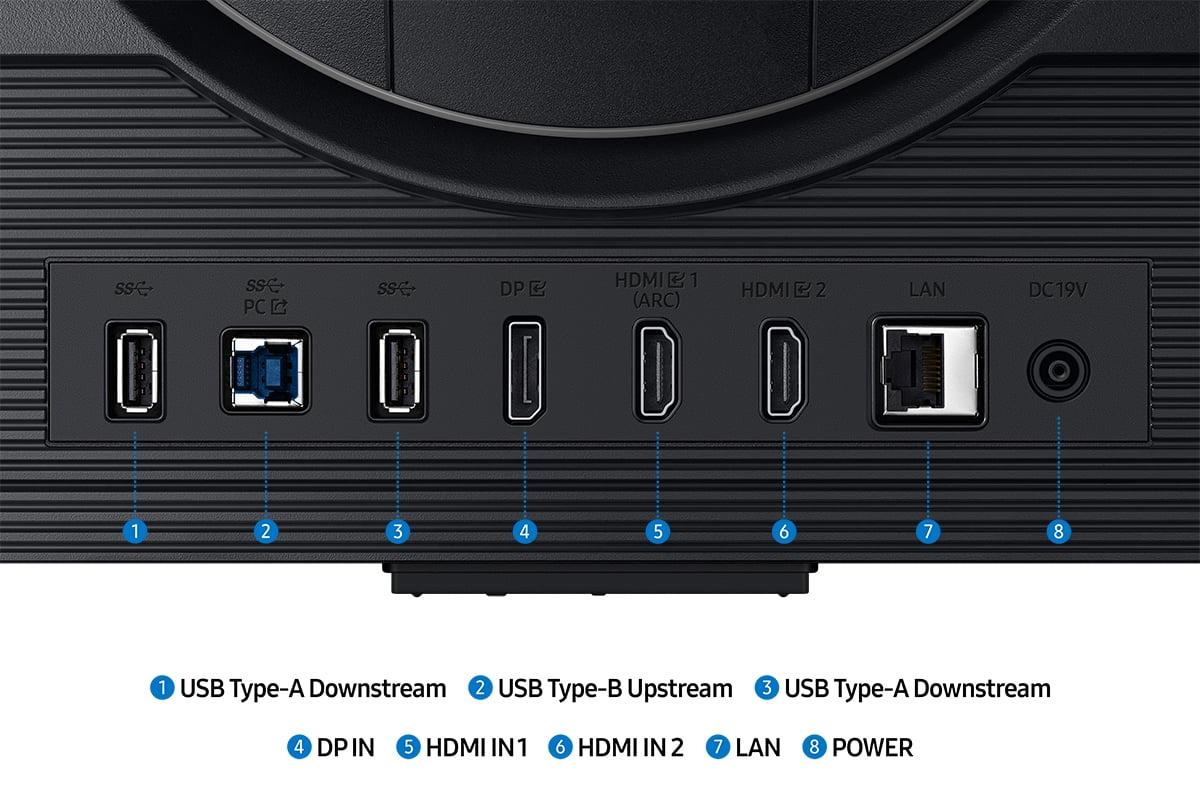
| DisplayPort 1.4, 2× HDMI 2.1, USB hub | DisplayPort 1.4, Multiple HDMI ports, USB connectivity |
| Build Quality - Affects durability and adjustment options for optimal viewing | |
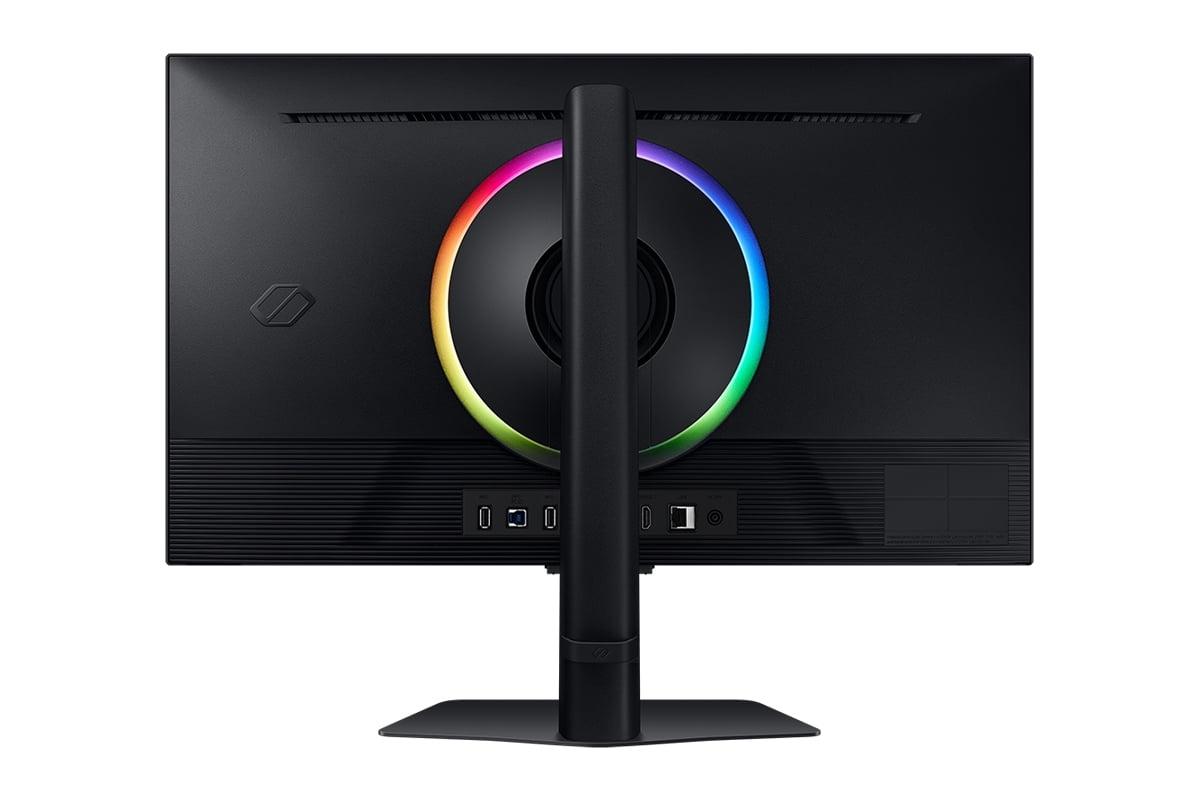
| Fully adjustable stand, premium build materials | Fully adjustable stand, RGB lighting effects |
| Audio - Built-in speakers eliminate need for separate audio solution | |
| No built-in speakers - Requires external audio | Built-in speakers included with smart TV features |
| Target Hardware - Graphics card requirements to achieve optimal performance | |
| Mid-range GPUs (RTX 4060/RX 7600 XT) for 180Hz gaming | High-end GPUs (RTX 4070 Ti+) required for 4K 144Hz |
| Value Positioning - Performance delivered relative to market pricing | |
| Exceptional price-to-performance for high refresh gaming | Premium pricing for 4K resolution and smart features |
The Alienware 27 QHD 180Hz Gaming Monitor is superior for competitive gaming due to its 180Hz refresh rate, which provides 36Hz more smoothness than the Samsung Odyssey G7 G70D's 144Hz. This higher refresh rate creates smoother motion tracking and faster visual updates, giving competitive players a measurable advantage in fast-paced games like first-person shooters and racing games.
The primary difference is resolution versus refresh rate. The Samsung Odyssey G7 G70D offers 4K resolution (3840×2160) for ultra-sharp visuals, while the Alienware 27 QHD 180Hz Gaming Monitor provides QHD resolution (2560×1440) with a faster 180Hz refresh rate. This creates a fundamental trade-off between visual detail and motion smoothness.
The Samsung Odyssey G7 G70D demands significantly more graphics processing power due to its 4K resolution. You'll need at least an RTX 4070 Ti or equivalent to drive 4K at high frame rates, while the Alienware monitor works well with mid-range cards like RTX 4060 or RX 7600 XT for smooth 1440p gaming.
Yes, both the Alienware 27 QHD 180Hz Gaming Monitor and Samsung Odyssey G7 G70D support VESA DisplayHDR 400 certification. However, this represents entry-level HDR with modest improvements over standard displays. Neither monitor delivers the dramatic contrast you'd see from premium HDR displays.
The Samsung Odyssey G7 G70D excels for single-player games due to its 4K resolution, which provides 2.25 times more pixels than the Alienware monitor. This creates noticeably sharper textures, clearer text, and more detailed environments in games like RPGs and adventure titles where visual fidelity matters more than ultra-high refresh rates.
Both monitors work with modern consoles, but the Samsung Odyssey G7 G70D is better optimized for console gaming due to its 4K resolution matching the consoles' output capabilities. The Alienware 27 QHD 180Hz Gaming Monitor's higher refresh rate advantage is less relevant for console gaming since most console games prioritize visual quality over high frame rates.
The Samsung Odyssey G7 G70D includes comprehensive smart TV functionality with Gaming Hub OS, streaming apps, and cloud gaming access, while the Alienware monitor focuses purely on gaming without smart features. However, user reviews consistently criticize Samsung's smart TV interface as intrusive and difficult to navigate.
Both the Alienware 27 QHD 180Hz Gaming Monitor and Samsung Odyssey G7 G70D achieve identical 1ms gray-to-gray response times, making them equally suitable for fast-paced gaming without ghosting or motion blur. The difference in motion clarity comes from the Alienware's higher refresh rate rather than response time.
The Alienware 27 QHD 180Hz Gaming Monitor provides 400 nits brightness compared to the Samsung Odyssey G7 G70D's 350 nits, making it 14% brighter and more effective at overcoming ambient light in well-lit rooms. This brightness advantage improves visibility during daytime gaming sessions.
The Samsung Odyssey G7 G70D is superior for productivity due to its 4K resolution providing sharper text and more screen real estate for spreadsheets and documents. The Alienware monitor's lower resolution makes text less crisp, though its higher refresh rate creates smoother scrolling and window animations.
The Alienware 27 QHD 180Hz Gaming Monitor provides exceptional value for performance-focused gaming, delivering high refresh rate capabilities at an accessible price point. The Samsung Odyssey G7 G70D commands a significant premium for its 4K resolution and smart features, making it better suited for users who prioritize visual quality over cost-effectiveness.
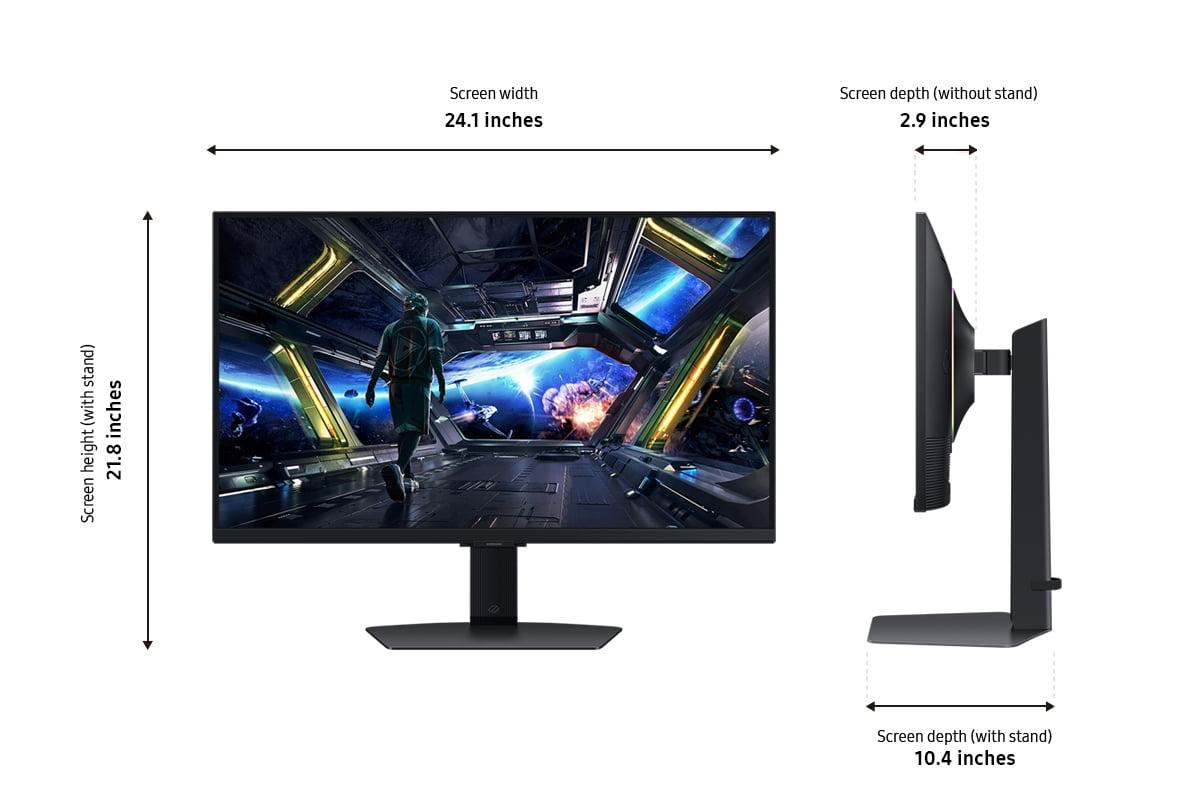
Yes, both the Alienware 27 QHD 180Hz Gaming Monitor and Samsung Odyssey G7 G70D support standard VESA 100×100mm mounting patterns, allowing you to use wall mounts or monitor arms. Both also include fully adjustable stands with height, tilt, swivel, and pivot adjustments for optimal positioning without mounting hardware.
We've done our best to create useful and informative comparisons to help you decide what product to buy. Our research uses advanced automated methods to create this comparison and perfection is not possible - please contact us for corrections or questions. These are the sites we've researched in the creation of this article: bestbuy.com - bestbuy.com - youtube.com - dell.com - tweaktown.com - dell.com - rtings.com - manuals.plus - tomshardware.com - displayspecifications.com - youtube.com - youtube.com - displayspecifications.com - dell.com - dellstore.com - ebay.com - bestbuy.com - typectechreviews.com - rtings.com - rtings.com - youtube.com - youtube.com - samsung.com - samsung.com - samsung.com - bhphotovideo.com - samsung.com - samsung.com - versus.com - abt.com - abt.com - bestbuy.com - bhphotovideo.com - youtube.com - abt.com

Privacy Policy
Terms and Conditions - Affiliate Policy
Home Security
© Copyright 2008-2026.
11816 Inwood Rd #1211, Dallas, TX 75244