














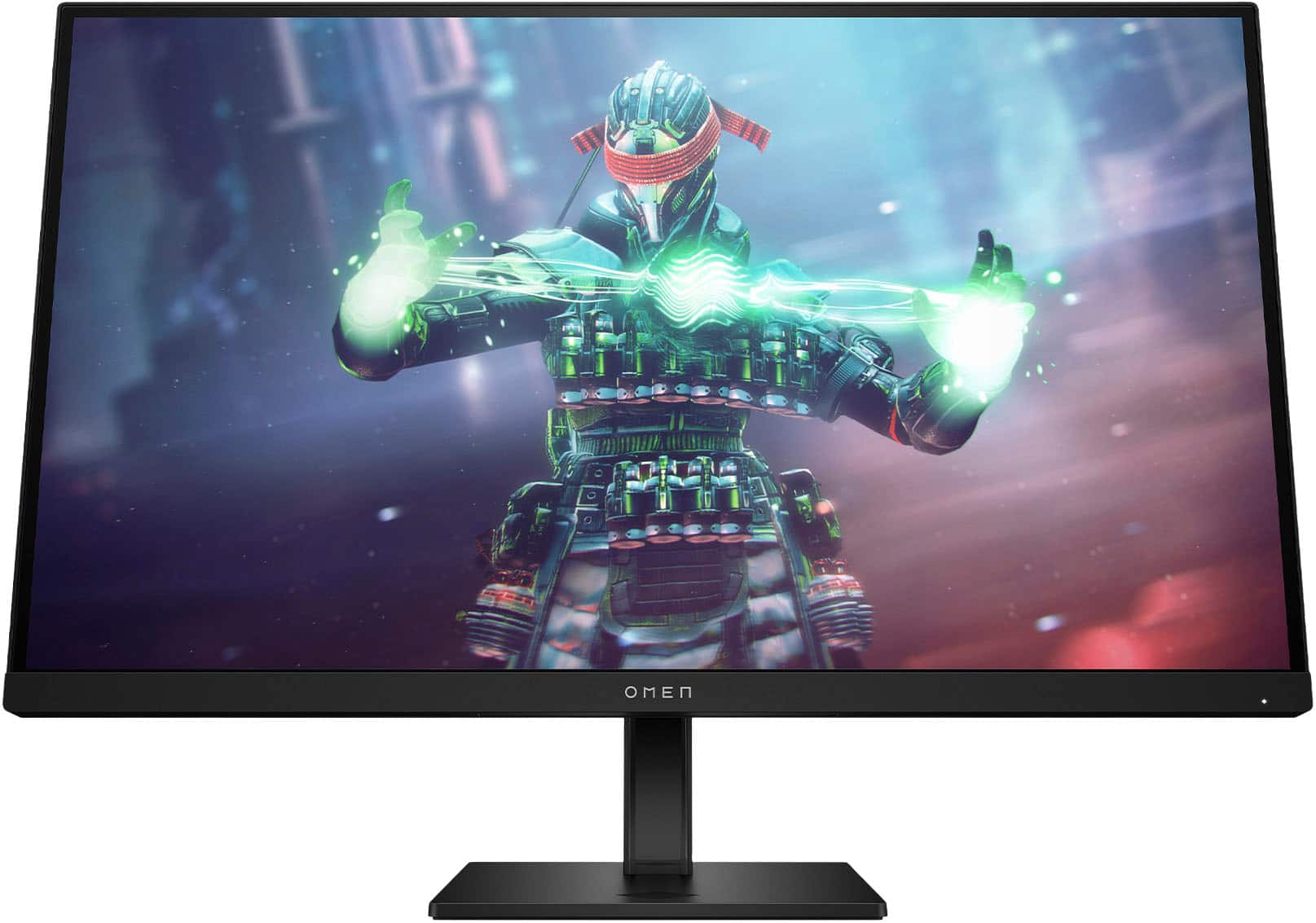
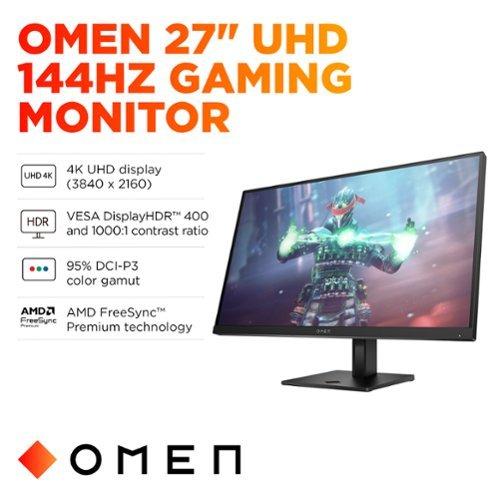
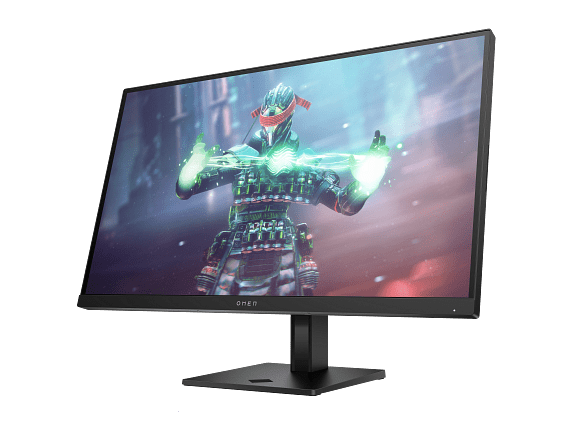
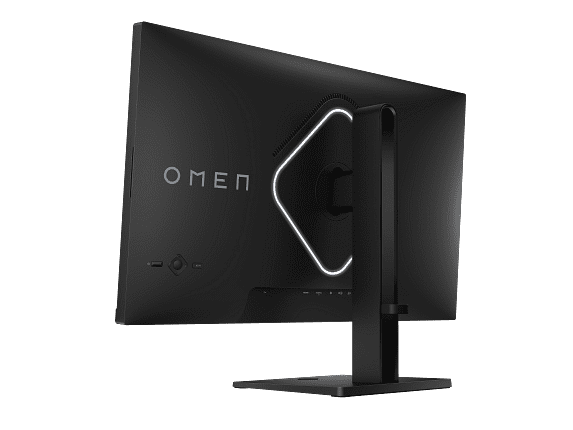
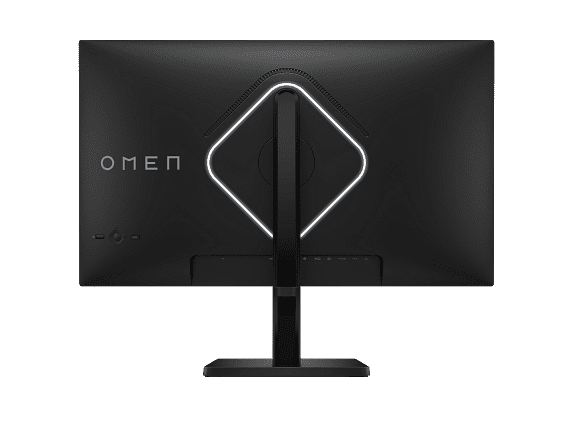
The gaming monitor market has evolved dramatically over the past few years, creating a fascinating divide between two distinct philosophies. On one side, you have displays that prioritize lightning-fast refresh rates and minimal input lag—perfect for competitive gaming. On the other, monitors focus on delivering stunning visual clarity through higher resolutions. This comparison between the Alienware 27 QHD 180Hz Gaming Monitor and the HP Omen 27k 4K UHD 144Hz Gaming Monitor perfectly illustrates this split.
Both monitors launched in recent years as manufacturers refined their approaches to gaming displays. The Alienware AW2725DM represents the "speed-first" philosophy that gained momentum around 2022-2024, while the HP Omen 27k embodies the "visual fidelity" approach that became more accessible as 4K gaming hardware improved.
Before diving into specifics, it's worth understanding what makes a gaming monitor tick. The refresh rate—measured in hertz (Hz)—tells you how many times per second your display can show a new image. Think of it like a flipbook: the more pages you flip through per second, the smoother the animation appears. Traditional monitors refresh at 60Hz, but gaming displays push this much higher.
Response time, measured in milliseconds (ms), describes how quickly individual pixels can change color. Lower numbers mean less motion blur and ghosting—those annoying trails that follow fast-moving objects. Panel technology also matters significantly. IPS (In-Plane Switching) panels offer the best color accuracy and viewing angles, though they traditionally lagged behind other technologies in speed.
Adaptive sync technologies like G-SYNC and FreeSync deserve special attention. These systems synchronize your graphics card's output with your monitor's refresh rate, eliminating screen tearing—that jarring horizontal line that appears when your GPU sends frames faster than your monitor can display them.
The Alienware AW2725DM takes an aggressive stance on gaming performance, pushing refresh rates to 180Hz while maintaining a QHD (2560 x 1440) resolution. This resolution sits in the sweet spot for many gamers—sharp enough to reveal game details but not so demanding that it cripples frame rates.
At 27 inches, QHD delivers roughly 108 pixels per inch, which provides crisp visuals without the GPU horsepower requirements of 4K gaming. This makes the Alienware monitor particularly appealing for users with mid-range graphics cards who want smooth, high-refresh gaming without upgrading their entire system.
The Fast IPS panel technology represents a significant advancement over traditional IPS displays. Where older IPS monitors suffered from slower response times (often 5ms or higher), this Fast IPS implementation achieves response times as low as 1ms in Extreme mode, with more conservative 2ms and 4ms settings available for users who prefer better color accuracy over absolute speed.
What's particularly impressive about the Alienware's approach is its multiple overdrive settings. Overdrive pushes pixels to change faster by applying higher voltages, but too much causes inverse ghosting—dark trails following moving objects. The three-tier system lets users balance speed against image quality based on their game type and personal preferences.
The monitor's adaptive sync support covers all major standards: NVIDIA G-SYNC Compatible, AMD FreeSync Premium Pro, and VESA AdaptiveSync. This broad compatibility ensures smooth gaming regardless of your graphics card brand, with variable refresh rate support that adapts to your GPU's output in real-time.
The HP Omen 27k takes a fundamentally different approach, prioritizing pixel density and visual clarity through its 4K UHD (3840 x 2160) resolution. At 27 inches, this creates an impressive 163 pixels per inch—about 50% denser than the Alienware's QHD panel.
This pixel density difference is immediately noticeable in practice. Text appears razor-sharp, game textures reveal fine details that lower resolutions can't display, and the overall visual experience feels more immersive. For single-player games with detailed environments—think Cyberpunk 2077, Red Dead Redemption 2, or Microsoft Flight Simulator—the difference is striking.
The HP monitor still maintains a respectable 144Hz refresh rate, which represents a significant improvement over traditional 60Hz displays. While not quite matching the Alienware's 180Hz, 144Hz provides smooth motion that satisfies most gamers outside of ultra-competitive scenarios.
One standout feature of the HP Omen 27k is its built-in KVM (Keyboard, Video, Mouse) switch. This clever system lets you connect two devices—say a gaming PC and a laptop—and switch between them while using the same keyboard and mouse. For users who work and game on the same desk, this eliminates cable swapping and peripheral juggling.
The connectivity options reflect modern needs with HDMI 2.1 support enabling 4K gaming at 120Hz on PlayStation 5 and Xbox Series X consoles. The USB-C input with DisplayPort Alt Mode means you can connect modern laptops with a single cable, though it lacks power delivery for charging.
The Alienware AW2725DM dominates in pure gaming responsiveness. That 180Hz refresh rate translates to frames being displayed every 5.56 milliseconds, compared to 6.94 milliseconds on the HP's 144Hz panel. This 1.38ms difference might seem tiny, but in competitive gaming where reaction times matter, every millisecond counts.
Input lag—the delay between your mouse click and seeing the result on screen—benefits from both faster refresh rates and optimized processing. Based on expert testing and user feedback, the Alienware consistently delivers lower input lag, making it particularly valuable for competitive FPS games like Valorant, Counter-Strike, and Apex Legends.
The response time advantage extends beyond raw numbers. The Alienware's Fast IPS technology with multiple overdrive settings provides flexibility that competitive gamers appreciate. You can run Extreme mode for absolute minimum blur in fast-paced shooters, or dial it back to Super Fast or Fast modes for better color accuracy in more visually-focused games.
The HP Omen 27k delivers a fundamentally superior visual experience through its 4K resolution. When playing story-driven games or exploring detailed open worlds, the difference in clarity is substantial. UI elements appear crisp without scaling, textures reveal fine details, and distant objects maintain definition that lower resolutions blur away.
Color performance between both monitors is quite similar, with both achieving around 95% DCI-P3 color gamut coverage and DisplayHDR 400 certification. However, the HP monitor benefits from what appears to be more consistent quality control, with fewer reports of backlight bleeding or uniformity issues.
For HDR content, both monitors offer similar peak brightness around 400 nits, which provides noticeable improvements over SDR but falls short of true HDR experiences available on premium displays. The HDR implementation works well for gaming but doesn't transform the visual experience as dramatically as higher-end monitors with local dimming.
Here's where the resolution difference creates practical implications. The Alienware's QHD resolution requires roughly 77% more GPU power than 1080p, while the HP's 4K resolution demands about 125% more power than QHD—nearly 2.25 times the processing load of the Alienware.
This means a mid-range GPU like an RTX 4060 or RX 7600 XT can comfortably drive the Alienware monitor at high settings while maintaining frame rates that utilize the 180Hz capability. The same GPU would struggle to maintain smooth frame rates at 4K on the HP monitor, often requiring reduced settings or upscaling technologies like DLSS or FSR.
For users with high-end GPUs (RTX 4080 or better), the HP Omen 27k becomes more compelling as these cards can actually utilize the 4K resolution at reasonable frame rates in most games.
At the time of writing, these monitors occupy very different price tiers, with the Alienware AW2725DM positioned as a performance value champion while the HP Omen 27k commands a significant premium for its 4K capabilities.
The Alienware's pricing strategy makes high-refresh gaming accessible to budget-conscious enthusiasts. For the cost, you're getting performance characteristics that would have required much more expensive displays just a few years ago. The monitor punches well above its price class in terms of gaming performance.
The HP monitor's higher price reflects the cost of 4K panel technology and additional features like the KVM switch. While more expensive, it targets users who prioritize visual quality and have systems capable of driving 4K gaming effectively.
For home theater use, the HP Omen 27k holds clear advantages. The 4K resolution properly displays UHD content without scaling, and the HDMI 2.1 connectivity supports modern gaming consoles at their highest output resolutions. The larger color gamut and HDR support enhance movie and streaming content, though the 400-nit peak brightness limits HDR effectiveness compared to dedicated home theater displays.
The Alienware monitor works adequately for media consumption, but the QHD resolution means 4K content gets downscaled, and the gaming-focused tuning may not provide the most accurate colors for critical media viewing.
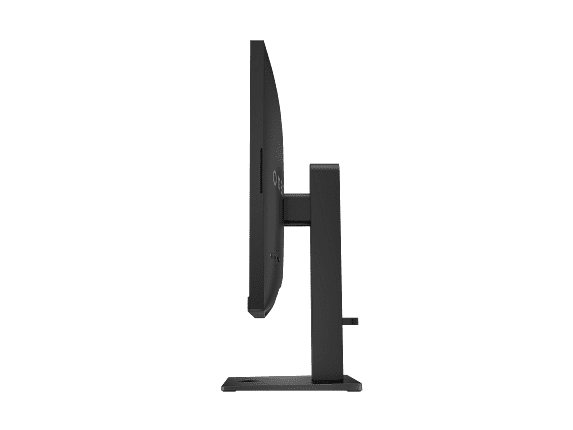
Both monitors include basic ergonomic adjustments with height, tilt, and swivel capabilities. Neither includes built-in speakers worth considering for serious use, so external audio solutions remain necessary for both options.
The choice between these monitors depends entirely on your gaming priorities and system capabilities. The Alienware AW2725DM excels as a competitive gaming tool that delivers professional-level responsiveness at an accessible price. If you primarily play fast-paced competitive games, have a mid-range graphics card, or simply want the smoothest possible gaming experience without breaking the budget, the Alienware represents exceptional value.
The HP Omen 27k targets users who prioritize visual fidelity and have the hardware to support 4K gaming. If you prefer immersive single-player experiences, do content creation work alongside gaming, or want a display that serves multiple roles including console gaming and media consumption, the HP justifies its premium pricing.
For competitive gamers, the Alienware is the clear winner. The responsiveness advantage is tangible and meaningful in fast-paced scenarios where split-second reactions determine outcomes. For visual enthusiasts with powerful systems, the HP monitor provides a noticeably superior viewing experience that enhances game immersion.
Your graphics card plays a crucial role in this decision. Users with RTX 4060-class cards or lower will get more enjoyment from the Alienware's high refresh rate than struggling to drive 4K on the HP. Conversely, RTX 4080+ users can fully utilize the HP's 4K resolution while still maintaining smooth frame rates.
Both monitors represent solid engineering choices that excel in their intended roles. The Alienware AW2725DM democratizes high-performance gaming displays, while the HP Omen 27k delivers premium visual experiences for users willing to invest in the hardware ecosystem to support it.
| Alienware 27 QHD 180Hz Gaming Monitor | HP Omen 27k 4K UHD 144Hz Gaming Monitor |
|---|---|
| Display Resolution - Higher resolution means sharper images but requires more GPU power | |
| QHD 2560 x 1440 (108 PPI) - Excellent balance of clarity and performance | 4K UHD 3840 x 2160 (163 PPI) - Significantly sharper but demanding on graphics cards |
| Refresh Rate - Higher rates provide smoother motion, crucial for competitive gaming | |
| 180Hz - Exceptional smoothness for competitive advantage | 144Hz - Very smooth, sufficient for most gaming scenarios |
| Response Time - Lower numbers reduce motion blur and ghosting | |
| 1ms GTG (Extreme), 2ms (Super Fast), 4ms (Fast) - Multiple options for speed vs quality balance | 1ms GTG with overdrive - Fast but fewer tuning options |
| Panel Technology - IPS provides best colors and viewing angles | |
| Fast IPS - Wide viewing angles with gaming-optimized speed | IPS with edge-lit LED - Excellent colors with good uniformity |
| Price Tier - Significant cost difference impacts value proposition | |
| Budget-friendly performance champion | Premium pricing for 4K gaming experience |
| Adaptive Sync - Eliminates screen tearing for smooth gameplay | |
| NVIDIA G-SYNC Compatible, AMD FreeSync Premium Pro, VESA AdaptiveSync | NVIDIA G-SYNC Compatible, AMD FreeSync Premium, VESA AdaptiveSync |
| HDR Support - Enhanced contrast and brightness for better visuals | |
| VESA DisplayHDR 400, 400 nits peak brightness | VESA DisplayHDR 400, 400+ nits peak brightness |
| Connectivity - Determines what devices you can connect | |
| 2x HDMI 2.1, 1x DisplayPort 1.4, USB hub | 1x HDMI 2.1, 1x HDMI 2.0, 1x DisplayPort 1.4, USB-C, USB hub |
| Special Features - Unique capabilities that add value | |
| Premium Alienware design, multiple response time modes | Built-in KVM switch, USB-C connectivity, integrated speakers |
| Color Accuracy - Important for content creation and visual quality | |
| 95% DCI-P3, up to 99% sRGB coverage | 99% sRGB, 95% DCI-P3 coverage with excellent uniformity |
| Best Use Case - Who should choose each monitor | |
| Competitive gamers prioritizing speed and value | Visual enthusiasts with high-end GPUs wanting 4K clarity |
The Alienware 27 QHD 180Hz Gaming Monitor is superior for competitive gaming due to its faster 180Hz refresh rate and lower input lag. The higher refresh rate provides smoother motion and more responsive gameplay, which is crucial for FPS games like Valorant and Counter-Strike. The Alienware monitor also offers multiple response time settings, allowing competitive players to optimize for maximum speed.
The primary difference is resolution versus refresh rate. The HP Omen 27k 4K UHD 144Hz Gaming Monitor offers 4K resolution (3840 x 2160) for exceptional visual clarity, while the Alienware 27 QHD 180Hz Gaming Monitor provides faster 180Hz refresh rate at QHD resolution (2560 x 1440). This creates a choice between sharper images or smoother motion.
The HP Omen 27k requires significantly more GPU power due to its 4K resolution, which demands about 2.25 times more processing power than the Alienware's QHD resolution. You'll need an RTX 4080 or better to fully utilize the HP monitor at high settings, while mid-range cards can easily drive the Alienware monitor.
Yes, both monitors support PlayStation 5 and Xbox Series X, but the HP Omen 27k offers better console compatibility with its HDMI 2.1 port supporting 4K at 120Hz. The Alienware monitor works well with consoles but is optimized primarily for PC gaming at its native QHD resolution.
The HP Omen 27k 4K UHD 144Hz Gaming Monitor excels for immersive single-player games due to its superior 4K resolution that reveals fine details in game environments. Story-driven games like Cyberpunk 2077 and Red Dead Redemption 2 benefit significantly from the increased pixel density, while the Alienware monitor's speed advantage is less important in these scenarios.
The HP Omen 27k includes a built-in KVM switch that lets you control two devices with one keyboard and mouse, plus USB-C connectivity and integrated speakers. The Alienware 27 QHD 180Hz Gaming Monitor focuses on pure gaming performance with multiple response time modes and premium design aesthetics without additional productivity features.
The Alienware 27 QHD 180Hz Gaming Monitor provides exceptional value, offering high-end gaming performance at a budget-friendly price point. The HP Omen 27k costs significantly more but justifies the premium with 4K resolution and additional features like KVM switching for users who need those capabilities.
Both monitors offer excellent color accuracy with IPS panels covering approximately 95% DCI-P3 and 99% sRGB color gamuts. The HP Omen 27k has slightly better screen uniformity and quality control, while the Alienware monitor delivers vibrant colors optimized for gaming scenarios.
The HP Omen 27k 4K UHD 144Hz Gaming Monitor is superior for content creation due to its 4K resolution providing more screen real estate and sharper text rendering. The higher pixel density makes detailed work more comfortable, and the USB-C connectivity simplifies laptop connections for creative professionals who also game.
The HP Omen 27k works better for home theater use with its native 4K resolution properly displaying UHD content and HDMI 2.1 supporting modern streaming devices. The Alienware monitor handles media consumption adequately but requires downscaling 4K content, making it less ideal for dedicated home theater setups.
Both monitors feature solid build quality, but the HP Omen 27k shows better quality control with fewer reports of backlight bleeding or uniformity issues. The Alienware 27 QHD 180Hz Gaming Monitor offers premium design aesthetics and a robust adjustable stand, though some users report occasional backlight bleeding on certain units.
Choose the HP Omen 27k if you have a high-end GPU (RTX 4080+) and prioritize visual quality in single-player games. Select the Alienware 27 QHD 180Hz Gaming Monitor if you play competitive games, have a mid-range graphics card, or want the smoothest possible gaming experience at an accessible price point.
We've done our best to create useful and informative comparisons to help you decide what product to buy. Our research uses advanced automated methods to create this comparison and perfection is not possible - please contact us for corrections or questions. These are the sites we've researched in the creation of this article: bestbuy.com - bestbuy.com - youtube.com - dell.com - tweaktown.com - dell.com - rtings.com - manuals.plus - tomshardware.com - displayspecifications.com - youtube.com - youtube.com - displayspecifications.com - dell.com - dellstore.com - ebay.com - tomshardware.com - windowscentral.com - digitaltrends.com - youtube.com - hp.com - youtube.com - hp.com - hp.com - displayspecifications.com - files.bbystatic.com - newegg.com - hp.com - hp.com - hp.com - hp.com - target.com - files.bbystatic.com - displayspecifications.com

Privacy Policy
Terms and Conditions - Affiliate Policy
Home Security
© Copyright 2008-2026.
11816 Inwood Rd #1211, Dallas, TX 75244