










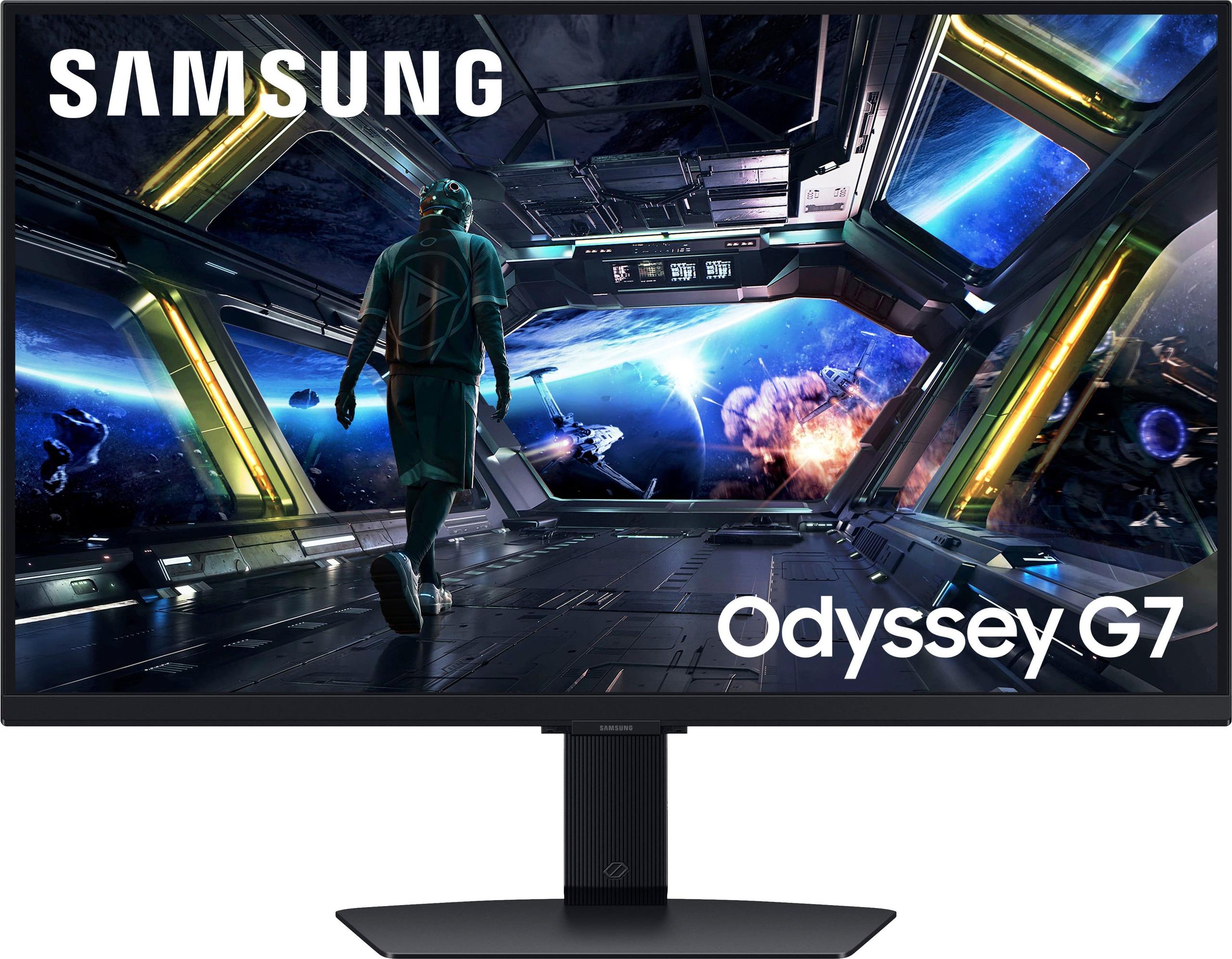
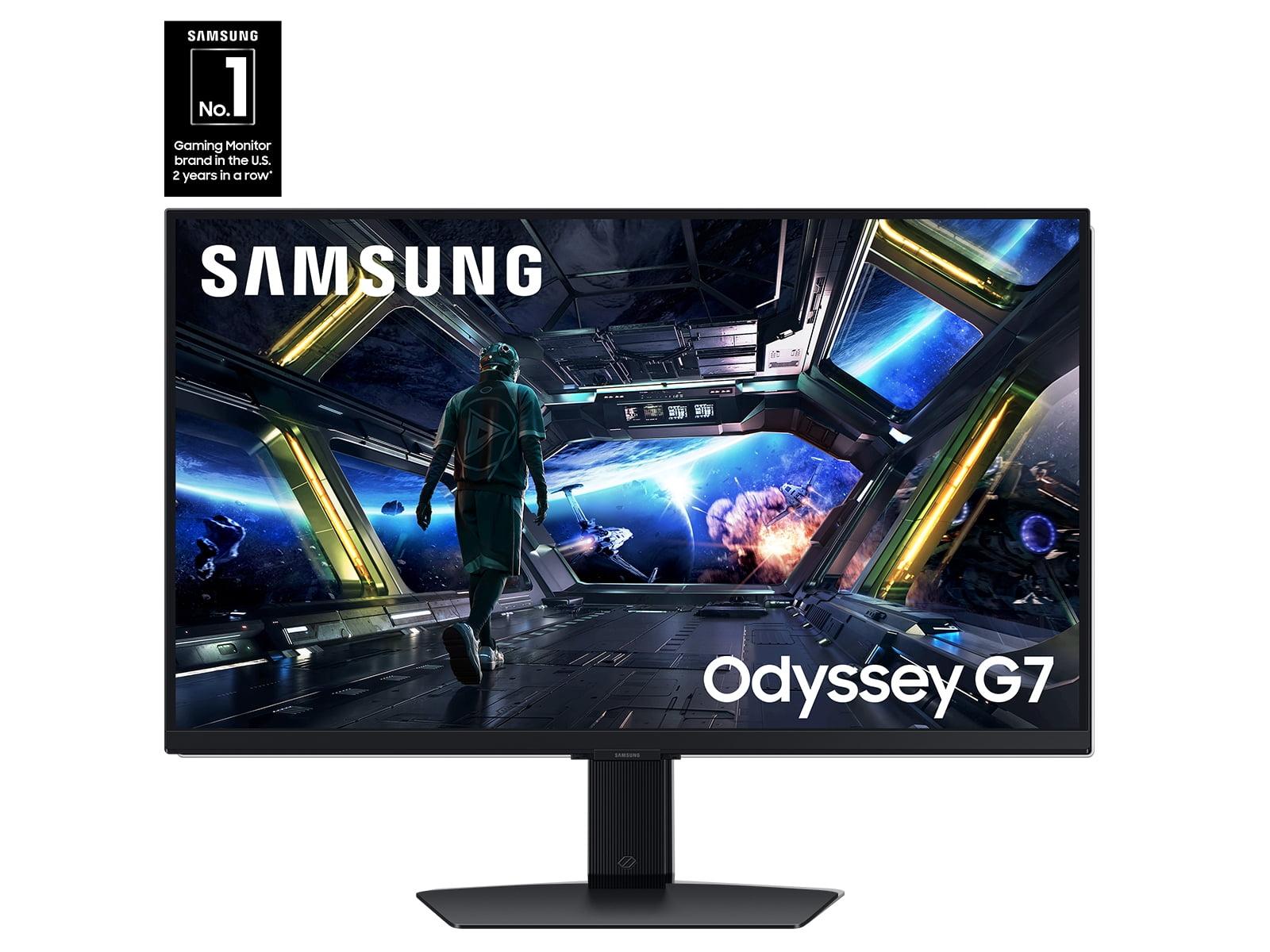
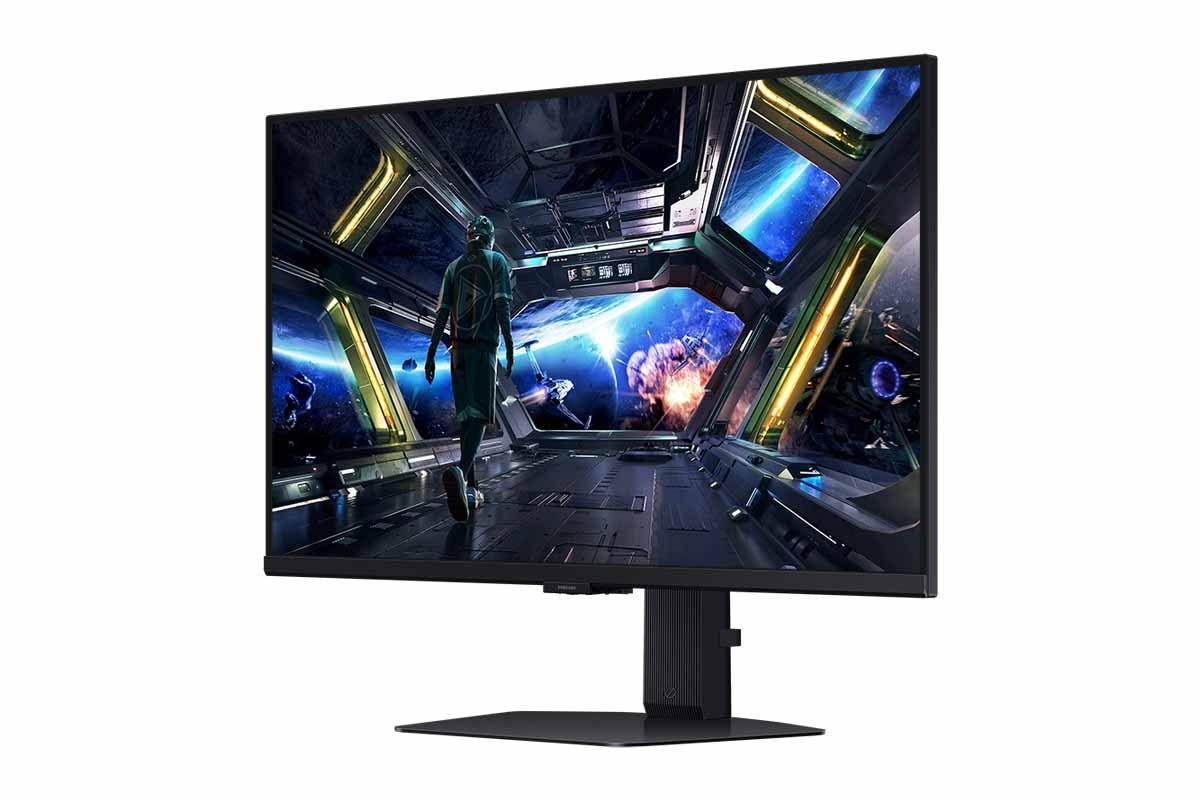
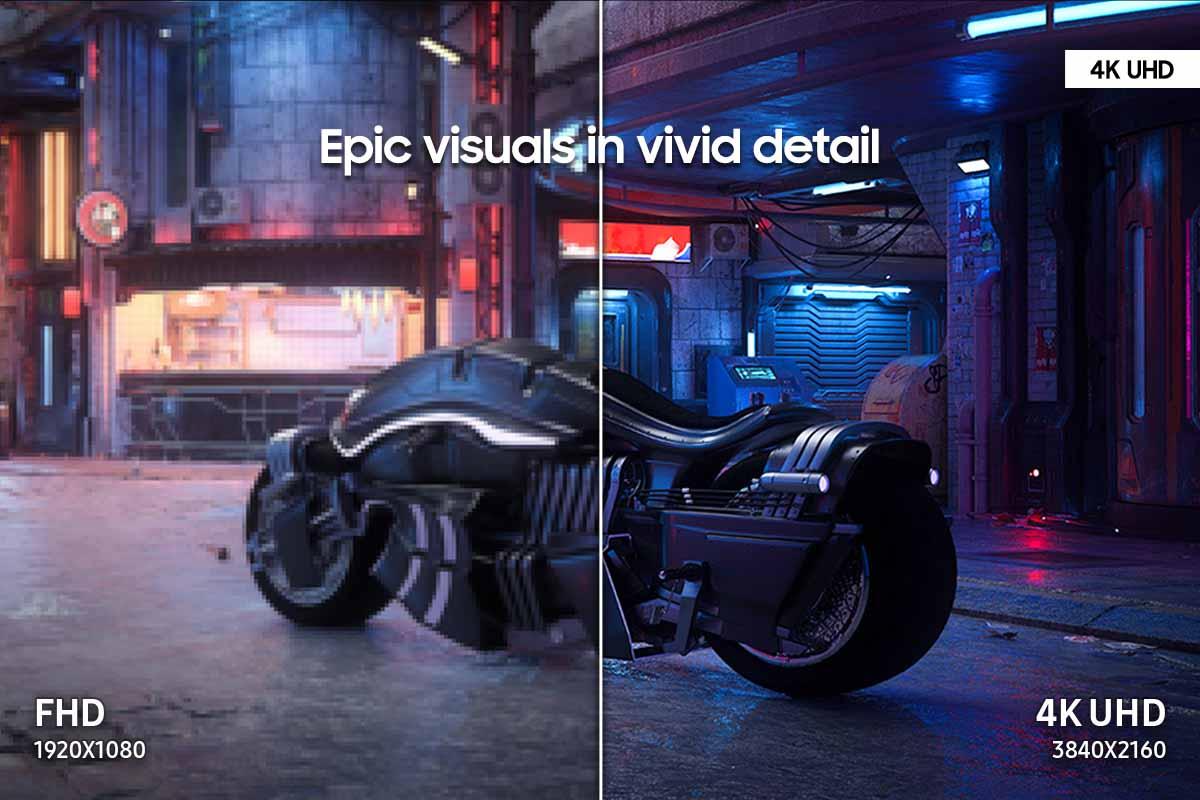

When you're building the ultimate gaming setup, your monitor choice can make or break the entire experience. Today, we're diving deep into two compelling 4K gaming monitors that represent very different approaches to high-resolution gaming: the premium ASUS ROG Strix OLED XG27UCDMG at $979.99 and the more accessible Samsung Odyssey G7 G70D at $699.99.
The 4K gaming monitor market has exploded over the past few years, driven by more powerful graphics cards and gamers' increasing appetite for crystal-clear visuals. When shopping for a 4K gaming monitor, you're essentially choosing between three main panel technologies: OLED, IPS, and VA. Each has distinct characteristics that affect everything from color accuracy to input lag.
The key factors that separate good 4K gaming monitors from great ones include panel technology (which determines contrast and color reproduction), refresh rate (how many times per second the screen updates), response time (how quickly pixels can change color), HDR performance (the monitor's ability to display bright highlights and deep shadows), and gaming-specific features like variable refresh rate support.
What makes this comparison particularly interesting is that these two monitors represent fundamentally different philosophies. The ASUS takes the premium route with cutting-edge OLED technology, while Samsung focuses on delivering solid IPS performance at a more reasonable price point.
The ASUS XG27UCDMG launched in early 2025, representing the latest generation of QD-OLED (Quantum Dot OLED) technology. This timing is significant because it incorporates Samsung Display's 4th-generation QD-OLED panels, which solve many of the text clarity issues that plagued earlier OLED monitors. The technology has evolved dramatically since the first consumer OLED monitors appeared, with improvements in brightness, longevity, and the elimination of the "text fringing" that made some earlier models less suitable for productivity work.
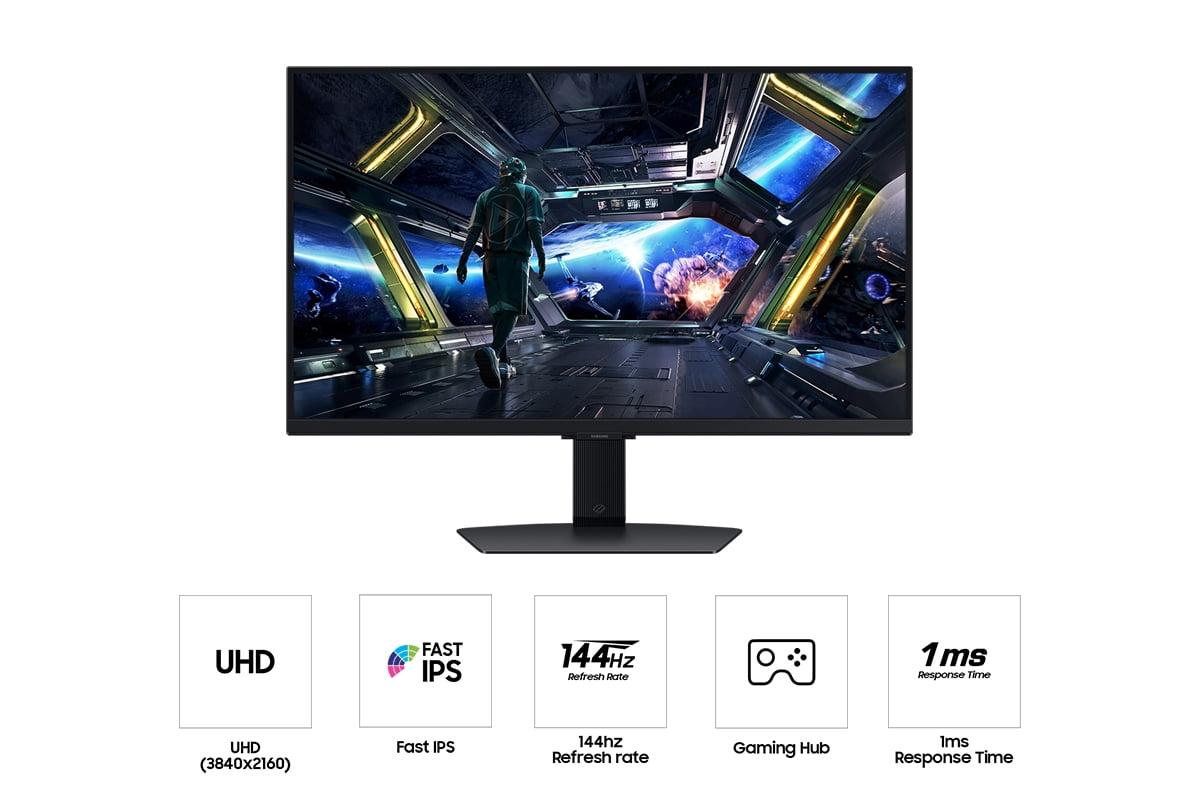
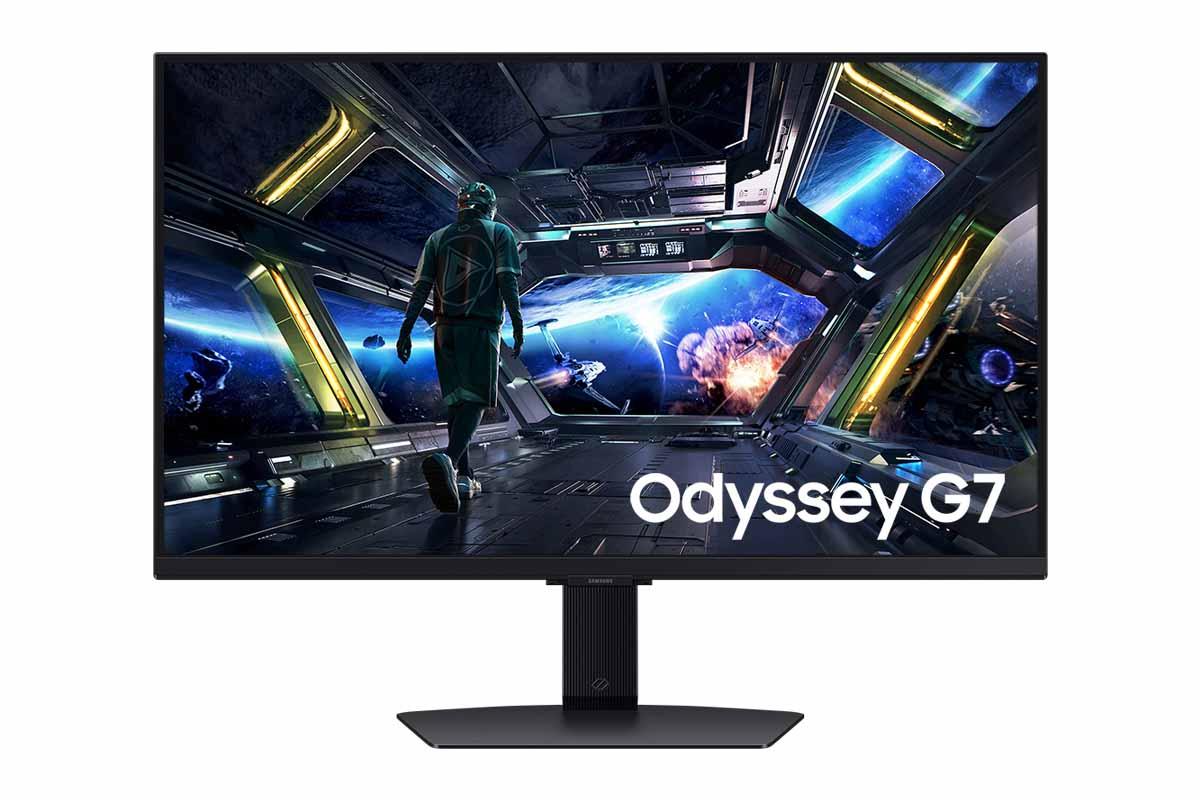
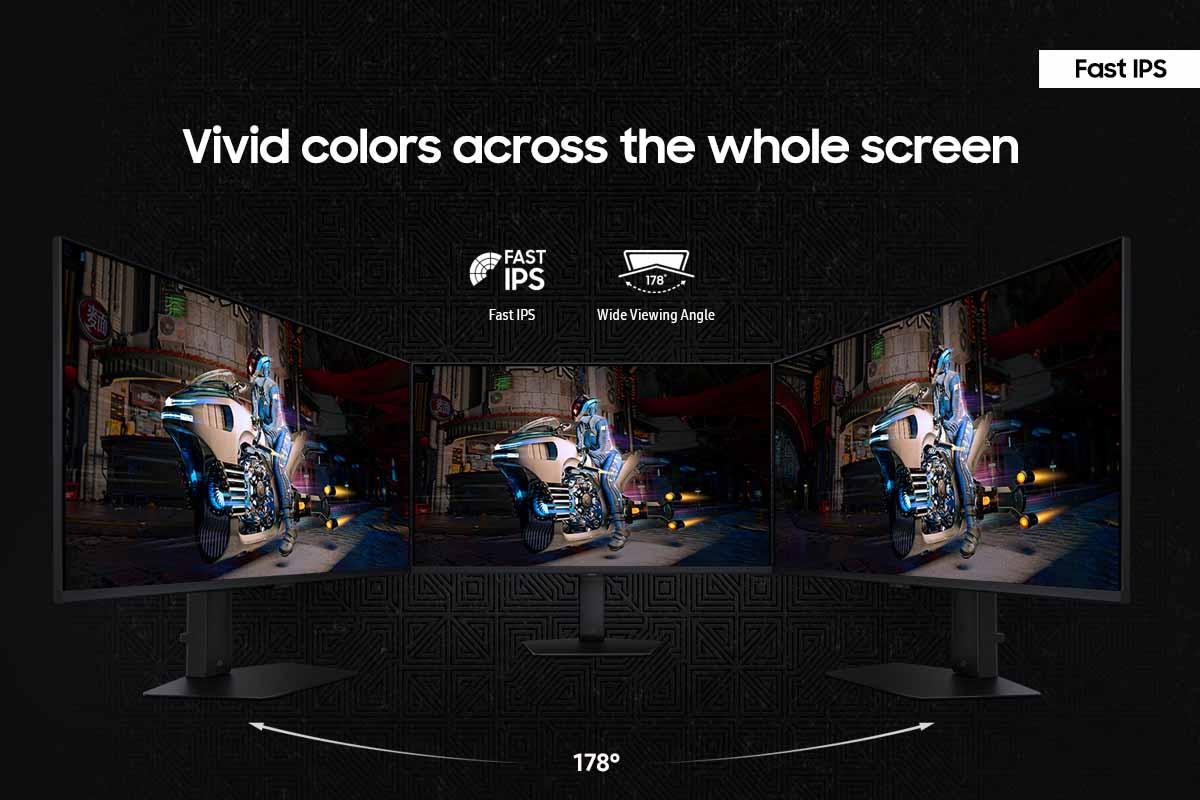
The Samsung G70D, while not carrying a specific launch date in our sources, represents Samsung's current-generation IPS gaming monitor lineup. IPS (In-Plane Switching) technology has been the workhorse of gaming monitors for years, and Samsung has refined their Fast IPS implementation to reduce response times while maintaining the wide viewing angles that IPS panels are known for.
What's fascinating about the current monitor landscape is how OLED technology has finally matured enough to challenge IPS dominance in gaming. Early OLED monitors suffered from burn-in concerns and lower peak brightness, but modern implementations like the one in the ASUS have largely addressed these issues through advanced pixel management and thermal design.
The ASUS monitor uses QD-OLED technology, where each pixel is essentially a tiny light that can turn completely off. This creates what we call "infinite contrast" – true blacks that look genuinely black, not the grayish appearance you get from backlit LCD panels. When I first experienced this difference gaming in a dark room, the improvement was immediately obvious. Dark scenes in games like Cyberpunk 2077 or The Witcher 3 reveal details that simply disappear on traditional LCD monitors.
The 4th-generation QD-OLED panel in the ASUS also addresses the subpixel layout issues that made text appear slightly fuzzy on earlier OLED monitors. The improved subpixel arrangement means that whether you're reading Discord messages or browsing the web between gaming sessions, text appears crisp and clear – something that wasn't always guaranteed with first-generation OLED gaming monitors.
Peak brightness reaches 1,000 nits in HDR mode, which means highlights in games can be genuinely bright and impactful. This isn't just a numbers game – when sunlight streams through a window in Red Dead Redemption 2 or an explosion lights up the screen in Call of Duty, the visual impact is dramatically more realistic than what traditional monitors can achieve.
The Samsung takes a more traditional but proven approach with its Fast IPS panel. IPS technology excels in consistency – the colors you see from directly in front of the monitor are essentially identical to what you'd see from the side. This makes IPS panels particularly good for collaborative gaming or when multiple people are watching the screen.
The 1,000:1 contrast ratio is typical for IPS panels, which means blacks appear more like dark gray in dim lighting conditions. However, IPS panels don't suffer from the burn-in risks associated with OLED technology. Static elements like game HUDs, taskbars, or desktop icons won't permanently mark the screen, even after thousands of hours of use.
Samsung's Fast IPS implementation achieves a 1ms response time, which is impressive for IPS technology. Traditional IPS panels often struggled with ghosting (where fast-moving objects leave trailing artifacts), but modern Fast IPS largely eliminates this issue for most gaming scenarios.
The refresh rate difference between these monitors is substantial and worth understanding. The ASUS's 240Hz refresh rate means the screen updates 240 times per second, compared to the Samsung's 144Hz. For context, most console games run at 60Hz, while high-end PC gaming can push frame rates much higher.
The practical impact depends heavily on your graphics card and the games you play. If you're running competitive titles like Counter-Strike 2, Valorant, or Rocket League with a high-end GPU that can push 200+ frames per second at 4K, the ASUS's 240Hz capability provides a noticeable smoothness advantage. The motion appears more fluid, and fast camera movements feel more natural.
However, here's the reality check: very few graphics cards can consistently push 4K gaming above 144Hz in demanding AAA titles. Even an RTX 4090 – currently the most powerful consumer GPU – struggles to maintain 240fps at 4K in games like Cyberpunk 2077 or Assassin's Creed Mirage. This means the Samsung's 144Hz refresh rate is often more practical for most current gaming scenarios.
The ASUS's 0.03ms response time is genuinely impressive and virtually eliminates motion blur. Response time measures how quickly a pixel can change from one color to another, and lower numbers mean less ghosting during fast motion. The difference between 0.03ms and 1ms might sound minimal, but in practice, the OLED's near-instantaneous pixel response creates noticeably cleaner motion, especially in fast-paced shooters or racing games.
Both monitors support variable refresh rate technology (VRR), which synchronizes the monitor's refresh rate with your graphics card's frame output. This eliminates screen tearing – those horizontal lines that appear when the monitor and GPU fall out of sync. The ASUS supports both AMD FreeSync Premium Pro and NVIDIA G-SYNC, while the Samsung offers FreeSync Premium support.
HDR (High Dynamic Range) represents one of the biggest visual improvements in modern gaming, but not all HDR implementations are created equal. The difference between these monitors in HDR performance is dramatic.
The ASUS achieves true HDR performance with its 1,000 nits peak brightness and infinite contrast ratio. When HDR content displays a bright explosion against a dark night sky, the OLED can make the explosion genuinely bright while keeping the sky truly black. This creates the kind of visual impact that HDR was designed to deliver.
The Samsung's HDR400 certification indicates more modest capabilities. With only 350 nits of typical brightness and the 1,000:1 contrast ratio limitation of IPS panels, HDR content looks improved compared to standard dynamic range, but it lacks the dramatic impact of true HDR. In practical terms, this means HDR games will look better than SDR content, but won't deliver the "wow factor" that makes you immediately notice the difference.
For home theater use, this HDR difference becomes even more important. If you're planning to watch HDR movies or stream HDR content on your gaming monitor, the ASUS provides a genuinely cinematic experience, while the Samsung offers a more modest improvement over standard content.
Color performance tells another interesting story about these different approaches. The ASUS covers 99% of the DCI-P3 color space – the standard used for digital cinema – and achieves Delta E < 2 color accuracy out of the box. Delta E measures color accuracy, with lower numbers being better; Delta E < 2 means colors are accurate enough for professional color-critical work.
This level of color accuracy makes the ASUS suitable for content creation beyond gaming. If you edit photos, create digital art, or produce video content, the OLED's color accuracy means you can trust what you see on screen. The wide color gamut also makes games more vibrant and lifelike – colors appear richer and more saturated without looking oversaturated or artificial.
The Samsung covers 100% of the sRGB color space, which is perfectly adequate for gaming and general use. However, our sources indicate that factory calibration tends toward cooler (more blue) colors, requiring manual adjustment for optimal accuracy. For pure gaming use, this is rarely an issue, but it's worth noting if color accuracy matters for your workflow.
The connectivity differences reveal how these monitors target different use cases. The ASUS includes USB-C with 90W Power Delivery, which is increasingly important for modern setups. This single cable can provide display signal, data transfer, and power to compatible laptops – perfect for users who switch between a gaming PC and a laptop for work.
The dual HDMI 2.1 ports on both monitors support the latest gaming consoles at full 4K resolution and high refresh rates. However, the ASUS's 240Hz capability means it's more future-proof as console hardware evolves.
Samsung includes smart TV functionality through their Gaming Hub OS, essentially turning the monitor into a smart TV that can run streaming apps and cloud gaming services without a connected PC. This adds versatility for users who want a single device for multiple entertainment needs.
Let's address the elephant in the room: OLED burn-in. Earlier OLED monitors were susceptible to permanent image retention from static elements like game HUDs or desktop taskbars. The ASUS addresses this with comprehensive OLED Care Pro features, including a proximity sensor that automatically dims the display when you step away, pixel cleaning routines, and intelligent taskbar detection.
In my experience with modern OLED monitors, burn-in is much less of a practical concern than it was even two years ago. The combination of improved panel technology and smart software mitigation makes burn-in unlikely for normal gaming use. However, if you frequently leave static images on screen for hours at a time, IPS technology remains the safer choice.
For home theater use, the performance gap between these monitors widens significantly. The ASUS's infinite contrast and true HDR capabilities deliver a cinematic experience that rivals dedicated home theater displays. Movie scenes with dark environments reveal details that simply disappear on LCD panels, while bright scenes maintain their impact without the "washed out" appearance common to lower-contrast displays.
The Samsung's smart TV features provide convenience for streaming content, but the visual experience remains limited by IPS technology's contrast constraints. For dedicated movie watching, especially in a darkened room, the OLED provides a fundamentally superior experience.
The $280 price difference between these monitors represents more than just a premium for better specs – it's the cost of fundamentally different display technology. The ASUS at $979.99 delivers cutting-edge performance that genuinely improves the gaming and viewing experience, while the Samsung at $699.99 provides solid 4K gaming performance at a more accessible price point.
For most gamers, the question comes down to whether the OLED's superior visual quality justifies the additional cost. If you have a high-end gaming PC capable of driving 4K at high frame rates, prioritize visual quality, and plan to use the monitor for both gaming and media consumption, the ASUS represents excellent value for premium performance.
The Samsung makes more sense for gamers who want to experience 4K resolution without breaking the bank, those who prioritize reliability over cutting-edge features, or users whose graphics cards can't fully utilize the ASUS's higher refresh rate.
Choose the ASUS XG27UCDMG if:
Choose the Samsung G70D if:
The monitor market continues evolving rapidly, with OLED technology becoming more accessible and IPS panels improving their performance characteristics. Both monitors represent solid choices within their respective market segments, but they serve distinctly different needs and budgets.
Whether you choose the premium OLED experience or the practical IPS approach, both monitors will deliver significant improvements over older display technology. The key is honestly assessing your graphics card capabilities, budget constraints, and visual quality priorities to make the choice that best serves your specific gaming setup.
| ASUS ROG Strix OLED XG27UCDMG 27" 4K 240Hz Gaming Monitor | Samsung 27" Odyssey G7 G70D 4K UHD IPS Gaming Monitor |
|---|---|
| Price - Major investment difference for premium display technology | |
| $979.99 | $699.99 |
| Panel Technology - Determines contrast, color accuracy, and burn-in risk | |
| QD-OLED (infinite contrast, true blacks, potential burn-in) | Fast IPS (consistent colors, no burn-in risk, limited contrast) |
| Refresh Rate - Higher rates provide smoother motion in competitive gaming | |
| 240Hz (future-proof for high-end GPUs) | 144Hz (adequate for most current gaming scenarios) |
| Response Time - Lower numbers reduce motion blur and ghosting | |
| 0.03ms (virtually eliminates motion artifacts) | 1ms (good performance with minimal ghosting) |
| Peak Brightness - Critical for HDR impact and daytime visibility | |
| 1,000 nits HDR (true HDR experience) | 350 nits typical (limited HDR performance) |
| Contrast Ratio - Determines black depth and image pop | |
| Infinite (true blacks, dramatic shadow detail) | 1,000:1 (blacks appear gray in dark rooms) |
| Color Coverage - Important for content creation and visual accuracy | |
| 99% DCI-P3, Delta E < 2 (professional-grade accuracy) | 100% sRGB (good for gaming, requires calibration) |
| HDR Support - Enhanced dynamic range for more realistic visuals | |
| HDR10 with genuine 1,000 nit performance | HDR400 certification (modest brightness improvement) |
| Connectivity - Determines device compatibility and convenience | |
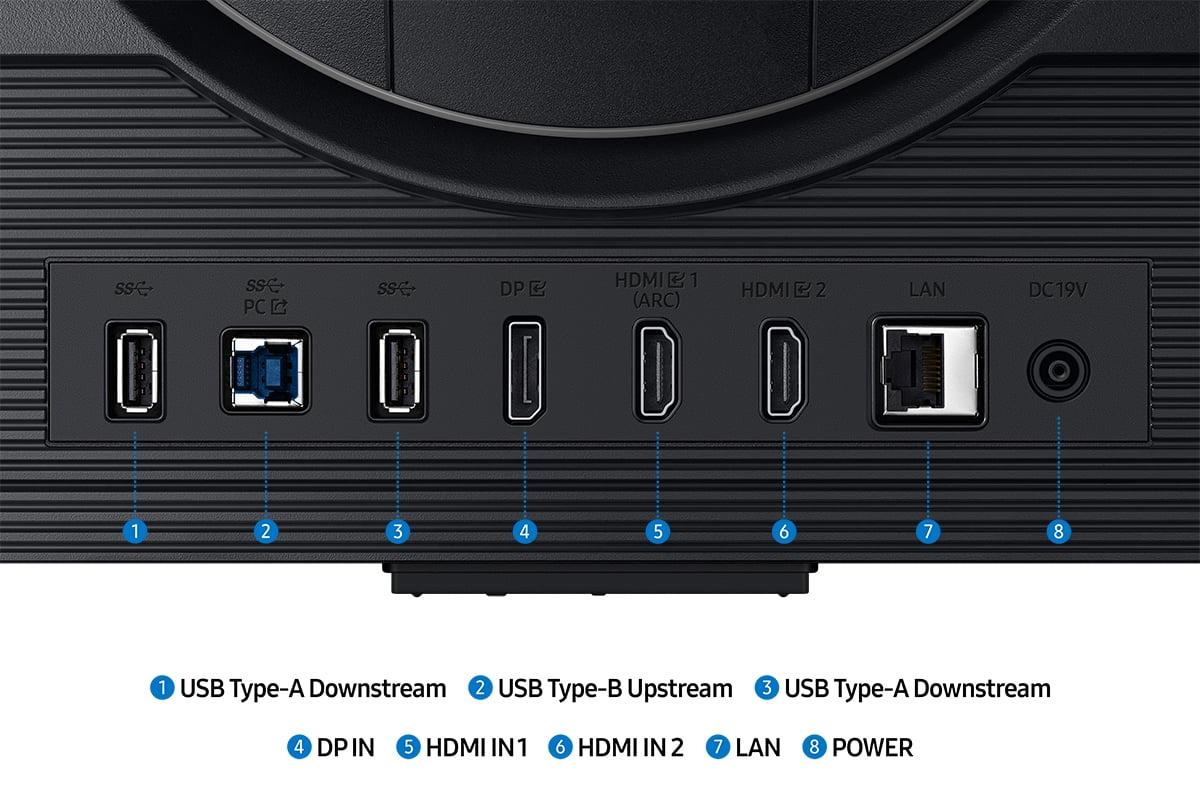
| USB-C 90W PD, 2× HDMI 2.1, DisplayPort, USB hub | 2× HDMI 2.1, DisplayPort, USB-A ports (no USB-C) |
| Gaming Features - Variable refresh rate and anti-tearing technology | |
| FreeSync Premium Pro + G-SYNC Compatible | FreeSync Premium |
| Smart Features - Additional functionality beyond basic display | |
| OLED Care Pro, proximity sensor, gaming overlays | Gaming Hub OS, smart TV apps, cloud gaming |
| Burn-in Risk - Long-term reliability consideration | |
| Potential risk mitigated by advanced software protection | No burn-in risk due to IPS technology |
The ASUS ROG Strix OLED XG27UCDMG is better for high-end gaming with its 240Hz refresh rate, 0.03ms response time, and infinite contrast ratio. However, the Samsung Odyssey G7 G70D offers solid gaming performance at 144Hz and 1ms response time for $280 less. Choose ASUS for competitive gaming with high-end GPUs, Samsung for budget-conscious 4K gaming.
OLED technology in the ASUS monitor provides infinite contrast with true blacks and vibrant colors, while IPS technology in the Samsung monitor offers consistent colors and wide viewing angles. OLED delivers superior visual quality but has potential burn-in risks, while IPS provides reliable long-term performance without image retention concerns.
The price difference reflects fundamentally different display technologies. The ASUS at $979.99 offers premium OLED performance with superior HDR, contrast, and color accuracy. The Samsung at $699.99 provides excellent value for 4K gaming without premium features. It's worth it if you have a high-end GPU and prioritize visual quality.
The ASUS OLED monitor delivers genuine HDR with 1,000 nits peak brightness and infinite contrast, creating dramatic highlights and true blacks. The Samsung IPS monitor has limited HDR400 performance with only 350 nits brightness. For HDR gaming and movie watching, the ASUS provides a significantly better experience.
Yes, both monitors require powerful GPUs for optimal performance. The ASUS 240Hz monitor benefits from RTX 4080 or better to utilize its full refresh rate potential. The Samsung 144Hz monitor works well with RTX 4070 or equivalent. Lower-tier GPUs may struggle to maintain high frame rates at 4K resolution.
The ASUS OLED monitor excels for home theater use with its infinite contrast, true blacks, and genuine HDR performance, delivering a cinematic viewing experience. The Samsung monitor includes smart TV features and streaming apps but has limited contrast for movie watching. Choose ASUS for superior visual quality, Samsung for convenience features.
Modern OLED monitors like the ASUS XG27UCDMG include advanced burn-in protection through OLED Care Pro features, proximity sensors, and pixel cleaning routines. While burn-in risk exists with static images, it's much less of a concern than with earlier OLED technology. The Samsung IPS monitor has no burn-in risk whatsoever.
The ASUS OLED monitor offers superior color accuracy with 99% DCI-P3 coverage and Delta E < 2 out of the box, making it suitable for professional color work. The Samsung monitor covers 100% sRGB but requires manual calibration for accurate colors. Choose ASUS for content creation, Samsung for gaming-focused use.
The ASUS monitor provides USB-C with 90W Power Delivery, two HDMI 2.1 ports, DisplayPort, and USB hub for comprehensive device connectivity. The Samsung monitor offers HDMI 2.1, DisplayPort, and USB-A ports but lacks USB-C. The ASUS is better for laptop users and multi-device setups.
The ASUS OLED monitor is superior for competitive gaming with its 240Hz refresh rate, 0.03ms response time, and support for both FreeSync Premium Pro and G-SYNC. The Samsung monitor offers good performance at 144Hz with 1ms response time. Serious competitive gamers should choose the ASUS for maximum performance advantage.
The ASUS monitor offers 240Hz refresh rate for ultra-smooth motion, while the Samsung monitor provides 144Hz refresh rate. The higher refresh rate benefits users with powerful GPUs capable of high frame rates in competitive games. For most gaming scenarios, 144Hz is sufficient, but 240Hz provides future-proofing.
The Samsung IPS monitor offers better long-term reliability with no burn-in risk and proven IPS technology durability. The ASUS OLED monitor provides superior performance but requires careful usage to prevent burn-in. Consider Samsung for worry-free long-term use, ASUS for premium performance with proper care and maintenance.
We've done our best to create useful and informative comparisons to help you decide what product to buy. Our research uses advanced automated methods to create this comparison and perfection is not possible - please contact us for corrections or questions. These are the sites we've researched in the creation of this article: bestbuy.com - rog.asus.com - forum.pcmonitors.info - rog.asus.com - windowscentral.com - versus.com - youtube.com - youtube.com - rtings.com - rtings.com - rog.asus.com - rog.asus.com - rog.asus.com - tenforums.com - rog.asus.com - techpowerup.com - bestbuy.com - newegg.com - displayspecifications.com - youtube.com - tftcentral.co.uk - displayninja.com - bestbuy.com - typectechreviews.com - rtings.com - rtings.com - youtube.com - youtube.com - samsung.com - samsung.com - samsung.com - bhphotovideo.com - samsung.com - samsung.com - versus.com - abt.com - abt.com - bestbuy.com - bhphotovideo.com - youtube.com - abt.com

Privacy Policy
Terms and Conditions - Affiliate Policy
Home Security
© Copyright 2008-2026.
11816 Inwood Rd #1211, Dallas, TX 75244