









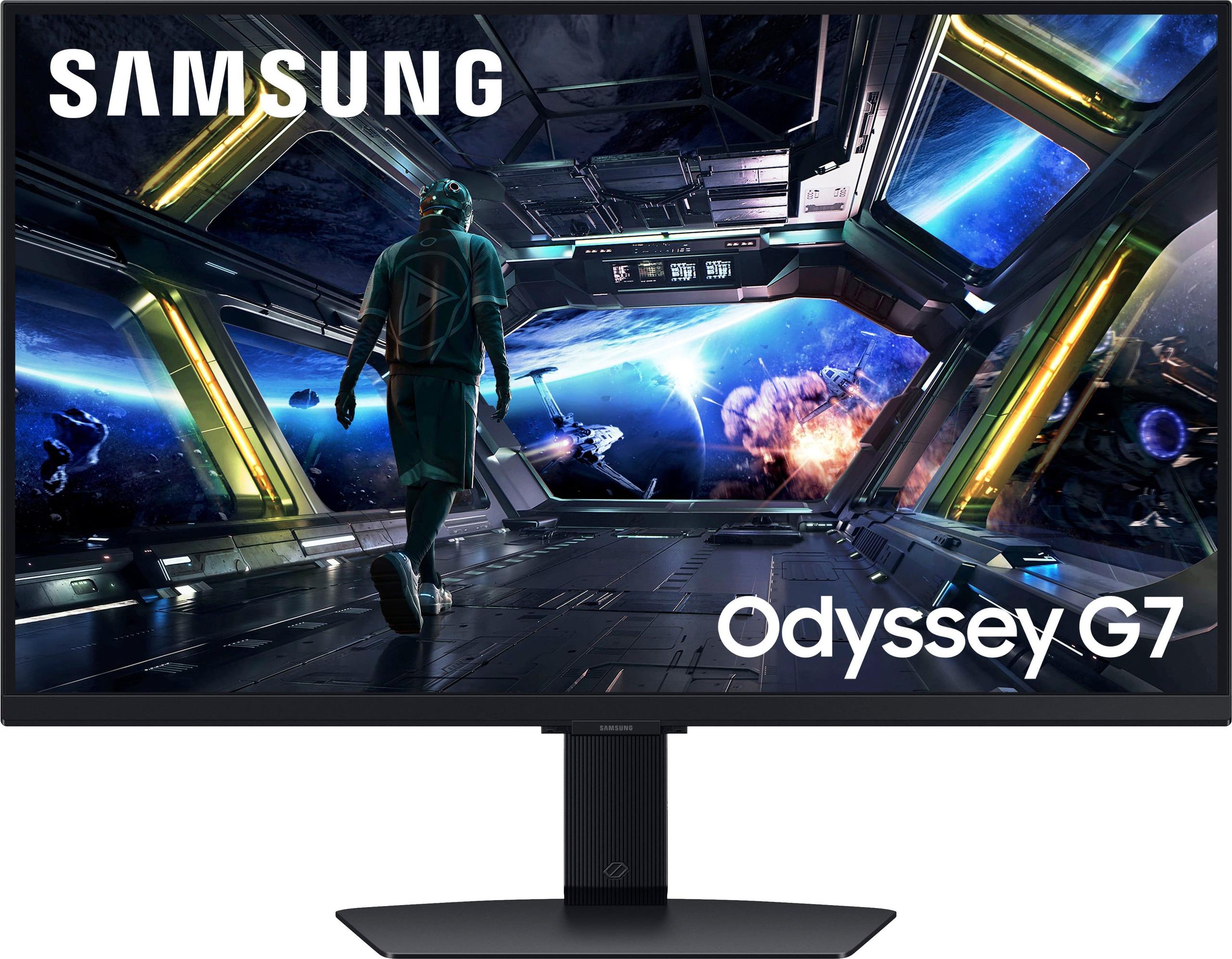
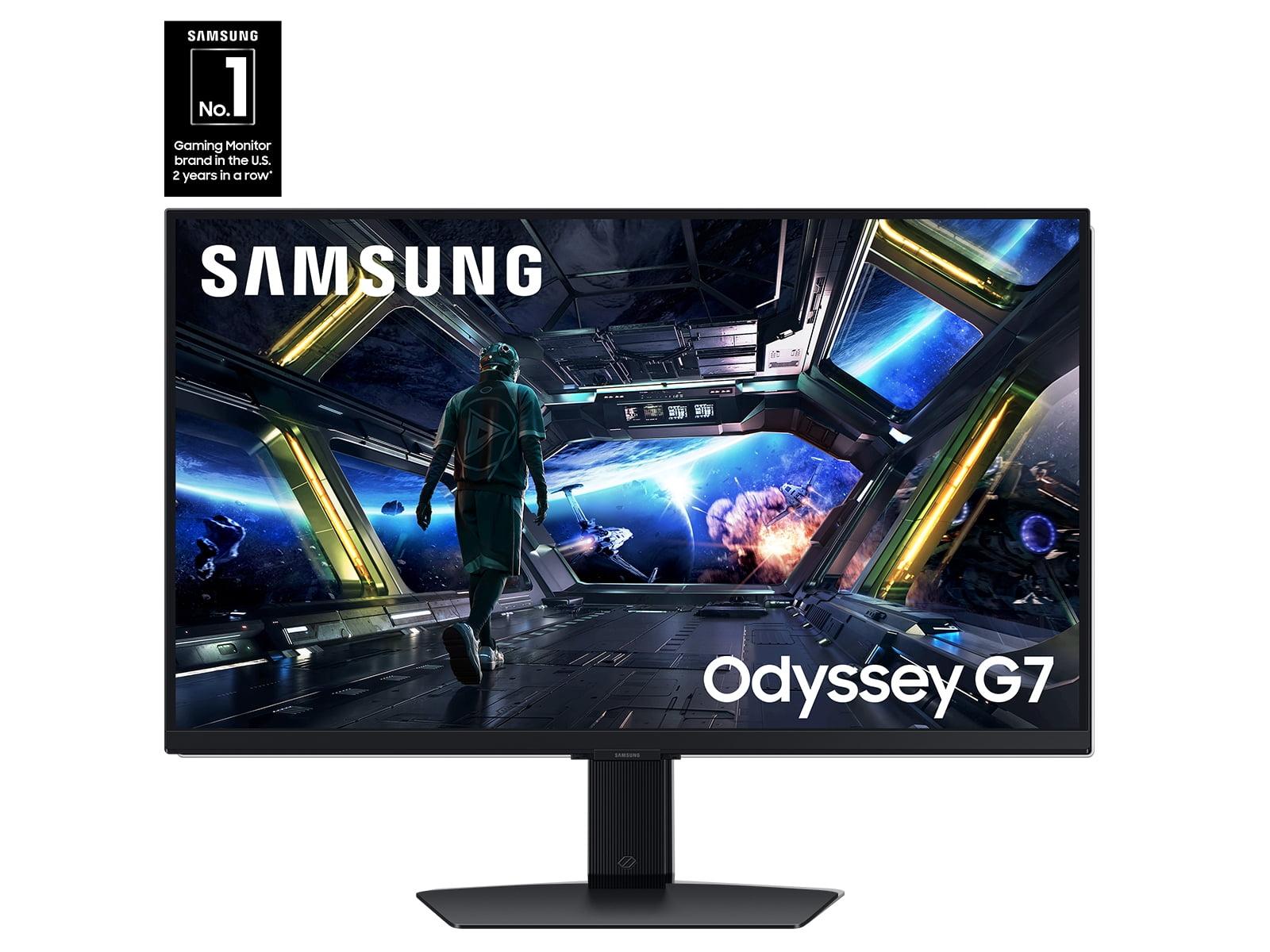
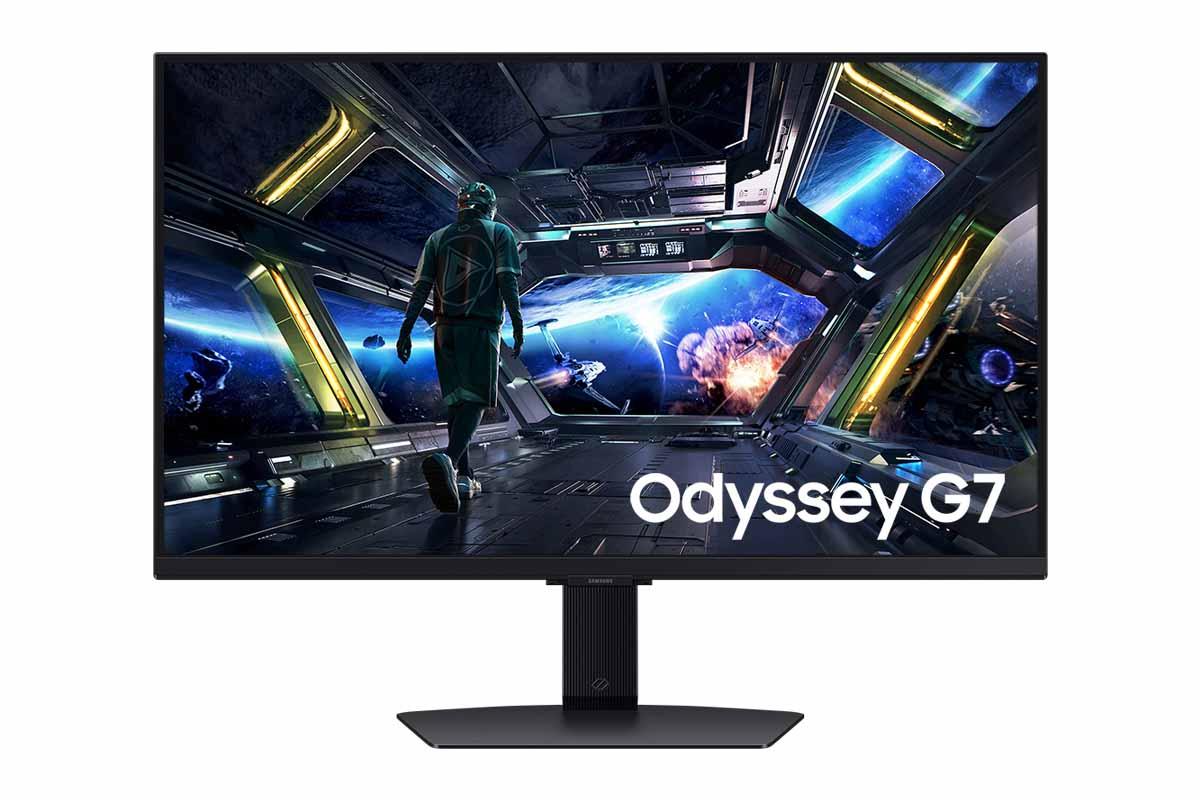
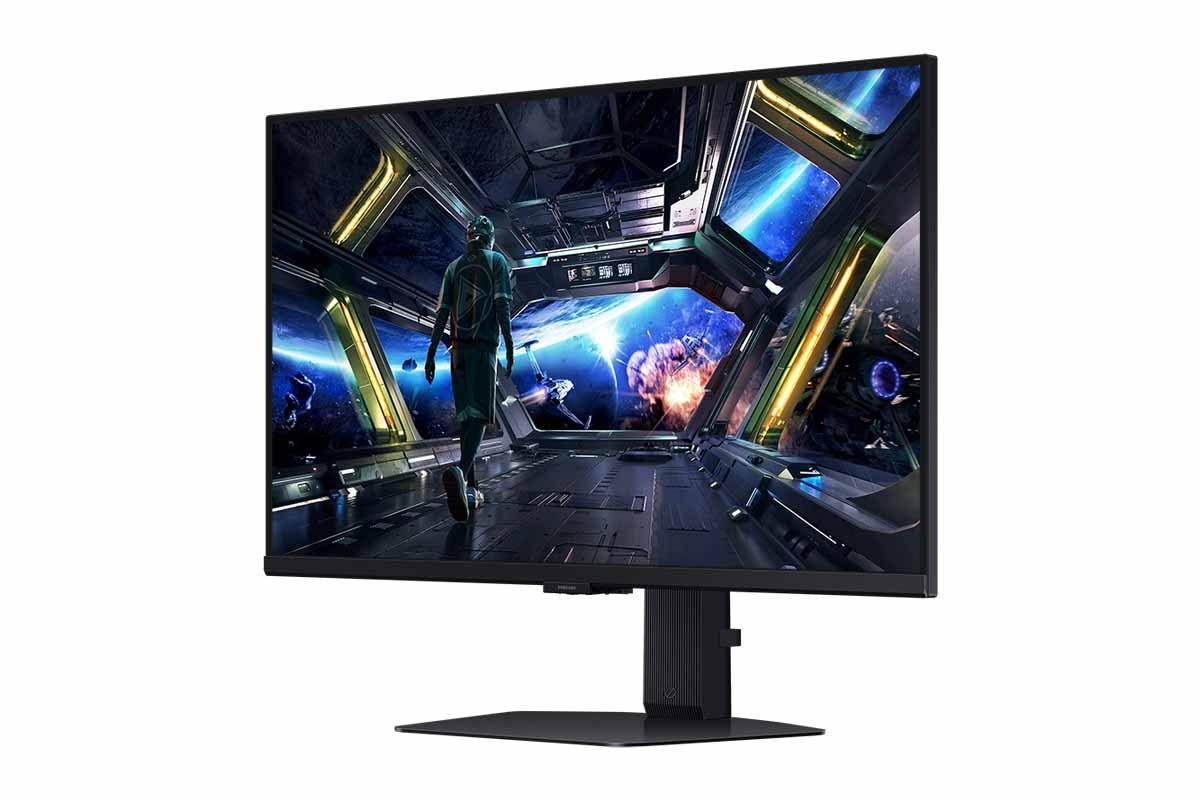

When you're shopping for a 27-inch 4K gaming monitor, you're entering territory where display technology really starts to matter. These aren't just bigger versions of budget monitors – they represent two distinct philosophies about what makes a great gaming display. The Acer Nitro XV275K P3 and Samsung 27" Odyssey G7 G70D perfectly illustrate this divide, offering dramatically different approaches to the same basic goal: exceptional 4K gaming.
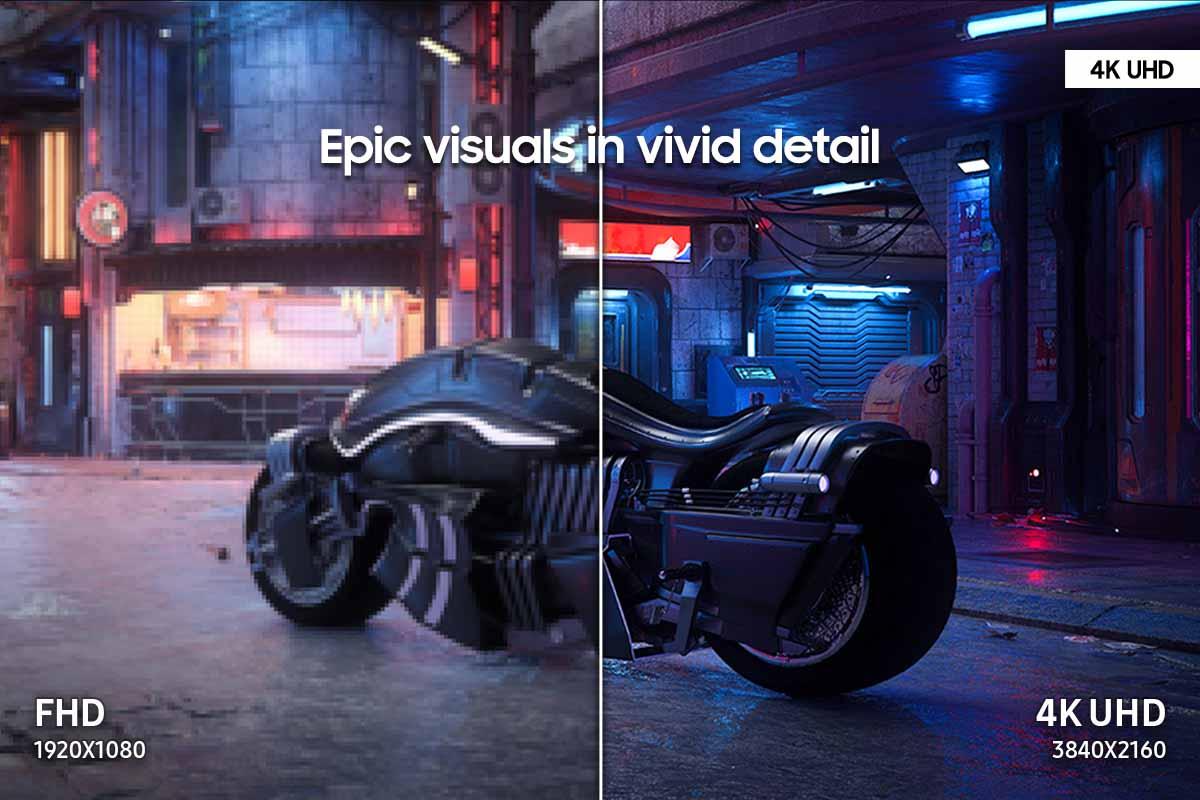
The 27-inch 4K gaming monitor category sits in a sweet spot where pixel density reaches around 163 PPI (pixels per inch), delivering crisp text and sharp gaming visuals without requiring a magnifying glass. At this size, 4K resolution (3840 x 2160) provides enough screen real estate for productivity work while maintaining the detail that makes games look spectacular.
The key considerations when choosing between monitors in this category break down into several critical areas: display technology (which affects how bright and contrasty your image looks), gaming performance (refresh rates and response times), color accuracy (important if you edit photos or videos), and additional features that extend beyond pure gaming functionality.
What makes this comparison particularly interesting is how these two monitors take completely different paths to reach similar goals, representing distinct philosophies about what modern gamers actually need.
The most significant difference between the Acer XV275K P3 and Samsung G70D lies in their backlighting technology – and this difference affects virtually every aspect of their performance.
The Acer XV275K P3 uses Mini-LED technology, which might sound like marketing jargon but represents a genuine technological leap. Traditional monitors use edge-lighting, where LEDs around the perimeter of the screen shine light across the entire panel. Mini-LED, by contrast, places hundreds of tiny LEDs directly behind the screen in a grid pattern. The Acer specifically uses 576 of these zones, each capable of independent brightness control.
Think of it like the difference between lighting a room with one ceiling fixture versus having individual dimmer switches for different areas. The Mini-LED system can make one part of the screen extremely bright (like a sun reflection in a game) while keeping another part completely dark (like shadows in the same scene). This creates what's called "local dimming" – the ability to selectively control brightness across different regions of the display.
The Samsung G70D, meanwhile, uses traditional edge-lit LED backlighting. This approach is more cost-effective and energy-efficient, but it means the entire screen shares the same general brightness level. When you see a bright explosion in a dark cave, the whole screen lightens slightly rather than just the explosion area.
HDR (High Dynamic Range) represents one of the biggest visual improvements in modern displays, but not all HDR implementations are created equal. The difference between these two monitors in HDR performance is substantial and immediately noticeable.
The Acer XV275K P3 delivers 1,000 nits of peak brightness, which translates to genuinely impactful HDR. When you're gaming in a bright outdoor scene or watching a movie with sun reflections, those highlights can actually appear bright enough to make you squint slightly – just like real life. The Mini-LED zones can make stars in a night sky pop against truly black space, creating a sense of depth that's almost three-dimensional.
By contrast, the Samsung G70D peaks at 350 nits, which means HDR content will look better than standard content, but won't deliver those jaw-dropping bright highlights. The difference isn't subtle – it's the difference between HDR that makes you go "wow" and HDR that makes you go "that's nice, I guess."
The Acer achieves VESA DisplayHDR 1000 certification, while the Samsung earns DisplayHDR 400. These certifications aren't just numbers – they represent real-world viewing experiences. DisplayHDR 1000 content can reproduce about 75% of what your eyes can see in terms of brightness range, while DisplayHDR 400 manages perhaps 30%.
For gaming specifically, this difference becomes apparent in titles like Cyberpunk 2077, where neon signs should practically glow off the screen, or in racing games where chrome reflections should be blindingly bright. The Acer delivers these experiences; the Samsung approximates them.
Both monitors excel in core gaming performance metrics, but with subtle differences that matter for different types of gamers.
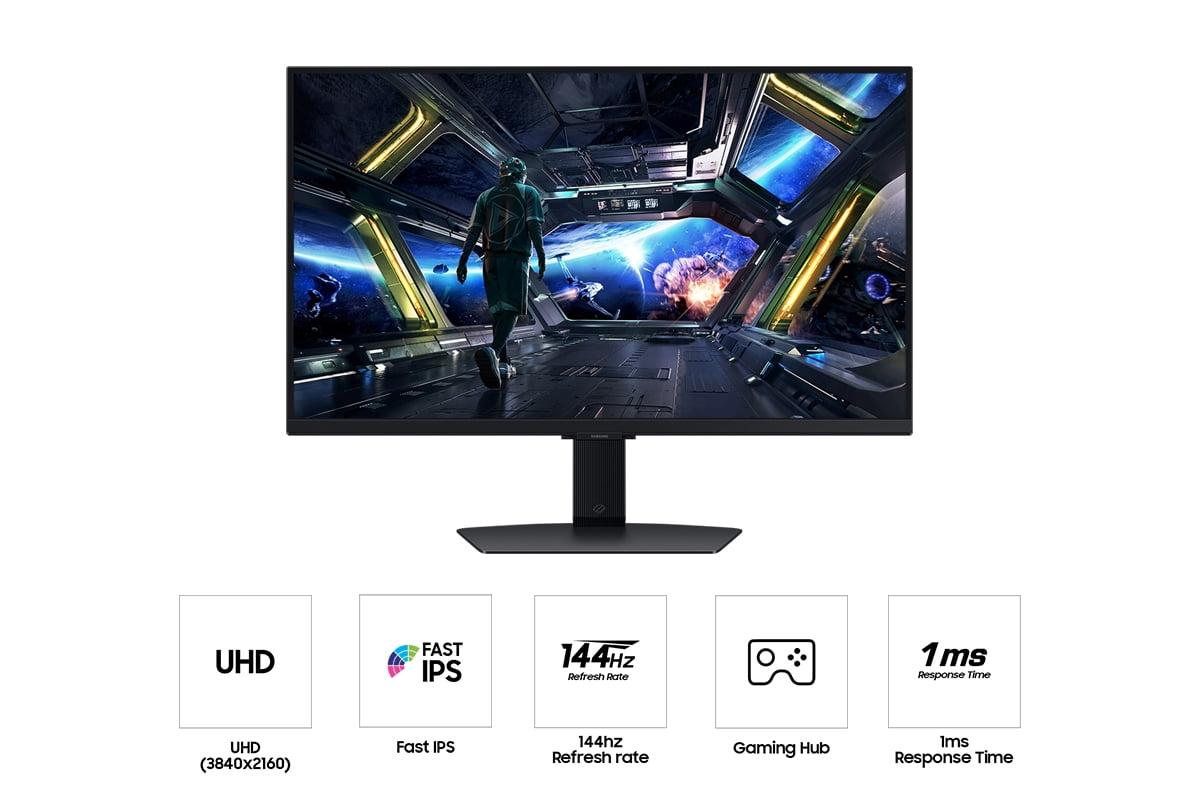
The Acer XV275K P3 pushes refresh rates to 160Hz, while the Samsung G70D tops out at 144Hz. In practical terms, this means the Acer can display up to 160 unique frames per second, compared to the Samsung's 144. For competitive gaming, those extra 16 frames per second can provide a slight edge in reaction time and motion smoothness, though the difference is more noticeable in fast-paced shooters than in RPGs or strategy games.
Both achieve 1ms response times, which measures how quickly individual pixels can change from one color to another. This specification prevents "ghosting" – the visual trail that can follow moving objects on slower displays. At 1ms, both monitors eliminate this issue effectively.
Variable refresh rate technology differs slightly between the models. The Acer supports AMD FreeSync Premium Pro, while the Samsung offers both FreeSync Premium and G-Sync compatibility. This technology synchronizes your graphics card's frame output with the monitor's refresh rate, eliminating screen tearing (where the image appears to split horizontally) and reducing stuttering.
In practice, both monitors deliver smooth, responsive gaming experiences. The Acer's higher refresh rate provides a marginal advantage for competitive players, while the Samsung's broader GPU compatibility might be more convenient for users with older graphics cards.
Color reproduction represents another area where these monitors diverge significantly, particularly important if you do any photo editing, video work, or content creation alongside gaming.
The Acer XV275K P3 covers 99% of the DCI-P3 color space and comes factory-calibrated to achieve Delta E values under 2. In practical terms, this means the monitor can display nearly all colors used in modern movies and games, and displays them accurately enough for professional color grading work. Delta E under 2 indicates that color differences are essentially invisible to the human eye.
The Samsung G70D focuses on 99% sRGB coverage, which covers the standard web and gaming color range but misses the wider colors increasingly common in modern content. For pure gaming, this difference rarely matters, but if you edit YouTube videos or work with photos, the Acer's broader color range becomes valuable.
This distinction reflects each monitor's intended audience. The Acer serves dual-purpose users who need professional capabilities alongside gaming performance, while the Samsung optimizes specifically for gaming and entertainment consumption.
The Samsung Odyssey G7 G70D introduces something relatively rare in gaming monitors: comprehensive smart TV functionality. Built around Samsung's Gaming Hub platform, it includes streaming apps, cloud gaming services, and even comes with a remote control. You can watch Netflix, play Xbox Game Pass games through the cloud, or stream content without connecting any external devices.
This smart functionality transforms the Samsung from a simple monitor into an entertainment center. For dorm rooms, small apartments, or bedrooms where space is limited, this versatility provides significant value. You're essentially getting a 27-inch smart TV that happens to excel at 4K gaming.
The Acer XV275K P3 takes the opposite approach, focusing entirely on display performance without smart features. This philosophy prioritizes putting every dollar toward better picture quality rather than additional functionality.
Neither approach is inherently better – it depends on your setup and needs. If you already have a smart TV or streaming devices, the Acer's pure focus makes sense. If you want to minimize devices and cables, the Samsung's integrated approach offers convenience.
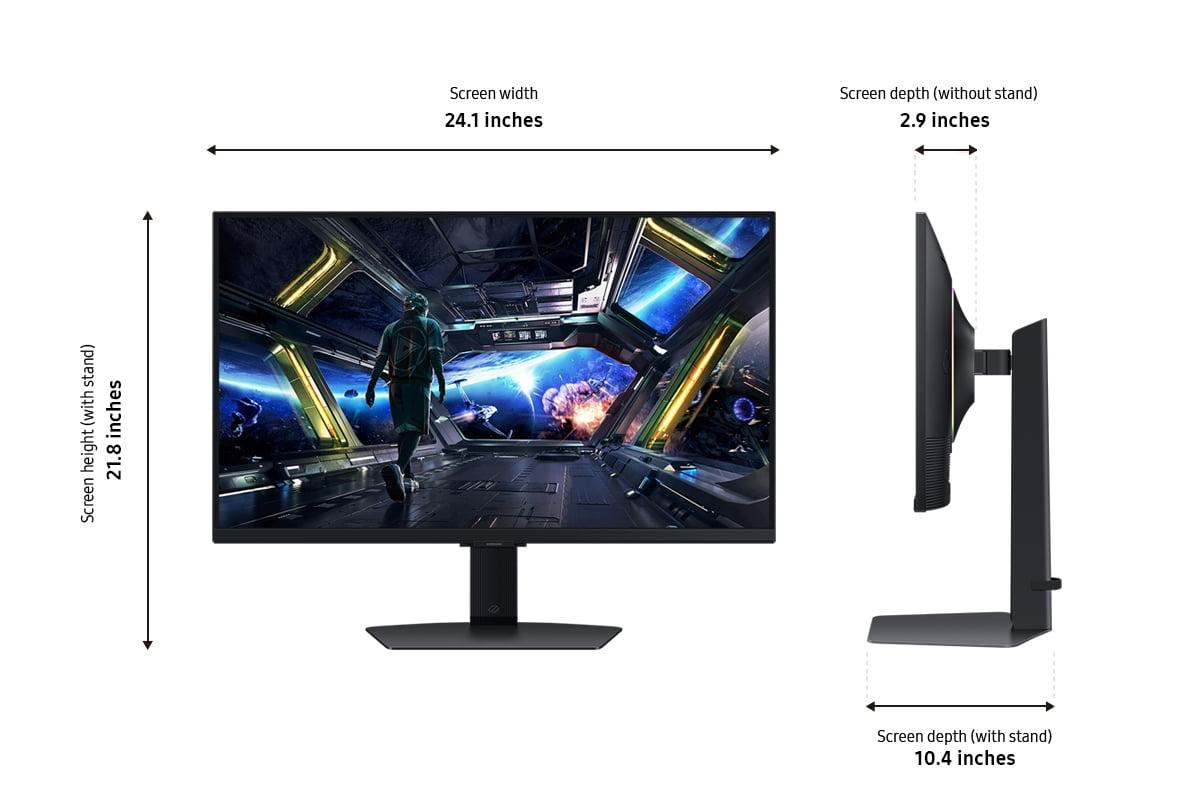
Both monitors share excellent ergonomic capabilities, with height adjustment, tilt, swivel, and rotation options. However, their aesthetic approaches differ considerably.
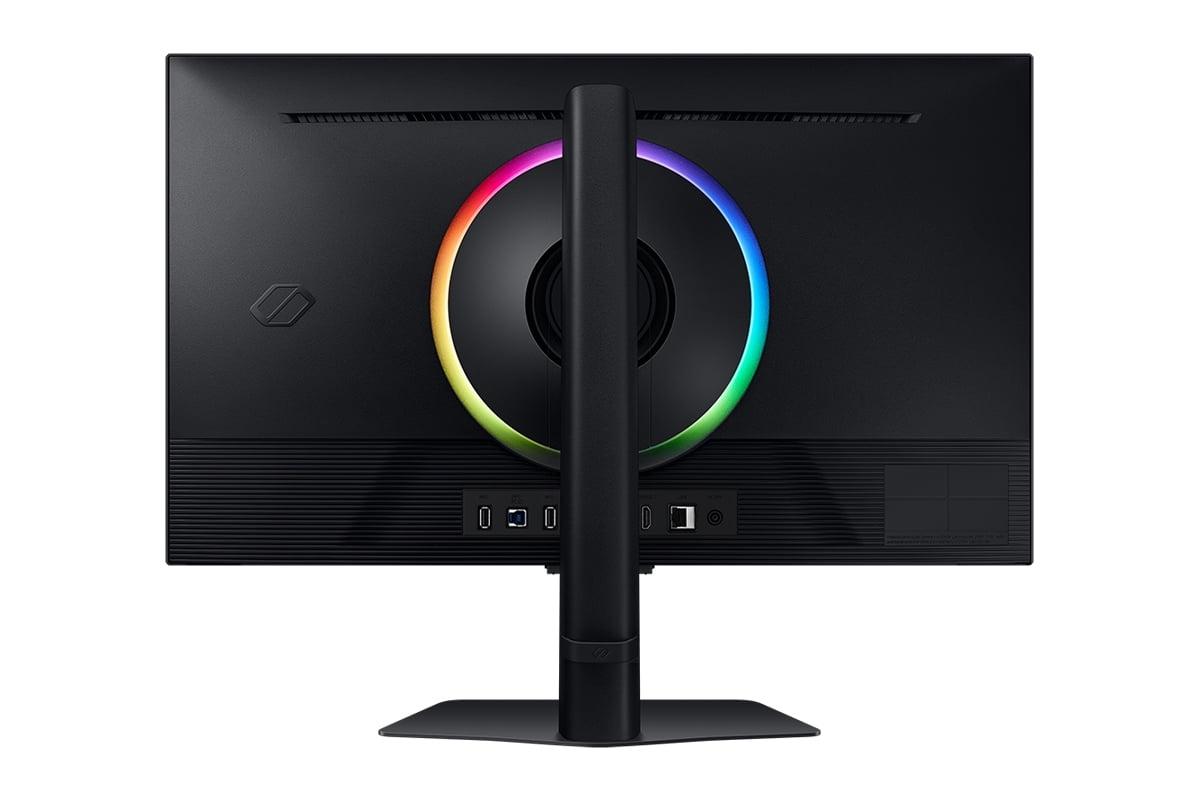
The Samsung G70D embraces gaming culture with RGB lighting on the rear panel that can project colors onto the wall behind the monitor. Samsung's CoreSync technology analyzes on-screen content to create ambient lighting that matches your games or movies, creating an immersive environment that extends beyond the screen edges.
The Acer XV275K P3 adopts a more professional aesthetic with minimal lighting and clean lines. This design philosophy suits office environments or setups where the focus should remain on the screen rather than decorative elements.
Both monitors offer solid build quality with sturdy stands and robust adjustment mechanisms. The choice between them often comes down to whether you prefer understated professionalism or gaming-focused flair.
The advanced Mini-LED backlighting in the Acer XV275K P3 comes with higher power consumption, typically drawing around 29 watts during operation compared to the Samsung's 26 watts. While this difference won't significantly impact electricity bills, it reflects the additional energy required for the Acer's more sophisticated backlighting system.
For users prioritizing energy efficiency or running multiple monitors, the Samsung's lower power draw provides a modest advantage.
Both monitors represent current-generation technology as of 2023-2024, but they incorporate different approaches to future-proofing. The Acer's Mini-LED technology represents the current premium standard before OLED monitors become mainstream at this size and price point. Mini-LED provides many of OLED's benefits (like deep blacks and bright highlights) without OLED's current limitations (like burn-in concerns and higher costs).
The Samsung's smart features reflect the industry trend toward connected devices, anticipating a future where monitors serve multiple entertainment functions rather than purely display roles.
For users considering these monitors in home theater or living room entertainment setups, the differences become even more pronounced.
The Samsung G70D's smart TV functionality makes it naturally suited for entertainment center use. Built-in streaming apps, remote control operation, and gaming console optimization create a seamless entertainment experience. The RGB lighting can enhance movie watching with ambient effects that react to on-screen content.
The Acer XV275K P3's superior HDR performance makes it exceptional for movie watching, delivering cinema-quality brightness and contrast. However, you'll need separate streaming devices and potentially additional remote controls to match the Samsung's convenience.
The choice between these monitors ultimately depends on your specific priorities and use cases.
Choose the Acer XV275K P3 if you prioritize visual quality above all else. The Mini-LED technology delivers genuinely superior HDR performance that makes games and movies more immersive. The professional color accuracy adds value for content creators, while the higher refresh rate appeals to competitive gamers. This monitor represents the cutting edge of display technology at a price point that, while premium, remains accessible compared to flagship models.
Choose the Samsung Odyssey G7 G70D if you value versatility and convenience. The smart TV functionality eliminates the need for additional devices, while solid 4K gaming performance meets most users' needs. The lower price point provides excellent value for users who don't require premium HDR or professional color accuracy.
At the time of writing, the Samsung typically costs several hundred dollars less than the Acer, making the value proposition different for different users. The Samsung offers exceptional value for mainstream gaming and entertainment, while the Acer provides premium performance that justifies its higher cost for enthusiasts and professionals.
These monitors represent two valid but different approaches to 27-inch 4K gaming. The Acer XV275K P3 pushes display technology forward with Mini-LED backlighting that delivers genuinely impressive visual experiences. The Samsung Odyssey G7 G70D embraces versatility with smart features and solid performance at a more accessible price point.
Neither monitor is definitively "better" – they excel in different areas and serve different needs. Your choice should align with whether you prioritize cutting-edge display technology and professional capabilities, or prefer comprehensive features and entertainment versatility at a lower cost. Both represent solid investments that will serve their intended audiences well for years to come.
| Acer Nitro XV275K P3 | Samsung 27" Odyssey G7 G70D |
|---|---|
| Display Technology - Determines contrast and HDR quality | |
| Mini LED with 576 local dimming zones | Traditional edge-lit LED backlight |
| Peak Brightness - Critical for impactful HDR gaming | |
| 1,000 nits (DisplayHDR 1000) | 350 nits (DisplayHDR 400) |
| Refresh Rate - Higher rates provide smoother motion | |
| 160Hz (marginal competitive advantage) | 144Hz (excellent for most gaming) |
| Response Time - Prevents ghosting in fast games | |
| 1ms GtG (excellent) | 1ms GtG (excellent) |
| Color Gamut - Wider coverage means more vibrant colors | |
| 99% DCI-P3, 98% sRGB (professional grade) | 99% sRGB (gaming optimized) |
| Variable Refresh Rate - Eliminates screen tearing | |
| AMD FreeSync Premium Pro | AMD FreeSync Premium + G-Sync Compatible |
| Smart Features - Built-in entertainment capabilities | |
| None (pure gaming monitor focus) | Gaming Hub with streaming apps, remote control |
| Contrast Ratio - Affects black depth and image pop | |
| 100,000,000:1 dynamic (Mini LED advantage) | 1,000:1 static (typical IPS limitation) |
| Factory Calibration - Color accuracy out of box | |
| Delta E < 2 (professional accuracy) | Gaming-optimized (adequate for entertainment) |
| Connectivity - Ports and device compatibility | |
| 2x HDMI 2.1, 1x DP 1.4, USB-C with 90W PD | Multiple HDMI 2.1, DisplayPort, USB hub |
| RGB Lighting - Aesthetic gaming features | |
| None (professional appearance) | CoreSync rear lighting with wall projection |
| Power Consumption - Operating efficiency | |
| 29W typical (Mini LED requires more power) | 26W typical (more energy efficient) |
| Target Use Case - Best suited for | |
| Premium gaming + content creation | Gaming + entertainment hub |
The Acer Nitro XV275K P3 delivers significantly better HDR performance with 1,000 nits peak brightness and Mini LED local dimming technology. This creates dramatic contrast with deep blacks and bright highlights. The Samsung Odyssey G7 G70D offers basic HDR at 350 nits, which improves image quality but won't deliver the impactful HDR experience that modern games are designed for.
The Acer XV275K P3 supports up to 160Hz refresh rate, while the Samsung G70D maxes out at 144Hz. Both provide smooth gaming, but the Acer offers a slight advantage for competitive gaming where every frame counts. For most gamers, both refresh rates deliver excellent performance.
The Acer Nitro XV275K P3 is superior for content creation, offering 99% DCI-P3 color coverage and factory calibration with Delta E < 2 accuracy. The Samsung Odyssey G7 G70D focuses on gaming-optimized colors rather than professional accuracy, making the Acer the clear choice for creators.
Yes, both the Samsung G70D and Acer XV275K P3 support 4K gaming at high refresh rates through HDMI 2.1 connectivity. The Samsung includes additional console-specific optimizations and smart features, while the Acer provides superior visual quality for console gaming.
Only the Samsung Odyssey G7 G70D includes smart TV functionality with Samsung's Gaming Hub, built-in streaming apps, and a remote control. The Acer XV275K P3 focuses purely on display performance without smart features, requiring external devices for streaming content.
Both monitors achieve identical 1ms response times, eliminating ghosting and motion blur equally well. The Acer XV275K P3 and Samsung G70D are both excellent for competitive gaming, with the Acer's higher refresh rate providing a marginal advantage.
The Samsung Odyssey G7 G70D typically offers better value with solid 4K gaming performance, smart features, and a lower price point. The Acer XV275K P3 costs more but delivers premium Mini LED technology and professional-grade color accuracy that justify the higher cost for enthusiasts.
The Acer Nitro XV275K P3 excels at both with superior HDR brightness making movies more cinematic and games more immersive. The Samsung G70D handles both well and adds convenience with built-in streaming apps, though with less dramatic HDR performance than the Acer.
Both monitors offer excellent build quality with full ergonomic adjustments. The Samsung Odyssey G7 G70D features gaming-focused RGB lighting and wall projection effects, while the Acer XV275K P3 maintains a professional appearance. Construction quality is comparable between both models.
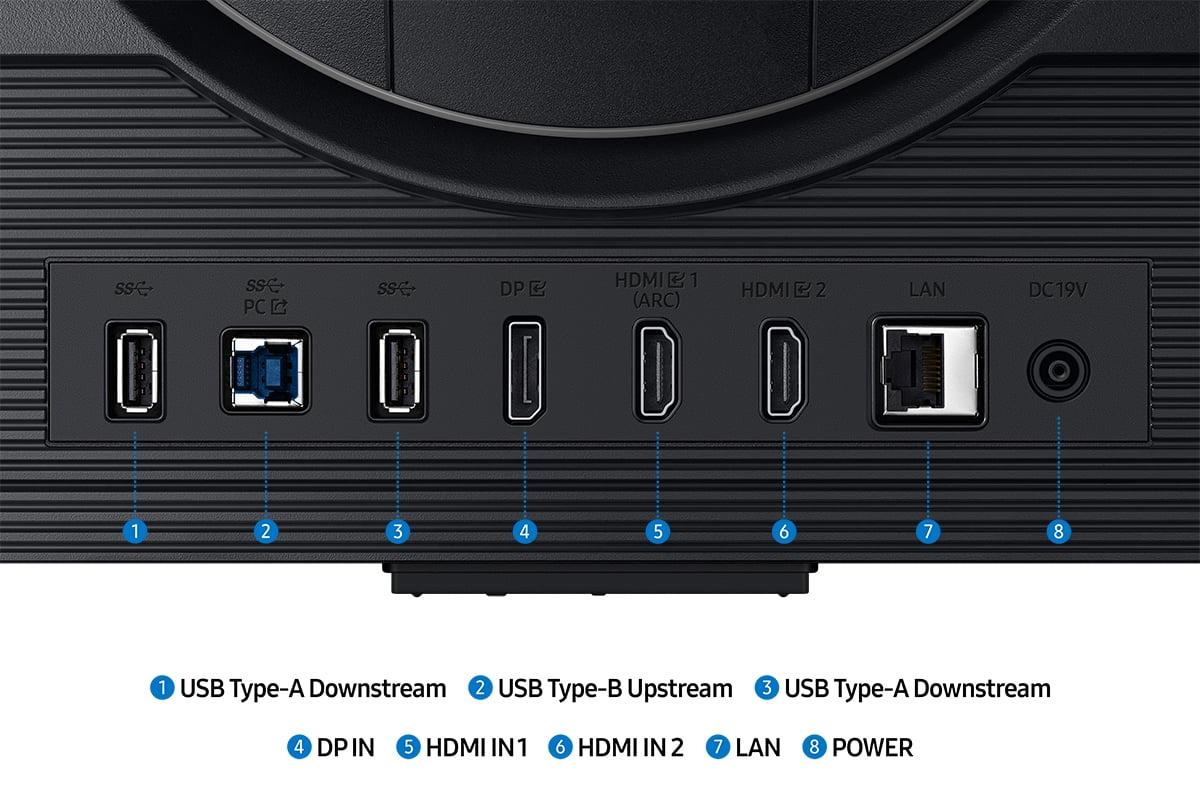
The Samsung G70D offers comprehensive connectivity with multiple HDMI 2.1 ports and USB hub functionality. The Acer XV275K P3 includes similar gaming-focused ports plus USB-C with 90W power delivery for laptop users. Both provide excellent connectivity for modern gaming setups.
The Acer Nitro XV275K P3 performs better in bright rooms thanks to its higher peak brightness capability. Both monitors handle ambient light reasonably well, but the Acer's superior brightness ensures better visibility and contrast even with windows or room lighting present.
Choose the Acer XV275K P3's Mini LED technology if you prioritize superior HDR performance and don't mind paying more for cutting-edge display technology. Select the Samsung Odyssey G7 G70D's traditional LED if you want solid performance with smart features at a lower cost, understanding that HDR won't be as impactful.
We've done our best to create useful and informative comparisons to help you decide what product to buy. Our research uses advanced automated methods to create this comparison and perfection is not possible - please contact us for corrections or questions. These are the sites we've researched in the creation of this article: bestbuy.com - rtings.com - reviewed.com - displayninja.com - youtube.com - displayninja.com - youtube.com - dpreview.com - acer.com - buy.bluum.com - shi.com - camcor.com - newegg.com - provantage.com - displayspecifications.com - colamco.com - displayspecifications.com - walmart.com - bestbuy.com - bestbuy.com - typectechreviews.com - rtings.com - rtings.com - youtube.com - youtube.com - samsung.com - samsung.com - samsung.com - bhphotovideo.com - samsung.com - samsung.com - versus.com - abt.com - abt.com - bestbuy.com - bhphotovideo.com - youtube.com - abt.com

Privacy Policy
Terms and Conditions - Affiliate Policy
Home Security
© Copyright 2008-2026.
11816 Inwood Rd #1211, Dallas, TX 75244