









The world of 4K gaming monitors has become incredibly competitive, especially as GPU technology has finally caught up to drive these high-resolution displays at playable frame rates. When I first started gaming at 4K resolution back in 2018, achieving even 60 fps required significant compromises. Now, modern graphics cards make 4K gaming at 120Hz+ not just possible, but increasingly common.
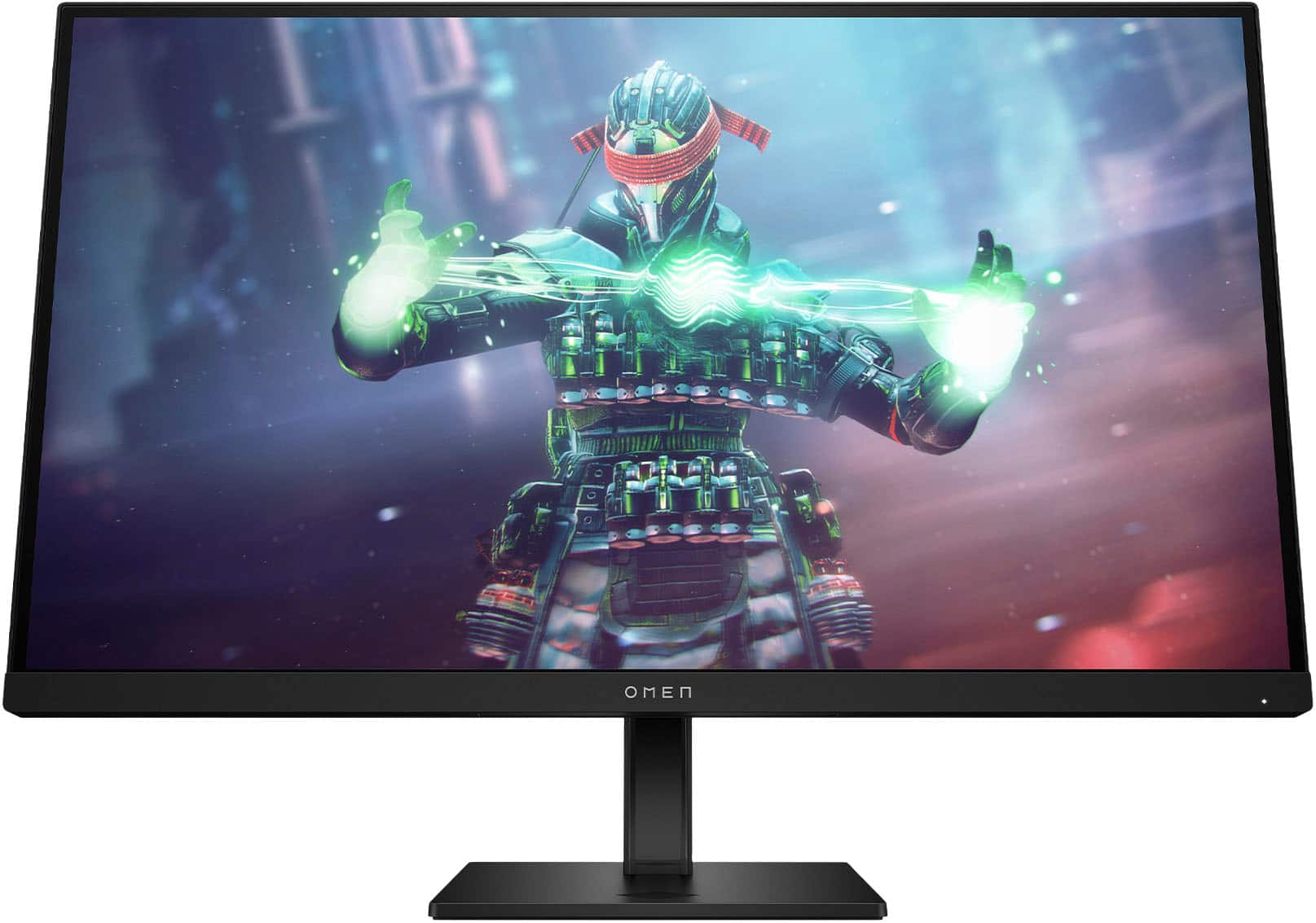
This brings us to an interesting comparison between two very different approaches to 4K gaming monitors released in 2023. The Acer Nitro XV275K P3 represents the premium end with cutting-edge Mini LED technology, while the HP Omen 27k focuses on delivering solid performance at a more accessible price point. Understanding which approach suits your needs requires diving into the technical differences and real-world performance implications.
Before comparing these specific monitors, it's worth understanding what makes a great 4K gaming display. Resolution is just the starting point – you're looking at 3840×2160 pixels, which is four times the detail of standard 1080p. This pixel density creates incredibly sharp text and detailed game visuals, but it also demands serious processing power from your graphics card.
The key considerations extend far beyond resolution. Refresh rate determines how many frames per second your monitor can display, with higher numbers creating smoother motion. Response time measures how quickly pixels can change colors, affecting motion blur and ghosting. HDR (High Dynamic Range) capability expands the range between the darkest blacks and brightest whites, creating more realistic lighting in supported content.
Panel technology forms the foundation of performance. IPS (In-Plane Switching) panels dominate the gaming monitor space because they offer wide viewing angles and accurate colors, though they traditionally struggle with deep blacks compared to VA or OLED panels. This is where advanced backlighting technology becomes crucial.
The Acer Nitro XV275K P3 incorporates Mini LED backlighting, a technology that bridges the gap between traditional LED backlighting and expensive OLED displays. Instead of using a few dozen LED zones around the panel's edges, Mini LED employs hundreds or even thousands of tiny LEDs directly behind the screen.
In the XV275K P3's case, we're talking about 576 individual dimming zones. Each zone can brighten or dim independently, allowing the monitor to display deep blacks right next to bright highlights. When you're exploring a dark cave in a game and step into bright sunlight, traditional monitors often struggle to show both the dark shadows and bright outdoor lighting convincingly. Mini LED technology excels in these high-contrast scenarios.
The practical impact is dramatic. Where a standard IPS panel might achieve a 1000:1 contrast ratio (meaning whites are 1000 times brighter than blacks), the Acer monitor can reach contrast ratios exceeding 100,000:1 when its local dimming system is active. This creates visuals that feel more three-dimensional and realistic, especially in HDR content.
However, Mini LED isn't perfect. The zones aren't pixel-perfect like OLED, so you might occasionally notice "blooming" or "haloing" around bright objects against dark backgrounds. It's most noticeable in specific scenarios, like white text on black backgrounds or bright UI elements in dark games. The effect varies between units and depends on the quality of the local dimming algorithm.
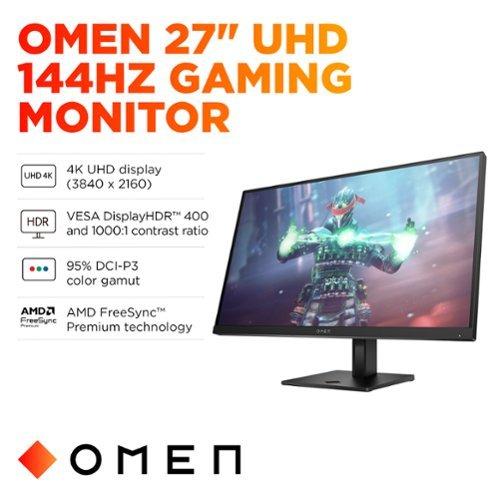
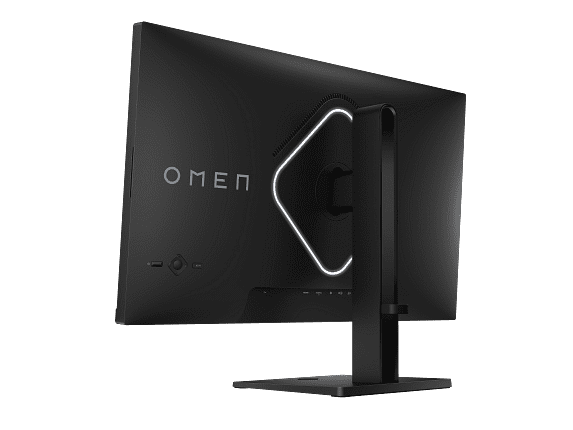
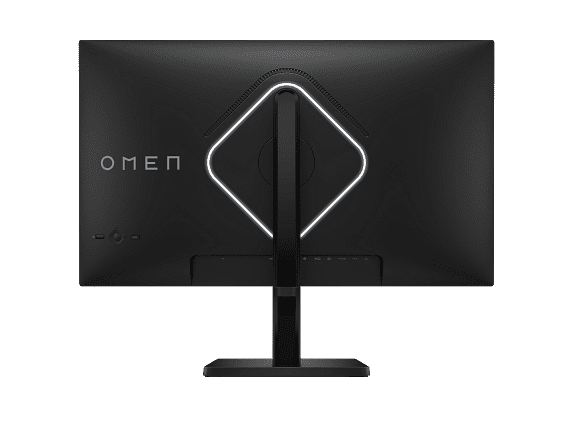
The HP Omen 27k takes a more conservative approach with traditional IPS technology and edge-lit LED backlighting. This might sound less impressive, but it offers distinct advantages. Without complex local dimming algorithms, the display behavior is entirely predictable. You won't encounter blooming effects, and the image remains consistent regardless of content.
Traditional IPS panels have evolved significantly since 2020, with manufacturers improving color reproduction and reducing the characteristic "IPS glow" that was common in earlier generations. Modern IPS displays like the one in the Omen 27k deliver excellent color accuracy and wide viewing angles without the complexity of advanced backlighting systems.
This simplicity translates to reliability. There are fewer components that can fail, no complex processing that might introduce lag, and no learning curve for optimizing settings. For many users, especially those coming from older monitors, the image quality improvement from moving to 4K IPS is substantial enough without needing premium backlighting technology.
When it comes to pure gaming performance, both monitors deliver excellent results, but with some notable differences. The Acer XV275K P3 supports up to 160Hz refresh rates, giving it a slight edge over the HP Omen 27k's 144Hz capability. In practical terms, this means the Acer can display up to 160 unique frames per second compared to HP's 144.
For competitive gaming, every frame matters. The difference between 144Hz and 160Hz isn't revolutionary, but it can provide a small advantage in fast-paced esports titles. More importantly, both monitors support variable refresh rate technologies like AMD FreeSync and NVIDIA G-Sync compatibility, which eliminate screen tearing and stuttering when your frame rate fluctuates.
Response time specifications show both monitors claiming 1ms gray-to-gray performance, but real-world testing reveals nuances. The Acer monitor achieves its fastest response times with moderate overdrive settings, while the HP display requires more aggressive overdrive that can introduce inverse ghosting. In practice, both are fast enough for competitive gaming, but the Acer has a slight edge in motion clarity.
Input lag – the delay between your mouse click and the corresponding action on screen – is excellent on both displays. Modern gaming monitors have largely solved this issue, and both the XV275K P3 and Omen 27k deliver sub-5ms input lag that won't impact your gaming performance.
This is where the two monitors diverge most significantly. HDR requires three key elements: wide color gamut coverage, high peak brightness, and local dimming capability. The Acer XV275K P3 excels in all three areas, while the HP Omen 27k meets only the first requirement adequately.
The Acer achieves VESA DisplayHDR 1000 certification, meaning it can display peak brightness of 1000 nits or higher in small areas of the screen. Combined with its 576-zone local dimming, this creates genuine HDR experiences where bright highlights pop against deep shadows. When playing HDR games like Cyberpunk 2077 or watching HDR movies, the difference is immediately apparent.
The HP monitor carries DisplayHDR 400 certification, which represents basic HDR capability. At 400 nits peak brightness with no local dimming, HDR content looks marginally better than SDR, but it lacks the dramatic contrast and brightness that make HDR truly compelling. For most users, this monitor functions primarily as an excellent SDR display.
Color gamut coverage tells a similar story. The Acer display covers 99% of both Adobe RGB and DCI-P3 color spaces, making it suitable for professional photo and video editing alongside gaming. The HP monitor covers standard sRGB completely and about 95% of DCI-P3, which is perfectly adequate for gaming and general use but less impressive for color-critical work.
Both monitors include comprehensive connectivity options, but they prioritize different user needs. The Acer XV275K P3 features USB-C with 90W power delivery, making it ideal for laptop users who want single-cable connectivity. You can charge your laptop, transmit video, and use the monitor's USB hub all through one cable.
The HP Omen 27k includes a built-in KVM (Keyboard, Video, Mouse) switch, allowing you to control multiple connected devices with a single keyboard and mouse setup. If you regularly switch between a gaming PC and a PlayStation 5, for example, you can seamlessly transition without unplugging peripherals. Both approaches address real user needs, but for different workflows.
HDMI 2.1 support on both monitors enables full 4K 120Hz gaming from modern consoles like the PlayStation 5 and Xbox Series X. This was a crucial addition to gaming monitors starting in 2021, as earlier HDMI 2.0 connections limited console gaming to 4K 60Hz.
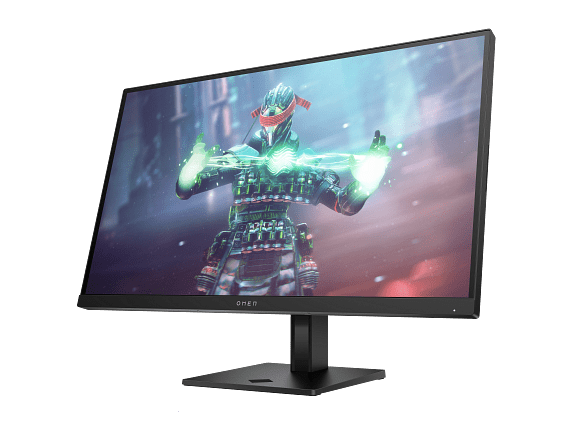
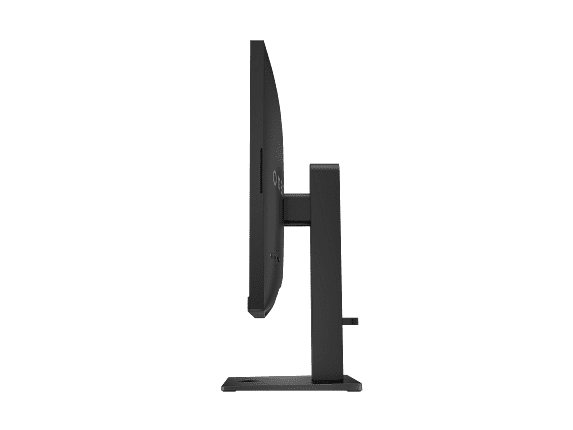
Both monitors feature solid construction with fully adjustable stands supporting height, tilt, swivel, and pivot adjustments. The Acer XV275K P3 includes RGB lighting on the rear panel for users who enjoy customizable ambient lighting, while the HP Omen 27k maintains a more understated appearance.
Anti-glare coatings on both displays help reduce reflections in bright rooms, though the coatings have slightly different characteristics. The Acer's coating is more aggressive, providing better reflection control but potentially softening fine details slightly. The HP's lighter coating preserves image sharpness while offering reasonable reflection management.
For users considering these monitors for home theater use, the Acer XV275K P3 has clear advantages. Its Mini LED backlighting and high peak brightness create a more cinematic experience, especially with HDR movies from streaming services or UHD Blu-rays. The improved contrast ratio makes dark scenes more engaging while bright explosions and daylight scenes have appropriate impact.
The HP Omen 27k can certainly handle movie duties adequately, but it won't provide the enhanced contrast and brightness that make HDR content special. For casual movie watching, it's perfectly acceptable. For users who prioritize the best possible movie experience, the Acer's superior HDR performance justifies the additional cost.
Both monitors include built-in speakers, though the HP's 3W speakers are slightly more capable than typical monitor audio. Neither replacement quality external speakers or a soundbar for serious movie watching, but they're convenient for casual gaming and video calls.
At the time of writing, these monitors occupy different value propositions in the 4K gaming market. The HP Omen 27k typically retails for around $490, positioning it as an excellent value for users wanting reliable 4K gaming performance without premium features. It competes directly with other mainstream 4K gaming monitors and often wins on price-to-performance ratio.
The Acer XV275K P3 has a higher MSRP but frequently appears on sale for $550-600, making it competitive with other Mini LED gaming monitors. At full retail price, it faces stiff competition from similar premium displays, but at sale prices, it becomes one of the more affordable ways to experience Mini LED technology.
Since their 2023 releases, both monitors have seen firmware updates addressing minor issues, and the broader 4K gaming monitor market has become increasingly competitive. This competition has generally driven prices down while improving features, benefiting consumers regardless of which monitor they choose.
Your decision between these monitors should align with your specific needs and budget. The Acer Nitro XV275K P3 makes sense if you value cutting-edge display technology, work with color-critical content, or want the best possible HDR experience. Its Mini LED backlighting represents a genuine technological advancement that improves daily usage.
The HP Omen 27k appeals to users who want excellent 4K gaming performance without paying for premium features they might not fully utilize. Its built-in KVM switch and reliable performance make it particularly attractive for users with multiple devices or those prioritizing value over cutting-edge technology.
Consider your typical usage scenarios. If you frequently watch HDR movies, edit photos or videos, or play single-player games where visual quality matters most, the Acer monitor's advanced features justify the additional cost. If you primarily play competitive games, use multiple devices, or simply want a significant upgrade from an older monitor without breaking the budget, the HP display offers excellent practical value.
Both monitors represent solid choices in the 4K gaming category, just with different priorities. The rapid evolution of display technology means you can't go wrong with either option – they both deliver the sharp, smooth gaming experience that makes 4K worthwhile when you have the GPU power to drive it effectively.
| Acer Nitro XV275K P3 27" Mini LED 4K UHD Gaming Monitor | HP Omen 27k 4K UHD 144Hz Gaming Monitor |
|---|---|
| Panel Technology - Determines contrast performance and image quality | |
| IPS with 576-zone Mini LED backlighting (dramatic contrast improvement) | Traditional IPS with edge-lit LED (consistent, predictable performance) |
| Peak Brightness - Critical for HDR performance and daytime visibility | |
| 1000 nits (true HDR experience with vivid highlights) | 400 nits (basic HDR, adequate for most lighting conditions) |
| Refresh Rate - Higher numbers mean smoother motion in fast games | |
| 160Hz (slight competitive advantage over standard 144Hz) | 144Hz (excellent for gaming, industry standard for 4K) |
| Response Time - Lower is better for reducing motion blur | |
| 1ms GTG (excellent motion clarity with proper overdrive settings) | 1ms GTG (good performance but may require aggressive overdrive) |
| HDR Certification - Indicates real HDR capability vs marketing | |
| VESA DisplayHDR 1000 (genuine HDR with meaningful contrast) | VESA DisplayHDR 400 (basic HDR, limited impact on visuals) |
| Color Gamut Coverage - Important for vibrant colors and professional work | |
| 99% Adobe RGB, 98% DCI-P3 (professional-grade color accuracy) | 99% sRGB, 95% DCI-P3 (excellent for gaming, adequate for content creation) |
| Contrast Ratio - Higher numbers mean deeper blacks and better image depth | |
| 100,000,000:1 dynamic with local dimming (dramatic contrast enhancement) | 1000:1 native (typical for IPS, no local dimming complexity) |
| Connectivity Options - Determines device compatibility and workflow flexibility | |
| 2x HDMI 2.1, DP 1.4, USB-C with 90W PD (laptop-friendly single cable) | 1x HDMI 2.1, 1x HDMI 2.0, DP 1.4, USB-C without PD (multiple device support) |
| Special Features - Unique capabilities that add value | |
| RGB lighting, wide gamut modes, factory calibration (content creator focused) | Built-in KVM switch, integrated speakers (multi-device workflow friendly) |
| Local Dimming Zones - More zones mean better contrast control | |
| 576 zones (precise contrast control with minimal blooming) | None (no blooming issues but limited contrast performance) |
| Adaptive Sync Support - Eliminates screen tearing across different GPUs | |
| FreeSync Premium Pro, G-Sync Compatible (broad compatibility) | FreeSync Premium, G-Sync Compatible (standard gaming support) |
| Best Value Scenario | |
| Worth premium when on sale for users prioritizing image quality | Excellent value for reliable 4K gaming without advanced features |
The Acer Nitro XV275K P3 offers superior gaming performance with its 160Hz refresh rate compared to the HP Omen 27k's 144Hz. Both have 1ms response times, but the Acer monitor provides better motion clarity and a competitive edge in fast-paced games. However, the HP Omen 27k includes a built-in KVM switch that's convenient for switching between gaming PC and consoles.
The biggest difference is display technology. The Acer Nitro XV275K P3 uses advanced Mini LED backlighting with 576 dimming zones for superior contrast and HDR performance, while the HP Omen 27k uses traditional IPS technology with edge-lit LED backlighting. This makes the Acer monitor significantly better for HDR content and dark room viewing.
The Acer Nitro XV275K P3 has dramatically better HDR performance with VESA DisplayHDR 1000 certification and 1000 nits peak brightness. The HP Omen 27k only supports DisplayHDR 400 with 400 nits brightness, providing basic HDR that doesn't significantly improve over standard content. For true HDR gaming and movies, the Acer monitor is the clear winner.
Yes, both the Acer Nitro XV275K P3 and HP Omen 27k support HDMI 2.1 for full 4K 120Hz gaming from modern consoles. The HP monitor actually has an advantage here with its built-in KVM switch and dual HDMI ports, making it easier to connect multiple consoles. Both deliver excellent console gaming experiences.
The Acer Nitro XV275K P3 is significantly better for content creation, covering 99% Adobe RGB and 98% DCI-P3 color spaces with factory calibration. The HP Omen 27k covers standard sRGB well but only 95% DCI-P3, making it adequate for casual editing but not professional color-critical work. The Acer's wide gamut and accuracy make it the professional choice.
The Acer Nitro XV275K P3 is excellent for movies thanks to its Mini LED backlighting creating deep blacks and bright highlights for cinematic HDR content. The HP Omen 27k is decent for movies but lacks the contrast and brightness needed for impactful HDR. Both have anti-glare coatings and good viewing angles, but the Acer monitor provides a more theater-like experience.
The HP Omen 27k typically offers better value for most users, providing solid 4K gaming performance with useful features like KVM switching at a lower price point. The Acer Nitro XV275K P3 offers premium features that justify its higher cost if you need superior HDR, color accuracy, or cutting-edge display technology. Value depends on whether you'll utilize the Acer's advanced features.
Both monitors offer comprehensive connectivity. The Acer Nitro XV275K P3 includes 2x HDMI 2.1, DisplayPort 1.4, and USB-C with 90W power delivery for laptop charging. The HP Omen 27k has 1x HDMI 2.1, 1x HDMI 2.0, DisplayPort 1.4, and USB-C without power delivery, plus integrated speakers. The Acer is better for laptop users while the HP accommodates more devices.
The Acer Nitro XV275K P3 can experience minor blooming or haloing around bright objects in dark scenes due to its local dimming zones, and the OSD controls are somewhat clunky. The HP Omen 27k has limited HDR performance and lacks the contrast capabilities of the Acer monitor. Both are reliable overall with these being minor compromises.
Both the Acer Nitro XV275K P3 and HP Omen 27k feature solid construction with fully adjustable stands supporting height, tilt, swivel, and pivot. The Acer monitor includes customizable RGB lighting while the HP monitor has a more understated design with integrated speakers. Build quality is comparable between both monitors.
Yes, both monitors excel for competitive gaming. The Acer Nitro XV275K P3 has a slight edge with its 160Hz refresh rate versus the HP Omen 27k's 144Hz, and both offer 1ms response times with low input lag. Both support AMD FreeSync and NVIDIA G-Sync compatibility. The difference in competitive performance is minimal, with the Acer having a marginal advantage.
For home office use, consider your workflow needs. The HP Omen 27k is excellent for general productivity with its KVM switch allowing easy switching between work laptop and personal PC. The Acer Nitro XV275K P3 is better if you do color-sensitive work like design or photo editing, plus its USB-C power delivery simplifies laptop connectivity. Both offer excellent text clarity and ergonomics for office work.
We've done our best to create useful and informative comparisons to help you decide what product to buy. Our research uses advanced automated methods to create this comparison and perfection is not possible - please contact us for corrections or questions. These are the sites we've researched in the creation of this article: bestbuy.com - rtings.com - reviewed.com - displayninja.com - youtube.com - displayninja.com - youtube.com - dpreview.com - acer.com - buy.bluum.com - shi.com - camcor.com - newegg.com - provantage.com - displayspecifications.com - colamco.com - displayspecifications.com - walmart.com - bestbuy.com - tomshardware.com - windowscentral.com - digitaltrends.com - youtube.com - hp.com - youtube.com - hp.com - hp.com - displayspecifications.com - files.bbystatic.com - newegg.com - hp.com - hp.com - hp.com - hp.com - target.com - files.bbystatic.com - displayspecifications.com

Privacy Policy
Terms and Conditions - Affiliate Policy
Home Security
© Copyright 2008-2026.
11816 Inwood Rd #1211, Dallas, TX 75244