









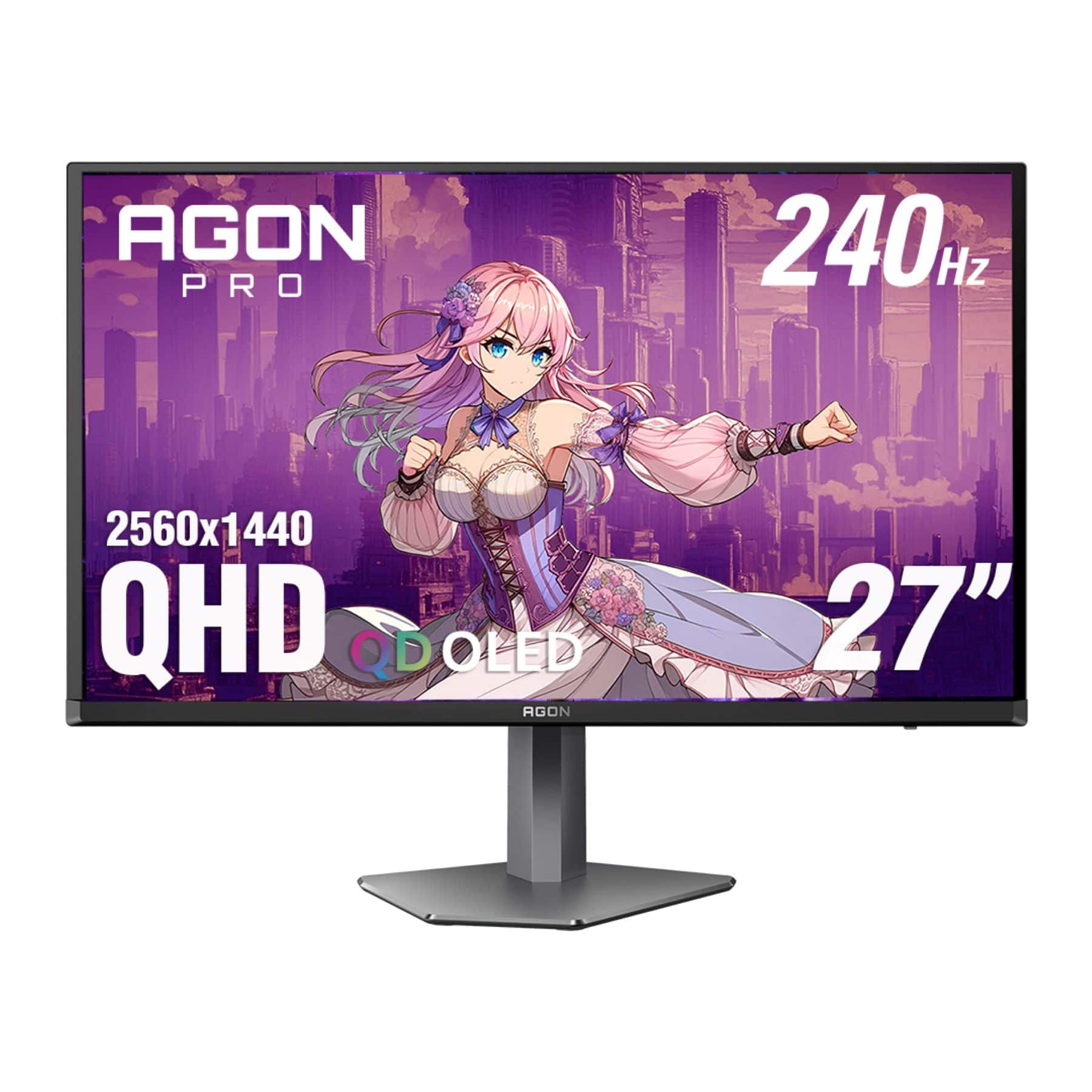
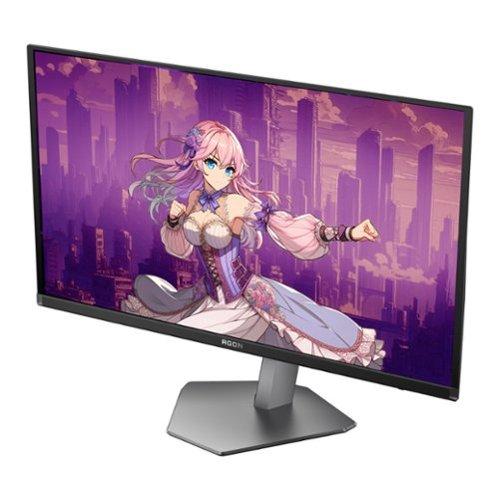
When you're shopping for a high-end gaming monitor, you'll quickly discover that the market has split into two fascinating directions. On one side, you have monitors like the Acer Nitro XV275K P3 pushing for incredible detail with 4K resolution and bright Mini-LED backlighting. On the other, displays like the AOC Agon Pro AG276QZD2 prioritize buttery-smooth motion with ultra-high refresh rates and perfect OLED blacks.
Both approaches have merit, but they serve different types of gamers. Understanding which camp you fall into will save you from buyer's remorse and help you get the most gaming enjoyment for your money.
The gaming monitor world has become incredibly sophisticated since these technologies emerged. The Acer Nitro XV275K P3 launched in 2023, representing the maturation of Mini-LED technology that was still finding its footing just a few years earlier. Meanwhile, the AOC Agon Pro AG276QZD2 arrived in 2024, riding the wave of QD-OLED panels that have revolutionized the display industry since Samsung first introduced them.
What's fascinating is how these two technologies solve different problems. Traditional LCD monitors struggled with contrast – they couldn't make truly dark blacks because the backlight was always on. Mini-LED addresses this by using thousands of tiny LEDs that can dim independently, creating much better contrast. QD-OLED takes a completely different approach, using pixels that emit their own light and can turn completely off, achieving perfect blacks.
The key considerations when choosing between these approaches boil down to a few critical factors: Do you want maximum visual detail or the smoothest possible motion? Are you gaming in a bright room or a dark cave? Do you create content or just consume it? Your answers will point you toward the right choice.
The Acer Nitro XV275K P3 uses Mini-LED backlighting, which is essentially a more refined version of traditional LCD technology. Instead of a few large LED strips lighting up the entire screen, Mini-LED uses 576 individual zones that can brighten or dim independently. Think of it like having hundreds of tiny flashlights behind your screen, each one adjustable.
This approach delivers some impressive numbers. The monitor can hit 1000 nits of peak brightness – that's bright enough to make HDR content really pop, even in a well-lit room. For context, most standard monitors top out around 300-400 nits, so this is a massive leap forward. The local dimming zones (those individual LED clusters) help create deeper blacks by dimming the backlight behind dark areas of the image.
What makes Mini-LED particularly appealing is its 4K resolution – that's 3840×2160 pixels, or roughly 8.3 million individual dots making up your image. The pixel density is incredible, meaning text looks razor-sharp and games show an almost overwhelming amount of detail.
The AOC Agon Pro AG276QZD2 takes the QD-OLED route, which combines quantum dot technology with OLED's self-emitting pixels. Each pixel produces its own light and can turn completely off when displaying black, creating infinite contrast ratios. It's the difference between trying to make a black image with a flashlight (LCD) versus being able to turn individual lights completely off (OLED).
QD-OLED's party trick is its incredible response time. At 0.03ms, pixels can change colors almost instantaneously. For comparison, most gaming LCDs struggle to get below 1ms, and many are much slower. This translates to virtually no motion blur – moving objects stay crisp and clear even during the most chaotic gaming moments.
The trade-off is resolution. This monitor runs at 1440p (2560×1440), which is still plenty sharp on a 27-inch screen but noticeably less detailed than 4K. However, this "limitation" enables the monitor's headline feature: a blistering 240Hz refresh rate.
Here's where the Acer Nitro XV275K P3 really flexes. 4K resolution means you're seeing 2.25 times more pixels than the AOC's 1440p display. In practical terms, this means game worlds look incredibly detailed – you can spot enemies at longer distances in competitive games, read small text without squinting, and appreciate all the artistic detail that developers put into their creations.
I've found that once you experience 4K gaming, it's tough to go back. The level of immersion is simply different when you can make out individual leaves on trees or read signs in the distance without zooming in. For single-player games where you want to soak in the atmosphere, 4K is transformative.
However, there's a significant catch: your graphics card needs to push all those pixels. Running games at 4K requires roughly four times the processing power of 1080p. Even with a high-end GPU, you might find yourself dropping settings to maintain smooth frame rates.
The AOC monitor, with its 1440p resolution, hits a sweet spot for many gamers. You still get sharp, detailed images, but your graphics card doesn't have to work nearly as hard. This means you can often max out graphics settings and still hit those high frame rates that make the 240Hz refresh rate worthwhile.
This is where the AOC Agon Pro AG276QZD2 absolutely dominates. At 240Hz, the monitor refreshes its image 240 times per second – that's four times faster than standard 60Hz displays and 50% faster than the Acer's already-impressive 160Hz.
Why does this matter? In fast-paced competitive games, higher refresh rates provide a genuine competitive advantage. You see enemy movements sooner, your crosshair tracking feels more precise, and the entire experience feels more responsive. Professional esports players don't use 240Hz+ monitors just for marketing – the difference is measurable and meaningful.
The Acer monitor, while "only" running at 160Hz, still provides an excellent gaming experience. For most players, 160Hz feels incredibly smooth compared to standard displays. The difference between 160Hz and 240Hz is noticeable but not as dramatic as jumping from 60Hz to 160Hz.
What's particularly impressive about the AOC monitor is how its QD-OLED technology eliminates motion blur almost entirely. Traditional LCD panels, even fast ones, can show ghosting or smearing during rapid movements. OLED's near-instantaneous pixel response times mean moving objects stay perfectly sharp.
High Dynamic Range (HDR) is where these monitors show their most dramatic differences. HDR content contains a much wider range of brightness levels than standard content – think of the difference between a dim cave and bright sunlight in the same scene.
The Acer Nitro XV275K P3 excels in HDR scenarios thanks to its 1000-nit peak brightness. When watching HDR movies or playing HDR games, bright elements like explosions, sunlight, or fire can be genuinely dazzling. The Mini-LED local dimming helps too – when part of the screen shows a dark scene, those LED zones dim down while bright areas stay brilliant.
I've found this particularly impressive when gaming in bright rooms. The high peak brightness means you don't lose image quality when sunlight streams through windows or room lights are on. Many monitors struggle in these conditions, but the Acer maintains excellent visibility.
The AOC monitor takes a different approach to contrast. While its peak brightness is lower (around 400-450 nits), it achieves perfect blacks. In a dark room, this creates an incredibly immersive experience – space scenes in games look like you're staring into the void, and nighttime gaming sessions feel more atmospheric.
The trade-off is that OLED displays can struggle in bright environments. Ambient light causes the black pixels to appear grayish, reducing the contrast advantage. If you're gaming in a bright room, the Acer's higher brightness and anti-glare coating work better.
For content creators or anyone who cares about accurate colors, the Acer Nitro XV275K P3 has a significant edge. It covers 99% of the Adobe RGB color space and 98% of DCI-P3, with factory calibration that achieves Delta E values under 2. In practical terms, this means colors look exactly as intended – crucial for photo editing, video work, or any color-critical applications.
The monitor includes multiple color space modes, including sRGB emulation for web content and professional modes for different types of work. Having used both types of displays extensively, I appreciate not having to second-guess whether colors look right.
The AOC monitor offers good color reproduction thanks to its quantum dot technology, but it's more focused on gaming than color accuracy. While colors look vivid and appealing for gaming and entertainment, it's not the tool you'd choose for professional color work.
For competitive gaming – think Counter-Strike, Valorant, or Rocket League – the AOC Agon Pro AG276QZD2 has clear advantages. The 240Hz refresh rate provides more visual information per second, potentially giving you split-second advantages in reaction time. Combined with the ultra-low input lag and perfect motion clarity, it's built for competitive play.
The lower resolution actually helps here too. Your graphics card can easily maintain high frame rates at 1440p, ensuring you're actually utilizing that 240Hz capability. There's no point having a 240Hz monitor if your GPU can only push 100 frames per second.
For story-driven games, open-world adventures, or cinematic experiences, the Acer Nitro XV275K P3 shines. The 4K resolution lets you appreciate all the visual detail developers packed into their games. Combined with excellent HDR performance, games like Cyberpunk 2077, Red Dead Redemption 2, or the latest Assassin's Creed titles look absolutely stunning.
The higher resolution also makes UI elements more readable and provides a more immersive field of view in many games. When you're exploring vast landscapes or intricate interior environments, that extra detail makes a real difference in immersion.
Both monitors work well with current-generation consoles, but with different strengths. The Acer monitor can display Xbox Series X and PS5 games at their native 4K resolution, though it's worth noting that console frame rates are typically limited to 60Hz or 120Hz for most games.
The AOC monitor can't display 4K from consoles (since it's a 1440p display), but it can show 1440p at up to 120Hz on Xbox Series X and some PS5 games. The superior motion clarity might actually make console games feel smoother even at lower refresh rates.
The Acer Nitro XV275K P3 stands out with its connectivity options, particularly the USB-C port with 90W power delivery. This is incredibly useful for laptop gamers – you can connect your laptop with a single cable that handles video, data, and charging simultaneously. The monitor also includes multiple HDMI 2.1 ports and DisplayPort connections.
Both monitors include USB hubs for connecting peripherals, but the Acer's implementation is more comprehensive. For users who switch between different devices regularly, this connectivity advantage is significant.
If you're considering either monitor for home theater use, there are important factors to consider. The Acer Nitro XV275K P3 works well in living room settings thanks to its high brightness and 4K resolution, which matches most streaming content and UHD Blu-rays. The larger color gamut also helps with movie content.
However, 27 inches is relatively small for home theater use unless you're sitting close. Both monitors lack the larger sizes (32+ inches) that work better for couch viewing. For dedicated home theater setups, you'd probably want to consider larger displays or actual TVs instead.
At the time of writing, these monitors occupy different value tiers, with the AOC Agon Pro AG276QZD2 positioned as the more affordable option while still delivering premium OLED technology. This makes it an excellent entry point into high-refresh OLED gaming.
The Acer Nitro XV275K P3 commands a premium for its 4K resolution, Mini-LED backlighting, and comprehensive feature set. However, considering the technology involved – particularly the Mini-LED implementation and factory calibration – it represents solid value for users who need its specific capabilities.
Both monitors should hold their value well over time. The Acer benefits from 4K being increasingly standard, while the AOC offers cutting-edge display technology that won't feel outdated anytime soon.
Choose the Acer Nitro XV275K P3 if you prioritize visual detail and versatility. It's the better choice for content creators, single-player gaming enthusiasts, anyone who games in bright environments, or users who want one monitor for both work and play. The 4K resolution and excellent color accuracy make it a long-term investment.
Go with the AOC Agon Pro AG276QZD2 if smooth motion and competitive performance matter most. It's ideal for competitive gamers, anyone who primarily games in darker environments, or users who want to experience OLED technology without paying premium prices. The 240Hz refresh rate and perfect blacks create an incredibly engaging gaming experience.
The decision ultimately comes down to your gaming priorities and setup. Both monitors excel in their intended use cases, and both represent the cutting edge of their respective technologies. Consider your gaming habits, your environment, and your budget – but either choice will deliver a premium gaming experience that should satisfy for years to come.
| Acer Nitro XV275K P3 27" Mini LED 4K UHD Gaming Monitor | AOC Agon Pro 27" QD-OLED 240Hz Gaming Monitor |
|---|---|
| Display Technology - Fundamentally different approaches to image quality | |
| IPS with 576-zone Mini-LED backlighting | QD-OLED with self-emitting pixels |
| Resolution - Higher resolution means sharper details but requires more GPU power | |
| 3840 x 2160 (4K UHD) - 163 PPI | 2560 x 1440 (QHD) - 109 PPI |
| Refresh Rate - Higher refresh rates provide smoother motion in competitive games | |
| 160Hz (DisplayPort/USB-C), 144Hz (HDMI) | 240Hz native |
| Response Time - Lower numbers reduce motion blur in fast-paced gaming | |
| 1ms GtG | 0.03ms GtG |
| Peak Brightness - Critical for HDR performance and bright room visibility | |
| 1000 nits (DisplayHDR 1000 certified) | ~400-450 nits (DisplayHDR True Black 400) |
| Contrast Ratio - Affects how deep blacks appear and overall image depth | |
| 100,000,000:1 (with local dimming) | Infinite (OLED advantage) |
| Color Gamut Coverage - Important for color accuracy in games and content creation | |
| 99% Adobe RGB, 98% DCI-P3, 130% sRGB | 99% DCI-P3, ~95%+ sRGB (typical QD-OLED) |
| Factory Calibration - Pre-tuned color accuracy saves time and ensures consistency | |
| Delta E < 2, multiple color space modes | Standard gaming calibration |
| HDR Support - Enhanced dynamic range for more realistic lighting in games | |
| HDR10, DisplayHDR 1000 certification | HDR10, DisplayHDR True Black 400 |
| Variable Refresh Rate - Eliminates screen tearing and stuttering | |
| AMD FreeSync Premium Pro, G-SYNC Compatible | Adaptive Sync, G-SYNC Compatible, AMD FreeSync |
| Connectivity - More ports provide better flexibility for multiple devices | |
| 2x HDMI 2.1, 1x DP 1.4, 1x USB-C (90W PD), USB hub | 2x HDMI 2.0, 2x DP 1.4, USB hub |
| Ergonomics - Adjustability affects comfort during long gaming sessions | |
| Height (150mm), tilt (-5° to 25°), swivel (±25°), pivot | Height, tilt, swivel, pivot adjustments |
| Power Consumption - Affects electricity costs and heat generation | |
| 28.77W typical, 210W maximum | Variable, typically higher than Mini-LED |
| Warranty Coverage - Protection against defects and technology-specific issues | |
| 3 years standard | 3 years including OLED burn-in protection |
| Target User - Best suited for different gaming and work scenarios | |
| 4K gaming, content creation, bright environments | Competitive gaming, dark room gaming, motion clarity priority |
The AOC Agon Pro 27" QD-OLED 240Hz Gaming Monitor is significantly better for competitive gaming. Its 240Hz refresh rate provides 50% smoother motion than the Acer Nitro XV275K P3's 160Hz, and the 0.03ms response time virtually eliminates motion blur. The lower 1440p resolution also allows your graphics card to maintain higher frame rates, ensuring you can actually utilize that 240Hz capability in games like Counter-Strike or Valorant.
Mini-LED uses thousands of tiny LED backlights behind an LCD panel to create better contrast, while QD-OLED uses self-emitting pixels that can turn completely off. The Acer Nitro XV275K P3 with Mini-LED achieves brighter highlights (1000 nits) and works better in bright rooms. The AOC Agon Pro with QD-OLED delivers perfect blacks and infinite contrast but performs best in darker environments.
The Acer Nitro XV275K P3 27" Mini LED 4K UHD Gaming Monitor offers superior image quality for immersive single-player gaming. Its 4K resolution provides 2.25x more detail than the AOC's 1440p display, making game worlds look incredibly sharp and detailed. The excellent HDR performance with 1000 nits peak brightness also enhances atmospheric games with dramatic lighting.
Both monitors work with current consoles, but differently. The Acer Nitro XV275K P3 can display games at native 4K resolution from both consoles, matching their maximum output. The AOC Agon Pro will upscale console output to its 1440p resolution, but offers superior motion clarity at 120Hz for supported games. Both support variable refresh rate features from Xbox Series X.
The Acer Nitro XV275K P3 27" Mini LED 4K UHD Gaming Monitor is far superior for content creation. It covers 99% Adobe RGB and 98% DCI-P3 color spaces with factory calibration achieving Delta E < 2 for accurate colors. The 4K resolution provides the detail needed for photo and video editing, while multiple color space modes ensure accurate color reproduction for professional work.
The AOC Agon Pro 27" QD-OLED 240Hz Gaming Monitor runs at 240Hz compared to the Acer's 160Hz. This 50% difference means the AOC displays 80 more frames per second, providing smoother motion and potentially faster reaction times in competitive games. However, 160Hz is still excellent for most gaming scenarios and more achievable with demanding 4K games.
The Acer Nitro XV275K P3 performs significantly better in bright environments thanks to its 1000-nit peak brightness and anti-glare coating. The AOC Agon Pro's OLED technology struggles with ambient light, as bright room lighting can make black areas appear grayish, reducing its contrast advantage. For gaming near windows or in well-lit rooms, the Acer is the clear choice.
The Acer Nitro XV275K P3 27" Mini LED 4K UHD Gaming Monitor offers superior connectivity with USB-C port featuring 90W power delivery, plus 2x HDMI 2.1 and DisplayPort 1.4. This allows single-cable connection to laptops for video, data, and charging. The AOC Agon Pro provides standard gaming connectivity with 2x DisplayPort 1.4, 2x HDMI 2.0, and a USB hub, but lacks USB-C convenience.
Both monitors offer excellent value in their categories. The AOC Agon Pro typically costs less while delivering cutting-edge QD-OLED technology and 240Hz performance, making it great value for competitive gamers. The Acer Nitro XV275K P3 commands a premium for its 4K resolution, Mini-LED technology, and versatility, but provides strong value for users needing both gaming and professional capabilities.
Only the AOC Agon Pro 27" QD-OLED 240Hz Gaming Monitor has potential burn-in concerns due to its OLED technology. However, AOC includes 3-year burn-in warranty coverage, and modern OLED panels have improved burn-in resistance significantly. The Acer Nitro XV275K P3 uses traditional LCD technology with no burn-in risk, making it more suitable for static content or extended desktop use.
For movie watching, both have strengths depending on your environment. The Acer Nitro XV275K P3 offers 4K resolution matching most streaming content and better brightness for daytime viewing. The AOC Agon Pro provides perfect blacks and infinite contrast for incredible dark room movie experiences. However, both are 27-inch displays, which may be small for dedicated home theater use compared to larger TVs.
The AOC Agon Pro 27" QD-OLED 240Hz Gaming Monitor is easier to drive at 1440p resolution, allowing mid-range to high-end graphics cards to achieve high frame rates. The Acer Nitro XV275K P3 requires significantly more GPU power for 4K gaming - you'll need a high-end graphics card like RTX 4070 or better to maintain good frame rates at maximum settings. Consider your current GPU when choosing between these monitors.
We've done our best to create useful and informative comparisons to help you decide what product to buy. Our research uses advanced automated methods to create this comparison and perfection is not possible - please contact us for corrections or questions. These are the sites we've researched in the creation of this article: bestbuy.com - rtings.com - reviewed.com - displayninja.com - youtube.com - displayninja.com - youtube.com - dpreview.com - acer.com - buy.bluum.com - shi.com - camcor.com - newegg.com - provantage.com - displayspecifications.com - colamco.com - displayspecifications.com - walmart.com - bestbuy.com - tomshardware.com - techpowerup.com - tomshardware.com - aoc.com - tftcentral.co.uk - aoc.com - rtings.com - bestbuy.com - youtube.com - displayspecifications.com - aoc.com - microcenter.com - guru3d.com

Privacy Policy
Terms and Conditions - Affiliate Policy
Home Security
© Copyright 2008-2026.
11816 Inwood Rd #1211, Dallas, TX 75244