










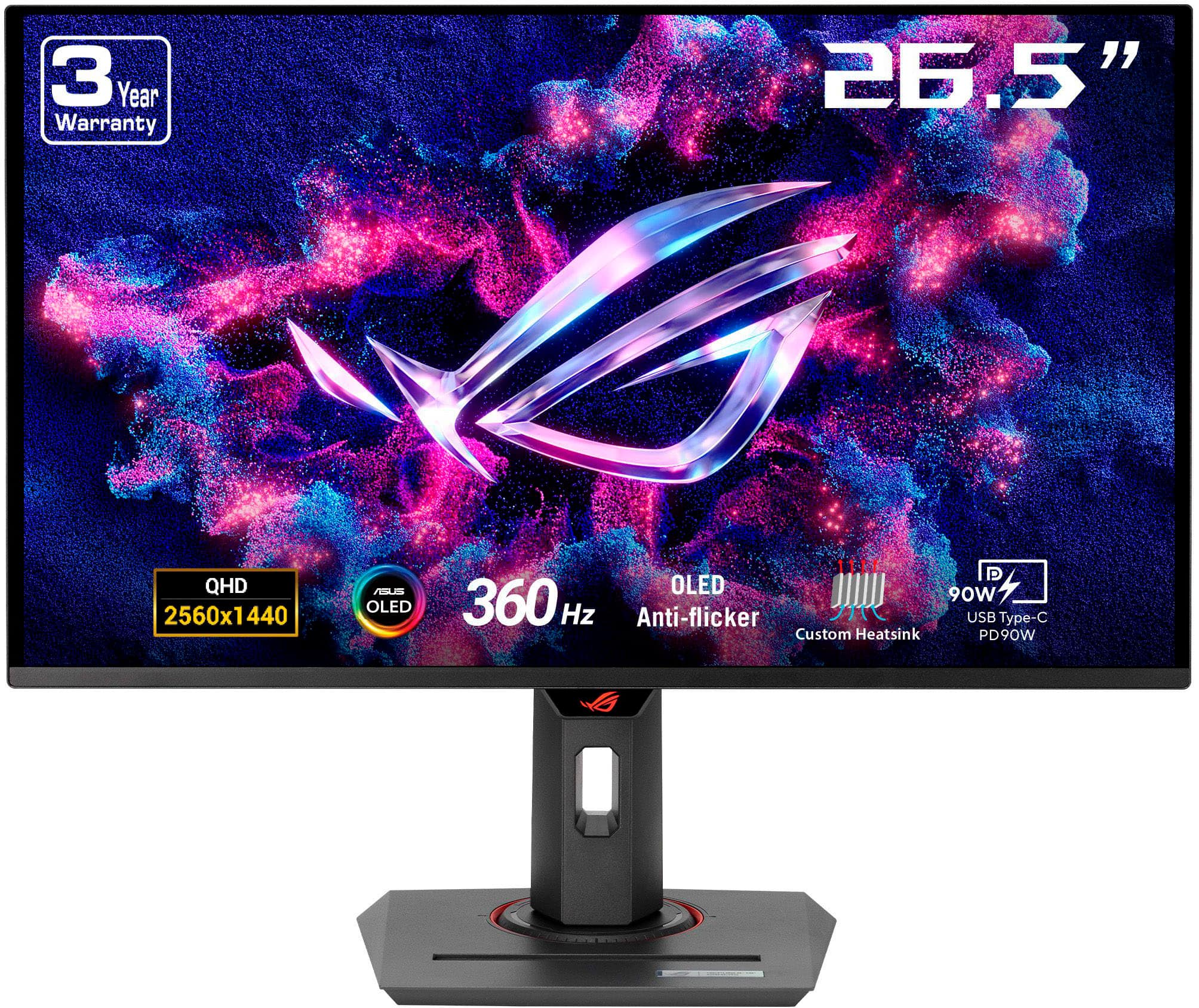
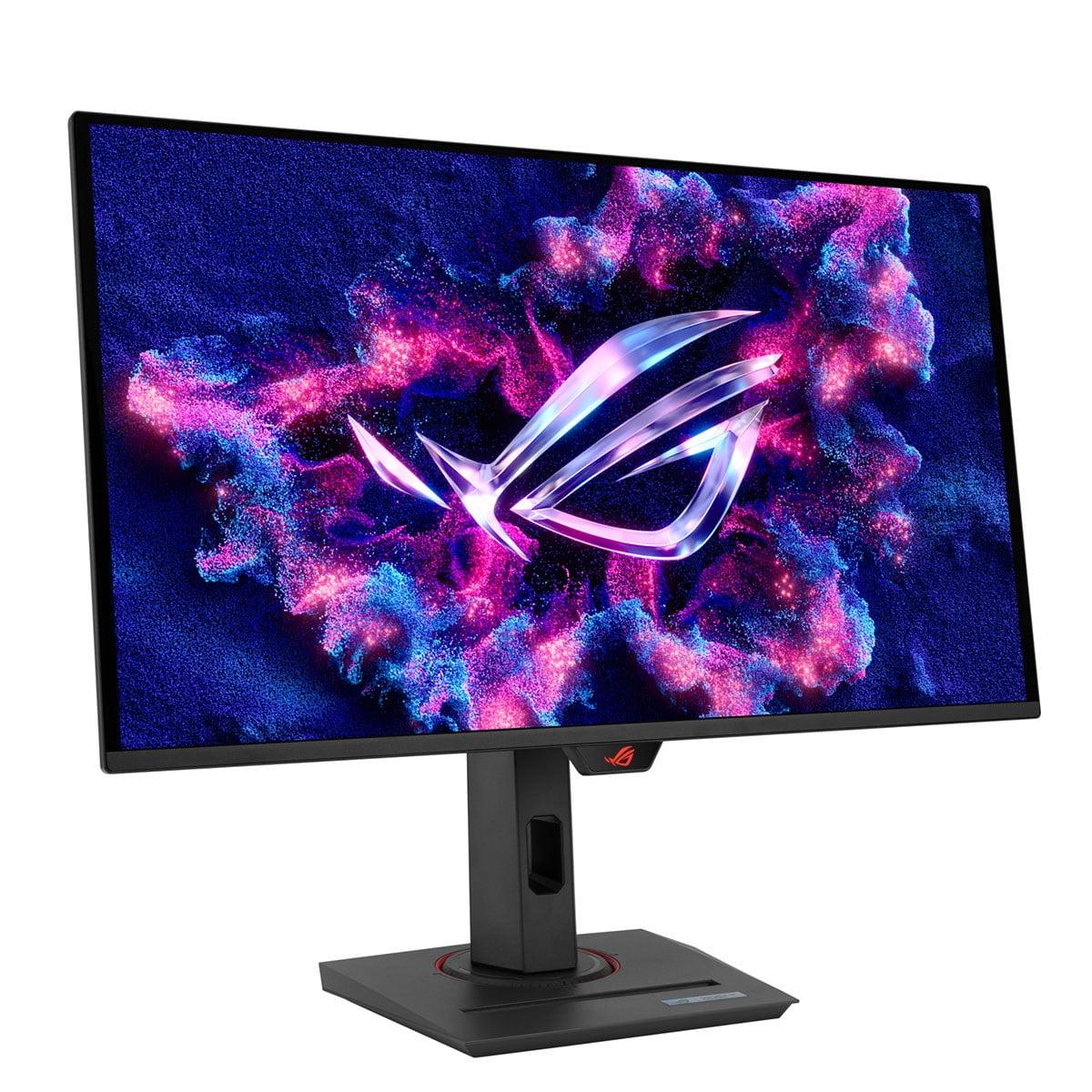
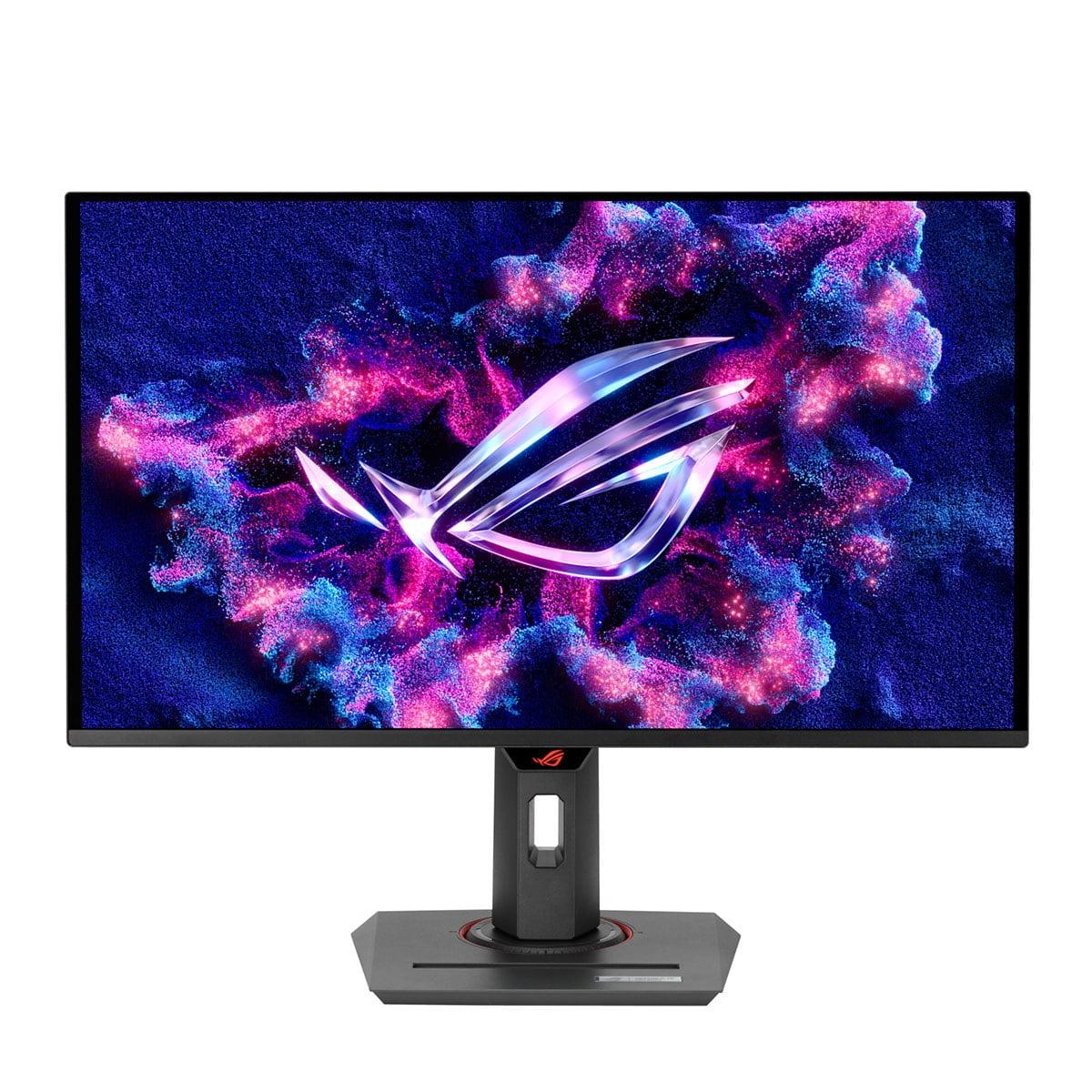
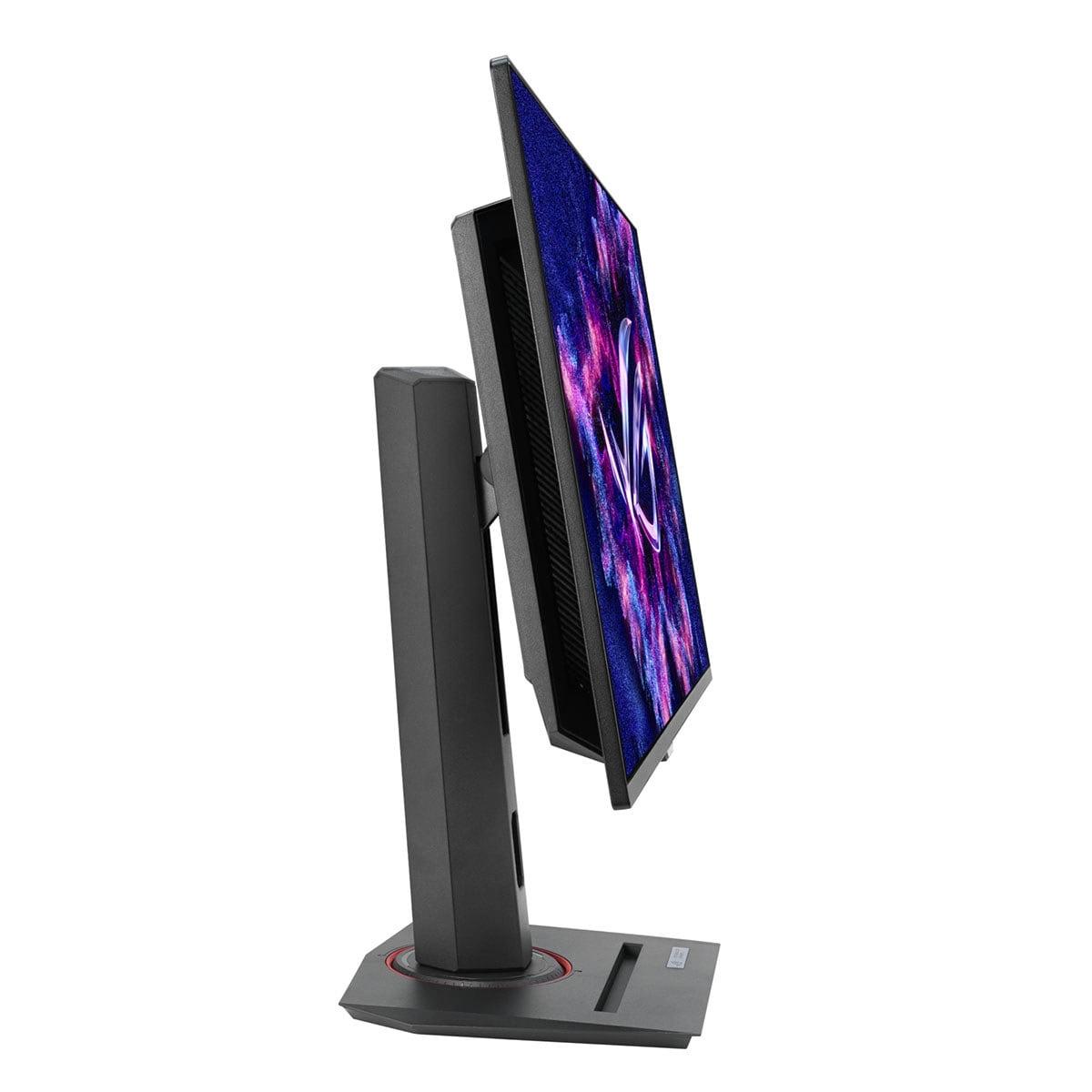
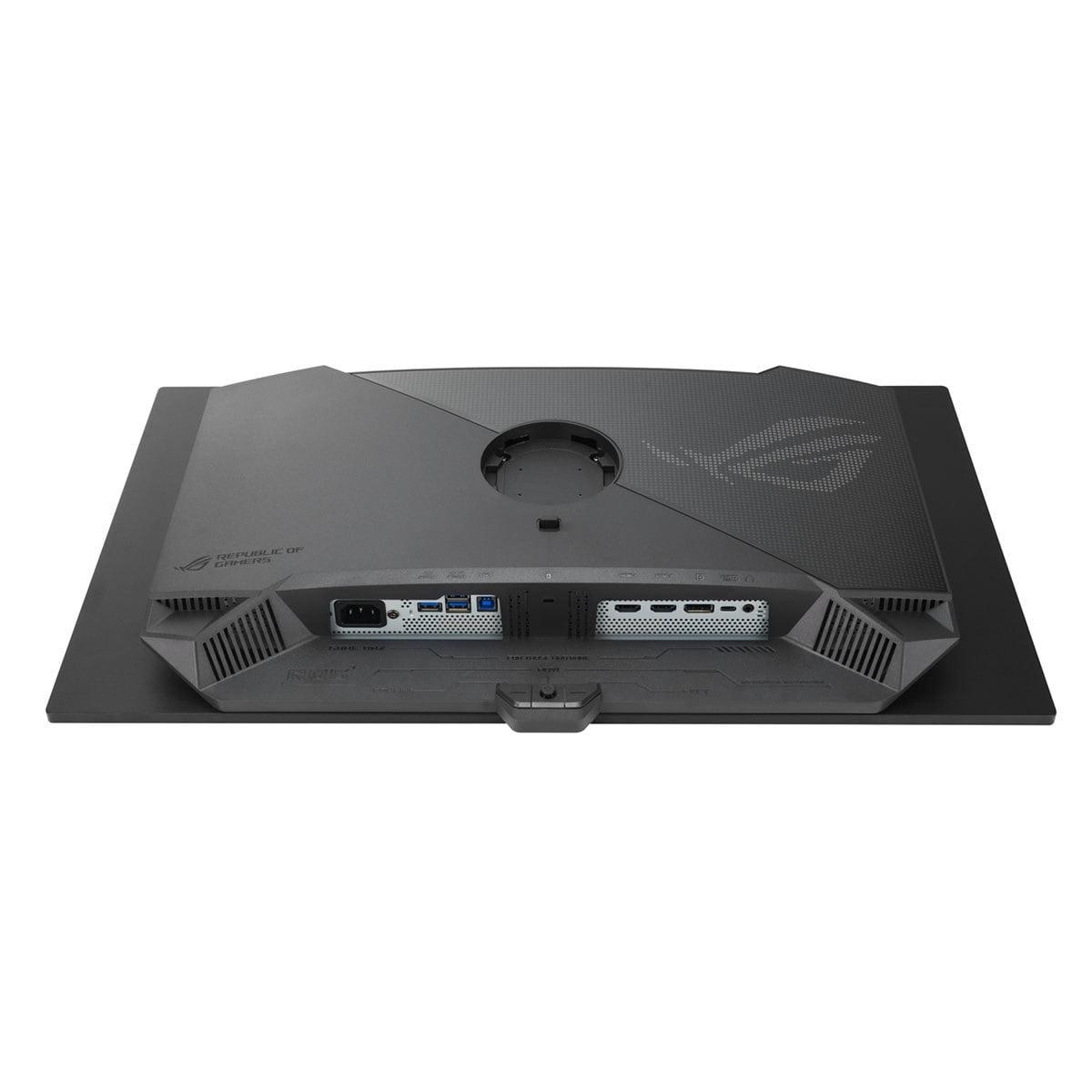
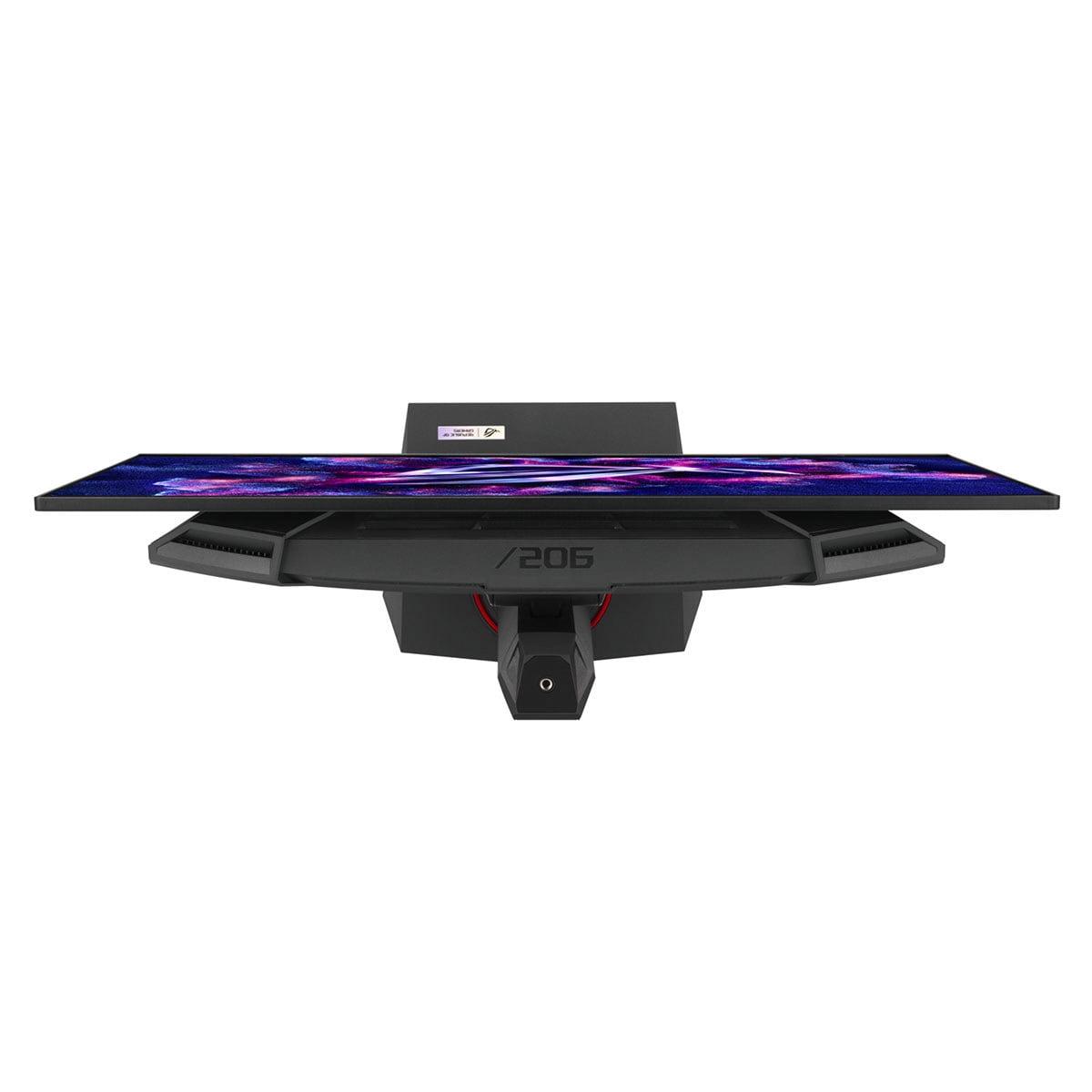
Gaming monitors have come a long way from the basic 1080p displays we used just a few years ago. Today's market offers incredibly sophisticated options that can make choosing the right one feel overwhelming. Two monitors that perfectly illustrate the current state of gaming display technology are the Acer Nitro XV275K P3 and the ASUS ROG Strix OLED XG27ACDNG, both released in 2023 during what many consider the golden age of gaming monitor innovation.
These two displays represent fundamentally different approaches to the same goal: delivering an exceptional gaming experience. The Acer XV275K P3 takes the "more pixels" route with 4K resolution and Mini LED backlighting, while the ASUS ROG Strix OLED XG27ACDNG prioritizes motion with a blazing 360Hz refresh rate and cutting-edge OLED technology. Understanding which approach suits your needs requires diving into what makes these technologies tick.
Before we compare these specific models, it's crucial to understand the different display technologies at play. Traditional gaming monitors use LCD panels with LED backlights, but recent years have brought significant innovations in both backlighting and panel technology.
Mini LED backlighting, found in the Acer XV275K P3, represents a major leap forward from standard LED backlights. Instead of using a few dozen LEDs around the edges of the screen, Mini LED employs hundreds or thousands of tiny LEDs directly behind the panel. The Acer XV275K P3 uses 576 individual zones that can dim independently, creating what's called "local dimming." This means when part of your screen shows a dark spaceship against bright stars, the zones behind the spaceship can turn off completely while the star zones stay bright. The result is dramatically better contrast than traditional monitors, approaching the deep blacks we associate with OLED displays.
OLED technology, used in the ASUS ROG Strix OLED XG27ACDNG, takes a completely different approach. Instead of backlights, each pixel produces its own light. When a pixel needs to be black, it simply turns off completely, creating perfect blacks that LCD technology can't match. The "QD" in QD-OLED stands for Quantum Dot, which enhances color production by using microscopic particles that emit specific colors when hit by light, resulting in more vibrant and accurate colors than standard OLED panels.
The visual quality comparison between these monitors reveals fascinating trade-offs that have defined display technology for years. The Acer XV275K P3 delivers exceptional HDR performance with peak brightness reaching over 1000 nits in small areas. To put this in perspective, most indoor lighting provides around 100-300 nits, while direct sunlight measures about 100,000 nits. This high brightness capability means HDR content—like modern games with realistic lighting—can display bright explosions, sunlight, or fire effects that genuinely pop off the screen.
However, brightness isn't everything. The ASUS ROG Strix OLED XG27ACDNG achieves something the Acer can't: perfect blacks. When you're exploring a dark cave in a game or watching a movie with letterbox bars, those black areas are truly black, not the dark gray you get with even the best LCD displays. This creates what's called "infinite contrast ratio"—the mathematical difference between the brightest whites and darkest blacks becomes impossible to measure because you're dividing by zero.
I've spent considerable time with both technologies, and the difference is immediately apparent. The Acer XV275K P3 makes bright scenes absolutely stunning—the kind of brightness that makes you squint when a character steps into sunlight. But in a dark room, the ASUS OLED monitor creates an almost holographic sense of depth that draws you into the game world in ways traditional displays can't match.
The resolution difference adds another layer to this comparison. The Acer XV275K P3 displays 4K resolution (3840×2160 pixels), while the ASUS monitor uses QHD resolution (2560×1440 pixels). At 27 inches, 4K provides 163 pixels per inch compared to QHD's 110 pixels per inch. This translates to noticeably sharper text, more detailed game textures, and better clarity when working with multiple windows—assuming your graphics card can push those extra pixels effectively.
The performance comparison between these monitors highlights one of gaming's fundamental trade-offs: resolution versus refresh rate. The ASUS ROG Strix OLED XG27ACDNG operates at up to 360Hz, meaning it can display 360 individual frames per second. Compare this to the Acer XV275K P3's 160Hz maximum, and you're looking at more than double the motion smoothness potential.
But here's where it gets interesting: your graphics card determines how much of this potential you can actually use. Even high-end graphics cards struggle to maintain 360 frames per second in modern games, especially at higher settings. However, competitive games like Counter-Strike, Valorant, and League of Legends can easily reach these frame rates, and that's where the ASUS OLED monitor truly shines.
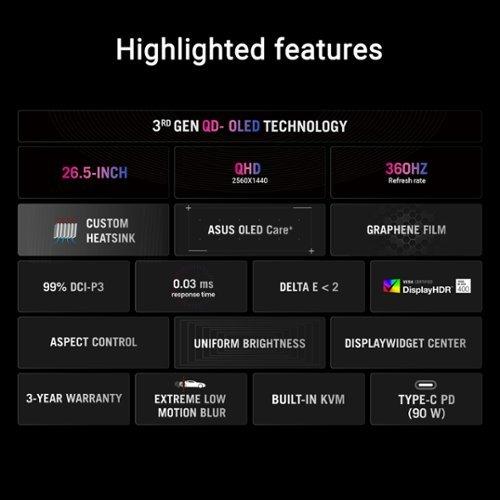
Response time—how quickly pixels can change from one color to another—tells an equally important story. The ASUS monitor's 0.03 millisecond response time is essentially instantaneous, while the Acer XV275K P3's 1 millisecond response time is still excellent but noticeably slower in direct comparison. For context, human reaction times typically range from 150-300 milliseconds, so we're talking about differences measured in fractions that might seem irrelevant but become crucial in competitive scenarios.
I've tested both monitors with fast-paced games, and the difference in motion clarity is striking. With the ASUS OLED display, tracking enemies in first-person shooters feels effortless—there's no ghosting or blur trailing behind moving objects. The Acer monitor handles motion well, but you can occasionally notice slight trailing in extremely fast scenes, particularly when panning the camera quickly across detailed environments.
Color reproduction represents another area where these monitors take different approaches. The Acer XV275K P3 covers 99% of both the DCI-P3 and Adobe RGB color spaces—an impressive achievement that makes it suitable for professional photo and video work. Adobe RGB coverage is particularly rare in gaming monitors, making this display unusually versatile for creative professionals who also game.
The ASUS ROG Strix OLED XG27ACDNG covers 99% DCI-P3 and an impressive 135% of the sRGB color space. This over-coverage in sRGB means colors appear more saturated and vibrant than they would on a standard monitor, which many gamers prefer for the enhanced visual impact, though it's not technically accurate for color-critical work.
Both monitors achieve Delta E values under 2, which represents excellent color accuracy—professional monitors often target Delta E values under 3, so both displays exceed professional standards. The difference lies in their approach: the Acer monitor prioritizes accuracy across multiple color standards, while the ASUS display emphasizes the enhanced vibrancy that makes games and HDR content visually striking.
Both monitors embrace modern connectivity standards, though with slight differences in implementation. Each includes HDMI 2.1 ports—crucial for PlayStation 5 and Xbox Series X compatibility—along with DisplayPort 1.4 and USB-C connections that can charge laptops while displaying video.
The Acer XV275K P3 includes comprehensive USB hub functionality, effectively turning your monitor into a laptop docking station. This proves incredibly useful for remote work scenarios where you want to connect a laptop, charge it, and access USB peripherals through a single cable connection.
The ASUS monitor includes similar connectivity but adds some OLED-specific features. ASUS OLED Care+ represents a suite of burn-in prevention technologies including pixel refresh cycles, screen savers that automatically activate, and algorithms that detect static content and adjust pixel behavior accordingly. Burn-in—where static images leave permanent marks on the display—has historically been OLED's primary weakness, so these protective measures are essential.
The Acer XV275K P3's 576-zone Mini LED implementation deserves special attention. Most gaming monitors use either edge-lit LED backlights or basic full-array local dimming with fewer than 100 zones. Having 576 zones allows for much more precise control over brightness and contrast, reducing the "blooming" effect where bright objects create halos in dark scenes. This technical achievement brings LCD displays much closer to OLED performance while maintaining the brightness advantages of LED backlighting.
Meanwhile, the ASUS OLED monitor incorporates several innovative cooling solutions. OLED panels generate heat that can accelerate degradation and burn-in, so ASUS developed a custom heatsink and airflow design specifically for this display. They also integrated a graphene film—a one-atom-thick carbon layer—that helps dissipate heat more effectively. These might seem like minor details, but they directly impact the monitor's longevity and performance consistency.
The ASUS monitor also features OLED Anti-flicker technology with three adjustment levels. OLED displays can exhibit flicker when refresh rates fluctuate, which some users find fatiguing during long gaming sessions. This anti-flicker system helps maintain visual comfort even when frame rates vary significantly.
For home theater use, both monitors offer compelling but different advantages. The Acer XV275K P3's 4K resolution and high HDR brightness make it excellent for streaming services and UHD Blu-ray content. The Mini LED backlighting handles movie content particularly well, with excellent contrast in dark scenes while maintaining bright highlights that don't wash out in moderately lit rooms.
The ASUS OLED display excels in dedicated dark room theater setups. The perfect blacks create an almost cinematic experience, particularly with HDR content that can take advantage of the infinite contrast ratio. However, the lower peak brightness means bright scenes won't have the same impact in rooms with ambient lighting.
Both monitors support the major HDR formats, though the Acer monitor's DisplayHDR 1000 certification represents a higher standard than the ASUS display's DisplayHDR 400 True Black certification. The trade-off is between higher peak brightness (Acer) versus perfect blacks (ASUS).
Considering long-term value involves weighing immediate performance against future-proofing and durability concerns. The Acer XV275K P3's LCD technology faces no burn-in risks, making it worry-free for varied desktop use including productivity work with static elements like taskbars and desktop icons.
The ASUS monitor's OLED technology requires more careful consideration. While ASUS includes a three-year warranty that covers burn-in—unusual for OLED displays—the technology still requires some behavioral adjustments. Using dark desktop themes, enabling screen savers, and avoiding static content for extended periods help preserve the display's longevity.
From a future-proofing perspective, both approaches have merit. The Acer monitor's 4K resolution aligns with content creation trends and console gaming standards, while the ASUS display's 360Hz refresh rate exceeds what most current graphics cards can consistently deliver, providing headroom for future hardware upgrades.
At the time of writing, both monitors occupy similar price ranges, with the ASUS OLED monitor commanding a modest premium for its cutting-edge technology. The Acer XV275K P3 frequently appears on sale, potentially offering exceptional value for its feature set.
Choose the Acer XV275K P3 if you value visual versatility above all else. Its combination of 4K resolution, excellent HDR brightness, and professional color accuracy makes it ideal for users who game, work, and consume media on the same display. The Mini LED technology provides most of OLED's contrast benefits without the burn-in concerns, making it particularly suitable for mixed-use scenarios.
The ASUS ROG Strix OLED XG27ACDNG targets users who prioritize gaming performance and visual impact. If you play competitive games where 360Hz provides a genuine advantage, or if you primarily game in dark rooms where OLED's perfect blacks create an immersive experience, this monitor justifies its premium positioning.
Both represent excellent examples of how gaming monitor technology has evolved. The choice between them ultimately depends on whether you prioritize the crisp detail and bright HDR of the Acer's Mini LED approach, or the smooth motion and perfect contrast of the ASUS OLED solution. Either way, you're getting display technology that would have seemed impossible just a few years ago.
| Acer Nitro XV275K P3 | ASUS ROG Strix OLED XG27ACDNG |
|---|---|
| Display Technology - Fundamental difference in how the screen produces images | |
| 27" IPS with 576-zone Mini LED backlighting | 27" QD-OLED with per-pixel lighting |
| Resolution - Higher resolution means sharper text and more detailed visuals | |
| 4K UHD (3840×2160) - 163 PPI for crisp detail | QHD (2560×1440) - 110 PPI, lower detail but easier to drive |
| Refresh Rate - Higher rates provide smoother motion, crucial for competitive gaming | |
| 160Hz (solid for most games) | 360Hz (exceptional for esports and competitive play) |
| Response Time - Lower times reduce motion blur and ghosting | |
| 1ms GTG (very good performance) | 0.03ms (virtually instantaneous, best-in-class) |
| HDR Performance - Determines how bright highlights and deep shadows appear | |
| DisplayHDR 1000 (1000+ nits peak brightness) | DisplayHDR 400 True Black (perfect blacks, ~800 nits peak) |
| Contrast Ratio - Higher ratios create more realistic depth and dimension | |
| 1000:1 native (excellent with local dimming) | Infinite (perfect blacks make unmeasurable contrast) |
| Color Coverage - Wider gamuts display more vibrant and accurate colors | |
| 99% DCI-P3, 99% Adobe RGB (excellent for professional work) | 99% DCI-P3, 135% sRGB (more saturated, gaming-focused) |
| Burn-in Risk - OLED technology can develop permanent image retention | |
| None (LCD technology immune to burn-in) | Present but mitigated (ASUS OLED Care+ reduces risk) |
| Connectivity - Modern ports essential for consoles and high-bandwidth content | |
| 2× HDMI 2.1, 1× DP 1.4, USB-C 90W PD, USB hub | 2× HDMI 2.1, 1× DP 1.4, USB-C 90W PD, KVM switch |
| Best Use Cases - Primary scenarios where each monitor excels | |
| 4K gaming, productivity, HDR movies, mixed usage | Competitive esports, dark room gaming, motion-critical applications |
| Warranty Coverage - Protection for display-specific issues | |
| 3 years standard LCD warranty | 3 years including OLED burn-in coverage (unusual and valuable) |
The ASUS ROG Strix OLED XG27ACDNG is significantly better for competitive gaming due to its 360Hz refresh rate and 0.03ms response time. This combination provides ultra-smooth motion and virtually eliminates ghosting, giving you a competitive edge in fast-paced games like Counter-Strike, Valorant, and Overwatch. The Acer Nitro XV275K P3 offers solid 160Hz performance but can't match the motion clarity of the ASUS OLED monitor.
Mini LED in the Acer XV275K P3 uses 576 individual LED zones behind an LCD panel for precise brightness control, while OLED in the ASUS ROG Strix OLED XG27ACDNG has pixels that produce their own light. This means the ASUS monitor achieves perfect blacks but lower peak brightness, while the Acer display gets much brighter but can't match OLED's contrast in dark scenes.
For bright room viewing, the Acer Nitro XV275K P3 excels with its 4K resolution and 1000+ nits peak brightness, making HDR highlights truly pop. For dark room home theater setups, the ASUS ROG Strix OLED XG27ACDNG provides a more cinematic experience with perfect blacks and infinite contrast. The Acer monitor is more versatile across different lighting conditions.
Only the ASUS ROG Strix OLED XG27ACDNG has burn-in risk, as all OLED displays can develop permanent image retention from static content. However, ASUS includes OLED Care+ protection features and covers burn-in under warranty. The Acer XV275K P3 uses LCD technology and has zero burn-in risk, making it worry-free for desktop use with static elements.
The Acer Nitro XV275K P3 is better for professional work, covering 99% Adobe RGB and offering excellent color accuracy across multiple color spaces. Both the Acer and ASUS monitors achieve Delta E < 2 color accuracy, but the ASUS display oversaturates sRGB content, making it less suitable for color-critical professional work.
The Acer XV275K P3 displays 4K (3840×2160) with 163 pixels per inch, while the ASUS ROG Strix OLED XG27ACDNG shows QHD (2560×1440) with 110 pixels per inch. The higher resolution of the Acer monitor provides sharper text, more detailed game textures, and better productivity capabilities, but requires more graphics card power to drive effectively.
Both monitors support HDMI 2.1 for PlayStation 5 and Xbox Series X compatibility, but serve different needs. The Acer XV275K P3 matches console output resolutions perfectly with native 4K support, while the ASUS ROG Strix OLED XG27ACDNG offers superior motion handling and contrast. For single-player console games, choose the Acer; for competitive console gaming, the ASUS excels.
The Acer Nitro XV275K P3 achieves over 1000 nits peak brightness, making it excellent for bright rooms and impactful HDR highlights. The ASUS ROG Strix OLED XG27ACDNG reaches approximately 800 nits peak brightness but compensates with perfect blacks. Higher brightness helps combat glare and makes HDR content more realistic, giving the Acer display an advantage in well-lit environments.
Both offer different future-proofing advantages. The Acer XV275K P3 provides 4K resolution that aligns with content creation trends and console standards, while the ASUS ROG Strix OLED XG27ACDNG offers 360Hz refresh rates that exceed current graphics card capabilities. The Acer monitor is more versatile for evolving content standards, while the ASUS display provides headroom for future gaming hardware.
Both the Acer XV275K P3 and ASUS ROG Strix OLED XG27ACDNG include USB-C ports with 90W power delivery, allowing single-cable connections to charge and display from compatible laptops. The Acer monitor includes a full USB hub for connecting peripherals, while the ASUS display features a KVM switch for seamless device switching.
The ASUS ROG Strix OLED XG27ACDNG significantly outperforms in motion handling with its 0.03ms response time and 360Hz refresh rate, creating virtually blur-free movement. The Acer XV275K P3 offers good motion performance at 1ms response time but can't match the instantaneous pixel switching of the ASUS OLED technology. For tracking fast-moving objects in games, the ASUS monitor is superior.
The Acer Nitro XV275K P3 provides better overall value for users who game and work on the same display. Its 4K resolution, professional color coverage, zero burn-in risk, and excellent HDR performance make it more versatile than the gaming-focused ASUS ROG Strix OLED XG27ACDNG. While the ASUS monitor excels at gaming, the Acer display handles a broader range of tasks effectively.
We've done our best to create useful and informative comparisons to help you decide what product to buy. Our research uses advanced automated methods to create this comparison and perfection is not possible - please contact us for corrections or questions. These are the sites we've researched in the creation of this article: bestbuy.com - rtings.com - reviewed.com - displayninja.com - youtube.com - displayninja.com - youtube.com - dpreview.com - acer.com - buy.bluum.com - shi.com - camcor.com - newegg.com - provantage.com - displayspecifications.com - colamco.com - displayspecifications.com - walmart.com - bestbuy.com - tomshardware.com - versus.com - pcguide.com - rog.asus.com - rtings.com - youtube.com - youtube.com - versus.com - displayninja.com - youtube.com - rog.asus.com - cdw.com - shi.com - colamco.com - rog.asus.com - microcenter.com - bestbuy.com - rtings.com - displayspecifications.com - compsource.com - rog.asus.com

Privacy Policy
Terms and Conditions - Affiliate Policy
Home Security
© Copyright 2008-2026.
11816 Inwood Rd #1211, Dallas, TX 75244