









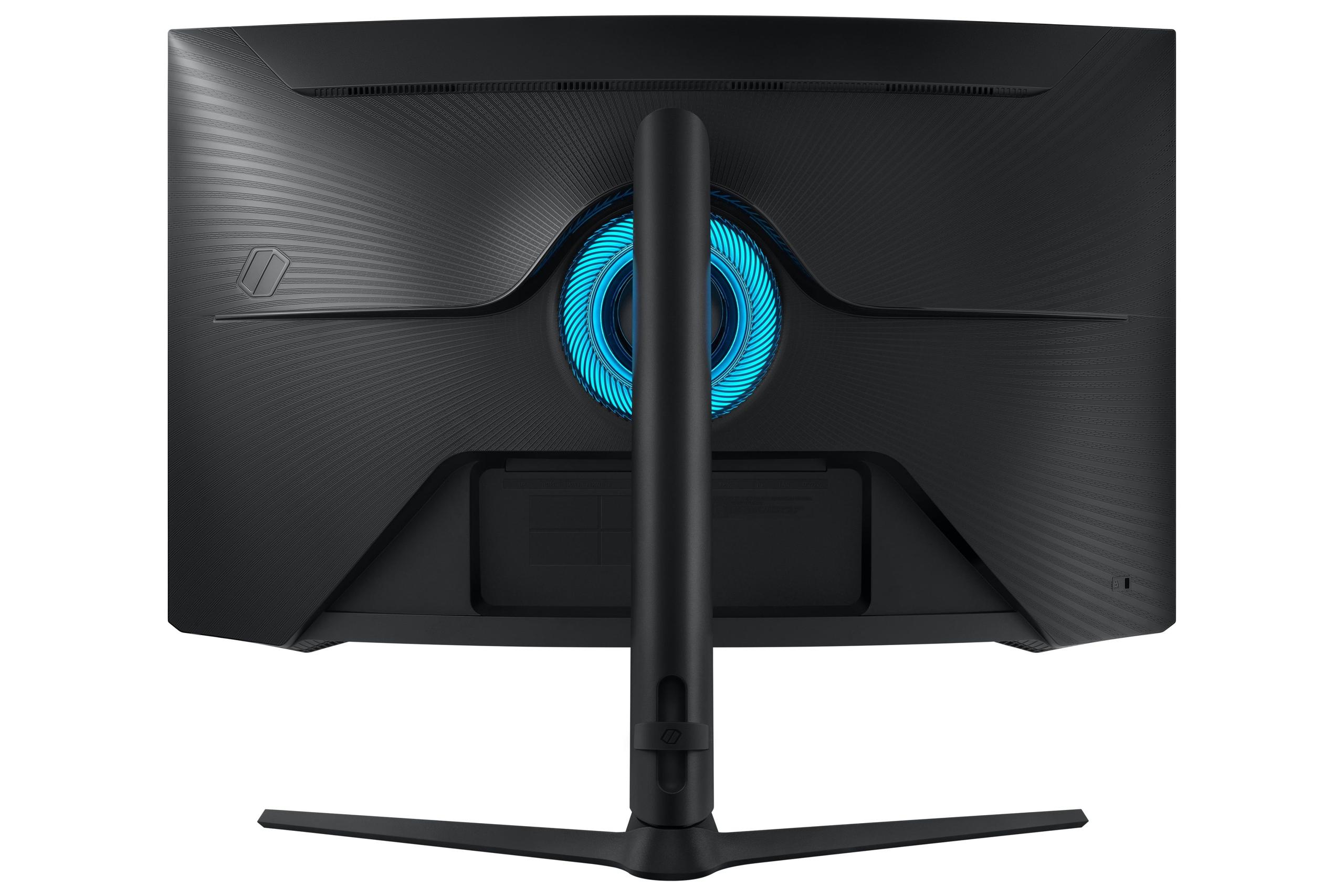
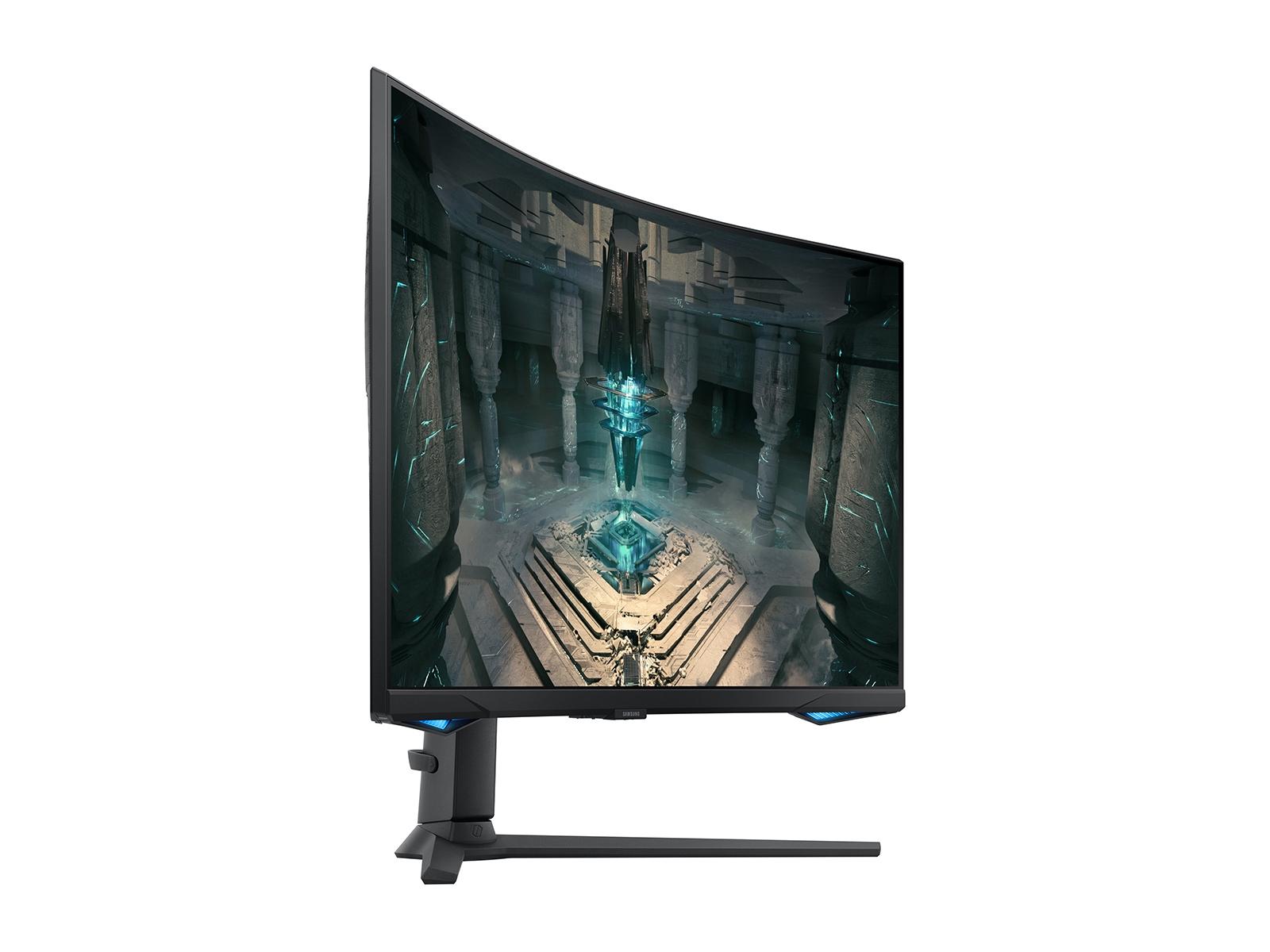
Choosing the right gaming monitor can feel overwhelming, especially when you're comparing two fundamentally different approaches to performance. The Acer Nitro XV275K P3 and Samsung Odyssey G65B represent a classic dilemma in gaming displays: do you prioritize stunning visual quality or lightning-fast competitive performance? Both monitors launched in 2023, but they take completely different paths to gaming excellence.
Let me walk you through everything you need to know to make the right choice for your setup.
Before diving into specifics, it's worth understanding how gaming monitors differ from regular displays. Gaming monitors are engineered with three key priorities: speed (how fast they can refresh the image), responsiveness (how quickly they react to your inputs), and visual quality (how good games actually look).
The market essentially splits into two camps. Competitive gaming monitors prioritize speed above all else – these displays push refresh rates as high as possible to give esports players every advantage. On the other side, you have premium visual monitors that focus on resolution, color accuracy, and HDR performance to make games look absolutely stunning.
When evaluating any gaming monitor, you'll want to consider refresh rate (how many times per second the screen updates), response time (how quickly pixels change color), input lag (the delay between your mouse click and seeing the result), and resolution (how sharp and detailed the image appears). Both the Acer XV275K P3 and Samsung G65B excel in different areas of this performance matrix.
The Acer Nitro XV275K P3 positions itself as a premium visual experience wrapped in a gaming-focused package. At its core, this monitor features a 27-inch 4K UHD display – that's 3840 by 2160 pixels, delivering four times the detail of standard 1080p displays. But the real magic happens with its Mini-LED backlighting system.
Mini-LED technology represents a significant leap forward in display quality. Instead of traditional LED backlights that illuminate the entire screen, the Acer monitor uses 576 individual LED zones that can dim or brighten independently. Think of it like having 576 tiny flashlights behind your screen, each one adjustable to create perfect contrast between bright explosions and dark shadows in games.
This sophisticated backlighting enables the monitor to achieve 1000 nits of peak brightness – that's roughly three times brighter than most monitors. More importantly, it can dim zones to near-black levels while keeping bright areas blazing, creating that dramatic HDR effect where highlights pop off the screen.
The display uses an IPS panel (In-Plane Switching), which provides excellent color accuracy and wide viewing angles. The Acer covers 99% of both Adobe RGB and DCI-P3 color spaces – technical terms that essentially mean it can display nearly every color your eyes can see, making games look incredibly lifelike.
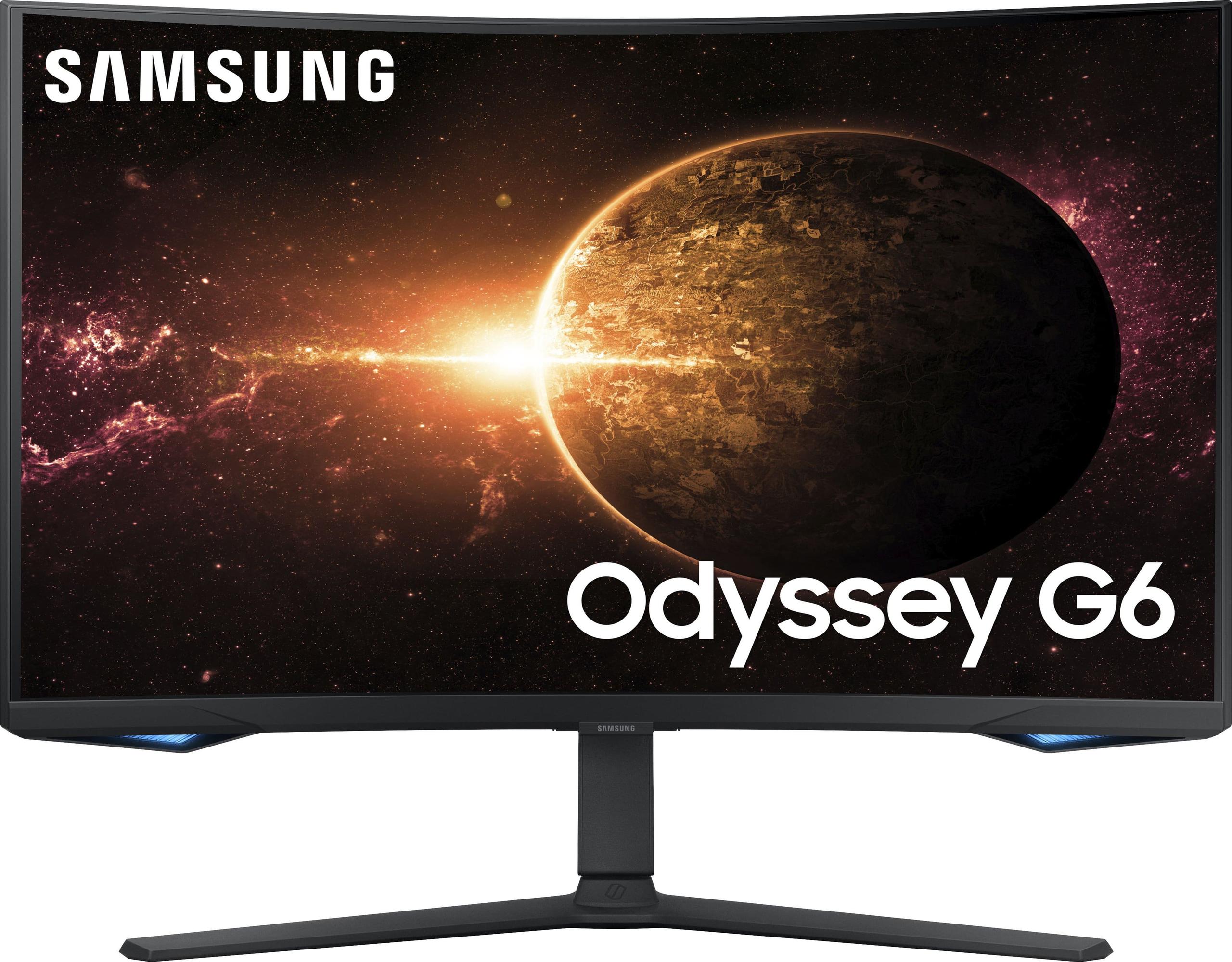
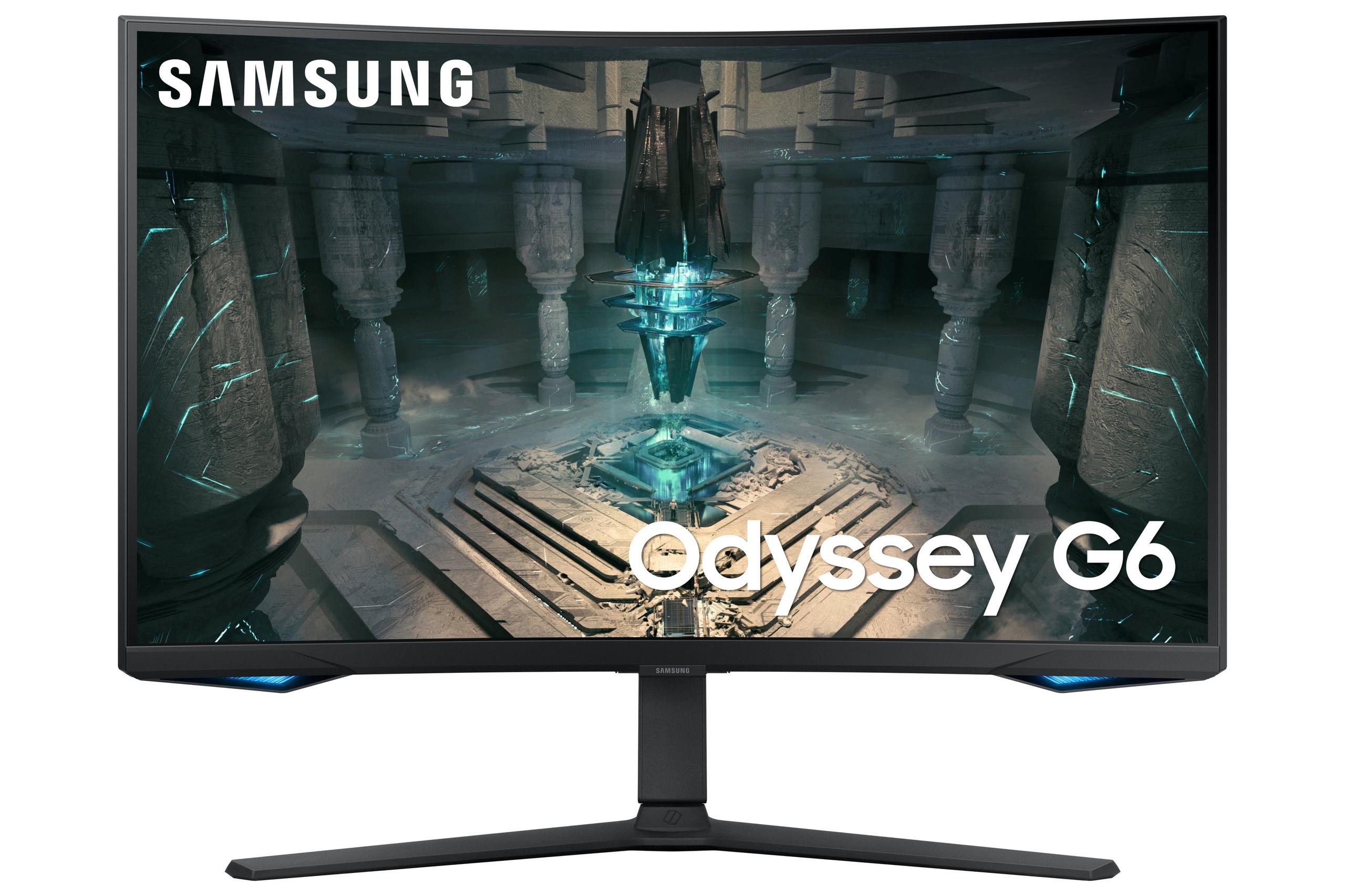
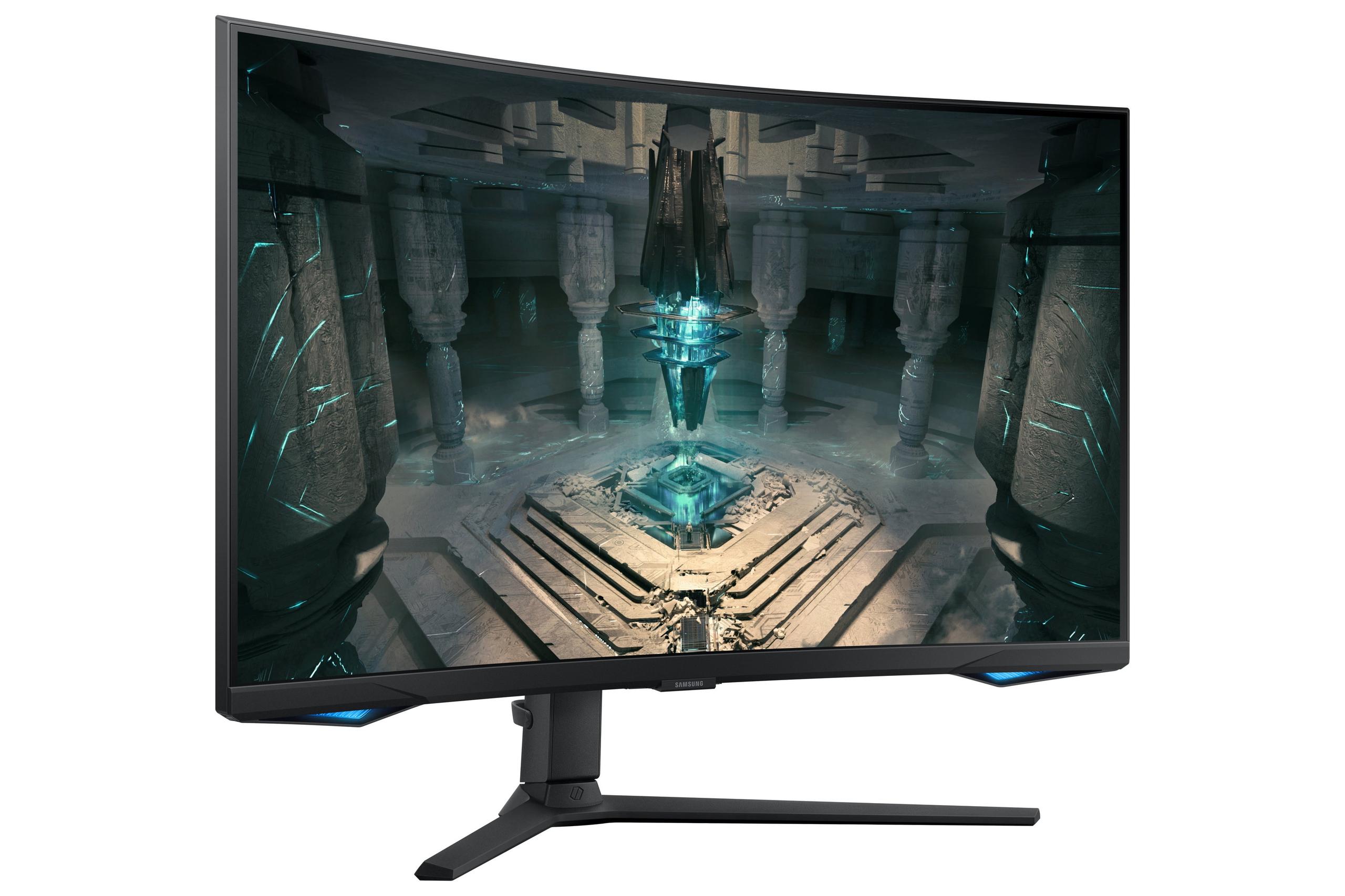
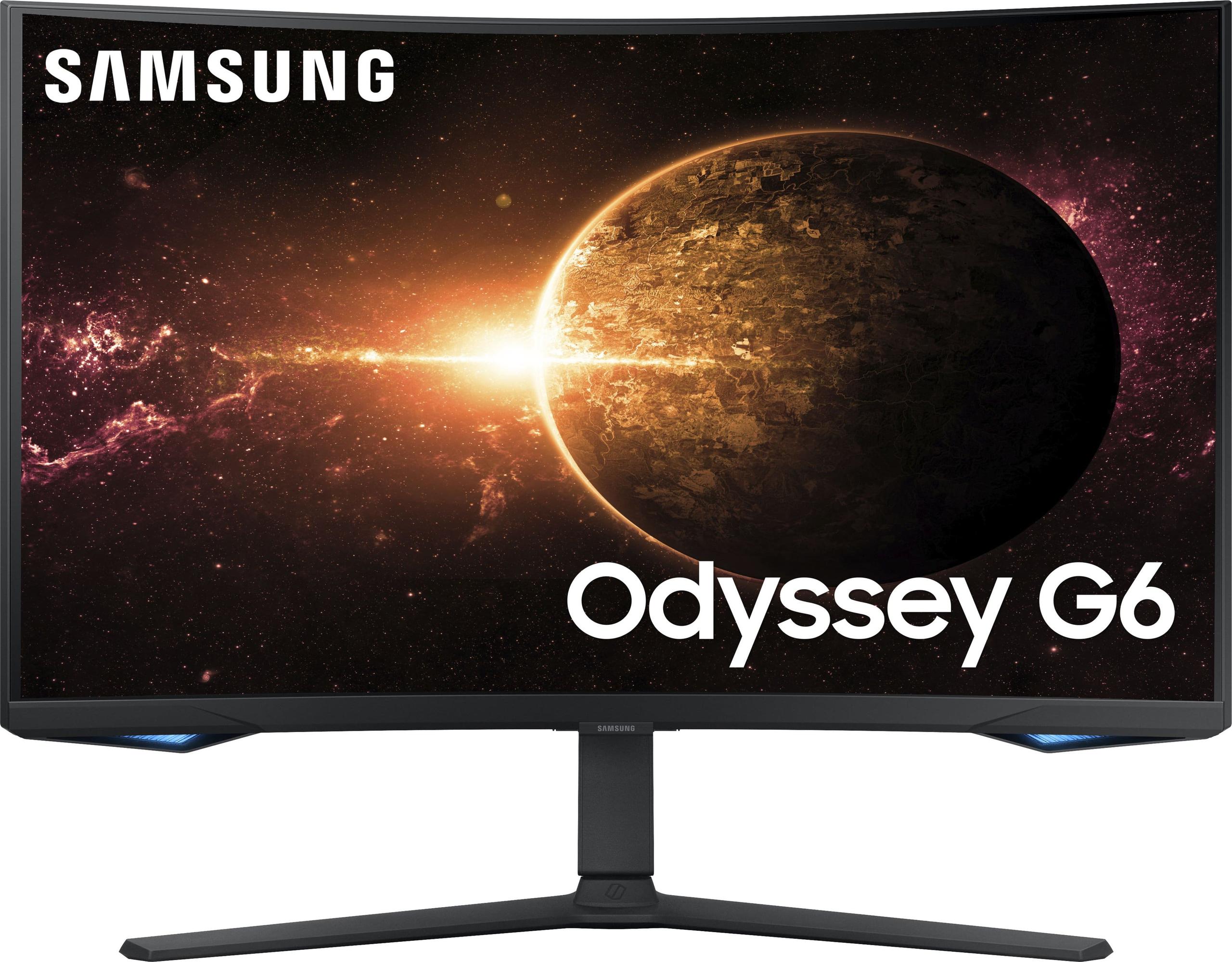
The Samsung Odyssey G65B takes a completely different approach, prioritizing speed and immersion over resolution. This 27-inch monitor features a QHD resolution (2560 by 1440 pixels) – less detailed than 4K but still significantly sharper than 1080p, and much easier for graphics cards to drive at high frame rates.
The standout feature is its 240Hz refresh rate. While most monitors update 60 times per second, the Samsung refreshes 240 times per second. This creates incredibly smooth motion, especially crucial for competitive gaming where tracking fast-moving targets can mean the difference between victory and defeat.
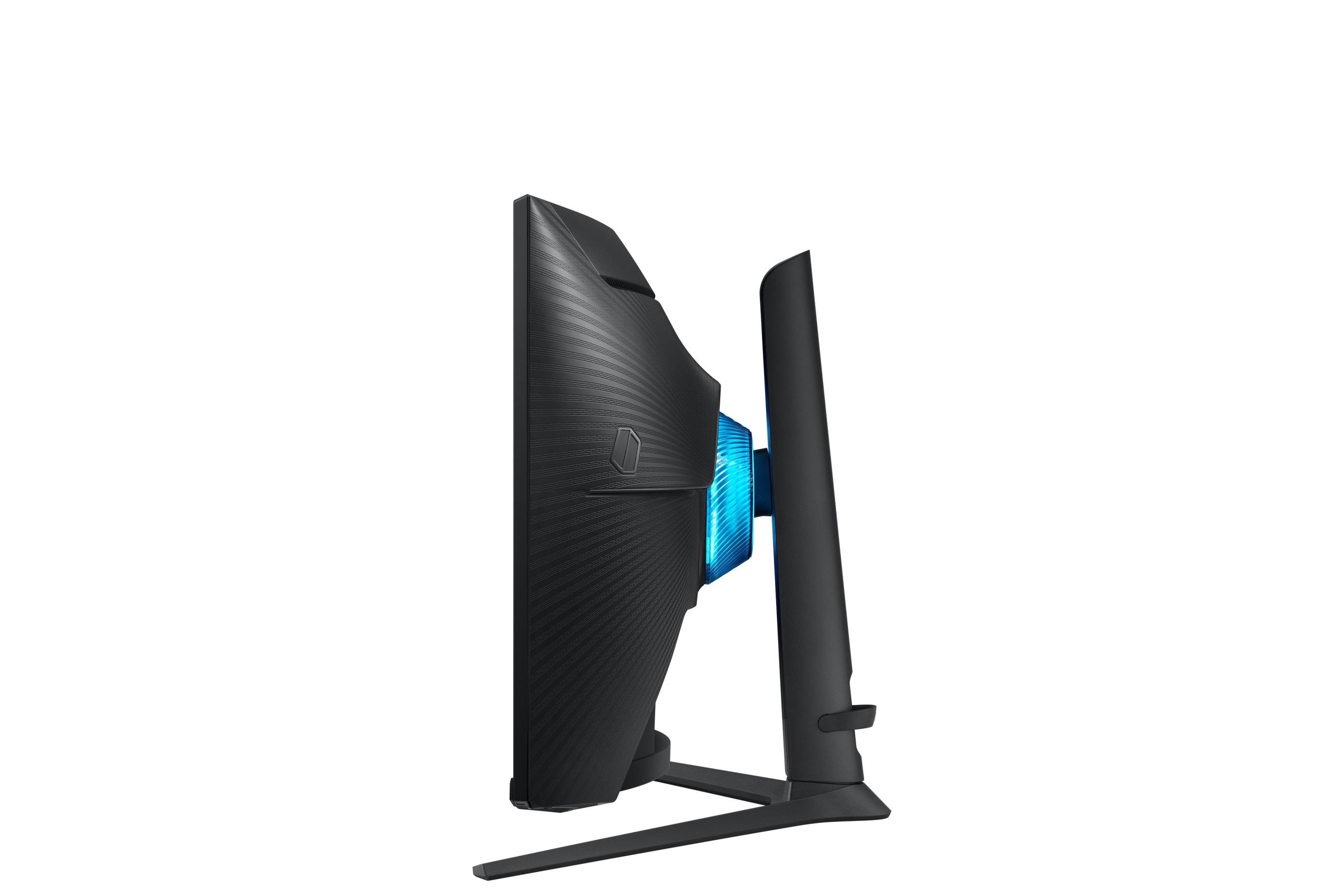
The monitor uses a curved VA panel (Vertical Alignment) with a 1000R curvature. The "R" stands for radius – imagine a circle with a 1000-millimeter radius, and this monitor follows that same curve. This wraparound design places every part of the screen equidistant from your eyes, creating a more immersive viewing experience that can feel like you're inside the game world.
VA panels excel at contrast ratios – the difference between the darkest blacks and brightest whites. The Samsung achieves a 2500:1 contrast ratio naturally, without needing complex backlighting systems. This means dark scenes in games look genuinely dark, not the grayish black you might see on cheaper displays.
When it comes to pure gaming performance, these monitors serve different masters. The Samsung G65B absolutely dominates in competitive scenarios. Its 240Hz refresh rate means it can display up to 240 unique frames per second, compared to the Acer's 160Hz maximum.
In practice, this difference is most noticeable in fast-paced competitive games like Counter-Strike 2, Valorant, or Overwatch 2. When tracking an enemy player moving across your screen, the Samsung monitor can show 50% more position updates per second. This translates to smoother target tracking and potentially faster reaction times – genuine competitive advantages that serious esports players pay premium prices to obtain.
However, the Acer XV275K P3 counters with superior visual fidelity. Its 4K resolution provides 2.25 times more pixels than the Samsung's QHD display. In single-player games like Cyberpunk 2077, The Witcher 3, or Red Dead Redemption 2, this resolution difference is immediately apparent. Text appears razor-sharp, distant objects remain detailed, and the overall image quality feels more cinematic.
Both monitors achieve 1ms response times, which measures how quickly pixels can change from one color to another. This specification ensures minimal ghosting (trailing shadows behind moving objects) regardless of which monitor you choose.
The visual quality comparison reveals the biggest philosophical difference between these displays. The Acer Nitro XV275K P3 leverages cutting-edge Mini-LED technology to create genuinely impressive HDR performance. HDR (High Dynamic Range) allows displays to show a wider range of brightness levels, from deeper blacks to blazing highlights.
With its 576-zone local dimming and 1000-nit peak brightness, the Acer monitor can display HDR content as developers intended. When you're exploring a dark cave in a game and step into bright sunlight, the transition feels natural and dramatic. The Mini-LED zones dim the cave areas to near-black while cranking up brightness for the sunny exterior.
The Samsung G65B supports HDR600, which provides enhanced contrast over standard displays but can't match the Acer's HDR1000 certification. With 350 nits of brightness, it offers modest HDR improvements but won't deliver those jaw-dropping bright highlights that make premium HDR content so compelling.
Color accuracy strongly favors the Acer monitor. Its factory calibration achieves Delta E values under 2 – a technical measurement indicating colors appear nearly identical to their intended values. This precision makes the display suitable for both gaming and professional work like photo editing or graphic design.
The Samsung's curved VA panel provides deeper blacks naturally, achieving its 2500:1 contrast ratio without complex backlighting. While this doesn't match the Acer's dynamic contrast capabilities, it does mean dark scenes in games look more convincing than on typical flat IPS displays.
Physical design differences extend beyond aesthetics. The Samsung G65B's 1000R curvature creates an immersive gaming experience, particularly effective for racing games, flight simulators, and first-person shooters. The curve wraps around your peripheral vision, making you feel more connected to the action.
This curved design does come with trade-offs. Viewing angles become more critical – the display looks best when you're seated directly in front of it. The Acer's flat IPS panel maintains consistent colors and brightness from wider viewing angles, making it more flexible for shared viewing or varied seating positions.
Both monitors offer comprehensive ergonomic adjustments, including height, tilt, and swivel. The Acer additionally supports pivot rotation, allowing you to use it in portrait orientation for productivity tasks or certain games.
At the time of writing, these monitors occupy different price tiers, with the Samsung G65B positioned as the more budget-conscious option despite its premium 240Hz performance. The Acer XV275K P3 commands a higher price due to its advanced Mini-LED technology and 4K resolution.
The value proposition depends heavily on your priorities. The Samsung monitor delivers exceptional price-to-performance for competitive gaming, offering professional-grade refresh rates at a more accessible price point. Its 240Hz capability typically costs significantly more in other monitor categories.
The Acer's higher pricing reflects its premium technology and future-proofing potential. Mini-LED displays were relatively new in 2023, representing cutting-edge backlighting technology. As 4K gaming becomes more mainstream and graphics cards become more powerful, this resolution advantage will become increasingly valuable.
Consider also the longevity factor. The Samsung's 240Hz performance will remain relevant as long as competitive gaming exists – high refresh rates never go out of style. The Acer's 4K resolution positions it well for the next generation of gaming, as developers increasingly target 4K as the standard resolution.
The Acer XV275K P3 includes several standout features beyond its Mini-LED backlighting. It supports 90W USB-C Power Delivery, allowing you to power and display from a laptop using a single cable – a genuinely convenient feature for users who switch between desktop gaming and laptop productivity work.
The monitor's color space coverage is particularly impressive, supporting 99% Adobe RGB coverage alongside DCI-P3 and sRGB modes. This versatility makes it suitable for professional color work while maintaining excellent gaming performance.
The Samsung G65B counters with smart platform integration, essentially functioning as a smart TV when not gaming. You can stream Netflix, access cloud gaming services, or use productivity apps without connecting a computer. This feature adds genuine utility, particularly for console gamers or users with limited desk space.
The RGB lighting system on the Samsung monitor might seem like mere aesthetics, but it actually serves a functional purpose. The backlighting can sync with on-screen content, extending colors beyond the display borders to reduce eye strain and enhance immersion – a feature called bias lighting that professionals have used for years.
Both monitors work well in home theater setups, though each brings different strengths. The Acer XV275K P3's 4K resolution and excellent HDR performance make it ideal for movie watching and streaming content. Its accurate colors ensure films appear as directors intended, while the Mini-LED backlighting creates genuine cinematic contrast.
The Samsung G65B's curve creates a more immersive experience for solo viewing, though it's less ideal for group watching due to viewing angle limitations. Its smart platform features eliminate the need for external streaming devices, simplifying your entertainment setup.
For console gaming specifically, both monitors support current-generation features, though their benefits vary. The Acer's 4K resolution perfectly matches PS5 and Xbox Series X capabilities, while the Samsung's high refresh rate works well with performance-mode games that prioritize frame rates over resolution.
Choose the Acer Nitro XV275K P3 if visual quality drives your gaming experience. This monitor excels when you primarily play single-player games, enjoy story-driven experiences, or need a display that doubles for professional work. Its 4K resolution and Mini-LED technology create stunning visuals that will remain impressive for years to come.
The Samsung Odyssey G65B suits competitive gamers and speed enthusiasts. If you play esports titles, value high refresh rates above all else, or prefer curved immersion, this monitor delivers exceptional performance at a more accessible price point.
Consider your graphics card capabilities carefully. Driving 4K at high frame rates requires significant GPU power, while 240Hz gaming at QHD resolution is more achievable with mid-range graphics cards.
Think about your usage patterns too. If you split time between gaming and productivity work, the Acer's color accuracy and resolution provide genuine utility beyond gaming. If you're focused purely on gaming performance and want maximum speed, the Samsung's 240Hz refresh rate offers tangible competitive advantages.
Both monitors represent excellent choices in their respective categories. The Acer XV275K P3 pushes visual quality boundaries with advanced technology, while the Samsung G65B maximizes gaming performance with proven high-refresh technology. Your choice ultimately depends on whether you value cutting-edge visuals or competitive speed more highly in your gaming setup.
| Acer Nitro XV275K P3 | Samsung Odyssey G65B |
|---|---|
| Resolution - Higher resolution means sharper images but requires more GPU power | |
| 4K UHD (3840 × 2160) - Future-proof with exceptional detail | QHD (2560 × 1440) - Sweet spot for high refresh rate gaming |
| Refresh Rate - Higher rates provide smoother motion, crucial for competitive gaming | |
| 160Hz - Excellent for most games, balances speed with visual quality | 240Hz - Maximum competitive advantage for esports players |
| Panel Type & Design - Affects viewing angles, colors, and immersion | |
| IPS Flat - Best color accuracy and wide viewing angles | VA Curved (1000R) - Better contrast and immersive wraparound experience |
| HDR Performance - Dramatically improves contrast and visual impact | |
| HDR-1000 with 1000 nits peak brightness - True cinematic HDR experience | HDR-600 with 350 nits - Modest HDR improvement over standard displays |
| Backlighting Technology - Controls contrast quality and black levels | |
| Mini-LED with 576 local dimming zones - Premium technology with precise contrast control | Standard LED backlighting - Reliable performance without advanced features |
| Color Accuracy - Important for content creation and realistic visuals | |
| 99% Adobe RGB, factory calibrated (Delta E < 2) - Professional-grade color precision | Standard color gamut - Good for gaming, adequate for general use |
| Response Time - Lower is better for reducing motion blur | |
| 1ms GtG - Minimal ghosting in fast-paced games | 1ms GtG - Minimal ghosting in fast-paced games |
| Connectivity - Determines compatibility with devices and future-proofing | |
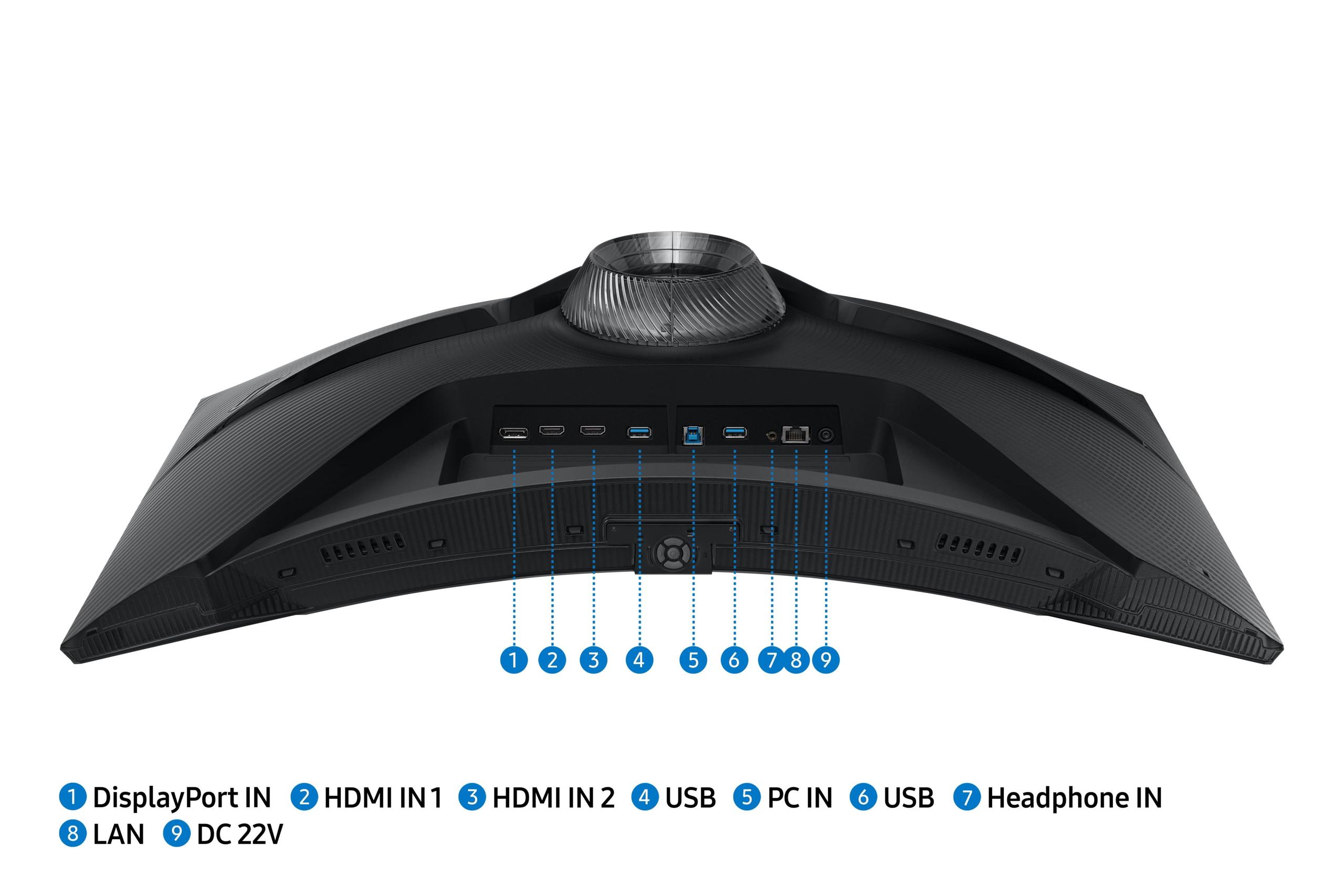
| USB-C with 90W Power Delivery, DisplayPort 1.4, 2x HDMI 2.1 | 2x HDMI 2.1, DisplayPort 1.4, USB 3.0 ports |
| Smart Features - Added convenience and functionality beyond gaming | |
| Basic monitor functions - Focused purely on display performance | Tizen OS with Gaming Hub, streaming apps, voice control |
| Ergonomics - Affects comfort during long gaming sessions | |
| Height, tilt, swivel, pivot adjustments - Maximum flexibility | Height, tilt, swivel adjustments - Good flexibility, curve limits some positions |
| Power Consumption - Affects electricity costs and heat generation | |
| 28.77W typical (Mini-LED requires more power) | 26W typical - More energy efficient |
| Target Use Case - Best suited for different gaming styles and needs | |
| Premium visual gaming, content creation, future-proofing | Competitive esports, high-speed gaming, budget-conscious buyers |
The Samsung Odyssey G65B is superior for competitive gaming due to its 240Hz refresh rate, which provides 50% more frames per second than the Acer Nitro XV275K P3's 160Hz. This higher refresh rate offers smoother motion tracking and faster response to enemy movements in esports titles like Counter-Strike 2 and Valorant. Both monitors feature 1ms response times, but the Samsung G65B gives competitive players the edge they need.
The Acer Nitro XV275K P3 offers 4K resolution (3840×2160) with 2.25 times more pixels than the Samsung Odyssey G65B's QHD resolution (2560×1440). This means the Acer monitor displays significantly sharper text, more detailed textures, and clearer images. However, 4K requires more powerful graphics cards to maintain high frame rates, while the Samsung's QHD resolution is easier to drive at high refresh rates.
The Acer Nitro XV275K P3 delivers superior HDR with its HDR-1000 certification and 1000 nits peak brightness, compared to the Samsung Odyssey G65B's HDR-600 and 350 nits brightness. The Acer's Mini-LED backlighting with 576 local dimming zones creates dramatic contrast between bright highlights and deep blacks, while the Samsung monitor offers more modest HDR improvements over standard displays.
The choice depends on your preferences and use case. The Samsung Odyssey G65B's 1000R curve creates an immersive wraparound experience that's excellent for single-player gaming and racing simulators. The Acer Nitro XV275K P3's flat design offers better viewing angles and is more suitable for productivity work or shared viewing. Curved monitors work best when you're the primary user sitting directly in front.
Both work well with PS5 and Xbox Series X, but serve different priorities. The Acer Nitro XV275K P3 matches console 4K capabilities perfectly and provides stunning HDR for single-player games. The Samsung Odyssey G65B excels with performance-mode games that prioritize high frame rates over resolution. The Samsung's smart features also eliminate the need for external streaming devices.
For the Samsung Odyssey G65B, a mid-range GPU like RTX 4060 Ti or RX 7700 XT can achieve 240fps in competitive games at QHD resolution. The Acer Nitro XV275K P3 requires high-end cards like RTX 4070 Super or better to maintain good frame rates at 4K resolution. Consider your GPU budget when choosing between these monitors.
The Acer Nitro XV275K P3 significantly outperforms with 99% Adobe RGB coverage, factory calibration achieving Delta E < 2, and professional-grade color accuracy suitable for content creation. The Samsung Odyssey G65B offers standard color gamut coverage that's perfectly adequate for gaming but not ideal for color-critical work. Choose the Acer if you need precise colors.
The Acer Nitro XV275K P3 excels for productivity with its sharp 4K resolution making text incredibly crisp, wide IPS viewing angles, and accurate colors for professional work. The Samsung Odyssey G65B can work for productivity, but its curved design and narrower viewing angles make it less ideal for extended office tasks or multi-user environments.
Value depends on your priorities. The Samsung Odyssey G65B provides excellent price-to-performance for competitive gaming, offering professional-grade 240Hz performance at a more accessible price point. The Acer Nitro XV275K P3 costs more but offers premium Mini-LED technology and future-proof 4K resolution that will remain relevant longer.
The Samsung Odyssey G65B includes comprehensive smart features with Tizen OS, Gaming Hub for cloud gaming, streaming apps like Netflix, voice control, and RGB lighting effects. The Acer Nitro XV275K P3 focuses purely on display performance without smart TV features, but includes 90W USB-C Power Delivery for single-cable laptop connectivity.
The Acer Nitro XV275K P3 is superior for immersive single-player experiences due to its 4K resolution, exceptional HDR performance with Mini-LED technology, and accurate colors that make games look cinematic. While the Samsung Odyssey G65B's curve adds immersion, the Acer's visual quality creates a more impactful experience for story-driven games.
The Acer Nitro XV275K P3 offers better future-proofing with 4K resolution becoming the gaming standard and advanced Mini-LED technology representing cutting-edge display innovation. The Samsung Odyssey G65B remains relevant for competitive gaming where high refresh rates never go out of style, but its QHD resolution may feel limiting as 4K gaming becomes more accessible.
We've done our best to create useful and informative comparisons to help you decide what product to buy. Our research uses advanced automated methods to create this comparison and perfection is not possible - please contact us for corrections or questions. These are the sites we've researched in the creation of this article: bestbuy.com - rtings.com - reviewed.com - displayninja.com - youtube.com - displayninja.com - youtube.com - dpreview.com - acer.com - buy.bluum.com - shi.com - camcor.com - newegg.com - provantage.com - displayspecifications.com - colamco.com - displayspecifications.com - walmart.com - bestbuy.com - bestbuy.com - versus.com - uk.shi.com - youtube.com - youtube.com - displayspecifications.com - rtings.com - versus.com - samsung.com - rtings.com - businessdirect.bt.com - productchart.com - samsung.com - displayspecifications.com - gradeatechnology.co.uk - samsung.com - bestbuy.com - samsung.com - samsung.com

Privacy Policy
Terms and Conditions - Affiliate Policy
Home Security
© Copyright 2008-2026.
11816 Inwood Rd #1211, Dallas, TX 75244