
















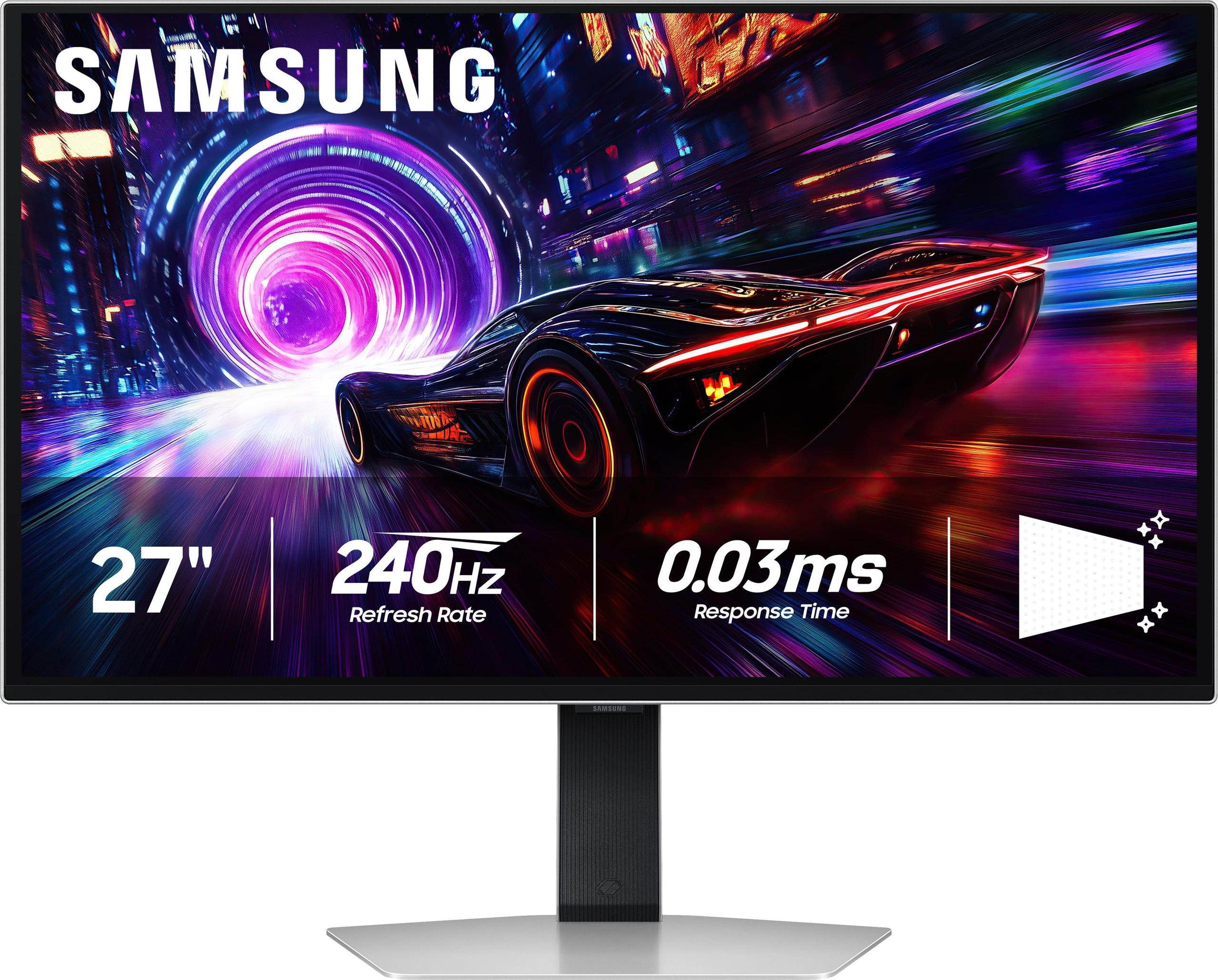
Gaming monitors have evolved dramatically over the past few years, and 2024-2025 represents a fascinating crossroads in the market. On one side, we have monitors like the Acer Nitro XV1 27" WQHD 180Hz IPS Gaming Monitor delivering incredible performance at budget-friendly prices. On the other, cutting-edge displays like the Samsung 27" Odyssey OLED G8 4K UHD 240Hz Gaming Monitor are pushing the boundaries of what's possible with OLED technology in gaming displays.
The gaming monitor landscape has transformed significantly since 2020. High refresh rates that once cost over $500 are now available for under $300, while OLED technology—previously reserved for TVs—has made its way into desktop monitors. These changes mean gamers today have more options than ever, but also more complexity in choosing the right display.
Before diving into these specific monitors, let's establish what matters most in gaming displays. Refresh rate measures how many times per second your monitor can display a new image—higher numbers mean smoother motion. Response time indicates how quickly pixels can change colors, with lower numbers reducing motion blur (measured in milliseconds or "ms"). Resolution determines image sharpness, while panel technology affects everything from color accuracy to contrast ratios.
The most critical performance metrics for gaming are refresh rate, response time, input lag (the delay between your actions and seeing results on screen), and visual quality. These factors directly impact your competitive edge and overall gaming experience, making them essential considerations regardless of your budget.
Released in 2024, the Acer Nitro XV1 represents the current sweet spot in budget gaming monitors. This 27-inch display uses IPS (In-Plane Switching) technology, which provides excellent color accuracy and wide viewing angles—meaning the image looks consistent whether you're sitting directly in front or slightly off to the side.
The monitor's 2560×1440 resolution, commonly called WQHD or 1440p, strikes an excellent balance between sharpness and performance demands. At 27 inches, this resolution provides about 109 pixels per inch (PPI), delivering crisp text and detailed game environments without requiring a top-tier graphics card to maintain high frame rates.
What makes the Acer Nitro XV1 particularly compelling is its 180Hz refresh rate. This means your monitor can display up to 180 unique frames per second, assuming your graphics card can generate them. The difference between 60Hz and 180Hz is immediately noticeable—mouse movements feel more responsive, fast-paced games appear smoother, and competitive advantages become apparent in titles like Counter-Strike or Valorant.
The monitor achieves a 1ms gray-to-gray (GtG) response time, which measures how quickly a pixel can change from one shade of gray to another. This specification directly impacts motion clarity, with faster response times reducing the blur trail behind moving objects. Acer includes Visual Response Boost (VRB) technology, a backlight strobing feature that further reduces perceived motion blur by briefly turning off the backlight between frame transitions.
For connectivity, the Acer Nitro XV1 includes two HDMI 2.0 ports and one DisplayPort 1.2 connection. The DisplayPort connection is crucial here—it's the only way to achieve the full 180Hz refresh rate. HDMI 2.0 limits you to 144Hz, which is still excellent but not the monitor's full potential.
Color performance deserves special attention. The display covers 95% of the DCI-P3 color space, a professional standard used in digital cinema. This wide color gamut means more vibrant reds, deeper greens, and richer blues compared to standard monitors. The IPS panel maintains consistent colors across its 178-degree viewing angles, making it suitable for both gaming and content creation.
AMD FreeSync Premium support is included, providing variable refresh rate (VRR) technology that synchronizes your graphics card's frame output with the monitor's refresh rate. This eliminates screen tearing (horizontal lines that appear during fast motion) and stuttering, creating a smoother visual experience. The monitor is also G-SYNC Compatible, meaning it works well with NVIDIA graphics cards despite lacking official certification.
The Samsung Odyssey OLED G8 represents the cutting edge of gaming monitor technology. Released in 2024, this display showcases QD-OLED (Quantum Dot OLED) technology, which combines the perfect blacks of OLED with enhanced color volume through quantum dot enhancement.
The fundamental advantage of OLED technology lies in its pixel-level lighting control. Unlike traditional LCD monitors that use a backlight behind the entire screen, each OLED pixel generates its own light. When displaying black, these pixels simply turn off completely, creating true black levels and an effectively infinite contrast ratio. This capability transforms dark game scenes, revealing shadow details while maintaining deep blacks that LCD technology cannot match.
At 4K resolution (3840×2160), the Samsung Odyssey OLED G8 delivers exceptional sharpness with 166 PPI—significantly denser than the Acer's 109 PPI. This increased pixel density makes text incredibly crisp and game details more defined, though it comes with substantial performance requirements for your graphics card.
The 240Hz refresh rate represents the current pinnacle of gaming monitor technology. While the jump from 180Hz to 240Hz isn't as dramatic as going from 60Hz to 180Hz, competitive gamers often appreciate every millisecond of advantage. The monitor achieves an impressive 0.03ms response time, essentially eliminating motion blur entirely.
Samsung's OLED Safeguard+ Dynamic Cooling System addresses one of OLED's traditional concerns: burn-in. This technology uses advanced thermal management to reduce heat buildup by five times compared to traditional cooling methods. The system also includes Logo & Taskbar Detection, which automatically dims static interface elements to prevent permanent image retention.
The Glare Free technology deserves particular attention. Samsung has developed an advanced anti-reflective coating that reduces reflections by 54% compared to conventional treatments. This makes the Samsung Odyssey OLED G8 more usable in brighter rooms, addressing a traditional OLED weakness.
Color performance reaches professional levels with 99% DCI-P3 coverage and support for HDR10+ Gaming. The display achieves VESA DisplayHDR True Black 400 certification, indicating excellent HDR performance with the deep blacks that only OLED can provide.
In competitive gaming scenarios, both monitors excel but in different ways. The Acer Nitro XV1 provides the responsive, high-refresh experience that competitive players demand. Its 180Hz refresh rate and 1ms response time create smooth, blur-free motion that gives players a genuine advantage in fast-paced games.
The Samsung Odyssey OLED G8 takes this further with 240Hz and 0.03ms response time, but the real-world difference between 180Hz and 240Hz is minimal for most players. However, the OLED's perfect pixel response creates unparalleled motion clarity that becomes apparent in side-by-side comparisons.
For immersive, single-player gaming, the comparison shifts dramatically. The Samsung Odyssey OLED G8's 4K resolution and infinite contrast ratio create a more cinematic experience. Games like Cyberpunk 2077 or Red Dead Redemption 2 showcase the OLED's capabilities with deeper shadows, more vibrant colors, and incredible detail clarity.
The visual quality difference between these monitors is substantial. The Acer Nitro XV1 delivers excellent image quality for an IPS display, with accurate colors and good contrast. However, its 1000:1 contrast ratio means blacks appear more like dark grays in dim lighting conditions.
The Samsung Odyssey OLED G8 completely transforms the visual experience. Its infinite contrast ratio means true blacks that make colors appear more vibrant by comparison. HDR content particularly benefits from this capability, with highlights that genuinely pop against perfect black backgrounds.
Color accuracy favors the Samsung slightly, though both monitors exceed typical gaming requirements. The Samsung's 99% DCI-P3 coverage versus the Acer's 95% creates more saturated, lifelike colors, particularly in reds and greens.
For home theater use, these monitors present interesting options. The Acer Nitro XV1 works well for casual movie watching, though its 1440p resolution limits detail compared to 4K content sources. The IPS panel's wide viewing angles make it suitable for shared viewing scenarios.
The Samsung Odyssey OLED G8 excels in home theater applications. Its 4K resolution properly displays modern content without upscaling, while OLED's perfect blacks create the cinematic experience typically associated with high-end TVs. HDR content particularly shines, with the contrast and color capabilities rivaling dedicated home theater displays.
However, the Samsung's smaller 27-inch size limits its home theater appeal compared to larger displays. It's ideal for desktop viewing or smaller room setups but may feel cramped for living room use.
The resolution difference creates a significant performance divide. At 1440p, the Acer Nitro XV1 allows mid-range graphics cards like the RTX 4060 or RX 7600 XT to achieve high frame rates in most games. You can reasonably expect 100+ fps in competitive titles and 60-80 fps in demanding single-player games.
The Samsung Odyssey OLED G8's 4K resolution demands substantially more graphics horsepower. Even high-end cards like the RTX 4080 struggle to maintain 100+ fps in demanding games at maximum settings. This creates a scenario where you might need to lower graphics settings to fully utilize the monitor's 240Hz capability, potentially negating some visual quality advantages.
OLED burn-in remains a consideration, though modern implementations have significantly reduced this risk. The Samsung Odyssey OLED G8 includes comprehensive protection features and Samsung now covers burn-in under warranty for normal use. However, users who display static elements (like desktop interfaces) for extended periods should consider this factor.
The Acer Nitro XV1's IPS technology eliminates burn-in concerns entirely, making it worry-free for mixed-use scenarios including productivity work alongside gaming.
The Acer Nitro XV1 provides superior ergonomic flexibility with full height, tilt, swivel, and pivot adjustments. This makes it easier to achieve optimal positioning for extended gaming sessions.
The Samsung Odyssey OLED G8 offers more limited adjustments, typically only height and tilt. While the build quality feels more premium with its metal construction, the reduced flexibility might require a monitor arm for optimal positioning.
At the time of writing, these monitors represent vastly different value propositions. The Acer Nitro XV1 typically sells for under $300, delivering exceptional performance per dollar. It provides roughly 90% of the gaming performance of premium monitors at 25-30% of the cost.
The Samsung Odyssey OLED G8 commands premium pricing, often exceeding $1000. This pricing reflects its cutting-edge technology and manufacturing costs, but creates a significant investment barrier for many users.
For competitive gaming focused primarily on performance, the Acer Nitro XV1 delivers outstanding value. The performance difference in competitive scenarios doesn't justify the 3-4x price premium for most players.
For users prioritizing visual experience and willing to pay for premium technology, the Samsung Odyssey OLED G8 provides a reference-quality experience that justifies its cost through superior image quality and future-proofing.
You're building a budget-conscious gaming setup but refuse to compromise on high refresh rate performance. This monitor excels for competitive players who prioritize smoothness over maximum resolution. If you primarily play esports titles like Valorant, CS2, or League of Legends, the Acer Nitro XV1 provides everything you need at an accessible price point.
The monitor also makes sense for users with mid-range graphics cards who want to maximize frame rates without the performance penalty of 4K resolution. If you're using an RTX 4060, 4070, or similar AMD card, 1440p represents the optimal resolution for high-refresh gaming.
You prioritize visual experience over cost considerations and have the hardware to drive 4K gaming effectively. The Samsung Odyssey OLED G8 transforms single-player gaming with its perfect contrast and incredible detail clarity.
This monitor makes sense for users with high-end graphics cards (RTX 4080/4090, RX 7900 XTX) who want to showcase their hardware capabilities. It's also ideal for mixed-use scenarios including color-critical work like photo editing or content creation.
Consider the Samsung if you primarily play immersive, story-driven games where visual quality enhances the experience. Titles like Baldur's Gate 3, Cyberpunk 2077, or Red Dead Redemption 2 truly shine on OLED technology.
These monitors represent two different philosophies in gaming display design. The Acer Nitro XV1 democratizes high-refresh gaming, proving that excellent performance doesn't require premium pricing. The Samsung Odyssey OLED G8 pushes technological boundaries, showing what's possible when cost constraints are relaxed.
Both approaches have merit. The Acer proves that budget doesn't mean compromise for competitive gaming, while the Samsung demonstrates why premium displays command their pricing through superior technology and experience quality.
Your choice ultimately depends on your priorities: maximum value and proven performance with the Acer Nitro XV1, or cutting-edge technology and premium experience with the Samsung Odyssey OLED G8. Both monitors excel in their intended roles, making either choice a winner based on your specific needs and budget.
| Acer Nitro XV1 27" WQHD 180Hz IPS Gaming Monitor | Samsung 27" Odyssey OLED G8 4K UHD 240Hz Gaming Monitor |
|---|---|
| Resolution - Higher resolution means sharper images but requires more powerful graphics cards | |
| 2560 x 1440 (WQHD) - Excellent balance of sharpness and performance | 3840 x 2160 (4K UHD) - Maximum detail but demanding on GPU |
| Panel Technology - Fundamentally different approaches to image quality | |
| IPS - Reliable, consistent colors, no burn-in risk | QD-OLED - Perfect blacks, infinite contrast, potential burn-in |
| Refresh Rate - Higher rates provide smoother motion in fast games | |
| 180Hz (DisplayPort), 144Hz (HDMI) - Excellent for competitive gaming | 240Hz - Maximum smoothness, diminishing returns over 180Hz |
| Response Time - Lower numbers reduce motion blur and ghosting | |
| 1ms GtG - Very fast, minimal motion blur | 0.03ms GtG - Essentially eliminates all motion blur |
| Contrast Ratio - Higher ratios provide better distinction between light and dark | |
| 1000:1 static - Typical for IPS, blacks appear gray in dark rooms | 1,000,000:1 - True blacks, dramatic visual impact |
| Color Coverage - Wider gamuts display more vibrant, accurate colors | |
| 95% DCI-P3 - Excellent color reproduction for gaming and content | 99% DCI-P3 - Professional-grade color accuracy |
| HDR Support - Enhanced contrast and color for compatible content | |
| HDR10 - Basic HDR with limited brightness | HDR10+ Gaming, DisplayHDR True Black 400 - Premium HDR experience |
| Brightness - Higher values improve visibility in bright rooms | |
| 250 nits - Adequate for controlled lighting conditions | 250 nits typical - OLED's perfect blacks make it appear brighter |
| Variable Refresh Rate - Eliminates screen tearing and stuttering | |
| AMD FreeSync Premium, G-SYNC Compatible - Smooth gaming experience | FreeSync Premium Pro, G-SYNC Compatible - Advanced VRR features |
| Ergonomics - Adjustment options for comfortable long-term use | |
| Full adjustment (height, tilt, swivel, pivot) - Excellent flexibility | Limited adjustment (height, tilt only) - May require monitor arm |
| Connectivity - Available ports for different devices and full feature access | |
| 2x HDMI 2.0, 1x DisplayPort 1.2, 3.5mm audio - Good compatibility | HDMI 2.1, USB-C - Modern connections for latest devices |
| Built-in Audio - Convenience factor for basic audio needs | |
| 2x 2W stereo speakers - Basic audio included | No built-in speakers - Requires external audio solution |
| Anti-Glare Treatment - Reduces reflections in bright environments | |
| Standard matte coating - Reduces reflections but may soften image | Advanced Glare Free technology - 54% less reflective than standard |
| Burn-in Protection - Important for OLED longevity | |
| Not applicable (IPS has no burn-in risk) | OLED Safeguard+ with thermal management and pixel protection |
| Target Use Case - Who each monitor serves best | |
| Budget-conscious competitive gamers, mid-range GPU users | Premium users with high-end GPUs, visual quality prioritizers |
The Acer Nitro XV1 27" WQHD 180Hz IPS Gaming Monitor is better for most competitive gamers. Its 180Hz refresh rate and 1ms response time provide excellent smoothness and responsiveness at 1440p resolution, which allows mid-range graphics cards to maintain high frame rates. While the Samsung 27" Odyssey OLED G8 4K UHD 240Hz Gaming Monitor offers 240Hz, the 4K resolution makes it much harder to achieve those high frame rates in competitive games.
The primary difference is panel technology and resolution. The Acer Nitro XV1 uses IPS technology at 1440p resolution, offering reliable performance and excellent value. The Samsung Odyssey OLED G8 uses cutting-edge OLED technology at 4K resolution, providing perfect blacks, infinite contrast, and premium visual quality at a significantly higher cost.
The Acer Nitro XV1 27" WQHD 180Hz IPS Gaming Monitor offers exceptional value, delivering about 90% of premium gaming performance at roughly 25-30% of the cost. The Samsung provides premium features and superior image quality, but at a substantial price premium that may not justify the difference for budget-conscious buyers.
The Acer Nitro XV1 works well with mid-range cards like RTX 4060 or RX 7600 XT, easily achieving high frame rates at 1440p. The Samsung Odyssey OLED G8 requires high-end graphics cards (RTX 4080/4090 or RX 7900 XTX) to fully utilize its 4K 240Hz capabilities without compromising visual settings.
The Samsung 27" Odyssey OLED G8 4K UHD 240Hz Gaming Monitor excels for immersive single-player gaming. Its OLED technology provides perfect blacks, infinite contrast, and 4K resolution that transforms story-driven games. The premium visual quality significantly enhances the gaming experience in titles like Cyberpunk 2077 or Red Dead Redemption 2.
The Acer Nitro XV1 has no burn-in risk since it uses IPS technology. The Samsung Odyssey OLED G8 includes comprehensive burn-in protection with OLED Safeguard+ technology and thermal management. Samsung also covers burn-in under warranty for normal usage, though users should still be mindful of static images.
Both monitors offer excellent color accuracy, but the Samsung Odyssey OLED G8 has a slight edge with 99% DCI-P3 coverage versus 95% on the Acer Nitro XV1. The Samsung also provides superior contrast with its OLED technology, making colors appear more vibrant and lifelike.
The Acer Nitro XV1 27" WQHD 180Hz IPS Gaming Monitor is excellent for mixed gaming and productivity use, with no burn-in concerns for static desktop elements. The Samsung Odyssey OLED G8 can handle productivity tasks but users should be cautious about displaying static interfaces for extended periods.
The Samsung 27" Odyssey OLED G8 4K UHD 240Hz Gaming Monitor features advanced Glare Free technology that reduces reflections by 54% compared to standard coatings. However, both monitors perform best in controlled lighting environments, with the Acer Nitro XV1 offering adequate performance in moderately bright conditions.
Yes, both monitors support variable refresh rate. The Acer Nitro XV1 includes AMD FreeSync Premium and G-SYNC compatibility, while the Samsung Odyssey OLED G8 features FreeSync Premium Pro and G-SYNC compatibility. Both eliminate screen tearing and provide smooth gaming experiences.
The Acer Nitro XV1 27" WQHD 180Hz IPS Gaming Monitor offers superior ergonomics with full height, tilt, swivel, and pivot adjustments. The Samsung Odyssey OLED G8 has premium metal construction but limited adjustment options, potentially requiring a monitor arm for optimal positioning.
Both work well with consoles, but with limitations. The Acer Nitro XV1 supports console gaming at 1440p up to 120Hz, while the Samsung 27" Odyssey OLED G8 4K UHD 240Hz Gaming Monitor can display native 4K from PS5 and Xbox Series X, though consoles are typically limited to 120Hz maximum refresh rates.
We've done our best to create useful and informative comparisons to help you decide what product to buy. Our research uses advanced automated methods to create this comparison and perfection is not possible - please contact us for corrections or questions. These are the sites we've researched in the creation of this article: bestbuy.com - tomshardware.com - displayninja.com - youtube.com - youtube.com - youtube.com - store.acer.com - manuals.plus - displayspecifications.com - pangoly.com - pcpartpicker.com - casariolab.art - store.acer.com - versus.com - youtube.com - rtings.com - tomsguide.com - tomshardware.com - youtube.com - ign.com - youtube.com - pcvarge.com - youtube.com - youtube.com - versus.com - bestbuy.com - samsung.com - samsung.com - displayspecifications.com - samsung.com - hardforum.com - publicsector.shidirect.com - forums.thefpsreview.com - samsung.com - rtings.com - samsung.com - samsung.com

Privacy Policy
Terms and Conditions - Affiliate Policy
Home Security
© Copyright 2008-2026.
11816 Inwood Rd #1211, Dallas, TX 75244