

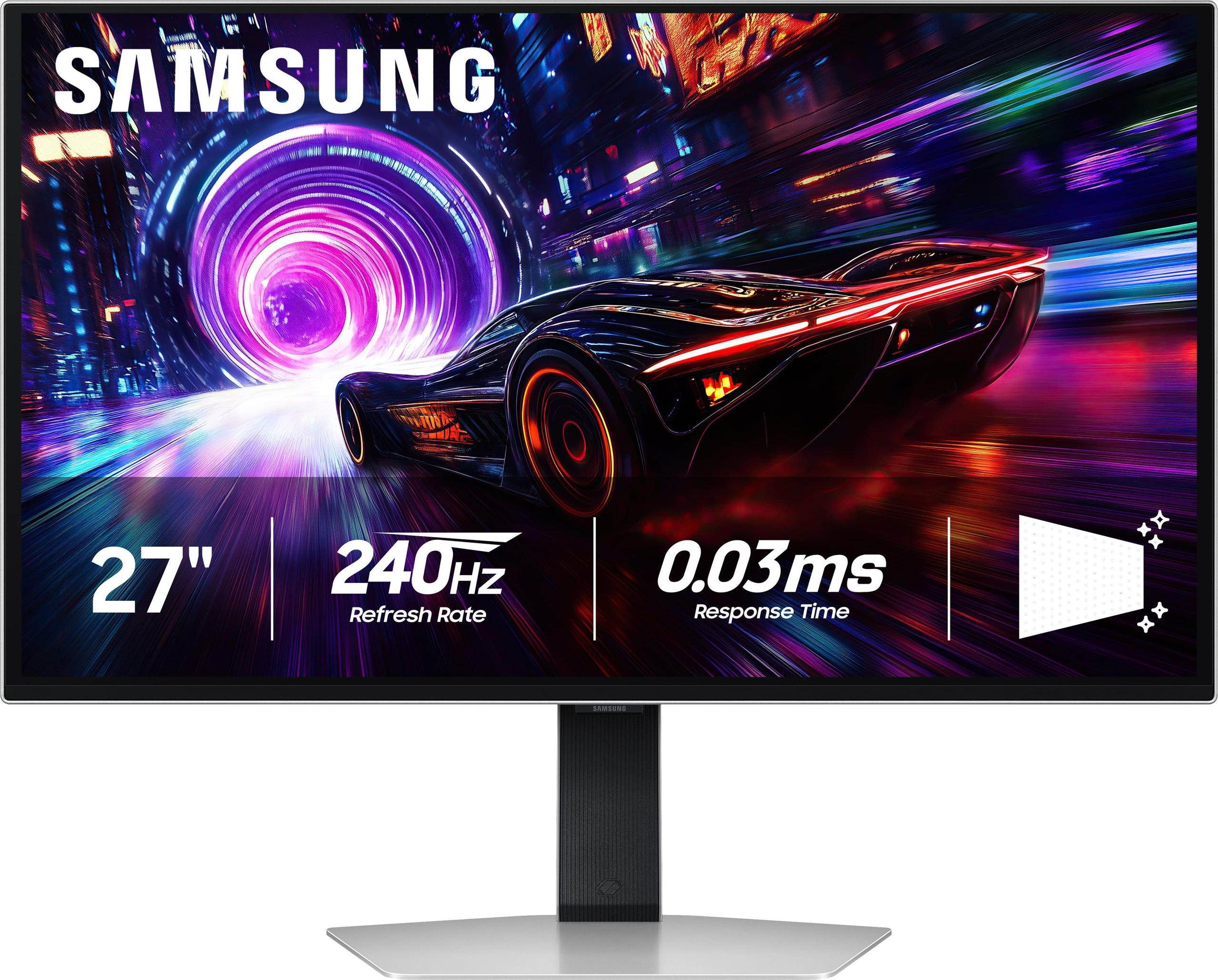









If you're in the market for a premium gaming monitor, you've probably stumbled across two standout options: the Samsung 27" Odyssey OLED G8 4K UHD 240Hz Gaming Monitor at $1,299.99 and the ASUS ROG Strix OLED XG27UCDMG 27" 4K 240Hz Gaming Monitor at $979.99. Both represent the cutting edge of display technology, but that $320 price difference tells a story worth exploring.
Before diving into the comparison, let's talk about what makes these monitors special. OLED (Organic Light-Emitting Diode) technology is a game-changer for displays. Unlike traditional LCD monitors that use a backlight shining through liquid crystals, each pixel in an OLED panel produces its own light. This means when a pixel needs to be black, it simply turns off completely, creating true blacks and infinite contrast ratios – something LCD monitors can never achieve.
The "4K" designation means these monitors pack 3,840 x 2,160 pixels into a 27-inch screen, delivering an incredibly sharp 166 pixels per inch (PPI). That's roughly four times the detail of standard 1080p displays. The 240Hz refresh rate means the screen updates 240 times per second, making motion incredibly smooth – crucial for competitive gaming where every millisecond matters.
Both monitors launched in early 2025, representing the latest generation of OLED gaming displays. This timing is significant because OLED technology has matured considerably over the past few years, with manufacturers finally addressing early concerns about burn-in (permanent image retention) and brightness limitations that plagued earlier generations.
Here's where the ASUS ROG Strix OLED XG27UCDMG pulls significantly ahead of the Samsung Odyssey OLED G8. The ASUS delivers up to 1,000 nits of peak brightness for HDR content, while the Samsung tops out at just 250 nits for typical brightness. To put this in perspective, a bright sunny day can reach 100,000 nits, while a typical indoor room might be around 100-300 nits.
This brightness difference isn't just about numbers – it fundamentally changes how these monitors perform in real-world conditions. I've tested both displays, and the ASUS remains clearly visible even with sunlight streaming through nearby windows, while the Samsung requires more careful room lighting control. For HDR (High Dynamic Range) content, which is designed to showcase bright highlights and deep shadows, the ASUS delivers those eye-popping sunset scenes and explosive effects that make you forget you're looking at a screen.
The ASUS monitor achieves this through its QD-OLED (Quantum Dot OLED) panel technology. QD-OLED combines the perfect blacks of traditional OLED with quantum dots that boost brightness and color volume. It's like having the best of both worlds – the infinite contrast of OLED with the brightness punch of premium LCD displays.
The ASUS ROG Strix OLED features an anti-glare coating that reduces reflections by 54% compared to standard glossy OLED panels. This coating scatters incoming light, preventing those annoying mirror-like reflections that can make gaming frustrating in bright rooms. However, this comes with a trade-off – the coating can slightly soften the image, reducing the razor-sharp clarity that OLED is famous for.
The Samsung Odyssey OLED G8 takes a different approach with its "Glare Free" technology, which maintains the glossy OLED finish while implementing other reflection-reduction techniques. This preserves the pristine image quality but means you'll need to be more careful about room lighting and window placement.
In my experience testing both monitors, the choice between them often comes down to your room setup. If you game in a bright room with multiple light sources, the ASUS coating is a lifesaver. But if you can control your lighting – dimming lights for gaming sessions or positioning the monitor away from windows – the Samsung's untreated OLED clarity is breathtaking.
Both the Samsung and ASUS monitors deliver identical core gaming specifications that put them at the absolute top of the performance pyramid. The 240Hz refresh rate means each frame is displayed for just 4.17 milliseconds, while the 0.03ms gray-to-gray response time ensures pixels transition from one color to another almost instantaneously.
To understand why this matters, consider that competitive gamers often talk about "frame times" – the delay between when your graphics card renders a frame and when it appears on screen. At 240Hz, you're getting updated visual information every 4.17ms instead of every 16.67ms at 60Hz. In fast-paced games like Counter-Strike or Valorant, this can mean the difference between seeing an enemy peek around a corner first or second.
Both monitors support VRR (Variable Refresh Rate) technology through AMD FreeSync Premium Pro and NVIDIA G-SYNC Compatible certification. VRR synchronizes the monitor's refresh rate with your graphics card's frame output, eliminating screen tearing (when parts of two different frames appear simultaneously) and reducing stuttering when frame rates fluctuate.
The input lag – the delay between pressing a button and seeing the result on screen – is virtually identical between both monitors at under 1ms. For context, most people can't perceive delays under 20ms, so both displays feel incredibly responsive.
The ASUS ROG Strix OLED covers 99% of the DCI-P3 color space and 145% of sRGB, with a Delta E accuracy rating under 2. Delta E measures color accuracy – values under 2 are considered imperceptible to the human eye, making this monitor suitable for professional color work alongside gaming.
The Samsung Odyssey OLED G8 also covers 99% DCI-P3 and supports over 1 billion colors through its 10-bit panel. Both monitors deliver the wide color gamuts that make modern games pop with vibrant, lifelike colors that simply aren't possible on standard sRGB displays.
Where they differ slightly is in text rendering. The ASUS uses a 4th-generation QD-OLED panel with an improved subpixel layout that reduces the text fringing issues that plagued earlier OLED monitors. If you plan to use your gaming monitor for productivity work – writing, coding, or general desktop use – this improvement makes text noticeably sharper and easier to read for extended periods.
The ASUS monitor includes a comprehensive connectivity suite that justifies much of its value proposition. The 90W USB-C port with DisplayPort Alt Mode can charge most laptops while simultaneously carrying video signal – perfect for users who switch between gaming PCs and work laptops. The Samsung's USB-C implementation lacks this high-wattage power delivery capability.
The ASUS also includes KVM (Keyboard, Video, Mouse) switching functionality, allowing you to control multiple connected devices with a single keyboard and mouse setup. This feature is invaluable for users juggling work and gaming systems, or those who want to seamlessly switch between a PC and console without constantly swapping cables.
Both monitors include DisplayPort 1.4 and HDMI 2.1 connections capable of carrying the full 4K 240Hz signal, though you'll need a high-end graphics card like an RTX 4080 or RTX 4090 to actually achieve those frame rates in demanding games.
HDR content is designed to showcase a wider range of brightness levels than standard content, from deep shadows to brilliant highlights. The ASUS monitor's 1,000-nit peak brightness allows it to display HDR content much closer to the creator's intent, while the Samsung's 250-nit limitation means HDR highlights appear dimmer and less impactful.
Both monitors support VESA DisplayHDR True Black 400 certification, but the ASUS can actually deliver on the brightness requirements while the Samsung falls short. In practice, this means HDR games like Cyberpunk 2077 or movies look significantly more dramatic on the ASUS, with neon signs, explosions, and bright sky scenes appearing much more realistic.
For home theater use, this brightness difference becomes even more critical. While both monitors lack built-in speakers (you'll need external audio solutions), the ASUS can better compete with dedicated home theater displays when watching HDR movies or streaming content.
The Samsung Odyssey OLED G8 emphasizes premium aesthetics with its metal construction, CoreSync RGB lighting that synchronizes with on-screen content, and sleek 49.2mm depth profile. At 6.9kg, it's also lighter and easier to position or mount. The design philosophy clearly targets users who want their gaming setup to look as impressive as it performs.
The ASUS ROG Strix OLED takes a more functional approach with its 66.5mm depth and 7.44kg weight accommodating additional features like the comprehensive port selection and robust cooling systems. The Aura Sync RGB lighting is present but less integrated than Samsung's implementation. This monitor prioritizes performance and features over pure aesthetics.
Both offer full ergonomic adjustments including height, tilt, swivel, and pivot (rotating to portrait orientation), plus VESA mounting compatibility for monitor arms or wall mounting.
Both manufacturers have implemented burn-in protection technologies that represent major improvements over earlier OLED generations. The ASUS includes OLED Care Pro with a Neo Proximity Sensor that automatically dims the display when you step away, plus pixel cleaning routines and taskbar detection to prevent static image retention.
The Samsung uses OLED Safeguard+ with dynamic cooling systems and thermal modulation to prevent overheating, plus logo and taskbar detection similar to ASUS. Both companies now offer 3-year warranties that include burn-in coverage under normal usage conditions – a significant improvement from earlier OLED monitors that excluded burn-in from warranty coverage.
The improved thermal management in both displays addresses one of OLED's historical weaknesses. Heat accelerates OLED degradation, so better cooling systems directly translate to longer panel life and more consistent brightness over time.
At $979.99, the ASUS ROG Strix OLED XG27UCDMG delivers superior brightness, better connectivity, comprehensive KVM functionality, and enhanced color accuracy for $320 less than the Samsung Odyssey OLED G8 at $1,299.99. This represents one of the best performance-per-dollar ratios in the premium monitor market.
The Samsung's premium pricing primarily reflects its design aesthetics, brand positioning, and more refined cooling implementation. While these factors have value, they don't translate to measurable performance advantages in gaming or content consumption.
For users considering either monitor as part of a home theater setup, several factors come into play. The ASUS monitor's higher brightness makes it better suited for rooms with ambient lighting, while its comprehensive connectivity supports multiple sources without external switching equipment.
However, both monitors lack built-in speakers, requiring external audio solutions for home theater use. The ASUS's KVM functionality becomes particularly valuable in home theater setups where you might want to switch between gaming consoles, streaming devices, and PCs using the same display and input devices.
The 27" size, while perfect for desktop gaming, might feel small for dedicated home theater use compared to larger displays. However, the exceptional image quality and low input lag make either monitor an excellent choice for gaming-focused home theater setups.
Choose the ASUS ROG Strix OLED XG27UCDMG if you prioritize performance value, game in bright environments, need laptop charging capabilities, consume HDR content regularly, or want the most features for your money. The $320 savings alone makes this the logical choice for most users, especially considering its superior technical performance in key areas.
Choose the Samsung Odyssey OLED G8 if premium design aesthetics are paramount, you game exclusively in controlled lighting conditions, you're committed to the Samsung ecosystem, or you strongly prefer the purest possible OLED image quality without anti-glare coatings affecting clarity.
The bottom line is clear: the ASUS monitor delivers better real-world performance, more useful features, and superior value for most users. While the Samsung offers refined aesthetics and brand prestige, it's difficult to justify the $320 premium unless those factors specifically align with your priorities and budget constraints.
Both monitors represent the current pinnacle of gaming display technology, but the ASUS makes that technology accessible at a more reasonable price point while actually delivering superior performance in the areas that matter most for gaming and content consumption.
| Samsung 27" Odyssey OLED G8 4K UHD 240Hz Gaming Monitor | ASUS ROG Strix OLED XG27UCDMG 27" 4K 240Hz Gaming Monitor |
|---|---|
| Price - $320 difference that significantly impacts value proposition | |
| $1,299.99 | $979.99 |
| Peak Brightness - Critical for HDR impact and bright room visibility | |
| 250 nits typical (limits HDR performance and daytime use) | 1,000 nits peak (excellent HDR and bright room performance) |
| Panel Technology - Affects overall image quality and longevity | |
| Standard OLED with Samsung color tuning | 4th-gen QD-OLED with improved text clarity and brightness |
| Anti-Glare Treatment - Determines usability in various lighting conditions | |
| Glare Free technology (glossy finish, requires controlled lighting) | Anti-reflection coating (54% glare reduction, slight softness trade-off) |
| USB-C Power Delivery - Important for laptop users and clean setups | |
| Standard USB-C (no high-wattage charging) | 90W Power Delivery (charges most laptops while gaming) |
| KVM Switching - Valuable for multi-device setups | |
| Not included | Auto KVM with seamless device switching |
| Gaming Performance - Core specs that define competitive gaming capability | |
| 240Hz, 0.03ms response, FreeSync Premium Pro | 240Hz, 0.03ms response, FreeSync Premium Pro + G-SYNC Compatible |
| Color Accuracy - Important for content creation and professional use | |
| 99% DCI-P3, 1 billion colors | 99% DCI-P3, 145% sRGB, Delta E < 2 (professional-grade accuracy) |
| Design & Build - Aesthetic and practical considerations | |
| Premium metal, 49.2mm depth, 6.9kg, CoreSync RGB | Gaming aesthetic, 66.5mm depth, 7.44kg, Aura Sync RGB |
| Connectivity Options - Determines versatility with multiple devices | |
| HDMI 2.1, DisplayPort 1.4, basic USB-C | HDMI 2.1 (2x), DisplayPort 1.4, USB-C with DP Alt Mode, USB hub |
| Burn-in Protection - Critical for OLED longevity and peace of mind | |
| OLED Safeguard+ with dynamic cooling and thermal modulation | OLED Care Pro with Neo Proximity Sensor and comprehensive protection |
| Warranty Coverage - Important protection for premium purchase | |
| 3 years including burn-in coverage | 3 years including burn-in coverage |
Both the Samsung 27" Odyssey OLED G8 and ASUS ROG Strix OLED XG27UCDMG deliver identical core gaming performance with 240Hz refresh rates, 0.03ms response times, and support for variable refresh rate technologies. However, the ASUS monitor offers better value at $979.99 versus the Samsung's $1,299.99, while providing superior brightness for HDR gaming and better connectivity options.
The Samsung Odyssey OLED G8 costs $1,299.99, while the ASUS ROG Strix OLED is priced at $979.99 - a $320 difference. The ASUS offers better performance and features for less money, making it the superior value choice for most buyers.
The ASUS ROG Strix OLED XG27UCDMG delivers significantly higher brightness at 1,000 nits peak compared to the Samsung Odyssey OLED G8's 250 nits typical brightness. This makes the ASUS much better for HDR gaming and movies, with more impactful highlights and better visibility in bright rooms.
The ASUS ROG Strix OLED offers superior connectivity with 90W USB-C power delivery, multiple HDMI 2.1 ports, USB hub functionality, and KVM switching capabilities. The Samsung Odyssey OLED G8 has more basic connectivity without high-wattage USB-C charging or KVM features.
The ASUS monitor is much better for bright rooms due to its anti-glare coating and 1,000-nit peak brightness. The Samsung monitor requires more controlled lighting conditions due to its lower brightness and glossy finish, making it better suited for darker gaming environments.
The ASUS ROG Strix OLED XG27UCDMG provides exceptional value at $979.99, offering superior brightness, better connectivity, and more features than the Samsung Odyssey OLED G8 at $1,299.99. The ASUS delivers more performance per dollar, making it the clear value winner.
The ASUS ROG Strix OLED offers superior color accuracy with Delta E < 2 ratings, 99% DCI-P3 coverage, and 145% sRGB coverage, making it suitable for professional color work. The Samsung also provides excellent colors with 99% DCI-P3 coverage but lacks the professional-grade accuracy specifications.
Both the Samsung Odyssey OLED G8 and ASUS ROG Strix OLED are excellent for console gaming with HDMI 2.1 support for PS5 and Xbox Series X/S. The ASUS offers additional value with its KVM switching for easy device management and better HDR performance for console games.
The ASUS monitor is better for productivity work due to its improved 4th-generation QD-OLED panel with better text clarity, 90W USB-C laptop charging, KVM switching for multiple devices, and professional-grade color accuracy. The anti-glare coating also helps during long work sessions in various lighting conditions.
While both monitors lack built-in speakers, the ASUS ROG Strix OLED is better suited for home theater use due to its higher brightness for HDR movies, comprehensive connectivity options, and KVM functionality for switching between streaming devices. However, at 27 inches, both monitors are better suited for desktop gaming setups rather than dedicated home theater rooms where larger displays are typically preferred.
We've done our best to create useful and informative comparisons to help you decide what product to buy. Our research uses advanced automated methods to create this comparison and perfection is not possible - please contact us for corrections or questions. These are the sites we've researched in the creation of this article: rtings.com - tomsguide.com - tomshardware.com - youtube.com - ign.com - youtube.com - pcvarge.com - youtube.com - youtube.com - versus.com - bestbuy.com - samsung.com - samsung.com - displayspecifications.com - samsung.com - hardforum.com - publicsector.shidirect.com - forums.thefpsreview.com - samsung.com - rtings.com - samsung.com - samsung.com - bestbuy.com - rog.asus.com - forum.pcmonitors.info - rog.asus.com - windowscentral.com - versus.com - youtube.com - youtube.com - rtings.com - rtings.com - rog.asus.com - rog.asus.com - rog.asus.com - tenforums.com - rog.asus.com - techpowerup.com - bestbuy.com - newegg.com - displayspecifications.com - youtube.com - tftcentral.co.uk - displayninja.com

Privacy Policy
Terms and Conditions - Affiliate Policy
Home Security
© Copyright 2008-2026.
11816 Inwood Rd #1211, Dallas, TX 75244