
















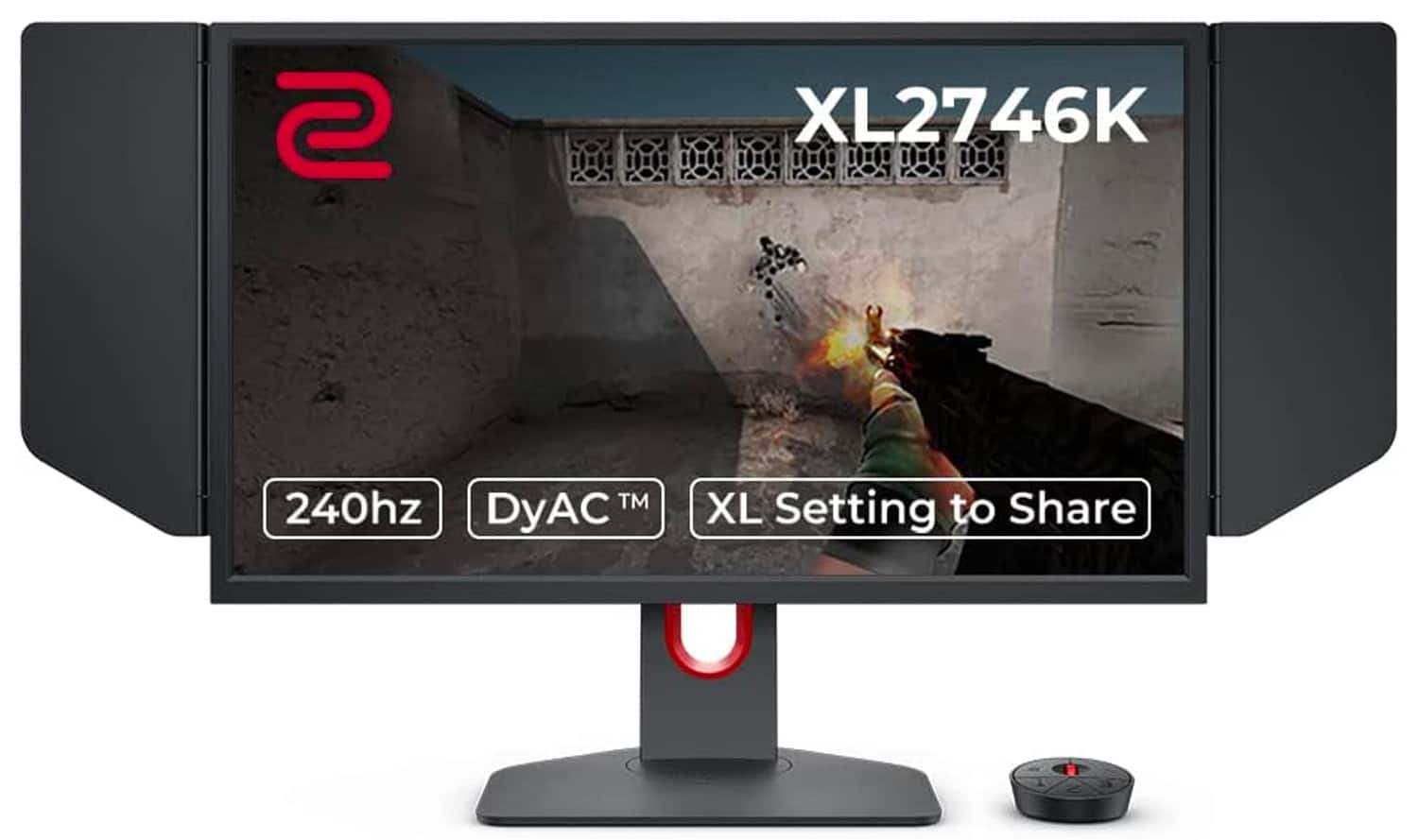
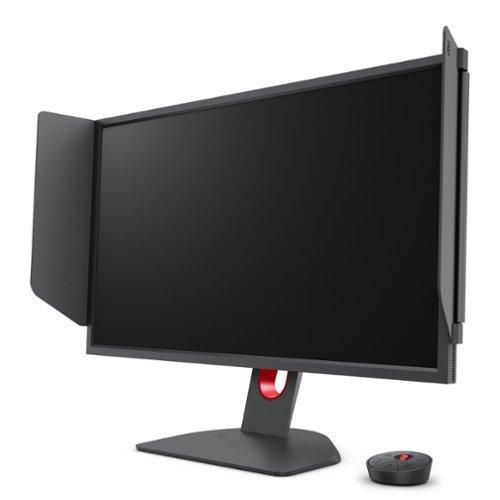
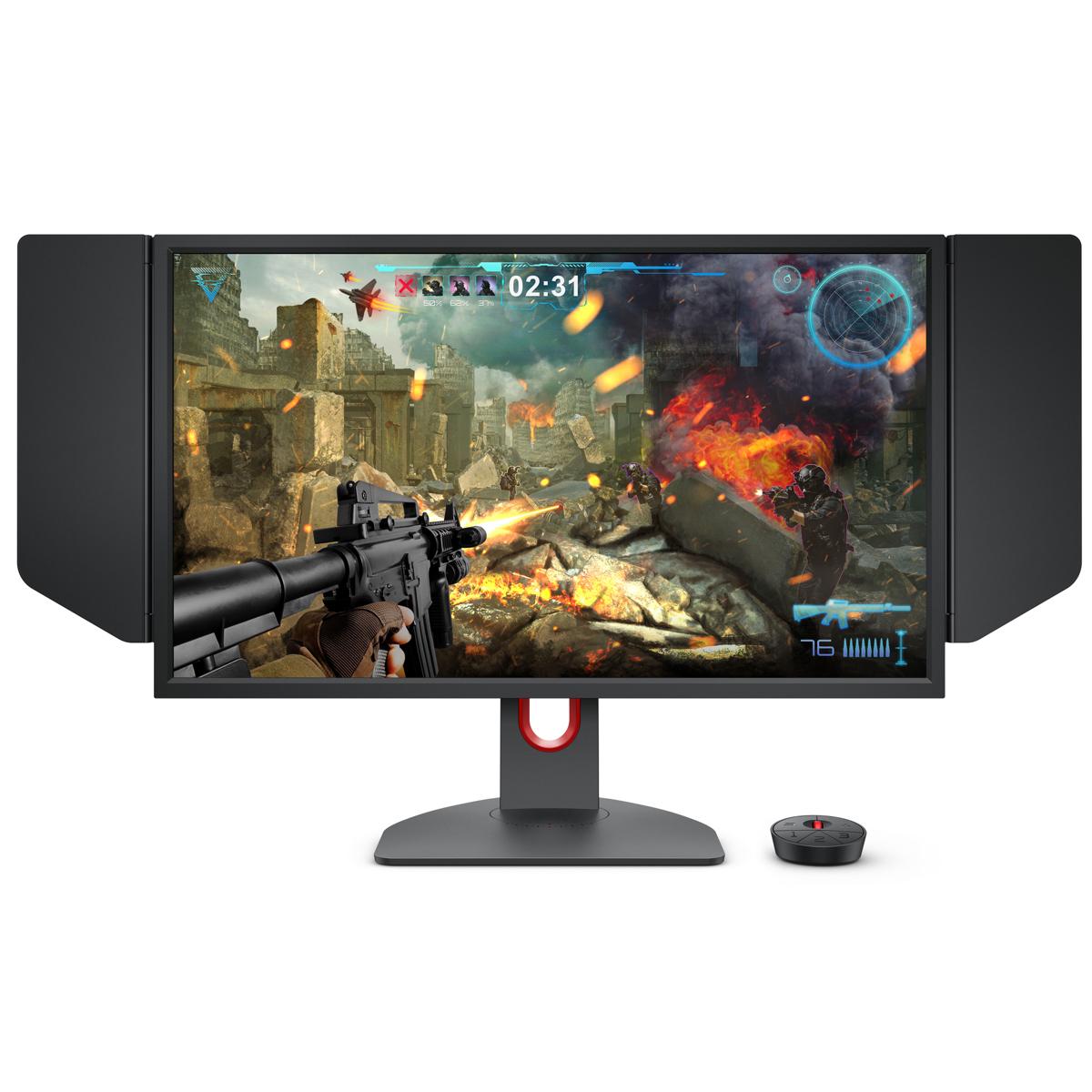
When shopping for a gaming monitor, you're essentially choosing between two philosophies: do you want the best possible visual experience, or do you want every competitive advantage you can get? This choice becomes crystal clear when comparing the Acer Nitro XV1 27" WQHD 180Hz IPS Gaming Monitor against the BenQ Zowie XL2746K 27" 240Hz Esports Gaming Monitor.
Released in 2022 and 2021 respectively, these monitors represent mature approaches to gaming display technology. The gaming monitor market has exploded over the past few years, with manufacturers finally delivering on promises of high refresh rates, low input lag, and specialized gaming features that were once exclusive to professional esports setups.
Before diving into the comparison, let's establish what really matters in gaming monitors. The key specifications that determine your experience are refresh rate (how many times per second the screen updates), resolution (pixel count determining sharpness), panel technology (the underlying display tech that affects colors and speed), and response time (how quickly pixels can change colors).
Think of refresh rate like frame rate in movies – higher numbers create smoother motion. Resolution is straightforward: more pixels mean sharper images. Panel technology is where things get interesting. IPS (In-Plane Switching) panels prioritize color accuracy and viewing angles, while TN (Twisted Nematic) panels sacrifice some visual quality for blazing-fast response times.
The Acer Nitro XV1 represents the "jack-of-all-trades" approach with its 2560x1440 IPS panel running at 180Hz. Meanwhile, the BenQ Zowie XL2746K takes the "esports specialist" route with a 1920x1080 TN panel pushing 240Hz. These different philosophies create distinct user experiences.
The most immediately noticeable difference between these monitors is visual quality. The Acer Nitro XV1 delivers a significantly sharper image thanks to its 1440p resolution. With 2560x1440 pixels spread across 27 inches, you get about 109 pixels per inch – enough to make text crisp and game details pop without needing to sit uncomfortably close to the screen.
In contrast, the BenQ Zowie XL2746K stretches 1920x1080 pixels across the same 27-inch screen, resulting in just 81 pixels per inch. This lower pixel density becomes noticeable in everyday use. Text appears slightly fuzzy, and you can actually see individual pixels if you look closely. It's not necessarily bad, but it's a clear step down from modern standards.
The panel technology difference is equally important. The Acer's IPS panel covers 95% of the DCI-P3 color space – a technical way of saying it can display significantly more colors than standard monitors. Colors appear vibrant and accurate, whether you're exploring the lush landscapes in The Witcher 3 or watching YouTube videos between gaming sessions. The 178-degree viewing angles mean colors stay consistent even if you're not sitting perfectly centered.
The BenQ's TN panel takes a different approach. Colors are adequate but not spectacular, roughly matching the older sRGB color standard that covers less color range than modern displays. More notably, viewing angles are limited to about 170 degrees horizontally and 160 degrees vertically. Move your head to the side, and you'll notice colors shift and contrast change. For competitive gaming where you're focused straight ahead, this isn't problematic. For general use or sharing the screen with others, it's a limitation.
HDR (High Dynamic Range) support is another differentiator. The Acer Nitro XV1 includes HDR10 capability, which can enhance contrast and color depth in supported games and content. While its 250 nit peak brightness isn't spectacular for HDR standards, it still provides a noticeable improvement over standard content. The BenQ lacks HDR entirely, focusing purely on competitive gaming performance.
Here's where the philosophy split becomes most apparent. The BenQ Zowie XL2746K pushes 240Hz refresh rates, meaning the screen updates 240 times per second. Compare this to the Acer's 180Hz, and you get 60 additional screen updates every second. In fast-paced competitive games like Counter-Strike or Valorant, this translates to slightly smoother motion and potentially faster reaction times.
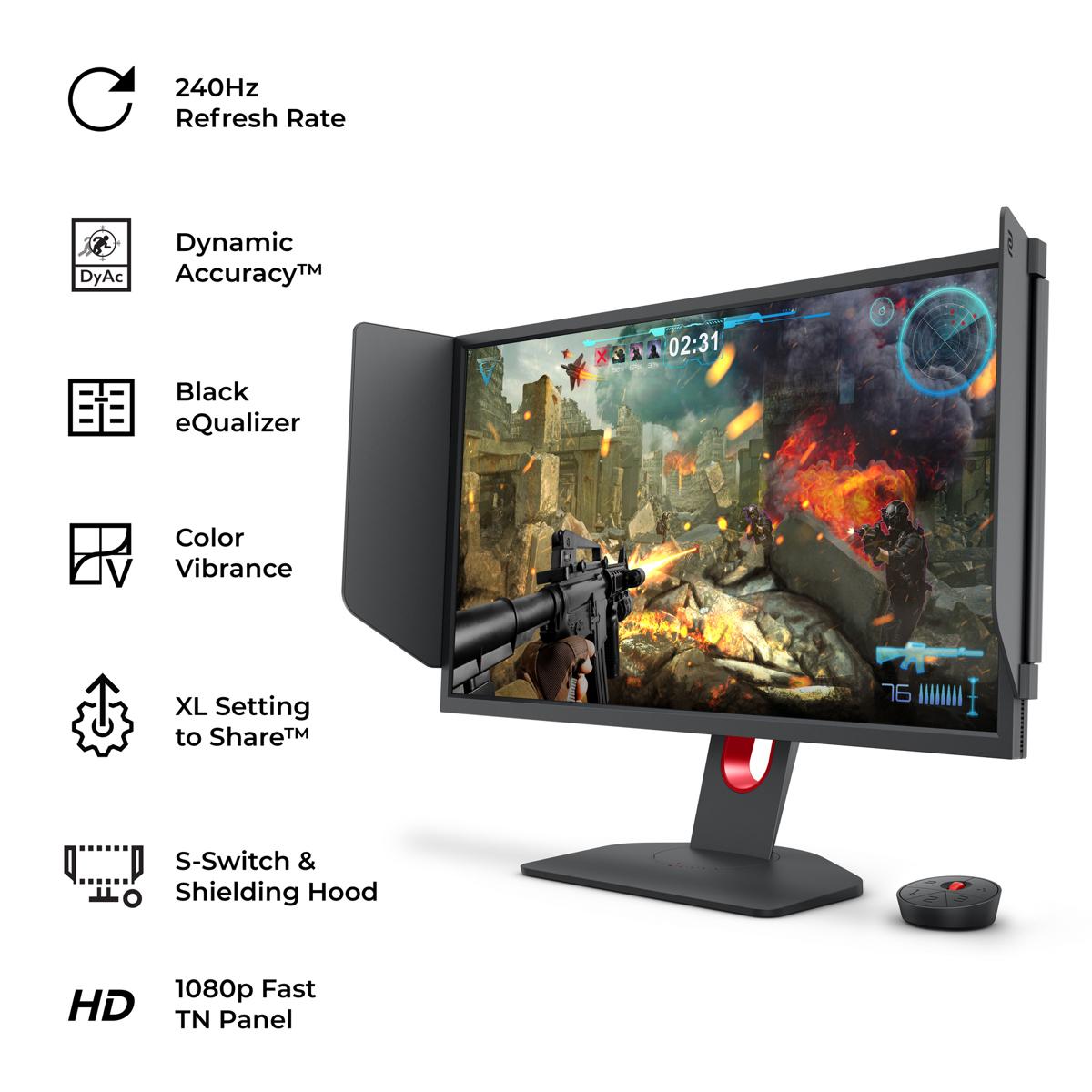
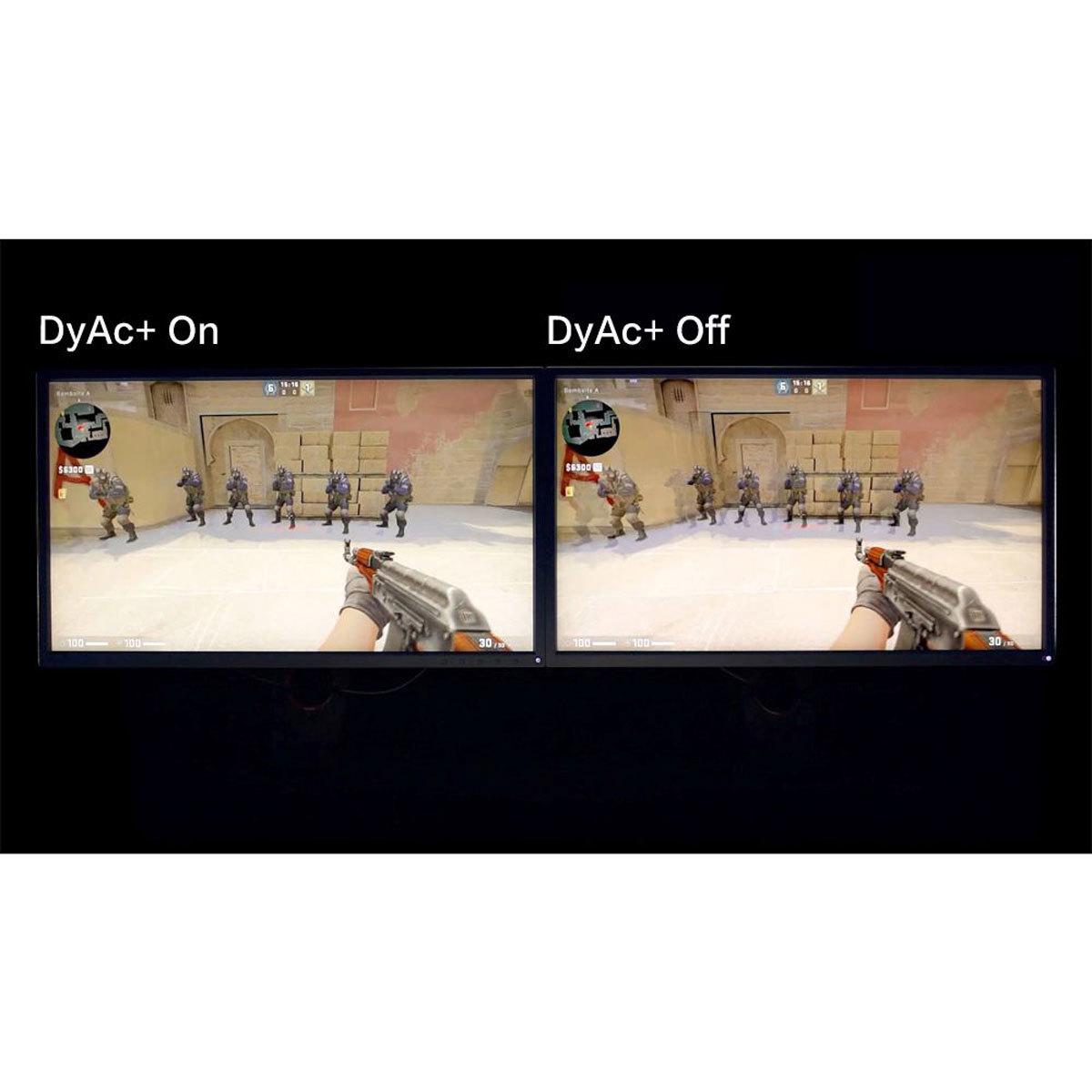
But raw refresh rate numbers don't tell the whole story. The BenQ includes DyAc+™ (Dynamic Accuracy Plus) technology – essentially a sophisticated form of backlight strobing that reduces motion blur. When tracking enemies spraying bullets across your screen, DyAc+™ keeps them sharp and easy to follow. It's genuinely impressive technology that professional esports players swear by.
The Acer takes a different approach to motion clarity. Its IPS panel achieves a 1ms grey-to-grey response time, which is excellent for IPS technology. The monitor also includes Visual Response Boost (VRB) backlight strobing, though it's less sophisticated than BenQ's implementation. More importantly, the Acer supports variable refresh rate technologies like AMD FreeSync Premium and unofficial NVIDIA G-SYNC compatibility, which synchronize your graphics card's output with the monitor to eliminate screen tearing and stuttering.
For competitive gaming, the BenQ's advantages are measurable. Professional players often report improved tracking and aiming consistency with 240Hz and DyAc+™. However, for most gaming scenarios, the difference between 180Hz and 240Hz is subtle. Our research suggests that while competitive players notice and appreciate the higher refresh rate, casual gamers often struggle to perceive meaningful differences beyond 144-165Hz in normal gaming situations.
This is where the monitors' target audiences become crystal clear. The BenQ Zowie XL2746K is loaded with esports-specific features that feel almost excessive for casual gaming but prove invaluable in competitive scenarios.
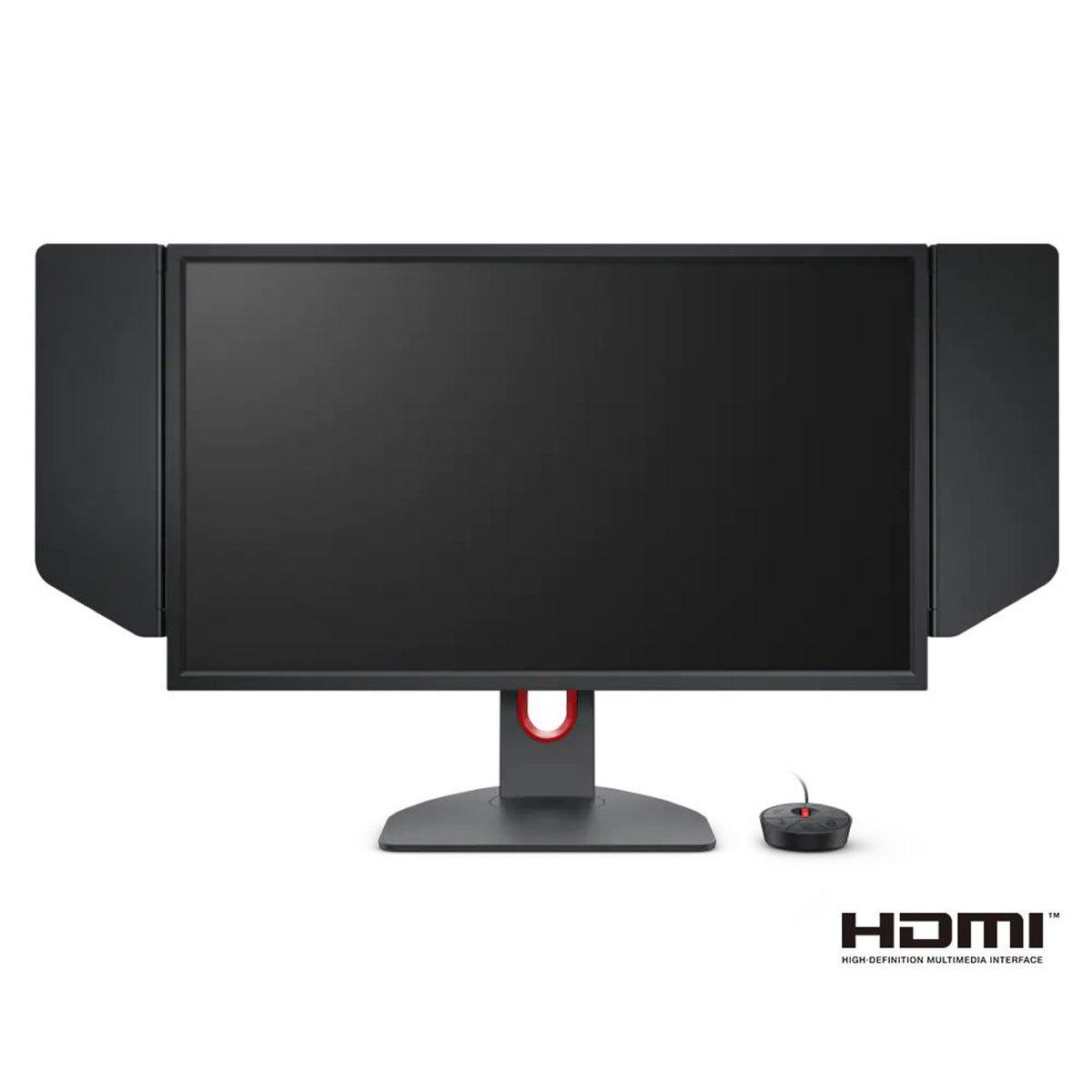
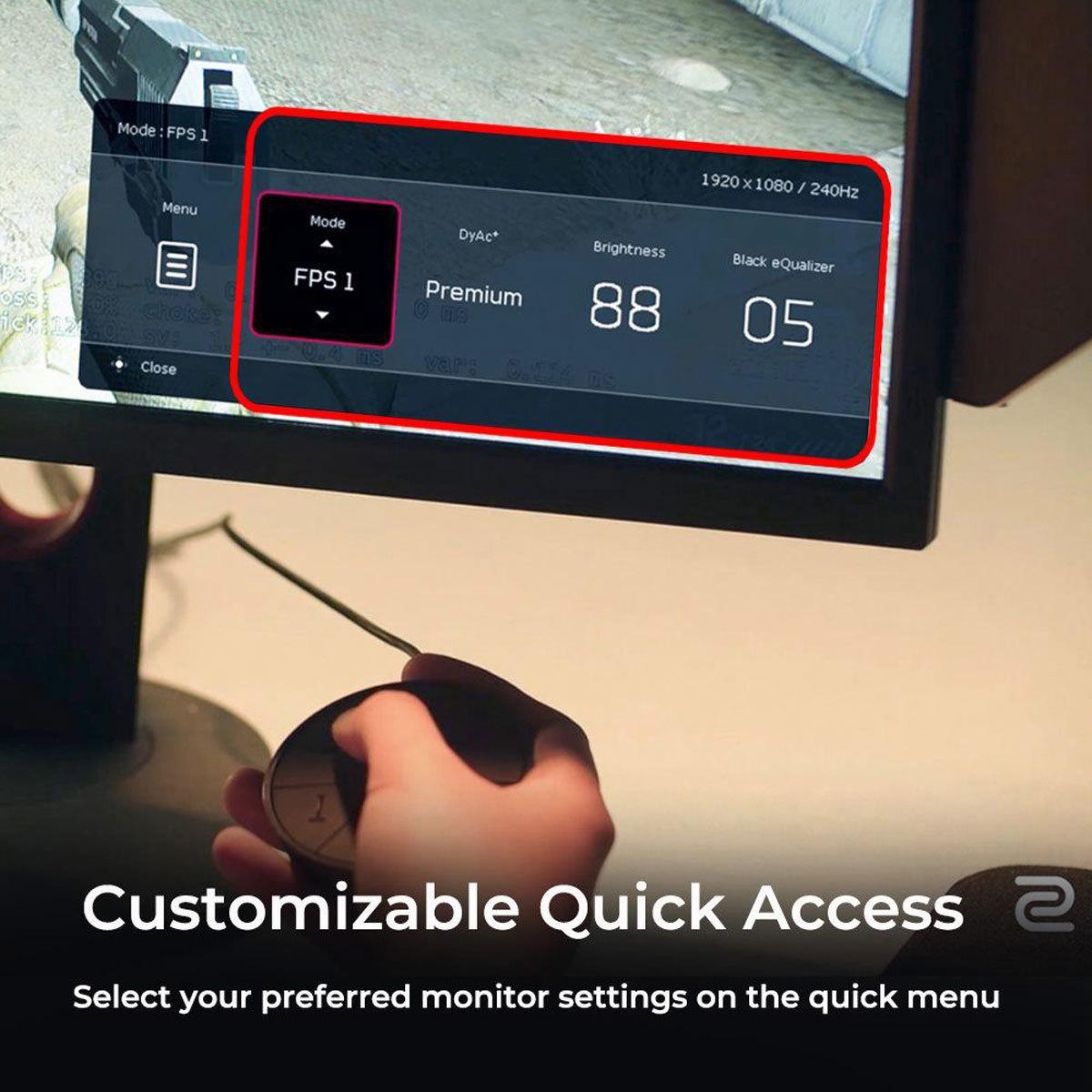
The S Switch is particularly clever – it's a wireless controller that sits on your desk, allowing instant switching between three custom monitor profiles without accessing on-screen menus. Imagine switching from your Valorant settings (high contrast, enhanced visibility) to your single-player RPG settings (balanced colors, different gamma) with a single button press. The XL Setting to Share feature lets you download and import settings used by professional players, essentially giving you access to configurations tested at the highest competitive levels.
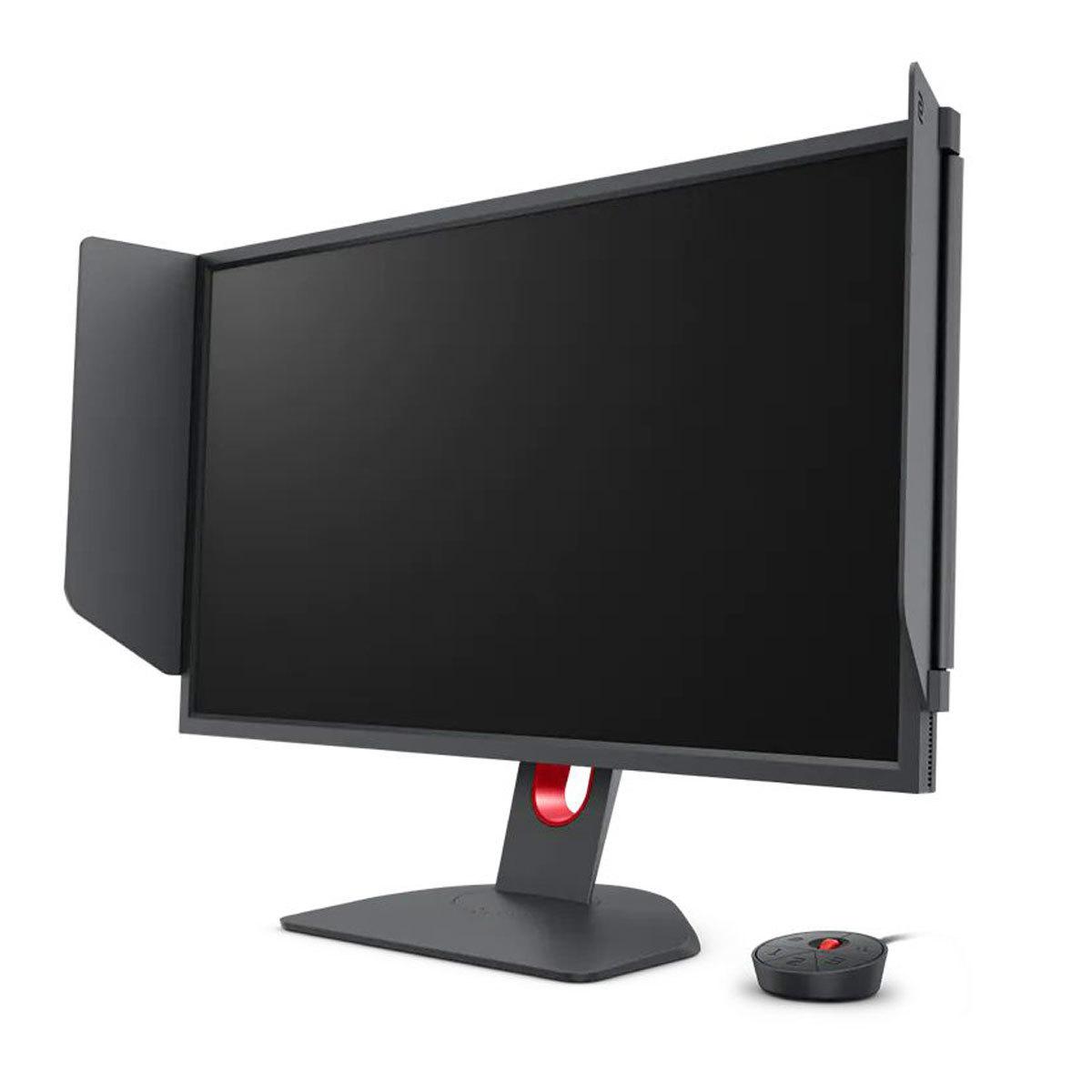
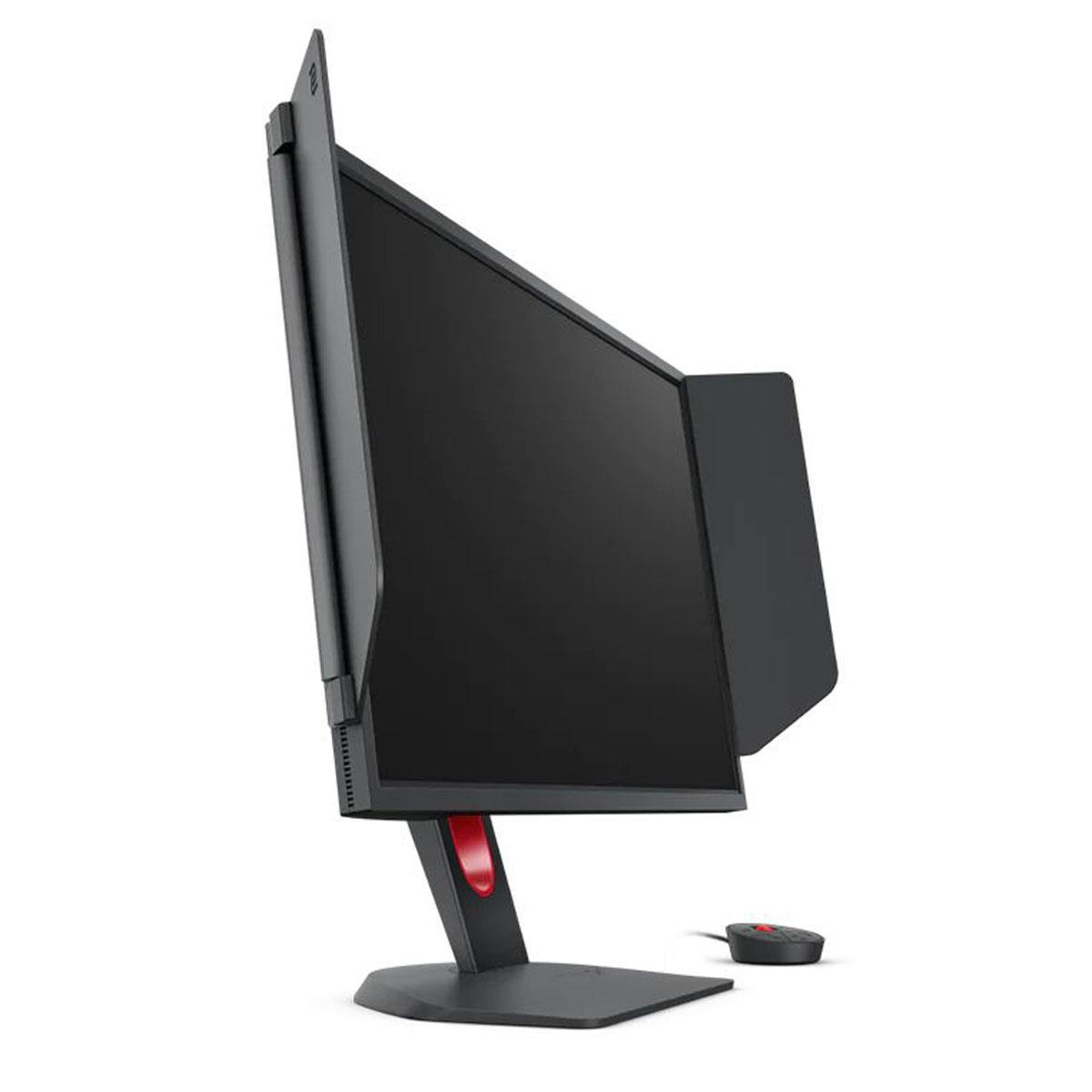
Black eQualizer deserves special mention. This feature brightens dark areas of the image without overexposing bright areas, essentially letting you spot enemies hiding in shadows. Combined with Color Vibrance adjustments, you can tune the display for maximum competitive visibility. The included physical shielding hood blocks peripheral distractions and ambient light – features that scream "tournament setup."
The Acer Nitro XV1 takes a broader approach to gaming features. Its Acer VisionCare Technologies include flicker-free operation and blue light reduction for comfortable extended gaming sessions. The comprehensive on-screen display offers professional-level color controls including 6-axis hue/saturation adjustments and gamma correction. Gaming-specific features include customizable crosshair overlays and refresh rate tracking displays.
Both monitors handle console gaming differently. The Acer works excellently with PlayStation 5 and Xbox Series X, delivering 1440p resolution at up to 120Hz through HDMI. The BenQ is limited to 1080p but can push 120Hz refresh rates, which feels somewhat limiting given modern consoles' 4K capabilities.
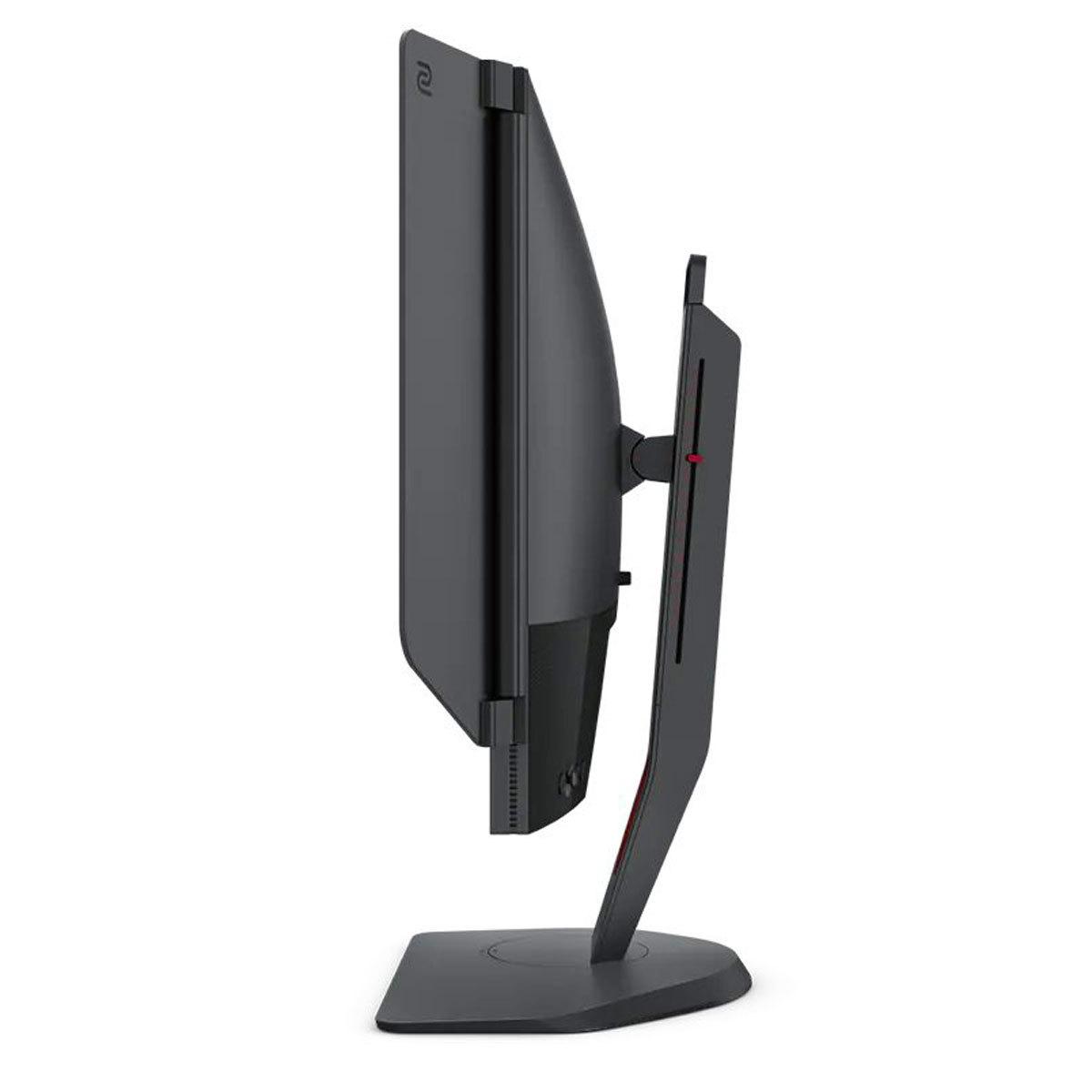
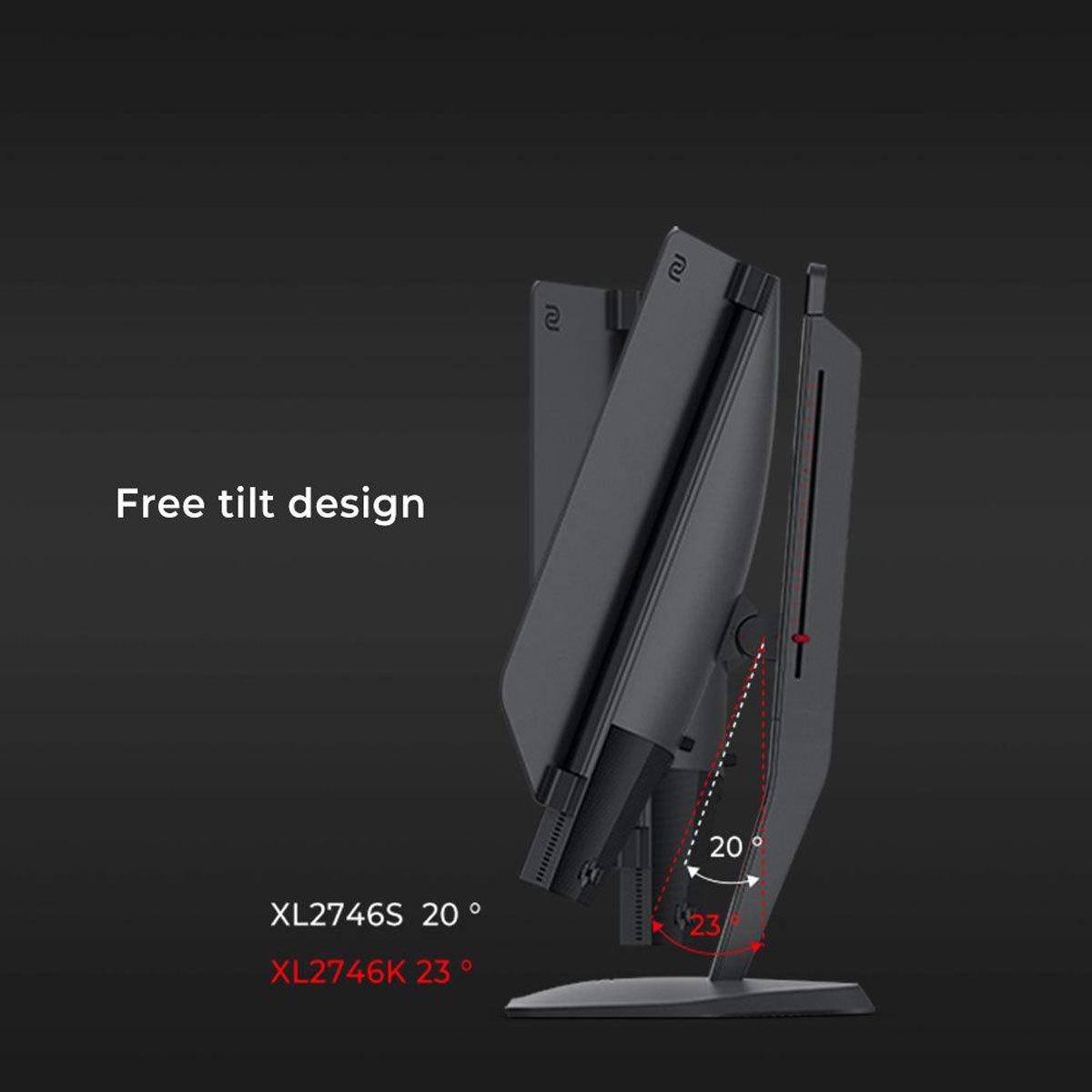
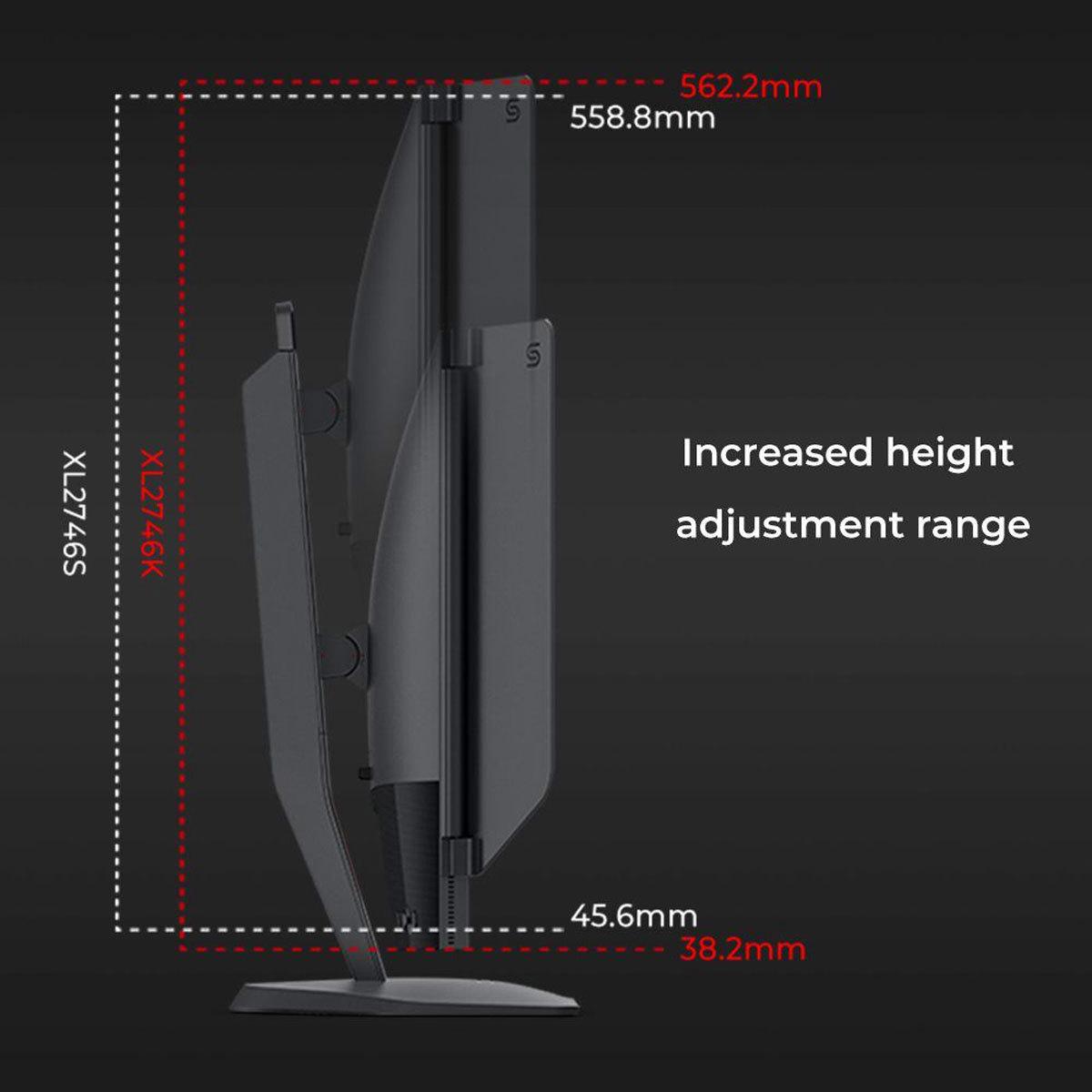
Physical design reveals each monitor's priorities. The BenQ Zowie XL2746K feels like professional equipment. The stand is rock-solid with extensive adjustment ranges: 155mm of height adjustment, -5° to 23° tilt, 45° swivel in both directions, and full 90° pivot for portrait orientation. The overall build quality feels premium, justifying its professional positioning.
The Acer Nitro XV1 offers competitive ergonomics with up to 120mm height adjustment, similar tilt and swivel ranges, and pivot capability. The stand feels solid, though not quite matching the BenQ's professional-grade construction. Both monitors support standard VESA 100x100mm mounting for aftermarket arms.
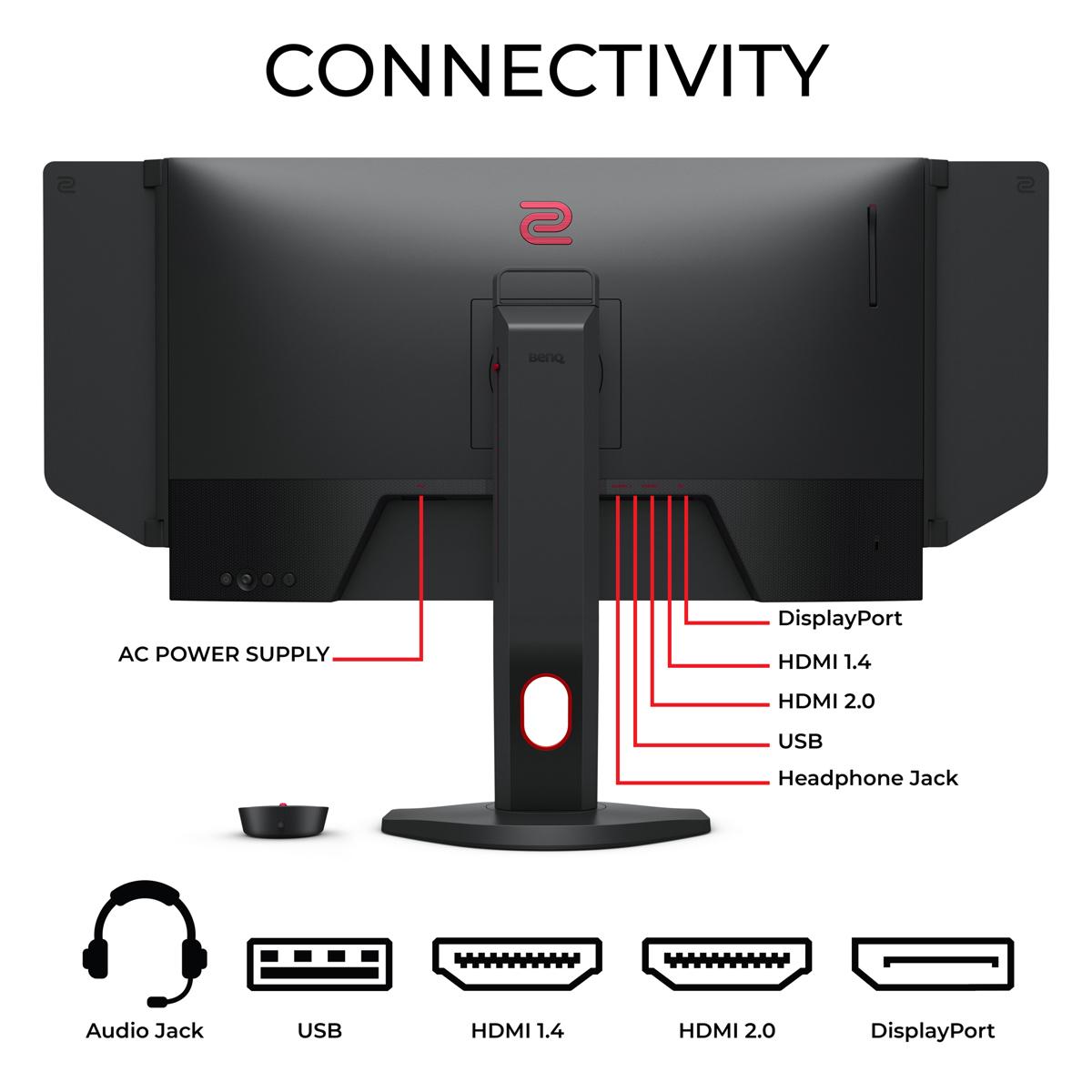
Connectivity differs meaningfully. The Acer provides one DisplayPort 1.2 and two HDMI 2.0 ports, plus includes both DisplayPort and HDMI cables in the box. The BenQ offers one DisplayPort 1.2 and three HDMI 2.0 ports, providing more flexibility for multi-device setups. Interestingly, the Acer includes basic 2W stereo speakers while the BenQ has none – a small but potentially useful difference for users without dedicated audio solutions.
Let's get technical about what really impacts gaming performance. Input lag – the delay between your mouse click and screen response – is crucial for competitive gaming. Based on professional testing consensus, the BenQ XL2746K achieves approximately 1.8ms of input lag at 240Hz, while the Acer XV1 measures around 2.1ms at 180Hz. These differences are measurable but barely perceptible to most players.
Response time specifications can be misleading. The Acer's claimed 1ms G2G (grey-to-grey) response time is impressive for IPS technology, though real-world performance varies across different color transitions. The BenQ doesn't publish specific response time numbers, instead claiming their "fast liquid crystal" technology is optimized for actual gaming rather than benchmark measurements. Professional testing suggests both monitors achieve comparable response times in practical use.
Color accuracy matters for different reasons depending on usage. The Acer delivers significantly better color accuracy out of the box, with Delta E values (color accuracy measurements) typically under 3 for most colors – excellent for a gaming monitor. The BenQ shows larger color deviations but maintains consistency across its more limited color range.
Motion resolution – how sharp moving objects appear – is where the BenQ's DyAc+™ technology shines. Professional testing shows it can maintain clearer detail in fast-moving objects compared to the Acer's VRB implementation. However, this comes with trade-offs: DyAc+™ reduces overall brightness and cannot work simultaneously with variable refresh rate technologies.
At the time of writing, the Acer Nitro XV1 typically sells for $100-200 less than the BenQ Zowie XL2746K, while delivering higher resolution and broader feature compatibility. This price difference makes the Acer an compelling value proposition for most users.
The BenQ's premium pricing reflects its specialized esports focus and professional heritage. You're paying for features most casual gamers won't fully utilize, but competitive players consider essential. The included professional accessories (S Switch, shielding hood, dust cover) add value for serious users but may feel excessive for casual gaming.
Consider total ownership costs beyond initial purchase. The Acer includes necessary cables and basic speakers, potentially saving $20-50 in accessories. The BenQ comes with professional-grade extras but may require separate audio solutions.
Both monitors offer solid warranties and build quality that should provide years of reliable service. The BenQ's 3-year warranty edges out the Acer's typical coverage, though both brands have reasonable support reputations.
For users considering these monitors in living room or home theater setups, the Acer Nitro XV1 is clearly superior. Its 1440p resolution provides appropriate detail for larger viewing distances, while HDR10 support enhances movie and streaming content. The IPS panel's superior viewing angles accommodate multiple viewers better than the BenQ's restrictive TN panel.
The Acer's built-in speakers, while basic, provide acceptable audio for casual content consumption. Console gaming benefits significantly from the higher resolution, making games look sharper and more detailed on the larger 27-inch screen.
The BenQ feels out of place in home theater scenarios. Its 1080p resolution looks dated on a 27-inch screen at typical living room viewing distances, and the TN panel's viewing angle limitations create inconsistent experiences for multiple viewers.
Choose the BenQ Zowie XL2746K if competitive gaming is your primary focus. Professional esports players, aspiring competitive gamers, and anyone who plays fast-paced FPS games regularly will appreciate the 240Hz refresh rate and DyAc+™ motion clarity. The specialized features and professional heritage justify the premium if you're serious about competitive performance.
The Acer Nitro XV1 suits virtually everyone else. Its combination of 1440p resolution, solid 180Hz performance, HDR support, and attractive pricing makes it an excellent all-around gaming monitor. Whether you play single-player adventures, multiplayer games, or use your monitor for work and entertainment, the Acer delivers superior versatility and value.
For mixed-use scenarios – gaming, work, content consumption – the Acer's superior visual quality and broader feature set provide better long-term satisfaction. The higher resolution offers genuine benefits across all use cases, while the IPS panel's color accuracy and viewing angles enhance every type of content.
Budget-conscious gamers should strongly consider the Acer. You're getting more pixels, better colors, and more features for less money – a rare combination in the monitor market.
The BenQ makes sense only if you're specifically focused on competitive FPS gaming and can justify the premium for marginal performance gains. For this specific use case, it's genuinely excellent. For everything else, the Acer offers better value and broader capabilities.
Both monitors represent solid choices within their respective categories. The key is honestly assessing your gaming priorities and choosing the monitor that best matches your actual usage patterns rather than theoretical performance scenarios.
| Acer Nitro XV1 27" WQHD 180Hz IPS Gaming Monitor | BenQ Zowie XL2746K 27" 240Hz Esports Gaming Monitor |
|---|---|
| Resolution - Higher resolution means sharper text and game details | |
| 2560 x 1440 (WQHD) - 77% more pixels for crisp visuals | 1920 x 1080 (Full HD) - Lower pixel density on 27" screen |
| Panel Technology - Affects color quality and viewing angles | |
| IPS panel with 178° viewing angles and superior colors | TN panel optimized for speed but limited viewing angles |
| Refresh Rate - Higher numbers create smoother motion in games | |
| 180Hz (DisplayPort), 144Hz (HDMI) - Excellent for most gaming | 240Hz - Maximum competitive gaming performance |
| Motion Clarity Technology - Reduces blur in fast-paced games | |
| Visual Response Boost (VRB) backlight strobing | DyAc+™ technology - Professional-grade motion blur reduction |
| Color Performance - Important for visual quality and content creation | |
| 95% DCI-P3 color gamut with HDR10 support | Basic sRGB color gamut, no HDR support |
| Variable Refresh Rate - Eliminates screen tearing and stuttering | |
| AMD FreeSync Premium + G-SYNC Compatible | Variable refresh rate (disabled when DyAc+™ is active) |
| Gaming Features - Specialized tools for competitive advantage | |
| Crosshair overlays, refresh rate display, comprehensive OSD | S Switch controller, Black eQualizer, XL Setting to Share |
| Ergonomics - Adjustability for comfort during long sessions | |
| Height (120mm), tilt, swivel, pivot with solid stand | Height (155mm), tilt, swivel, pivot with premium stand |
| Connectivity - Ports for multiple devices | |
| 1x DisplayPort 1.2, 2x HDMI 2.0, includes cables | 1x DisplayPort 1.2, 3x HDMI 2.0, professional accessories |
| Audio - Built-in sound capability | |
| 2x 2W stereo speakers included | No built-in speakers |
| Target User - Who benefits most from each monitor | |
| Versatile gamers seeking balance of performance and visuals | Competitive FPS players prioritizing esports performance |
| Value Proposition - Performance per dollar consideration | |
| Higher resolution and features at lower price point | Premium pricing for specialized competitive gaming tools |
The BenQ Zowie XL2746K is specifically designed for competitive gaming with its 240Hz refresh rate and DyAc+™ motion blur reduction technology. Professional esports players prefer the BenQ XL2746K for FPS games like CS:GO and Valorant because it provides clearer motion tracking and faster response times. However, the Acer Nitro XV1 still offers excellent gaming performance at 180Hz for most competitive scenarios.
The Acer Nitro XV1 delivers significantly better picture quality with its 2560x1440 resolution and IPS panel technology. You get 77% more pixels than the BenQ XL2746K, which means sharper text and game details. The Acer monitor also offers superior color accuracy, wider viewing angles, and HDR10 support, while the BenQ focuses on speed over visual quality with its 1080p TN panel.
The Acer Nitro XV1 typically provides better value for most users, offering higher resolution, better colors, and more features at a lower price point. The BenQ Zowie XL2746K commands a premium for its specialized esports features and professional heritage. Unless you're specifically focused on competitive FPS gaming, the Acer delivers more capabilities per dollar spent.
Yes, both monitors work with PlayStation 5 and Xbox Series X consoles. The Acer Nitro XV1 is better suited for console gaming because it can display the full 1440p resolution that modern consoles output, providing sharper visuals. The BenQ XL2746K is limited to 1080p output, which doesn't take full advantage of current console capabilities.
The Acer Nitro XV1 is significantly better for movies and streaming content. Its higher 1440p resolution provides sharper detail, the IPS panel offers better color accuracy and viewing angles for multiple viewers, and HDR10 support enhances contrast in compatible content. The BenQ XL2746K lacks these features and is primarily optimized for competitive gaming rather than entertainment.
Only the Acer Nitro XV1 supports HDR10, which can enhance contrast and color depth in compatible games and movies. The BenQ Zowie XL2746K does not include HDR support, as it focuses purely on competitive gaming performance features instead of visual enhancement technologies.
The BenQ Zowie XL2746K has superior motion clarity thanks to its 240Hz refresh rate and advanced DyAc+™ technology that reduces motion blur. This makes it easier to track enemies and objects in fast-paced FPS games. The Acer Nitro XV1 offers good motion performance at 180Hz with VRB technology, but it's not quite as refined as the BenQ's motion clarity features.
The BenQ XL2746K includes specialized esports features like the S Switch controller for quick profile changes, Black eQualizer for enhanced shadow visibility, and XL Setting to Share for importing professional player settings. The Acer Nitro XV1 offers more general gaming features including crosshair overlays, refresh rate displays, comprehensive color controls, and variable refresh rate support for smoother gameplay.
The Acer Nitro XV1 is much better for work and productivity due to its higher 1440p resolution that provides more screen real estate and sharper text. The IPS panel offers better color accuracy for creative work and wider viewing angles for collaboration. The BenQ XL2746K is designed specifically for gaming and its 1080p resolution feels cramped for productivity tasks on a 27-inch screen.
The BenQ Zowie XL2746K offers a maximum 240Hz refresh rate, while the Acer Nitro XV1 provides 180Hz via DisplayPort and 144Hz through HDMI. The higher refresh rate of the BenQ provides smoother motion, but the difference between 180Hz and 240Hz is subtle and mainly noticeable to competitive gamers. Most users will find the Acer's 180Hz more than sufficient for smooth gaming.
Both monitors offer solid build quality, but the BenQ XL2746K has a more premium feel with its professional-grade stand that offers 155mm height adjustment and rock-solid stability. The Acer Nitro XV1 provides good ergonomics with 120mm height adjustment and all the same adjustment options, though the stand feels slightly less premium. Both support VESA mounting for aftermarket monitor arms.
Yes, both monitors include eye comfort features. The Acer Nitro XV1 offers Acer VisionCare Technologies including flicker-free operation and blue light reduction filters. The BenQ XL2746K also provides flicker-free technology when DyAc+™ is disabled and includes low blue light modes. However, the Acer may be more comfortable for extended use due to its better color accuracy and viewing angles that reduce eye strain.
We've done our best to create useful and informative comparisons to help you decide what product to buy. Our research uses advanced automated methods to create this comparison and perfection is not possible - please contact us for corrections or questions. These are the sites we've researched in the creation of this article: bestbuy.com - tomshardware.com - displayninja.com - youtube.com - youtube.com - youtube.com - store.acer.com - manuals.plus - displayspecifications.com - pangoly.com - pcpartpicker.com - casariolab.art - store.acer.com - versus.com - youtube.com - rtings.com - youtube.com - bestbuy.com - versus.com - youtube.com - versus.com - forums.blurbusters.com - pcmonitors.info - youtube.com - bhphotovideo.com - zowie.benq.com - bhphotovideo.com - device.report - newegg.com - bestbuy.com - displayspecifications.com - provantage.com - zowie.benq.com - smallonlineshop.com.sg - camcor.com

Privacy Policy
Terms and Conditions - Affiliate Policy
Home Security
© Copyright 2008-2026.
11816 Inwood Rd #1211, Dallas, TX 75244