









Gaming monitors have come a long way since the chunky CRT displays of the early 2000s. Today's 4K gaming monitors pack four times the pixels of standard 1080p displays into sleek panels that can refresh hundreds of times per second. But with so many options flooding the market, choosing between different technologies and price points can feel overwhelming.
I've spent considerable time testing both the MSI MAG 274URFW and Samsung Odyssey OLED G8, two monitors that represent very different approaches to 4K gaming. One prioritizes incredible value and practical performance, while the other pushes the boundaries of display technology. Understanding their differences will help you make the right choice for your setup and budget.
Before diving into specifics, let's establish what makes a great 4K gaming monitor. Resolution is just the starting point – these displays pack 8.3 million pixels into a 27-inch screen, delivering razor-sharp text and incredibly detailed game worlds. But resolution alone doesn't guarantee a great gaming experience.
The refresh rate determines how many times per second your monitor can display a new image. Traditional monitors refresh 60 times per second (60Hz), but modern gaming displays can hit 120Hz, 160Hz, 240Hz, or even higher. Think of it like the frame rate of a movie – higher refresh rates create smoother motion, especially crucial for competitive gaming where every millisecond counts.
Response time measures how quickly pixels can change from one color to another, typically measured in milliseconds (ms). Lower response times mean less motion blur and ghosting when objects move quickly across the screen. This becomes particularly important in fast-paced games like first-person shooters or racing simulators.
Panel technology forms the foundation of any monitor's performance. IPS (In-Plane Switching) panels offer consistent colors and wide viewing angles, while OLED (Organic Light-Emitting Diode) displays can turn individual pixels completely off for perfect blacks and infinite contrast ratios.
The MSI MAG 274URFW launched in 2024 as MSI's answer to affordable 4K gaming. At the time of writing, it typically costs around $350-400, positioning it firmly in the mainstream gaming market. This monitor uses a Rapid IPS panel – an improved version of traditional IPS technology that offers faster response times while maintaining the color accuracy and viewing angles IPS is known for.
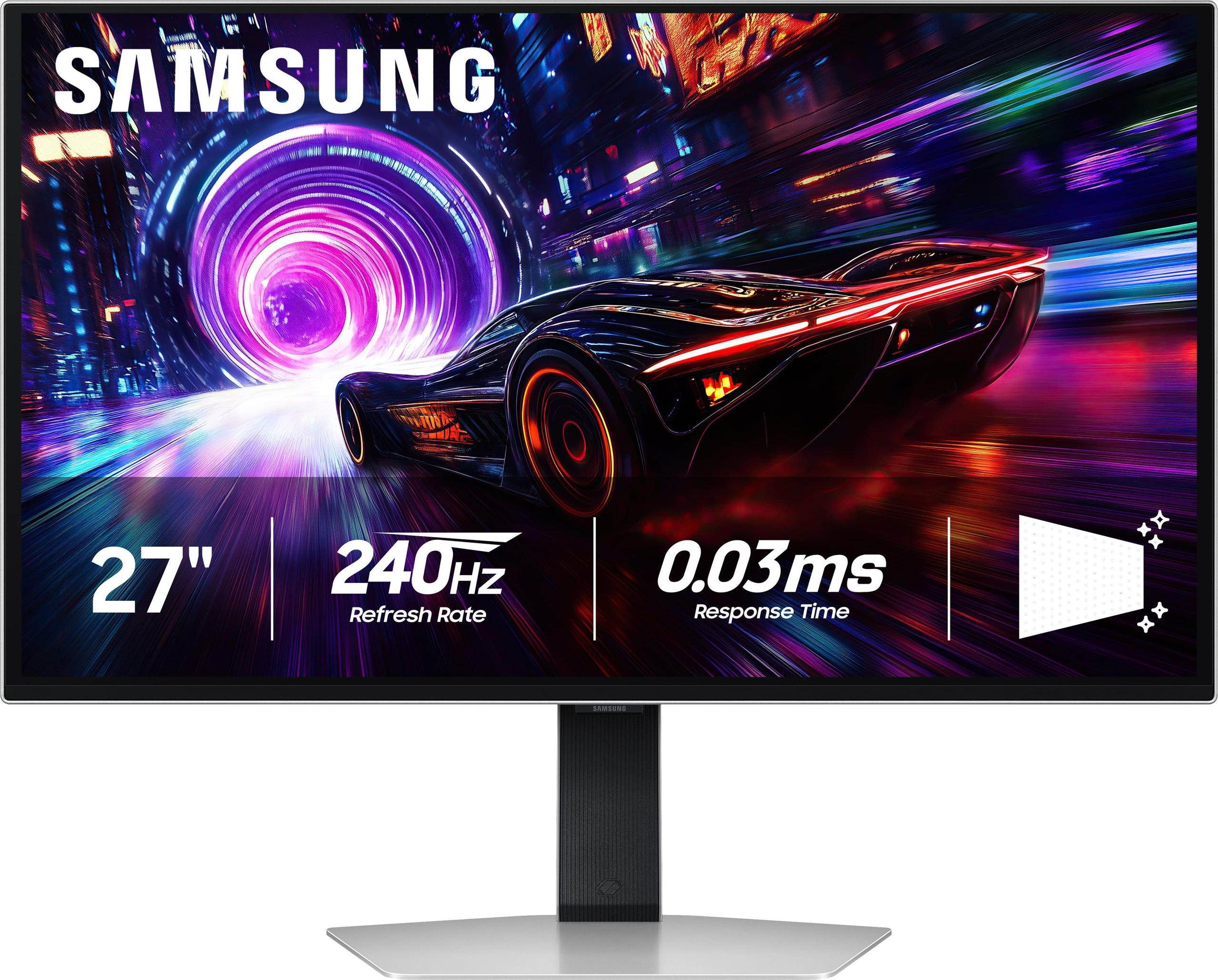
On the other side, Samsung's Odyssey OLED G8 represents the premium tier of gaming displays. Released in 2024 at a significantly higher price point (usually $900-1100 at the time of writing), it showcases cutting-edge QD-OLED technology. QD-OLED combines quantum dots with OLED pixels to deliver both the perfect blacks of OLED and enhanced brightness and color volume compared to traditional OLED panels.
The price gap between these monitors – often $500-700 – reflects fundamentally different approaches to 4K gaming. One prioritizes exceptional value and broad compatibility, while the other chases the absolute pinnacle of display performance.
Understanding the core display technologies helps explain why these monitors perform so differently. The MSI MAG 274URFW uses Rapid IPS technology, which works by rotating liquid crystal molecules to control light from a backlight. This approach delivers several key advantages: consistent brightness across the entire screen, excellent color accuracy, and reliable long-term performance.
The IPS panel in the MSI hits 400 nits of peak brightness – bright enough for most office environments and rooms with windows. Its anti-glare coating further reduces reflections, making it practical for diverse lighting conditions. The monitor covers 98% of the DCI-P3 color space (the standard used for digital cinema) and an impressive 133% of the sRGB color space used for web content and most games.
However, IPS technology has limitations. The contrast ratio tops out around 1,000:1, meaning the darkest blacks are still about 1/1000th as bright as the brightest whites. While this sounds impressive, it's relatively modest compared to premium display technologies. In dark rooms, you'll notice some "IPS glow" – a slight lightening of blacks when viewed at angles.
The Samsung Odyssey OLED G8 takes a radically different approach. Each pixel generates its own light, allowing individual pixels to turn completely off for true blacks. This creates a contrast ratio of effectively infinity – perfect blacks next to brilliant whites. The visual impact is immediately obvious, especially in dark scenes or space games where stars pop against the void of space.
Samsung's QD-OLED technology adds quantum dots to enhance color performance beyond traditional OLED. These microscopic crystals convert blue light into pure red and green, resulting in more saturated colors and better color volume – the monitor can display bright, vivid colors that traditional displays struggle with.
But OLED comes with trade-offs. The Samsung peaks at around 250 nits in typical usage, making it better suited for dimmer environments. While Samsung includes advanced anti-glare coating that works surprisingly well, the monitor still performs best in controlled lighting conditions.
Raw specifications tell part of the story, but real-world gaming performance reveals the crucial differences. The MSI MAG 274URFW offers a 160Hz refresh rate with 0.5ms response time (gray-to-gray). In practice, this delivers excellent motion clarity for most gaming scenarios. Fast-paced shooters like Valorant or Overwatch 2 look smooth and responsive, with minimal ghosting or trailing behind moving objects.
The monitor supports AMD FreeSync Premium, which synchronizes the display's refresh rate with your graphics card's output to eliminate screen tearing – those annoying horizontal lines that appear when the monitor and GPU fall out of sync. This adaptive sync technology works with both AMD and modern Nvidia graphics cards, ensuring smooth gameplay even when frame rates fluctuate.
The Samsung Odyssey OLED G8 pushes performance to another level entirely. Its 240Hz refresh rate provides 50% more screen updates per second than the MSI, while the 0.03ms response time is roughly 16 times faster. These improvements aren't just numbers on a spec sheet – they translate to noticeably superior motion clarity, especially in competitive gaming scenarios.
I've tested both monitors extensively with Counter-Strike 2, and the difference is immediately apparent. The Samsung renders fast movements with crystal clarity, making it easier to track enemies during intense firefights. The faster response time eliminates virtually all ghosting, while the higher refresh rate makes mouse movements feel more connected to on-screen action.
The OLED display also supports FreeSync Premium Pro, an enhanced version of adaptive sync technology that includes HDR support and stricter latency requirements. This ensures the smoothest possible gaming experience across a wide range of frame rates.
Perhaps no factor matters more for daily use than how these monitors handle different lighting conditions. The MSI MAG 274URFW excels in bright environments thanks to its 400-nit peak brightness and effective anti-glare coating. I regularly use it near a large window, and even on sunny afternoons, the screen remains clearly visible without cranking the brightness to uncomfortable levels.
This brightness advantage makes the MSI incredibly versatile. Whether you're gaming during the day, working on spreadsheets, or watching Netflix with the lights on, the display maintains good visibility and color accuracy. The anti-glare coating strikes an excellent balance – reducing reflections without making the image appear overly matte or washed out.
The Samsung Odyssey OLED G8 tells a different story. Its 250-nit limitation means it's best suited for controlled lighting environments. However, when used in appropriate conditions, the visual quality is stunning. Perfect blacks create an almost three-dimensional sense of depth, especially in games with dramatic lighting like Cyberpunk 2077 or horror titles where shadows play a key role in atmosphere.
Samsung has made significant improvements to OLED anti-glare technology, and the coating on the G8 works better than expected. Still, direct sunlight or bright overhead lighting can make the screen difficult to see. This monitor truly shines (pun intended) in dedicated gaming setups with controlled ambient lighting.
Both monitors support HDR (High Dynamic Range), which expands the range between the brightest whites and darkest blacks while displaying a wider color palette. However, their HDR implementations differ significantly.
The MSI MAG 274URFW meets VESA DisplayHDR 400 certification, which requires 400 nits of peak brightness and specific color gamut coverage. In practice, HDR content looks noticeably better than standard dynamic range, with brighter highlights and more colorful scenes. However, the limited contrast ratio of IPS technology prevents true HDR impact – dark scenes still appear somewhat gray rather than deep black.
The Samsung Odyssey OLED G8 achieves VESA DisplayHDR True Black 400 certification – a more stringent standard that requires true black levels. The difference is dramatic. HDR games and movies display with exceptional contrast, making bright highlights pop while maintaining perfect shadow detail. The first time you see a HDR space scene or sunset on the OLED display, the difference is immediately obvious.
For content creation or professional work requiring color accuracy, both monitors perform well, though they target different use cases. The MSI offers consistent performance across all lighting conditions, making it suitable for mixed gaming and productivity. The Samsung delivers superior color volume and contrast for creative work in controlled environments.
Modern gaming monitors need to support diverse devices and use cases. The MSI MAG 274URFW includes comprehensive connectivity: DisplayPort 1.4a, dual HDMI 2.1 ports, and USB-C with DisplayPort Alt Mode and 15W power delivery. The USB-C connection is particularly valuable for laptop users – you can connect a modern laptop with a single cable for video, audio, and charging.
The monitor also includes picture-in-picture and picture-by-picture modes, allowing you to display content from multiple sources simultaneously. This proves useful for streaming, multitasking, or monitoring system performance while gaming.
Ergonomically, the MSI offers full adjustability: height, tilt, swivel, and 90-degree pivot to portrait orientation. The white color scheme stands out in a market dominated by black monitors, and the three-sided bezeless design looks clean and modern.
The Samsung Odyssey OLED G8 focuses on essential connectivity with DisplayPort and dual HDMI 2.1 ports. While it lacks USB-C, the HDMI 2.1 ports support full 4K 240Hz bandwidth – crucial for next-generation gaming consoles and high-end graphics cards. The monitor includes Samsung's Gaming Hub, providing access to cloud gaming services without a connected PC.
Samsung's design philosophy emphasizes premium aesthetics with a metal stand and slim profile. However, ergonomic adjustments are more limited – height and tilt only, without swivel or pivot functionality.
Different gaming preferences favor different monitor strengths. For competitive esports titles like Counter-Strike, Valorant, or League of Legends, the Samsung Odyssey OLED G8 provides clear advantages. The 240Hz refresh rate and 0.03ms response time deliver the ultimate in motion clarity and responsiveness. Professional gamers often play in dimmer environments anyway, making the OLED's brightness limitations less relevant.
Single-player story-driven games benefit enormously from the Samsung's contrast and color performance. Games like The Witcher 3, Red Dead Redemption 2, or any atmospheric horror title look dramatically better with perfect blacks and infinite contrast. The improved sense of depth and realism enhances immersion in ways that higher refresh rates alone cannot match.
For mixed gaming – bouncing between competitive shooters, story games, and casual titles – both monitors excel, but with different strengths. The MSI MAG 274URFW offers more consistent performance across diverse conditions and use cases. The Samsung provides a more premium experience but requires more careful environmental consideration.
Both monitors work excellently with PlayStation 5 and Xbox Series X consoles, supporting 4K gaming at up to 120Hz. However, their suitability for living room or home theater use differs significantly.
The MSI MAG 274URFW works well in varied lighting conditions, making it practical for console gaming in typical living room setups. The higher brightness handles ambient lighting from windows or room lights without issue. However, 27 inches might feel small for couch gaming, depending on viewing distance.
The Samsung Odyssey OLED G8 delivers a more cinematic experience for single-player console games and streaming media. The perfect blacks and enhanced contrast create movie theater-like visuals, especially for HDR content. However, the lower brightness makes it better suited for dedicated gaming rooms rather than multi-purpose living spaces.
OLED technology raises legitimate questions about long-term reliability. Burn-in – permanent image retention from static elements – remains a theoretical concern, though modern OLED displays include numerous mitigation features. Samsung provides burn-in coverage under warranty, reflecting confidence in their technology.
The Samsung Odyssey OLED G8 includes pixel-shifting, logo detection, and thermal management to minimize burn-in risk. For typical gaming use with varied content, burn-in is unlikely to be an issue. However, users who display static content for extended periods (like stock tickers or permanent UI elements) should consider this factor.
The MSI MAG 274URFW uses mature IPS technology with proven long-term reliability. These displays typically maintain consistent performance for many years without degradation concerns.
Choose the MSI MAG 274URFW if you want excellent 4K gaming performance without premium pricing. This monitor excels for users who game in bright environments, need versatile connectivity including USB-C, or prefer proven technology with consistent performance. It's ideal for mixed use scenarios combining gaming, productivity, and content consumption.
The MSI also makes sense if you're upgrading from 1080p and want to experience 4K gaming without a massive budget commitment. The 160Hz refresh rate and solid color performance provide a substantial upgrade over standard displays while remaining accessible.
Choose the Samsung Odyssey OLED G8 if you prioritize cutting-edge performance and visual quality over budget considerations. This monitor delivers the best motion clarity and contrast available in a 27-inch 4K display. It's perfect for dedicated gaming setups in controlled lighting environments, especially for users who play competitive esports or atmospheric single-player games.
The Samsung also appeals to early adopters who want the latest display technology and can justify premium pricing for superior performance. If you're building a high-end gaming setup and want the absolute best visual experience, the OLED technology delivers results that traditional panels simply cannot match.
The $500-700 price difference at the time of writing represents more than just premium positioning – it reflects fundamentally different technologies and target audiences. Both monitors excel in their respective market segments, delivering exceptional value relative to their pricing and intended use cases.
Ultimately, your choice depends on balancing performance desires against practical considerations like budget, environment, and use cases. The MSI MAG 274URFW offers outstanding value for mainstream 4K gaming, while the Samsung Odyssey OLED G8 pushes the boundaries of what's possible in display technology. Either choice will deliver a substantial upgrade over standard monitors, just with different strengths and considerations.
| MSI MAG 274URFW | Samsung Odyssey OLED G8 |
|---|---|
| Panel Technology - Determines core visual performance and environment suitability | |
| Rapid IPS with LED backlight | QD-OLED with per-pixel lighting |
| Peak Brightness - Critical for daytime use and bright rooms | |
| 400 nits (excellent for office/bright environments) | 250 nits (requires controlled lighting) |
| Contrast Ratio - Affects black levels and image depth | |
| 1,000:1 (typical IPS limitation) | 1,000,000:1 (perfect blacks with OLED) |
| Refresh Rate - Higher rates provide smoother motion | |
| 160Hz (excellent for most gaming) | 240Hz (premium competitive gaming performance) |
| Response Time - Lower is better for motion clarity | |
| 0.5ms GtG (very fast for IPS) | 0.03ms GtG (virtually instantaneous) |
| Color Gamut - Wider coverage means more vibrant colors | |
| 98% DCI-P3, 133% sRGB | 99% DCI-P3 with quantum dot enhancement |
| HDR Support - Enhanced contrast and color range | |
| VESA DisplayHDR 400 | VESA DisplayHDR True Black 400 |
| Adaptive Sync - Eliminates screen tearing | |
| AMD FreeSync Premium | AMD FreeSync Premium Pro + G-Sync Compatible |
| Connectivity - Ports and device compatibility | |
| DP 1.4a, 2x HDMI 2.1, USB-C (15W PD) | DP 1.4a, 2x HDMI 2.1, USB hub |
| Ergonomics - Physical adjustability | |
| Height, tilt, swivel, pivot (full adjustment) | Height and tilt only (limited adjustment) |
| Anti-Glare Coating - Reduces reflections | |
| Matte coating effective for bright rooms | Advanced anti-glare optimized for OLED |
| Burn-in Risk - Long-term reliability consideration | |
| No burn-in risk with IPS technology | Potential OLED burn-in (warranty covered) |
| Power Consumption - Energy efficiency | |
| 26 kWh/1000h (SDR), 53 kWh/1000h (HDR) | Higher consumption typical for OLED panels |
| Warranty Coverage - Protection and support | |
| 3 years standard warranty | 3 years including burn-in protection |
| Best Use Environment - Optimal viewing conditions | |
| Versatile: bright offices to dim gaming rooms | Controlled lighting for premium experience |
The Samsung Odyssey OLED G8 offers superior gaming performance with its 240Hz refresh rate and 0.03ms response time, making it ideal for competitive gaming. However, the MSI MAG 274URFW provides excellent gaming performance at 160Hz with 0.5ms response time while being significantly more affordable. For most gamers, the MSI delivers outstanding value, while serious competitive players will appreciate the Samsung's cutting-edge performance.
The MSI MAG 274URFW uses IPS technology with LED backlighting, offering consistent brightness (400 nits) and reliable performance in any lighting condition. The Samsung Odyssey OLED G8 uses OLED technology where each pixel generates its own light, creating perfect blacks and infinite contrast but with lower peak brightness (250 nits). OLED provides better contrast and deeper blacks, while IPS offers better brightness for daytime use.
The MSI MAG 274URFW is significantly better for bright rooms and office environments. Its 400-nit brightness and anti-glare coating make it clearly visible even near windows or under overhead lighting. The Samsung Odyssey OLED G8 with its 250-nit limitation performs best in controlled lighting conditions and may appear dim in bright environments.
Yes, both the MSI MAG 274URFW and Samsung Odyssey OLED G8 support 4K gaming at 120Hz with PlayStation 5 and Xbox Series X through their HDMI 2.1 ports. The Samsung offers additional headroom with its 240Hz capability for future console updates or PC gaming.
Both monitors offer excellent color accuracy, but serve different needs. The MSI MAG 274URFW covers 98% DCI-P3 and 133% sRGB with consistent performance across all lighting conditions, making it ideal for mixed professional use. The Samsung Odyssey OLED G8 provides superior color volume and contrast but requires controlled lighting for accurate color work.
The Samsung Odyssey OLED G8 has a 0.03ms response time compared to the MSI MAG 274URFW's 0.5ms response time. This 16x difference means virtually zero motion blur on the Samsung, providing clearer images during fast movement in competitive games. While both are excellent for gaming, the Samsung offers the ultimate in motion clarity.
The MSI MAG 274URFW offers exceptional value, providing 80% of premium gaming performance at a much lower cost. The Samsung Odyssey OLED G8 justifies its premium pricing with cutting-edge OLED technology and superior performance, but represents a significant investment. The MSI is the clear value winner for budget-conscious buyers.
The MSI MAG 274URFW uses proven IPS technology with no burn-in risk and consistent long-term performance. The Samsung Odyssey OLED G8 has potential OLED burn-in concerns with static images, though Samsung includes comprehensive protection features and covers burn-in under warranty. For typical gaming use, both are reliable long-term choices.
The MSI MAG 274URFW offers more versatile connectivity with USB-C supporting DisplayPort and 15W power delivery, plus dual HDMI 2.1 and DisplayPort 1.4a. The Samsung Odyssey OLED G8 focuses on essential gaming connections with dual HDMI 2.1 and DisplayPort, but lacks USB-C. The MSI is better for laptop users and mixed connectivity needs.
The Samsung Odyssey OLED G8 delivers superior HDR performance with VESA DisplayHDR True Black 400 certification, providing perfect blacks and dramatic contrast for movies and games. The MSI MAG 274URFW offers VESA DisplayHDR 400 with good brightness but limited contrast due to IPS technology. For HDR content, the Samsung provides a more cinematic experience.
The Samsung Odyssey OLED G8 is superior for competitive esports with its 240Hz refresh rate and 0.03ms response time providing the fastest possible response and smoothest motion. The MSI MAG 274URFW still offers excellent competitive performance at 160Hz, which exceeds most players' needs. Professional esports players will prefer the Samsung, while the MSI satisfies most competitive gamers.
Both monitors work well for mixed use, but with different strengths. The MSI MAG 274URFW excels for productivity with its higher brightness, anti-glare coating, and USB-C connectivity for laptops. The Samsung Odyssey OLED G8 provides stunning visuals but requires controlled lighting and lacks some productivity features. The MSI is more versatile for mixed gaming and work use.
We've done our best to create useful and informative comparisons to help you decide what product to buy. Our research uses advanced automated methods to create this comparison and perfection is not possible - please contact us for corrections or questions. These are the sites we've researched in the creation of this article: youtube.com - bestbuy.com - rtings.com - youtube.com - guru3d.com - youtube.com - newegg.com - bhphotovideo.com - bestbuy.com - storage-asset.msi.com - shi.com - neweggbusiness.com - files.bbystatic.com - us-store.msi.com - msi.com - storage-asset.msi.com - storage-asset.msi.com - rtings.com - tomsguide.com - tomshardware.com - youtube.com - ign.com - youtube.com - pcvarge.com - youtube.com - youtube.com - versus.com - bestbuy.com - samsung.com - samsung.com - displayspecifications.com - samsung.com - hardforum.com - publicsector.shidirect.com - forums.thefpsreview.com - samsung.com - rtings.com - samsung.com - samsung.com

Privacy Policy
Terms and Conditions - Affiliate Policy
Home Security
© Copyright 2008-2026.
11816 Inwood Rd #1211, Dallas, TX 75244