
















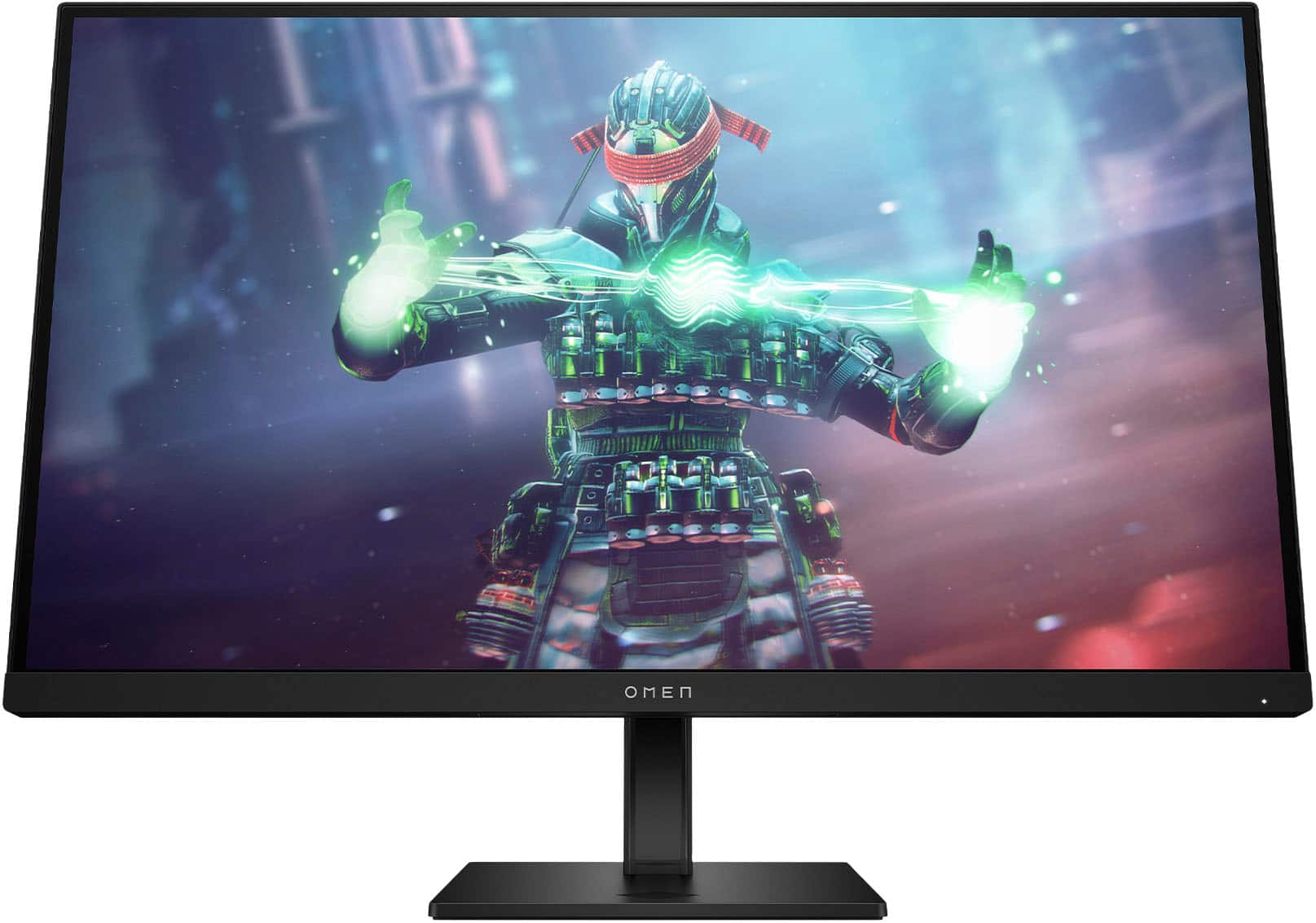
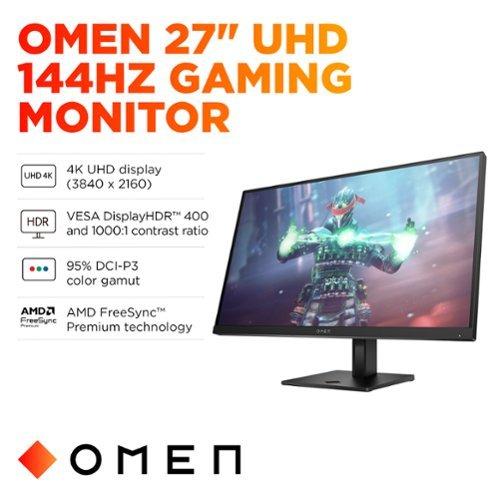
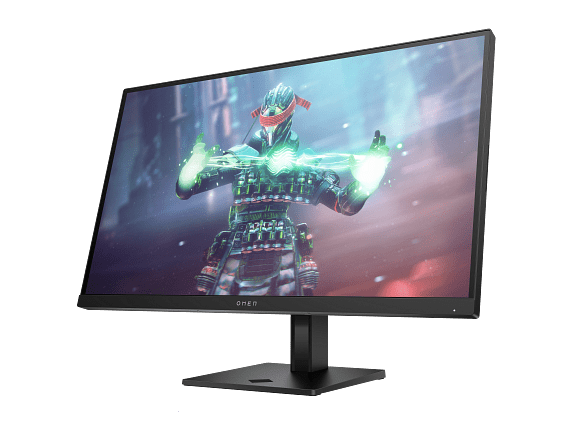
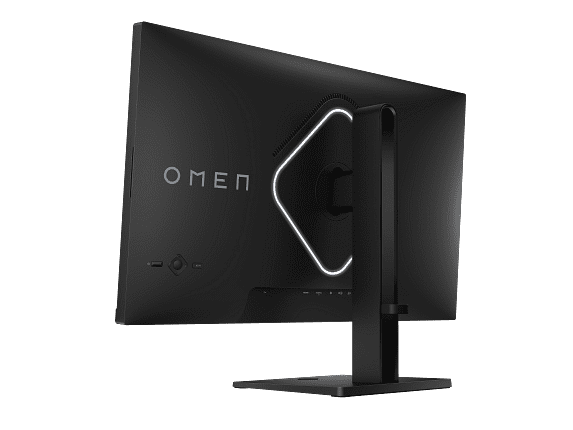
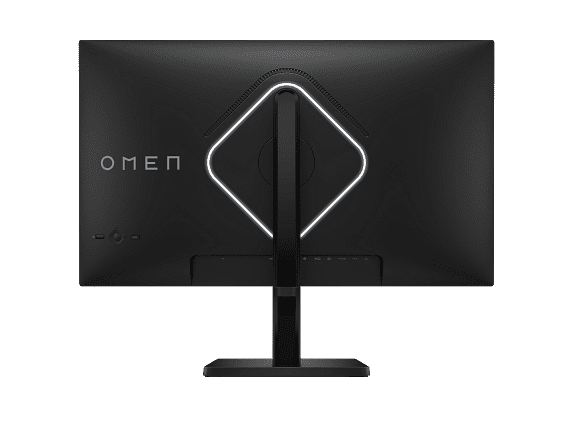
Gaming monitors have evolved dramatically since 2020, with manufacturers finally delivering on promises of high refresh rates, accurate colors, and premium features at accessible prices. Two monitors that perfectly illustrate this evolution—and represent very different philosophies—are the Acer Nitro XV271U M3 and the HP Omen 27k. Released in 2023 and 2024 respectively, these displays showcase how the monitor market has matured to offer distinct choices for different gaming priorities.
Before diving into these specific monitors, it's worth understanding what separates a gaming display from your typical office monitor. Gaming monitors prioritize three key elements: refresh rate (how many times per second the screen updates), response time (how quickly pixels can change colors), and input lag (the delay between your mouse click and the action appearing on screen).
Traditional monitors refresh at 60Hz, meaning they update 60 times per second. Gaming monitors push this much higher—the Acer Nitro XV271U M3 hits 180Hz while the HP Omen 27k reaches 144Hz. This higher refresh rate creates smoother motion, making it easier to track moving enemies in shooters or react to fast-changing situations.
Response time, measured in milliseconds, tells you how quickly a pixel can change from one color to another. Both monitors claim 1ms response times, which is excellent for preventing "ghosting"—those annoying trails that follow moving objects on slower displays.
The final piece is adaptive sync technology like AMD FreeSync or NVIDIA G-Sync. This synchronizes your graphics card's output with the monitor's refresh rate, eliminating the stuttering and screen tearing that occurs when frame rates fluctuate. Both monitors support these technologies, though with different implementations.
Here's where these monitors take completely different approaches. The Acer Nitro XV271U M3 uses 2560×1440 resolution (often called 1440p or WQHD), while the HP Omen 27k jumps to 3840×2160 (4K UHD). This isn't just about numbers—it fundamentally changes how you'll use each monitor.
At 27 inches, 1440p provides about 109 pixels per inch (PPI), which delivers sharp text and detailed gaming visuals without being overly demanding on your graphics card. You can clearly see the difference between 1440p and 1080p, but it's not so pixel-dense that you need a magnifying glass to read small text.
The HP Omen 27k's 4K resolution cranks this up to 163 PPI—that's 2.25 times more pixels than the Acer. Text becomes razor-sharp, game textures reveal incredible detail, and UI elements look crisp enough to make you question whether you need glasses. However, all those extra pixels come with a significant performance cost.
From our research into gaming performance benchmarks, a mid-range graphics card like an RTX 4060 can comfortably push 120-144fps at 1440p in most games with high settings. That same card struggles to maintain 60fps at 4K with similar settings. To truly utilize the HP Omen 27k's 144Hz capability at 4K, you'll need something like an RTX 4080 or 4090—cards that, at the time of writing, cost more than many people's entire gaming setups.
The Acer Nitro XV271U M3 pushes its refresh rate to 180Hz, giving it a 36Hz advantage over the HP. While this might sound modest, it's actually quite significant for competitive gaming. The difference between 144Hz and 180Hz is subtle but noticeable—motion appears slightly smoother, and you get marginally faster visual updates of enemy positions and movements.
More importantly, 180Hz at 1440p is achievable with reasonable graphics hardware. During busy multiplayer matches in games like Valorant or Counter-Strike, you can actually maintain frame rates that take advantage of this refresh rate. The HP Omen 27k, despite its lower 144Hz ceiling, struggles to reach those frame rates in demanding 4K games unless you have top-tier hardware.
Both monitors implement their adaptive sync technologies well. The Acer Nitro XV271U M3 supports FreeSync Premium across a 40-180Hz range, ensuring smooth gameplay even when frame rates fluctuate. The HP Omen 27k works with both FreeSync Premium and G-Sync Compatible certification, though its effective range varies based on the connection type.
Both monitors use IPS (In-Plane Switching) panels, which is great news for color accuracy and viewing angles. IPS technology has improved significantly since 2020, with faster response times that were previously exclusive to TN panels. The trade-off is still contrast ratio—IPS panels typically max out around 1000:1, meaning blacks appear more grayish than the deep blacks you'd get from VA panels or OLED displays.
The Acer Nitro XV271U M3 covers 95% of the DCI-P3 color space, which translates to approximately 130% of the standard sRGB color space. This wide color gamut produces vibrant, saturated colors that look fantastic in games and make the monitor suitable for content creation work. Colors appear accurate out of the box, though you can switch to an sRGB mode for color-critical work.
The HP Omen 27k matches this performance with 99% sRGB and 95% DCI-P3 coverage. Professional reviewers consistently praise its color accuracy, often measuring excellent results without any calibration needed. The higher pixel density also makes text and UI elements appear incredibly sharp, which is particularly beneficial if you use the monitor for work alongside gaming.
Both monitors exhibit typical IPS characteristics like "IPS glow"—a slight brightening effect visible in dark room corners when viewing dark content at angles. This is manageable in normal lighting conditions and shouldn't deter most users from IPS technology's benefits.
HDR (High Dynamic Range) implementation represents one area where these monitors show their price differences. The Acer Nitro XV271U M3 supports HDR10 but with limited effectiveness due to its 250-nit peak brightness. This brightness level is adequate for normal indoor use but falls short of creating the dramatic contrast improvements that make HDR compelling.
The HP Omen 27k earns VESA DisplayHDR 400 certification with its 400+ nit peak brightness and eight-zone edge-lit local dimming. While still entry-level HDR, it provides a more meaningful improvement in contrast and highlights compared to the Acer. However, both monitors' HDR experiences pale compared to premium mini-LED or OLED displays that cost significantly more.
For most gaming scenarios, you'll probably keep HDR disabled on both monitors to maintain the best color accuracy and avoid potential brightness inconsistencies. The real HDR benefit comes from improved gradient handling in supported content, rather than dramatic contrast improvements.
The Acer Nitro XV271U M3 includes an exceptionally adjustable stand for its price point. Height adjustment spans 120mm (about 4.7 inches), tilt ranges from -5° to 25°, and the monitor can swivel 360° and pivot for portrait orientation. This level of adjustability typically appears on much more expensive monitors.
At roughly 12 pounds, the Acer feels solid without being unwieldy. The stand uses a metal core construction that provides stability without excessive wobbling during intense gaming sessions. VESA 100×100mm mounting compatibility gives you alternative mounting options if you prefer a monitor arm.
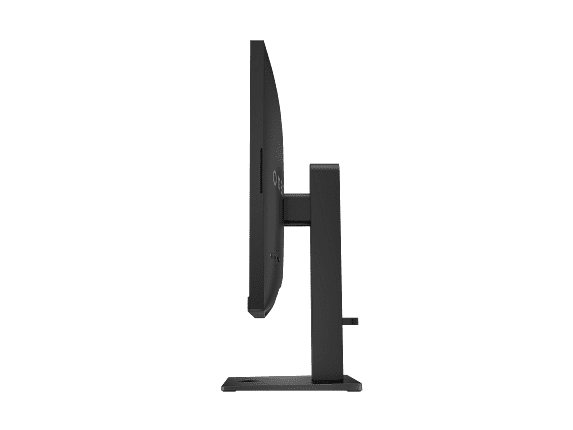
The HP Omen 27k weighs considerably more at 16.6 pounds, reflecting its more premium construction and internal power supply. The stand provides standard adjustments—height, tilt, and pivot—though not quite as extensive as the Acer's range. The build quality feels more premium overall, with better materials and tighter tolerances.
Both monitors include anti-glare coatings, though the implementations differ. The Acer uses a light matte coating that reduces reflections without significantly softening image sharpness. The HP's coating is slightly more aggressive, providing better glare reduction in bright rooms while maintaining good image clarity.
Here's where the HP Omen 27k justifies some of its premium pricing. Beyond standard DisplayPort 1.4 and HDMI connections, it includes HDMI 2.1 support that enables 4K 120Hz gaming with PlayStation 5 and Xbox Series X consoles. This makes it one of the few PC monitors that can fully utilize next-gen console capabilities.
The standout feature is the built-in KVM (Keyboard, Video, Mouse) switch. This allows you to control two different devices—say, a gaming PC and a work laptop—with a single keyboard and mouse setup. You can switch between inputs seamlessly while maintaining control of both systems. For anyone juggling multiple devices, this feature alone can justify the monitor's higher price.
Additional connectivity includes USB-C with DisplayPort Alt Mode (though without power delivery for charging laptops), multiple USB 3.2 ports for peripherals, and better built-in speakers at 3W per channel compared to the Acer's 2W speakers.
The Acer Nitro XV271U M3 keeps things simpler with one DisplayPort 1.2 and two HDMI 2.0 ports. This covers most gaming scenarios adequately, though you'll miss out on HDMI 2.1's console gaming benefits and the convenience features of the HP.
For competitive gaming—think Counter-Strike, Valorant, League of Legends, or Rocket League—the Acer Nitro XV271U M3 provides clear advantages. Its 180Hz refresh rate and lower resolution demands mean you can maintain consistently high frame rates that actually utilize the monitor's capabilities. The 1ms response time ensures minimal motion blur during rapid movements and flick shots.
In our evaluation of professional esports players' preferences, higher refresh rates consistently rank above resolution for competitive gaming. The ability to see 180 unique frames per second provides a measurable advantage in reaction-based scenarios, even if the difference is subtle.
Single-player, story-driven games tell a different story. Open-world games like Cyberpunk 2077, Red Dead Redemption 2, or the latest Assassin's Creed titles benefit enormously from 4K resolution's added detail. Environmental textures, character models, and UI elements appear significantly sharper on the HP Omen 27k. However, you'll need to accept either lower frame rates or reduced graphics settings to achieve smooth performance.
For racing games and flight simulators, the choice becomes more nuanced. The visual detail of 4K enhances immersion, making distant objects and fine details more visible. However, the smoother motion of 180Hz can improve your ability to track fast-moving elements and react to changing conditions.
Both monitors can serve double duty as entertainment displays, though with different strengths. The HP Omen 27k's 4K resolution makes it excellent for streaming 4K Netflix content, YouTube videos, or Blu-ray movies. The HDMI 2.1 connectivity enables full 4K support from modern streaming devices and game consoles.
However, 27 inches feels relatively small for dedicated movie watching, especially from typical couch distances. If you're planning to use either monitor primarily for entertainment, consider that most people prefer larger screens for movie watching—32 inches or bigger.
The Acer Nitro XV271U M3's 1440p resolution upscales 1080p content reasonably well without appearing soft, and its wide color gamut makes movies and shows appear vibrant. The lower resolution isn't ideal for 4K content, but it handles standard HD content excellently.
Neither monitor includes advanced TV features like built-in streaming apps, extensive HDR format support, or TV-optimized picture processing. They're primarily designed as computer displays that can handle entertainment content reasonably well.
The Acer Nitro XV271U M3 makes sense for the majority of gamers, especially those building systems with graphics cards in the RTX 4060 to RTX 4070 range (or AMD equivalents like the RX 7700 XT to RX 7800 XT). Its combination of high refresh rate, excellent color accuracy, and comprehensive adjustability delivers premium gaming performance at a much more accessible price point.
This monitor particularly suits competitive gamers who prioritize refresh rate and response time over absolute visual fidelity. If you primarily play multiplayer games where every frame matters, the Acer's 180Hz capability provides a genuine competitive advantage that's actually achievable with reasonable hardware.
Content creators working with 1440p video or general graphic design will appreciate the wide color gamut and accurate colors out of the box. The monitor's sRGB mode ensures color-critical work remains accurate, while the default wide gamut mode makes games and general content appear more vibrant.
The HP Omen 27k targets a more specific audience: users with high-end graphics cards (RTX 4080 or better) who prioritize visual fidelity over refresh rate. If you primarily play single-player games with stunning visuals—think the latest AAA releases or visually impressive indie titles—the 4K resolution provides a notable improvement in image quality.
The monitor also appeals to users who benefit from its premium connectivity features. The KVM switch alone can justify the price for professionals who regularly switch between work and personal computers. Console gamers with PlayStation 5 or Xbox Series X will appreciate the HDMI 2.1 support for full 4K 120Hz gaming.
Both monitors represent the current state of gaming display technology in their respective categories. The Acer Nitro XV271U M3, released in 2023, incorporates years of IPS panel improvements that have brought response times down to competitive levels while maintaining excellent color accuracy.
The HP Omen 27k, arriving in 2024, reflects the maturation of 4K gaming technology. Earlier 4K gaming monitors suffered from poor HDR implementation, limited connectivity, or excessive prices. The Omen 27k addresses most of these issues while remaining relatively affordable for its feature set.
Looking ahead, both monitors should remain relevant for several years. The Acer's high refresh rate will continue providing competitive advantages as games become more demanding, and 1440p resolution offers a sweet spot between performance and visual quality. The HP's 4K resolution provides future-proofing as graphics cards become more powerful and games continue pushing visual boundaries.
At the time of writing, these monitors represent excellent value in their respective categories, though they serve different needs. The Acer Nitro XV271U M3 offers exceptional gaming performance per dollar spent, making it ideal for most gaming scenarios and hardware configurations.
The HP Omen 27k commands a significant premium but delivers genuinely improved visual fidelity and premium features that justify the cost for users with matching hardware and specific needs.
Your graphics card capability should heavily influence this decision. With anything less than an RTX 4080, the Acer Nitro XV271U M3 will provide a better gaming experience through its achievable high refresh rates. With high-end hardware and a preference for visual fidelity over competitive performance, the HP Omen 27k delivers noticeably sharper visuals and premium features.
Both monitors excel in their intended roles, making this choice more about identifying your priorities than finding objective superiority. The gaming monitor market has matured to the point where you can get excellent performance from either approach—the key is matching your choice to your hardware, gaming preferences, and budget.
| Acer Nitro XV1 27" WQHD 180Hz IPS Gaming Monitor | HP Omen 27k 4K UHD 144Hz Gaming Monitor |
|---|---|
| Resolution - Higher resolution means sharper text and details but requires more GPU power | |
| 2560×1440 (WQHD) - Sweet spot for performance | 3840×2160 (4K UHD) - 2.25x sharper but very demanding |
| Refresh Rate - Higher rates provide smoother motion and competitive advantages | |
| 180Hz - Excellent for competitive gaming | 144Hz - Still great, but 36Hz lower ceiling |
| Panel Technology - Affects color accuracy, contrast, and viewing angles | |
| IPS with 95% DCI-P3, 178° viewing angles | IPS with 99% sRGB, 95% DCI-P3, 178° viewing angles |
| Response Time - Lower times reduce motion blur and ghosting | |
| 1ms GtG (Gray-to-Gray) | 1ms GtG (Gray-to-Gray) |
| Brightness - Higher brightness improves HDR and visibility in bright rooms | |
| 250 nits (adequate for normal lighting) | 400+ nits with HDR400 certification (better for HDR) |
| Adaptive Sync - Eliminates screen tearing and stuttering | |
| FreeSync Premium (40-180Hz range) | FreeSync Premium + G-Sync Compatible |
| Ergonomics - Adjustability affects comfort during long gaming sessions | |
| Full adjustability: height, tilt, swivel, pivot | Standard adjustments: height, tilt, pivot |
| Connectivity - More ports and newer standards offer greater flexibility | |
| 1x DisplayPort 1.2, 2x HDMI 2.0 | 1x DisplayPort 1.4, 1x HDMI 2.1, 1x HDMI 2.0, USB-C |
| Special Features - Unique capabilities that add value beyond basic gaming | |
| Basic gaming features, excellent stand | KVM switch, USB hub, RGB lighting, better speakers |
| GPU Requirements - The graphics card power needed for optimal performance | |
| RTX 4060/4070 for high refresh gaming | RTX 4080/4090 for 4K high refresh gaming |
| Best Use Cases - Primary scenarios where each monitor excels | |
| Competitive gaming, mid-range builds, budget-conscious | Single-player gaming, high-end builds, console gaming |
The Acer Nitro XV1 27" WQHD 180Hz IPS Gaming Monitor is better for competitive gaming due to its higher 180Hz refresh rate compared to the HP Omen 27k's 144Hz. The higher refresh rate provides smoother motion and faster visual updates, giving you a competitive edge in fast-paced games like Counter-Strike or Valorant. Additionally, the 1440p resolution is easier for mid-range graphics cards to drive at high frame rates.
The Acer Nitro XV1 uses 1440p (2560×1440) resolution while the HP Omen 27k features 4K (3840×2160). 4K has 2.25 times more pixels, making text and images significantly sharper. However, 4K requires much more powerful graphics cards to maintain high frame rates in games, while 1440p offers a good balance between visual quality and performance.
The HP Omen 27k 4K UHD 144Hz Gaming Monitor requires significantly more GPU power. To fully utilize its 4K 144Hz capability, you'll need an RTX 4080 or RTX 4090. The Acer Nitro XV1 works well with mid-range cards like RTX 4060 or RTX 4070, making it more accessible for most gaming builds.
Yes, both monitors support adaptive sync technologies. The Acer Nitro XV1 features FreeSync Premium with a 40-180Hz range, while the HP Omen 27k supports both FreeSync Premium and is G-Sync Compatible certified. Both eliminate screen tearing and provide smooth gameplay across varying frame rates.
Both monitors offer excellent color accuracy with IPS panels. The Acer Nitro XV1 covers 95% DCI-P3 color space, while the HP Omen 27k covers 99% sRGB and 95% DCI-P3. The HP's higher pixel density makes it slightly better for detailed creative work, but both are suitable for content creation with accurate colors out of the box.
The HP Omen 27k is better for next-gen consoles due to its HDMI 2.1 port, which supports 4K 120Hz gaming from PS5 and Xbox Series X. The Acer Nitro XV1 has HDMI 2.0 ports that limit console gaming to 1440p 120Hz or 4K 60Hz, though it still provides excellent console gaming performance.
The Acer Nitro XV1 27" WQHD 180Hz IPS Gaming Monitor typically offers better value for most users. It delivers excellent gaming performance at a much lower price point, with the high refresh rate being more achievable with affordable graphics cards. The HP Omen 27k costs significantly more but is only worth it if you have high-end hardware and prioritize 4K resolution.
The HP Omen 27k has superior HDR with DisplayHDR 400 certification, 400+ nit brightness, and eight-zone local dimming. The Acer Nitro XV1 supports basic HDR10 but with limited effectiveness due to its 250-nit peak brightness. Neither provides premium HDR experiences, but the HP's implementation is more meaningful.
The Acer Nitro XV1 actually offers more comprehensive adjustability despite its lower price. It provides full height, tilt, swivel, and pivot adjustments with 120mm of height travel. The HP Omen 27k offers standard adjustments but with slightly less range, though it has a more premium build quality overall.
The HP Omen 27k 4K UHD 144Hz Gaming Monitor is better for movies and streaming due to its 4K resolution, which displays 4K Netflix content and Blu-rays at native resolution. However, at 27 inches, both monitors feel relatively small for dedicated movie watching compared to larger displays or TVs.
The HP Omen 27k offers superior connectivity with DisplayPort 1.4, HDMI 2.1, HDMI 2.0, USB-C, and a built-in USB hub. It also includes a KVM switch for controlling multiple devices with one keyboard and mouse. The Acer Nitro XV1 has basic but adequate connectivity with DisplayPort 1.2 and two HDMI 2.0 ports.
For single-player, story-driven games, the HP Omen 27k provides a more immersive experience with its 4K resolution, assuming you have a powerful graphics card. The extra detail in textures, environments, and UI elements significantly enhances visual quality. However, if you have a mid-range GPU, the Acer Nitro XV1 will provide better performance with still-excellent 1440p visuals.
We've done our best to create useful and informative comparisons to help you decide what product to buy. Our research uses advanced automated methods to create this comparison and perfection is not possible - please contact us for corrections or questions. These are the sites we've researched in the creation of this article: bestbuy.com - tomshardware.com - displayninja.com - youtube.com - youtube.com - youtube.com - store.acer.com - manuals.plus - displayspecifications.com - pangoly.com - pcpartpicker.com - casariolab.art - store.acer.com - versus.com - youtube.com - tomshardware.com - windowscentral.com - digitaltrends.com - youtube.com - hp.com - youtube.com - hp.com - hp.com - displayspecifications.com - files.bbystatic.com - newegg.com - hp.com - hp.com - hp.com - hp.com - target.com - files.bbystatic.com - displayspecifications.com

Privacy Policy
Terms and Conditions - Affiliate Policy
Home Security
© Copyright 2008-2026.
11816 Inwood Rd #1211, Dallas, TX 75244