












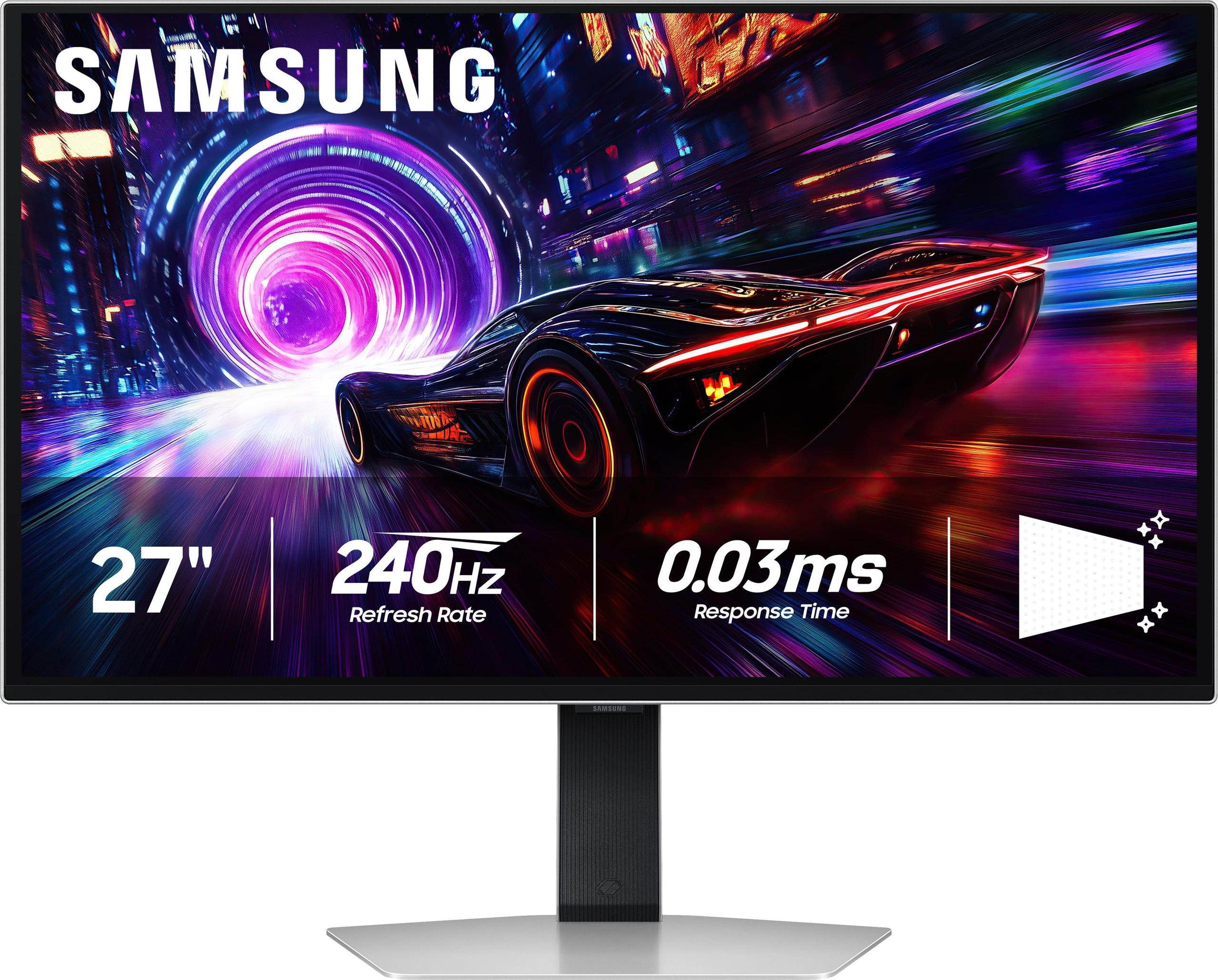
When OLED technology finally made its way into gaming monitors around 2022-2023, it represented a massive leap forward from traditional LCD panels. These displays promised perfect blacks, incredible contrast, and lightning-fast response times that would make even the most demanding gamers happy. Fast forward to 2025, and we have two excellent examples of how this technology has evolved: the GIGABYTE MO27Q2 and the Samsung 27" Odyssey OLED G8.
Both monitors showcase what happens when cutting-edge QD-OLED (Quantum Dot OLED) panels meet serious gaming ambitions, but they take notably different approaches to get there. The fundamental question isn't just which one performs better—it's which philosophy matches your needs and budget.
Before diving into specifics, it's worth understanding what makes OLED monitors special. Traditional LCD monitors use a backlight that shines through liquid crystal layers, but OLED pixels produce their own light. When an OLED pixel needs to display black, it simply turns off completely, creating true black rather than the dark gray you get from LCD panels. This creates what's called "infinite contrast ratio"—the difference between the brightest white and darkest black is theoretically unlimited.
QD-OLED technology, which both the GIGABYTE MO27Q2 and Samsung Odyssey G8 use, adds quantum dots on top of the OLED layer. These microscopic particles convert blue light into precise red and green wavelengths, resulting in more accurate colors and often better brightness than standard OLED panels.
The key considerations when shopping for OLED gaming monitors include resolution versus performance balance, connectivity options, gaming-specific features, and how well the manufacturer handles OLED's main weakness: potential burn-in from static images displayed too long.
The most significant difference between these monitors lies in their resolution approach, and this choice impacts everything else about their performance.
The GIGABYTE MO27Q2 uses 2560 × 1440 resolution, commonly called QHD (Quad High Definition) or 1440p. On a 27-inch screen, this provides 109 pixels per inch (PPI), which delivers sharp images without being overly demanding on your graphics card.
What this means in practice is substantial. When I'm playing competitive games like Counter-Strike or Valorant, hitting that 240Hz refresh rate (how many times per second the screen updates) becomes much more achievable. Even a mid-range graphics card like an RTX 4070 can push many games to 200+ frames per second at this resolution, making the most of that ultra-smooth 240Hz panel.
The GIGABYTE MO27Q2 also includes a clever feature called the Tactical Switch—a physical button that instantly switches between the full 27-inch QHD mode and a centered 24-inch 1080p window. This mimics the smaller screens that many esports professionals prefer, giving you the option without buying a separate monitor.
The Samsung Odyssey G8 takes the opposite approach with its 3840 × 2160 4K resolution, delivering 166 PPI on the same 27-inch screen size. This higher pixel density means text looks incredibly sharp, fine details in games are more visible, and you get significantly more desktop real estate for productivity work.
However, 4K gaming at 240Hz is extremely demanding. You're looking at needing an RTX 4080 Super or RTX 4090 to even approach those frame rates in modern AAA games. Even with a top-tier GPU, you might find yourself choosing between 4K resolution at 120-144Hz or dropping to 1440p to hit 240Hz in demanding titles.
The resolution difference becomes particularly noticeable when doing non-gaming tasks. Web browsing, photo editing, and general productivity feel more refined on the Samsung Odyssey G8 thanks to that higher pixel density, though both monitors handle color-accurate work well due to their QD-OLED panels covering 99% of the DCI-P3 color space used in professional content creation.
Both monitors achieve the same impressive 0.03ms gray-to-gray (GtG) response time, which measures how quickly pixels can change from one shade of gray to another. For context, this is roughly 10 times faster than most LCD gaming monitors and virtually eliminates motion blur.
The practical gaming experience differs significantly between these monitors due to their resolution demands. With the GIGABYTE MO27Q2, achieving high frame rates feels effortless with current-generation graphics cards. I can maintain 240+ fps in competitive shooters with an RTX 4070 Ti, and even story-driven games like Cyberpunk 2077 run smoothly at 120-160 fps with high settings.
The Samsung Odyssey G8 tells a different story. That beautiful 4K resolution requires serious GPU horsepower to maintain high frame rates. Unless you're running an RTX 4090, you'll often find yourself adjusting settings or resolution to hit your desired frame rate. This isn't necessarily bad—4K at 120Hz still provides an incredibly smooth gaming experience—but it does limit the monitor's 240Hz potential to less demanding games.
Both monitors support FreeSync Premium Pro and are G-Sync Compatible, meaning they work with both AMD and NVIDIA graphics cards to eliminate screen tearing (when the GPU and monitor get out of sync, causing visible horizontal lines). This technology, called variable refresh rate (VRR), is crucial for maintaining smooth gameplay when frame rates fluctuate.
The implementation feels identical between both monitors in practice. Games sync smoothly, and the transition between different refresh rates happens seamlessly. Both also support Low Framerate Compensation (LFC), which helps maintain smooth motion even when frame rates drop below the monitor's minimum VRR range.
Here's where both monitors truly shine, and where the differences become more subtle. QD-OLED technology delivers exceptional image quality regardless of which monitor you choose.
Both the GIGABYTE MO27Q2 and Samsung Odyssey G8 achieve that signature OLED look: pure blacks that make dark scenes in games like The Witcher 3 or horror games genuinely atmospheric, and vibrant colors that make games pop off the screen. The contrast ratio difference (1.5 million:1 for GIGABYTE vs 1 million:1 for Samsung) is mostly academic—both deliver visually infinite contrast that LCD monitors simply can't match.
Color accuracy is excellent on both, covering 99% of the DCI-P3 color space that's used for HDR content and professional video work. This means both monitors work well for content creation alongside gaming, though the Samsung Odyssey G8 has an advantage for detailed work due to its higher pixel density.
Both monitors support HDR (High Dynamic Range), which expands the range of colors and brightness levels displays can show. They're certified for VESA DisplayHDR True Black 400, which is particularly impressive because OLED panels can achieve true black levels that LCD monitors fake.
However, OLED monitors generally aren't as bright as high-end LCD monitors with mini-LED backlighting. Both monitors typically operate around 250 nits for normal content, with peak brightness reaching 1000 nits for small bright areas in HDR content. This is plenty for dark or moderately lit rooms, but might feel dim in very bright spaces with lots of ambient light.
The glossy finish on both monitors enhances contrast and color vibrancy but can show reflections in bright rooms. Both manufacturers have improved their anti-glare coatings compared to earlier OLED monitors, but room lighting still matters more than it would with a matte LCD panel.
This is where the monitors' different target audiences become clear. The GIGABYTE MO27Q2 focuses on practical gaming features and connectivity, while the Samsung Odyssey G8 emphasizes premium design and entertainment integration.
The GIGABYTE MO27Q2 includes several features that make it excellent for mixed gaming and productivity use. The KVM (Keyboard, Video, Mouse) switch lets you control two different devices—like a gaming PC and work laptop—with the same keyboard and mouse, switching between them with a button press. This is incredibly useful for people who use their gaming setup for work during the day.
The USB-C port with Power Delivery (up to 18W) can charge phones and power some smaller devices, while the comprehensive USB hub provides multiple USB 3.2 ports for peripherals. The monitor also includes built-in 5W speakers, which aren't audiophile quality but work fine for system sounds and basic audio.
The Samsung Odyssey G8 takes a different approach, integrating Samsung's Tizen smart TV platform. This means you can stream Netflix, browse the web, or play Xbox Cloud Gaming without connecting any external devices. For someone setting up a gaming station that doubles as an entertainment center, this integration is valuable.
The monitor also features Samsung's CoreSync lighting system, which adds customizable RGB lighting to the back of the monitor that can sync with on-screen content. While this might sound gimmicky, it does add to the immersive experience in darker rooms.
However, the Samsung Odyssey G8 lacks some of the practical connectivity features of the GIGABYTE MO27Q2. There's no KVM switch, limited USB connectivity, and no USB-C port, which might disappoint users who want to connect laptops or need extensive peripheral support.
Both monitors can work in home theater setups, but with important caveats. The 27-inch size is smaller than most people prefer for dedicated movie watching—you'd typically want 32 inches or larger for comfortable viewing from couch distance.
That said, the Samsung Odyssey G8 has some advantages for entertainment use. The integrated smart TV features mean you can stream content without additional devices, and the 4K resolution better matches modern streaming and Blu-ray content. The premium design with RGB lighting also looks more at home in a living room setting.
The GIGABYTE MO27Q2 works well for closer-range entertainment, like watching movies at a desk setup. The QHD resolution is perfectly fine for streaming content, and the better value proposition might make more sense if the monitor will primarily be used for gaming.
Both support HDR content well, though neither gets bright enough to fully replicate the cinema HDR experience you'd get from high-end TVs or projectors.
Both manufacturers have stepped up their OLED warranty game significantly since the early days of OLED monitor adoption. The GIGABYTE MO27Q2 includes a 3-year warranty that specifically covers OLED burn-in, which was a major concern when these monitors first launched. Samsung provides similar coverage with their Odyssey G8.
Build quality feels premium on both monitors. The GIGABYTE MO27Q2 uses a sturdy stand with full ergonomic adjustments (height, tilt, swivel, and pivot), while the Samsung Odyssey G8 features a more design-focused metal stand that's stable but offers fewer adjustment options.
Both monitors include pixel-shifting and other burn-in prevention features that automatically move static elements slightly to prevent permanent image retention. In practice, burn-in is much less of a concern than it was with early OLED TVs, especially if you follow basic precautions like not leaving static images displayed for hours at a time.
At the time of writing, there's a significant price difference between these monitors that affects their value proposition considerably. The GIGABYTE MO27Q2 typically costs several hundred dollars less than the Samsung Odyssey G8, making it one of the most affordable ways to get into QD-OLED gaming.
This price difference makes the GIGABYTE MO27Q2 exceptional value for most gamers. You get 90% of the OLED experience at a much more accessible price point, plus practical features like KVM switching that many competitors lack. The money saved could go toward a better graphics card, which often provides more noticeable gaming improvements than jumping from QHD to 4K.
The Samsung Odyssey G8 commands its premium through the 4K resolution and premium features, but you need to have the GPU power to really benefit from that resolution. For someone with an RTX 4090 and budget for premium equipment, the future-proofing and extra sharpness justify the cost.
Want the best OLED gaming value available. The combination of QD-OLED image quality, 240Hz performance, and practical features like KVM switching makes this an excellent choice for most gaming setups. It's particularly good if you're using mid-to-high-end graphics cards (RTX 4060 Ti through RTX 4080) that can actually maintain high frame rates at QHD resolution.
The GIGABYTE MO27Q2 is also ideal if you need good connectivity for multiple devices or want features that improve productivity alongside gaming. The tactical switch feature makes it uniquely appealing to competitive gamers who want the flexibility to use different screen modes.
Have a high-end graphics card and want the sharpest possible gaming experience. The 4K resolution provides noticeably better image quality for both gaming and productivity work, and the higher pixel density makes text and fine details much clearer.
The Samsung Odyssey G8 also makes sense if you value premium design and entertainment features. The smart TV integration and RGB lighting system create a more complete entertainment experience, especially in setups where the monitor serves multiple purposes.
Future-proofing is another consideration—4K gaming will only become more accessible as GPU power increases over the next few years, making the Samsung Odyssey G8 a longer-term investment.
Both monitors represent excellent implementations of QD-OLED technology, but they serve different audiences. The GIGABYTE MO27Q2 delivers exceptional value and practical gaming performance that works well with current GPU generations. The Samsung Odyssey G8 offers premium features and 4K resolution that require high-end hardware to fully utilize.
For most gamers, especially those who prioritize smooth, high-refresh gaming over absolute image sharpness, the GIGABYTE MO27Q2 provides better immediate value. However, if you have the hardware to drive 4K gaming and appreciate premium features, the Samsung Odyssey G8 offers a more future-proof and feature-complete package.
The OLED gaming monitor category has matured significantly since its introduction, and both of these monitors show how far the technology has come. Whichever you choose, you'll be getting image quality that was unimaginable in gaming monitors just a few years ago.
| GIGABYTE MO27Q2 | Samsung 27" Odyssey OLED G8 |
|---|---|
| Resolution - Determines sharpness and GPU requirements | |
| 2560 × 1440 (QHD) - Easier to drive at 240Hz with current GPUs | 3840 × 2160 (4K UHD) - Requires high-end GPU for full performance |
| Pixel Density - Affects text clarity and detail | |
| 109 PPI - Good for gaming, adequate for productivity | 166 PPI - Excellent text clarity, superior for content creation |
| Panel Technology - Both use premium QD-OLED for perfect blacks | |
| Samsung QD-OLED panel with quantum dot enhancement | Samsung QD-OLED panel with quantum dot enhancement |
| Refresh Rate & Response - Critical for competitive gaming | |
| 240Hz / 0.03ms GTG - Achievable with mid-high end GPUs | 240Hz / 0.03ms GTG - Requires RTX 4090 for demanding games |
| HDR Performance - Enhanced contrast and color range | |
| VESA DisplayHDR True Black 400, 1000 nits peak | VESA DisplayHDR True Black 400, similar brightness |
| Connectivity - Determines device compatibility and convenience | |
| 2× HDMI 2.1, DP 1.4, USB-C (18W PD), KVM switch | HDMI 2.1, USB-C - More limited but includes smart features |
| Gaming Features - Specialized tools for competitive play | |
| Tactical Switch (27" QHD ↔ 24" FHD), AI OLED Care | Smart TV platform, Samsung Gaming Hub, CoreSync RGB |
| Ergonomics - Adjustability for comfort | |
| Full adjustment: tilt, height, swivel, pivot (90°) | Limited adjustability, premium metal design focus |
| Productivity Features - Multi-device and work capabilities | |
| KVM switch, USB hub, built-in speakers | Smart TV apps, streaming without PC required |
| Warranty Coverage - Important for OLED longevity | |
| 3 years including burn-in protection | 3 years including burn-in protection |
| Target User - Who gets the most value | |
| Competitive gamers, multi-device users, value seekers | Premium buyers with high-end GPUs, entertainment focus |
The GIGABYTE MO27Q2 is generally better for competitive gaming due to its QHD resolution being easier to drive at 240Hz with current graphics cards. Most gamers can achieve higher frame rates consistently, and the Tactical Switch feature allows quick switching to a 24-inch display mode that many esports pros prefer.
The primary difference is resolution: the GIGABYTE MO27Q2 uses 2560×1440 (QHD) while the Samsung Odyssey G8 features 4K UHD resolution. This affects both image sharpness and the GPU power needed to maintain high frame rates.
Both monitors use the same QD-OLED technology and deliver exceptional image quality with perfect blacks and vibrant colors. The Samsung Odyssey G8 has sharper text and finer details due to its higher 4K resolution, while the GIGABYTE MO27Q2 offers similar color accuracy and contrast at a more GPU-friendly resolution.
The GIGABYTE MO27Q2 works well with mid-to-high-end GPUs like RTX 4070 or better for 240Hz gaming. The Samsung Odyssey G8 requires more powerful hardware like RTX 4080 Super or RTX 4090 to fully utilize its 4K 240Hz capabilities in demanding games.
The GIGABYTE MO27Q2 typically offers better value, providing excellent OLED gaming performance at a lower cost. It includes practical features like KVM switching and comprehensive connectivity that many users find valuable for the price difference.
Yes, both excel at content creation due to their 99% DCI-P3 color coverage. The Samsung Odyssey G8 has an advantage for detailed work thanks to its higher pixel density, making text and fine details much sharper. The GIGABYTE MO27Q2 offers better multi-device connectivity with its KVM switch feature.
The GIGABYTE MO27Q2 offers superior connectivity with KVM switching, USB-C with Power Delivery, multiple USB ports, and comprehensive device support. The Samsung Odyssey G8 has more limited physical connections but includes smart TV features and wireless connectivity options.
Both work excellently with consoles. The Samsung Odyssey G8 matches native 4K console outputs better, while the GIGABYTE MO27Q2 still provides excellent gaming performance. Both support HDMI 2.1 for full console compatibility and variable refresh rate features.
The Samsung Odyssey G8 has advantages for entertainment with its built-in smart TV platform, allowing streaming without external devices. The 4K resolution also better matches modern streaming content. However, both deliver excellent movie quality thanks to their OLED technology and HDR support.
Both the GIGABYTE MO27Q2 and Samsung Odyssey G8 include comprehensive burn-in protection with pixel shifting, logo detection, and automatic brightness adjustments. Both manufacturers offer 3-year warranties that include burn-in coverage, showing confidence in their protection systems.
The Samsung Odyssey G8 features premium metal construction and RGB lighting for a more premium aesthetic. The GIGABYTE MO27Q2 offers superior ergonomics with full stand adjustability including pivot rotation. Both are well-built, but emphasize different design priorities.
Choose the Samsung Odyssey G8 with 4K if you have a high-end GPU and want future-proofing or do content creation work. Choose the GIGABYTE MO27Q2 with QHD if you prioritize smooth high-refresh gaming with current hardware or want better value while still getting excellent OLED image quality.
We've done our best to create useful and informative comparisons to help you decide what product to buy. Our research uses advanced automated methods to create this comparison and perfection is not possible - please contact us for corrections or questions. These are the sites we've researched in the creation of this article: gigabyte.com - youtube.com - newegg.com - mezha.media - tech-critter.com - gigabyte.com - forum.pcmonitors.info - techspot.com - aorus.com - saltynewsnetwork.com - infiniarc.com - gigabyte.com - bestbuy.com - youtube.com - gigabyte.com - gigabyte.com - displayspecifications.com - aorus.com - gigabyte.com - gigabyte.com - rtings.com - tomsguide.com - tomshardware.com - youtube.com - ign.com - youtube.com - pcvarge.com - youtube.com - youtube.com - versus.com - bestbuy.com - samsung.com - samsung.com - displayspecifications.com - samsung.com - hardforum.com - publicsector.shidirect.com - forums.thefpsreview.com - samsung.com - rtings.com - samsung.com - samsung.com

Privacy Policy
Terms and Conditions - Affiliate Policy
Home Security
© Copyright 2008-2026.
11816 Inwood Rd #1211, Dallas, TX 75244