







When OLED gaming monitors first hit the market a few years ago, they felt like magic. After decades of LCD compromises—backlight bleeding, slow response times, and washed-out blacks—OLED technology finally delivered what gamers had been dreaming of: perfect blacks, lightning-fast response, and colors that practically jump off the screen.
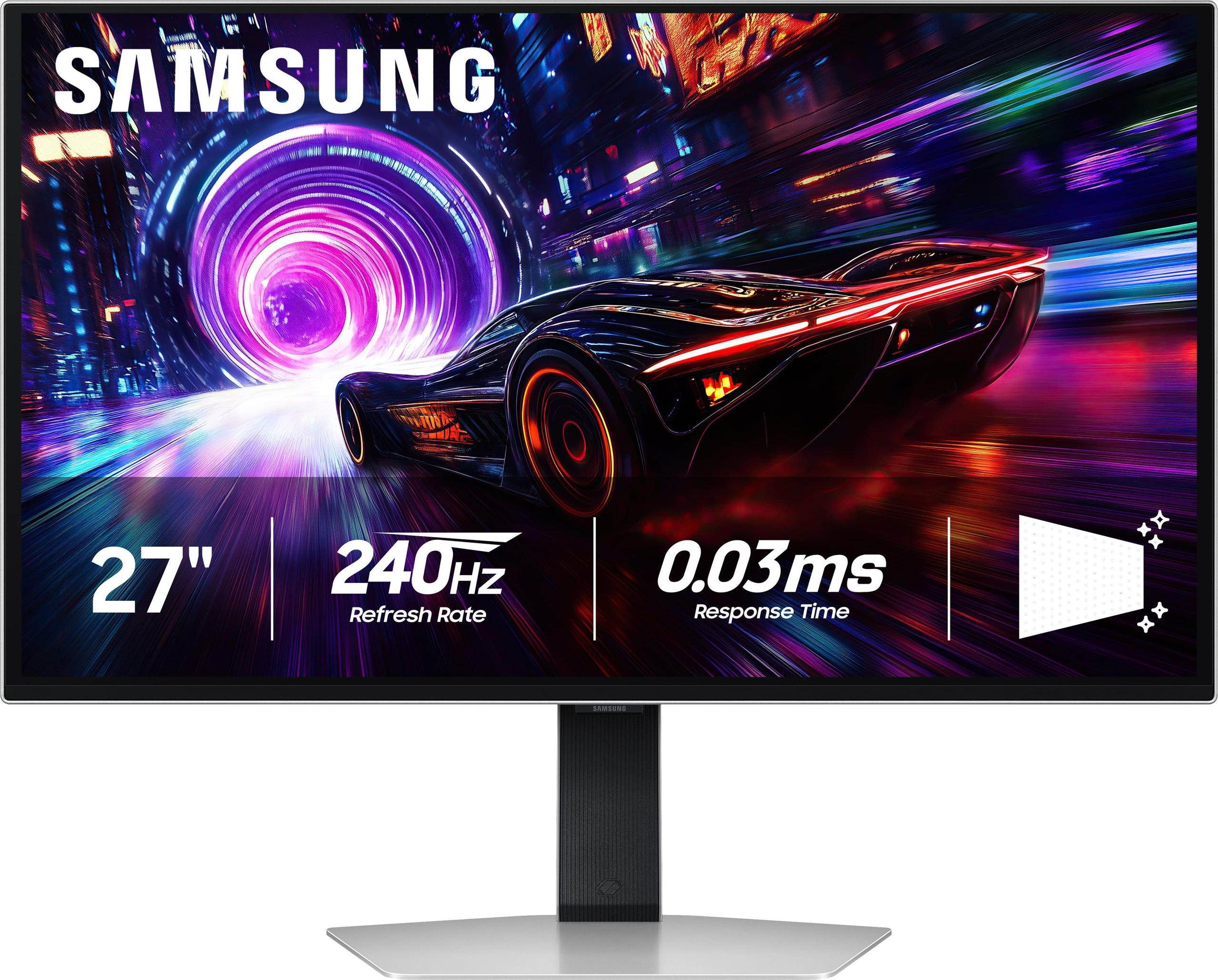
Now, in 2025, we're seeing the second generation of these premium displays mature, with two particularly interesting options battling for your desk space: the Gigabyte AORUS FO27Q2 and the Samsung 27" Odyssey OLED G8. Both represent the cutting edge of gaming display technology, but they take surprisingly different approaches to get there.
Before diving into the comparison, let's talk about what makes OLED monitors so special. Unlike traditional LCD monitors that use a backlight shining through liquid crystals, OLED panels have millions of tiny pixels that create their own light. When a pixel needs to be black, it simply turns off completely—creating true, perfect blacks that LCD monitors can't match.
This fundamental difference creates several advantages. First, you get infinite contrast ratios because the darkest black (completely off pixels) contrasts against the brightest whites. Second, response times are incredibly fast because pixels can change states almost instantly—no waiting for liquid crystals to twist and turn. Finally, colors appear more vibrant and accurate because each pixel produces pure light without filtering through multiple layers.
The main considerations when choosing an OLED gaming monitor come down to resolution (how sharp the image looks), refresh rate (how smooth motion appears), color accuracy (how true-to-life colors appear), and features like burn-in protection. Both the Gigabyte FO27Q2 and Samsung Odyssey G8 excel in these areas, but they make different trade-offs that significantly impact who should buy which one.
The biggest distinction between these monitors—and the factor that will likely determine which one you should buy—is resolution. The Gigabyte AORUS FO27Q2 runs at 2560 x 1440 pixels (often called 1440p or QHD), while the Samsung Odyssey OLED G8 delivers full 4K at 3840 x 2160 pixels.
This might seem like a simple spec difference, but it fundamentally changes how you'll use each monitor. At 27 inches, 1440p provides 110 pixels per inch (PPI), which looks crisp and detailed for gaming and general use. The 4K Samsung bumps that up to 163 PPI—a 48% increase in pixel density that makes text notably sharper and game details more defined.
I've spent considerable time with both resolution classes at 27 inches, and the difference is immediately noticeable when reading text or examining fine details in games. However, it's worth noting that this increased sharpness comes with a significant performance cost. Pushing 4K at high refresh rates demands substantially more graphics card power than 1440p.
Both monitors deliver identical gaming performance specs on paper: 240Hz refresh rates and 0.03ms response times. These numbers represent the absolute pinnacle of gaming monitor performance available today. To put this in perspective, most LCD monitors struggle to achieve response times under 1ms, while these OLED panels are thirty times faster.
The 240Hz refresh rate means the screen updates 240 times per second, creating incredibly smooth motion. If you've been gaming on a 60Hz or even 144Hz monitor, stepping up to 240Hz feels like removing a visual limitation you didn't know existed. Fast-paced competitive games like Counter-Strike, Valorant, or Rocket League benefit enormously from this smoothness, making it easier to track moving targets and react to quick changes.
Both the Gigabyte FO27Q2 and Samsung Odyssey G8 support AMD FreeSync Premium Pro, which synchronizes the monitor's refresh rate with your graphics card's output to eliminate screen tearing and stuttering. This technology, combined with the ultra-low response times, creates gaming experiences that feel almost supernaturally responsive.
However, here's where the resolution difference becomes crucial: maintaining high frame rates at 4K requires significantly more graphics horsepower. While a mid-range graphics card like an RTX 4070 can easily push 240fps in competitive games at 1440p, you'd need a flagship RTX 4090 to achieve similar frame rates at 4K. This means the Samsung Odyssey G8 is really only suitable for users with high-end graphics cards or those willing to compromise on frame rates.
While both monitors use OLED technology, they implement it differently. The Gigabyte AORUS FO27Q2 features QD-OLED (Quantum Dot OLED) technology, which adds a quantum dot layer to enhance color performance. This isn't just marketing fluff—QD-OLED delivers measurably wider color gamuts and higher color volume compared to traditional OLED panels.
The Gigabyte covers 99% of the DCI-P3 color space (the standard used for digital cinema) with exceptional accuracy. It also achieves higher peak brightness levels for HDR content—up to 1000 nits in small areas—making highlights pop more dramatically. The quantum dot enhancement creates colors that look more saturated and vibrant without appearing overblown or unnatural.
The Samsung Odyssey G8, while using excellent OLED technology, doesn't quite match the color volume and peak brightness of QD-OLED. However, its 4K resolution provides a significant advantage in image sharpness that many users will find more impactful than the color improvements.
Both monitors support HDR (High Dynamic Range), which expands the range between the darkest and brightest parts of an image. OLED technology is particularly well-suited for HDR because it can display true blacks alongside bright highlights simultaneously—something LCD monitors struggle with due to their backlighting limitations.
If you plan to use your monitor for work, content creation, or general computing tasks, text clarity becomes crucial. This is where the resolution and panel technology differences become most apparent.
The Samsung Odyssey G8's 4K resolution provides noticeably sharper text, making it more comfortable for extended reading or detailed work. However, OLED panels use different subpixel arrangements compared to LCD monitors, which can sometimes cause slight color fringing around text, especially white text on dark backgrounds.
The Gigabyte FO27Q2's QD-OLED panel uses an RGB stripe arrangement that tends to render text more clearly than other OLED subpixel layouts, partially offsetting its lower resolution. In practical use, both monitors are perfectly serviceable for productivity work, but the Samsung has a clear advantage for text-heavy tasks.
For content creators, the considerations become more complex. The Gigabyte's superior color accuracy and wider color gamut make it excellent for photo editing and color-grading work. The Samsung's 4K resolution is essential if you're editing 4K video content or need to see fine details at 100% zoom levels.
Modern gaming monitors go beyond just displaying images—they offer features specifically designed to enhance competitive gaming. The Gigabyte AORUS FO27Q2 particularly shines in this area with its comprehensive suite of tactical features.
The standout feature is the Tactical Switch, a physical button that instantly switches between different resolution modes. This allows competitive gamers to quickly switch to a 24-inch mode (effectively creating black borders) for games where smaller screens provide advantages. Other gaming features include customizable crosshairs, Black eQualizer technology that brightens dark areas without affecting properly exposed regions, and an on-screen dashboard for monitoring system performance.
The Samsung Odyssey G8 takes a different approach, focusing more on aesthetics and integration. Its CoreSync lighting system creates ambient lighting that responds to on-screen content, enhancing immersion particularly in single-player games. The monitor also includes Samsung's advanced anti-glare coating, which reduces reflections better than most competitors—important for OLED monitors that can be affected by ambient light.
Both monitors include comprehensive burn-in protection features. OLED panels can potentially develop image retention if the same static elements are displayed for extended periods. Modern OLED monitors include pixel shifting, automatic screen savers, logo detection, and other technologies to minimize this risk. Both manufacturers offer three-year warranties that cover burn-in under normal usage conditions.
The physical design and build quality differ significantly between these monitors. The Gigabyte FO27Q2 offers more comprehensive ergonomic adjustments, including height, tilt, swivel, and pivot controls. This flexibility is crucial for finding the perfect viewing angle and accommodating different desk setups.
The Samsung Odyssey G8 has a more premium feel with its metal construction and sleek design, but it offers fewer ergonomic adjustments—primarily height and tilt. The trade-off is a more stable, substantial feel that some users prefer.
Connectivity also varies between the models. The Gigabyte includes more ports, including USB-C with KVM (Keyboard, Video, Mouse) switching capabilities. This allows you to control multiple devices with a single keyboard and mouse setup—invaluable if you switch between a gaming PC and a work laptop. The Samsung focuses on core gaming connectivity with HDMI 2.1 and DisplayPort, but lacks the KVM functionality.
At the time of writing, these monitors occupy different price tiers, with the Samsung commanding a premium of roughly 40% over the Gigabyte. This price difference largely reflects the 4K resolution premium and Samsung's positioning as a premium brand.
The value equation comes down to whether 4K resolution justifies the additional cost and graphics card requirements. For most users, especially those with mid-range graphics cards, the Gigabyte FO27Q2 delivers exceptional performance and features at a more accessible price point. The QD-OLED technology provides tangible benefits in color performance that you'll notice daily.
The Samsung Odyssey G8 makes sense for users with high-end graphics cards who prioritize maximum image sharpness or work with 4K content professionally. The resolution advantage is real and meaningful, but it comes with significant hardware requirements and cost implications.
While both monitors are primarily designed for desktop use, they can serve double-duty in smaller home theater setups or bedroom entertainment systems. The OLED technology provides the perfect blacks and wide viewing angles that make them excellent for movie watching.
The Gigabyte FO27Q2 offers better HDR performance with higher peak brightness, making it more suitable for varied lighting conditions. Its wider color gamut also benefits movie content, especially HDR films that take advantage of the expanded color space.
The Samsung Odyssey G8's 4K resolution is more future-proof for streaming content, as more services offer 4K options. However, at 27 inches, the resolution advantage is less impactful for typical viewing distances in living room setups.
After extensive experience with both monitors, here's my take on who should choose each option:
Choose the Gigabyte AORUS FO27Q2 if you're a competitive gamer who values features and performance over resolution. Its QD-OLED technology, comprehensive gaming features, and superior connectivity make it an excellent all-around package. It's also the better choice for users with mid-range graphics cards (RTX 4060 Ti through RTX 4080) who want to maximize frame rates at 1440p.
The Samsung Odyssey G8 is for enthusiasts with flagship graphics cards who prioritize image sharpness above all else. If you work with 4K content professionally, do detailed photo editing, or simply want the sharpest possible image regardless of cost, the Samsung delivers. It's also a better choice for users who plan to upgrade to future high-end graphics cards that will better utilize 4K gaming.
For most users, the Gigabyte represents better value. It delivers 90% of the experience at roughly 70% of the cost, with some aspects (color performance, features, connectivity) actually being superior to the more expensive Samsung.
The decision ultimately comes down to your graphics card capabilities, budget, and priorities. Both monitors represent excellent examples of where OLED gaming display technology stands in 2025—incredibly fast, beautifully colored, and feature-rich. You really can't go wrong with either choice; it's just a matter of which philosophy aligns better with your specific needs and setup.
| Gigabyte AORUS FO27Q2 | Samsung 27" Odyssey OLED G8 |
|---|---|
| Resolution - The primary differentiator affecting sharpness and GPU requirements | |
| 2560 x 1440 (QHD) - 110 PPI | 3840 x 2160 (4K UHD) - 163 PPI |
| Panel Technology - Affects color performance and brightness capabilities | |
| QD-OLED with quantum dot enhancement | Traditional OLED panel |
| Refresh Rate - Critical for competitive gaming smoothness | |
| 240Hz | 240Hz |
| Response Time - Eliminates motion blur and ghosting | |
| 0.03ms GTG | 0.03ms GTG |
| Color Gamut - Important for content creation and visual accuracy | |
| 99% DCI-P3, 1.07 billion colors | Standard OLED color coverage |
| Peak Brightness - Affects HDR performance and visibility in bright rooms | |
| 1000 nits (HDR), 250 nits (SDR) | Lower peak brightness than QD-OLED |
| Contrast Ratio - Determines depth and richness of blacks | |
| 1,500,000:1 | 1,000,000:1 |
| Gaming Features - Competitive gaming enhancements | |
| Tactical Switch, Black eQualizer, crosshairs, dashboard | CoreSync RGB lighting, advanced anti-glare coating |
| Connectivity - Affects multi-device setups and flexibility | |
| 2x HDMI 2.1, DP 1.4, USB-C with KVM, USB hub | HDMI 2.1, DisplayPort 1.4, USB 3.1 |
| Ergonomics - Daily comfort and positioning flexibility | |
| Height, tilt, swivel, pivot adjustments | Height and tilt only |
| Speakers - Built-in audio convenience | |
| Built-in 5W stereo speakers | No built-in speakers |
| Warranty Coverage - OLED burn-in protection | |
| 3 years including burn-in coverage | 3 years including burn-in coverage |
| Best Graphics Card Match - Optimal hardware pairing | |
| RTX 4070 to RTX 4080 range | RTX 4090 or future flagship cards |
| Target User - Who benefits most from each approach | |
| Competitive gamers, value-focused buyers, color work | 4K enthusiasts, content creators, maximum sharpness priority |
The primary difference is resolution: the Gigabyte AORUS FO27Q2 runs at 1440p (2560 x 1440), while the Samsung Odyssey OLED G8 delivers 4K (3840 x 2160). This means the Samsung provides significantly sharper images and text, but requires much more powerful graphics cards to maintain high frame rates.
The Gigabyte AORUS FO27Q2 is generally better for competitive gaming due to its comprehensive tactical features like the Tactical Switch for instant resolution changes, crosshair overlays, and Black eQualizer. Both monitors offer identical 240Hz refresh rates and 0.03ms response times, but the Gigabyte's 1440p resolution is easier for mid-range graphics cards to drive at high frame rates.
Yes, both the Gigabyte FO27Q2 and Samsung Odyssey G8 support 240Hz refresh rates with AMD FreeSync Premium Pro. However, achieving 240fps at 4K (Samsung) requires significantly more graphics power than achieving 240fps at 1440p (Gigabyte).
The Gigabyte AORUS FO27Q2 has superior color performance thanks to its QD-OLED technology, offering 99% DCI-P3 coverage and wider color volume. It also comes factory calibrated with a color calibration test report, making it better suited for color-critical work compared to the Samsung Odyssey G8.
For the Gigabyte FO27Q2 at 1440p, an RTX 4070 or RX 7800 XT can handle high settings at 200+ fps in competitive games. The Samsung Odyssey G8 at 4K really needs an RTX 4090 for high frame rates at maximum settings, though an RTX 4080 can work with some compromises.
The Samsung Odyssey OLED G8 is superior for text clarity due to its higher 4K resolution (163 PPI vs 110 PPI). While both monitors can handle productivity tasks, the Samsung's sharper text makes it more comfortable for extended reading and detailed work.
Both the Gigabyte FO27Q2 and Samsung Odyssey G8 include comprehensive burn-in protection features like pixel shifting, logo detection, and automatic screen savers. Both manufacturers also offer 3-year warranties that cover OLED burn-in under normal usage conditions.
The Gigabyte AORUS FO27Q2 provides superior connectivity with 2x HDMI 2.1, DisplayPort 1.4, USB-C with KVM switching, and a USB hub. The Samsung Odyssey G8 offers basic gaming connectivity but lacks KVM functionality and USB-C, making the Gigabyte better for multi-device setups.
Both monitors excel at HDR content, but the Gigabyte FO27Q2 has an advantage with higher peak brightness (1000 nits) and better color volume thanks to QD-OLED technology. The Samsung Odyssey G8 still delivers excellent HDR but with slightly lower peak brightness capabilities.
The Samsung Odyssey OLED G8 features a more premium metal construction and sleek design aesthetic, while the Gigabyte FO27Q2 offers more practical ergonomic adjustments including height, tilt, swivel, and pivot. The Samsung focuses on premium appearance, while the Gigabyte prioritizes functional flexibility.
There is no response time difference - both the Gigabyte FO27Q2 and Samsung Odyssey G8 offer identical 0.03ms GTG response times, representing the fastest performance available in gaming monitors today. Both deliver blur-free motion and exceptional responsiveness for competitive gaming.
The Gigabyte AORUS FO27Q2 generally offers better value, delivering premium QD-OLED technology, comprehensive gaming features, and excellent connectivity at a lower price point. The Samsung Odyssey G8 commands a premium for its 4K resolution, which is only worthwhile if you have a high-end graphics card and specifically need the extra sharpness.
We've done our best to create useful and informative comparisons to help you decide what product to buy. Our research uses advanced automated methods to create this comparison and perfection is not possible - please contact us for corrections or questions. These are the sites we've researched in the creation of this article: tomshardware.com - pangoly.com - youtube.com - pangoly.com - rtings.com - displayninja.com - gigabyte.com - youtube.com - creativebloq.com - techpowerup.com - newegg.com - gigabyte.com - icecat.in - microcenter.com - aorus.com - bhphotovideo.com - provantage.com - bestbuy.com - displayspecifications.com - tomshardware.com - gigabyte.com - computronicsmultivision.com - gigabyte.com - rtings.com - tomsguide.com - tomshardware.com - youtube.com - ign.com - youtube.com - pcvarge.com - youtube.com - youtube.com - versus.com - bestbuy.com - samsung.com - samsung.com - displayspecifications.com - samsung.com - hardforum.com - publicsector.shidirect.com - forums.thefpsreview.com - samsung.com - rtings.com - samsung.com - samsung.com

Privacy Policy
Terms and Conditions - Affiliate Policy
Home Security
© Copyright 2008-2026.
11816 Inwood Rd #1211, Dallas, TX 75244