







Gaming monitors are having a moment right now. Whether you're scrolling through your favorite gaming subreddit or walking through a Best Buy, you'll notice that the selection of gaming-focused displays has exploded over the past few years. But here's the thing: the gap between budget and premium options has never been wider, and understanding what you're actually paying for can save you hundreds of dollars—or help you realize why spending more makes perfect sense.
Today we're diving deep into two monitors that perfectly represent this divide: the Sceptre E275W-FW100T and the Samsung Odyssey OLED G8. One costs about what you'd spend on a nice dinner out, while the other could fund several weekend getaways. The question isn't just which is better—it's which makes sense for your specific situation.
Before we jump into the specifics, let's talk about what separates a gaming monitor from your average display. Gaming monitors prioritize three critical elements: refresh rate (how many times per second the screen updates), response time (how quickly pixels can change colors), and input lag (the delay between your action and seeing it on screen). These factors directly impact how smooth and responsive your gaming experience feels.
Panel technology is the foundation that determines everything else. VA panels use liquid crystals that align vertically, creating excellent contrast but sometimes slower response times. OLED panels use organic compounds that emit their own light, creating perfect blacks and incredibly fast response times but at a much higher cost.
The refresh rate, measured in Hz (hertz), tells you how many frames per second your monitor can display. A 60Hz monitor shows 60 frames per second, while a 240Hz monitor can show 240. Higher refresh rates create smoother motion, but you need a graphics card powerful enough to generate those extra frames—otherwise, you won't see the benefit.
The Sceptre E275W-FW100T launched around 2022 as part of Sceptre's push to offer decent gaming features at extremely accessible price points. At the time of writing, it typically sells for what many people spend on a single game, making it an attractive entry point for anyone wanting to experience higher refresh rate gaming without breaking the bank.
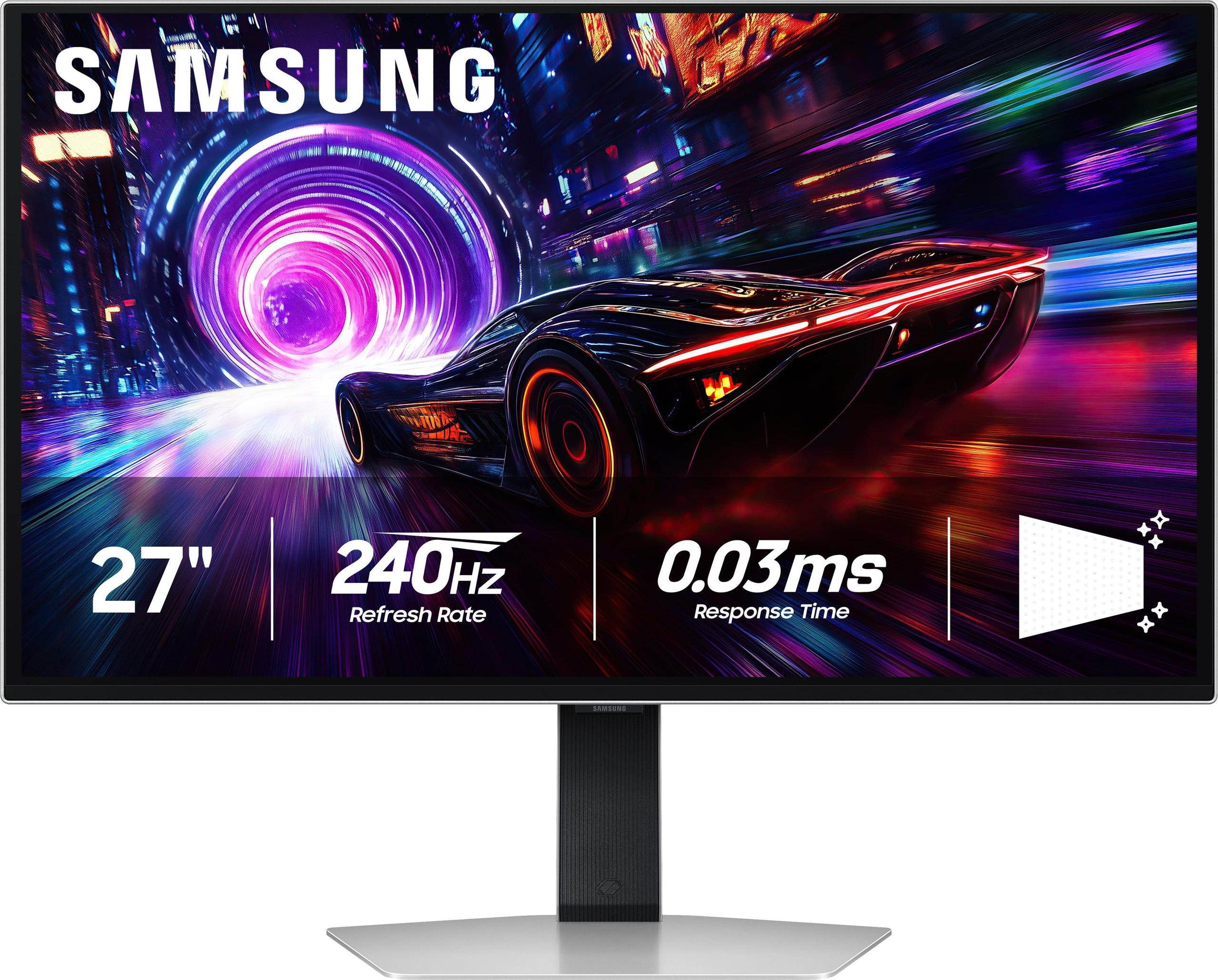
The Samsung Odyssey OLED G8 represents Samsung's 2024 flagship push into premium OLED gaming. When it launched, it was among the first 27-inch 4K OLED monitors to hit 240Hz, positioning itself at the absolute cutting edge of display technology. Its pricing reflects this premium positioning—expect to pay what you might spend on a decent used car.
Since 2022, we've seen significant improvements in OLED manufacturing that have made these premium panels more reliable and affordable (though still expensive). Meanwhile, budget monitors like the Sceptre have largely stayed consistent in their feature sets, focusing on delivering proven technology at low prices rather than pushing boundaries.
This is where the gap becomes immediately obvious. The Sceptre E275W-FW100T uses 1080p resolution (1920×1080 pixels) on a 27-inch screen, which creates a pixel density of about 82 pixels per inch. For comparison, that's roughly the same sharpness as holding a smartphone from 2010 at arm's length.
Our research into user feedback consistently shows that many people find 1080p on 27 inches to be the threshold where individual pixels become noticeable, especially when reading text or browsing the web. You'll see this described as a "screen door effect"—where you can make out the grid pattern between pixels if you look closely.
The Samsung Odyssey OLED G8 uses 4K resolution (3840×2160 pixels) on the same 27-inch size, creating 166 pixels per inch. This means four times as many pixels packed into the same space. The difference is immediately apparent: text looks crisp like a printed page, game details that were blurry become sharp, and you can actually use the monitor productively for work or content creation.
The Sceptre uses a VA panel, which brings both advantages and limitations. VA technology creates a static contrast ratio of 3,000:1, meaning whites are 3,000 times brighter than blacks. This produces deeper, more convincing dark scenes compared to IPS panels, which is particularly noticeable when playing atmospheric games or watching movies in dim lighting.
However, VA panels have inherent limitations. Colors can shift when viewed from angles, and response times tend to be slower than other technologies. The Sceptre shows this in practice—while it covers 100% of the sRGB color space accurately, you'll notice ghosting trails behind fast-moving objects, especially in first-person shooters.
The Samsung's QD-OLED technology represents a fundamental leap forward. Instead of using a backlight like LCD panels, each pixel generates its own light. This creates an infinite contrast ratio—blacks are completely black because those pixels simply turn off. Colors are more vibrant because they're not filtered through multiple layers, and viewing angles are perfect from any position.
Based on expert reviews we've analyzed, the color gamut coverage reaches 99% of the DCI-P3 space, which is significantly wider than standard sRGB. This means more accurate reds, greens, and blues that better match what game developers and movie creators intended.
The Sceptre E275W-FW100T offers 100Hz refresh rate, which represents a meaningful upgrade from the standard 60Hz most people are used to. User reviews consistently mention that the jump from 60Hz to 100Hz feels more significant than moving from 100Hz to 144Hz, making this a sweet spot for budget-conscious gamers.
However, the Samsung Odyssey OLED G8 pushes this to 240Hz, which serves different purposes. For competitive esports players, higher refresh rates provide measurable advantages in reaction time and target tracking. But perhaps more importantly for most users, the combination of 240Hz with OLED's instant response time creates motion clarity that's difficult to describe until you experience it.
This is where the technology gap becomes most apparent. The Sceptre has a rated 5ms gray-to-gray response time, but real-world testing by review sites shows noticeable ghosting in fast-paced content. You'll see trailing shadows behind moving objects, which can be distracting in competitive gaming.
The Samsung achieves a 0.03ms response time—that's 167 times faster. In practical terms, this means virtually no motion blur or ghosting, even in the fastest-paced games. Every frame transition is clean and precise, which is particularly noticeable in racing games or fast-paced shooters.
Both monitors support adaptive sync technologies, but with important differences. The Sceptre includes AMD FreeSync with a variable refresh rate range of 48-100Hz. This eliminates screen tearing (when parts of different frames are displayed simultaneously) within that range, but only works over DisplayPort for NVIDIA graphics cards.
The Samsung supports both FreeSync Premium Pro and G-SYNC Compatible certification across its full refresh range, providing tear-free gaming regardless of your graphics card manufacturer. The wider VRR range means smoother performance even when frame rates fluctuate significantly.
The Sceptre E275W-FW100T takes a no-frills approach to design. The stand only tilts up and down—no height, swivel, or rotation adjustments. User feedback often mentions this as a limitation, especially for taller users who can't position the screen at eye level without adding books underneath.
Build quality matches the price point: functional plastic construction that gets the job done without any premium touches. The monitor does include 100×100mm VESA mounting compatibility, which allows you to add a third-party stand if ergonomics become an issue.
The Samsung represents the opposite approach. The metal construction feels substantial, and the ergonomic stand offers full height, tilt, swivel, and rotation adjustments. This isn't just about looks—proper ergonomics reduce neck and eye strain during long gaming sessions.
Port selection reveals different target audiences. The Sceptre provides two HDMI 2.0 ports and one DisplayPort 1.2—adequate for most setups but limited to older connection standards. There's no USB-C, which means no single-cable connection for modern laptops.
The Samsung includes HDMI 2.1 and USB-C connectivity, supporting the latest gaming consoles and laptops with single-cable connections. HDMI 2.1 is particularly important for PlayStation 5 and Xbox Series X owners who want to use their console's full 4K/120Hz capabilities.
If you're considering using either monitor in a home theater setup, the differences become even more pronounced. The Sceptre can serve adequately for casual movie watching, especially in dark rooms where its VA panel's high contrast ratio shines. However, the 1080p resolution means you won't see the full detail in 4K streaming content or Blu-ray discs.
The Samsung Odyssey OLED G8 excels as a home theater display. The OLED technology provides the perfect blacks that movie enthusiasts crave, while 4K resolution ensures you're seeing every detail the filmmakers intended. HDR support with DisplayHDR True Black 400 means high dynamic range content displays with the contrast and brightness range it was designed for.
For streaming content, the difference is substantial. Netflix's 4K HDR content looks remarkable on the Samsung, with vibrant colors and deep shadows that create an almost three-dimensional depth. The same content on the Sceptre will be downscaled to 1080p and lack the HDR enhancement, resulting in a flatter, less engaging image.
Based on our analysis of expert reviews and user feedback, certain performance characteristics matter more than others depending on your use case:
For competitive gaming: Response time and input lag are king. The Samsung wins decisively here, with response times 167 times faster than the Sceptre. This translates to clearer motion tracking and more precise aiming.
For casual gaming: Refresh rate improvements provide the biggest perceived benefit. Both monitors offer meaningful upgrades over 60Hz, but the Sceptre's 100Hz provides most of the smoothness benefit at a fraction of the cost.
For productivity and content creation: Resolution and color accuracy become paramount. The Samsung's 4K resolution and wide color gamut make it suitable for professional work, while the Sceptre is limited to basic productivity tasks.
For entertainment: Contrast ratio and HDR support create the most immersive experience. The Samsung's infinite contrast and true HDR capability provide a cinematic experience that the Sceptre simply cannot match.
The Sceptre E275W-FW100T makes perfect sense for specific situations. If you're building your first gaming setup on a tight budget, it provides a meaningful upgrade over standard monitors without requiring a massive investment. Students, casual gamers, and anyone who primarily plays less demanding games will find it perfectly adequate.
It's also excellent for multi-monitor setups where cost matters more than individual screen perfection. Three Sceptre monitors for productivity work costs less than one Samsung, making it attractive for certain professional scenarios.
However, be honest about the limitations. Text won't be as sharp as you might prefer for extended productivity work, and fast-paced competitive gaming will show motion artifacts that could affect your performance.
The Samsung Odyssey OLED G8 targets users who want the absolute best available technology and have the budget to support it. If you own high-end graphics cards (RTX 4070 or better), play competitive esports, or do professional creative work, the investment makes sense.
It's particularly compelling for users who want one premium display rather than multiple cheaper ones. The combination of gaming performance, professional-grade color accuracy, and home theater capabilities means it can replace several specialized monitors.
At the time of writing, the price gap between these monitors is substantial—you could buy several Sceptre monitors for the cost of one Samsung. This makes the decision largely about budget and priorities rather than pure performance comparison.
If you're upgrading from a basic 60Hz monitor and gaming is your primary use case, the Sceptre provides excellent value. You'll immediately notice smoother gameplay and better contrast in dark scenes.
If you have high-end hardware, do professional work, or want a display that will remain relevant for many years, the Samsung justifies its premium pricing through superior technology and future-proofing.
Consider your graphics card as well. There's little point in buying a 4K 240Hz monitor if your GPU can only push 60fps at 4K settings. Similarly, if you primarily play esports titles that easily exceed 100fps, the Sceptre's refresh rate might become a limiting factor.
The sweet spot often lies in the middle—monitors offering 1440p resolution with 144-165Hz refresh rates provide better balance of performance and value than either extreme. But if you're committed to either budget or premium territory, both the Sceptre E275W-FW100T and Samsung Odyssey OLED G8 represent honest implementations of their respective philosophies.
| Sceptre E275W-FW100T | Samsung Odyssey OLED G8 |
|---|---|
| Resolution - Determines sharpness and detail clarity | |
| 1080p (1920×1080) at 81.59 PPI - noticeable pixelation on 27" | 4K (3840×2160) at 166 PPI - razor-sharp text and gaming detail |
| Refresh Rate - Higher numbers mean smoother motion | |
| 100Hz - meaningful improvement over standard 60Hz | 240Hz - competitive esports-grade smoothness |
| Response Time - Lower is better for motion clarity | |
| 5ms GtG with noticeable ghosting in fast games | 0.03ms GtG with virtually zero motion blur |
| Panel Technology - Determines color, contrast, and viewing angles | |
| VA panel with 3,000:1 contrast, good blacks but limited angles | QD-OLED with infinite contrast, perfect blacks, wide viewing angles |
| Color Accuracy - Important for both gaming and productivity | |
| 100% sRGB coverage, adequate for basic use | 99% DCI-P3 coverage, professional-grade color reproduction |
| HDR Support - Enhances contrast and brightness range | |
| No meaningful HDR due to 280 nit brightness | VESA DisplayHDR True Black 400 with genuine HDR capability |
| Adaptive Sync - Eliminates screen tearing | |
| AMD FreeSync (48-100Hz), G-SYNC over DisplayPort only | FreeSync Premium Pro + G-SYNC Compatible across full range |
| Build Quality & Ergonomics - Affects comfort and durability | |
| Basic plastic build, tilt-only stand, VESA compatible | Premium metal construction, full ergonomic adjustments |
| Connectivity - Determines compatibility with devices | |
| 2x HDMI 2.0, 1x DisplayPort 1.2, basic connectivity | HDMI 2.1, USB-C, DisplayPort - supports latest consoles/laptops |
| Target Use Case - Who each monitor serves best | |
| Budget gamers, casual use, multi-monitor setups | High-end gaming, content creation, home theater enthusiasts |
The Samsung Odyssey OLED G8 is significantly better for gaming with its 4K resolution, 240Hz refresh rate, and 0.03ms response time. However, the Sceptre E275W-FW100T offers solid gaming performance at 100Hz for budget-conscious gamers who don't need cutting-edge features.
The primary difference is technology and performance level. The Sceptre E275W-FW100T is a budget 1080p VA panel monitor, while the Samsung Odyssey OLED G8 is a premium 4K OLED display with professional-grade features and much higher refresh rates.
The Samsung Odyssey OLED G8 is worth the premium if you have high-end graphics hardware, play competitive games, or do professional work requiring color accuracy. For casual gaming and basic productivity, the Sceptre E275W-FW100T provides better value.
The Samsung Odyssey OLED G8 has vastly superior picture quality with 4K resolution, infinite contrast ratio, perfect blacks, and wide color gamut coverage. The Sceptre E275W-FW100T offers decent VA panel contrast but limited by 1080p resolution and narrower color range.
The Samsung Odyssey OLED G8 excels for home theater use with 4K resolution, HDR support, and OLED's perfect blacks creating cinematic viewing. The Sceptre E275W-FW100T can work for casual movie watching but lacks 4K detail and HDR capabilities.
The Samsung Odyssey OLED G8 is superior for competitive gaming with its 240Hz refresh rate, 0.03ms response time, and zero motion blur. The Sceptre E275W-FW100T can handle casual competitive play but may show ghosting in fast-paced games.
The Samsung Odyssey OLED G8 fully supports PS5 and Xbox Series X with 4K/120Hz gaming via HDMI 2.1. The Sceptre E275W-FW100T works with consoles but is limited to 1080p resolution and lacks HDMI 2.1 features.
The Samsung Odyssey OLED G8 is much better for productivity with sharp 4K text, accurate colors, and professional features. The Sceptre E275W-FW100T works for basic office tasks but the lower pixel density makes text less sharp on a 27-inch screen.
The Sceptre E275W-FW100T works well with mid-range graphics cards (GTX 1660 or better) for 1080p gaming. The Samsung Odyssey OLED G8 requires high-end cards like RTX 4070 or better to fully utilize its 4K/240Hz capabilities.
The Samsung Odyssey OLED G8 has premium metal construction and full ergonomic adjustments. The Sceptre E275W-FW100T uses basic plastic build with tilt-only adjustment, but both include VESA mounting compatibility.
The Samsung Odyssey OLED G8 uses OLED technology which can theoretically suffer from burn-in with static images, though Samsung includes protection features and warranty coverage. The Sceptre E275W-FW100T uses traditional LCD technology without burn-in concerns.
For first-time gaming monitor buyers, the Sceptre E275W-FW100T offers an excellent introduction to higher refresh rate gaming without major investment. The Samsung Odyssey OLED G8 is better suited for enthusiasts with established high-end gaming systems and larger budgets.
We've done our best to create useful and informative comparisons to help you decide what product to buy. Our research uses advanced automated methods to create this comparison and perfection is not possible - please contact us for corrections or questions. These are the sites we've researched in the creation of this article: pcvarge.com - walmart.com - cubed.run - productchart.com - displayninja.com - target.com - youtube.com - versus.com - youtube.com - youtube.com - sceptre.com - sceptre.com - rtings.com - tomsguide.com - tomshardware.com - youtube.com - ign.com - youtube.com - pcvarge.com - youtube.com - youtube.com - versus.com - bestbuy.com - samsung.com - samsung.com - displayspecifications.com - samsung.com - hardforum.com - publicsector.shidirect.com - forums.thefpsreview.com - samsung.com - rtings.com - samsung.com - samsung.com

Privacy Policy
Terms and Conditions - Affiliate Policy
Home Security
© Copyright 2008-2026.
11816 Inwood Rd #1211, Dallas, TX 75244