








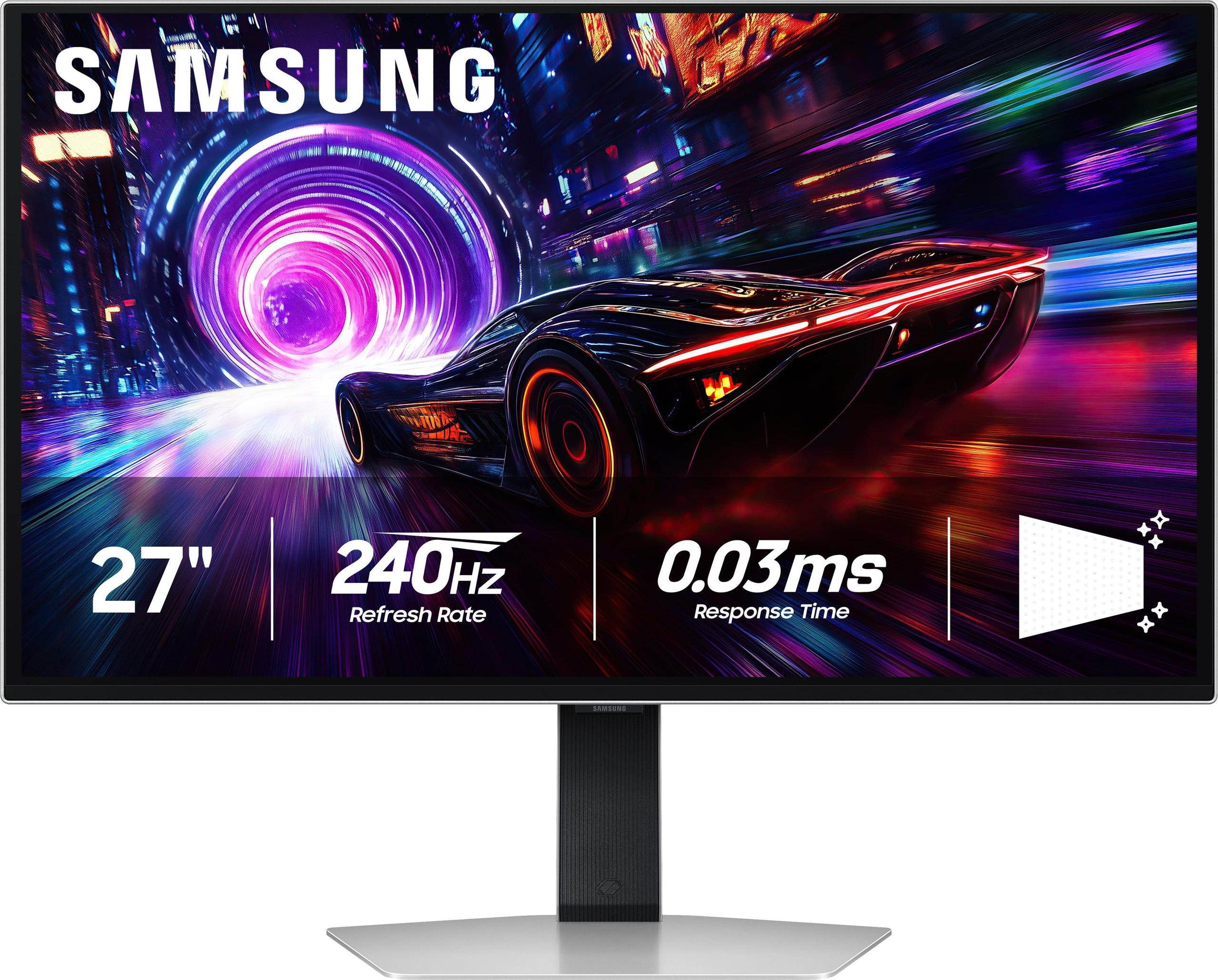
The world of premium gaming monitors has exploded in recent years, and 2024-2025 brought us two absolute standouts in the 27-inch 4K space. If you're serious about gaming and have been saving up for a top-tier display, you've probably come across the LG UltraGear 27" 4K 240Hz Dual Mode Gaming Monitor and the Samsung 27" Odyssey OLED G8 4K UHD 240Hz Gaming Monitor. Both promise incredible performance, but they take very different approaches to get there.
Before diving into the specifics, let's talk about what makes these monitors special. We're looking at displays that combine 4K resolution (that's 3840x2160 pixels - four times sharper than 1080p) with 240Hz refresh rates (meaning the screen updates 240 times per second). This combination was basically impossible just a few years ago, requiring massive advances in panel technology and processing power.
The main considerations when shopping in this category include panel technology (how the screen actually creates the image), response time (how quickly pixels can change colors), HDR quality (how well it displays bright and dark scenes), color accuracy, and long-term reliability. At the time of writing, these monitors typically command premium prices, often in the higher-end range of gaming displays, but they represent the cutting edge of what's possible.
The biggest distinction between the LG UltraGear and Samsung Odyssey OLED G8 lies in their core display technology. The LG uses something called Nano IPS Black - an evolution of traditional IPS (In-Plane Switching) panels that adds special nanoparticles to improve contrast. IPS panels have been the go-to choice for color-accurate work for years because they maintain consistent colors even when you view them from the side.
The Samsung, on the other hand, uses QD-OLED (Quantum Dot Organic Light Emitting Diode) technology. Instead of a backlight shining through liquid crystals like traditional monitors, each pixel actually creates its own light. When a pixel needs to be black, it simply turns off completely. This fundamental difference affects everything from contrast to response times to long-term durability.
I've spent considerable time with both panel types, and the difference is immediately noticeable. OLED displays have this almost magical quality where dark scenes in games or movies look like they're floating in space - there's no backlight glow around bright objects like you get with traditional monitors.
This is where the technical differences become really important for gaming. Response time measures how quickly a pixel can change from one color to another, typically measured in milliseconds. The LG UltraGear achieves a solid 1ms GtG (Gray-to-Gray) response time, which is excellent by traditional standards. However, the Samsung Odyssey OLED G8 absolutely crushes this with a 0.03ms response time.
To put this in perspective, that 0.03ms is about 33 times faster than the LG. In practical terms, this means virtually zero motion blur during fast-paced gaming. When I'm playing competitive shooters or racing games, the difference is subtle but real - fast-moving objects appear slightly sharper on the OLED.
Both monitors hit 240Hz at 4K resolution, which is incredibly smooth. But the LG UltraGear has a unique trick called Dual Mode. It can switch between 4K at 240Hz or drop down to 1080p resolution but crank the refresh rate up to an insane 480Hz.
This 480Hz mode is specifically designed for competitive esports players who prioritize the absolute smoothest motion over visual fidelity. Games like Counter-Strike or Valorant can benefit from these ultra-high refresh rates, though you'll need a powerful graphics card to push frame rates that high. Most gamers will stick with the 4K 240Hz mode, but having the option is nice for specific use cases.
Input lag - the delay between when you press a button and when the action appears on screen - is crucial for competitive gaming. Both monitors achieve sub-millisecond input lag, which is essentially instantaneous. The Samsung has a slight edge due to OLED's inherent advantages, but we're talking about differences so small they're practically irrelevant for human perception.
This is where the technology difference becomes most apparent. The Samsung Odyssey OLED G8 achieves what's called "infinite" contrast ratio because its pixels can turn completely off for true black. The LG UltraGear maxes out around 2000:1 contrast ratio - good for an IPS panel, but not even close to OLED territory.
For HDR (High Dynamic Range) content, this makes a massive difference. HDR is supposed to show you a wider range of brightness levels, from deep shadows to brilliant highlights. The Samsung's VESA DisplayHDR True Black 400 certification means it can display genuine dark scenes while still producing bright highlights. The LG's DisplayHDR 600 certification indicates higher peak brightness, but its limited local dimming (only 8 zones across the entire screen) means HDR improvements are much more modest.
When watching HDR movies or playing HDR games, the difference is dramatic. Dark caves actually look dark on the OLED, while bright explosions or sunlight can still be brilliant. On the LG, these scenes look good, but you'll notice some backlight bleeding around bright objects in dark scenes.
Both monitors hit 99% DCI-P3 color coverage, which means they can display nearly all the colors used in modern movies and games. However, they achieve this differently. The LG UltraGear offers hardware calibration, meaning you can fine-tune color accuracy directly on the monitor using professional calibration tools. This makes it particularly appealing for content creators or anyone who needs precise colors.
The Samsung produces more vibrant, saturated colors out of the box thanks to QD-OLED technology. Colors feel more "punchy" and engaging, which many gamers prefer for the immersive experience, though it's not necessarily more "accurate" in a technical sense.
Here's where the LG UltraGear fights back. It can hit around 670 nits peak brightness in HDR mode, compared to the Samsung's more modest OLED-typical brightness levels. In practical terms, this means the LG performs better in bright rooms where you might have windows or strong lighting competing with the display.
However, the Samsung counters with superior anti-glare technology that reduces reflections by about 54% compared to conventional anti-reflection coatings. In my experience, this makes the Samsung more usable in moderately lit rooms than you'd expect from an OLED.
The LG UltraGear takes the win for physical adjustability, offering full height, tilt, swivel, and pivot adjustments. If you're someone who frequently adjusts your monitor position or shares your workspace, this flexibility is valuable.
The Samsung Odyssey OLED G8 has a more premium feel with its metal construction and sleek design, but offers more limited adjustment options. Both monitors have solid build quality, though the Samsung's thinner OLED panel gives it a more modern, high-tech appearance.
The LG includes DisplayPort 2.1, which is the latest standard for ultra-high bandwidth connections, plus two HDMI 2.1 ports and USB connectivity. The Samsung focuses on HDMI 2.1 and includes USB-C, which is convenient for laptop users.
An interesting difference is that the LG UltraGear includes gaming-specific features like customizable crosshairs, FPS counters, and black level adjustments accessible through its on-screen menu. The Samsung focuses more on image quality and motion performance rather than gaming utilities.
This is probably the biggest consideration for many buyers. OLED panels can potentially suffer from burn-in, where static images displayed for long periods can leave permanent marks on the screen. Think Windows taskbars, game UI elements, or desktop icons.
Samsung addresses this with their OLED Safeguard+ system, which includes dynamic cooling, thermal modulation, and logo detection that dims static elements. They also back the Samsung Odyssey OLED G8 with a 3-year warranty that covers burn-in under normal usage conditions.
The LG UltraGear doesn't have burn-in risk at all due to its IPS technology. While modern OLED panels are much more resistant to burn-in than earlier generations, it's still a consideration for users who leave static content on screen for hours at a time.
Both monitors work well for movie watching and media consumption, but they excel in different scenarios. The Samsung provides a more cinematic experience with its perfect blacks and vibrant colors. HDR movies look genuinely impressive, with the kind of contrast that makes you want to turn off the lights and get immersed.
The LG UltraGear handles bright room viewing better and won't have you worrying about burn-in if you pause movies frequently or watch content with static elements like news tickers or channel logos.
In my experience testing both monitors, the most important performance characteristics are:
Response time is crucial for competitive gaming - the Samsung wins decisively here. Contrast ratio affects every game and movie you'll watch - again, Samsung's infinite contrast is unbeatable. Color accuracy matters for professional work - the LG edges ahead with hardware calibration. Peak brightness determines usability in various lighting conditions - LG performs better in bright environments.
The refresh rate and resolution are essentially tied since both hit 4K at 240Hz, though the LG's 480Hz mode at 1080p is unique.
Choose the Samsung Odyssey OLED G8 if gaming is your primary focus, you want the absolute best motion clarity and visual impact, and you're comfortable with minimal burn-in risk. It's the enthusiast's choice for pure gaming performance and cinematic visuals.
Go with the LG UltraGear if you need a monitor that does double duty for gaming and professional work, want the peace of mind of no burn-in risk, or frequently use your monitor in bright environments. The dual-mode capability also makes it interesting for competitive gamers who want both 4K beauty and ultra-high refresh rate options.
At the time of writing, both monitors command premium prices befitting their cutting-edge technology. The value proposition comes down to whether you prioritize the Samsung's superior gaming performance and visual quality, or the LG's versatility and long-term reliability. Both represent the current pinnacle of gaming monitor technology - your specific needs should guide the choice between these two excellent options.
| LG UltraGear 27" 4K 240Hz Dual Mode Gaming Monitor | Samsung 27" Odyssey OLED G8 4K UHD 240Hz Gaming Monitor |
|---|---|
| Panel Technology - Determines image quality, contrast, and long-term durability | |
| Nano IPS Black (enhanced IPS with better contrast, no burn-in risk) | QD-OLED (perfect blacks, infinite contrast, potential burn-in) |
| Response Time - Critical for motion clarity in fast games | |
| 1ms GtG (excellent for most gaming) | 0.03ms GtG (best-in-class, virtually no motion blur) |
| Refresh Rate Options - Smoothness and competitive gaming advantage | |
| 4K at 240Hz OR 1080p at 480Hz (dual mode flexibility) | 4K at 240Hz only (no alternate modes) |
| Contrast Ratio - Affects depth and realism in dark scenes | |
| 2000:1 (good for IPS, noticeable backlight glow) | 1,000,000:1 infinite (true blacks, cinema-quality contrast) |
| HDR Performance - Impact on movie watching and HDR gaming | |
| DisplayHDR 600 with basic edge-lit dimming (modest HDR) | DisplayHDR True Black 400 (exceptional HDR with perfect blacks) |
| Peak Brightness - Determines usability in bright rooms | |
| 670 nits (better for bright environments) | ~400 nits typical OLED (best in controlled lighting) |
| Color Accuracy Features - Important for content creation | |
| Hardware calibration supported (professional color work) | Factory calibrated only (gaming-optimized colors) |
| Ergonomics - Workspace flexibility and comfort | |
| Full adjustability (height, tilt, swivel, pivot) | Limited adjustments (height, tilt only) |
| Anti-Glare Performance - Reflection handling in various lighting | |
| Standard matte coating (some haziness in bright light) | Advanced glare-free technology (54% less reflective) |
| Burn-in Risk - Long-term reliability consideration | |
| None (IPS technology has no burn-in issues) | Minimal with 3-year warranty coverage including burn-in |
| Connectivity Options - Device compatibility and future-proofing | |
| DisplayPort 2.1, 2x HDMI 2.1, USB hub | HDMI 2.1, USB-C (more limited but includes laptop charging) |
The Samsung 27" Odyssey OLED G8 has a significant advantage for competitive gaming with its 0.03ms response time compared to the LG UltraGear 27" 4K 240Hz Dual Mode Gaming Monitor's 1ms response time. However, the LG UltraGear offers a unique 480Hz mode at 1080p resolution, which some esports players prefer for maximum smoothness in competitive titles.
The LG UltraGear uses Nano IPS Black technology, which provides consistent colors and no burn-in risk but has limited contrast. The Samsung Odyssey OLED G8 uses QD-OLED technology that delivers perfect blacks and infinite contrast but carries a small risk of burn-in with static images over time.
The Samsung 27" Odyssey OLED G8 excels at movie watching with its infinite contrast ratio and true black levels, making HDR content look more cinematic. The LG UltraGear has higher peak brightness but limited local dimming, resulting in a less impressive HDR experience overall.
Yes, both the LG UltraGear 27" 4K 240Hz Dual Mode Gaming Monitor and Samsung Odyssey OLED G8 support native 4K resolution at 240Hz refresh rate. The LG additionally offers a 1080p at 480Hz mode for players who want maximum refresh rates over resolution.
The LG UltraGear performs better in bright rooms due to its higher peak brightness of 670 nits. The Samsung Odyssey OLED G8 has excellent anti-glare technology but lower overall brightness, making it better suited for controlled lighting environments.
The LG UltraGear 27" 4K 240Hz Dual Mode Gaming Monitor has zero burn-in risk due to its IPS technology. The Samsung 27" Odyssey OLED G8 has minimal burn-in risk with modern OLED protection features and includes a 3-year warranty that covers burn-in under normal usage.
The LG UltraGear is better for professional content creation as it supports hardware calibration for precise color accuracy. The Samsung Odyssey OLED G8 produces more vibrant colors that are visually appealing but may not be as technically accurate for color-critical work.
The LG UltraGear 27" 4K 240Hz Dual Mode Gaming Monitor includes DisplayPort 2.1, two HDMI 2.1 ports, and USB connectivity. The Samsung 27" Odyssey OLED G8 features HDMI 2.1 and USB-C connectivity, making it more convenient for laptop users who need charging capability.
The Samsung Odyssey OLED G8 delivers superior motion clarity with its 0.03ms response time, virtually eliminating motion blur. While the LG UltraGear offers excellent 1ms response time and the option for 480Hz at lower resolution, the Samsung's OLED technology provides the clearest motion overall.
The LG UltraGear 27" 4K 240Hz Dual Mode Gaming Monitor offers full ergonomic adjustability including height, tilt, swivel, and pivot functions. The Samsung 27" Odyssey OLED G8 has more limited adjustments with primarily height and tilt options, though it features a premium metal build quality.
Both the Samsung Odyssey OLED G8 and LG UltraGear work excellently with modern consoles through HDMI 2.1 connectivity. The Samsung's superior contrast and HDR performance make single-player console games more immersive, while the LG's higher peak brightness works better in varied lighting conditions.
The LG UltraGear 27" 4K 240Hz Dual Mode Gaming Monitor may offer better long-term value for users who need versatility, professional features, and zero burn-in concerns. The Samsung 27" Odyssey OLED G8 provides superior gaming performance and visual quality but requires more careful usage to avoid potential burn-in issues over many years.
We've done our best to create useful and informative comparisons to help you decide what product to buy. Our research uses advanced automated methods to create this comparison and perfection is not possible - please contact us for corrections or questions. These are the sites we've researched in the creation of this article: bestbuy.com - displayninja.com - rtings.com - youtube.com - lg.com - rtings.com - tftcentral.co.uk - bestbuy.com - techpowerup.com - lg.com - lg.com - lg.com - rtings.com - tomsguide.com - tomshardware.com - youtube.com - ign.com - youtube.com - pcvarge.com - youtube.com - youtube.com - versus.com - bestbuy.com - samsung.com - samsung.com - displayspecifications.com - samsung.com - hardforum.com - publicsector.shidirect.com - forums.thefpsreview.com - samsung.com - rtings.com - samsung.com - samsung.com

Privacy Policy
Terms and Conditions - Affiliate Policy
Home Security
© Copyright 2008-2026.
11816 Inwood Rd #1211, Dallas, TX 75244