

















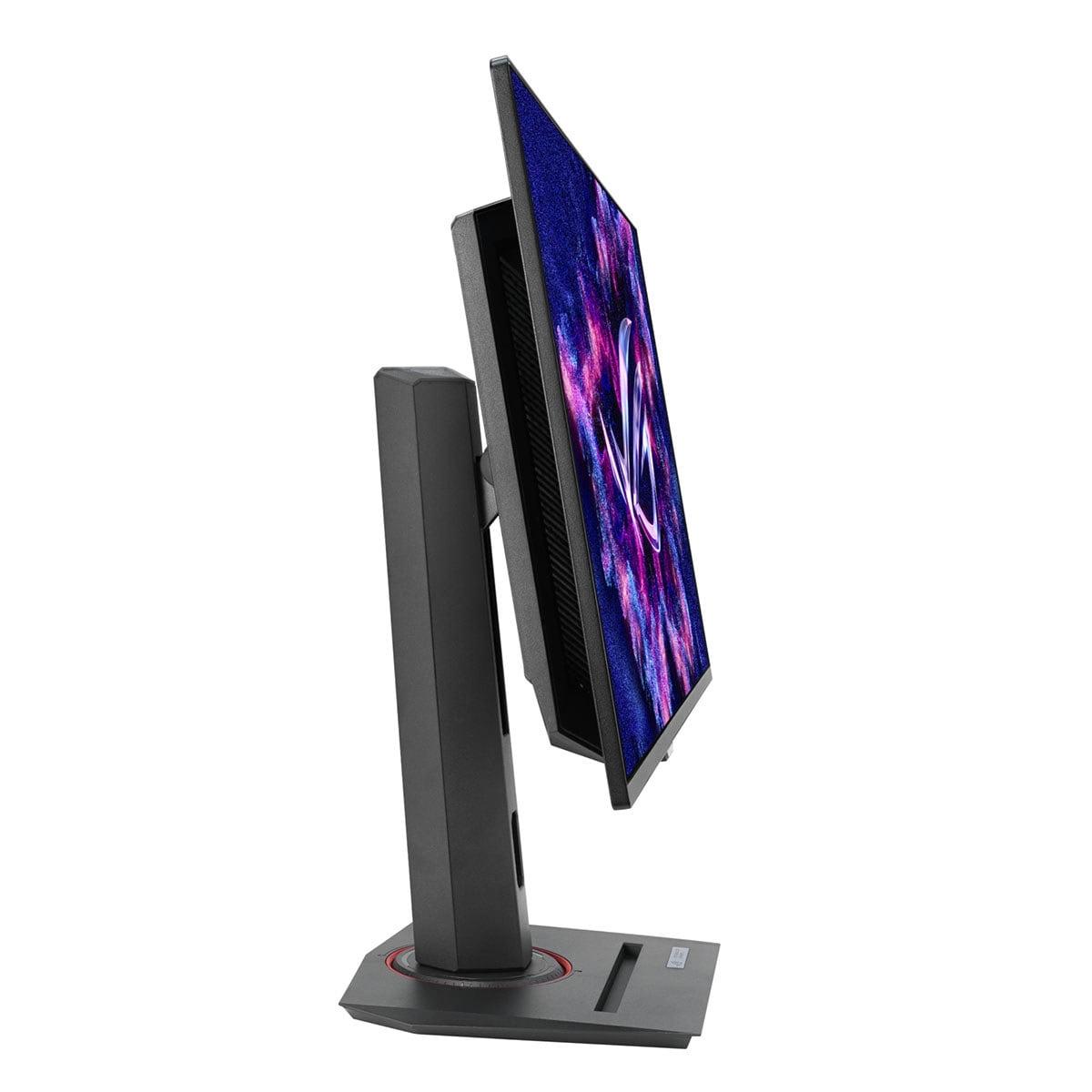
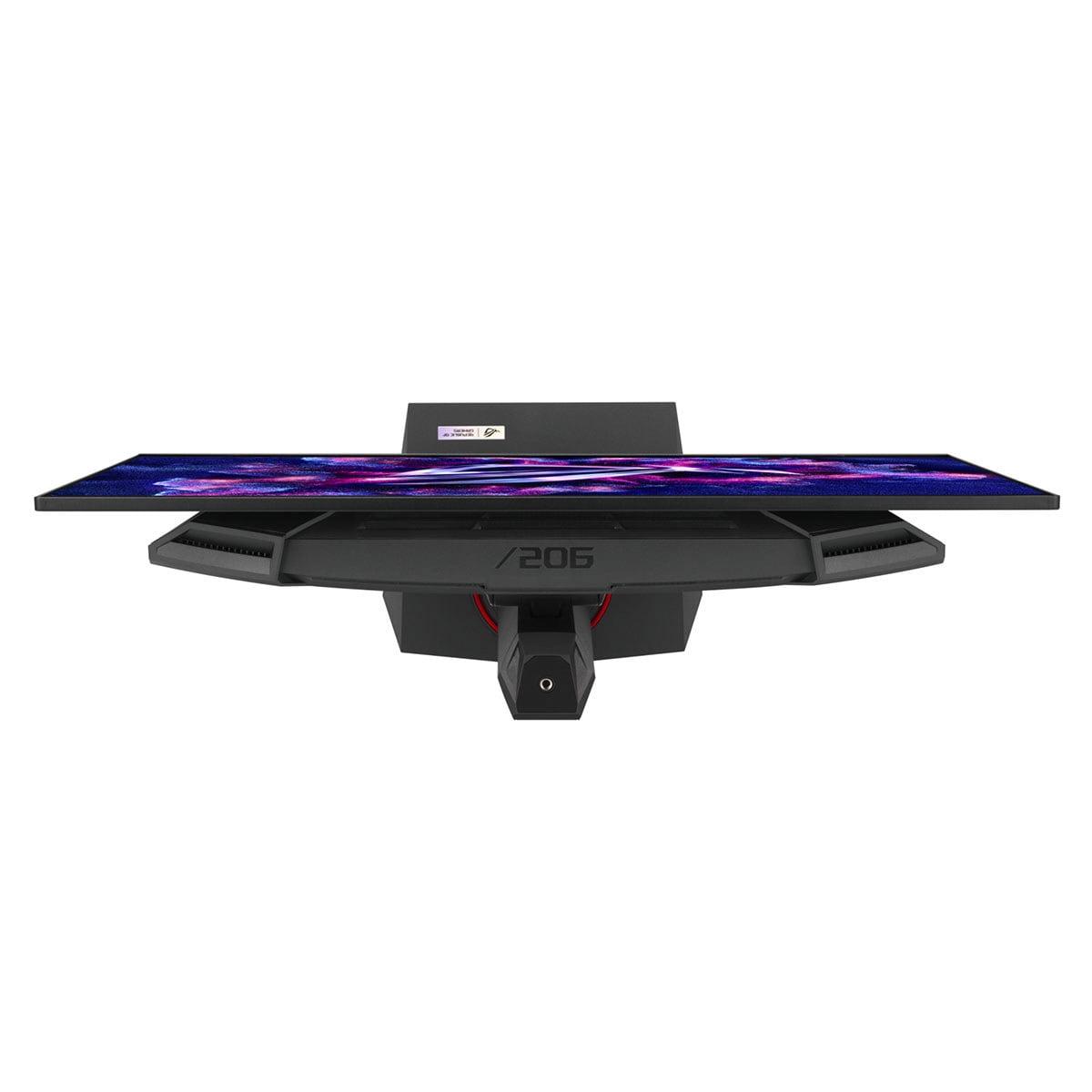
When shopping for a gaming monitor in 2024, you'll encounter two fundamentally different philosophies: proven LCD technology that delivers excellent performance at accessible prices, or cutting-edge OLED panels that push visual quality to new heights but demand premium investment. The Acer Nitro XV1 27" WQHD 180Hz IPS Gaming Monitor and ASUS ROG Strix OLED XG27ACDNG 27" QHD 360Hz Gaming Monitor perfectly embody this divide, representing the best of budget-friendly gaming and flagship performance respectively.
Both monitors landed on the market in recent years, with the Acer Nitro XV1 arriving as part of the 2023 refresh of affordable high-refresh gaming displays, while the ASUS ROG Strix OLED launched in 2024 as one of the first consumer monitors to combine QD-OLED technology with a blistering 360Hz refresh rate. This timing difference reflects the rapid evolution of display technology—what seemed impossible just two years ago is now sitting on store shelves.
Gaming monitors serve as the critical interface between your graphics card's output and your eyes, making their performance characteristics directly impact your gaming experience. The most important considerations include refresh rate (how many times per second the screen updates), response time (how quickly pixels can change colors), color accuracy, contrast ratio (the difference between darkest and brightest areas), and peak brightness.
At the time of writing, 27-inch 1440p monitors occupy the sweet spot for most gamers, offering significantly more screen real estate and detail than 1080p displays while remaining more affordable and easier to drive than 4K alternatives. The resolution of 2560x1440 pixels provides roughly 78% more pixels than standard 1080p, creating noticeably sharper text and game visuals without the massive performance hit of 4K gaming.
The most fundamental difference between these monitors lies in their display technology. The Acer Nitro XV1 uses an IPS (In-Plane Switching) LCD panel with LED backlighting—essentially the same core technology that has dominated computer monitors for the past decade. IPS panels arrange liquid crystals in a way that allows light to pass through consistently, creating wide viewing angles and accurate colors. However, they rely on a backlight shining through the entire panel, which means even "black" pixels still have some light bleeding through.
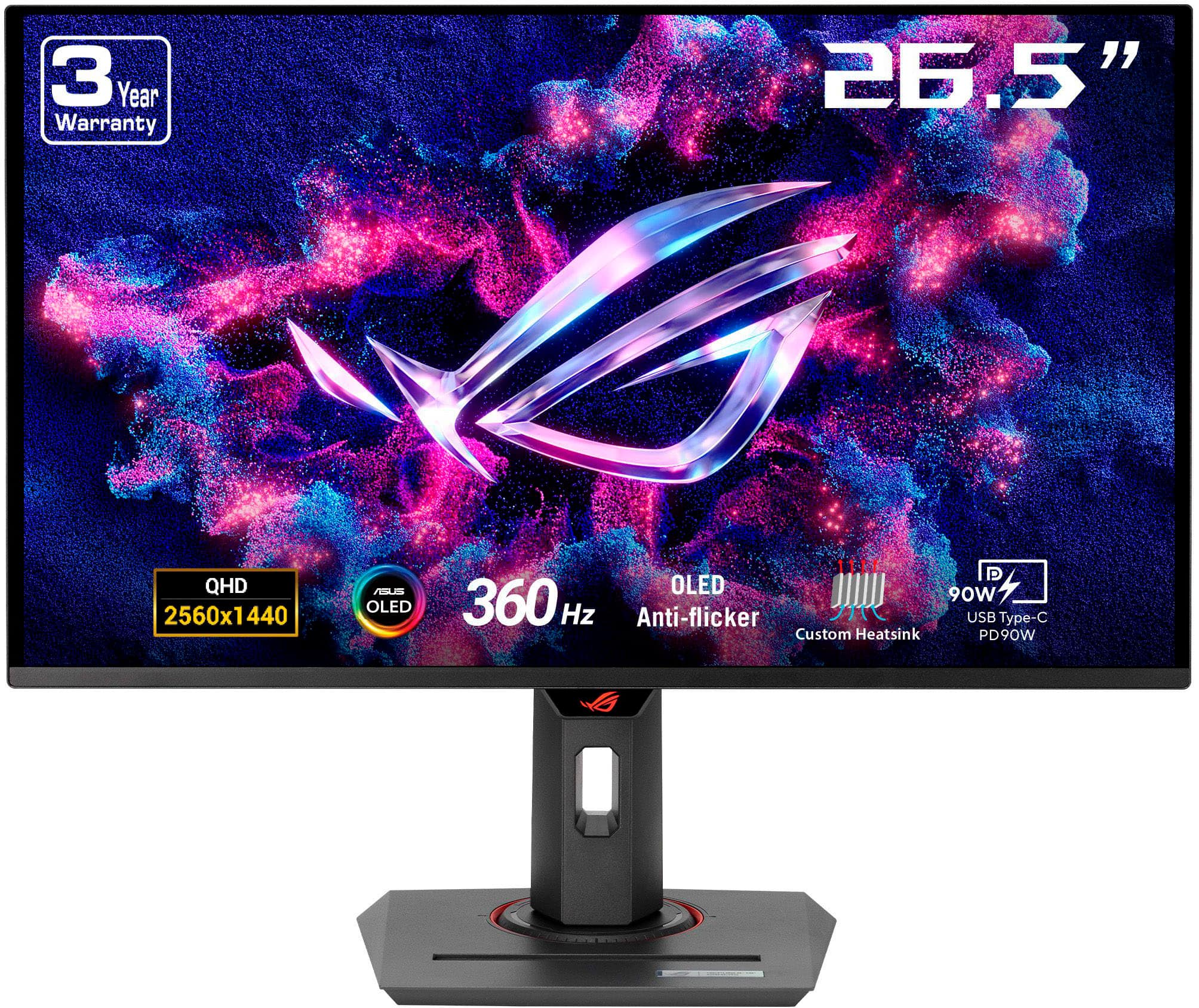
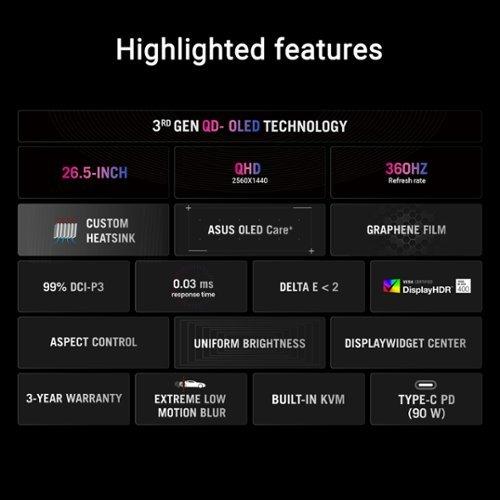
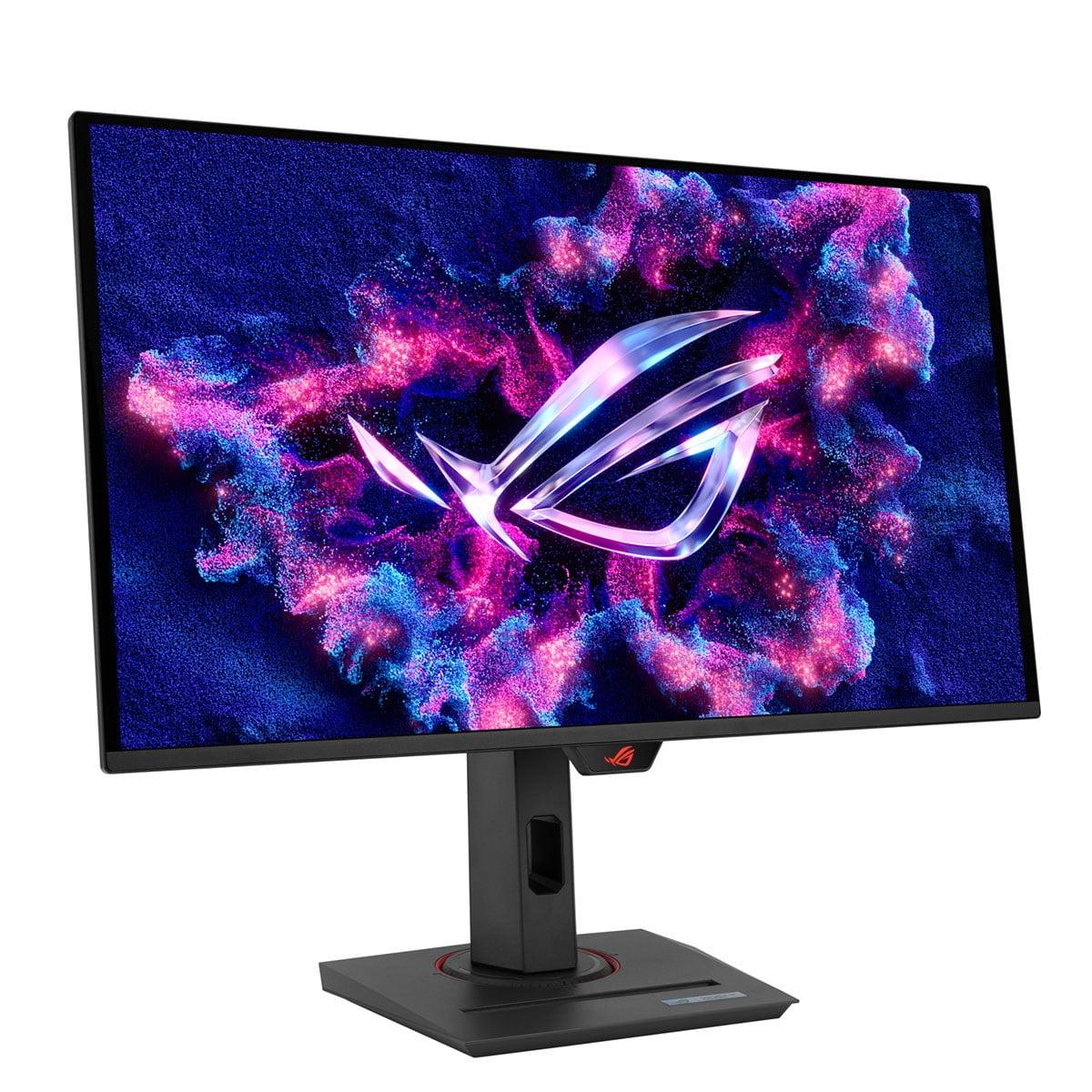
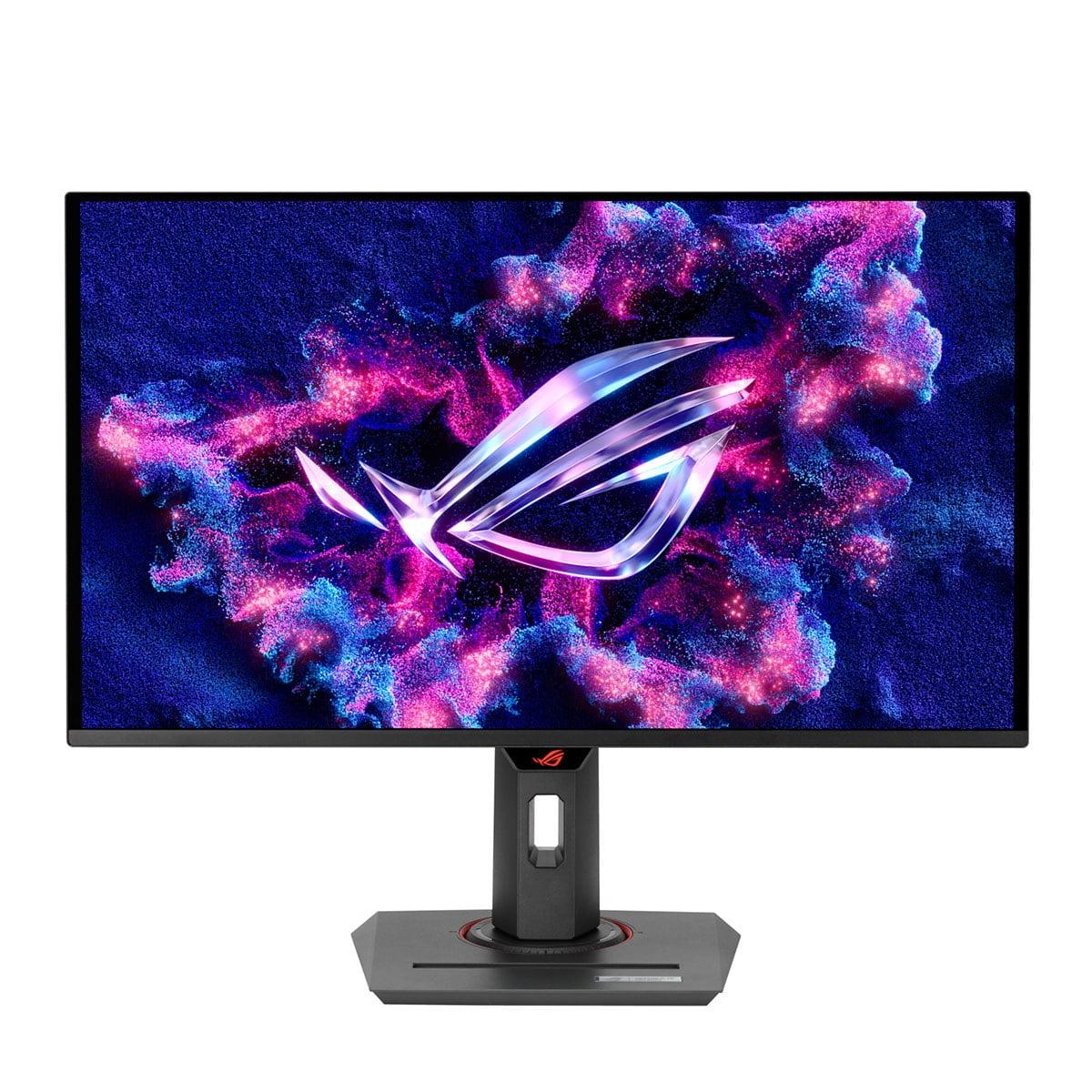
The ASUS ROG Strix OLED takes a completely different approach with its QD-OLED (Quantum Dot Organic Light Emitting Diode) panel. Here, individual pixels generate their own light through organic compounds that emit photons when electricity is applied. When a pixel needs to display black, it simply turns off completely, creating perfect blacks that LCD technology cannot match. The "QD" part refers to quantum dots—microscopic semiconductor particles that convert blue OLED light into precise red and green wavelengths, enabling wider color reproduction than traditional OLED panels.
This technological difference creates a cascade of performance implications. The ASUS OLED monitor achieves a contrast ratio of 1,500,000:1, meaning its brightest whites are 1.5 million times brighter than its darkest blacks. Compare this to the Acer's IPS panel, which manages a respectable but limited 1000:1 contrast ratio—a difference that's immediately visible when viewing dark scenes in games or movies.
Refresh rate represents how many times per second your monitor can display a new image, measured in hertz (Hz). Higher refresh rates create smoother motion, reduce screen tearing (when parts of multiple frames appear simultaneously), and can provide competitive advantages in fast-paced games. The Acer Nitro XV1 delivers 180Hz over DisplayPort connections and 144Hz through HDMI, which represents excellent performance for its price category and is more than sufficient for most gaming scenarios.
The ASUS ROG Strix OLED pushes this to 360Hz, doubling the Acer's capabilities. While this might seem like overkill, the benefits become apparent in competitive esports titles where frame rates often exceed 200 fps. Counter-Strike players, for instance, frequently run games at 300+ fps to minimize input lag, making a 360Hz display genuinely useful rather than just impressive on paper.
Response time measures how quickly individual pixels can change from one color to another, typically measured in gray-to-gray (GTG) transitions. The Acer achieves a 1ms GTG response time, which is excellent for IPS technology and imperceptible to human vision during gameplay. The ASUS manages an extraordinary 0.03ms response time—roughly 33 times faster—thanks to OLED pixels' ability to turn on and off nearly instantaneously.
Both monitors support variable refresh rate (VRR) technology, which synchronizes the display's refresh rate with your graphics card's output to eliminate screen tearing. The Acer supports AMD FreeSync Premium with a range of 40-180Hz, plus unofficial NVIDIA G-SYNC compatibility. The ASUS offers both AMD FreeSync Premium Pro and certified NVIDIA G-SYNC compatibility, ensuring broad GPU support regardless of your hardware choice.
Color performance separates good monitors from great ones, and both displays excel here but in different ways. The Acer Nitro XV1 covers 95% of the DCI-P3 color space—the standard used for digital cinema—providing vibrant, accurate colors suitable for both gaming and content creation. Its IPS panel delivers consistent color reproduction across all viewing angles, though you'll notice some IPS glow (a subtle brightening effect) when viewing dark content at extreme angles.
The ASUS ROG Strix OLED achieves reference-level color accuracy across all standard color spaces, with factory calibration that typically requires no adjustment for professional work. Its quantum dot enhancement enables coverage that exceeds standard sRGB by 35%, creating more vivid and lifelike colors than traditional displays can produce.
HDR (High Dynamic Range) performance reveals another significant gap between these monitors. HDR content contains brightness information that extends beyond what standard displays can reproduce, requiring higher peak brightness and better contrast to show the full range. The Acer's 250 nits peak brightness and LCD contrast limitations mean HDR content appears modestly improved compared to standard dynamic range material.
The ASUS achieves 400 nits peak brightness with its infinite contrast capability, creating dramatically more impactful HDR experiences. Small highlights like explosions or sunlight can appear genuinely bright while maintaining perfect blacks in shadow areas—something LCD technology simply cannot replicate.
However, OLED technology has one significant weakness: ambient light handling. In bright rooms, the ASUS monitor's black levels rise and can appear purple due to the anti-reflective coating interacting with room lighting. The Acer maintains consistent black levels regardless of lighting conditions, making it more versatile for various room setups.
Modern gaming monitors need to integrate seamlessly with today's diverse device ecosystem. The Acer Nitro XV1 provides solid connectivity with DisplayPort 1.2, two HDMI 2.0 ports, and a headphone jack. Its ergonomic stand offers height, tilt, swivel, and pivot adjustments, plus VESA mounting compatibility for desk arms or wall mounts.
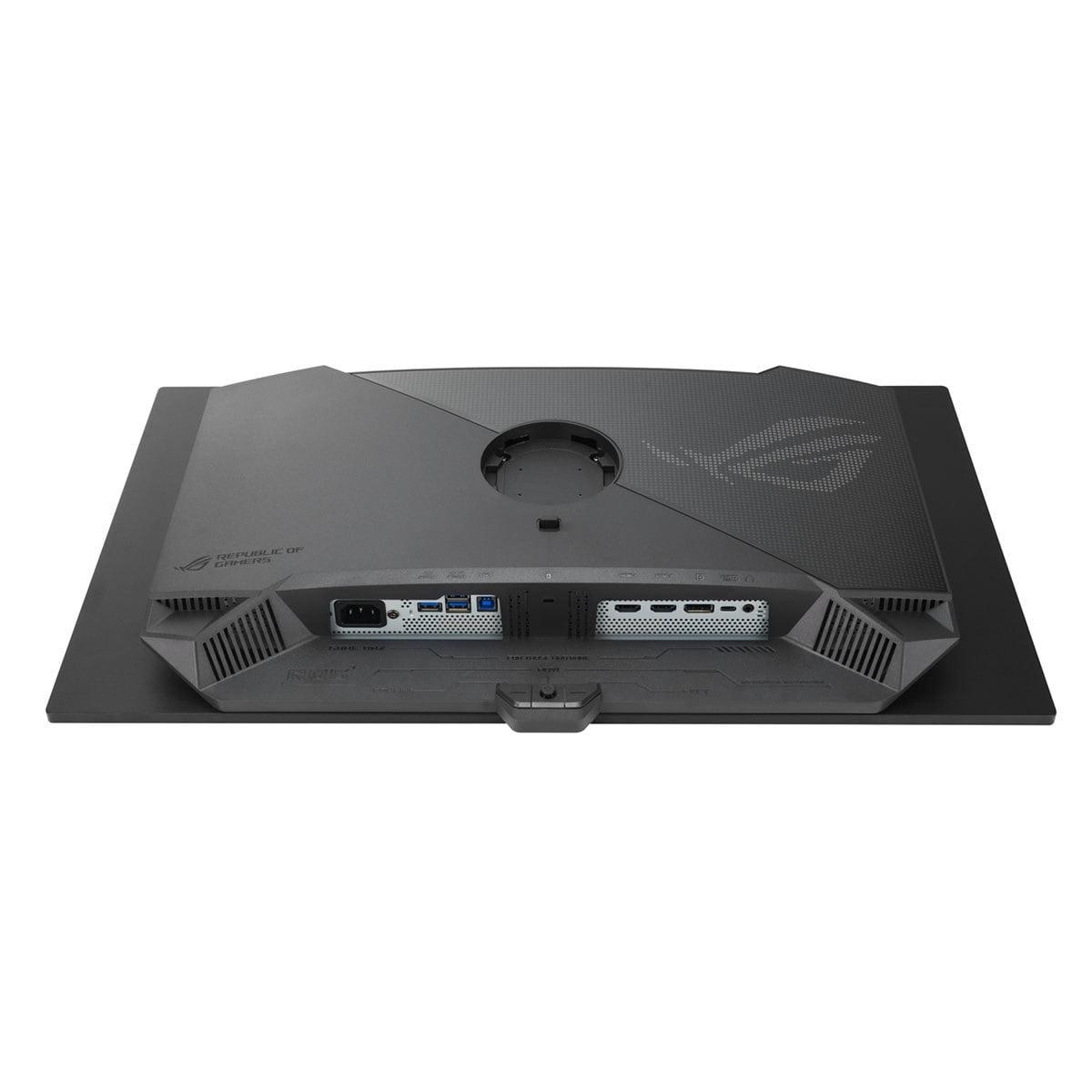
The ASUS ROG Strix OLED elevates connectivity significantly with DisplayPort 1.4 and HDMI 2.1 ports that support full bandwidth for high refresh rate gaming. More importantly, it includes a USB-C port with 90W power delivery, allowing single-cable connections to laptops that handle video, data, and charging simultaneously. A built-in KVM (Keyboard, Video, Mouse) switch lets you control multiple devices with one set of peripherals—invaluable for users who switch between gaming PCs and work laptops.
The ASUS also includes specialized OLED care features like pixel refresh algorithms and burn-in prevention measures. OLED panels can develop permanent image retention if static elements (like taskbars or HUD elements) remain on screen for extended periods. While modern OLED panels are much more resistant to burn-in than early generations, these protective features provide peace of mind for long-term ownership.
At the time of writing, these monitors occupy distinctly different market segments. The Acer Nitro XV1 positions itself as a high-value option that brings 1440p high-refresh gaming to budget-conscious buyers, typically priced several hundred dollars below premium alternatives. For many gamers, it represents the ideal price-to-performance balance, delivering 80% of flagship monitor performance at roughly 25% of the cost.
The ASUS ROG Strix OLED commands premium pricing that reflects its cutting-edge technology and professional-grade features. While significantly more expensive, it offers performance and visual quality that justify the investment for serious enthusiasts, competitive gamers, and content creators who demand the best available technology.
This pricing structure reflects the current state of display technology evolution. IPS LCD manufacturing has matured to the point where excellent gaming monitors can be produced at accessible prices, while OLED technology remains expensive to manufacture at larger sizes, particularly with the quantum dot enhancements and high refresh rate capabilities found in the ASUS model.
For competitive gaming, particularly esports titles like Counter-Strike, Valorant, or Overwatch, the ASUS monitor's 360Hz refresh rate and 0.03ms response time provide measurable advantages. Professional players often describe the difference between 240Hz and 360Hz as subtle but noticeable, with improved tracking of fast-moving targets and reduced motion blur during rapid camera movements.
Single-player gaming reveals the ASUS OLED's visual superiority most dramatically. Games with dark environments like horror titles or space sims benefit enormously from perfect black levels and infinite contrast. The deep blacks create a sense of depth and immersion that LCD monitors cannot match, making games feel more cinematic and engaging.
For productivity work alongside gaming, both monitors perform well but with different strengths. The Acer provides consistent performance across all lighting conditions and applications without burn-in concerns, making it worry-free for mixed usage scenarios. The ASUS delivers professional color accuracy that rivals dedicated design monitors, plus connectivity features like USB-C and KVM switching that streamline multi-device workflows.
While primarily gaming-focused, both monitors can serve entertainment roles in bedroom or office setups. The Acer's consistent performance and lack of burn-in risk make it suitable for extended movie watching without concern. Its 250 nits brightness proves adequate for most content in controlled lighting environments.
The ASUS OLED excels for cinematic content, delivering true film-like contrast and color reproduction that approaches reference display quality. HDR movies particularly benefit from its superior dynamic range capabilities. However, the burn-in risk makes it less suitable for static content like news channels or PC desktop usage for extended periods.
Both monitors support multiple HDMI inputs for console gaming, though the ASUS's HDMI 2.1 connectivity better accommodates next-generation consoles that can output 4K signals, even if displayed at the monitor's native 1440p resolution with improved image processing.
LCD technology like that in the Acer Nitro XV1 offers predictable, maintenance-free ownership. The panel will maintain consistent performance for years without degradation or special care requirements. At worst, the LED backlight may dim slightly over many years of use, but this occurs gradually and usually isn't noticeable during normal usage.
OLED technology requires more consideration for long-term ownership. The ASUS includes comprehensive burn-in prevention measures, and modern OLED panels are significantly more durable than early generations. However, OLED pixels do degrade over time, and static content can still cause permanent image retention if displayed for extended periods. The three-year warranty that covers burn-in issues provides protection during the most vulnerable early ownership period.
Choose the Acer Nitro XV1 if you want excellent 1440p gaming performance without premium investment, need consistent performance across all lighting conditions, or prefer worry-free LCD technology for mixed gaming and productivity usage. It represents outstanding value for most gamers and provides all the performance needed for an exceptional gaming experience.
Choose the ASUS ROG Strix OLED if you prioritize maximum visual quality and gaming performance, primarily use your setup in controlled lighting environments, or need professional-grade color accuracy alongside gaming capabilities. The premium investment delivers genuinely superior performance that transforms the gaming experience, particularly for enthusiasts who appreciate cutting-edge technology.
The decision ultimately comes down to budget versus performance priorities. Both monitors deliver excellent gaming experiences within their respective market segments, but they serve different user needs and preferences. The rapid evolution of display technology means both represent current best-in-class options for their intended audiences, with the understanding that your specific usage patterns and environment should guide the final choice.
| Acer Nitro XV1 27" WQHD 180Hz IPS Gaming Monitor | ASUS ROG Strix OLED XG27ACDNG 27" QHD 360Hz Gaming Monitor |
|---|---|
| Panel Technology - Determines image quality, contrast, and long-term reliability | |
| IPS LCD with LED backlight (proven reliability, no burn-in risk) | QD-OLED (cutting-edge tech with perfect blacks but burn-in potential) |
| Refresh Rate - Higher rates provide smoother motion for competitive gaming | |
| 180Hz (DisplayPort) / 144Hz (HDMI) - excellent for most games | 360Hz - advantage for esports and high-FPS competitive gaming |
| Response Time - Lower is better for reducing motion blur and ghosting | |
| 1ms gray-to-gray (imperceptible blur for most users) | 0.03ms near-instantaneous (virtually zero motion blur) |
| Contrast Ratio - Affects depth and realism in dark scenes | |
| 1000:1 (typical LCD limitation with some backlight bleed) | 1,500,000:1 (infinite contrast with true blacks in dark rooms) |
| Peak Brightness - Important for HDR content and bright room usage | |
| 250 cd/m² (adequate for most conditions, limited HDR impact) | 400 cd/m² (better HDR performance, but blacks wash out in bright rooms) |
| Color Accuracy - Critical for content creation and vibrant gaming visuals | |
| 95% DCI-P3 coverage (good color reproduction, consistent across lighting) | Reference-level accuracy across all gamuts (professional-grade colors) |
| Connectivity - Determines compatibility with modern devices and features | |
| DisplayPort 1.2, 2x HDMI 2.0, headphone jack (standard gaming setup) | DisplayPort 1.4, HDMI 2.1, USB-C with 90W power delivery, KVM switch (premium features) |
| HDR Support - Enhances contrast and color range in compatible content | |
| HDR10 with limited impact due to brightness constraints | HDR400 with significantly more dramatic highlights and shadows |
| Variable Refresh Rate - Eliminates screen tearing for smooth gameplay | |
| AMD FreeSync Premium, unofficial G-SYNC compatibility | AMD FreeSync Premium Pro and certified G-SYNC compatibility |
| Ergonomics - Important for comfort during long gaming sessions | |
| Height, tilt, swivel, pivot adjustments with sturdy stand | Full adjustability plus tripod mount and premium build quality |
| Long-term Considerations - Affects ownership experience and maintenance | |
| Maintenance-free LCD technology with consistent performance | Requires burn-in prevention care but includes 3-year burn-in warranty |
| Best For - Target user and use cases | |
| Budget-conscious gamers wanting excellent 1440p performance | Enthusiasts prioritizing maximum visual quality and competitive performance |
The ASUS ROG Strix OLED XG27ACDNG is superior for competitive gaming with its 360Hz refresh rate and 0.03ms response time, providing smoother motion and faster pixel response than the Acer Nitro XV1's 180Hz and 1ms specifications. However, the Acer Nitro XV1 still delivers excellent competitive performance at a much lower cost.
The primary difference is panel technology: the Acer Nitro XV1 uses traditional IPS LCD technology with consistent performance across all lighting conditions, while the ASUS ROG Strix OLED features cutting-edge QD-OLED technology that delivers perfect blacks and superior contrast but requires careful usage to prevent burn-in.
The Acer Nitro XV1 provides exceptional value, delivering high-quality 1440p gaming at a fraction of the cost of premium alternatives. The ASUS ROG Strix OLED offers superior performance but at a significant premium that's justified mainly for enthusiasts who prioritize maximum visual quality.
Yes, both monitors excel at mixed usage. The Acer Nitro XV1 offers worry-free operation for productivity with accurate colors and no burn-in concerns. The ASUS ROG Strix OLED provides professional-grade color accuracy plus advanced features like USB-C connectivity and KVM switching for demanding workflows.
The Acer Nitro XV1 performs consistently in bright environments, maintaining stable black levels and good visibility. The ASUS ROG Strix OLED struggles in bright rooms where ambient light causes black levels to rise and appear purple, making it better suited for controlled lighting conditions.
Yes, both monitors work well with consoles. The Acer Nitro XV1 supports up to 144Hz via HDMI for smooth console gaming. The ASUS ROG Strix OLED includes HDMI 2.1 connectivity for better next-gen console compatibility and can display higher quality signals even when downscaled to 1440p.
The ASUS ROG Strix OLED achieves reference-level color accuracy across all color spaces without calibration, making it suitable for professional color work. The Acer Nitro XV1 offers good color accuracy with 95% DCI-P3 coverage, which is excellent for gaming and general use but not quite professional-grade.
The Acer Nitro XV1 uses proven LCD technology with no degradation concerns or special maintenance requirements. The ASUS ROG Strix OLED requires burn-in prevention measures and careful usage patterns, though it includes protective features and a warranty covering burn-in issues.
The ASUS ROG Strix OLED delivers significantly better HDR performance with higher peak brightness (400 vs 250 nits) and infinite contrast ratio, creating more impactful highlights and deeper shadows. The Acer Nitro XV1 supports HDR but with limited visual improvement due to brightness and contrast limitations.
Both monitors work well for content creation. The Acer Nitro XV1 provides reliable color reproduction for basic streaming setups. The ASUS ROG Strix OLED offers professional color accuracy, advanced connectivity including USB-C, and features like KVM switching that benefit content creators with complex multi-device workflows.
The ASUS ROG Strix OLED excels at motion handling with its 0.03ms response time and 360Hz refresh rate, virtually eliminating ghosting and blur. The Acer Nitro XV1 still provides excellent motion clarity with its 1ms response time and 180Hz refresh rate, sufficient for most gaming scenarios at a much lower cost.
The Acer Nitro XV1 includes standard gaming connectivity with DisplayPort 1.2, two HDMI 2.0 ports, and a headphone jack. The ASUS ROG Strix OLED offers premium connectivity including DisplayPort 1.4, HDMI 2.1, USB-C with 90W power delivery, USB hub, and KVM switching for advanced multi-device setups.
We've done our best to create useful and informative comparisons to help you decide what product to buy. Our research uses advanced automated methods to create this comparison and perfection is not possible - please contact us for corrections or questions. These are the sites we've researched in the creation of this article: bestbuy.com - tomshardware.com - displayninja.com - youtube.com - youtube.com - youtube.com - store.acer.com - manuals.plus - displayspecifications.com - pangoly.com - pcpartpicker.com - casariolab.art - store.acer.com - versus.com - youtube.com - tomshardware.com - versus.com - pcguide.com - rog.asus.com - rtings.com - youtube.com - youtube.com - versus.com - displayninja.com - youtube.com - rog.asus.com - cdw.com - shi.com - colamco.com - rog.asus.com - microcenter.com - bestbuy.com - rtings.com - displayspecifications.com - compsource.com - rog.asus.com

Privacy Policy
Terms and Conditions - Affiliate Policy
Home Security
© Copyright 2008-2026.
11816 Inwood Rd #1211, Dallas, TX 75244