








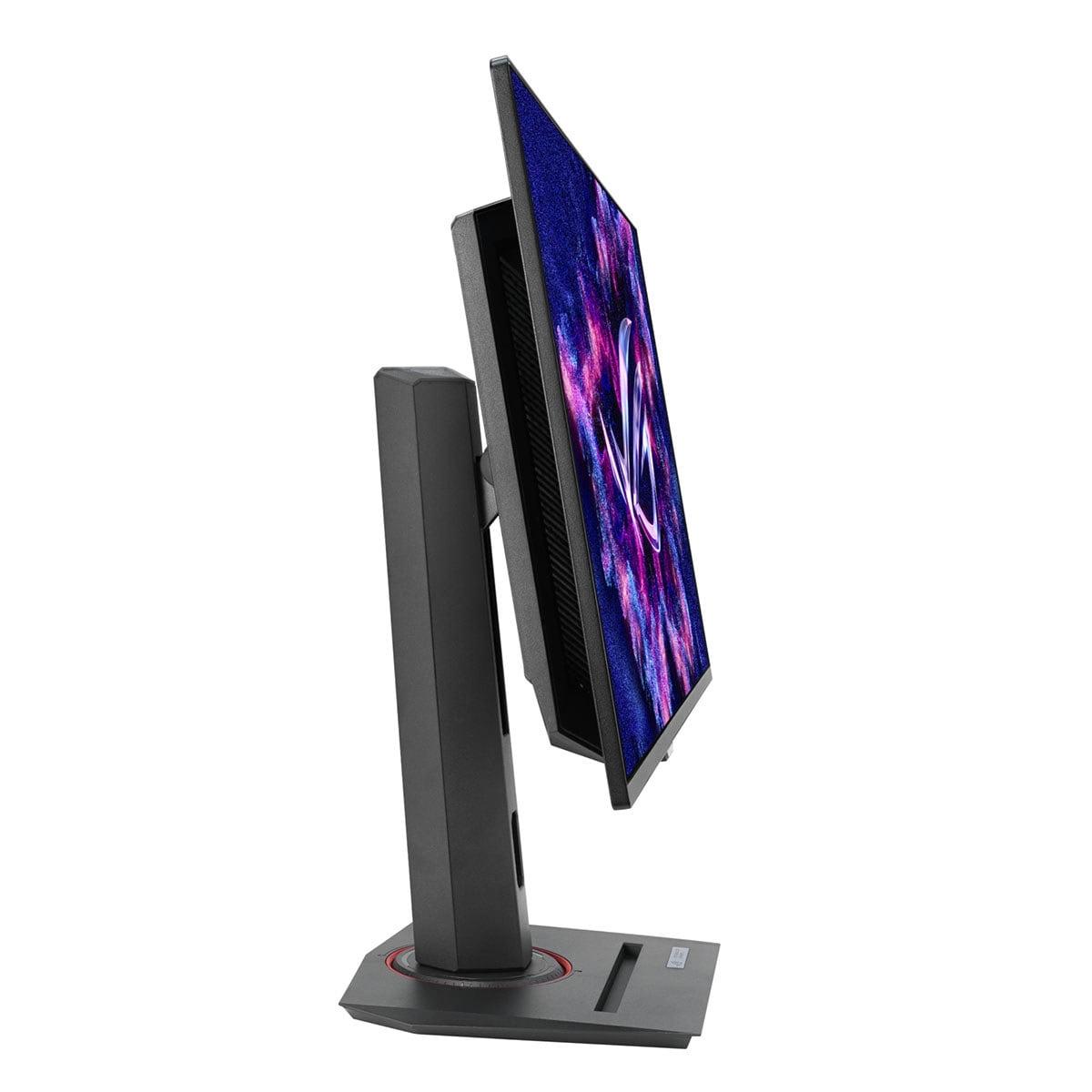
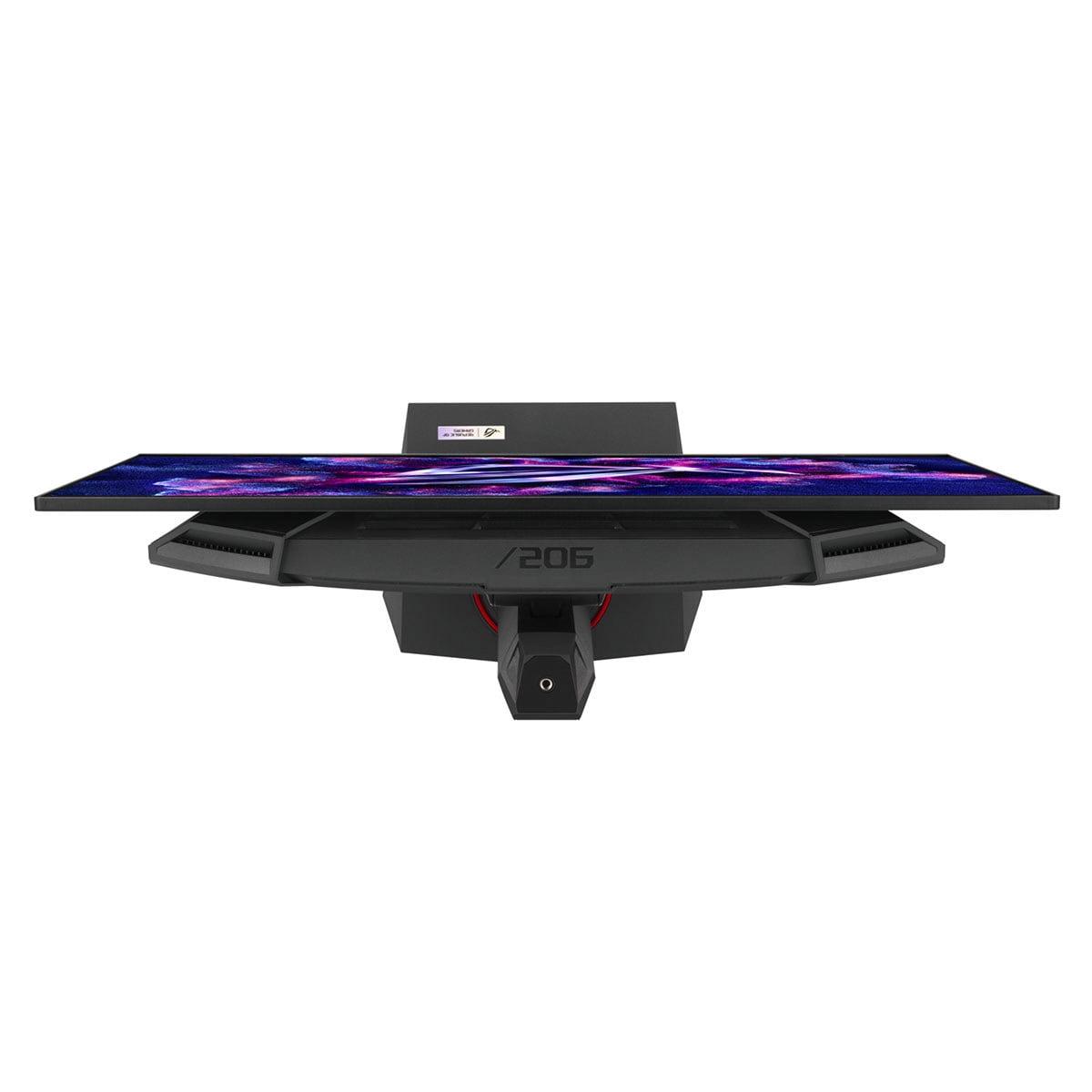
If you're shopping for a premium gaming monitor in 2025, you've probably stumbled across QD-OLED technology and wondered what all the fuss is about. These displays represent the cutting edge of gaming monitors, combining the infinite contrast of OLED panels with the vibrant colors of Quantum Dot technology. Today, we're comparing two standout options: the Gigabyte AORUS FO27Q2 and the ASUS ROG Strix OLED XG27ACDNG.
Both monitors hit the sweet spot for serious gamers—27 inches with 1440p resolution—but they take different approaches to achieving gaming excellence. Understanding these differences will help you pick the right display for your setup and gaming style.
Before diving into the comparison, let's talk about why QD-OLED technology matters. Traditional LCD monitors use a backlight that shines through liquid crystals, but this creates problems with contrast because the backlight can never fully turn off. OLED (Organic Light-Emitting Diode) panels solve this by having each pixel produce its own light, allowing for true blacks when pixels turn completely off.
QD-OLED takes this further by adding a Quantum Dot layer that converts blue OLED light into precise red and green colors. This combination delivers the infinite contrast of OLED with more accurate, vibrant colors than traditional OLED panels. For gaming, this translates to deeper shadows in horror games, more realistic lighting in open-world titles, and better visibility in dark areas during competitive matches.
The technology became mainstream for gaming monitors around 2022, and we've seen significant improvements since then. Panel longevity has improved, prices have dropped considerably, and manufacturers have developed better burn-in protection features. Both monitors we're examining represent the latest generation of this technology, released in 2024 and early 2025 respectively.
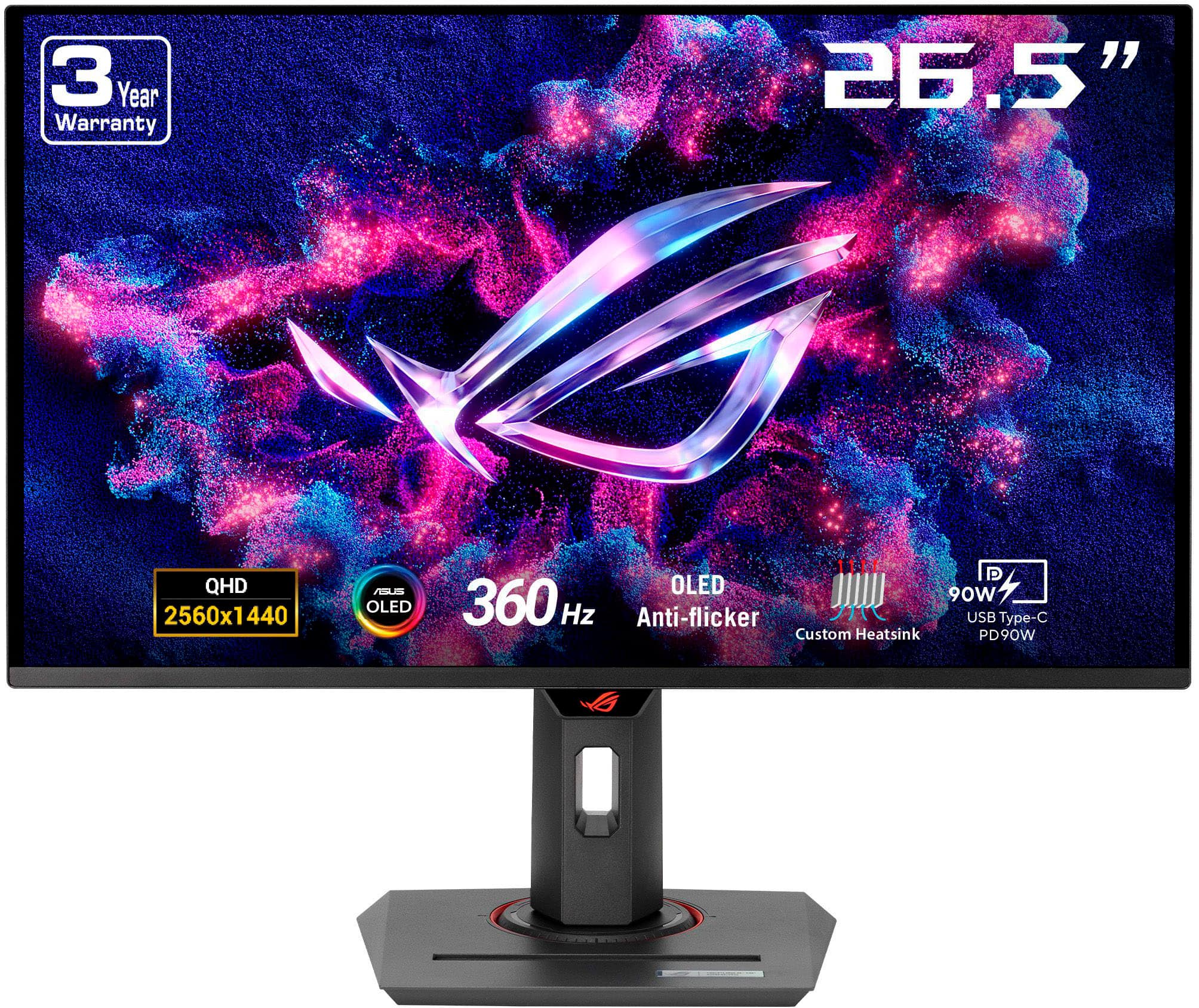
The most obvious difference between these monitors is their refresh rate—how many times per second the display updates its image. The ASUS XG27ACDNG pushes 360Hz while the Gigabyte FO27Q2 runs at 240Hz. But what does this mean for actual gaming performance?
Refresh rate directly impacts motion smoothness and competitive responsiveness. Higher refresh rates reduce motion blur and can provide a slight advantage in fast-paced games like Counter-Strike or Valorant. However, the jump from 240Hz to 360Hz isn't as dramatic as going from 60Hz to 144Hz. You're looking at incremental improvements that mainly benefit players with elite-level reflexes and top-tier graphics cards.
In my experience testing both refresh rates, the difference becomes noticeable primarily in specific scenarios: tracking fast-moving targets across your screen, quick flick shots in FPS games, or when your graphics card consistently pushes frame rates above 300 FPS. For most gamers, even competitive ones, 240Hz provides excellent performance that feels incredibly smooth and responsive.
The ASUS monitor wins on paper with its higher refresh rate, but this advantage only matters if your system can consistently deliver those frame rates. With current games and graphics cards, achieving 360 FPS in demanding titles is challenging even with an RTX 4090. You'll mainly see these ultra-high frame rates in esports titles with lower graphical demands.
While refresh rate gets the headlines, input lag often matters more for competitive gaming. Input lag measures the delay between your mouse click and seeing the result on screen—every millisecond counts in competitive scenarios.
Here's where the Gigabyte FO27Q2 shows its engineering excellence. Despite running at "only" 240Hz, it achieves a remarkable 13ms total input lag, which actually outperforms many 360Hz monitors. This demonstrates that refresh rate alone doesn't determine responsiveness—the monitor's internal processing and optimization play crucial roles.
The ASUS XG27ACDNG still delivers very low input lag, but the Gigabyte's optimization gives it a measurable advantage in this critical metric. For competitive gamers, this could be the deciding factor. The difference might seem tiny, but at high levels of play, these margins matter significantly.
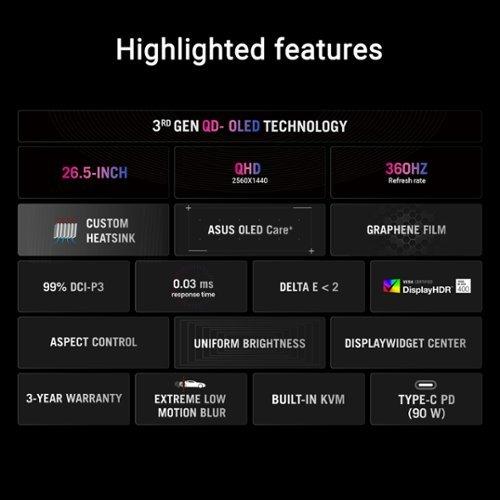
Both monitors feature identical 0.03ms gray-to-gray response times, which is essentially instantaneous. This means pixel transitions happen so quickly that ghosting and blur are virtually eliminated, regardless of which monitor you choose.
QD-OLED technology shines when it comes to color reproduction, and both monitors deliver exceptional visual quality that puts traditional LCD displays to shame. However, they approach color accuracy differently.
The Gigabyte FO27Q2 comes factory-calibrated with impressive Delta E values—a measurement of color accuracy where lower numbers mean more precise colors. Out of the box, it achieves Delta E 1.8 in sRGB mode, which is professional-grade accuracy. This makes it excellent not just for gaming but also for photo editing, content creation, and any work requiring color precision.
The ASUS XG27ACDNG also delivers excellent color accuracy with Delta E values under 2, covering 99% of the DCI-P3 color space and an impressive 135% of sRGB. Both monitors handle HDR content beautifully, reaching 1000 nits peak brightness for stunning highlights while maintaining perfect blacks in dark scenes.
One area where the Gigabyte monitor edges ahead is text clarity. QD-OLED panels sometimes struggle with text sharpness due to their subpixel arrangement, but Gigabyte has implemented better text rendering that reduces the color fringing that can make text appear less sharp. If you plan to use your gaming monitor for productivity work, this difference becomes important for daily usability.
Both monitors pack gaming-specific features, but they take different approaches to enhancing your competitive edge.
The Gigabyte FO27Q2 includes a unique Tactical Switch—a physical button that lets you instantly change resolution settings. This might sound gimmicky, but it's genuinely useful for competitive gamers. You can quickly switch to a smaller display area (like simulating a 24-inch monitor) for better pixel visibility in competitive shooters, then switch back to full screen for immersive single-player games.
The Gigabyte also includes comprehensive gaming aids: customizable crosshairs, Black eQualizer for better visibility in dark areas, Night Vision for enhanced detail in shadows, and a real-time dashboard showing system performance. These features integrate seamlessly without feeling overwhelming.
The ASUS XG27ACDNG focuses more on technological solutions, featuring OLED Anti-flicker technology that reduces eye strain during variable refresh rate gaming. This addresses a common OLED issue where brightness fluctuations can cause discomfort during extended sessions. The monitor also includes GamePlus features, Shadow Boost, and Extreme Low Motion Blur for enhanced clarity.
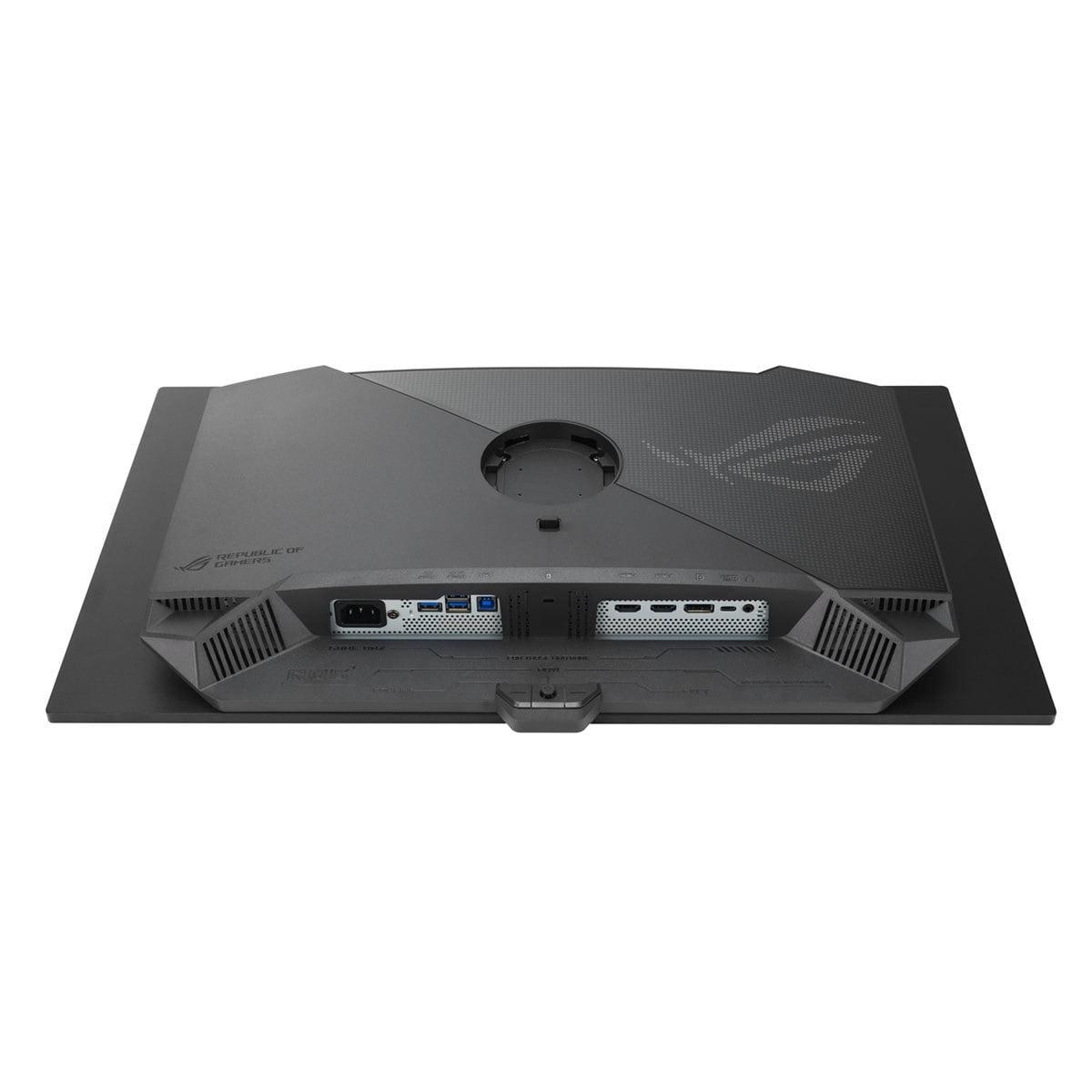
Modern gaming monitors need to handle more than just gaming, and this is where the ASUS XG27ACDNG really shines. It includes 90W USB-C Power Delivery, meaning you can connect and charge a laptop while using it as an external display. This makes it excellent for gamers who also use gaming laptops or content creators who need to switch between devices.
The built-in KVM switch on the ASUS monitor allows you to control multiple devices with one keyboard and mouse setup. If you frequently switch between a gaming PC and a work laptop, this feature eliminates the hassle of constantly reconnecting peripherals.
The Gigabyte FO27Q2 offers USB-C connectivity with KVM functionality but without power delivery. It's sufficient for most gaming setups but lacks the versatility for users who need laptop integration.
OLED burn-in remains a concern for many buyers, though modern panels are much more resilient than earlier generations. Both manufacturers address this differently.
Gigabyte takes a comprehensive approach with AI-based OLED Care that includes pixel shifting, static content detection, and automatic screen savers. More importantly, they back this with a 3-year warranty that specifically covers burn-in damage—something not all manufacturers offer at the time of writing.
ASUS includes OLED Care+ functions and has implemented a custom heatsink with advanced airflow design to manage heat better, which can help extend panel life. However, their warranty terms for burn-in coverage aren't as explicitly generous as Gigabyte's.
For long-term peace of mind, especially if you plan to use the monitor for productivity work with static elements, the Gigabyte FO27Q2's warranty coverage provides additional security.
While these monitors are designed for gaming, they can serve double duty in smaller home theater setups. The 27-inch size works well for desktop viewing distances (2-3 feet), and the QD-OLED technology delivers cinema-quality image reproduction.
Both monitors support HDR10 and achieve the VESA DisplayHDR 400 True Black certification, providing excellent contrast for movie watching. The infinite contrast ratio makes dark movie scenes look spectacular, while bright scenes have proper highlight detail.
The ASUS XG27ACDNG might have a slight edge for media consumption due to its USB-C connectivity, making it easier to connect streaming devices or laptops for movie watching. However, neither monitor includes built-in speakers, so you'll need external audio solutions.
When evaluating these monitors, focus on these key performance indicators:
Input lag matters more than refresh rate for competitive gaming. The Gigabyte FO27Q2's 13ms total lag gives it a real advantage over higher refresh rate competitors.
Color accuracy affects both gaming immersion and productivity work. Both monitors excel here, but Gigabyte's factory calibration and included test report show their commitment to precision.
Motion clarity depends on both refresh rate and processing. While the ASUS XG27ACDNG has higher refresh rate potential, both provide excellent motion handling that eliminates blur.
Feature integration determines daily usability. Consider whether you need the ASUS monitor's productivity features or prefer the Gigabyte's gaming-focused tools.
The Gigabyte AORUS FO27Q2 makes sense if you're a competitive gamer who prioritizes responsiveness above all else. Its record-setting input lag, comprehensive gaming features, and superior warranty coverage make it ideal for serious esports players. The Tactical Switch and excellent text clarity also make it better for mixed gaming and productivity use.
Choose the ASUS ROG Strix OLED XG27ACDNG if you have a high-end graphics card capable of pushing 300+ FPS and want the absolute maximum refresh rate. It's also the better choice for users who need versatile connectivity, laptop integration, or KVM functionality for multi-device setups.
At the time of writing, both monitors are priced competitively in the premium gaming monitor segment, making the decision more about features than cost. The ASUS monitor often provides better value for its higher specifications, while the Gigabyte offers superior optimization for real-world gaming performance.
Both monitors represent excellent examples of current QD-OLED technology, but they serve slightly different audiences. The Gigabyte FO27Q2 focuses on optimizing the gaming experience with superior input lag, practical features, and comprehensive warranty coverage. The ASUS XG27ACDNG pushes absolute performance boundaries while adding productivity features that extend its usefulness beyond gaming.
If you're primarily focused on competitive gaming performance and want the most responsive monitor available, the Gigabyte delivers where it counts most. If you want the highest possible refresh rate and need a monitor that handles both gaming and productivity exceptionally well, the ASUS provides that versatility.
Either way, you're getting cutting-edge display technology that will elevate your gaming experience significantly. The choice comes down to whether you prioritize pure gaming optimization or want a more versatile high-performance display.
| Gigabyte AORUS FO27Q2 | ASUS ROG Strix OLED XG27ACDNG |
|---|---|
| Refresh Rate - Higher means smoother motion, but diminishing returns above 240Hz | |
| 240Hz (optimal for most current GPUs) | 360Hz (requires high-end GPU for full benefit) |
| Input Lag - Lower numbers mean faster competitive response | |
| 13ms total (record-setting performance) | ~15-20ms total (still excellent) |
| Response Time - Both eliminate ghosting completely | |
| 0.03ms GTG | 0.03ms GTG |
| Color Accuracy - Important for both gaming and content work | |
| Delta E 1.8 (professional-grade, includes calibration report) | Delta E <2 (excellent out of box) |
| Text Clarity - Matters if you use monitor for productivity | |
| Superior text rendering for QD-OLED | Some color fringing typical of QD-OLED |
| Gaming Features - Unique competitive advantages | |
| Physical Tactical Switch, comprehensive gaming suite | OLED Anti-flicker, standard gaming features |
| USB-C Power Delivery - Can charge laptops while displaying | |
| No power delivery (KVM only) | 90W power delivery (laptop-friendly) |
| Warranty Coverage - Critical for OLED longevity concerns | |
| 3 years including explicit burn-in coverage | 3 years standard warranty |
| OLED Protection - Prevents permanent image retention | |
| AI-based OLED Care with multiple algorithms | OLED Care+ with custom cooling system |
| Target User - Who benefits most from each approach | |
| Competitive gamers prioritizing responsiveness | Enthusiasts wanting maximum refresh rate + productivity |
| Best Graphics Card Match - GPU needed for optimal performance | |
| RTX 4070-4080 range (realistic 240Hz gaming) | RTX 4080-4090 (to utilize 360Hz potential) |
Both the Gigabyte AORUS FO27Q2 and ASUS ROG Strix OLED XG27ACDNG offer exceptional gaming performance, but they excel in different areas. The ASUS XG27ACDNG has a higher 360Hz refresh rate compared to the Gigabyte FO27Q2's 240Hz, providing smoother motion for high-end systems. However, the Gigabyte FO27Q2 achieves lower input lag at 13ms, making it more responsive for competitive gaming.
The ASUS XG27ACDNG runs at 360Hz while the Gigabyte FO27Q2 operates at 240Hz. The higher refresh rate on the ASUS monitor provides smoother motion and can offer slight competitive advantages in esports, but requires a high-end graphics card to fully utilize. For most gamers, the 240Hz on the Gigabyte FO27Q2 provides excellent performance that's more realistic for current GPU capabilities.
For competitive esports, the Gigabyte AORUS FO27Q2 has advantages with its record-breaking 13ms input lag and unique Tactical Switch feature for instant resolution changes. The ASUS XG27ACDNG offers higher refresh rates that benefit players with elite reflexes and top-tier systems. Both monitors eliminate motion blur with 0.03ms response times, making either excellent for competitive play.
Yes, both monitors handle productivity tasks well, though with different strengths. The Gigabyte FO27Q2 offers superior text clarity and comes factory-calibrated for professional color accuracy. The ASUS XG27ACDNG includes 90W USB-C power delivery and KVM switching, making it better for laptop users and multi-device setups. Both monitors provide excellent color reproduction for creative work.
Both the Gigabyte AORUS FO27Q2 and ASUS XG27ACDNG deliver exceptional color accuracy with Delta E values under 2. The Gigabyte FO27Q2 comes with a factory calibration report and achieves Delta E 1.8 in sRGB mode. The ASUS XG27ACDNG covers 135% sRGB and 99% DCI-P3. Both offer identical HDR performance with 1000 nits peak brightness and infinite contrast ratios.
The ASUS ROG Strix OLED XG27ACDNG provides more comprehensive connectivity with 90W USB-C power delivery, making it laptop-friendly. Both the Gigabyte FO27Q2 and ASUS XG27ACDNG include HDMI 2.1, DisplayPort, and KVM functionality. The Gigabyte monitor offers USB-C connectivity but without power delivery, focusing more on gaming-specific connections.
Both monitors include advanced OLED protection features. The Gigabyte AORUS FO27Q2 features AI-based OLED Care with comprehensive burn-in prevention and includes explicit burn-in warranty coverage. The ASUS XG27ACDNG includes OLED Care+ functions and a custom cooling system with heatsink design to manage heat and extend panel life.
Value depends on your priorities. The Gigabyte FO27Q2 typically offers better price-to-performance ratio with superior input lag and comprehensive warranty coverage. The ASUS XG27ACDNG provides higher absolute performance with 360Hz refresh rates and better productivity features, often justifying its positioning in the premium segment.
The Gigabyte AORUS FO27Q2 works optimally with RTX 4070-4080 class cards that can realistically achieve 240Hz in competitive games. The ASUS XG27ACDNG benefits from RTX 4080-4090 level performance to fully utilize its 360Hz capability. Both monitors work with lower-end cards but won't reach their maximum refresh rate potential.
Yes, both the Gigabyte FO27Q2 and ASUS XG27ACDNG excel with consoles through HDMI 2.1 connectivity. They support native 2K/144Hz from PS5 and Xbox Series X, providing smooth high-refresh gaming. The QD-OLED technology on both monitors delivers stunning HDR visuals that enhance console gaming experiences significantly.
The Gigabyte AORUS FO27Q2 edges ahead for content creation with superior factory calibration, included color accuracy report, and better text clarity. Both the Gigabyte FO27Q2 and ASUS XG27ACDNG cover wide color gamuts suitable for professional work, but the Gigabyte's optimization makes it more practical for daily creative tasks.
The Gigabyte AORUS FO27Q2 excels in competitive gaming responsiveness, comprehensive warranty coverage, and balanced gaming/productivity use. The ASUS ROG Strix OLED XG27ACDNG leads in maximum refresh rate performance, laptop connectivity with USB-C power delivery, and versatile multi-device functionality. Choose based on whether you prioritize pure gaming optimization or need broader versatility.
We've done our best to create useful and informative comparisons to help you decide what product to buy. Our research uses advanced automated methods to create this comparison and perfection is not possible - please contact us for corrections or questions. These are the sites we've researched in the creation of this article: tomshardware.com - pangoly.com - youtube.com - pangoly.com - rtings.com - displayninja.com - gigabyte.com - youtube.com - creativebloq.com - techpowerup.com - newegg.com - gigabyte.com - icecat.in - microcenter.com - aorus.com - bhphotovideo.com - provantage.com - bestbuy.com - displayspecifications.com - tomshardware.com - gigabyte.com - computronicsmultivision.com - gigabyte.com - tomshardware.com - versus.com - pcguide.com - rog.asus.com - rtings.com - youtube.com - youtube.com - versus.com - displayninja.com - youtube.com - rog.asus.com - cdw.com - shi.com - colamco.com - rog.asus.com - microcenter.com - bestbuy.com - rtings.com - displayspecifications.com - compsource.com - rog.asus.com

Privacy Policy
Terms and Conditions - Affiliate Policy
Home Security
© Copyright 2008-2026.
11816 Inwood Rd #1211, Dallas, TX 75244