

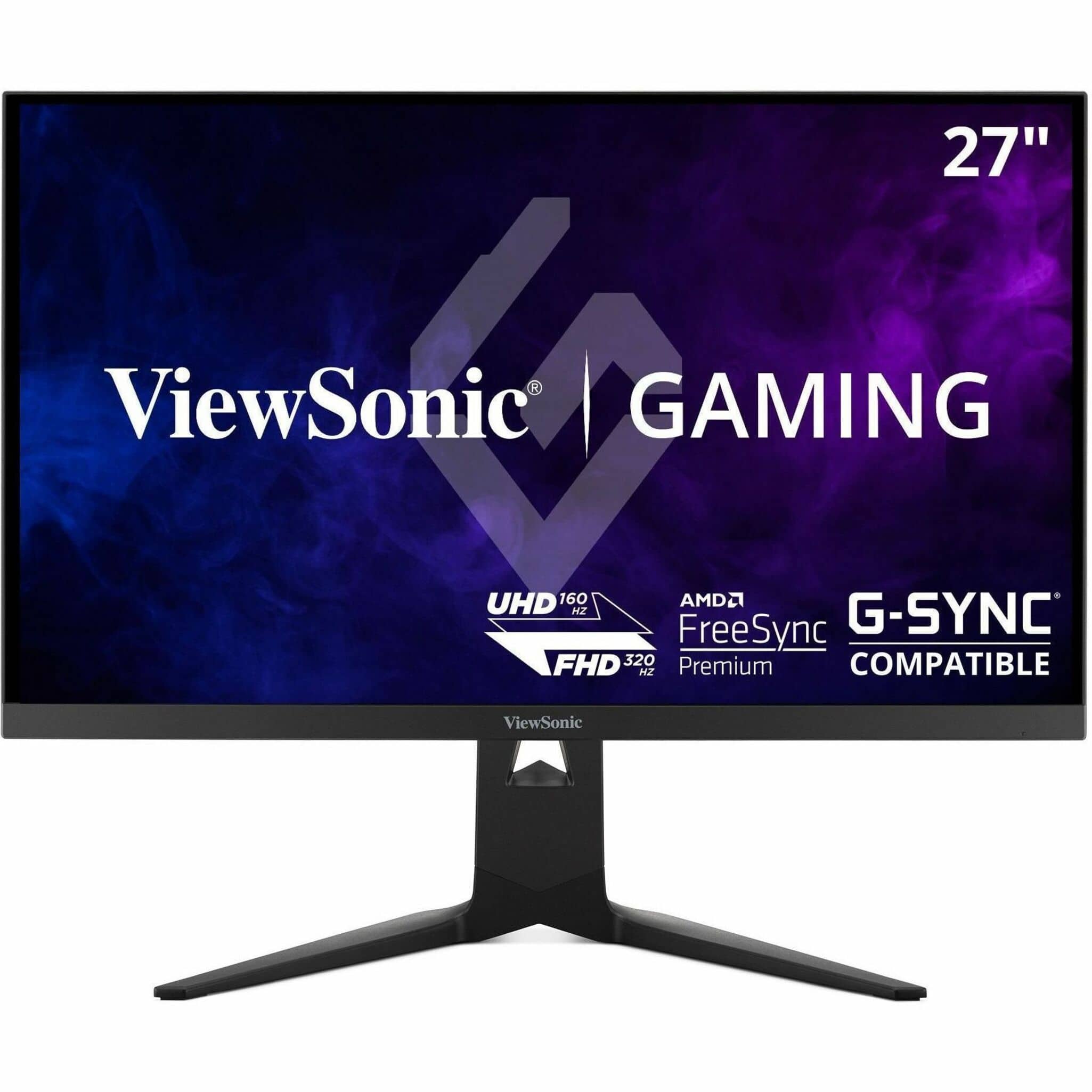
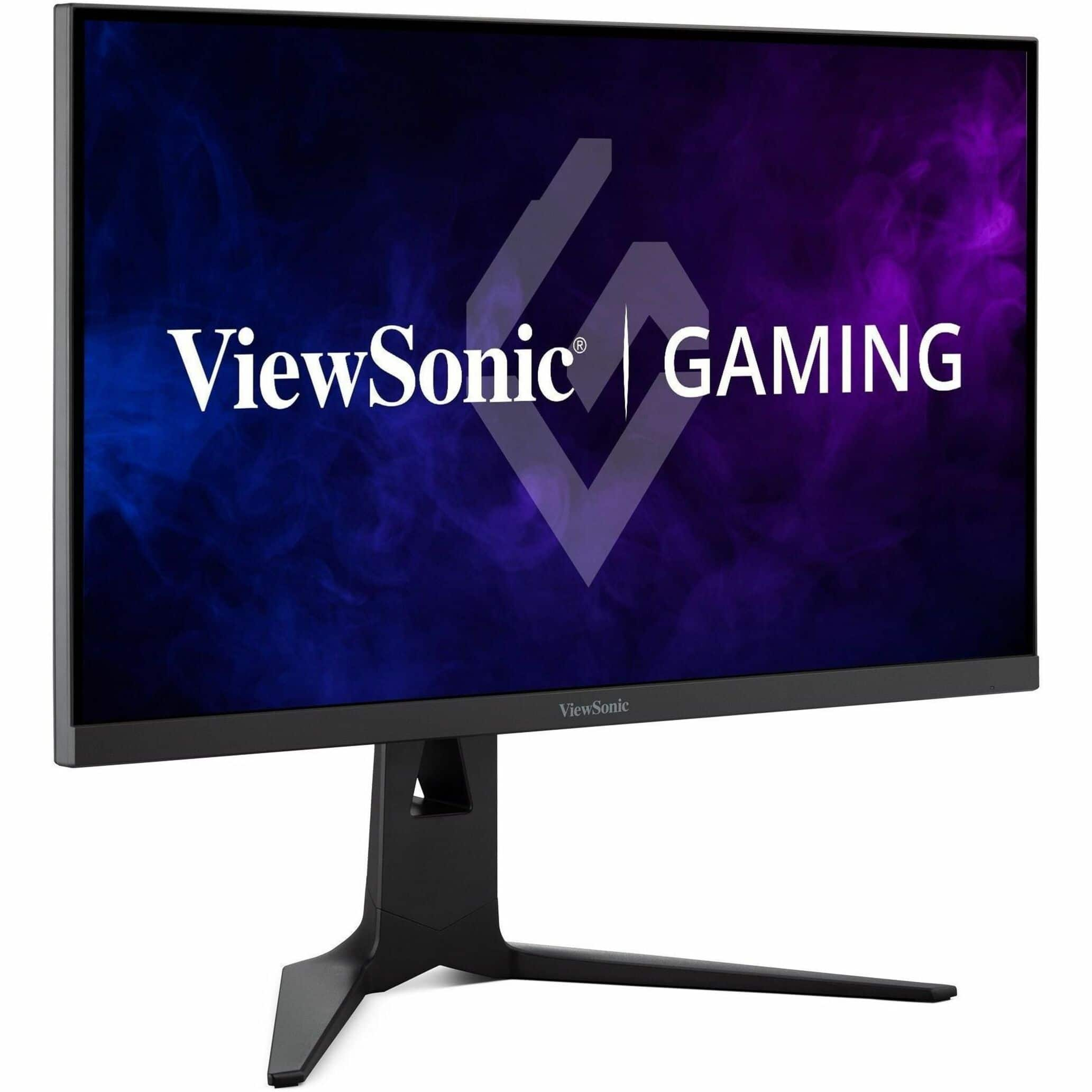



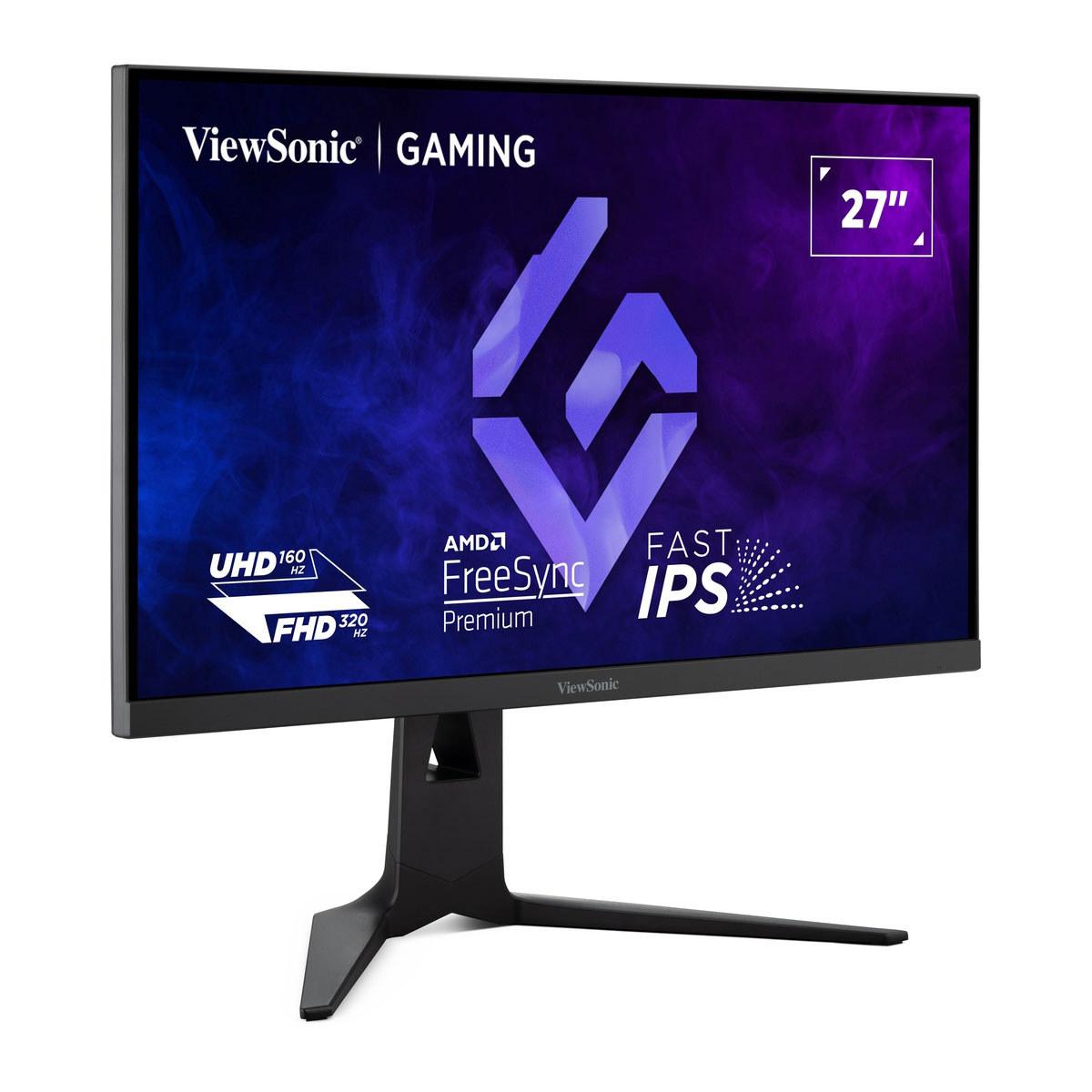
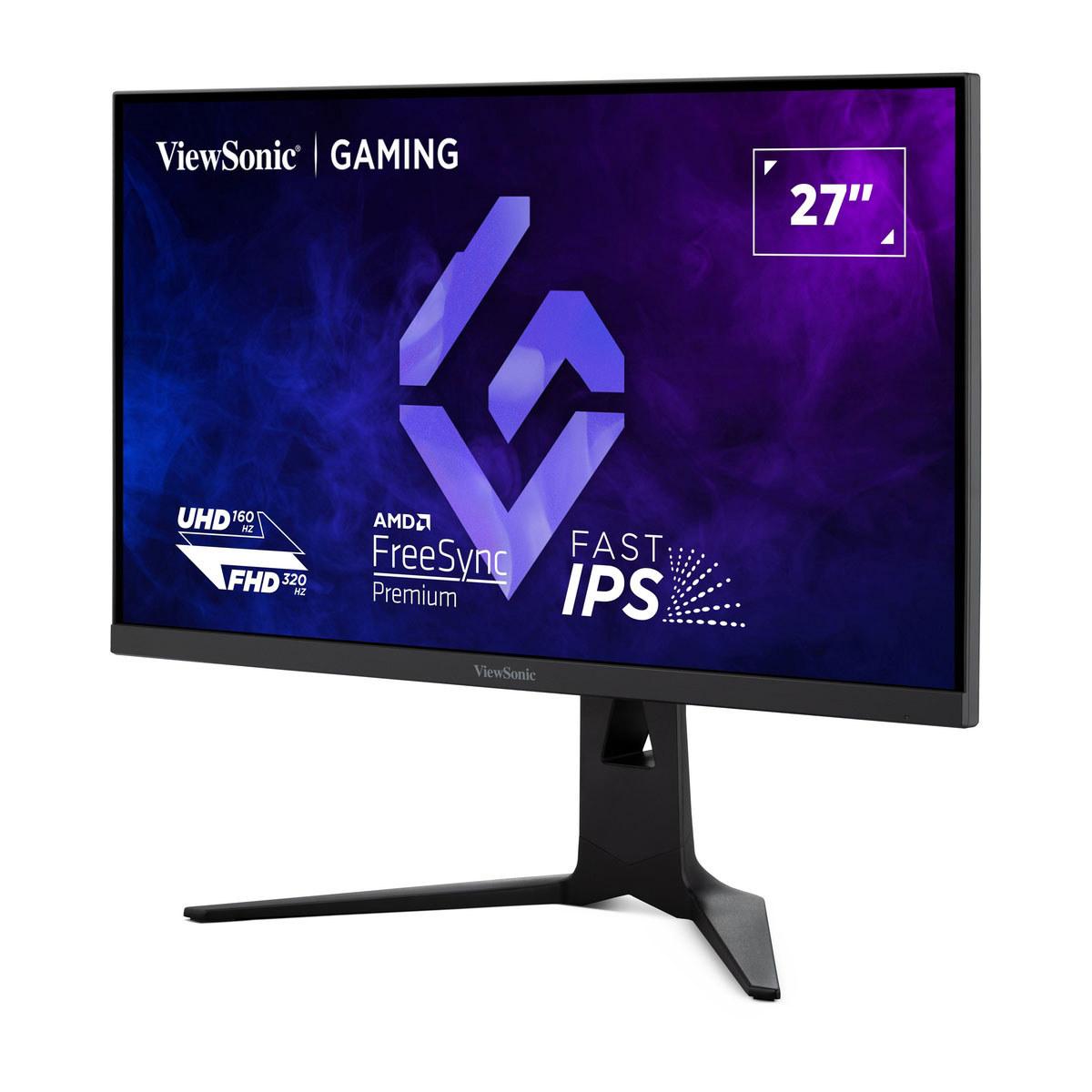









When you're shopping for a premium 4K gaming monitor, you're entering a world where technology meets artistry. These displays aren't just screens—they're your window into virtual worlds, your competitive edge in esports, and often your workspace for everything from streaming to content creation. Today, we're diving deep into two fascinating approaches to 4K gaming: the innovative ViewSonic XG275D-4K and the premium ASUS ROG Strix OLED XG27UCDMG.
Both monitors launched in 2025, representing the latest evolution in gaming display technology. But they take completely different paths to reach gaming excellence, and understanding these differences will help you make the right choice for your setup.
Before we dive into the specifics, let's talk about what really matters when you're spending serious money on a gaming monitor. At this level, you're not just buying a display—you're investing in an experience.
The most critical factors include panel technology (which affects everything from colors to response times), refresh rate capabilities (how smooth your games look), response times (how quickly pixels change color), color performance (especially important for HDR content and content creation), and connectivity options (because modern gaming setups are complex beasts with multiple devices).
What makes this comparison particularly interesting is that these two monitors represent fundamentally different philosophies. The ViewSonic XG275D-4K says "why choose between high refresh rates and high resolution when you can have both?" Meanwhile, the ASUS ROG Strix OLED XG27UCDMG asks "what if we just made the best possible image quality and didn't compromise?"
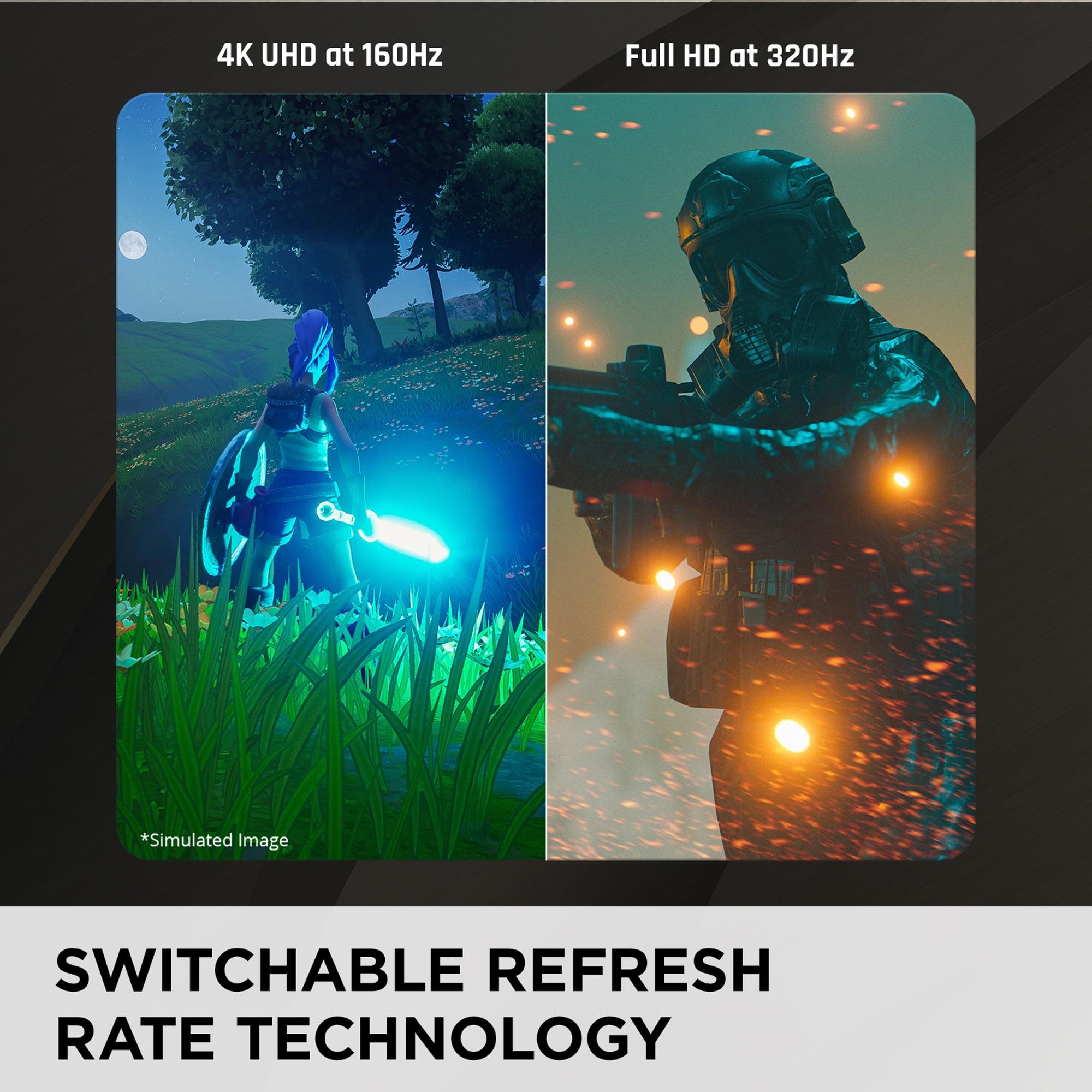
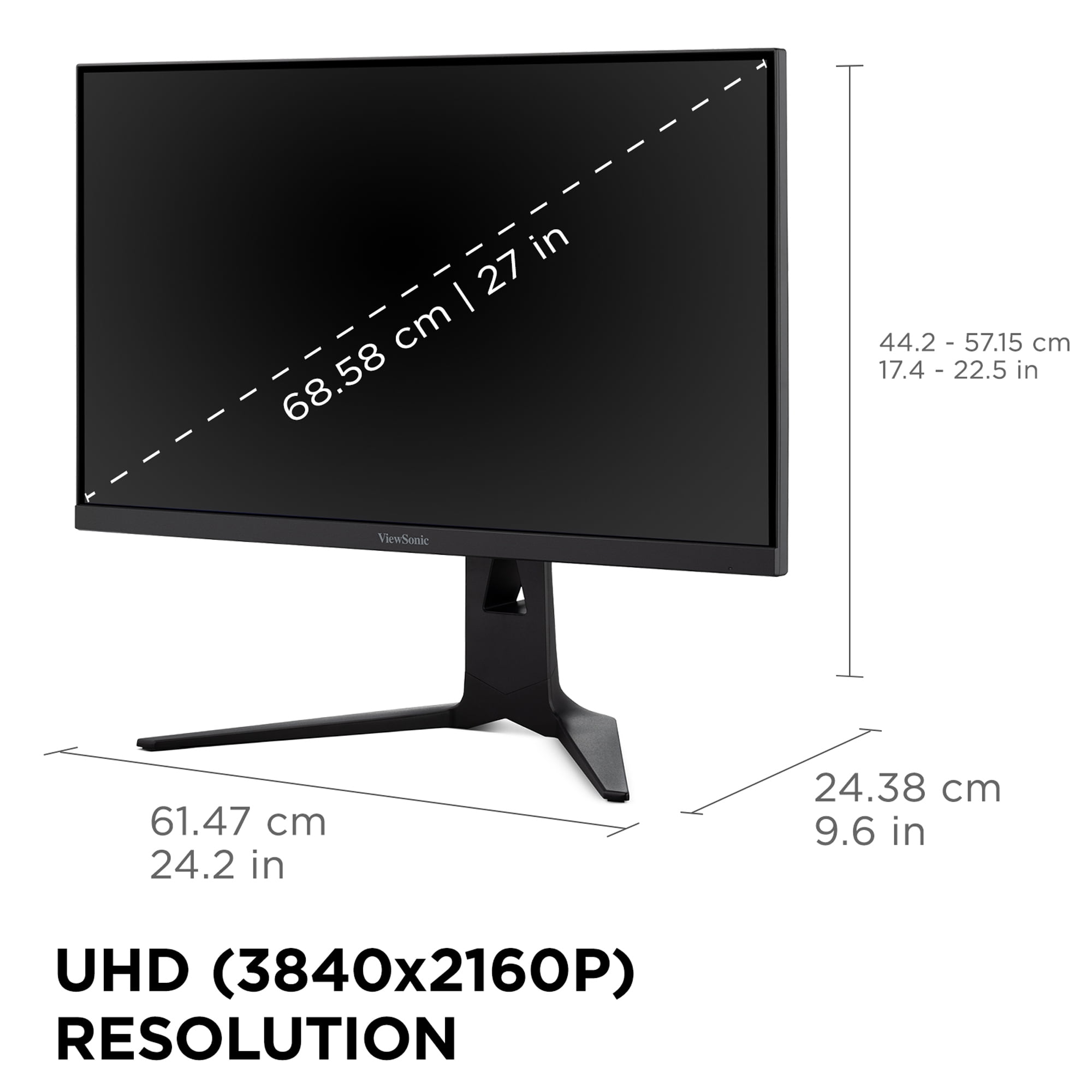
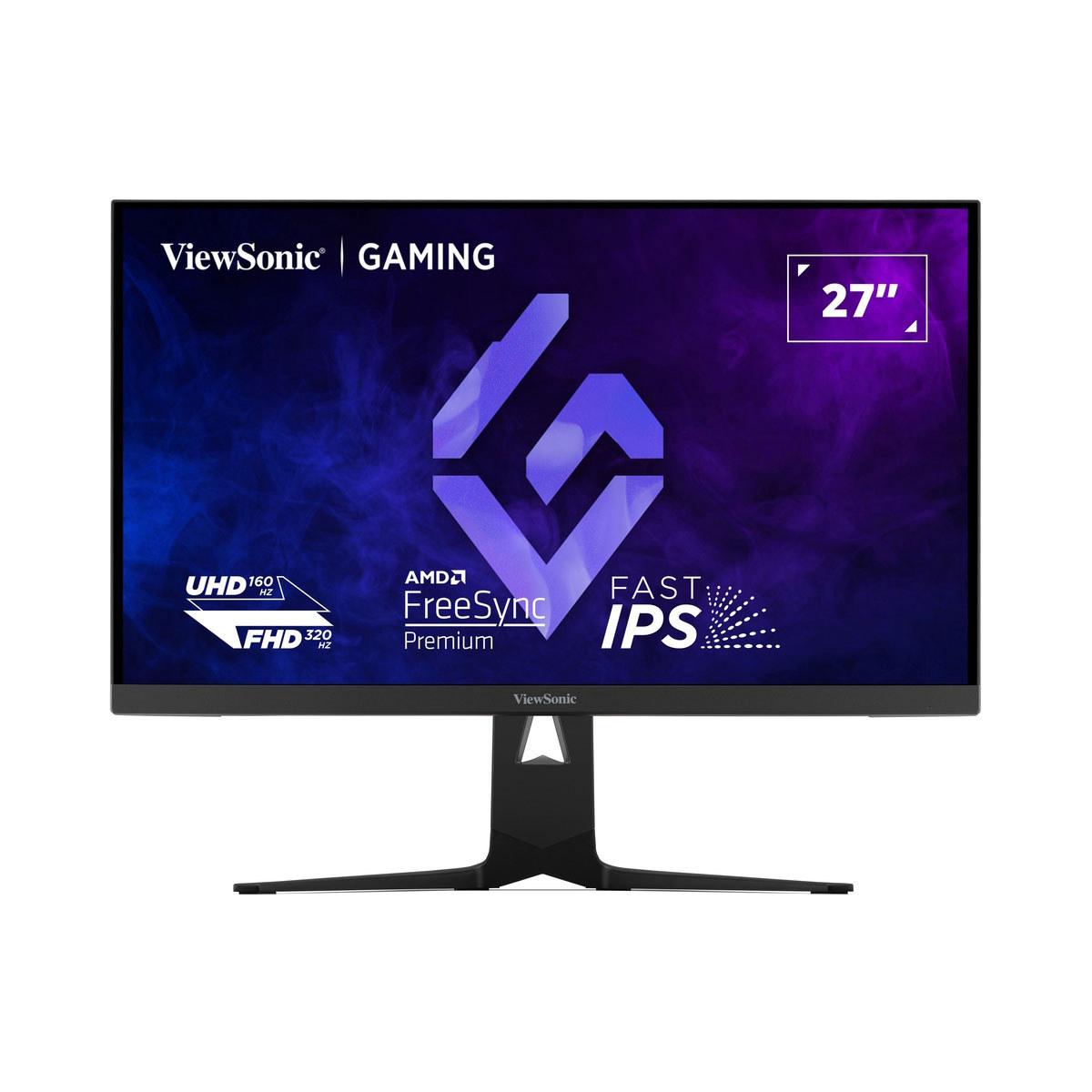
The ViewSonic XG275D-4K introduces something genuinely new to the gaming monitor space: switchable refresh rate technology. With a simple button press, you can toggle between 320Hz at 1080p resolution for ultra-competitive gaming, or 160Hz at full 4K resolution for immersive single-player experiences.
This isn't just a marketing gimmick—it's solving a real problem. Competitive gamers have long maintained separate monitors: a high-refresh 1080p display for esports titles like Counter-Strike or Valorant, and a beautiful 4K display for games like Cyberpunk 2077 or Red Dead Redemption 2. The ViewSonic eliminates that need entirely.
The monitor uses an IPS (In-Plane Switching) panel, which is a mature LCD technology known for consistent colors and wide viewing angles. While IPS panels traditionally couldn't match the response times of TN (Twisted Nematic) panels, modern implementations like this one achieve a respectable 0.5ms MPRT (Motion Picture Response Time). MPRT measures how long a pixel stays visible during motion, which directly affects motion blur—lower numbers mean sharper movement.
Color performance is solid, covering 94% of the DCI-P3 color space (the standard used for digital cinema) and 99% of sRGB (the standard for web content and most games). For HDR (High Dynamic Range) content, which offers greater contrast between the brightest and darkest parts of an image, the monitor supports HDR10 with peak brightness reaching 300-350 nits. While this isn't true cinematic HDR performance, it's sufficient for enhanced gaming visuals.
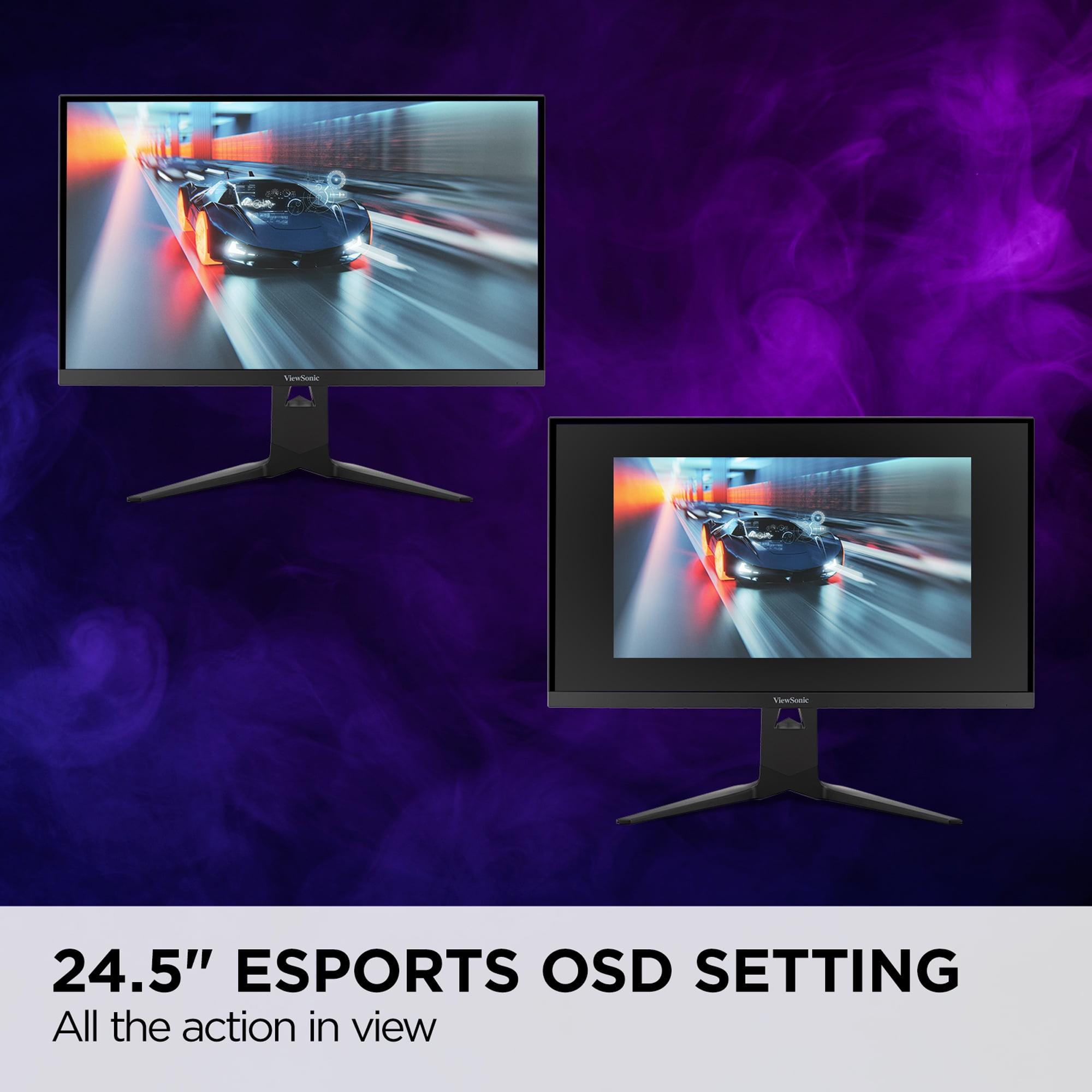
One feature I find particularly clever is the dedicated esports mode, which creates a 24.5-inch active area within the larger 27-inch panel. This mimics the size of monitors used in professional tournaments, helping competitive players maintain consistency between their home setup and competitive environments.
The ASUS ROG Strix OLED XG27UCDMG takes the opposite approach: instead of offering multiple modes, it delivers the absolute best possible experience at native 4K resolution. This monitor uses Samsung's 4th-generation QD-OLED (Quantum Dot Organic Light-Emitting Diode) technology, which represents the cutting edge of display innovation.
OLED technology is fundamentally different from LCD. Instead of backlighting shining through liquid crystals, each pixel generates its own light. This means perfect blacks (pixels simply turn off) and infinite contrast ratios. The "QD" part adds quantum dots, which are microscopic semiconductors that produce very pure colors when excited by light, resulting in exceptional color accuracy and brightness.
The response time advantage is dramatic: 0.03ms gray-to-gray versus the ViewSonic's 0.5ms MPRT. While both are fast enough for competitive gaming, the OLED's response time is so fast it's essentially instantaneous to human perception. This eliminates virtually all motion blur and ghosting, even in the most demanding fast-paced games.
Color performance is professional-grade, with 99% DCI-P3 coverage, 145% sRGB coverage, and a Delta E rating of less than 2. Delta E measures color accuracy—values under 3 are considered suitable for professional color work, so this monitor could handle photo editing, video production, or graphic design alongside gaming.
HDR performance is where OLED truly shines. With perfect blacks and 1,000 nits peak brightness, this monitor delivers genuine HDR experiences. It's VESA DisplayHDR 400 True Black certified, which is specifically designed for OLED displays and ensures proper HDR performance across a wide range of content.
When it comes to actual gaming performance, both monitors excel but in different ways. The ViewSonic XG275D-4K's dual-mode capability means you can optimize for specific gaming scenarios. Playing Apex Legends? Switch to 320Hz 1080p mode for the fastest possible response and highest frame rates. Starting up The Witcher 3? Switch to 4K 160Hz mode for stunning visual detail.
However, there's a trade-off when using 1080p mode on a 4K panel. Since you're not using the monitor's native resolution, images can appear slightly softer due to scaling. Modern GPUs handle this well, but pixel-peeping competitive gamers might notice the difference.
The ASUS ROG Strix OLED XG27UCDMG doesn't compromise on resolution but makes up for it with superior motion handling. That 0.03ms response time means virtually zero motion blur, making fast movement incredibly clear. The 240Hz refresh rate at native 4K is a sweet spot—high enough for competitive gaming while maintaining the visual fidelity that 4K provides.
Both monitors support variable refresh rate technologies (AMD FreeSync and NVIDIA G-SYNC Compatible), which synchronize the monitor's refresh rate with your graphics card's output to eliminate screen tearing. This is essential for smooth gaming, especially when frame rates fluctuate.
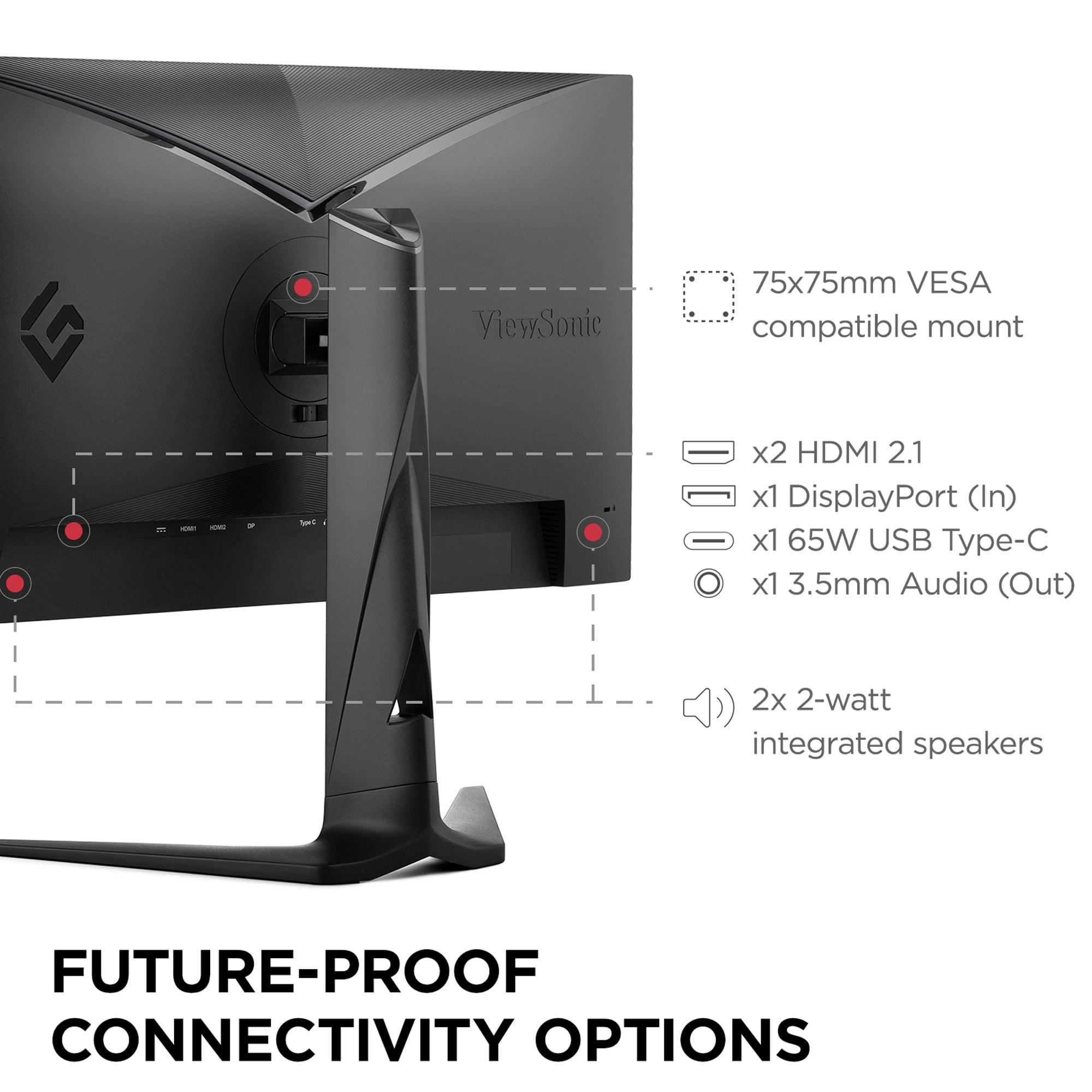
The ViewSonic XG275D-4K focuses on practical features. USB-C connectivity with 65W power delivery means you can connect and charge a laptop with a single cable—perfect for users who game on a desktop but also use the monitor for work laptops. The built-in speakers aren't audiophile quality, but they're convenient for quick gaming sessions or video calls.
The ASUS ROG Strix OLED XG27UCDMG goes further with advanced connectivity and features. Dual HDMI 2.1 ports support the latest gaming consoles at full 4K 120Hz, while the 90W USB-C power delivery can handle more demanding laptops. The Auto KVM (Keyboard, Video, Mouse) switch lets you control multiple connected devices with one set of peripherals—incredibly useful for complex setups with gaming PCs, work laptops, and consoles.
ASUS has also addressed OLED's traditional weakness: burn-in susceptibility. Static images displayed for extended periods can permanently "burn in" to OLED panels. The monitor includes OLED Care Pro features, including a proximity sensor that detects when you've stepped away and switches to a black screen to prevent burn-in from static desktop elements like taskbars.
Both monitors work well as dual-purpose gaming and entertainment displays, but with different strengths. The ViewSonic XG275D-4K's larger color gamut and solid HDR support make it quite capable for streaming movies and TV shows, though its 300-nit peak brightness limits true cinematic HDR experiences.
The ASUS ROG Strix OLED XG27UCDMG is genuinely excellent for home theater use. OLED's perfect blacks create the contrast ratios that make HDR content truly impressive. Watching movies with proper HDR mastering reveals details in shadows and highlights that simply aren't visible on traditional LCD displays. The wide color gamut means vibrant, lifelike colors that rival premium TVs.
However, if you're planning extensive movie watching, consider viewing distance. At 27 inches, you'll want to sit fairly close (2-3 feet) to fully appreciate 4K detail, which might not suit all room layouts.
At the time of writing, these monitors occupy different price tiers, with the ViewSonic XG275D-4K positioned as a premium mid-range option and the ASUS ROG Strix OLED XG27UCDMG commanding flagship pricing.
The ViewSonic offers exceptional value for users who want versatility without compromise. Its dual-mode capability effectively gives you two monitors in one, which could justify the investment if you would otherwise buy separate displays for different gaming types.
The ASUS represents a pure performance play. You're paying for the absolute best image quality, fastest response times, and premium features. For enthusiasts who prioritize visual excellence and want the latest display technology, the price premium makes sense.
Long-term durability considerations differ significantly. LCD technology in the ViewSonic is proven and reliable, with consistent performance over many years and no risk of burn-in. OLED technology requires more care—while the 4th-generation QD-OLED panels have improved longevity and ASUS includes protective features, you'll need to be more mindful of static content and screen saver usage.
Choose the ViewSonic XG275D-4K if you're a versatile gamer who plays everything from competitive esports to story-driven single-player games. If you value innovation and want to maximize your monitor investment by getting both high refresh rate and high resolution capabilities, this monitor delivers unique functionality that's hard to find elsewhere. It's also the smarter choice if you're building your first high-end gaming setup and want something that can adapt to different gaming preferences over time.
The ASUS ROG Strix OLED XG27UCDMG is for enthusiasts who want the absolute best visual experience and aren't willing to compromise. If you're serious about competitive gaming and want every possible advantage from superior response times, or if you create content and need professional-grade color accuracy, this monitor justifies its premium pricing. It's also ideal if you split time between gaming and entertainment, as its HDR performance rivals dedicated home theater displays.
Consider your gaming habits, workspace needs, and budget priorities. The ViewSonic offers innovation and flexibility at a compelling value point, while the ASUS delivers uncompromising performance for users who want the very best available technology. Both represent excellent choices in their respective categories, and either will transform your gaming experience compared to older or budget displays.
The monitor market continues evolving rapidly, but both of these 2025 releases showcase how far display technology has progressed. Whether you choose flexibility or perfection, you'll be getting a monitor that can serve as the centerpiece of a premium gaming setup for years to come.
| ViewSonic XG275D-4K | ASUS ROG Strix OLED XG27UCDMG |
|---|---|
| Panel Technology - Determines image quality, longevity, and burn-in risk | |
| IPS LCD (reliable, no burn-in concerns) | 4th-gen QD-OLED (superior contrast, burn-in possible) |
| Refresh Rate & Resolution - Key performance specs for gaming smoothness | |
| Dual-mode: 320Hz at 1080p OR 160Hz at 4K | Single-mode: 240Hz at native 4K only |
| Response Time - Critical for eliminating motion blur in fast games | |
| 0.5ms MPRT (very good for competitive gaming) | 0.03ms GTG (essentially instantaneous, best-in-class) |
| HDR Performance - Makes games and movies more vibrant and realistic | |
| HDR10, 300-350 nits peak (basic HDR enhancement) | HDR10, 1,000 nits peak, perfect blacks (true cinematic HDR) |
| Color Accuracy - Important for content creation and visual fidelity | |
| 94% DCI-P3, 99% sRGB (good for gaming) | 99% DCI-P3, 145% sRGB, Delta E<2 (professional-grade) |
| Contrast Ratio - Affects depth and realism of dark scenes | |
| 1,000:1 (typical LCD performance) | 1,500,000:1 (infinite contrast from OLED technology) |
| Connectivity - Determines what devices you can connect easily | |
| 1x HDMI 2.1, 1x DP 1.4, USB-C 65W | 2x HDMI 2.1, 1x DP 1.4, USB-C 90W, USB hub |
| Unique Features - Special capabilities that set each monitor apart | |
| Switchable refresh modes, 24.5" esports OSD | OLED Care Pro, Neo proximity sensor, Auto KVM |
| Build Quality & Ergonomics - Affects daily usability and desk setup | |
| Full adjustability, built-in speakers, solid construction | Premium materials, phone holder, no speakers, RGB lighting |
| Burn-in Protection - Critical for OLED longevity | |
| N/A (LCD technology immune to burn-in) | Advanced protection suite with automatic screen switching |
| Best Use Cases - Who should consider each monitor | |
| Versatile gamers wanting both esports speed and 4K beauty | Enthusiasts prioritizing ultimate image quality and HDR |
The ViewSonic XG275D-4K offers a unique advantage with its switchable 320Hz mode at 1080p, which provides the highest possible refresh rate for competitive esports. However, the ASUS ROG Strix OLED XG27UCDMG delivers a faster 0.03ms response time at 240Hz 4K, eliminating virtually all motion blur. For pure competitive gaming, the ViewSonic's 320Hz mode gives you the edge, but the ASUS offers superior motion clarity.
The primary difference is panel technology and approach. The ViewSonic XG275D-4K uses IPS LCD technology with innovative dual-mode refresh rates (320Hz at 1080p or 160Hz at 4K), while the ASUS ROG Strix OLED XG27UCDMG uses premium QD-OLED technology for superior image quality at a fixed 240Hz 4K resolution. The ViewSonic prioritizes versatility, while the ASUS focuses on premium visual performance.
The ASUS ROG Strix OLED XG27UCDMG significantly outperforms the ViewSonic XG275D-4K in image quality. The OLED technology provides perfect blacks, infinite contrast ratio (1,500,000:1 vs 1,000:1), and superior color accuracy with Delta E<2 rating. The ASUS also offers true HDR performance with 1,000 nits peak brightness compared to the ViewSonic's basic 300-350 nits HDR.
Both monitors work well for entertainment, but the ASUS ROG Strix OLED XG27UCDMG excels for home theater use. Its OLED technology delivers cinematic contrast with perfect blacks and vibrant HDR performance that rivals premium TVs. The ViewSonic XG275D-4K provides decent movie watching with solid colors and basic HDR, but can't match OLED's dramatic contrast for dark movie scenes.
The ViewSonic XG275D-4K typically offers better value for most users, providing innovative dual-mode functionality that essentially gives you two monitors in one. The ASUS ROG Strix OLED XG27UCDMG commands premium pricing for its superior OLED technology and professional-grade features, making it better value only for enthusiasts who prioritize absolute image quality.
The ViewSonic XG275D-4K uses LCD technology, so burn-in is not a concern - you can leave static images on screen indefinitely without damage. The ASUS ROG Strix OLED XG27UCDMG uses OLED technology which can experience burn-in with prolonged static content, though it includes advanced OLED Care Pro features and a 3-year warranty covering burn-in to mitigate this risk.
Both monitors support modern consoles well, but the ASUS ROG Strix OLED XG27UCDMG has an advantage with dual HDMI 2.1 ports for connecting multiple consoles simultaneously. The OLED's superior HDR performance also enhances console exclusives designed for HDR displays. The ViewSonic XG275D-4K works great with consoles but is limited to one HDMI 2.1 port.
The ASUS ROG Strix OLED XG27UCDMG is excellent for professional work with its Delta E<2 color accuracy, making it suitable for photo editing, video production, and graphic design. The ViewSonic XG275D-4K offers good color performance for general productivity and light creative work, but lacks the professional-grade color accuracy of the ASUS monitor.
The ASUS ROG Strix OLED XG27UCDMG provides more comprehensive connectivity with 2x HDMI 2.1, DisplayPort 1.4, USB-C with 90W power delivery, and a USB hub. The ViewSonic XG275D-4K offers 1x HDMI 2.1, DisplayPort 1.4, and USB-C with 65W power delivery. The ASUS also includes Auto KVM functionality for switching between multiple devices seamlessly.
For native 4K gaming, the ASUS ROG Strix OLED XG27UCDMG is superior with its 240Hz refresh rate, 0.03ms response time, and exceptional image quality. While the ViewSonic XG275D-4K offers 4K at 160Hz, its strength lies in the ability to switch to 1080p at 320Hz when you need maximum performance over visual fidelity.
The ASUS ROG Strix OLED XG27UCDMG has a significantly faster 0.03ms GTG response time compared to the ViewSonic XG275D-4K's 0.5ms MPRT response time. While both are fast enough for competitive gaming, the OLED's response time is essentially instantaneous, providing the clearest motion and eliminating virtually all ghosting in fast-paced shooters and racing games.
For your first premium gaming monitor, the ViewSonic XG275D-4K offers excellent versatility with its dual-mode functionality, letting you experience both high refresh rate competitive gaming and beautiful 4K visuals. The ASUS ROG Strix OLED XG27UCDMG is ideal if you want the absolute best image quality and don't mind the higher cost and OLED maintenance considerations for a flagship gaming experience.
We've done our best to create useful and informative comparisons to help you decide what product to buy. Our research uses advanced automated methods to create this comparison and perfection is not possible - please contact us for corrections or questions. These are the sites we've researched in the creation of this article: cgmagonline.com - gamingshogun.com - techpowerup.com - notebookcheck.net - bestbuy.com - newegg.com - techpowerup.com - shi.com - viewsonic.com - viewsonic.com - prnewswire.com - viewsonic.com - viewsonic.com - shop.avispl.com - guru3d.com - viewsonic.com - viewsonic.com - viewsonic.com - viewsonic.com - bestbuy.com - rog.asus.com - forum.pcmonitors.info - rog.asus.com - windowscentral.com - versus.com - youtube.com - youtube.com - rtings.com - rtings.com - rog.asus.com - rog.asus.com - rog.asus.com - tenforums.com - rog.asus.com - techpowerup.com - bestbuy.com - newegg.com - displayspecifications.com - youtube.com - tftcentral.co.uk - displayninja.com

Privacy Policy
Terms and Conditions - Affiliate Policy
Home Security
© Copyright 2008-2026.
11816 Inwood Rd #1211, Dallas, TX 75244