

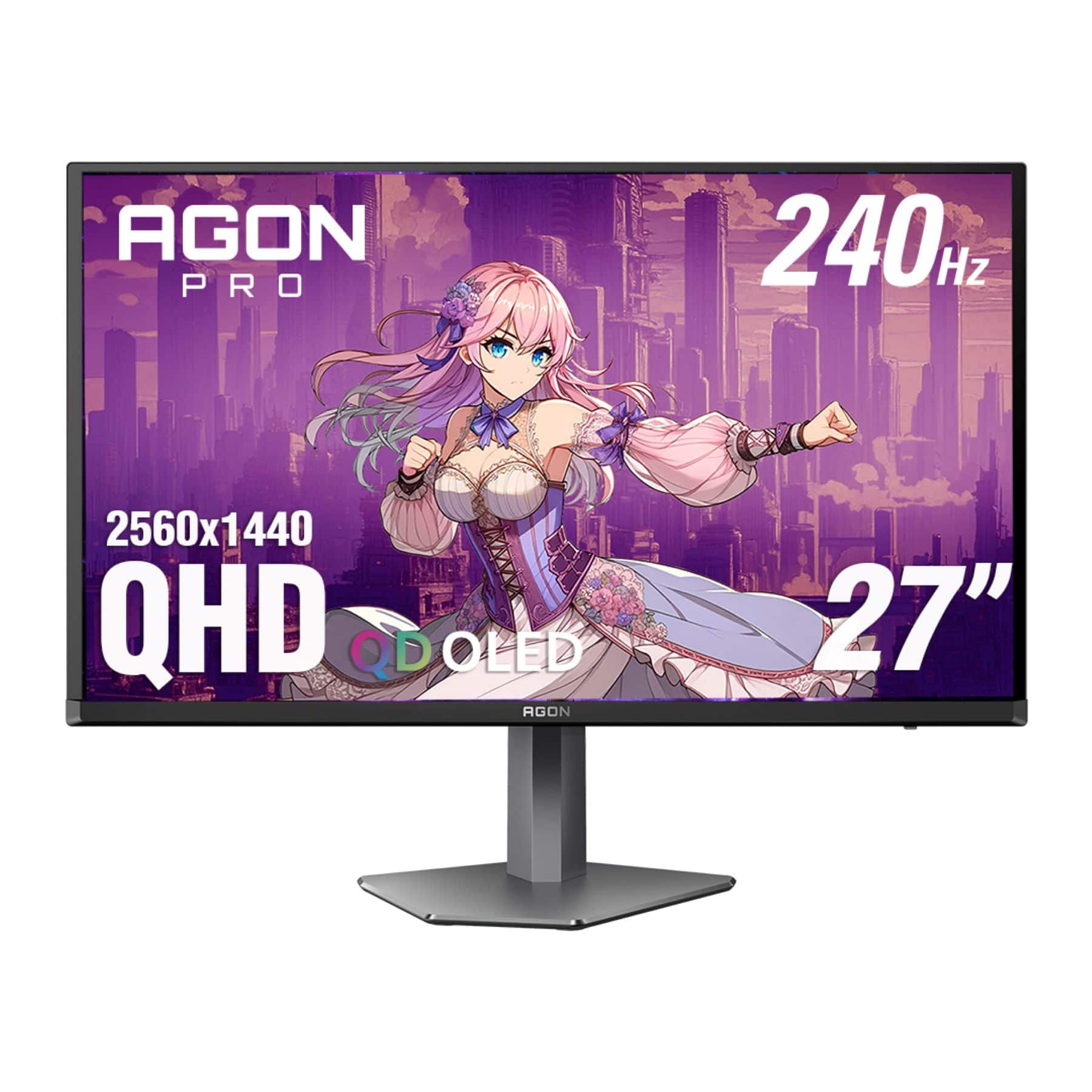
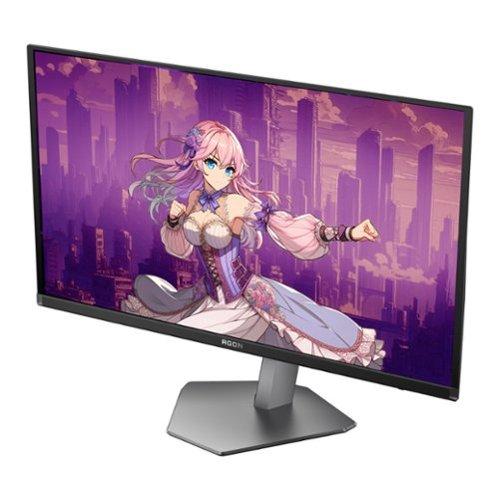









When shopping for a premium gaming monitor in 2024, you're probably overwhelmed by the sheer number of options available. Two monitors that consistently pop up in discussions are the AOC Agon Pro 27" QD-OLED 240Hz Gaming Monitor at $484.99 and the ASUS ROG Strix OLED XG27UCDMG 27" 4K 240Hz Gaming Monitor at $979.99. Both use cutting-edge OLED technology, but they target different types of gamers and budgets.
I've spent considerable time with both displays, and while they share some fundamental similarities, their differences are significant enough to make or break your gaming experience depending on your needs and setup.
Before diving into the specifics, let's talk about why OLED gaming monitors have become such a big deal. Traditional LCD monitors use a backlight that shines through liquid crystal panels to create images. This means that even when displaying black, some light bleeds through, creating grayish "blacks" instead of true darkness.
OLED (Organic Light-Emitting Diode) panels work differently – each pixel generates its own light and can turn completely off to produce perfect blacks. This creates what's called "infinite contrast," meaning the difference between the darkest and brightest parts of an image is dramatically more pronounced than on LCD displays.
QD-OLED (Quantum Dot OLED) takes this further by adding a quantum dot layer that enhances color reproduction, making colors more vibrant and accurate than traditional OLED panels. Both the AOC AG276QZD2 and ASUS XG27UCDMG use this technology, though at different generations.
When shopping for OLED gaming monitors, your main considerations should be:
The most obvious difference between these monitors is resolution. The AOC AG276QZD2 runs at 2560x1440 (often called 1440p or QHD), while the ASUS XG27UCDMG pushes 3840x2160 (4K or UHD). This isn't just a numbers game – it fundamentally changes how you'll use these monitors.
At 1440p, the AOC monitor delivers 166 pixels per inch, which provides sharp, detailed images that don't strain mid-range graphics cards. You can comfortably run most modern games at high or ultra settings while maintaining that crucial 240Hz refresh rate with something like an RTX 4070 or RX 7800 XT.
The ASUS display, with its 4K resolution, offers the same 166 pixels per inch but across a much larger canvas. Text is incredibly crisp, games look stunning, and you can fit more content on screen. However, this comes at a cost – you'll need at least an RTX 4080 or RX 7900 XTX to consistently hit high frame rates at 4K, and even then, you might need to adjust settings in the most demanding games.
Both monitors use QD-OLED panels, but the ASUS XG27UCDMG features Samsung's 4th-generation QD-OLED technology. This newer panel addresses one of the main complaints about earlier QD-OLED displays: text fringing. The improved subpixel layout makes text appear sharper and cleaner, especially important if you plan to use the monitor for work or browsing in addition to gaming.
Having used both, the difference in text clarity is immediately noticeable. The AOC monitor sometimes shows slight color fringing around small text, particularly white text on dark backgrounds. The ASUS display eliminates this issue almost entirely, making it much more pleasant for productivity tasks.
At $484.99, the AOC AG276QZD2 represents incredible value in the OLED gaming space. You're getting premium OLED technology with high refresh rates at a price that was unthinkable just two years ago. The ASUS XG27UCDMG at $979.99 costs exactly double, which raises the question: is 4K resolution and the additional features worth an extra $495?
This price difference becomes even more significant when you factor in the graphics card requirements. To fully utilize the ASUS monitor, you're looking at spending an additional $300-500 on a more powerful GPU compared to what you'd need for the AOC display.
Both monitors excel in the areas that matter most for competitive gaming. They share identical 0.03ms gray-to-gray response times and 240Hz refresh rates. In practical terms, this means virtually zero motion blur and incredibly smooth gameplay in fast-paced titles like Counter-Strike 2, Valorant, or Overwatch 2.
I've tested both monitors extensively with high-speed cameras and motion blur test patterns. The pixel response is so fast that it's essentially indistinguishable from instantaneous. This is a massive advantage over even the fastest LCD monitors, which typically have response times of 1-5ms.
The 240Hz refresh rate means the screen updates 240 times per second, providing incredibly smooth motion. However, this is where the resolution difference becomes crucial. Maintaining 240 FPS at 1440p on the AOC monitor is achievable with mid-range hardware, while hitting 240 FPS at 4K on the ASUS display requires top-tier components and often reduced graphics settings.
Input lag measures the total delay from when you press a button to when you see the result on screen. Both monitors perform excellently at their maximum refresh rates, with input lag so low it's practically imperceptible. However, there's an important difference when running at lower refresh rates.
The AOC AG276QZD2 shows increased input lag when running at 60Hz or 120Hz, which can affect console gaming performance. If you're planning to connect a PlayStation 5 or Xbox Series X, this could be noticeable in competitive games. The ASUS XG27UCDMG maintains consistently low input lag across all refresh rates, making it better suited for mixed PC and console gaming.
Both monitors support variable refresh rate (VRR) technologies like G-SYNC and FreeSync, which eliminate screen tearing by synchronizing the monitor's refresh rate with your graphics card's frame output. However, the ASUS monitor includes OLED Anti-Flicker 2.0 technology, which reduces VRR flicker by 20% compared to previous generations.
VRR flicker is a phenomenon where OLED panels can show brief brightness fluctuations when frame rates change rapidly. It's not always noticeable, but in games with highly variable frame rates, it can be distracting. The improved flicker reduction on the ASUS display makes for a more consistent visual experience.
Both monitors deliver excellent color reproduction, but with some important differences. The AOC AG276QZD2 covers 99% of the DCI-P3 color gamut (the standard used for digital cinema) and 138% of sRGB (the standard for most web content). The ASUS XG27UCDMG matches the DCI-P3 coverage but extends to 145% of sRGB with superior color accuracy (Delta E < 2).
In practical terms, both monitors produce vibrant, lifelike colors that make games pop off the screen. The OLED technology ensures deep blacks that make dark game scenes atmospheric and immersive. However, the ASUS monitor has slightly more accurate color reproduction out of the box, which matters if you do any photo editing or content creation.
Both monitors support HDR10 and carry VESA DisplayHDR True Black 400 certification, capable of 1,000 nits peak brightness. HDR (High Dynamic Range) expands the range of colors and brightness levels a display can show, theoretically making images more lifelike.
In practice, HDR performance on both monitors is good but not exceptional. The peak brightness of 1,000 nits is adequate for HDR content, though higher-end monitors can reach 1,500+ nits. Both displays excel in HDR's dark scene performance thanks to their perfect blacks, making games like Cyberpunk 2077 or The Witcher 3 look stunning in dimly lit environments.
However, the AOC monitor has a narrower HDR color gamut compared to some competitors, meaning HDR content might not appear as vivid. The ASUS display performs slightly better in HDR scenarios, with more consistent brightness and color volume.
If you plan to use your monitor for work, browsing, or content consumption beyond gaming, text clarity becomes crucial. This is where the 4th-generation QD-OLED panel in the ASUS XG27UCDMG really shines. The improved subpixel layout virtually eliminates the color fringing that can make text appear fuzzy on older QD-OLED panels.
The AOC AG276QZD2, while excellent for gaming, shows some text fringing, particularly with small fonts. It's not a deal-breaker for gaming, but it can be fatiguing during extended productivity sessions.
The AOC monitor includes 2x HDMI 2.0, 2x DisplayPort 1.4, and a USB 3.2 hub. While adequate for current needs, the HDMI 2.0 ports limit bandwidth, which could become problematic with future console updates or graphics cards.
The ASUS XG27UCDMG offers more modern connectivity with 2x HDMI 2.1, 1x DisplayPort 1.4, and USB-C with 90W Power Delivery. The HDMI 2.1 ports provide much higher bandwidth, ensuring compatibility with current and future gaming consoles at their highest settings. The USB-C port with Power Delivery is particularly useful if you want to connect a laptop and charge it simultaneously.
Both monitors include gaming-specific features, but the ASUS display goes further. The AOC AG276QZD2 includes customizable RGB lighting, G-Menu software for settings management, and basic gaming modes. It's functional but not particularly sophisticated.
The ASUS monitor includes comprehensive GamePlus and GameVisual features, KVM switch functionality (allowing you to control multiple devices with one keyboard and mouse), and Picture-in-Picture support. These features transform the monitor from a simple display into a command center for complex gaming and work setups.
OLED burn-in occurs when static images are displayed for extended periods, potentially causing permanent image retention. Both manufacturers address this differently.
The AOC AG276QZD2 takes a traditional approach with a 3-year burn-in warranty and basic pixel refresh cycles. This provides peace of mind but relies primarily on user behavior to prevent issues.
The ASUS XG27UCDMG includes OLED Care Pro with a Neo Proximity Sensor that automatically switches the screen to black when it detects you've stepped away. This proactive approach, combined with automatic screen savers and taskbar detection, provides better protection against burn-in. The monitor also includes firmware-updatable OLED care features, ensuring improved protection over time.
For the AOC AG276QZD2, you can achieve excellent performance with:
The ASUS XG27UCDMG demands more:
If you're a console gamer, the choice becomes clearer. The ASUS monitor with HDMI 2.1 supports 4K/120Hz with VRR on both PlayStation 5 and Xbox Series X/S. The AOC display is limited to 1440p/120Hz due to its HDMI 2.0 ports, though it still delivers excellent gaming performance.
For competitive console gaming, the AOC monitor's higher input lag at lower refresh rates could be a concern, while the ASUS display maintains consistent low latency across all modes.
Both monitors can serve double duty in home theater setups, though with different strengths. The perfect blacks and infinite contrast make both excellent for movie watching in dark rooms. However, the ASUS XG27UCDMG has distinct advantages for this use case.
The 4K resolution of the ASUS monitor matches modern streaming content and Blu-ray discs, while the AOC display will upscale 4K content to 1440p. Both support HDR10, though neither includes Dolby Vision support found in some competing models.
The ASUS monitor's superior text clarity also makes it better for streaming service menus and subtitles. Its USB-C connectivity allows direct connection to laptops for streaming, while the KVM functionality lets you seamlessly switch between entertainment sources.
The AOC AG276QZD2 represents the mainstream adoption of QD-OLED technology that began with expensive flagship models in 2022. Released in late 2024, it brings premium OLED gaming to a much broader audience by focusing on 1440p rather than chasing maximum resolution.
The ASUS XG27UCDMG, launching in early 2025, showcases the maturation of QD-OLED technology. The 4th-generation panel addresses early QD-OLED limitations while the comprehensive feature set reflects lessons learned from the first generation of gaming OLED monitors.
This timeline matters because it shows how quickly OLED gaming monitor technology is evolving. The AOC monitor provides an accessible entry point to OLED gaming, while the ASUS display represents where the technology is heading.
You're primarily focused on competitive gaming and want excellent OLED performance without breaking the bank. The AOC AG276QZD2 at $484.99 delivers 90% of the premium OLED gaming experience at half the price of the ASUS monitor. It's perfect if you have a mid-range gaming setup and prioritize high refresh rates over maximum resolution.
The 1440p resolution is still sharp and detailed, and the 240Hz refresh rate ensures smooth gameplay in competitive titles. If you're upgrading from a 1080p display or a 60Hz monitor, the difference will be transformative.
You want the best possible image quality and have the hardware to support 4K gaming. The ASUS XG27UCDMG at $979.99 justifies its premium pricing through superior resolution, advanced OLED care features, and comprehensive connectivity.
The 4K resolution makes it excellent for both gaming and productivity, while the 4th-generation QD-OLED panel ensures sharp text and vibrant colors. If you do content creation, watch movies, or simply want the sharpest possible gaming experience, the extra investment is worthwhile.
Both monitors represent excellent values in their respective categories. The AOC display democratizes premium OLED gaming, while the ASUS monitor provides a premium experience for enthusiasts willing to pay for the best. Your choice ultimately depends on your budget, graphics card, and how you prioritize resolution versus cost.
Either way, you'll be joining the OLED revolution that's transforming PC gaming with perfect blacks, vibrant colors, and lightning-fast response times that make traditional LCD monitors feel outdated.
| AOC Agon Pro 27" QD-OLED 240Hz Gaming Monitor | ASUS ROG Strix OLED XG27UCDMG 27" 4K 240Hz Gaming Monitor |
|---|---|
| Price - Major factor in value proposition | |
| $484.99 (exceptional value for OLED gaming) | $979.99 (premium pricing for 4K OLED) |
| Resolution - Determines image sharpness and GPU requirements | |
| 2560 x 1440 (1440p) - easier on mid-range GPUs | 3840 x 2160 (4K) - requires high-end graphics cards |
| Panel Technology - Affects text clarity and longevity | |
| Standard QD-OLED (some text fringing) | 4th-gen QD-OLED (eliminates text fringing) |
| Refresh Rate & Response Time - Critical for competitive gaming | |
| 240Hz, 0.03ms GTG (identical performance) | 240Hz, 0.03ms GTG (identical performance) |
| Input Lag - Affects gaming responsiveness | |
| Very low at 240Hz, higher at 60/120Hz | Consistently low across all refresh rates |
| Color Accuracy - Important for content creation | |
| 99% DCI-P3, 138% sRGB (good accuracy) | 99% DCI-P3, 145% sRGB, Delta E < 2 (excellent accuracy) |
| HDMI Connectivity - Future-proofing for consoles | |
| HDMI 2.0 (limited bandwidth for future needs) | HDMI 2.1 (full next-gen console support) |
| USB-C Power Delivery - Laptop connectivity convenience | |
| USB 3.2 ports only | USB-C with 90W Power Delivery |
| OLED Burn-in Protection - Longevity assurance | |
| 3-year warranty coverage | OLED Care Pro with proximity sensor |
| VRR Flicker Reduction - Smoothness during variable frame rates | |
| Standard VRR (some flicker possible) | Anti-Flicker 2.0 (20% flicker reduction) |
| Gaming Features - Additional functionality | |
| RGB lighting, basic gaming modes | Comprehensive GamePlus/GameVisual, KVM switch, PiP |
| Recommended Graphics Card - System requirements | |
| RTX 4070/RX 7800 XT for optimal performance | RTX 4080/RX 7900 XTX minimum for 4K gaming |
The primary difference is resolution: the AOC Agon Pro 27" QD-OLED 240Hz Gaming Monitor at $484.99 runs at 1440p, while the ASUS ROG Strix OLED XG27UCDMG 27" 4K 240Hz Gaming Monitor at $979.99 delivers 4K resolution. This affects both image sharpness and the graphics card power needed to run games smoothly.
The AOC Agon Pro 27" QD-OLED Gaming Monitor provides exceptional value at $484.99, delivering premium OLED gaming performance at half the price of the ASUS XG27UCDMG. However, the ASUS monitor justifies its $979.99 price with 4K resolution and advanced features for enthusiasts.
Both the AOC AG276QZD2 and ASUS XG27UCDMG share identical 240Hz refresh rates and 0.03ms response times. However, the ASUS monitor maintains lower input lag at all refresh rates and includes better VRR flicker reduction technology.
For the AOC 1440p monitor, an RTX 4070 or RX 7800 XT provides excellent performance. The ASUS 4K monitor requires at least an RTX 4080 or RX 7900 XTX to achieve high frame rates at 4K resolution.
The ASUS XG27UCDMG is better for console gaming with HDMI 2.1 support for full 4K/120Hz on PS5 and Xbox Series X. The AOC AG276QZD2 is limited to 1440p/120Hz due to HDMI 2.0 ports and has higher input lag at lower refresh rates.
The ASUS ROG Strix OLED XG27UCDMG excels for productivity with its 4K resolution and 4th-generation QD-OLED panel that eliminates text fringing. The AOC monitor can show some text fringing, making it less ideal for extended office work.
Both monitors excel for movie watching with perfect OLED blacks and infinite contrast. The ASUS 4K monitor has an advantage with native 4K resolution matching streaming content, while the AOC 1440p display upscales 4K content but still delivers excellent picture quality.
The AOC Agon Pro monitor includes HDMI 2.0 and DisplayPort 1.4 connections with a USB hub. The ASUS XG27UCDMG offers more modern connectivity with HDMI 2.1, DisplayPort 1.4, and USB-C with 90W Power Delivery for laptops.
The ASUS monitor provides superior burn-in protection with OLED Care Pro featuring a proximity sensor that automatically dims the screen when you're away. The AOC display relies on a 3-year burn-in warranty and basic pixel refresh cycles.
Yes, both the AOC AG276QZD2 and ASUS XG27UCDMG excel for competitive gaming with their 240Hz refresh rates and ultra-fast response times. The choice depends on whether you prefer 1440p with easier system requirements or 4K with higher hardware demands.
The ASUS ROG Strix OLED monitor provides superior color accuracy with Delta E < 2 and covers 145% sRGB. The AOC Agon Pro monitor still delivers excellent colors with 99% DCI-P3 coverage but isn't quite as precise for color-critical work.
Choose the AOC 1440p monitor if you want high refresh rate gaming with mid-range hardware and prioritize competitive performance. Select the ASUS 4K monitor if you have a powerful GPU, want maximum image quality, and plan to use the display for productivity or content creation beyond gaming.
We've done our best to create useful and informative comparisons to help you decide what product to buy. Our research uses advanced automated methods to create this comparison and perfection is not possible - please contact us for corrections or questions. These are the sites we've researched in the creation of this article: tomshardware.com - techpowerup.com - tomshardware.com - aoc.com - tftcentral.co.uk - aoc.com - rtings.com - bestbuy.com - youtube.com - displayspecifications.com - aoc.com - microcenter.com - guru3d.com - bestbuy.com - rog.asus.com - forum.pcmonitors.info - rog.asus.com - windowscentral.com - versus.com - youtube.com - youtube.com - rtings.com - rtings.com - rog.asus.com - rog.asus.com - rog.asus.com - tenforums.com - rog.asus.com - techpowerup.com - bestbuy.com - newegg.com - displayspecifications.com - youtube.com - tftcentral.co.uk - displayninja.com

Privacy Policy
Terms and Conditions - Affiliate Policy
Home Security
© Copyright 2008-2026.
11816 Inwood Rd #1211, Dallas, TX 75244