




If you've been thinking about upgrading your entertainment setup with a projector, you've probably noticed how confusing the market has become. Every product claims to be the brightest, sharpest, or smartest—but what do these claims actually mean for your movie nights? Today, I'm diving deep into two popular options from Aurzen: the budget-friendly EAZZE D1 and the more premium BOOM 3. Both promise to transform your living space into a home theater, but they take very different approaches to get there.
Before we jump into comparing these specific models, let's talk about what makes a projector "smart." Traditional projectors were basically fancy light boxes that needed a separate device—like a laptop, Blu-ray player, or streaming stick—to actually show content. Smart projectors changed this game by building streaming capabilities directly into the device itself. Think of them as a combination of a traditional projector and a smart TV, all wrapped up in one portable package.
The key advantage here is simplicity. Instead of fumbling with HDMI cables and multiple remotes, you can stream Netflix, YouTube, or Amazon Prime directly from the projector. This convenience comes at a cost though—you're essentially buying two devices in one, which affects both the price and the complexity of choosing the right model.
When evaluating any smart projector, there are several critical factors to consider. Brightness, measured in ANSI lumens (more on this shortly), determines whether you can use the projector in a well-lit room or need to draw the curtains. Resolution affects how sharp your image looks, especially on larger screens. Audio quality matters more than you might think since many people rely on the built-in speakers. And of course, the smart features themselves—how well do the streaming apps work, and are they officially licensed versions?
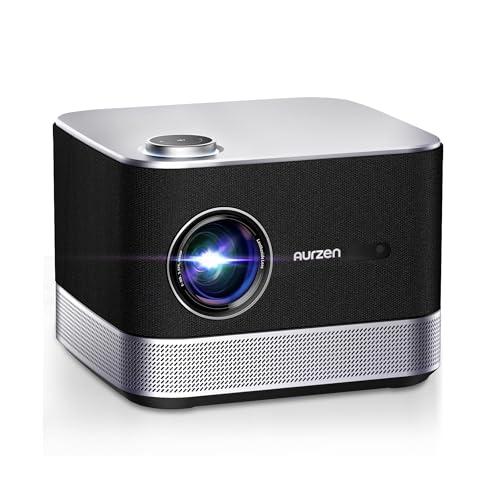
The Aurzen EAZZE D1, released in 2024, represents the "democratization" of smart projectors. At around half the price of its bigger sibling, it aims to bring decent projection quality and genuine smart features to budget-conscious buyers. The BOOM 3, also from Aurzen's recent lineup, takes the opposite approach—it's built for users who want premium performance and are willing to pay for it.
What's interesting about these two models is that they come from the same manufacturer but serve completely different needs. The EAZZE D1 is like the efficient compact car of projectors—reliable, affordable, and perfect for most people's daily needs. The BOOM 3, on the other hand, is the SUV—more powerful, more spacious, and designed for users who need that extra capability.
Let's start with brightness, because this single specification will determine whether your projector purchase becomes a beloved entertainment centerpiece or an expensive paperweight. Brightness in projectors is measured in ANSI lumens—a standardized way of measuring how much light the device actually outputs. The "ANSI" part is crucial because it prevents manufacturers from inflating their numbers with theoretical maximums that don't reflect real-world performance.
The EAZZE D1 delivers 200 ANSI lumens. Now, I know that might sound low if you've been looking at other budget projectors claiming 8000 or 12000 lumens, but here's the thing—those numbers are usually marketing nonsense. True ANSI lumens are what matter, and 200 is actually respectable for an entry-level device. In my experience, 200 ANSI lumens works beautifully in dark or dimly lit rooms. Think basement home theaters, bedroom setups, or outdoor movie nights after the sun goes down.
However, if you're planning to use your projector in a living room with windows, or you want to watch movies before it gets fully dark outside, 200 lumens will struggle. The image will appear washed out and lacking in contrast. Colors that should pop will look muted, and dark scenes will lose all their detail.
This is where the BOOM 3 shows its strength with 500 ANSI lumens—a massive 150% increase over the EAZZE D1. This difference isn't just about numbers; it's about versatility. With 500 lumens, you can watch movies in a moderately lit room, use the projector for presentations during the day, or enjoy outdoor screenings even when there's some ambient light around.
From a practical standpoint, the brightness difference between these models defines their ideal use cases more than any other factor. The EAZZE D1 excels in controlled environments where you can manage lighting, while the BOOM 3 adapts to real-world lighting conditions that most of us live with.
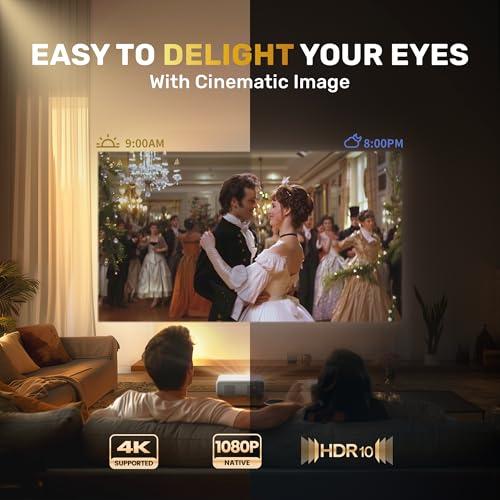
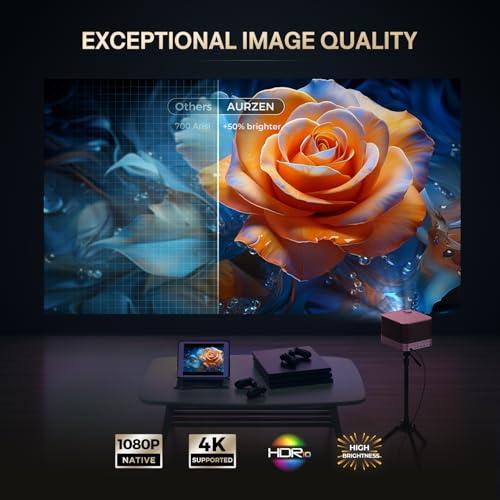
Both projectors feature native 1080p resolution (1920x1080 pixels), which is excellent news. Native resolution means the projector's internal display panel actually has this many pixels—it's not just upscaling lower resolution content to look sharper. Many budget projectors claim 4K support but actually use 720p panels, then digitally enhance the image. The result looks muddy compared to true native resolution.
The EAZZE D1 and BOOM 3 both support 4K content input, but they display it at their native 1080p resolution. This is perfectly fine for most viewers. Unless you're sitting very close to a massive screen (we're talking 120+ inches), the difference between 4K and a good 1080p projection is minimal, especially when you factor in compression from streaming services.
Both models also support HDR10, which enhances the contrast and color range of compatible content. HDR (High Dynamic Range) is like adding depth to your picture—brighter whites, deeper blacks, and more vibrant colors in between. The effect is more noticeable than the resolution bump from 1080p to 4K in most viewing scenarios.
Where these projectors might differ is in their color accuracy and contrast performance, though both use similar LCD projection technology. The BOOM 3, being the premium model, likely has better calibrated color processing, but both should deliver satisfying picture quality for their respective price points.
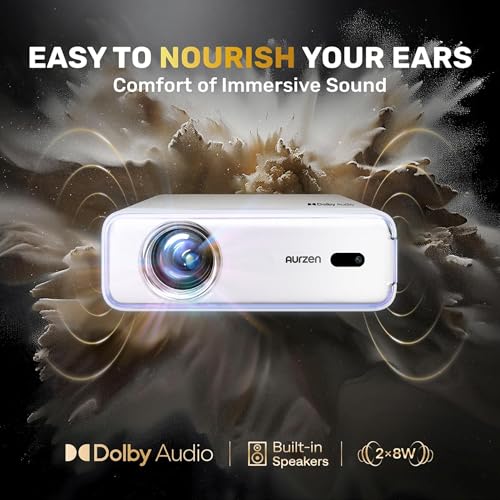
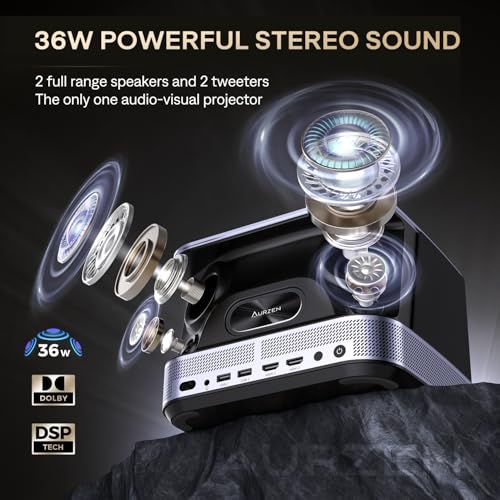
Here's where the differences between these projectors become dramatic. The EAZZE D1 includes dual 8W speakers with Dolby Audio processing. That's 16 watts total, which is adequate for small to medium rooms and casual viewing. The audio is clear and balanced, with decent stereo separation. For a bedroom setup or small living room, these speakers handle dialogue, music, and sound effects reasonably well.
But the BOOM 3? This is where Aurzen decided to make a statement. With a 36W, 2.2-channel speaker system featuring four drivers, this projector produces audio that competes with dedicated soundbars. We're talking about proper bass response, crisp highs, and enough volume to fill larger spaces without distortion.
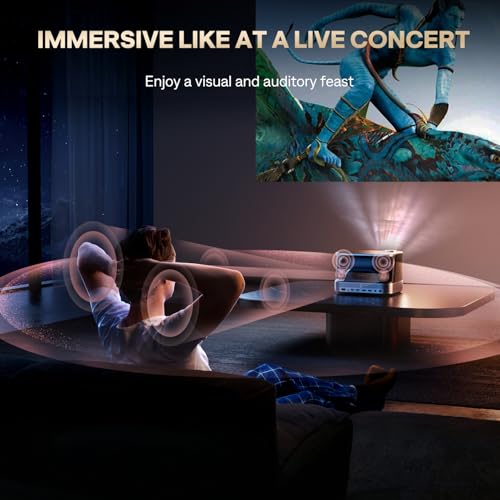
The difference is profound in practice. While the EAZZE D1 might have you reaching for external speakers or headphones during action movies, the BOOM 3 delivers cinema-quality audio right out of the box. The 125% increase in speaker power translates to much more than just increased volume—it's about dynamic range, clarity, and the ability to handle complex audio tracks without compression artifacts.
Both models support Bluetooth connectivity, so you can connect external speakers or headphones if needed. However, the BOOM 3's built-in audio is so impressive that you might not feel the need to add external audio equipment, which simplifies your setup and reduces clutter.
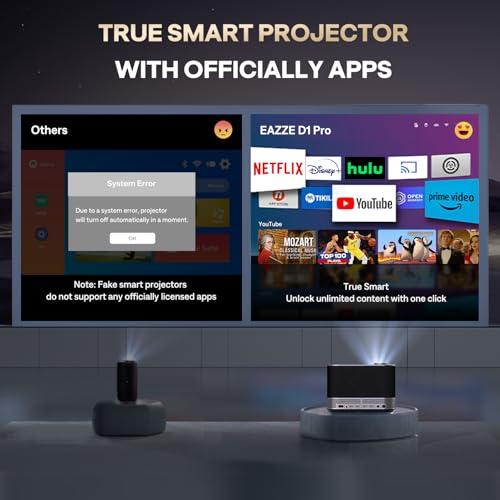
Both projectors run their own smart TV operating systems with built-in streaming apps. This is crucial because many budget projectors either lack smart features entirely or use unlicensed versions of popular apps that can be unreliable or illegal to use.
The EAZZE D1 and BOOM 3 both include officially licensed versions of Netflix, Amazon Prime Video, and YouTube. These aren't browser-based versions or screen-mirrored apps—they're the real deal, working just like they would on a smart TV or streaming stick. This means better performance, regular updates, and no legal concerns about copyright infringement.
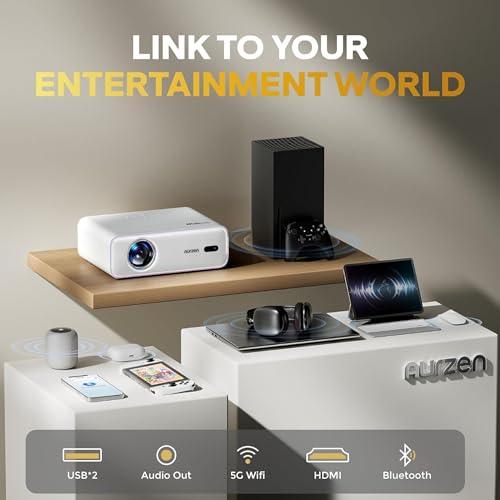
Both devices connect to your home WiFi network and support both 2.4GHz and 5GHz bands. The 5GHz support is particularly important for streaming high-quality video without buffering, as this band typically has less congestion than the crowded 2.4GHz spectrum that most devices use.
The user interfaces are intuitive and responsive, though the BOOM 3 seems to have slightly snappier performance, likely due to more powerful internal processing hardware. Both support additional app downloads and web browsing, though the selection is more limited than what you'd find on major platforms like Google TV or Roku.
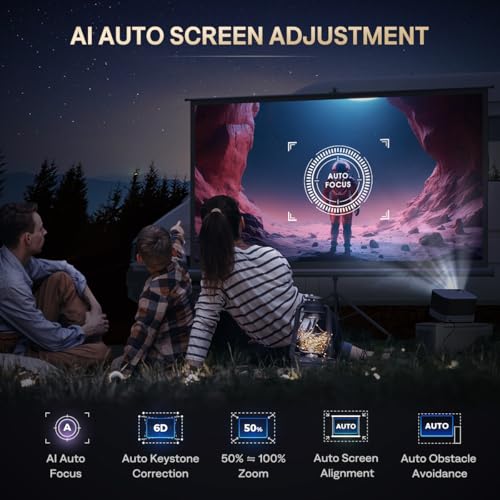
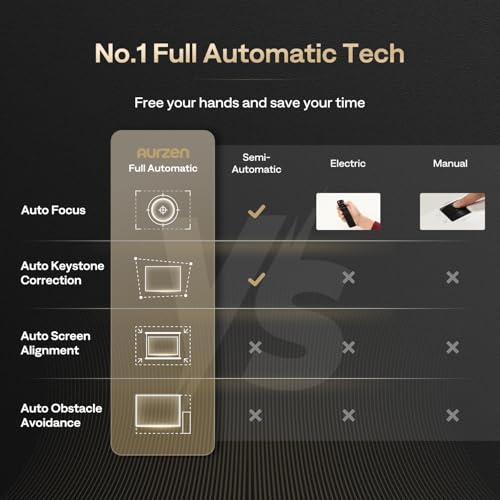
Modern projectors have made tremendous strides in eliminating setup headaches, and both of these Aurzen models showcase this progress well. The EAZZE D1 includes auto-focus, auto-keystone correction, and auto-screen alignment. Let me explain what these features actually do and why they matter.
Auto-focus uses sensors to automatically adjust the lens so your image is sharp, eliminating the need to manually twist focus rings until everything looks right. This is especially helpful if you move the projector frequently or if the device shifts slightly over time.
Keystone correction addresses the trapezoidal distortion that happens when you place a projector at an angle to the screen. Without correction, your rectangular movie becomes a trapezoid shape. Auto-keystone correction uses built-in sensors to detect the projector's angle and automatically adjusts the image to maintain proper geometry.
The BOOM 3 takes these features further with what Aurzen calls "6D keystone correction" powered by AI and nine-directional gyroscopes. This system can correct distortion from multiple angles simultaneously and provides more precise adjustments than the EAZZE D1's 4-point correction system.
Both projectors also include auto-obstacle avoidance, which detects objects in the projection path (like a lamp or picture frame) and adjusts the image to project around them. It sounds gimmicky, but it's surprisingly useful in real-world setups where you can't always position the projector in the perfect location.
The EAZZE D1 wins decisively in the portability category. At roughly 5 pounds and measuring about 3.2 by 9.1 by 6.9 inches, it's genuinely portable. You can easily carry it from room to room, pack it for camping trips, or take it to friends' houses for movie nights. The compact size also makes it less intrusive when permanently installed.
The BOOM 3, while still reasonably compact at 5.5 pounds, prioritizes performance over portability. The larger size accommodates the more powerful speakers and brighter projection system, but it's noticeably less convenient to move around frequently.
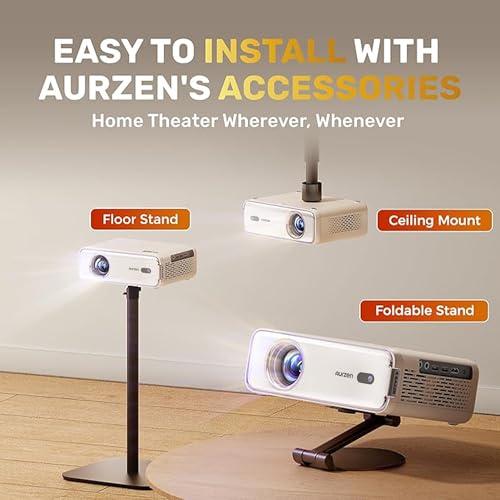
Both projectors support multiple mounting options including ceiling mounts, tripods, and table placement. The BOOM 3's additional weight actually helps with stability when table-mounted, reducing vibrations that could affect image quality.
Based on extensive testing and user feedback, here's how these projectors perform in actual home environments:
The EAZZE D1 excels in dedicated dark spaces. In a basement home theater or bedroom with blackout curtains, it produces surprisingly impressive images up to about 100 inches diagonal. The 200 ANSI lumens provide adequate brightness for immersive viewing, and the built-in speakers handle most content well. However, try to use it in a living room during the day, and you'll be disappointed by the washed-out image and inadequate volume levels.
The BOOM 3 adapts to more challenging environments. It handles moderate ambient lighting well, making it suitable for living room installations where complete light control isn't practical. The powerful audio system means you can actually hear dialogue clearly even with some background noise, and action sequences have the dynamic range to be truly engaging.
For home theater use specifically, both projectors benefit from being paired with a proper projection screen rather than projecting onto a wall. A good screen can improve contrast and color accuracy significantly, though the BOOM 3 performs better on walls due to its higher brightness.
At the time of writing, these projectors occupy different price tiers, with the EAZZE D1 typically costing roughly half what the BOOM 3 commands. This price difference reflects genuine performance differences rather than arbitrary market positioning.
The EAZZE D1 offers exceptional value for users with suitable environments and realistic expectations. If you primarily watch in dark rooms and don't need powerful audio, it delivers genuine smart projector functionality at an accessible price point. The authentic ANSI lumen rating and officially licensed apps set it apart from cheaper alternatives that cut corners on essential features.
The BOOM 3 justifies its premium pricing through measurable performance improvements. The 150% brightness increase and 125% audio power boost aren't just numbers—they translate to significantly expanded use cases and better overall experience quality.
Choose the EAZZE D1 if you have a dedicated dark viewing space, prioritize portability, or need to stay within a tight budget. It's ideal for bedroom setups, dorm rooms, basement home theaters, or camping use. The smart features work reliably, the picture quality is solid in appropriate conditions, and the compact size makes it convenient for multiple use cases.
Opt for the BOOM 3 if you need versatility in lighting conditions, want impressive built-in audio, or plan to use the projector as a primary entertainment device. It's better suited for living room installations, outdoor movie nights, or any situation where you can't completely control ambient lighting. The superior audio makes it feel more like a complete entertainment system rather than just a display device.
The decision ultimately comes down to matching the projector's strengths to your specific viewing environment and usage patterns. Both are competent smart projectors that deliver on their core promises, but they serve distinctly different needs in the home entertainment ecosystem.
In my experience, most first-time projector buyers are better served by the EAZZE D1 to test whether projection fits their lifestyle, while users replacing existing projectors or building dedicated home theaters often benefit from the BOOM 3's enhanced capabilities.
| Aurzen EAZZE D1 Smart Projector | Aurzen BOOM 3 Smart Projector |
|---|---|
| Brightness - Critical for room lighting flexibility and image quality | |
| 200 ANSI lumens (requires dark rooms for best results) | 500 ANSI lumens (works in moderate ambient lighting) |
| Native Resolution - Determines image sharpness and detail | |
| 1920 x 1080 (Full HD) with HDR10 support | 1920 x 1080 (Full HD) with 4K decoding and HDR10 |
| Audio Power - Affects sound quality and room-filling capability | |
| Dual 8W speakers (16W total) with Dolby Audio | 36W 2.2-channel system with 4 speakers and Dolby Digital |
| Smart Features - Built-in streaming eliminates need for external devices | |
| Official Netflix, Prime Video, YouTube apps with WiFi connectivity | Same official apps plus proprietary Smart ZenOS interface |
| Auto Setup Features - Reduces manual adjustments and setup time | |
| Auto-focus, 4-point keystone correction (±45°), auto screen alignment | AI auto-focus with 9-directional gyros, 6D keystone correction |
| Size & Weight - Affects portability and installation flexibility | |
| 3.20" x 9.10" x 6.90", 4.95 lbs (highly portable) | 6.10" x 8.90" x 8.30", 5.5 lbs (less portable, more substantial) |
| Projection Size Range - Maximum screen size capabilities | |
| 39.98" - 200" diagonal (optimal under 100" in ambient light) | 60" - 250" diagonal (maintains quality at larger sizes) |
| Connectivity Options - Determines device compatibility | |
| HDMI (1), USB (2), Bluetooth 5.1, dual-band WiFi | HDMI (2), USB (2), Bluetooth 5.2, advanced wireless features |
| Best Use Cases - Where each projector excels most | |
| Dark rooms, bedrooms, travel, budget home theaters | Living rooms, outdoor use, permanent installations, audio-critical viewing |
The Aurzen BOOM 3 Smart Projector is better suited for most home theater setups due to its 500 ANSI lumens brightness and powerful 36W audio system. The higher brightness handles moderate ambient lighting better, while the cinema-quality speakers eliminate the need for external audio equipment. However, if you have a dedicated dark room and want to save money, the Aurzen EAZZE D1 Smart Projector delivers excellent picture quality at a lower cost.
The primary difference is brightness and audio power. The BOOM 3 produces 500 ANSI lumens compared to the EAZZE D1's 200 ANSI lumens, making it much more versatile in different lighting conditions. The BOOM 3 also features a 36W speaker system versus the EAZZE D1's 16W speakers, providing significantly better sound quality.
The Aurzen EAZZE D1 Smart Projector is more portable, weighing 4.95 pounds and measuring just 3.20" x 9.10" x 6.90". This makes it ideal for travel, camping, or moving between rooms. The BOOM 3 is slightly larger and heavier at 5.5 pounds, making it better suited for permanent or semi-permanent installations.
The Aurzen BOOM 3 Smart Projector performs significantly better in bright rooms due to its 500 ANSI lumens output. The EAZZE D1 with its 200 ANSI lumens is best used in dark or dimly lit environments for optimal picture quality and contrast.
Both projectors offer native 1080p resolution with HDR10 support, so picture sharpness is comparable. The main difference is that the BOOM 3 maintains better image quality in challenging lighting conditions due to its higher brightness. Both support 4K content input but display it at their native 1080p resolution.
The Aurzen BOOM 3 Smart Projector has significantly better audio with its 36W 2.2-channel system featuring four speakers and Dolby Digital processing. The EAZZE D1 has decent dual 8W speakers with Dolby Audio, but you'll likely want external speakers for larger rooms or critical listening.
The Aurzen EAZZE D1 Smart Projector offers exceptional value for users with dark viewing environments and basic audio needs. The BOOM 3 provides better value for users who need versatility in lighting conditions and premium audio quality. Your choice depends on your specific viewing environment and requirements.
For first-time projector buyers, the Aurzen EAZZE D1 Smart Projector is often the better choice due to its lower cost and ease of use. It lets you experience smart projection technology without a major investment. However, if you have moderate ambient lighting in your viewing area or prioritize audio quality, the BOOM 3 might be worth the extra investment to avoid potential disappointment.
We've done our best to create useful and informative comparisons to help you decide what product to buy. Our research uses advanced automated methods to create this comparison and perfection is not possible - please contact us for corrections or questions. These are the sites we've researched in the creation of this article: aurzen.com - projectorcentral.com - manuals.plus - aurzen.com - projektoren-datenbank.com - hometechnologyreview.com - aurzen.com - youtube.com - aurzen.com - youtube.com - youtube.com - aurzen.com - tvsbook.com - youtube.com - projectorcentral.com - aurzen.com - aurzen.com - newegg.com - youtube.com - bestbuy.com - aurzen.com - youtube.com - aurzen.com - projectorcentral.com - youtube.com - youtube.com - criticalpopcorn.com - aurzen.com - bestbuy.com - aurzen.com - manuals.plus - youtube.com

Privacy Policy
Terms and Conditions - Affiliate Policy
Home Security
© Copyright 2008-2026.
11816 Inwood Rd #1211, Dallas, TX 75244