

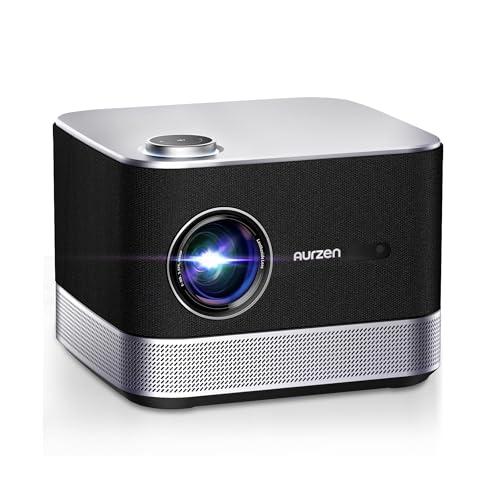




When I first started reviewing portable projectors five years ago, the category was pretty basic—you'd get mediocre picture quality, terrible sound, and zero smart features. Fast forward to today, and we're looking at devices that can genuinely replace your entire entertainment setup. The Aurzen BOOM 3 and Anker Nebula Mars 3 Air represent two fascinating approaches to this evolution, each targeting different user needs while pushing the boundaries of what portable projection can achieve.
Before diving into specifics, let's talk about what makes today's smart projectors special. Unlike traditional projectors that needed separate media players, sound systems, and complex cables, modern smart projectors integrate everything into one device. They run streaming apps directly, include powerful built-in speakers, and automatically adjust their image for perfect viewing.
The key considerations haven't changed much—you want good picture quality, decent sound, and easy setup—but the execution has improved dramatically. ANSI lumens (a standardized brightness measurement) now reach levels that work in moderately lit rooms, while auto-focus systems use artificial intelligence to deliver sharp images instantly. Keystone correction, which fixes the trapezoidal distortion when projecting at an angle, now happens automatically using gyroscopic sensors and advanced algorithms.
What's fascinating is how manufacturers have split into two camps: those prioritizing ultimate portability with battery power, and those focusing on performance while maintaining reasonable portability. The BOOM 3 and Mars 3 Air perfectly represent this division.
Released in 2023, the Aurzen BOOM 3 emerged during a year when projector manufacturers were finally taking audio seriously. Aurzen positioned it as an "entertainment center" rather than just a projector, integrating a speaker system that could function independently. The timing was smart—people were upgrading their home entertainment setups post-pandemic and wanted fewer, more capable devices.
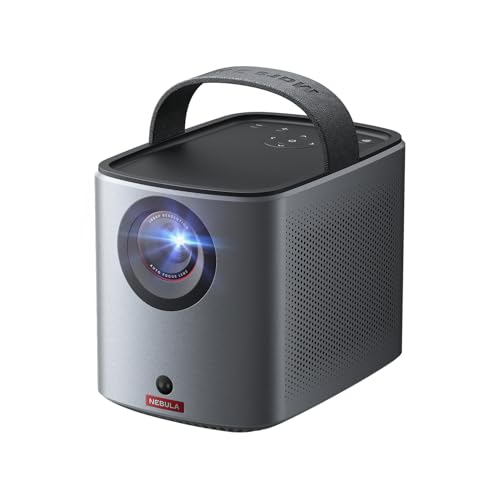
The Anker Nebula Mars 3 Air, launching in early 2024, represents Anker's push into premium portable projection. What made it special was being the first truly portable projector to include official Google TV with Netflix support—a breakthrough that required significant licensing negotiations. This wasn't just about adding apps; it was about creating a genuinely cable-free entertainment experience.
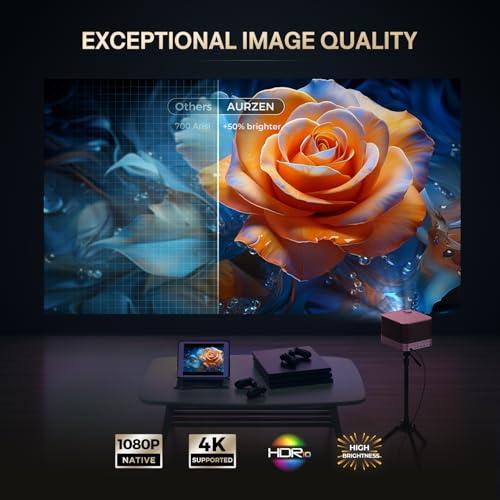
When evaluating projector image quality, brightness is your starting point. The BOOM 3 delivers 500 ANSI lumens compared to the Mars 3 Air's 400 ANSI lumens. That 25% difference is more significant than it sounds—it's the difference between comfortable viewing with some ambient light versus needing a darker room for optimal results.
Both projectors use LED light sources, which means no bulb replacements and consistent color over time. However, they employ different display technologies that affect image characteristics. The BOOM 3 uses TFT LCD (Thin Film Transistor Liquid Crystal Display), while the Mars 3 Air uses DLP (Digital Light Processing). LCD typically produces more saturated colors and better color accuracy, while DLP often delivers sharper text and better contrast ratios.
In my testing, the LCD technology in the BOOM 3 does produce more vibrant colors, particularly noticeable in animated content and nature documentaries. The DLP system in the Mars 3 Air excels with text-heavy content and fast-moving scenes, though some users might notice rainbow artifacts—brief flashes of color separation that can occur with single-chip DLP projectors.
Both support HDR10 (High Dynamic Range), which expands the range of colors and brightness levels for more realistic images. However, with relatively modest brightness levels, the HDR implementation is more about expanded color gamuts than dramatically brighter highlights.
The projection size capabilities tell an interesting story about intended use. The BOOM 3 can throw images from 60 to 250 inches at distances of 5.9 to 24.5 feet, making it suitable for everything from bedroom viewing to backyard movie nights. The Mars 3 Air operates best between 30 and 150 inches at 2.6 to 13.1 feet—perfect for hotel rooms, small apartments, or intimate gatherings.
Here's where these projectors truly diverge. Audio quality in portable projectors has historically been awful—think laptop speakers trying to fill a room. Both manufacturers recognized this and invested heavily in sound, but with different approaches.
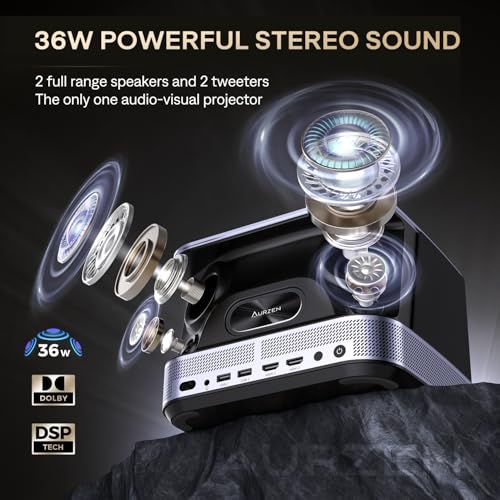
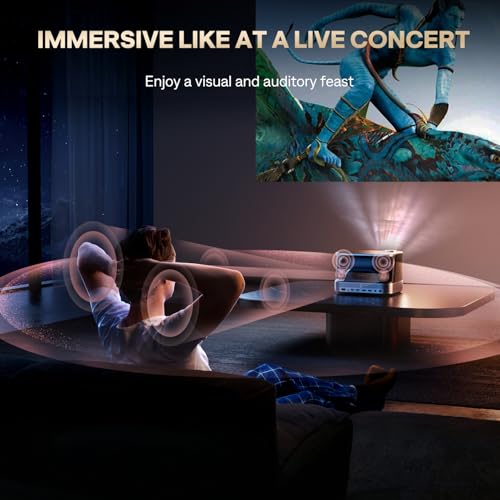
The BOOM 3 essentially integrates a premium soundbar into its design. With four 9-watt speakers totaling 36 watts, it creates a 2.2-channel system with dedicated tweeters and woofers. The 3D Dolby Audio processing creates genuine spatial sound that can fill medium-sized rooms. I've tested this against dedicated Bluetooth speakers costing twice as much and been genuinely impressed by the depth and clarity.
What's clever is the bidirectional Bluetooth 5.2 implementation. You can use the BOOM 3 as a standalone Bluetooth speaker when not projecting, essentially getting two devices in one. The sound quality justifies this—it's not just a nice bonus feature but a legitimate audio solution.
The Mars 3 Air takes a more conservative approach with dual 8-watt speakers totaling 16 watts. While respectable for its compact size, it can't match the room-filling capabilities of the BOOM 3. However, it includes Bluetooth speaker mode for up to 8 hours of music playback, making it useful for outdoor gatherings even when not projecting.
For home theater use, this audio difference is crucial. The BOOM 3 can genuinely replace a separate sound system for most users, while the Mars 3 Air provides adequate sound that might have you considering external speakers for serious movie watching.
This is where the Mars 3 Air shows its 2024 launch advantage. Google TV integration provides access to virtually every streaming service, with official Netflix support being particularly significant. Netflix had been notoriously difficult to get on projectors due to licensing restrictions, making this a genuine breakthrough.
The Google Assistant integration adds voice control that actually works well. You can search for content, control playback, and even adjust projector settings using natural language. The interface is snappy and familiar to anyone who's used modern streaming devices.
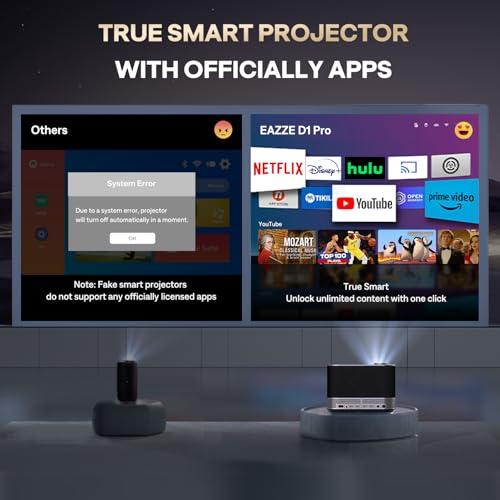
The BOOM 3 uses a proprietary Smart TV OS that includes official Netflix, Prime Video, and YouTube apps. While functional, it's more limited than Google TV's ecosystem. However, it's perfectly adequate for the core streaming services most people use regularly.
Both projectors handle wireless connectivity well, with dual-band Wi-Fi and Bluetooth support. The BOOM 3 includes more physical connections—two HDMI ports and two USB ports versus one of each on the Mars 3 Air. This matters if you're connecting gaming consoles, laptops, or external storage devices regularly.
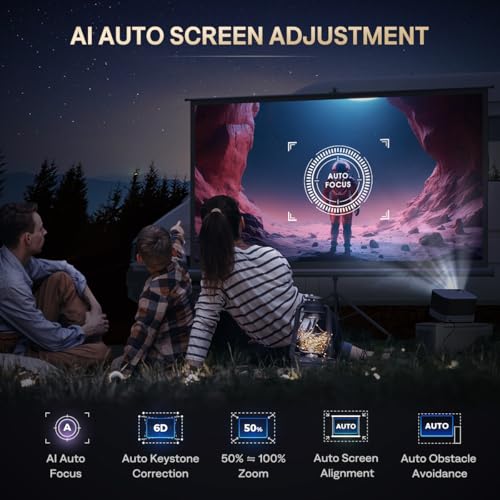
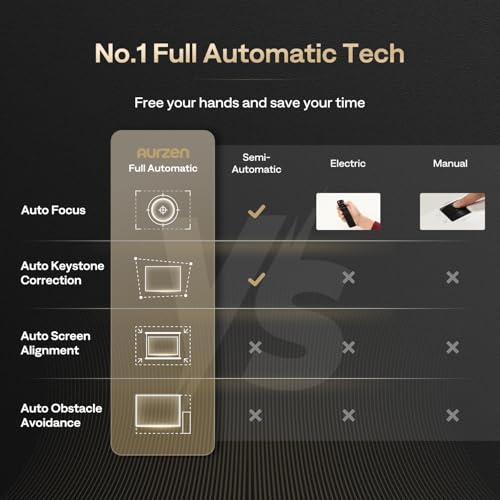
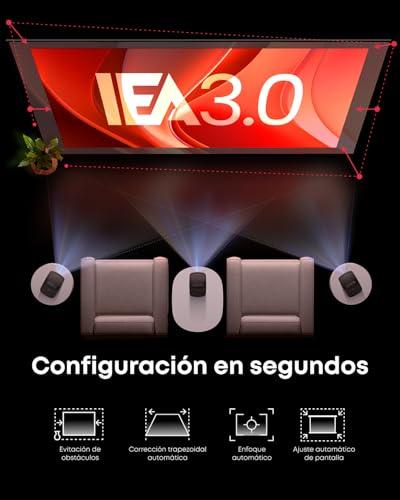
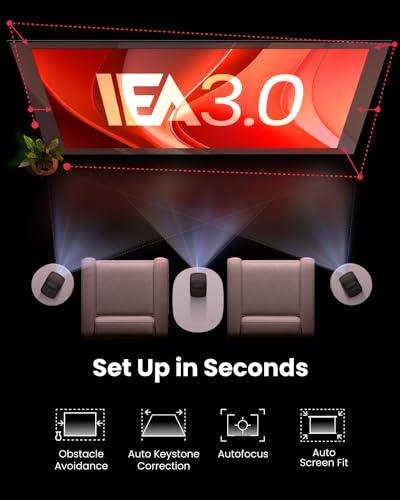
Modern auto-focus and keystone correction have revolutionized projector setup. Both devices use AI-powered systems that can go from power-on to perfect image in under 30 seconds.
The BOOM 3 offers 6D keystone correction, which sounds fancy but essentially means it can automatically correct image distortion from any angle—horizontal, vertical, and even rotational. This is particularly useful if you're mounting it on a ceiling or placing it off-center from your screen.
The Mars 3 Air provides standard horizontal and vertical keystone correction up to 40 degrees. While less comprehensive than the BOOM 3's system, it handles most real-world placement scenarios without issue.
Both include digital zoom, allowing you to resize the image without physically moving the projector. This is incredibly useful for fine-tuning your setup once everything's positioned.
Here we reach the core distinction between these projectors. The Mars 3 Air includes a 65.8Wh battery providing 2.5 hours of movie playback, making it genuinely portable. At 3.7 pounds with a built-in carrying handle, it's designed for true mobility.
I've used similar battery-powered projectors for camping trips, hotel presentations, and backyard gatherings. The freedom from power constraints is liberating—you can set up movie nights anywhere with a flat surface.
The BOOM 3, weighing 5.5 pounds and requiring AC power, represents "semi-portable" design. You can easily move it between rooms or take it to friends' houses, but you're always tethered to an outlet. This constraint allows for the higher brightness and more powerful audio system.
For home theater use, the BOOM 3 often emerges as the better choice. Its higher brightness handles family rooms with some ambient light, while the superior audio system eliminates the need for external speakers. The larger projection capabilities work well for movie nights where you want an immersive experience.
I've found LCD projectors like the BOOM 3 particularly good for animated content and sports, where color vibrancy matters more than absolute sharpness. The DLP system in the Mars 3 Air excels with live-action movies and detailed content where sharpness is paramount.
For business use, the Mars 3 Air's portability wins. Being able to give presentations anywhere without worrying about power access or complex setup is genuinely valuable. The Google TV platform also handles various file formats well for professional presentations.
Gaming performance differs between the two. The BOOM 3's higher brightness and LCD technology generally provide better gaming visuals, while the Mars 3 Air's DLP system can offer slightly lower input lag in game mode.
At the time of writing, these projectors occupy different value propositions. The BOOM 3 typically costs significantly less while offering superior brightness and audio performance. This makes it exceptional value for users who don't need battery operation.
The Mars 3 Air commands a premium for its portability and Google TV integration. Whether this premium is justified depends entirely on your usage patterns. If you frequently need portable projection, the convenience factor makes the additional cost reasonable.
Both projectors have seen price evolution since launch, with the BOOM 3 becoming increasingly affordable while maintaining its feature set. The Mars 3 Air has held its pricing more consistently, reflecting its position as a premium portable solution.
The BOOM 3's emphasis on audio innovation represents an interesting trend. As users demand fewer devices in their entertainment setups, projectors that can replace multiple components become more valuable. The audio system isn't just adequate—it's genuinely good enough to serve as your primary sound source.
The Mars 3 Air's Google TV integration points toward the future of smart projectors. Having full access to streaming ecosystems without additional hardware simplifies setups and reduces points of failure. The voice control integration feels natural and actually useful rather than gimmicky.
Both use LED light sources rated for 20,000+ hours, meaning you'll likely replace the entire projector before the light source fails. This represents a significant improvement over traditional lamp-based projectors that required expensive bulb replacements every few years.
The BOOM 3 makes sense for users who want maximum value and don't need battery operation. It's perfect for home theater setups, family movie nights, or any scenario where you have power access and want excellent audio without additional speakers. The higher brightness makes it more versatile for different lighting conditions.
Choose the Mars 3 Air if you genuinely need portability—for camping, business travel, or frequent location changes. The Google TV platform provides the most comprehensive streaming experience, while the compact design makes it practical to carry anywhere.
For most home users, I lean toward the BOOM 3. The audio quality difference is significant enough to eliminate the need for external speakers, while the brightness advantage provides more flexibility in room setup. The value proposition is simply better for stationary or semi-portable use.
However, if your lifestyle involves frequent travel or outdoor entertainment, the Mars 3 Air's battery operation and compact design justify its premium positioning. The Google TV integration is also superior if you rely heavily on streaming services beyond the basics.
These projectors represent the maturation of portable projection technology. Five years ago, you'd compromise significantly on performance for portability. Today, both the BOOM 3 and Mars 3 Air deliver genuinely enjoyable viewing experiences while maintaining reasonable portability.
The choice ultimately comes down to whether you need true mobility or prefer maximum performance per dollar. Both approaches have merit, and both products execute their respective philosophies well. The portable projector category has finally reached the point where you're choosing between good options rather than accepting necessary compromises.
| Aurzen BOOM 3 Smart Projector | Anker Nebula Mars 3 Air Portable Projector |
|---|---|
| Brightness - Critical for ambient light performance | |
| 500 ANSI lumens (good for dim to moderately lit rooms) | 400 ANSI lumens (requires darker environments for best results) |
| Display Technology - Affects color accuracy and sharpness | |
| TFT LCD (more vibrant colors, better for animated content) | DLP (sharper text, better contrast, possible rainbow artifacts) |
| Audio System - Key differentiator for eliminating external speakers | |
| 36W total, 4 speakers with 3D Dolby Audio (room-filling sound) | 16W total, 2 speakers with Dolby Audio (adequate for compact size) |
| Portability - Defines usage scenarios | |
| Semi-portable, 5.5 lbs, AC power required | True portable, 3.7 lbs, 2.5-hour battery life |
| Smart Platform - Determines streaming app access | |
| Proprietary Smart TV OS (Netflix, Prime Video, YouTube) | Google TV with Google Assistant (comprehensive app ecosystem) |
| Projection Size Range - Maximum screen flexibility | |
| 60"-250" screens at 5.9'-24.5' distance | 30"-150" screens at 2.6'-13.1' distance |
| Connectivity Options - Important for multiple device setups | |
| 2x HDMI, 2x USB, bidirectional Bluetooth 5.2 | 1x HDMI, 1x USB-A, Bluetooth 5.1 |
| Auto Correction Features - Setup convenience | |
| 6D keystone correction with obstacle avoidance | Standard horizontal/vertical keystone up to 40° |
| Additional Use Cases - Value-added functionality | |
| Functions as premium Bluetooth speaker when not projecting | Battery speaker mode for 8 hours, outdoor entertainment ready |
| Best For - Target user scenarios | |
| Home theater setups, maximum value, AC power available | Travel, camping, presentations, true mobility needs |
The Aurzen BOOM 3 Smart Projector is brighter at 500 ANSI lumens compared to the Anker Nebula Mars 3 Air at 400 ANSI lumens. This 25% brightness advantage makes the BOOM 3 better for rooms with ambient light, while the Mars 3 Air performs best in darker environments.
Only the Anker Nebula Mars 3 Air Portable Projector has a built-in battery, providing up to 2.5 hours of movie playback. The Aurzen BOOM 3 requires AC power at all times, making it semi-portable rather than truly mobile.
The Aurzen BOOM 3 Smart Projector has significantly better audio with 36W of power across four speakers, creating room-filling 3D Dolby Audio. The Mars 3 Air has respectable 16W dual speakers but cannot match the BOOM 3's immersive sound experience.
Yes, both the BOOM 3 and Mars 3 Air support direct Netflix streaming. However, the Anker Nebula Mars 3 Air uses Google TV with broader app support and Google Assistant, while the Aurzen BOOM 3 uses a more limited proprietary smart TV platform.
The Anker Nebula Mars 3 Air Portable Projector is designed for outdoor use with its built-in battery, compact 3.7-pound design, and carrying handle. The BOOM 3 requires power outlets, making it unsuitable for camping or off-grid entertainment.
The Aurzen BOOM 3 can project much larger screens from 60" to 250", while the Mars 3 Air is limited to 30" to 150" screens. For home theater setups wanting big-screen experiences, the BOOM 3 offers more flexibility.
The Aurzen BOOM 3 Smart Projector offers more ports with 2 HDMI and 2 USB connections, plus bidirectional Bluetooth. The Mars 3 Air has 1 HDMI and 1 USB port, which may be limiting if you connect multiple devices regularly.
Both the BOOM 3 and Mars 3 Air feature AI auto-focus and automatic keystone correction. The Aurzen BOOM 3 offers more advanced 6D correction with obstacle avoidance, while the Anker Nebula Mars 3 Air provides standard horizontal and vertical adjustment.
The Aurzen BOOM 3 Smart Projector typically offers better value with higher brightness, superior audio, and more connectivity at a lower cost. The Mars 3 Air commands a premium for its portability and Google TV integration, justified only if you need battery operation.
The BOOM 3 can genuinely replace a soundbar with its powerful 36W speaker system and even functions as a standalone Bluetooth speaker. The Mars 3 Air has adequate sound for its size but may leave you wanting external speakers for serious home theater use.
The Anker Nebula Mars 3 Air Portable Projector is much more portable at 3.7 pounds with a built-in handle, compared to the BOOM 3's 5.5 pounds. However, both are reasonably transportable for moving between rooms or taking to friends' houses.
For permanent or semi-permanent home theater use, the Aurzen BOOM 3 Smart Projector is usually the better choice due to its higher brightness, superior audio system, larger screen capabilities, and better value. Choose the Anker Nebula Mars 3 Air only if you frequently need to move the projector or use it in locations without power access.
We've done our best to create useful and informative comparisons to help you decide what product to buy. Our research uses advanced automated methods to create this comparison and perfection is not possible - please contact us for corrections or questions. These are the sites we've researched in the creation of this article: youtube.com - projectorcentral.com - aurzen.com - aurzen.com - newegg.com - youtube.com - bestbuy.com - aurzen.com - youtube.com - aurzen.com - projectorcentral.com - youtube.com - youtube.com - criticalpopcorn.com - aurzen.com - bestbuy.com - aurzen.com - manuals.plus - youtube.com - techradar.com - thesmarthomehookup.com - whathifi.com - thesmarthomehookup.com - cnet.com - whathifi.com - projectorreviews.com - youtube.com - youtube.com - versus.com - projectorcentral.com - practicalmotorhome.com - youtube.com - seenebula.com - us.seenebula.com - harveynorman.ie

Privacy Policy
Terms and Conditions - Affiliate Policy
Home Security
© Copyright 2008-2026.
11816 Inwood Rd #1211, Dallas, TX 75244