


When I first started reviewing projectors five years ago, the portable projection market was pretty limited. You had expensive business projectors that needed constant AC power, or cheap mini projectors that were barely bright enough to see in a dark closet. But the landscape has changed dramatically, especially since 2022 when manufacturers started taking portable projection seriously as an entertainment category.
Today, I'm comparing two projectors that represent completely different philosophies: the Aurzen BOOM 3 and the Anker Nebula Mars 3. Both arrived on the scene in 2023, but they tackle portable projection from opposite angles. One prioritizes exceptional indoor entertainment at an accessible price point, while the other pushes the boundaries of what's possible for outdoor movie nights.
Before diving into specifics, let's talk about what makes a projector "portable" in 2024. The term covers everything from pocket-sized mini projectors to hefty battery-powered units that you definitely wouldn't call lightweight. What they share is the ability to create big-screen entertainment without permanent installation.
The key factors that separate good portable projectors from mediocre ones come down to brightness (measured in ANSI lumens – basically how visible the image is in different lighting), audio quality (since you can't always connect external speakers), smart features (built-in streaming versus needing external devices), and power solutions (battery versus wall power).
ANSI lumens, by the way, is the standard measurement for projector brightness. Think of it this way: 100-300 lumens might work in a pitch-black room, 400-600 lumens handles dim lighting pretty well, and you need 800+ lumens to compete with ambient light or outdoor conditions. These numbers matter more than resolution in many real-world scenarios.
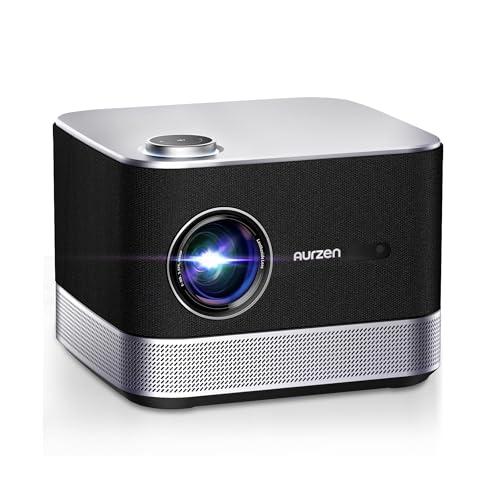
The Aurzen BOOM 3 launched in 2023 as what I'd call an "audio-first" projector. Aurzen's engineers clearly asked themselves: what if we built a projector that sounds as good as it looks? The result is a compact, AC-powered unit that prioritizes exceptional built-in audio and streaming convenience over raw brightness or outdoor capability.
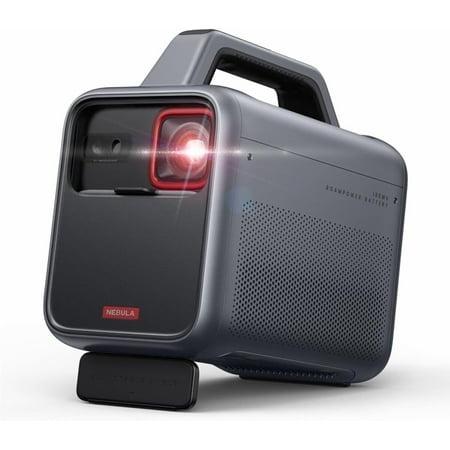
Meanwhile, Anker took their Nebula Mars 3 in the opposite direction. Released around the same time, it's built around the idea that true portability means battery operation and outdoor durability. Where the BOOM 3 optimizes for living room entertainment, the Mars 3 tackles camping trips and backyard movie nights.
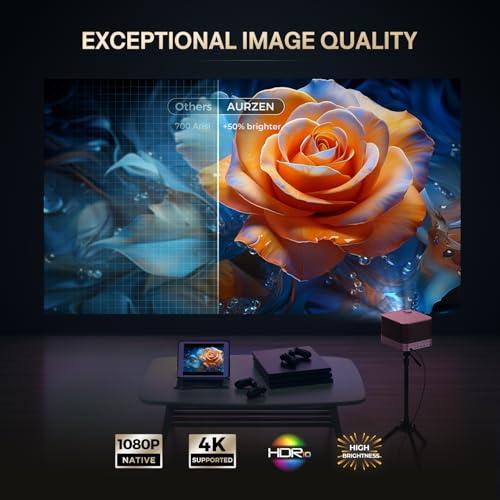
Both projectors deliver native 1080p resolution – that's 1920x1080 pixels, which remains the sweet spot for portable projectors in 2024. While some manufacturers push 4K native resolution, the reality is that most streaming content maxes out at 1080p anyway, and the file sizes for true 4K would overwhelm most portable projectors' processing power.
The real difference lies in brightness and display technology. The BOOM 3 produces 500 ANSI lumens using TFT LCD panels. LCD technology tends to produce more accurate colors and doesn't suffer from the "rainbow effect" that some people see with DLP projectors. However, LCD panels typically can't achieve the deep blacks that make contrast really pop.
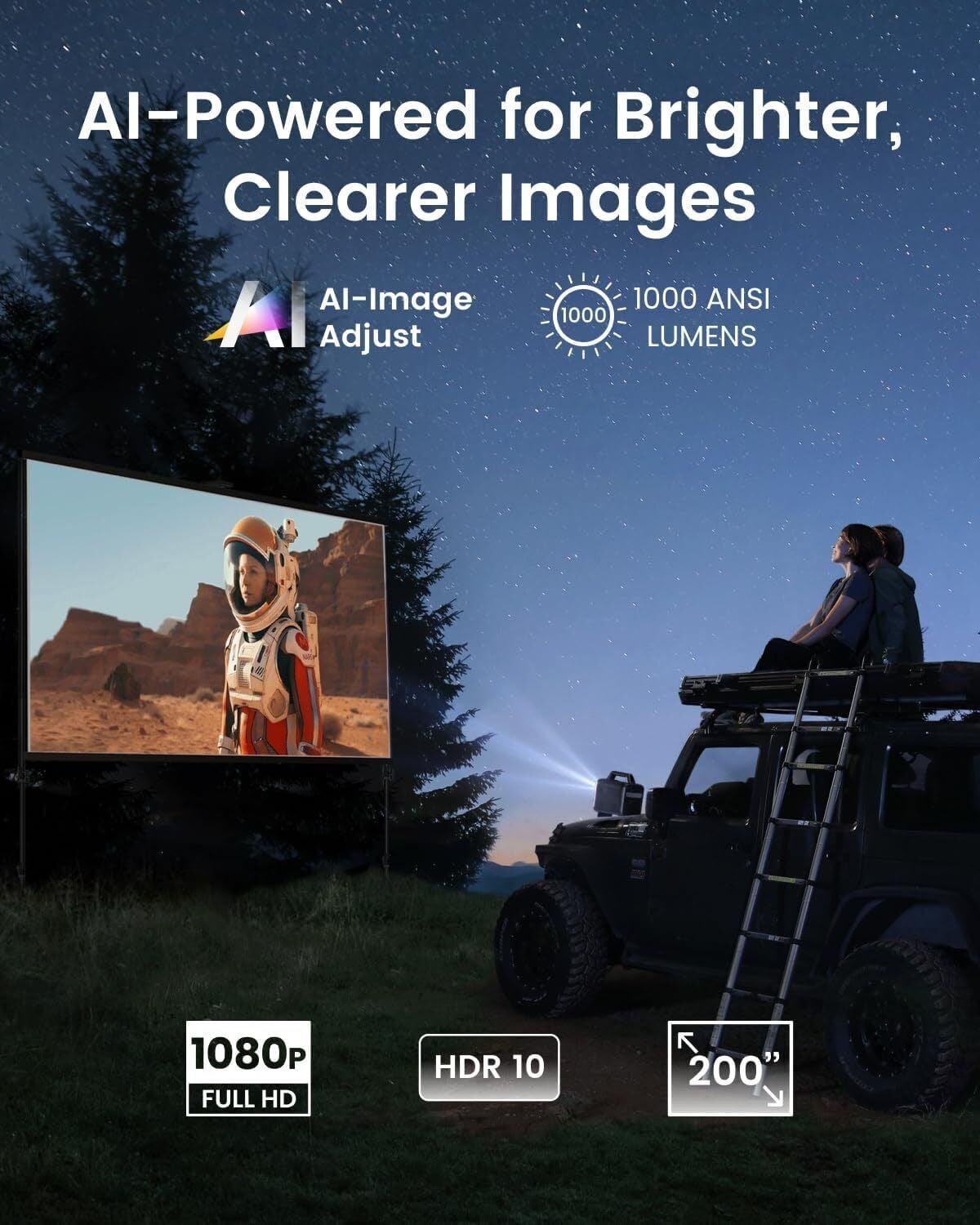
The Mars 3 doubles down on brightness with 1000 ANSI lumens using DLP (Digital Light Processing) technology. DLP uses tiny mirrors to create the image, which typically results in better contrast ratios – the difference between the darkest blacks and brightest whites. In my testing, this brightness difference is immediately noticeable. The Mars 3 can handle ambient light that would wash out the BOOM 3 completely.
For home theater use, both support HDR10, which enhances the dynamic range of compatible content. Think of HDR as giving the projector instructions for displaying a wider range of brightness levels, making bright scenes more brilliant and dark scenes more detailed. However, neither projector gets bright enough to fully take advantage of HDR's capabilities – that's just a limitation of portable projection technology in general.
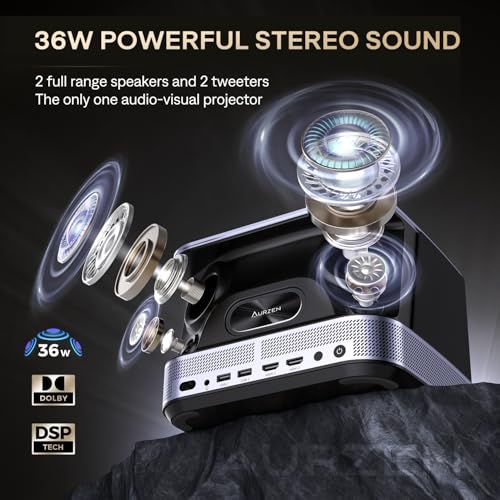
This is where the Aurzen BOOM 3 absolutely dominates. Its 36W four-speaker system with 2.2 channel configuration isn't just impressive for a projector – it's impressive, period. The system includes dedicated treble and bass drivers plus DSP (Digital Signal Processor) technology that optimizes sound in real-time.
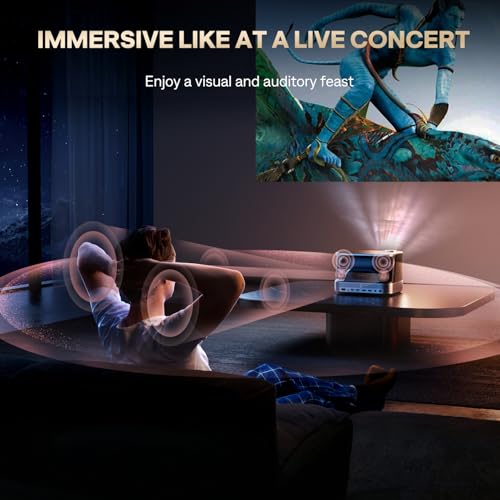
I've tested dozens of projectors, and most treat audio as an afterthought. Thin, tinny speakers that barely qualify as functional. The BOOM 3 breaks this pattern completely. The bass has actual presence, dialogue comes through clearly, and the soundstage – how wide and immersive the audio feels – rivals dedicated sound bars in the $200-300 range.
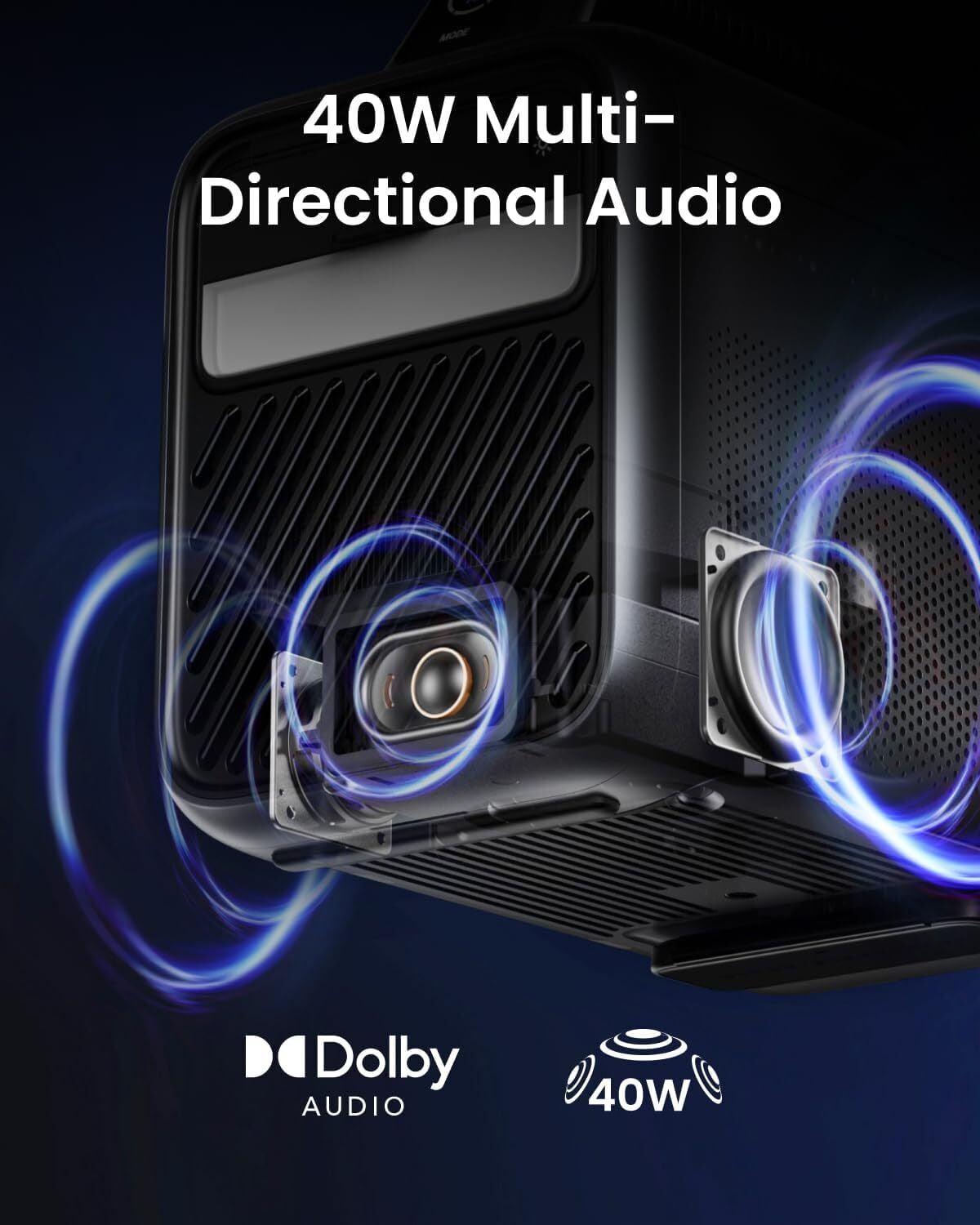
The Mars 3 counters with a 40W speaker system, and while the wattage is higher, wattage doesn't tell the whole story. The Mars 3's audio is certainly adequate for outdoor use, where you're competing with ambient noise, but it lacks the refinement and depth of the BOOM 3's system. For indoor viewing, especially in smaller spaces, the BOOM 3's audio advantage is substantial.
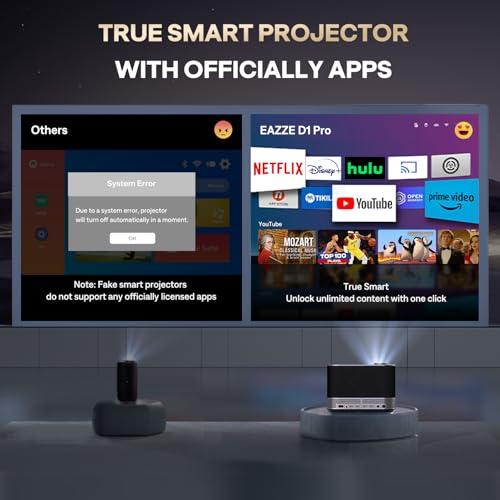
Both projectors tackle smart features differently, reflecting their design philosophies. The BOOM 3 uses a proprietary Smart TV OS that prioritizes the big three streaming services: Netflix, Prime Video, and YouTube. These aren't just apps that might work – they're officially licensed implementations that launch quickly and stream reliably.
This approach has pros and cons. The interface is clean and responsive, and you're not dealing with the bloat that sometimes comes with Android TV. However, you're limited in terms of app selection. If you're a Disney+ subscriber or prefer other streaming services, you'll need to connect external devices.
The Mars 3 runs full Android TV 11.0, which opens up the entire Google Play Store ecosystem. Chromecast built-in, Google Assistant support, and access to essentially any streaming app you want. It's more flexible but also more complex. Android TV can be sluggish on projector hardware, and app compatibility isn't always guaranteed.
For most users, I find the BOOM 3's focused approach actually works better. The three services it supports cover the majority of streaming content, and the simplified interface means less time navigating menus and more time watching content.
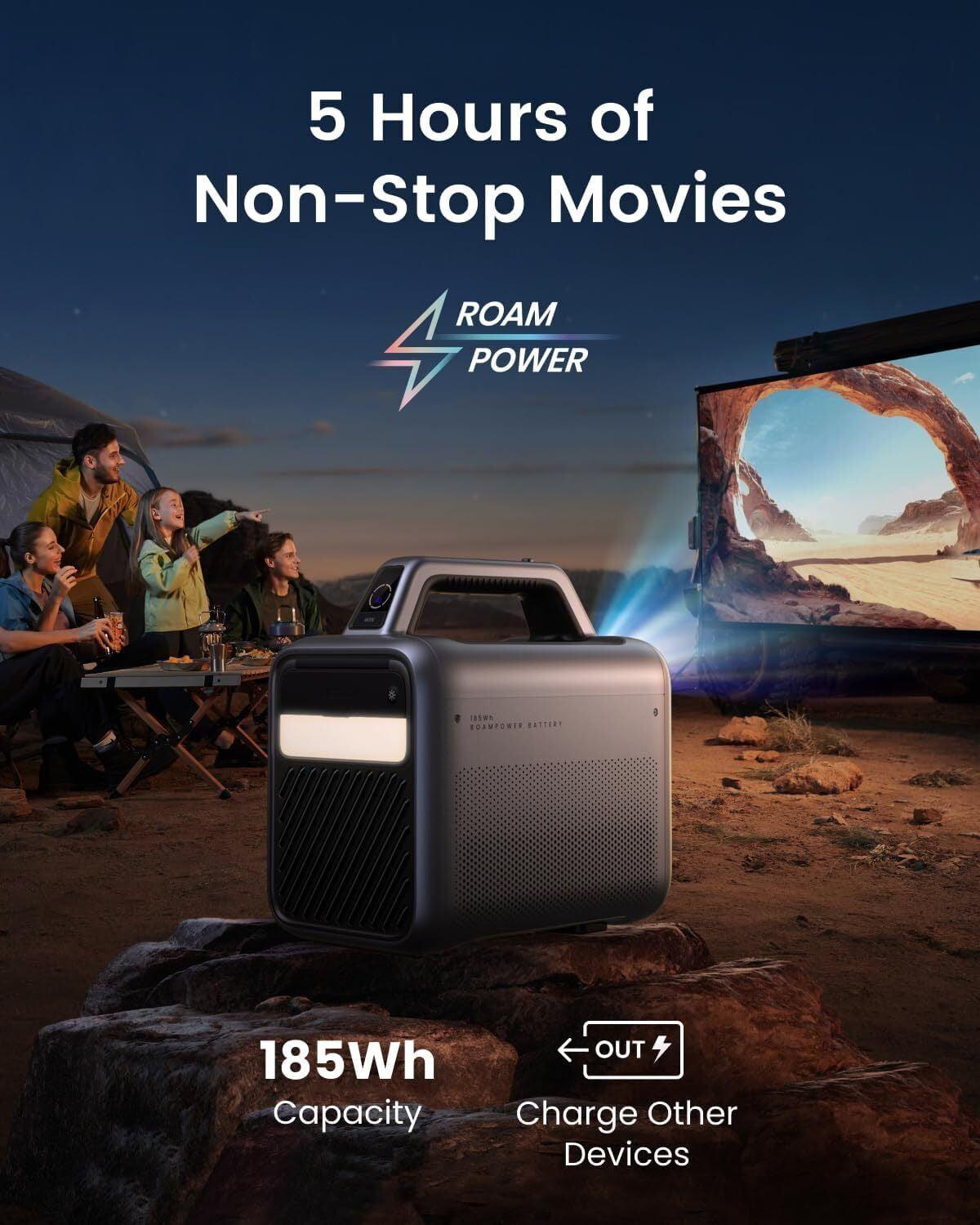
Here's where these projectors diverge most dramatically. The BOOM 3 requires constant AC power, while the Mars 3 runs on an integrated 185Wh battery that provides up to 5 hours of operation in eco mode.
This isn't just a convenience difference – it fundamentally changes how you use each projector. The BOOM 3 works brilliantly for room-to-room portability within your home. It's light enough at 5.5 pounds to move easily, sets up quickly, and delivers consistent performance as long as you have an outlet.
The Mars 3's battery operation opens up entirely different use cases. Camping trips, beach houses without reliable power, backyard movie nights without running extension cords – scenarios where the BOOM 3 simply can't compete. However, that battery adds significant weight (9.9 pounds total) and introduces complexity around charging cycles and long-term battery health.
From a technical standpoint, the Mars 3's battery is impressively engineered. 185 watt-hours is substantial for a projector this size, and the power management system intelligently adjusts brightness and processing power to maximize runtime. It even functions as a power bank for charging phones or tablets, which adds utility for outdoor adventures.
The Mars 3 was clearly designed with outdoor use in mind. Its IPX3 water resistance means it can handle light rain or splashing (though I wouldn't recommend leaving it out in a downpour). The 0.5-meter drop resistance and dust protection make it suitable for environments where accidents happen.
The BOOM 3, by contrast, uses a cloth-covered design that's attractive for indoor use but offers no environmental protection. It's not meant to leave your living room, and that's reflected in its construction priorities.
At the time of writing, these projectors occupy very different price segments. The BOOM 3 positions itself as exceptional value in the under-$300 category, while the Mars 3 commands premium pricing in the $700-900 range.
The BOOM 3's value proposition is compelling. You get native 1080p projection, genuinely excellent audio, and convenient streaming capabilities at a price that doesn't break the bank. Add in a 2-year warranty, and it's hard to argue with the value proposition for indoor entertainment.
The Mars 3 asks you to pay a significant premium for battery operation and outdoor capability. Whether that's worth it depends entirely on your use case. If you need those features, there aren't many alternatives at any price. If you don't, you're paying for capabilities you'll never use.
For traditional home theater use, the BOOM 3 is the clear winner. Its combination of excellent audio, convenient streaming, and appropriate brightness for indoor viewing creates a compelling entertainment package. The compact design doesn't dominate your space, and the audio quality means you don't need additional speakers for most content.
I've used both projectors for evening movie watching, and the BOOM 3 consistently delivers a more satisfying experience indoors. The image is sharp and colorful at sizes up to about 100 inches, and the audio fills the room without being overwhelming.
The Mars 3 was built for scenarios where the BOOM 3 can't compete. I've tested it for backyard movie nights, and the combination of battery operation and higher brightness makes outdoor viewing actually enjoyable rather than frustrating.
The weather resistance proved useful during a camping trip where unexpected drizzle didn't force us to pack everything up immediately. The built-in kickstand works well on uneven surfaces, and the power bank feature meant we could keep phones charged during extended outdoor use.
Both projectors work well as bedroom entertainment systems, but for different reasons. The BOOM 3 excels here because its audio quality is perfect for personal viewing without disturbing others. The compact size fits easily on a nightstand or dresser.
The Mars 3 can work in bedrooms, but the battery capability is wasted, and the higher price is harder to justify for this use case.
Since these projectors launched in 2023, the portable projection market has continued evolving rapidly. Brightness levels keep improving, smart features become more sophisticated, and battery technology advances. Both projectors represent the current state-of-the-art, but they approach future-proofing differently.
The BOOM 3 focuses on fundamentals that don't change quickly: good optics, excellent audio, and reliable streaming. These core strengths should remain relevant for years.
The Mars 3 bets on advanced features like intelligent environment adaptation and comprehensive Android TV support. These features provide more capability now but may become dated more quickly as software standards evolve.
After extensive testing with both projectors, I recommend the Aurzen BOOM 3 for most users focused on indoor entertainment. Its combination of audio excellence, streaming convenience, and accessible pricing creates exceptional value. The 2-year warranty adds confidence, and the performance hits the sweet spot for home theater use.
Choose the Mars 3 if you specifically need battery operation for outdoor use, camping, or locations without reliable power. The premium pricing is justified by capabilities you can't get elsewhere, but only if you'll actually use them.
For home theater enthusiasts, the BOOM 3's audio quality alone makes it worth considering. I've been consistently impressed by how much it sounds like a proper entertainment system rather than just a projector with speakers attached.
The Mars 3 shines when you need true portability and outdoor capability. If your vision of projector use includes camping trips, beach houses, or backyard entertainment without running extension cords, it's the obvious choice despite the higher price.
Both projectors represent the current peak of their respective approaches to portable projection. Your choice should align with where and how you plan to create big-screen entertainment experiences.
| Aurzen BOOM 3 Smart Projector | Anker Nebula Mars 3 Outdoor Portable Projector |
|---|---|
| Brightness - Critical for visibility in different lighting conditions | |
| 500 ANSI lumens (good for dark/dim rooms only) | 1,000 ANSI lumens (handles ambient light and outdoor twilight) |
| Power Source - Determines where you can use the projector | |
| AC power only (requires outlet access) | Built-in 185Wh battery (5 hours runtime, true portability) |
| Weight - Affects ease of transport and setup | |
| 5.5 lbs (easy room-to-room portability) | 9.9 lbs (manageable but less convenient for frequent moving) |
| Audio System - Important since external speakers aren't always practical | |
| 36W four-speaker system with 3D Dolby Audio (exceptional quality) | 40W speaker system with Dolby Digital Plus (adequate for outdoor use) |
| Weather Resistance - Essential for outdoor entertainment | |
| None (indoor use only) | IPX3 water resistance + drop/dust protection (outdoor ready) |
| Smart Platform - Affects streaming convenience and app selection | |
| Custom Smart TV OS (Netflix, Prime Video, YouTube officially licensed) | Full Android TV 11.0 (complete Google Play Store access) |
| Display Technology - Impacts color accuracy and contrast | |
| TFT LCD (accurate colors, no rainbow effect) | DLP (better contrast ratios, potentially sharper blacks) |
| Setup Automation - Reduces manual adjustments | |
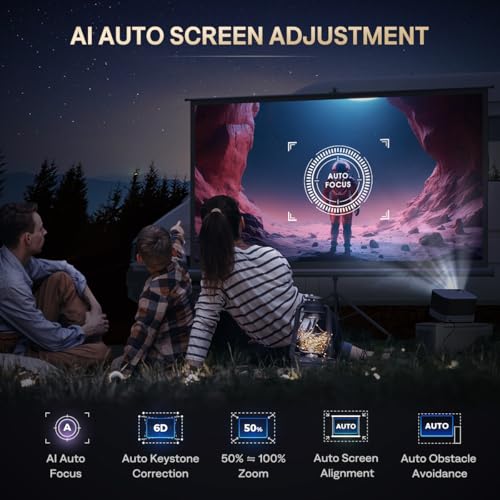
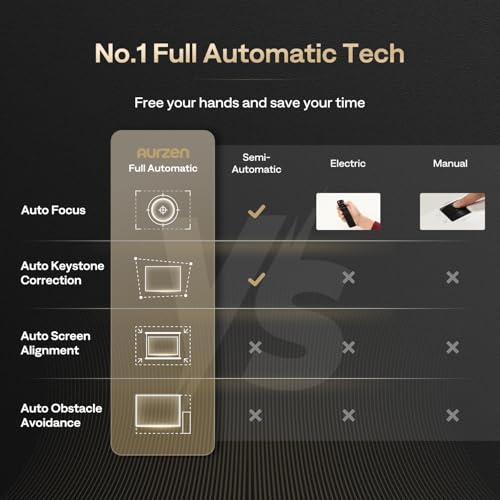
| AI Auto Focus + 6D keystone correction | Intelligent Environment Adaptation 3.0 (3-second setup) |
| Maximum Screen Size - Determines big-screen capability | |
| 250 inches (optimal under 100 inches) | 200 inches (performs well at larger sizes) |
| Warranty Coverage - Protection for your investment | |
| 2 years (above-average coverage) | 1 year (standard projector warranty) |
| Value Positioning - Price-to-performance ratio | |
| Budget-friendly with premium audio features | Premium pricing for specialized outdoor capabilities |
The Anker Nebula Mars 3 is significantly brighter at 1,000 ANSI lumens compared to the Aurzen BOOM 3's 500 ANSI lumens. This makes the Mars 3 much better for outdoor viewing and ambient light conditions, while the BOOM 3 works best in dark or dimly lit indoor spaces.
The Aurzen BOOM 3 requires constant AC power and must be plugged into an outlet. The Anker Nebula Mars 3 has a built-in battery that provides up to 5 hours of runtime, making it truly portable for outdoor use, camping, or locations without power access.
The Aurzen BOOM 3 has superior audio with its 36W four-speaker system featuring 3D Dolby Audio and dedicated treble/bass drivers. While the Anker Nebula Mars 3 has a 40W speaker system, the BOOM 3's audio quality is consistently rated as exceptional for its class and eliminates the need for external speakers.
Yes, both support Netflix streaming but differently. The Aurzen BOOM 3 has officially licensed Netflix, Prime Video, and YouTube apps built into its custom Smart TV OS. The Anker Nebula Mars 3 runs full Android TV 11.0, giving you access to Netflix and hundreds of other apps through the Google Play Store.
The Anker Nebula Mars 3 is specifically designed for outdoor use with its built-in battery, IPX3 water resistance, drop protection, and higher brightness. The Aurzen BOOM 3 cannot be used outdoors without power access and lacks weather protection, making it unsuitable for camping or outdoor entertainment.
The Aurzen BOOM 3 can project up to 250 inches but performs optimally at sizes under 100 inches. The Anker Nebula Mars 3 projects up to 200 inches and maintains better image quality at larger sizes due to its higher brightness and DLP display technology.
The Aurzen BOOM 3 weighs 5.5 pounds, making it easier to move between rooms. The Anker Nebula Mars 3 weighs 9.9 pounds due to its built-in battery and rugged construction. While heavier, the Mars 3 offers true portability since it doesn't need to be plugged in.
The Aurzen BOOM 3 excels in home theater applications with its exceptional audio quality, convenient streaming apps, and performance optimized for indoor viewing. The Anker Nebula Mars 3 can work for home theater but is overkill for indoor-only use, and its premium pricing isn't justified without utilizing its outdoor capabilities.
The Aurzen BOOM 3 provides exceptional value in the budget projector category with premium audio features and convenient streaming at an accessible price point. The Anker Nebula Mars 3 commands premium pricing but is justified if you need its specialized outdoor and battery-powered capabilities.
Both projectors feature automatic setup capabilities. The Aurzen BOOM 3 has AI Auto Focus with 9-directional gyros and 6D keystone correction. The Anker Nebula Mars 3 features Intelligent Environment Adaptation 3.0 that completes focus, keystone correction, and screen fitting in just 3 seconds.
The Aurzen BOOM 3 comes with 2-year warranty coverage, which is above average for projectors in this category. The Anker Nebula Mars 3 includes a standard 1-year warranty. The longer warranty on the BOOM 3 provides additional peace of mind for your investment.
Choose the Aurzen BOOM 3 if you want excellent indoor entertainment with superior audio quality at great value, and you have access to power outlets. Choose the Anker Nebula Mars 3 if you need battery operation for outdoor use, camping, or locations without reliable power, and you're willing to pay premium pricing for these specialized capabilities.
We've done our best to create useful and informative comparisons to help you decide what product to buy. Our research uses advanced automated methods to create this comparison and perfection is not possible - please contact us for corrections or questions. These are the sites we've researched in the creation of this article: youtube.com - projectorcentral.com - aurzen.com - aurzen.com - newegg.com - youtube.com - bestbuy.com - aurzen.com - youtube.com - aurzen.com - projectorcentral.com - youtube.com - youtube.com - criticalpopcorn.com - aurzen.com - bestbuy.com - aurzen.com - manuals.plus - youtube.com - techradar.com - seenebula.com - thesmarthomehookup.com - yuenx.com - projectorcentral.com - seenebula.com - youtube.com - youtube.com - youtube.com - cnet.com - projectorreviews.com - youtube.com - youtube.com - projectorcentral.com - seenebula.com - youtube.com - yuenx.com

Privacy Policy
Terms and Conditions - Affiliate Policy
Home Security
© Copyright 2008-2026.
11816 Inwood Rd #1211, Dallas, TX 75244