

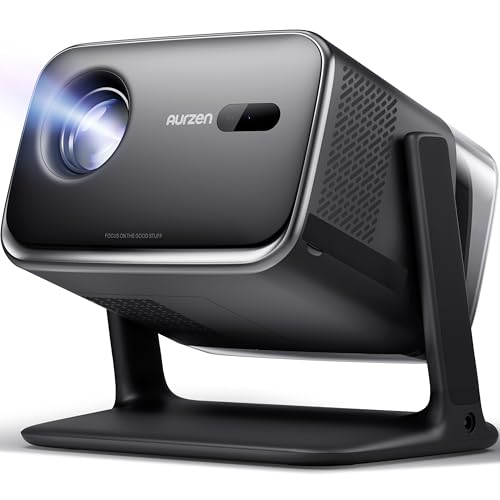
Smart projectors have completely changed how we think about home entertainment. Gone are the days when you needed a tangle of cables connecting your projector to a streaming stick, gaming console, and sound system. Today's smart projectors pack everything into one sleek device – streaming apps, wireless connectivity, powerful speakers, and intelligent image processing that automatically adjusts for perfect picture quality.
But here's where it gets interesting: not all smart projectors are built the same way. Some prioritize portability and flexibility, while others focus on creating the ultimate home theater experience. This fundamental difference is perfectly illustrated by Aurzen's two popular models – the BOOM Mini and the BOOM 3.
Both projectors launched in recent years as Aurzen refined their smart projector technology, with the BOOM Mini representing their latest approach to portable entertainment (released in 2025) and the BOOM 3 establishing their home theater credentials. The improvements since their earlier models include better auto-focus systems, more sophisticated audio processing, and smarter operating systems that actually work reliably.
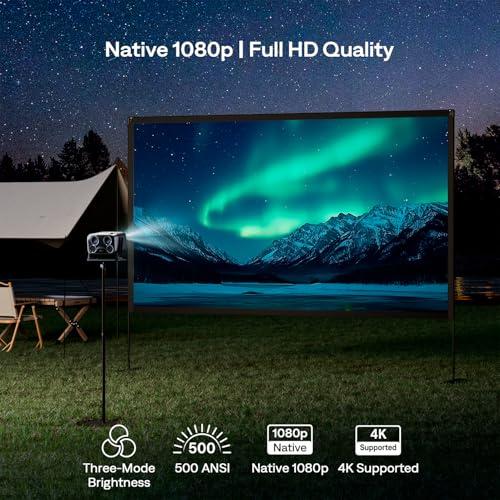
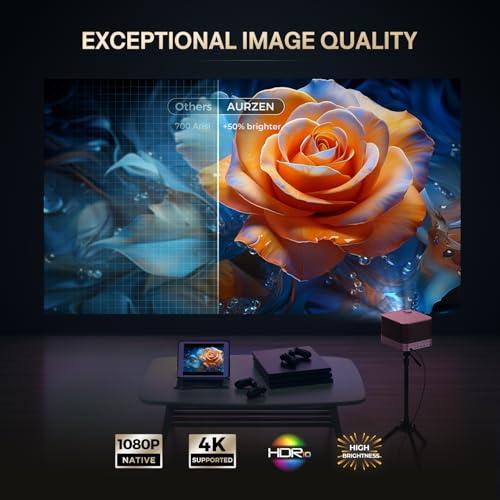
Before diving into the differences, let's establish what both projectors share. They're both native 1080p projectors, which means they actually display at 1920x1080 resolution – not upscaled from a lower resolution like many cheaper models. This matters because you get genuinely sharp text and crisp details, especially important for reading subtitles or using the projector for presentations.
Both deliver 500 ANSI lumens of brightness. ANSI lumens is the honest measurement standard that tells you real-world brightness, not the inflated "lumens" numbers you see on cheap projectors. At 500 ANSI lumens, these projectors work great in dark rooms and are usable in dim lighting, though you'll want to control ambient light for the best experience.
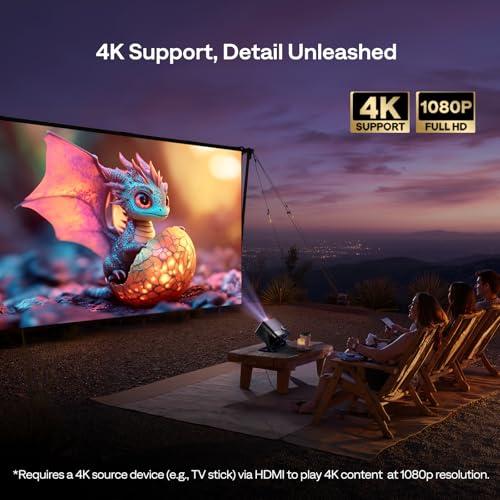
They also support 4K input, meaning your 4K streaming content and Blu-rays will look their best even though the projectors display at 1080p. The built-in processing does a good job downscaling 4K content while preserving detail and color information.
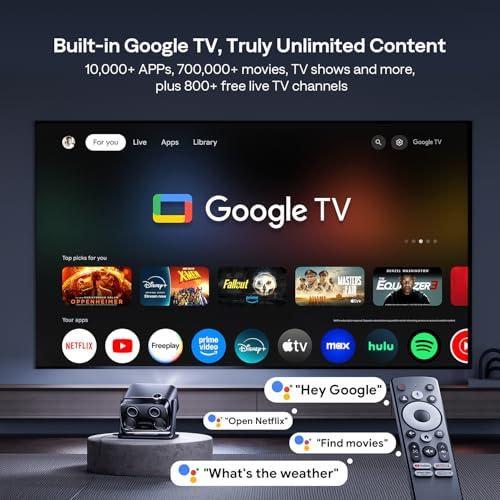
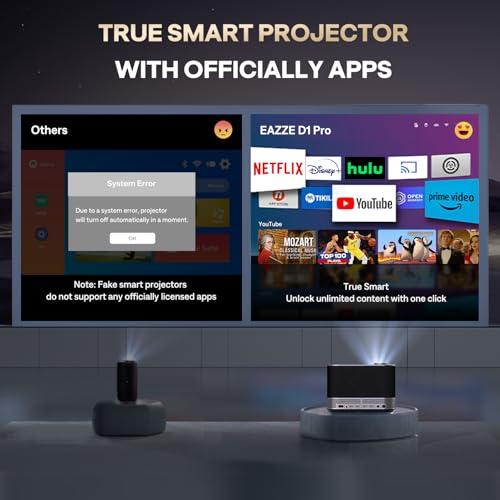
Here's where these projectors first diverge dramatically. The BOOM Mini runs full Google TV – the same system you'd find on high-end smart TVs and streaming devices. This gives you access to over 10,000 apps through the Google Play Store, including all the major streaming services like Netflix, Disney+, Hulu, YouTube, and Prime Video.
Google TV's strength lies in its ecosystem integration. You can use Google Assistant voice commands to find content, control playback, or even adjust smart home devices. The Chromecast functionality built-in means seamless casting from your phone, tablet, or laptop. Parents will appreciate the robust Kids Mode that filters content and manages screen time.
The BOOM 3, by contrast, uses Aurzen's proprietary Smart OS. This might sound limiting, but it's actually quite smart. Instead of trying to be everything to everyone, it focuses on the streaming services most people actually use: Netflix, Prime Video, and YouTube. These apps are officially licensed and deeply integrated into the system, so they load faster and run more reliably than you might experience with some third-party implementations.
The trade-off is clear: Google TV offers massive flexibility and constant updates, while the proprietary system prioritizes stability and simplicity. If you're someone who discovers new streaming services regularly or uses niche apps, the BOOM Mini is the obvious choice. If you're content with the big three streaming services and want zero fuss, the BOOM 3 might actually be preferable.
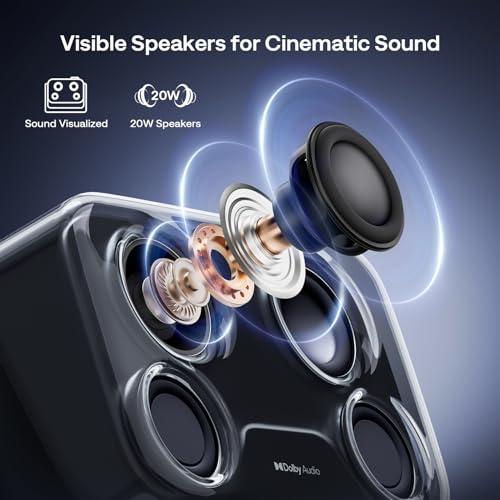
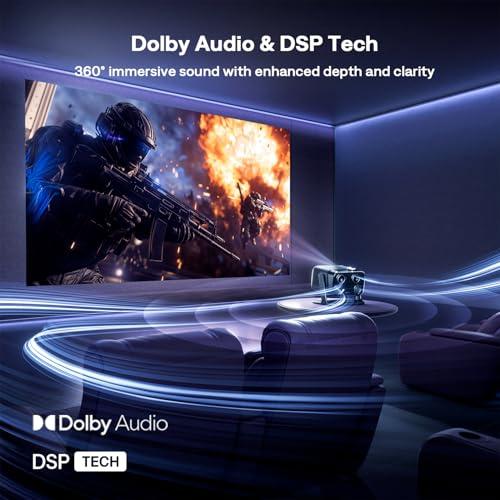
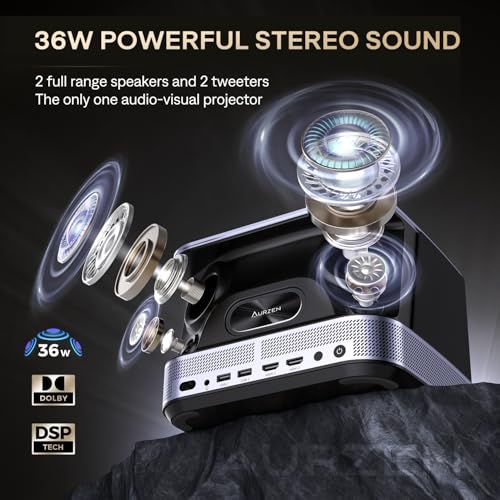
This is where the BOOM 3 absolutely destroys the competition. While the BOOM Mini has respectable 20W Dolby Audio through dual 10W speakers, the BOOM 3 packs a serious 36W 2.2-channel audio system with four dedicated speakers and advanced DSP (Digital Signal Processing).
Let me put this in perspective: most budget projectors have tinny 5-10W speakers that you'll immediately want to replace. The BOOM Mini's 20W setup is actually quite good – clear dialogue, decent volume, and enough bass for casual viewing. It'll fill a typical living room without needing external speakers.
But the BOOM 3's audio system is in a completely different league. The 2.2-channel configuration means you get dedicated left and right channels plus enhanced bass response. The four-speaker setup includes specialized drivers for different frequency ranges, creating genuine stereo separation and room-filling sound that rivals dedicated soundbars.
The DSP technology automatically adjusts the audio based on content type and room acoustics, ensuring dialogue stays clear during quiet scenes while delivering impactful sound effects during action sequences. Based on user reviews and expert evaluations, the audio quality difference is immediately apparent – the kind of improvement that makes you realize how much you were missing.
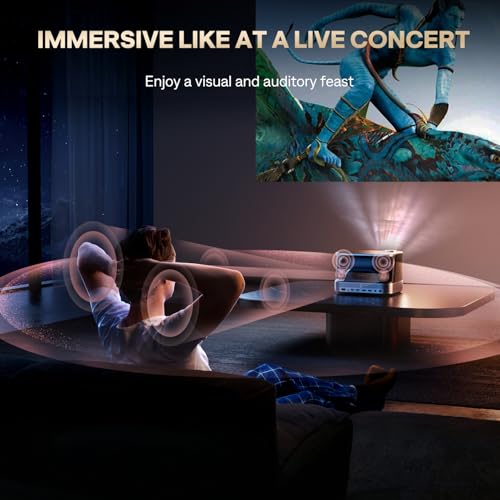
For home theater use, this audio difference is crucial. While you can always add external speakers to the BOOM Mini, the BOOM 3 delivers that immersive audio experience right out of the box. If you're planning movie nights or want to feel the rumble of explosions in your chest, the BOOM 3 is worth the extra cost just for the audio upgrade.
Both projectors deliver excellent image quality for their price range, but there are subtle differences worth understanding. The shared 1000:1 contrast ratio means both handle the transition between bright and dark scenes well, avoiding the washed-out look of cheaper LCD projectors.
Color performance is where modern projectors really shine compared to older models. Both support HDR10, which expands the color gamut (the range of colors the projector can display) and improves contrast. This isn't just marketing speak – HDR content genuinely looks more vibrant and lifelike, with better shadow detail and more realistic skin tones.
The BOOM 3 has a slight edge in image stability and edge-to-edge focus uniformity, likely due to its more sophisticated calibration system. This becomes noticeable at larger screen sizes – say, over 100 inches – where the BOOM 3 maintains sharper focus across the entire image while the BOOM Mini might show slight softness at the very edges.
For throw ratio (how far you need to place the projector for a given screen size), both use similar 1.35-1.36:1 ratios. This means for a 100-inch image, you'll need about 11-12 feet of distance. This is fairly standard and works well for most living rooms.
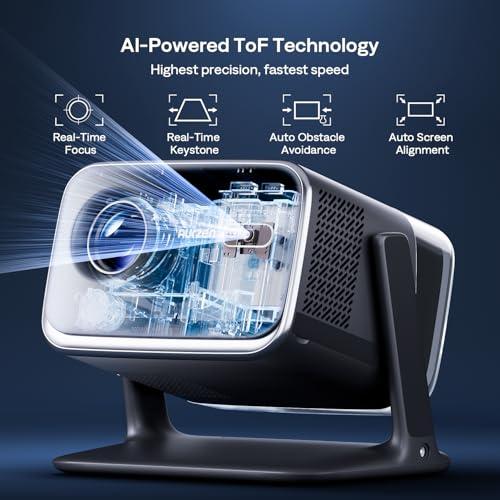
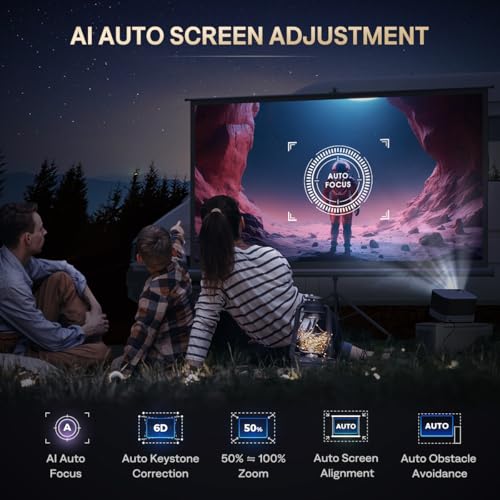
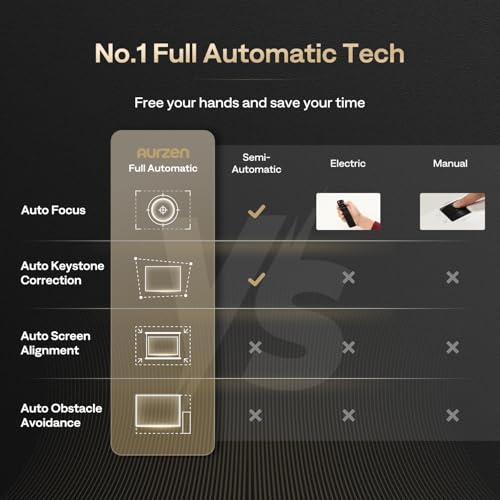
Both projectors feature advanced auto-focus systems that would have been unimaginable in projectors just a few years ago. The BOOM Mini uses ToF (Time of Flight) sensors that work like smartphone cameras, measuring distance by timing light pulses. This enables real-time focus adjustment in about 3 seconds, even if you bump the projector or change the projection distance.
The BOOM 3 takes a different approach with AI-powered focus using a 9-directional gyroscope system. This not only handles focus but also manages 6D keystone correction, which automatically adjusts the image shape when the projector isn't perfectly perpendicular to the screen. The system can detect and compensate for tilt, rotation, and angle distortion simultaneously.
Both include auto obstacle avoidance, which detects objects in the projection path and adjusts the image around them. It's surprisingly useful when you have furniture or decorative items that partially block the screen.
The practical difference? The BOOM Mini focuses on speed and simplicity – perfect for someone who frequently moves the projector. The BOOM 3 emphasizes precision and sophistication, better suited for permanent installations where perfect calibration matters more than setup speed.
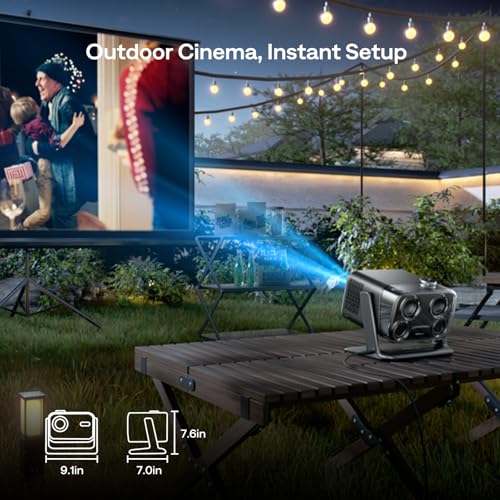
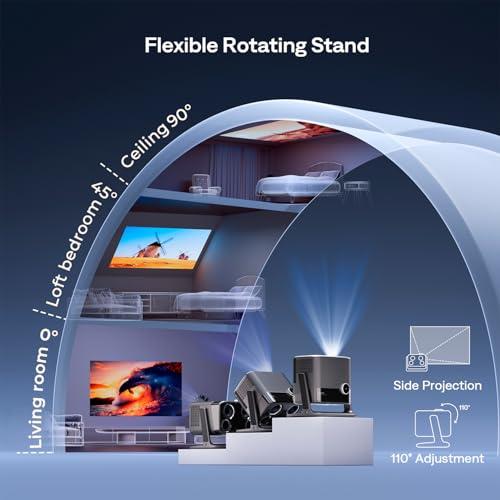
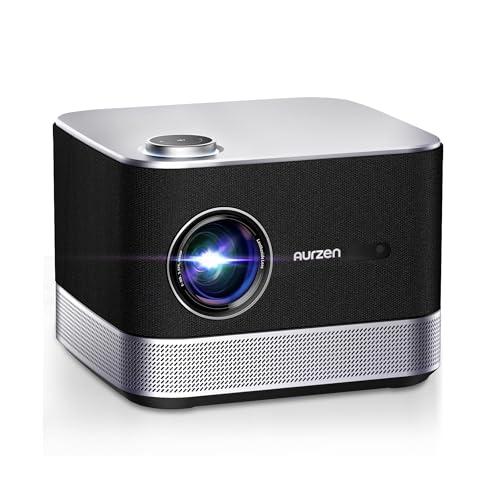
The physical design tells the story of each projector's intended use. The BOOM Mini measures just 9.1 × 7 × 7.6 inches and weighs under 5 pounds, making it genuinely portable. The built-in 110° flexible gimbal stand is brilliant – you can project onto walls, screens, or even ceilings without needing additional hardware. This flexibility opens up use cases like backyard movie nights, bedroom ceiling projection, or taking the projector to friends' houses.
The BOOM 3 adopts a more traditional projector form factor that's designed for stability. While still relatively compact, it's clearly intended for tripod mounting or permanent installation. The all-around base ventilation and professional design aesthetics signal this is meant to be a centerpiece of your entertainment setup.
Build quality feels solid on both, but they serve different masters. The BOOM Mini optimizes for convenience and flexibility, while the BOOM 3 prioritizes performance and longevity in a fixed location.
Modern projectors live or die by their connectivity, and both models handle this well with different emphases. The BOOM Mini includes one HDMI port, two USB-A ports, and 3.5mm audio out, plus dual-band Wi-Fi and Bluetooth 5.1. The Google Cast integration works flawlessly for wireless content from phones and computers.
The BOOM 3 provides two HDMI ports, two USB ports, audio out, plus Wi-Fi and Bluetooth 5.2. That extra HDMI port is genuinely useful if you want to connect both a gaming console and streaming device simultaneously, reducing cable swapping.
Both handle wireless streaming well, but the BOOM Mini's Google TV integration feels more seamless for mixed-device households. The BOOM 3 works great but requires more intentional setup for wireless content sharing.
Based on extensive user reviews and expert evaluations, both projectors perform admirably in typical home environments. In dark rooms, both deliver impressive image quality that competes with dedicated home theater projectors costing significantly more. Colors are vibrant, motion is smooth, and fine details remain sharp.
The 500 ANSI lumens limitation becomes apparent in bright environments – neither is suitable for daytime outdoor use or well-lit rooms. However, both work fine with controlled ambient lighting, like table lamps or indirect ceiling lights.
For gaming, both handle modern consoles well with low input lag and smooth motion. The BOOM 3's superior audio enhances the gaming experience, while the BOOM Mini's flexibility lets you optimize projection angle for different gaming setups.
Screen size sweet spots differ slightly. The BOOM Mini performs excellently from 60-120 inches, while the BOOM 3 maintains better image quality up to 150+ inches thanks to its more sophisticated optical system.
At the time of writing, both projectors occupy different value propositions in the smart projector market. The BOOM Mini typically costs less and delivers exceptional value for users prioritizing flexibility and smart features. The BOOM 3 commands a premium but justifies it with significantly better audio and advanced calibration features.
For families, the BOOM Mini makes more sense. The Google TV ecosystem, Kids Mode, voice control, and portable design align perfectly with family entertainment needs. You can easily move it from the living room to a child's bedroom, take it outside for movie nights, or let kids use it for educational content with proper parental controls.
Home theater enthusiasts should seriously consider the BOOM 3. The superior audio system alone justifies the price difference if you're creating a dedicated viewing space. The advanced calibration ensures optimal image quality for your specific room, and the dual HDMI ports accommodate multiple high-end sources.
The choice between the BOOM Mini and BOOM 3 ultimately depends on how you plan to use your projector. The BOOM Mini excels as a flexible, family-friendly entertainment device that adapts to your lifestyle. Its Google TV integration, portability, and ease of use make it perfect for most consumers who want a smart projector that "just works" everywhere.
The BOOM 3 is the choice for serious home entertainment. If you're building a dedicated viewing space and prioritize audio quality, the additional cost pays dividends in daily use. The superior sound system transforms movie watching into a truly immersive experience that rivals commercial theaters.
Neither projector is perfect – both struggle in bright environments and benefit from screen sizes under their maximum capabilities. But both represent excellent value in the rapidly improving smart projector market. Your decision should be based on whether you prioritize flexibility and smart features (BOOM Mini) or audio quality and permanent installation benefits (BOOM 3).
| Aurzen BOOM Mini Smart Projector Google TV | Aurzen BOOM 3 Smart Projector |
|---|---|
| Native Resolution - Determines image sharpness and detail quality | |
| 1920x1080 (Full HD) with 4K input support | 1920x1080 (Full HD) with 4K input support |
| Brightness - Critical for room lighting compatibility | |
| 500 ANSI lumens (good for dark/dim rooms) | 500 ANSI lumens (good for dark/dim rooms) |
| Audio System - Major differentiator for immersive experience | |
| 20W Dolby Audio (dual 10W speakers) | 36W 2.2-channel system (four speakers with DSP) |
| Smart Platform - Determines app selection and ecosystem integration | |
| Google TV with 10,000+ apps, voice control, Chromecast | Proprietary Smart OS with Netflix, Prime Video, YouTube |
| Auto-Focus Technology - Affects setup convenience and image clarity | |
| Real-time ToF sensors with 3-second adjustment | AI-powered with 9-directional gyroscope system |
| Keystone Correction - Essential for flexible projector placement | |
| Real-time horizontal & vertical correction | 6D keystone correction with obstacle avoidance |
| Design & Portability - Impacts where and how you can use the projector | |
| Compact 9.1×7×7.6" with 110° flexible gimbal stand | Larger traditional form with tripod/ceiling mount design |
| Connectivity Options - Determines device compatibility | |
| 1 HDMI, 2 USB, Wi-Fi, Bluetooth 5.1, Google Cast | 2 HDMI, 2 USB, Wi-Fi, Bluetooth 5.2 |
| Target Use Case - Who each projector serves best | |
| Portable family entertainment with smart home integration | Dedicated home theater with premium audio experience |
| Projection Size Range - Optimal viewing experience | |
| 40"-200" (sweet spot 60"-120") | 60"-250" (better performance up to 150"+) |
| Memory & Storage - Affects app performance and content storage | |
| 2GB RAM + 16GB storage | Not specified (proprietary OS optimized) |
| Special Features - Unique capabilities that add value | |
| Kids Mode, Google Assistant, ceiling projection capability | Superior stereo separation, advanced calibration, dual HDMI |
The Aurzen BOOM 3 delivers significantly better audio with its 36W 2.2-channel system featuring four speakers and DSP technology. The Aurzen BOOM Mini has decent 20W Dolby Audio, but the BOOM 3 provides room-filling, cinematic sound that eliminates the need for external speakers in most home theater setups.
The Aurzen BOOM Mini runs full Google TV with access to over 10,000 apps, Google Assistant voice control, and seamless casting from any device. The Aurzen BOOM 3 uses a proprietary Smart OS with direct access to Netflix, Prime Video, and YouTube - fewer options but faster, more reliable performance for those core streaming services.
The Aurzen BOOM Mini is clearly designed for portability with its compact 9.1×7×7.6-inch design and 110° flexible gimbal stand. You can easily move it between rooms, take it outdoors, or project onto ceilings. The BOOM 3 is larger and designed for permanent installation with tripod or ceiling mounting.
Both the Aurzen BOOM Mini and BOOM 3 share identical core specs: native 1080p resolution, 500 ANSI lumens brightness, and HDR10 support. The BOOM 3 has slightly better edge-to-edge focus uniformity at larger screen sizes, but both deliver excellent image quality for their price range.
The Aurzen BOOM Mini is more family-friendly thanks to Google TV's robust Kids Mode with content filtering and screen time management. Its portability also makes it perfect for moving between kids' rooms or outdoor family movie nights. The BOOM 3 lacks dedicated parental controls but offers superior audio for family movie experiences.
The Aurzen BOOM Mini uses real-time ToF sensors that adjust focus in about 3 seconds, perfect for frequent repositioning. The BOOM 3 features AI-powered autofocus with a 9-directional gyroscope system that's more sophisticated and precise, ideal for permanent installations where perfect calibration matters most.
Neither the Aurzen BOOM Mini nor BOOM 3 excels in bright environments, as both output 500 ANSI lumens. Both work best in dark or dimly lit rooms. For daytime viewing, you'll need to control ambient light regardless of which model you choose.
The Aurzen BOOM Mini includes 1 HDMI port, 2 USB ports, and excellent wireless connectivity with Google Cast. The BOOM 3 provides 2 HDMI ports, 2 USB ports, and standard wireless connections. The extra HDMI port on the BOOM 3 is useful for connecting multiple devices simultaneously.
Both the Aurzen BOOM Mini and BOOM 3 handle gaming well with low input lag and smooth motion. The BOOM Mini offers more flexibility for different gaming setups due to its portable design, while the BOOM 3 provides superior audio that enhances the gaming experience.
The Aurzen BOOM Mini projects 40"-200" with optimal performance at 60"-120". The BOOM 3 handles 60"-250" and maintains better image quality up to 150"+ thanks to its more advanced optical system. For large home theater screens, the BOOM 3 has the advantage.
The Aurzen BOOM Mini typically offers better value for users wanting flexibility, smart features, and family-friendly functionality. The BOOM 3 provides better value for home theater enthusiasts who prioritize audio quality and plan permanent installations, justifying its higher cost with significantly superior sound.
Choose the Aurzen BOOM Mini if you want maximum app selection, portability, family features, and smart home integration. Choose the BOOM 3 if you're building a dedicated home theater, prioritize audio quality, need advanced calibration features, or frequently use projection sizes over 100 inches.
We've done our best to create useful and informative comparisons to help you decide what product to buy. Our research uses advanced automated methods to create this comparison and perfection is not possible - please contact us for corrections or questions. These are the sites we've researched in the creation of this article: aurzen.com - aurzen.com - the-gadgeteer.com - projectorcentral.com - aurzen.com - aurzen.com - youtube.com - bestbuy.com - bestbuy.com - youtube.com - aurzen.com - youtube.com - hometechnologyreview.com - youtube.com - aurzen.com - youtube.com - projectorcentral.com - aurzen.com - newegg.com - youtube.com - bestbuy.com - aurzen.com - youtube.com - aurzen.com - projectorcentral.com - youtube.com - youtube.com - criticalpopcorn.com - aurzen.com - bestbuy.com - aurzen.com - manuals.plus - youtube.com

Privacy Policy
Terms and Conditions - Affiliate Policy
Home Security
© Copyright 2008-2026.
11816 Inwood Rd #1211, Dallas, TX 75244