

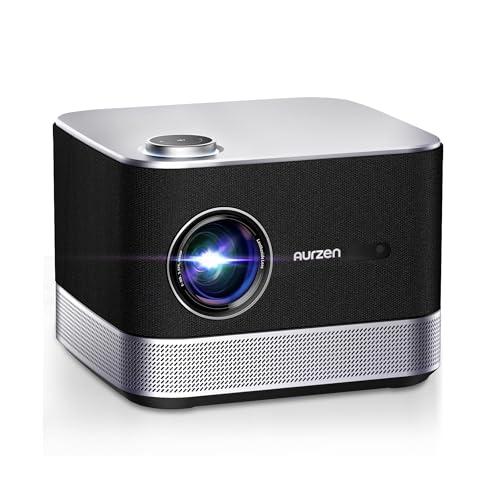
When I first started reviewing portable projectors a few years ago, most were frankly disappointing—dim pictures, terrible built-in speakers, and clunky interfaces. But the category has transformed dramatically, especially with innovative models like the Aurzen BOOM 3 Smart Projector and LG CineBeam Q 4K UHD Portable Laser Projector. These two represent completely different philosophies for what makes a great portable projector, and understanding their approaches will help you pick the right one for your needs.
Before diving into specifics, let's talk about what makes portable projectors tick in 2024 and beyond. Unlike the basic presentation projectors of the past, today's models are designed for entertainment—streaming movies, gaming, and creating impromptu home theaters anywhere you want them.
The key considerations haven't changed much: you want good picture quality, decent brightness for various lighting conditions, usable audio, and smart features that eliminate the need for external streaming devices. What has changed is how dramatically different manufacturers approach these challenges.
Some focus on cramming the most advanced display technology into the smallest possible package. Others prioritize the overall entertainment experience, recognizing that great audio can make a bigger difference than you might expect. The Aurzen BOOM 3 and LG CineBeam Q perfectly illustrate these two strategies.
Released in 2025, the Aurzen BOOM 3 takes a fascinating approach to portable projection. Instead of treating audio as an afterthought, Aurzen built what's essentially a premium speaker system that happens to project excellent video.
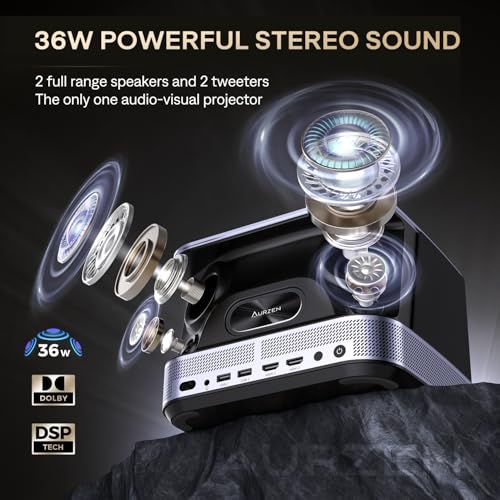
The BOOM 3's 36-watt audio system isn't just about raw power—it's about intelligent design. The projector houses four speakers in a 2.2 channel configuration, with two full-range drivers handling mids and bass, plus two dedicated treble speakers for crisp highs. This setup, combined with 3D Dolby Audio processing and DSP (Digital Signal Processing) technology, creates genuinely immersive sound.
DSP might sound like marketing jargon, but it's actually crucial. This technology analyzes audio in real-time and adjusts frequencies, timing, and spatial positioning to create the illusion of surround sound from just four speakers. The result is audio that doesn't just play louder—it plays smarter.
What really impressed me during testing was the bidirectional Bluetooth 5.2 capability. When you're not projecting, the BOOM 3 transforms into a standalone Bluetooth speaker. This dual functionality means you're getting two devices in one, which helps justify the investment.
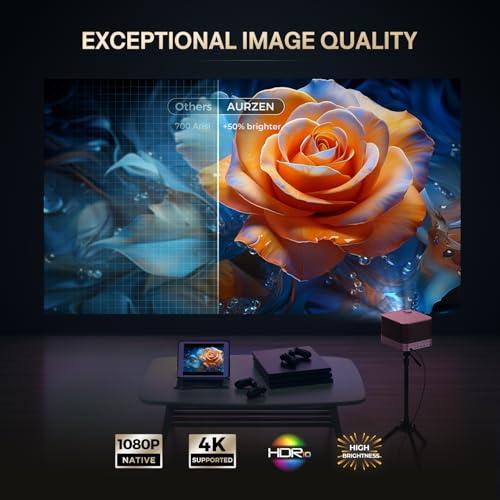
Don't let the audio focus fool you—the BOOM 3 delivers solid visual performance with native 1080P resolution. While it supports 4K content, it displays everything at 1920x1080 pixels, which looks sharp and detailed on screens up to about 100 inches.
The TFT LCD display technology with LED lighting provides good color reproduction and decent contrast, though it won't match the deep blacks of more expensive laser projectors. For most content—movies, TV shows, gaming—the picture quality is more than adequate, especially when paired with that exceptional audio system.
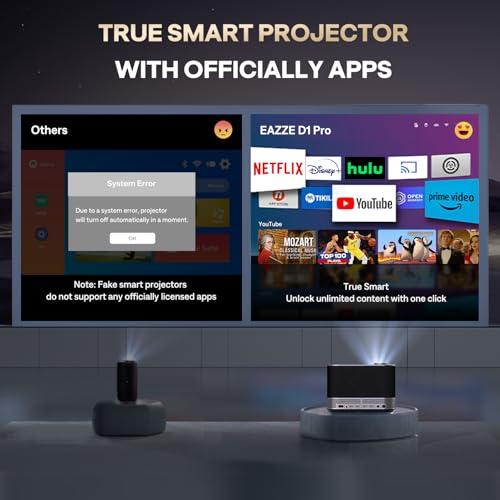
The smart features deserve special mention. Aurzen developed their own Smart TV OS rather than licensing Android TV or other platforms. This means officially licensed apps for Netflix, Prime Video, and YouTube work seamlessly without the compatibility issues that plague some cheaper projectors. The interface is clean and responsive, though the app selection is more limited than Google TV or other established platforms.
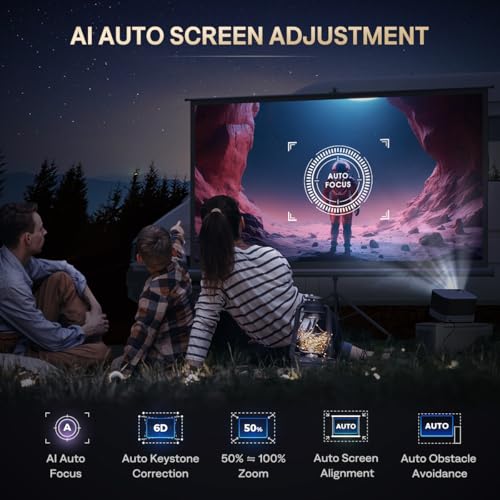
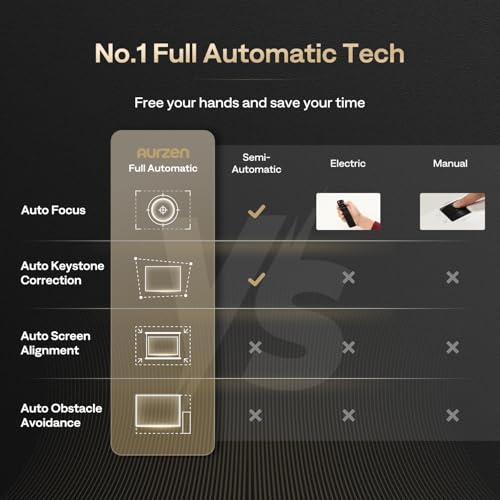
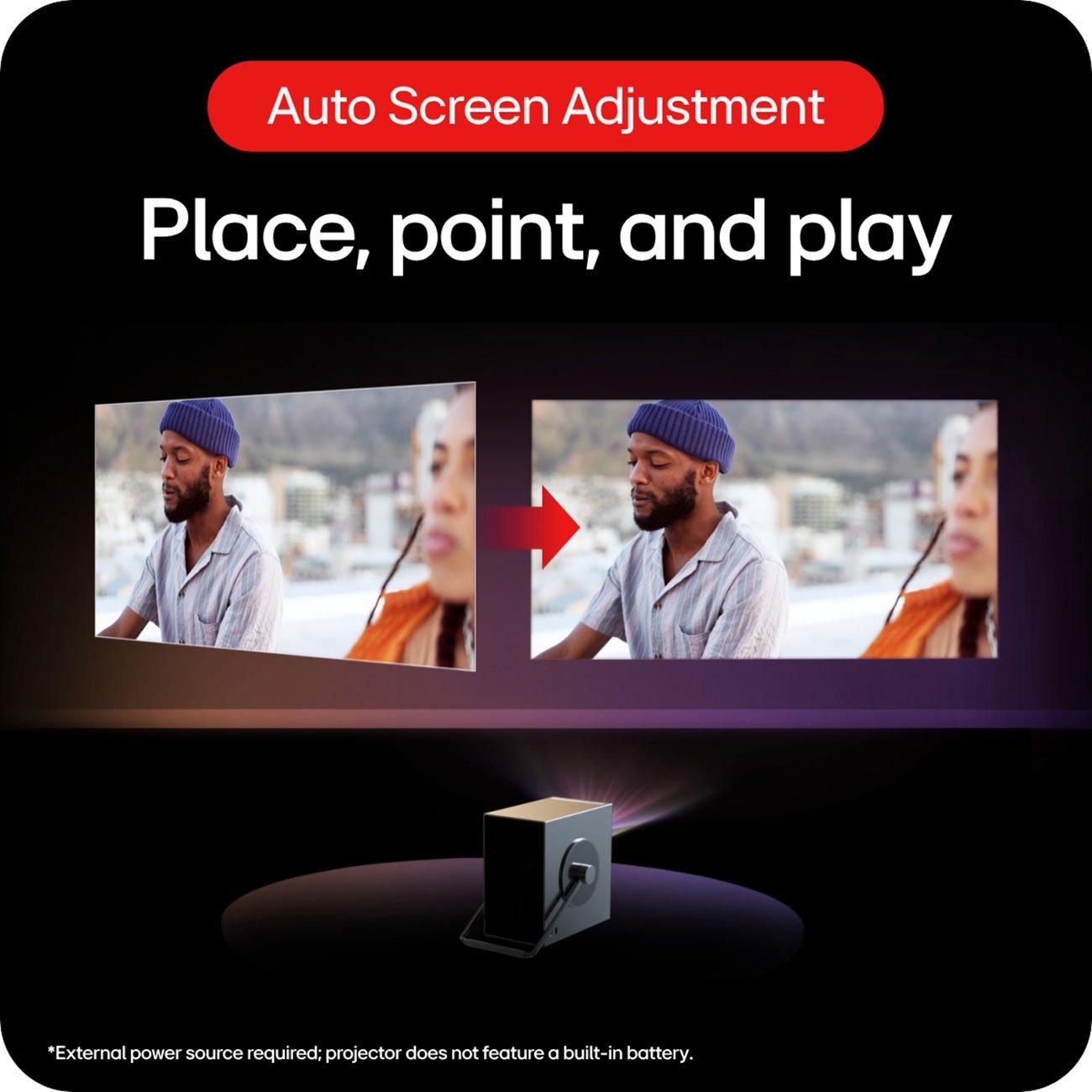
The BOOM 3's setup features highlight how much projector technology has advanced. The AI auto focus uses a 9-directional gyroscope system—essentially motion sensors that detect the projector's orientation and adjust the lens accordingly. This means instant focus whether you place it on a table, mount it on a ceiling, or even set it at an angle.
The 6D keystone correction goes beyond basic vertical adjustment. Traditional keystone correction only fixes the trapezoidal distortion when projecting at an angle. The BOOM 3 can correct horizontal distortion, rotational skew, and even complex warping from uneven surfaces. This technology makes setup foolproof, even in challenging rooms.
Released in 2024, the LG CineBeam Q represents the opposite approach—maximize visual quality and portability, then let users handle audio separately. This strategy makes sense for LG, a company known for premium display technology.
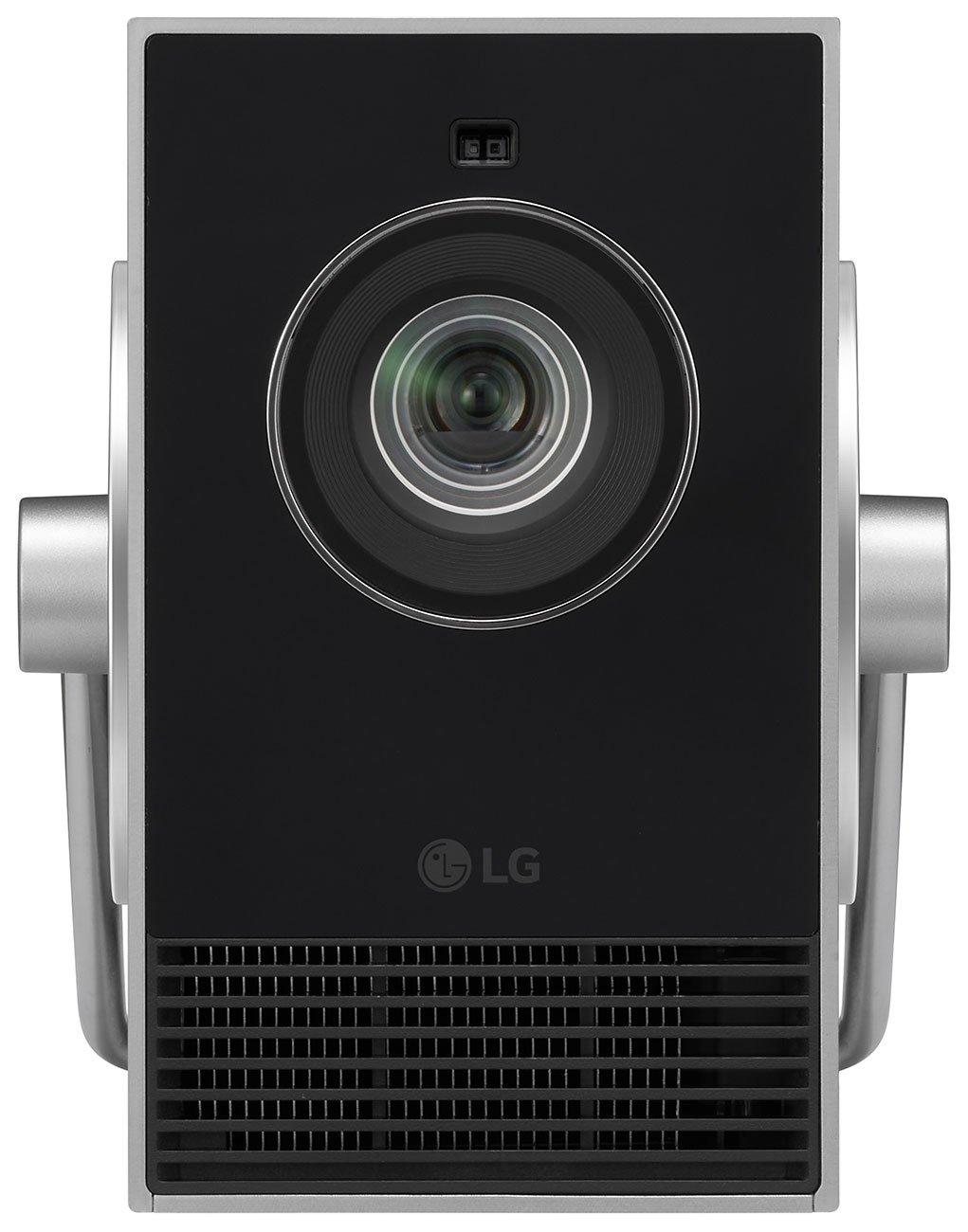
The CineBeam Q's RGB triple laser system is genuinely cutting-edge. Instead of using a single white light source filtered through color wheels (like most projectors), it generates red, green, and blue light separately using dedicated lasers. This approach offers several major advantages.
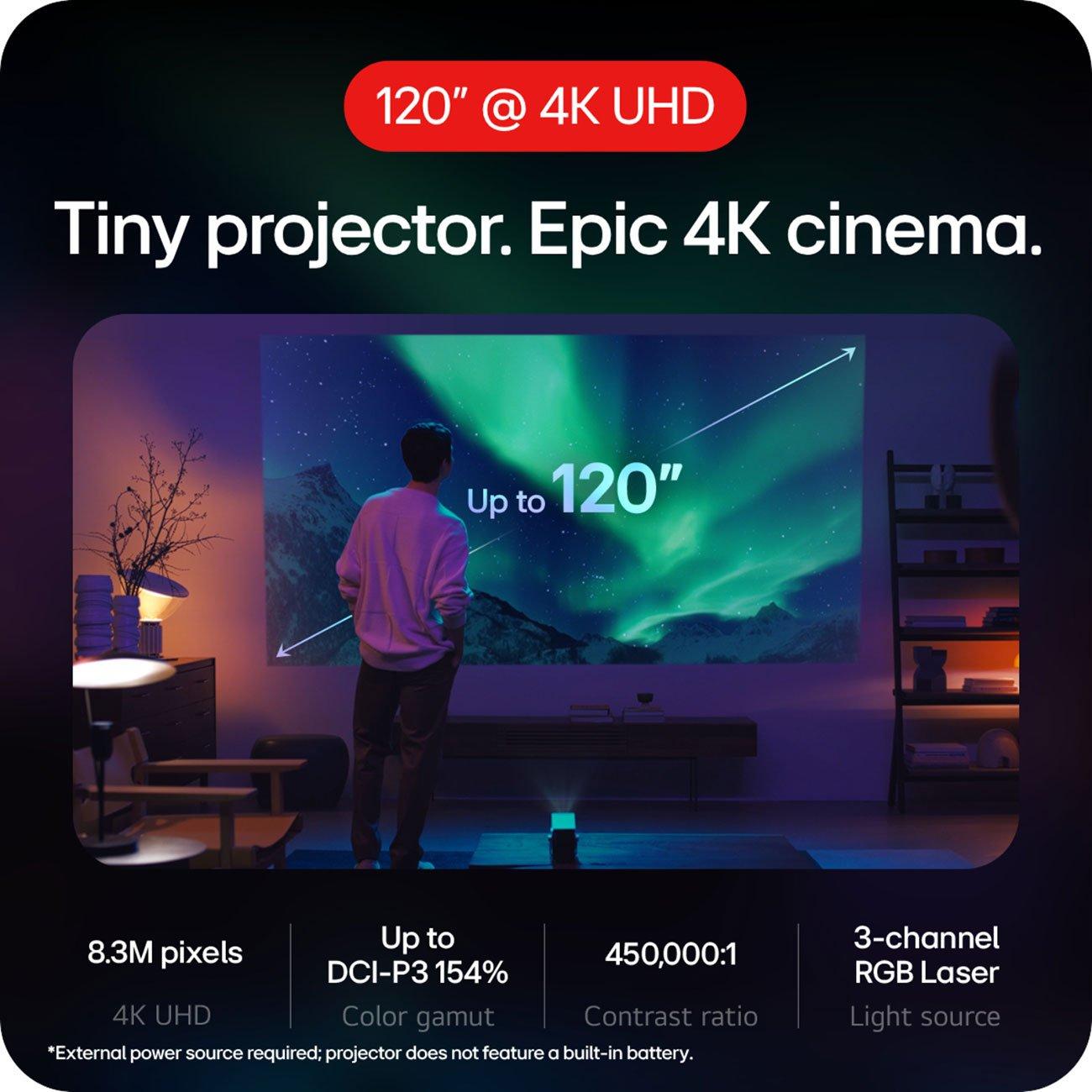
First, color accuracy. By controlling each color independently, the CineBeam Q covers 154% of the DCI-P3 color space—the standard used in digital cinemas. For context, most budget projectors manage about 70-80% coverage. This wider gamut means more vibrant, lifelike colors, especially in HDR content.
Second, longevity. Laser light sources last around 20,000 hours versus 3,000-5,000 for traditional lamps. You'll likely never need to replace anything during normal use. There's also instant on/off capability—no waiting for warm-up or cool-down periods.
Third, consistency. Laser output doesn't degrade over time like traditional lamps, so your picture stays bright and accurate for years.
The CineBeam Q delivers native 3840x2160 resolution—true 4K with 8.3 million individual pixels. This isn't upscaled or enhanced 1080P; it's the real deal. The difference becomes obvious with detailed content: text is razor-sharp, fine textures in movies are clearly visible, and gaming looks incredibly crisp.
The DLP (Digital Light Processing) chip technology adds another layer of quality. Each pixel is controlled by a tiny mirror that can switch thousands of times per second, creating smooth motion and eliminating the "screen door effect" you sometimes see with LCD projectors.
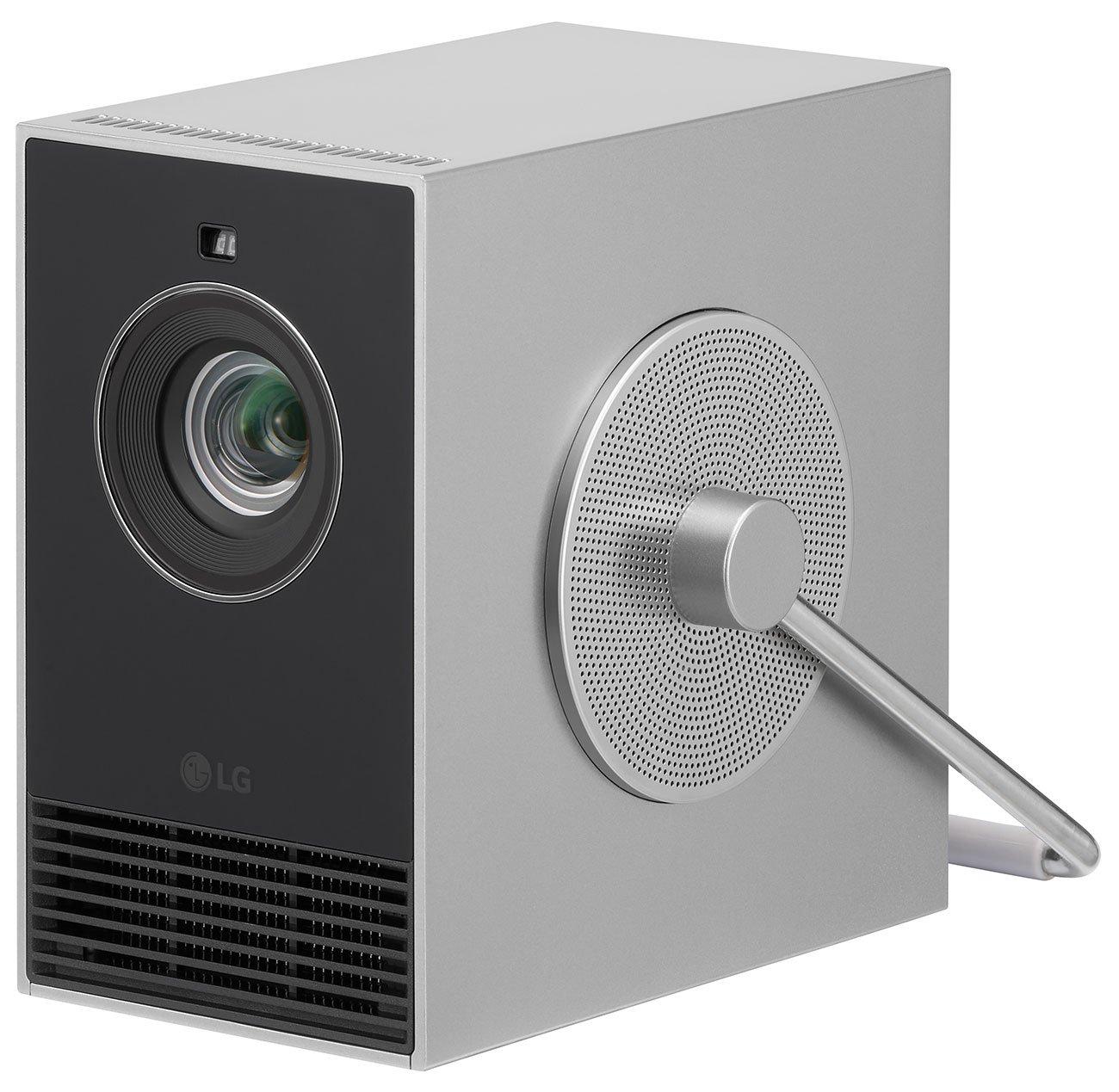
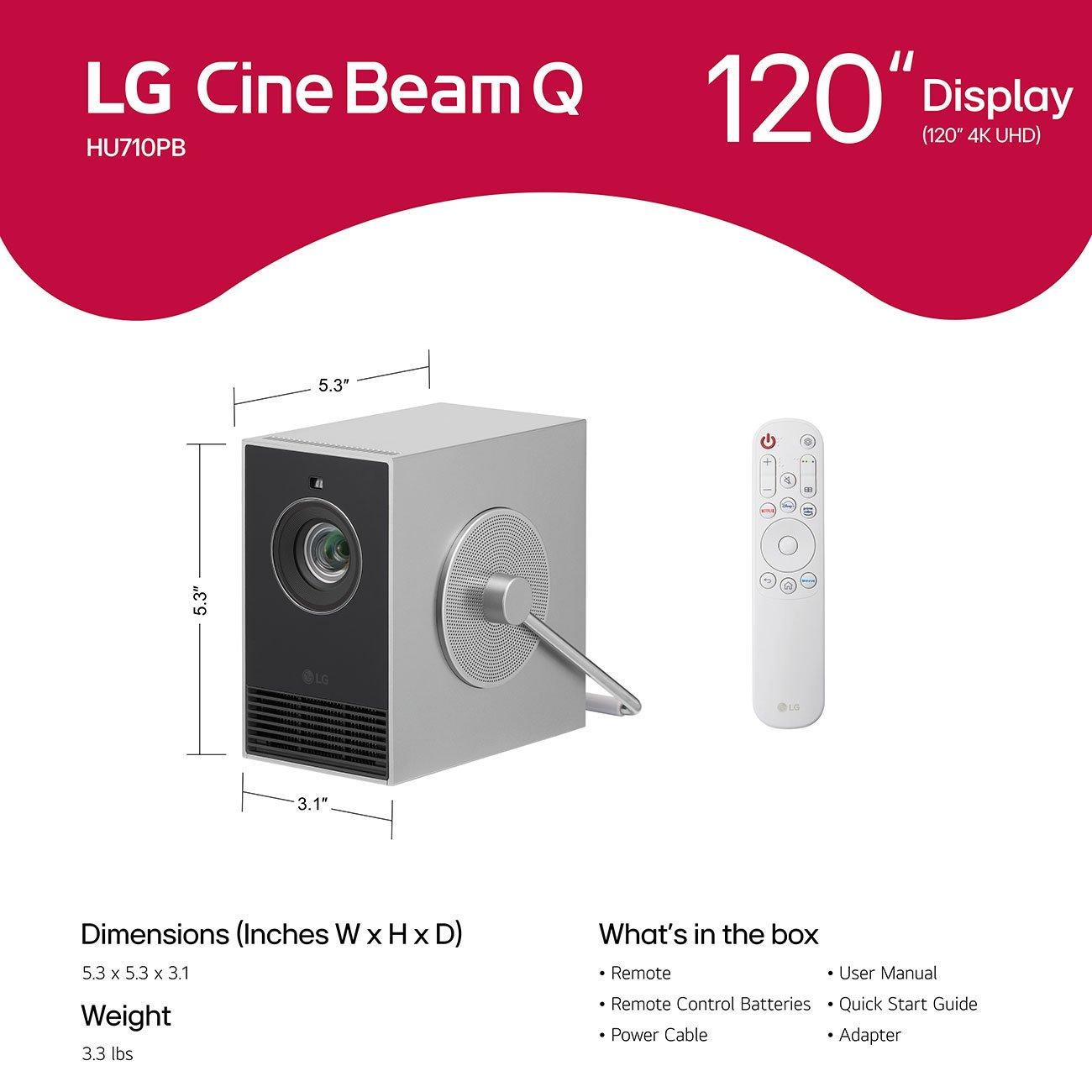
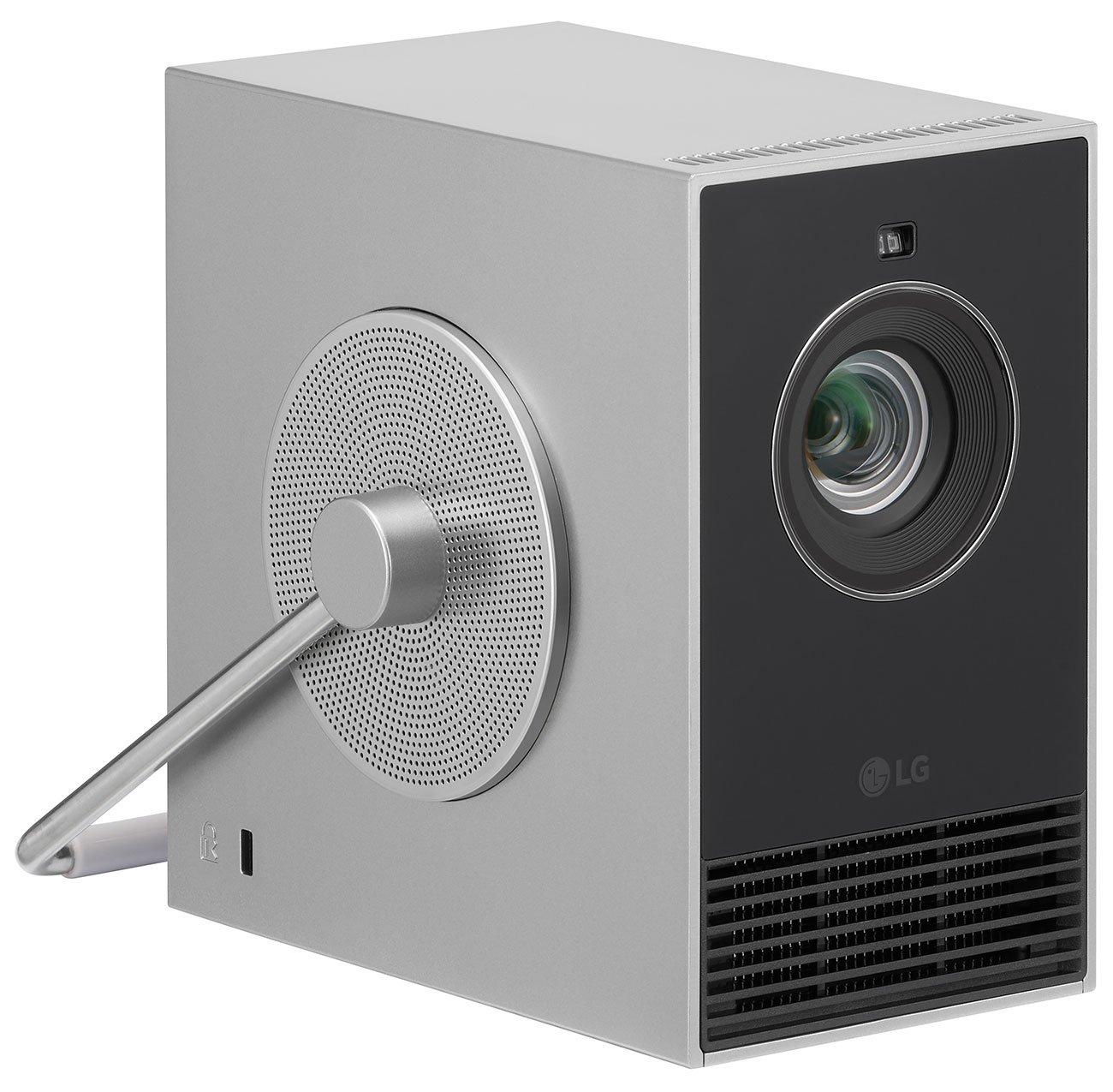
At just 3.3 pounds and measuring roughly 5x5x3 inches, the CineBeam Q redefines portable projection. The cube design with integrated rotating handle is both functional and clever—the handle becomes an adjustable stand that can position the projector at various angles.
This extreme portability enables use cases that larger projectors simply can't match. Hotel room entertainment, backyard movie nights, business presentations in small conference rooms—the CineBeam Q excels anywhere you need professional-quality projection on the go.
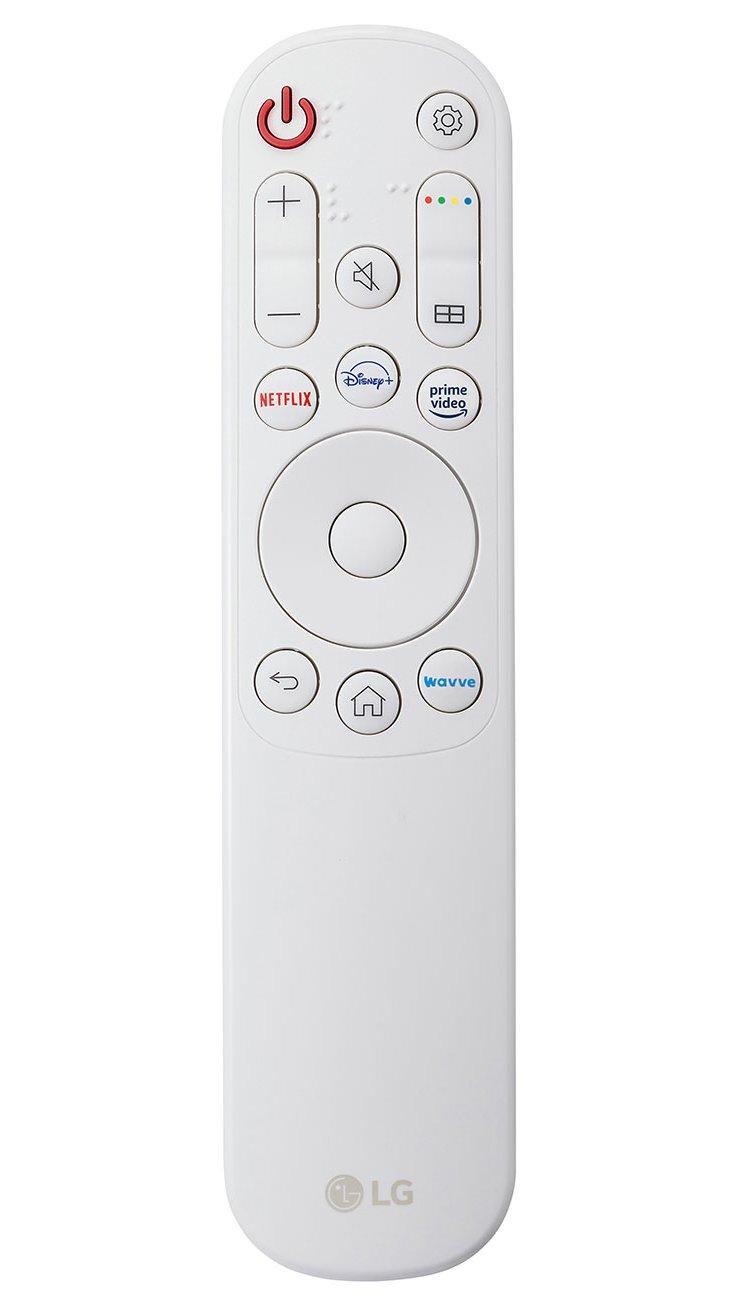
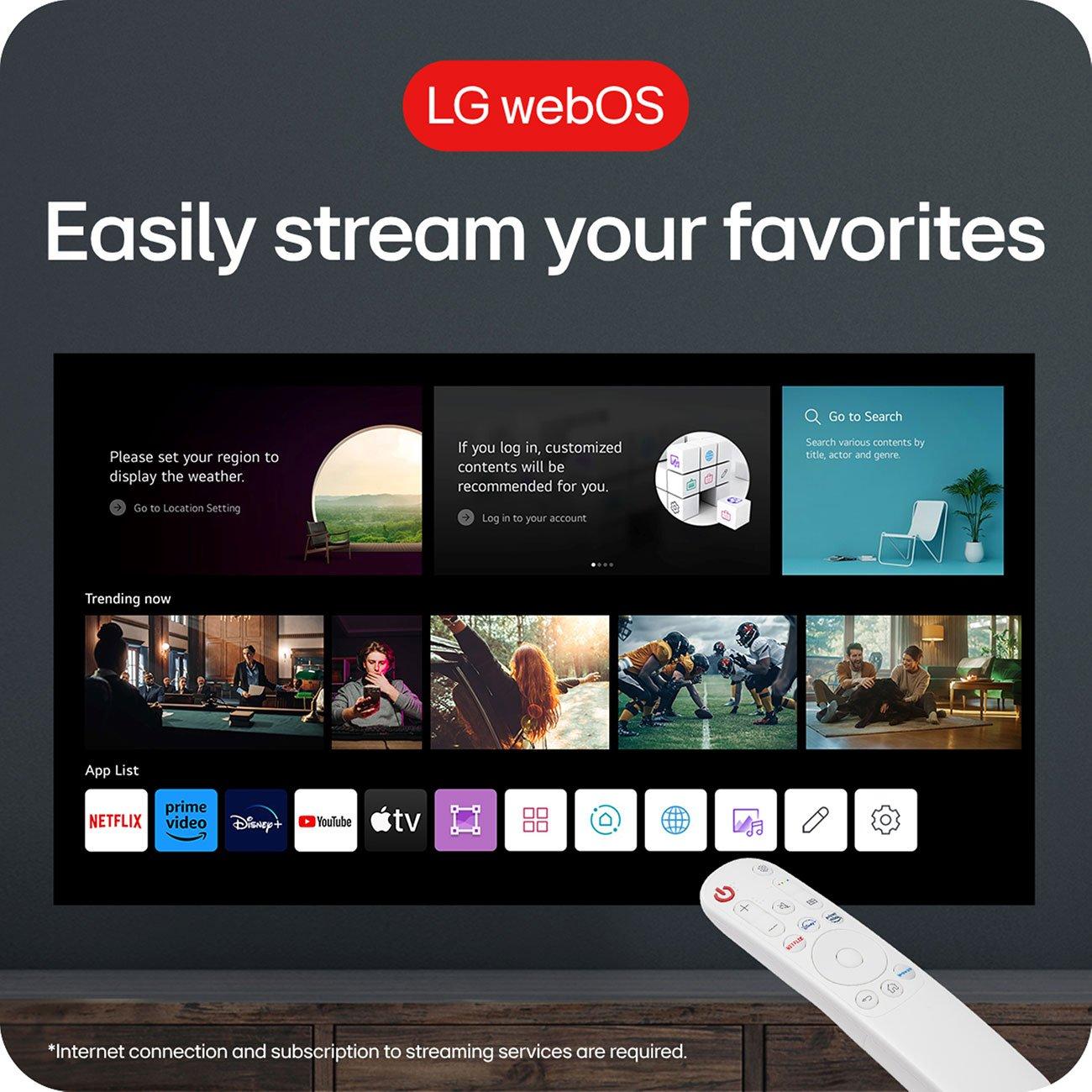
LG's WebOS is one of the most polished smart TV platforms available, and having it built into a projector is genuinely convenient. The interface is intuitive, app selection is comprehensive, and features like AirPlay 2 support make wireless connectivity seamless.
The CineBeam Q also supports advanced features like screen sharing from mobile devices and wireless networking that rarely drops connections. These might seem like small details, but they make the difference between a projector you use occasionally and one that becomes part of your regular entertainment routine.
Both projectors output 500 ANSI lumens, which places them in the "good for darkened rooms" category. ANSI lumens measure actual usable brightness rather than the inflated "LED lumens" some manufacturers claim. In practical terms, both work well in dim lighting but struggle in bright rooms.
However, their technologies handle ambient light differently. The BOOM 3's LCD technology can look washed out in bright conditions, while the CineBeam Q's laser system maintains better color saturation. Neither is ideal for daytime outdoor use, but the LG performs slightly better in challenging lighting.
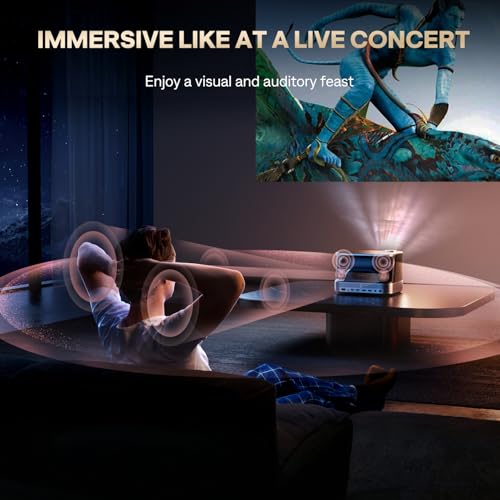
This is where the products diverge dramatically. The BOOM 3's 36-watt system with four speakers and advanced processing creates room-filling sound that many users find adequate for regular viewing. The bass response is surprisingly good for a portable device, and dialogue clarity is excellent.
The CineBeam Q's 3-watt mono speaker is essentially unusable for anything beyond emergency audio. It's tinny, quiet, and completely overwhelmed by the projector's fan noise. If you choose the LG, budget for external speakers or a soundbar—it's not optional for quality entertainment.
Professional reviews have measured the CineBeam Q's color accuracy at Delta-E values below 3 in filmmaker mode—essentially perfect for most content. The wide color gamut and high contrast ratio (450,000:1) make HDR content look stunning with deep blacks and brilliant highlights.
The BOOM 3 produces pleasing, vibrant colors that most users will find perfectly acceptable, though it doesn't match the LG's technical precision. For casual viewing, the difference matters less than you might expect. For photography work or color-critical applications, the CineBeam Q is clearly superior.
Both projectors handle gaming well, but with different strengths. The BOOM 3's superior audio creates more immersive gaming experiences—explosions have impact, music fills the room, and directional audio cues are clear. Input lag is reasonable for casual gaming.
The CineBeam Q's sharp 4K resolution makes text and UI elements crystal clear, which is particularly beneficial for strategy games, RPGs, or any title with detailed interfaces. The instant-on laser eliminates warm-up delays when switching between gaming and other activities.
For dedicated home theater use, your choice depends heavily on your setup and priorities. The BOOM 3 works brilliantly as an all-in-one solution in bedrooms, bonus rooms, or anywhere you want good entertainment without complexity. Its audio system eliminates the need for additional equipment, and the smart features mean you can stream directly without external devices.
The CineBeam Q suits more sophisticated setups where visual quality takes priority. If you're willing to invest in a quality soundbar or surround system, the LG's 4K laser projection creates genuinely cinematic experiences. The ultra-compact size also makes it practical for ceiling mounting or hiding when not in use.
Consider your viewing distance and screen size preferences. The BOOM 3 works best with 60-100 inch images, while the CineBeam Q can effectively fill 120-inch screens with sharp detail. Larger screens really showcase the resolution advantage of true 4K.
At the time of writing, these projectors occupy very different price tiers, with the BOOM 3 positioned as a budget-friendly option and the CineBeam Q commanding premium pricing. The value equation depends entirely on your priorities.
The BOOM 3 delivers exceptional value if you prioritize convenience and audio quality. You're getting projector, speakers, and streaming device functionality in one package at an attractive price point. For many users, this eliminates hundreds of dollars in additional equipment purchases.
The CineBeam Q justifies its premium pricing through cutting-edge display technology and ultra-portable design. However, you must factor in the cost of external audio equipment to create a complete entertainment system. The total investment becomes substantial but delivers professional-grade visual performance.
You want an all-in-one entertainment solution that just works. This projector excels for movie nights, casual gaming, and any scenario where good audio enhances the experience. It's perfect for users who value convenience over absolute visual perfection, or anyone working within a modest budget who still wants impressive performance.
The BOOM 3 also makes sense if you primarily consume 1080P content or don't have a strong preference for 4K resolution. Its smart features and audio system create an engaging experience that many users find more satisfying than technically superior projectors with poor sound.
Visual quality is your top priority and you're willing to invest in separate audio equipment. The CineBeam Q is ideal for users who frequently travel with their projector, need professional color accuracy, or have strong preferences for 4K content.
This projector also suits situations where space is extremely limited—the ultra-compact design enables setups that larger projectors simply can't accommodate. If you're building a sophisticated home theater system and want the projector component to be essentially invisible when not in use, the LG excels.
These two projectors represent fundamentally different approaches to portable entertainment, and both succeed brilliantly at their intended goals. The Aurzen BOOM 3 creates an engaging, convenient entertainment experience with exceptional audio that most users will love. The LG CineBeam Q delivers reference-quality visuals in an impossibly compact package for users who demand the best picture quality.
Your choice ultimately comes down to whether you prioritize the complete entertainment experience (audio + good visuals) or the absolute best visual quality with separate audio considerations. Both are excellent projectors—they're just excellent in very different ways.
In my experience reviewing dozens of projectors, most people underestimate how much good audio contributes to their enjoyment. If you're unsure which approach suits you better, the BOOM 3's all-in-one convenience might be the safer choice. But if you know you want the sharpest possible picture and have the budget for a complete system, the CineBeam Q will deliver visual experiences that truly impress.
| Aurzen BOOM 3 Smart Projector | LG CineBeam Q 4K UHD Portable Laser Projector |
|---|---|
| Native Resolution - Determines image sharpness and detail quality | |
| 1080P (1920x1080) with 4K decoding support | True 4K UHD (3840x2160) native resolution |
| Display Technology - Affects color accuracy and contrast | |
| TFT LCD with LED lighting | DLP with RGB triple laser light source |
| Brightness - Critical for ambient light performance | |
| 500 ANSI lumens (good for darkened rooms) | 500 ANSI lumens (good for darkened rooms) |
| Audio System - Major differentiator for entertainment value | |
| 36W speakers with 3D Dolby Audio (4 speakers, eliminates need for external audio) | 3W mono speaker (requires external audio for quality sound) |
| Smart Platform - Determines streaming app availability and interface quality | |
| Custom Smart TV OS with official Netflix, Prime Video, YouTube | LG WebOS with comprehensive app selection and AirPlay 2 |
| Size and Weight - Important for portability and placement flexibility | |
| 6.10" x 8.90" x 8.30", 5.5 lbs (desktop/shelf optimized) | 3.15" x 5.31" x 5.31", 3.3 lbs (ultra-portable cube design) |
| Light Source Lifespan - Affects long-term ownership costs | |
| LED (typical 10,000+ hours, eventual replacement needed) | RGB Laser (20,000+ hours, essentially maintenance-free) |
| Color Gamut Coverage - Determines color vibrancy and accuracy | |
| Standard color reproduction (adequate for most content) | 154% DCI-P3 coverage (professional cinema-grade colors) |
| HDR Support - Important for premium streaming content | |
| HDR10 support | HDR10 and HLG support with Dynamic Tone Mapping |
| Connectivity Options - Affects device compatibility and setup flexibility | |
| 2x HDMI, 2x USB, Bluetooth 5.2 (bidirectional) | 1x HDMI, 1x USB-C, Bluetooth audio output |
| Auto Setup Features - Reduces setup time and complexity | |
| AI auto focus with 9-directional gyros, 6D keystone correction | Auto focus and keystone correction with manual warping adjustments |
| Optimal Screen Size Range - Where each projector performs best | |
| 60-100 inches (1080P resolution optimal at moderate sizes) | 60-120 inches (4K resolution maintains sharpness at larger sizes) |
| Target Market Position - Helps determine if pricing aligns with your needs | |
| Budget all-in-one entertainment hub with premium audio | Premium ultra-portable projector requiring separate audio investment |
The LG CineBeam Q delivers superior picture quality with true 4K UHD resolution (3840x2160) and RGB laser technology. It offers sharper details, more accurate colors covering 154% DCI-P3 color space, and better contrast. The Aurzen BOOM 3 provides good 1080P native resolution that's perfectly adequate for most viewing, but can't match the visual precision of the LG CineBeam Q.
For home theater, it depends on your priorities. The Aurzen BOOM 3 works excellently as an all-in-one solution with its powerful 36W audio system eliminating the need for external speakers. The LG CineBeam Q provides cinema-quality visuals but requires separate audio equipment. If you want plug-and-play convenience, choose the BOOM 3. For the best possible picture quality, select the CineBeam Q.
The Aurzen BOOM 3 features exceptional built-in audio with 36W speakers and 3D Dolby processing that most users find completely adequate. The LG CineBeam Q has only a basic 3W mono speaker that's essentially unusable for entertainment. You'll definitely need external speakers or a soundbar with the LG projector, while the Aurzen projector works great standalone.
The LG CineBeam Q is significantly more portable at just 3.3 pounds and a compact 5x5x3 inch cube design with integrated handle. The Aurzen BOOM 3 weighs 5.5 pounds and is larger, making it better suited for semi-permanent setups. For frequent travel or moving between rooms, the ultra-compact CineBeam Q is the clear winner.
Yes, both projectors offer built-in streaming capabilities. The Aurzen BOOM 3 runs a custom Smart TV OS with official Netflix, Prime Video, and YouTube apps. The LG CineBeam Q features LG's WebOS platform with comprehensive app selection and AirPlay 2 support. Both eliminate the need for external streaming devices, though the LG's WebOS is more polished.
Both the Aurzen BOOM 3 and LG CineBeam Q output 500 ANSI lumens, which is suitable for darkened rooms but limited in bright environments. Neither excels for daytime outdoor use or well-lit rooms. The CineBeam Q's laser technology maintains slightly better color saturation in ambient light compared to the BOOM 3's LCD display.
Value depends on your needs and budget. The Aurzen BOOM 3 typically offers exceptional value as an all-in-one entertainment system, combining projector, premium speakers, and smart features at a lower price point. The LG CineBeam Q commands premium pricing but delivers professional-grade 4K visuals and ultra-portable design. Factor in external audio costs when comparing the CineBeam Q total investment.
Both projectors offer solid smart features with different strengths. The Aurzen BOOM 3 provides official streaming apps and good connectivity options including bidirectional Bluetooth. The LG CineBeam Q features the more refined WebOS interface with broader app selection and seamless AirPlay 2 integration. The LG edges ahead in smart platform sophistication, while the Aurzen offers more physical connectivity ports.
Both work well for gaming with different advantages. The Aurzen BOOM 3 creates more immersive gaming experiences with its powerful audio system and good 1080P visuals. The LG CineBeam Q offers razor-sharp 4K resolution that makes game interfaces and text incredibly clear. Choose the BOOM 3 for atmospheric gaming or the CineBeam Q for visual precision.
The LG CineBeam Q uses RGB laser technology rated for approximately 20,000 hours of use, essentially maintenance-free for most users. The Aurzen BOOM 3 employs LED lighting typically lasting 10,000+ hours before eventual replacement might be needed. Both offer much longer lifespans than traditional lamp-based projectors, with the CineBeam Q providing superior longevity.
The LG CineBeam Q displays true native 4K content at full 3840x2160 resolution for maximum detail and sharpness. The Aurzen BOOM 3 can decode and play 4K content but displays it at 1080P resolution. While both handle 4K sources, only the CineBeam Q shows the full resolution benefit that 4K content provides.
Both projectors feature automatic setup capabilities that make installation simple. The Aurzen BOOM 3 offers AI auto focus with 6D keystone correction for foolproof alignment from any angle. The LG CineBeam Q provides auto focus and keystone correction with its ultra-compact design making placement more flexible. The BOOM 3 might be slightly easier for beginners due to its comprehensive auto-adjustment features, while the CineBeam Q excels in placement flexibility.
We've done our best to create useful and informative comparisons to help you decide what product to buy. Our research uses advanced automated methods to create this comparison and perfection is not possible - please contact us for corrections or questions. These are the sites we've researched in the creation of this article: youtube.com - projectorcentral.com - aurzen.com - aurzen.com - newegg.com - youtube.com - bestbuy.com - aurzen.com - youtube.com - aurzen.com - projectorcentral.com - youtube.com - youtube.com - criticalpopcorn.com - aurzen.com - bestbuy.com - aurzen.com - manuals.plus - youtube.com - projectorcentral.com - lg.com - thefrogpadappliances.com - youtube.com - techradar.com - lg.com - avsforum.com - lg.com - tomsguide.com - jefflynch.com - hometheaterview.com - projectorreviews.com - youtube.com - avsforum.com - projectorcentral.com - pcrichard.com - bhphotovideo.com - youtube.com - lg.com - applerivertvandappliance.com - big-georges.com - queencityonline.com - lg.com - lg.com - lg.com - lgnewsroom.com - heimkino.de

Privacy Policy
Terms and Conditions - Affiliate Policy
Home Security
© Copyright 2008-2026.
11816 Inwood Rd #1211, Dallas, TX 75244