









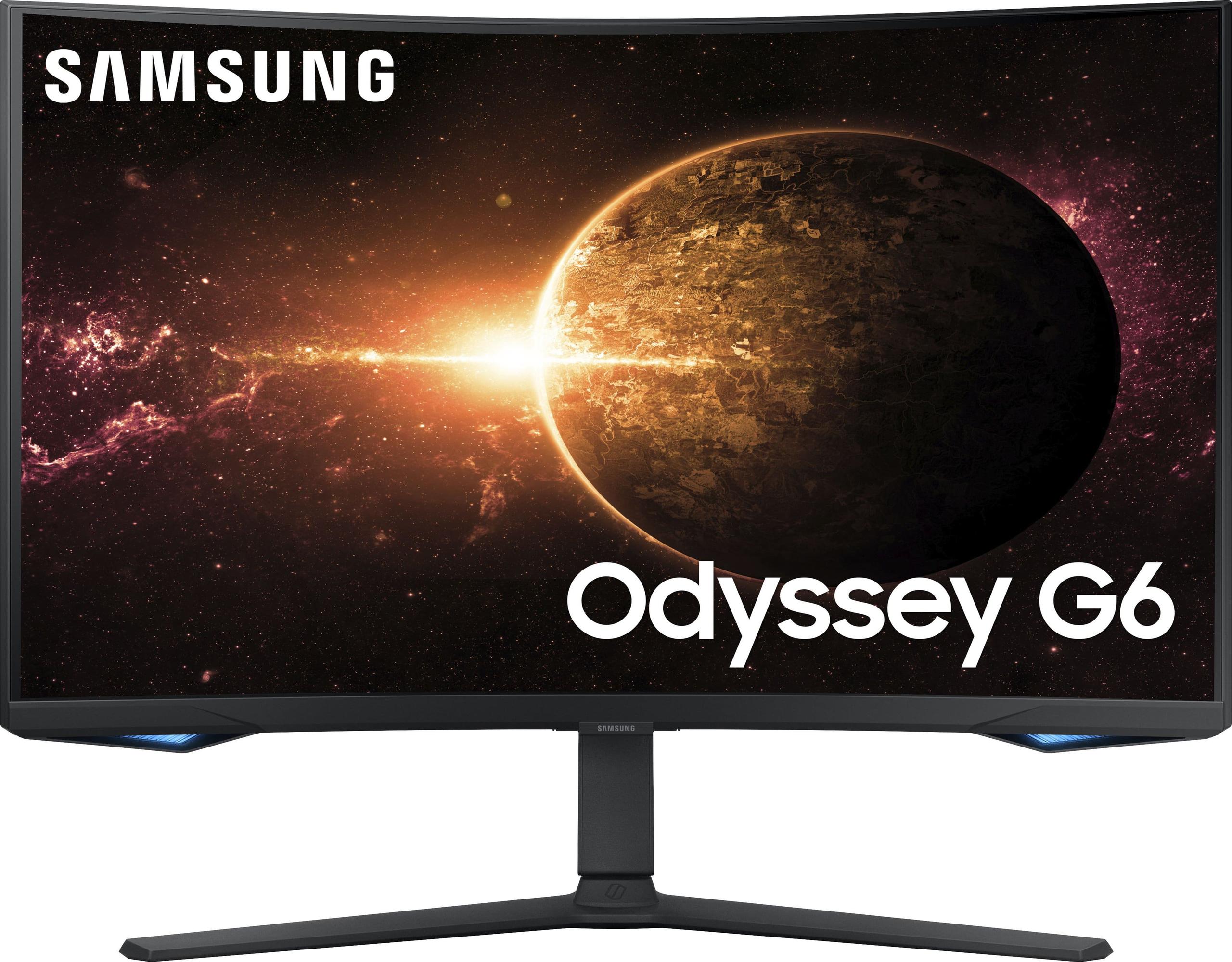
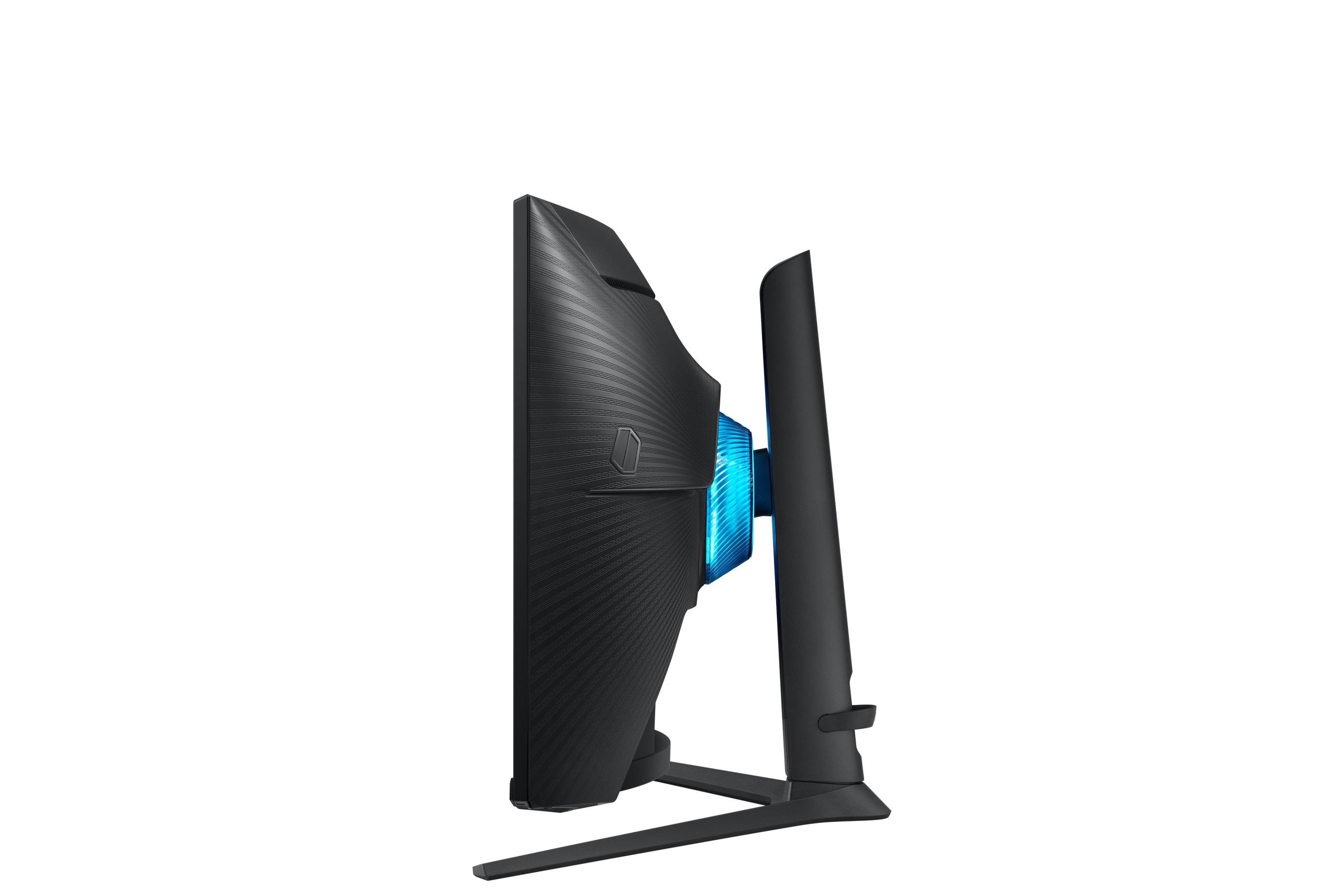
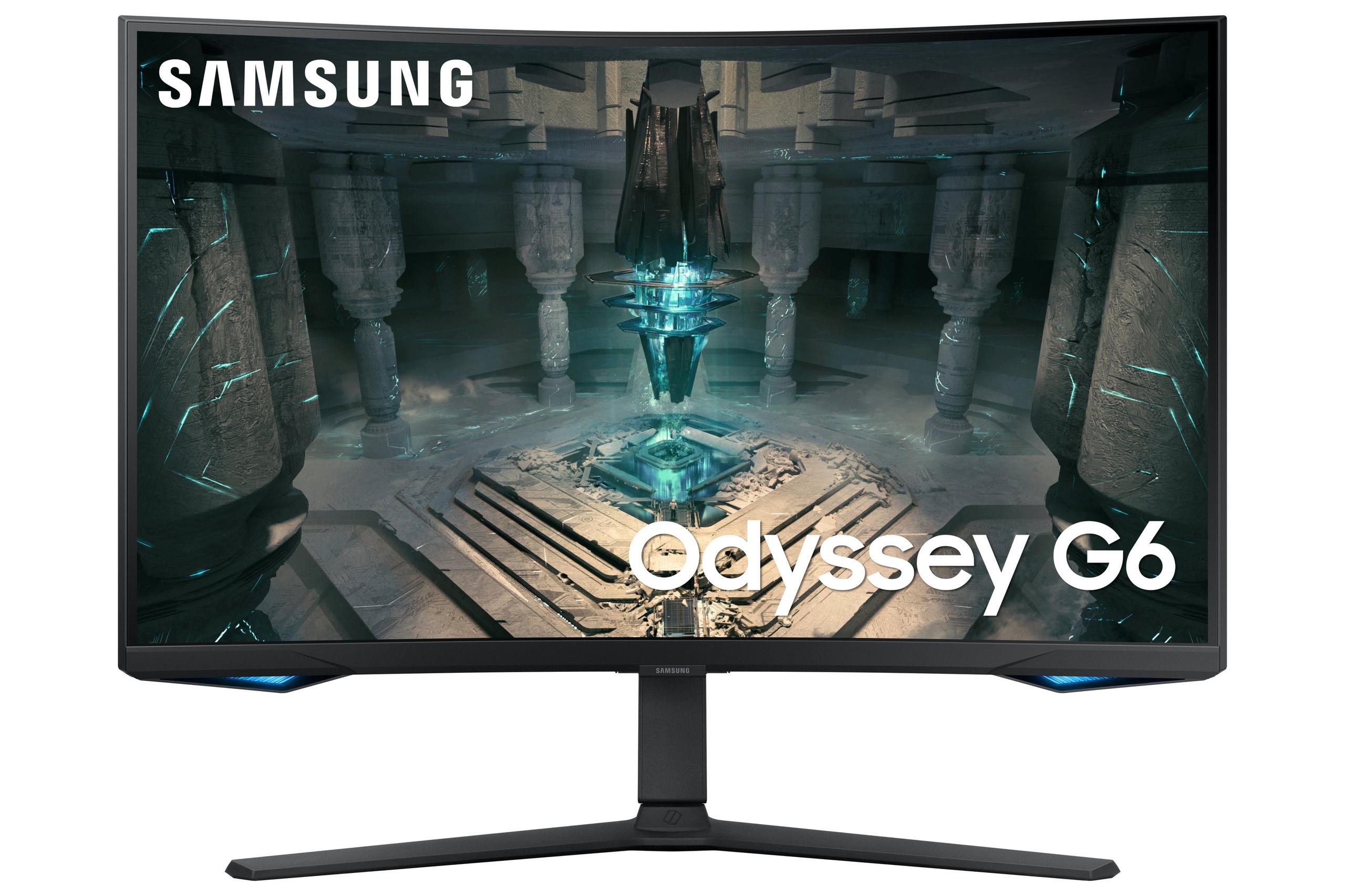
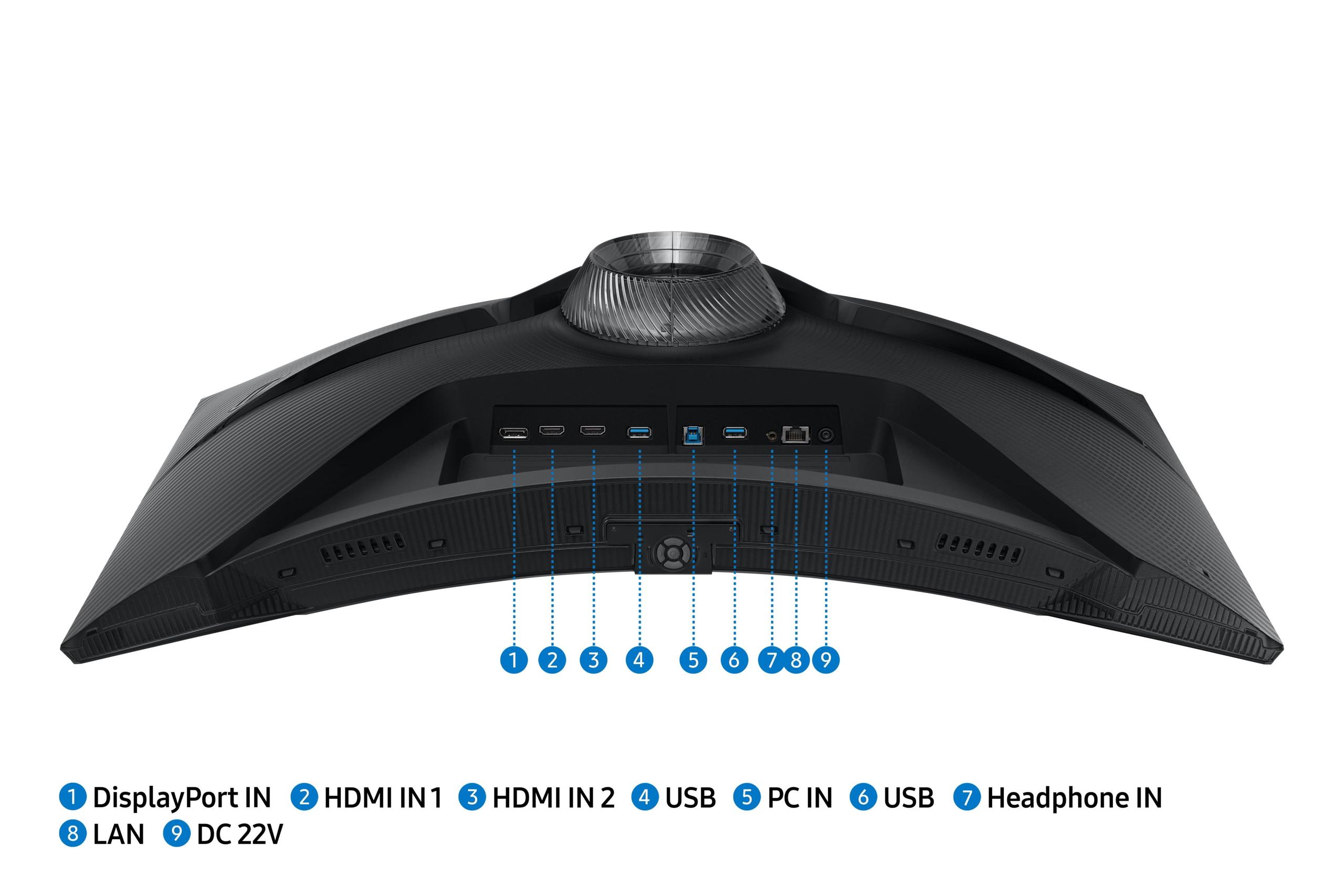
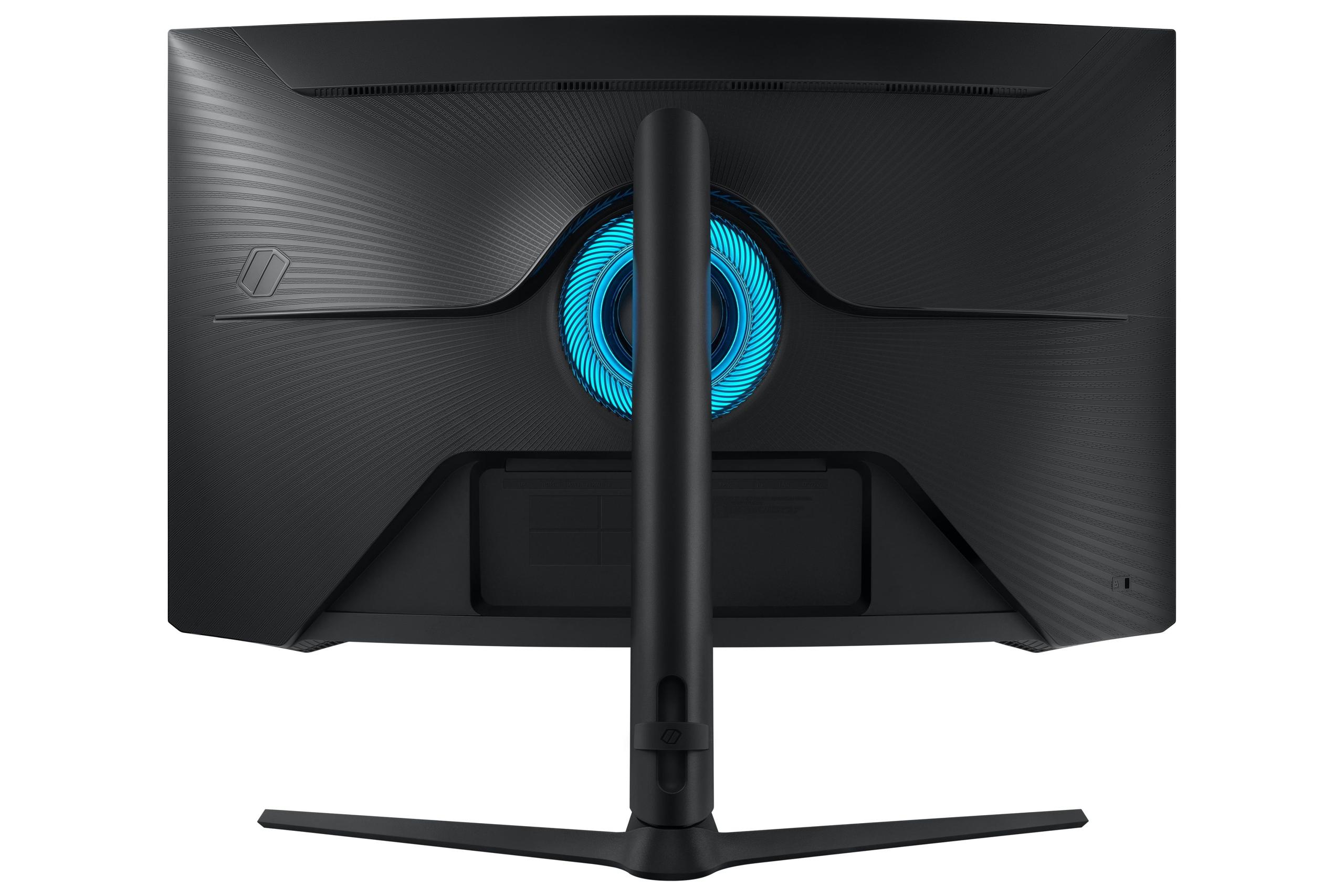
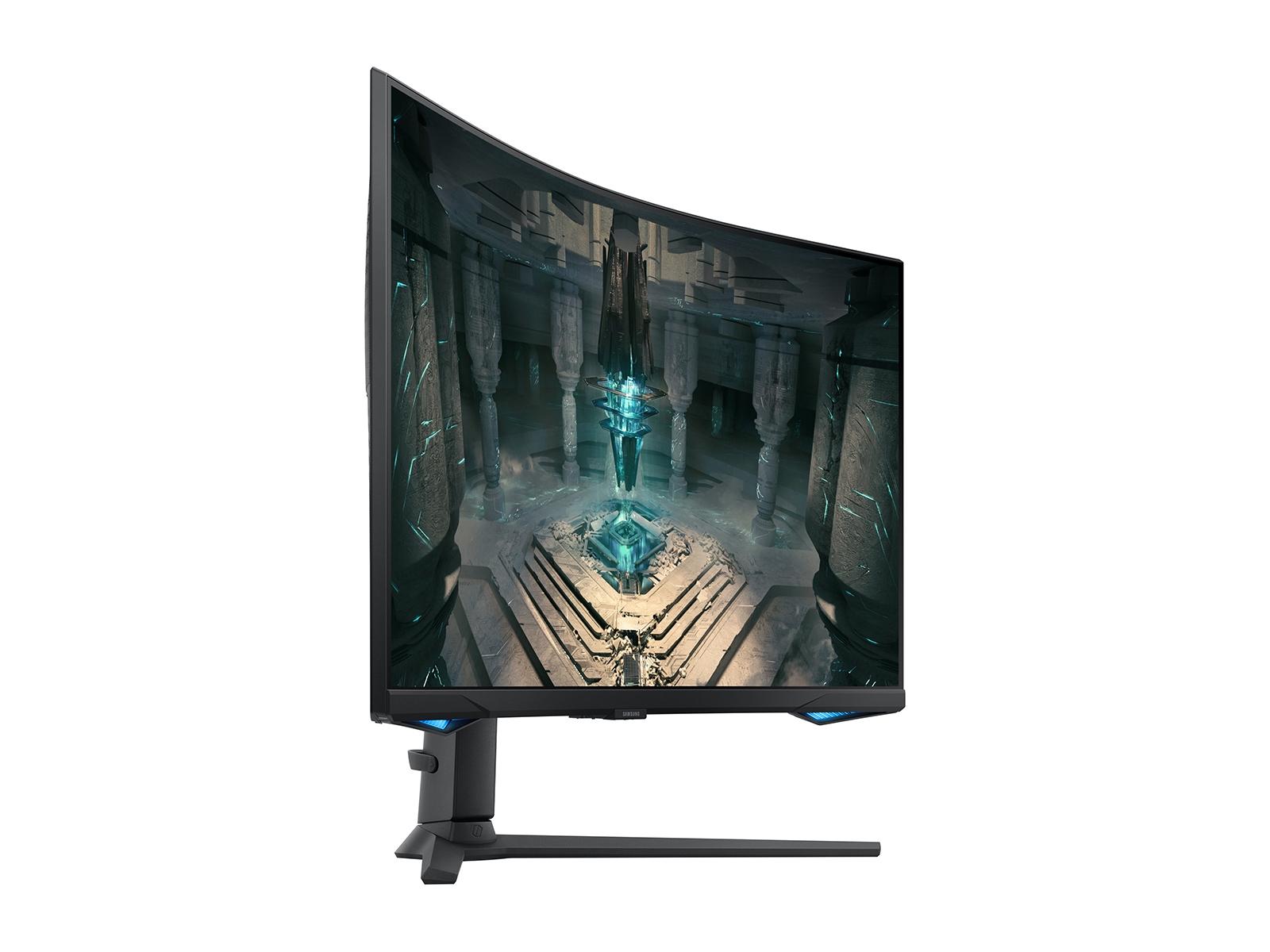
When you walk into a gaming setup today, the monitor often steals the show. It's the window into your digital worlds, and choosing the right one can make the difference between good gaming sessions and truly memorable ones. I've spent countless hours testing gaming monitors, and two models have particularly caught my attention for representing distinctly different approaches to the 27-inch gaming monitor space: the MSI MAG 274URFW and the Samsung Odyssey G65B.
These monitors launched in 2024, arriving at a fascinating crossroads in gaming display technology. The industry had finally solved many of the early problems with high refresh rate displays—things like poor color accuracy and excessive input lag—while 4K gaming was becoming more accessible thanks to increasingly powerful graphics cards. Both monitors represent mature implementations of their respective technologies, but they take completely different paths to gaming excellence.
Gaming monitors have evolved far beyond the simple "bigger is better" mentality. Today's displays are sophisticated pieces of technology where every specification serves a specific purpose. When I evaluate gaming monitors, I focus on several key areas that directly impact your gaming experience.
Refresh rate measures how many times per second your monitor can display a new image, measured in Hertz (Hz). A standard monitor refreshes 60 times per second, but gaming monitors push this much higher. The Samsung Odyssey G65B hits 240Hz, meaning it can show 240 unique frames every second. This translates to incredibly smooth motion, especially important in fast-paced games where tracking moving objects is crucial.
Response time indicates how quickly a pixel can change from one color to another, typically measured in milliseconds (ms). The MSI MAG 274URFW boasts a 0.5ms response time, which virtually eliminates motion blur—that trailing effect you sometimes see behind moving objects on slower displays.
Resolution determines how many individual pixels make up your image. The MSI monitor uses 4K UHD resolution (3840 x 2160 pixels), while the Samsung display uses QHD (2560 x 1440 pixels). More pixels generally mean sharper images, but they also demand more processing power from your graphics card.
Panel technology affects everything from color accuracy to viewing angles. IPS panels, like the one in the MSI MAG 274URFW, typically offer the most accurate colors and widest viewing angles. VA panels, used in the Samsung Odyssey G65B, usually provide higher contrast ratios, meaning deeper blacks and more vibrant colors.
The MSI MAG 274URFW represents what I call the "visual fidelity first" approach to gaming monitors. When you first boot up a game on this display, the sharpness is immediately apparent. Text looks crisp, fine details in game environments become visible, and the overall visual experience feels more refined than what you'd get from lower-resolution displays.
At 4K resolution, this monitor packs over 8 million pixels into its 27-inch screen. That's roughly 33% more pixels than the 1440p resolution of the Samsung monitor. In practical terms, this means you can sit closer to the screen without seeing individual pixels, and fine details in games become much more apparent.
I've found this particularly noticeable in strategy games like Civilization VI or Total War, where being able to read small UI elements without squinting makes a real difference. The extra resolution also shines in single-player adventures—exploring the detailed environments in games like The Witcher 3 or Red Dead Redemption 2 feels more immersive when you can make out individual leaves on trees or see the texture in character clothing.
The MSI monitor uses a Rapid IPS panel, which brings several advantages. IPS technology provides excellent color accuracy right out of the box, covering 98% of the DCI-P3 color space and 133% of sRGB. In simpler terms, this means the colors you see on screen closely match what game developers intended, and the wide viewing angles mean colors stay consistent even if you're not sitting perfectly centered.
Despite its focus on visual quality, the MSI MAG 274URFW doesn't sacrifice gaming performance. The 160Hz refresh rate provides smooth motion that's noticeably better than standard 60Hz displays, though not quite as fluid as the Samsung's 240Hz capability. The 0.5ms response time is actually faster than the Samsung's 1ms specification, which means less ghosting and clearer motion in fast-paced scenes.
The monitor includes AMD FreeSync Premium and works with NVIDIA G-SYNC Compatible, both adaptive sync technologies that synchronize your graphics card's frame output with the monitor's refresh rate. This eliminates screen tearing—that annoying horizontal line that can appear when your graphics card and monitor get out of sync—and reduces stuttering for smoother gameplay.
MSI has included several gaming-focused features that show thoughtful design. The AI Vision technology uses artificial intelligence to enhance visibility in dark areas of games, which can provide a competitive advantage in shooters where enemies might hide in shadows. The Smart Crosshair feature overlays customizable crosshairs on your screen, helpful for games that lack built-in crosshairs or when you want more precise aiming.
The build quality feels solid, with a sturdy stand that offers full ergonomic adjustability. I appreciate that MSI chose a flat panel design—while curved monitors can be immersive, flat panels often work better for competitive gaming and productivity tasks.
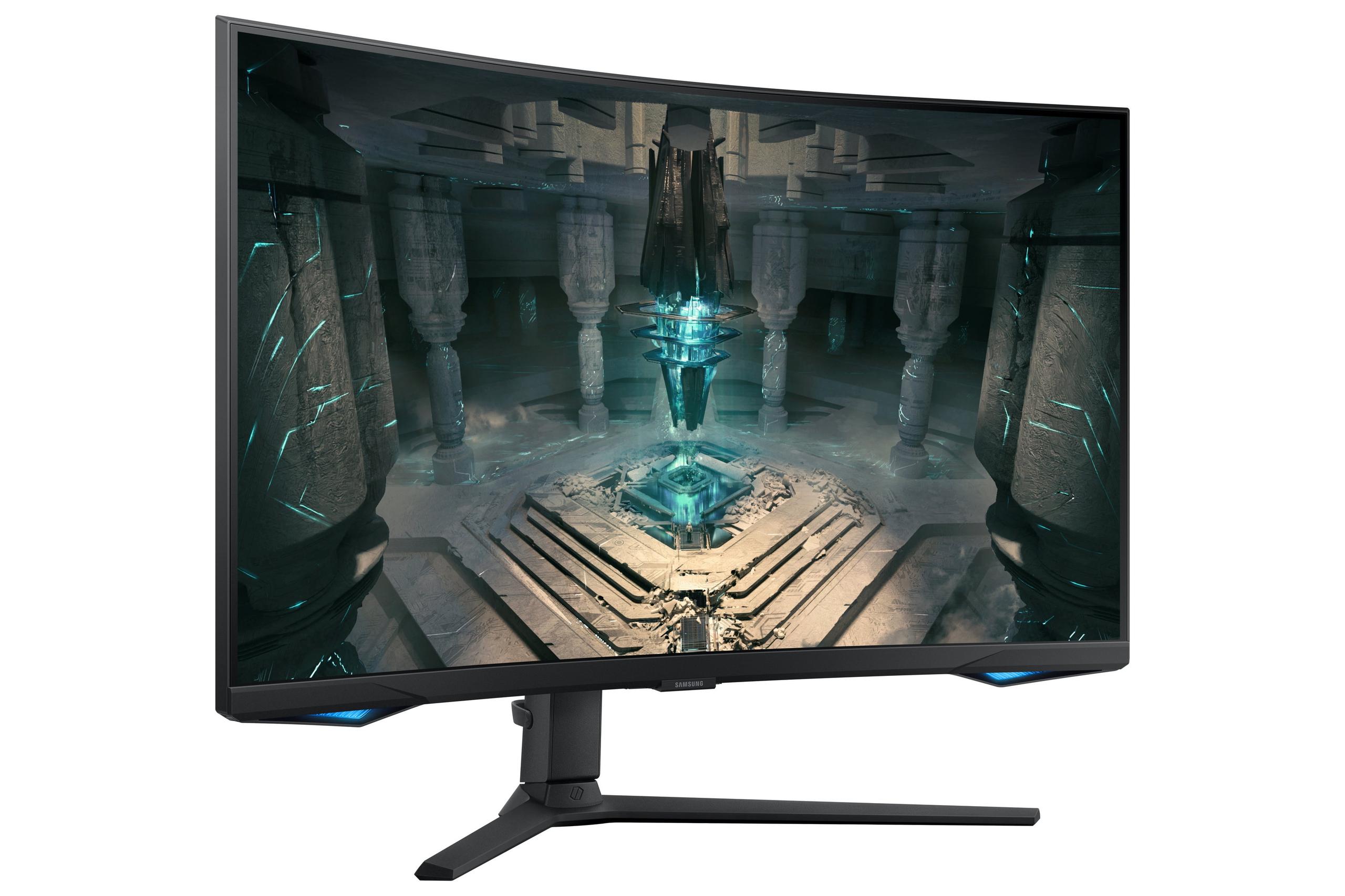
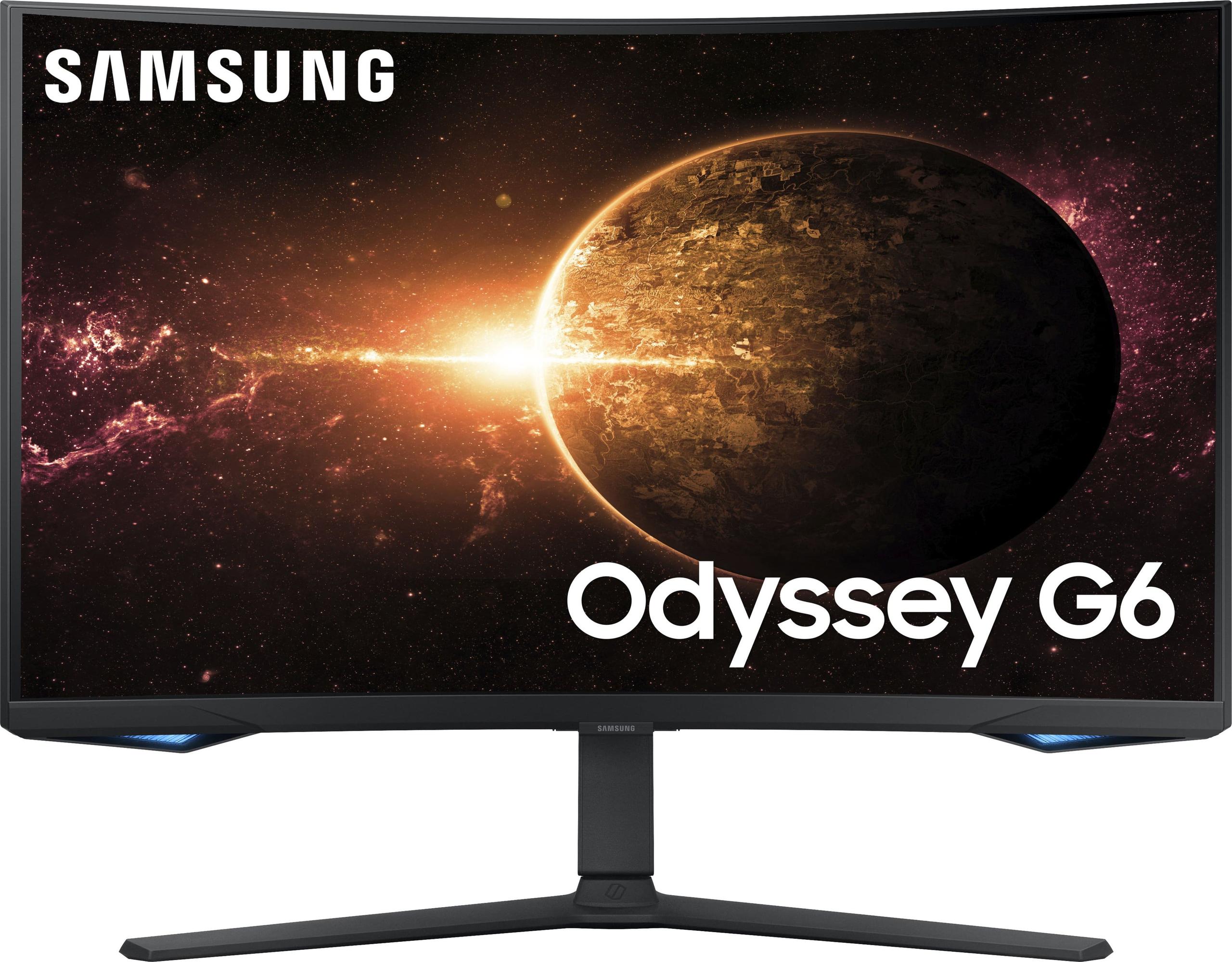
The Samsung Odyssey G65B takes a completely different approach, prioritizing ultra-high refresh rates and gaming immersion. This monitor is built for the gamer who values smooth, responsive gameplay above all else.
At 240Hz, the Samsung monitor can display four times as many frames per second as a standard 60Hz display. The difference is immediately noticeable in fast-paced games. When I play competitive shooters like Counter-Strike 2 or Valorant on this display, tracking enemies feels more natural, and quick flick shots appear smoother and more precise.
The higher refresh rate also reduces what's called "input lag"—the delay between when you move your mouse or press a key and when that action appears on screen. While both monitors have excellent input lag performance, the Samsung's 240Hz refresh rate means visual feedback reaches your eyes faster, which can provide a measurable advantage in competitive scenarios.
This becomes particularly apparent in racing games or fast-paced action titles. The motion appears more fluid, and I find myself able to react more quickly to sudden changes in the game environment. It's one of those improvements that's hard to quantify but easy to feel once you experience it.
The Samsung Odyssey G65B features a 1000R curvature, which matches the natural curve of human vision. The "1000R" designation means if you extended the curve into a full circle, it would have a radius of 1000 millimeters. This creates a more immersive experience, particularly in games where peripheral vision matters.
I've found the curved design particularly effective in racing simulations and first-person shooters. The curve helps draw you into the game world, and in racing games especially, it provides a more natural sense of speed and spatial awareness. However, this design choice isn't universally loved—some competitive gamers prefer flat screens for consistency, and curved displays can be less ideal for productivity work.
The Samsung monitor includes DisplayHDR 600 certification, which provides better contrast and brightness handling than the MSI's DisplayHDR 400 rating. HDR (High Dynamic Range) allows displays to show a wider range of brightness levels, from deeper blacks to brighter whites, creating more realistic and immersive visuals.
In HDR-compatible games, this translates to more dramatic lighting effects, better shadow detail, and highlights that actually look bright rather than washed out. The VA panel technology in the Samsung display naturally provides higher contrast ratios (2,500:1 versus the MSI's 1,000:1), which enhances the HDR experience by delivering deeper blacks.
The monitor also includes Samsung's Smart Platform with Gaming Hub, allowing access to cloud gaming services and streaming apps directly from the monitor. While I consider this more of a bonus feature than a primary selling point, it adds versatility for users who want an all-in-one entertainment solution.
The performance differences between these monitors become apparent depending on what you're playing and how you prefer to game. For competitive multiplayer games—think Overwatch 2, Apex Legends, or Rocket League—the Samsung Odyssey G65B's 240Hz refresh rate provides tangible benefits. The extra smoothness helps with target tracking, and the reduced input lag can mean the difference between landing a shot and missing in crucial moments.
However, for single-player games where visual fidelity matters more than competitive performance, the MSI MAG 274URFW shines. Playing through Cyberpunk 2077 or exploring the world of Elden Ring feels more engaging when you can appreciate all the visual details that higher resolution provides.
Here's where the technical differences have real-world implications. The MSI monitor's 4K resolution demands significantly more from your graphics card. To maintain 60+ FPS at 4K with high graphics settings, you'll typically need a high-end GPU like an RTX 4070 or better. This represents a substantial investment beyond the monitor itself.
The Samsung display's 1440p resolution is much more forgiving. Mid-range graphics cards like the RTX 4060 or RX 7600 XT can easily drive 1440p at high frame rates, making it more accessible for gamers who don't want to invest in top-tier hardware.
This difference extends to game settings as well. With the MSI monitor, you might need to choose between maximum visual quality and high frame rates, while the Samsung display often allows both simultaneously.
If your monitor needs to do double duty for content creation or professional work, the MSI MAG 274URFW has clear advantages. Its IPS panel provides more accurate colors out of the box, and the 4K resolution makes it excellent for photo editing, video work, or any task requiring fine detail.
The Samsung monitor's VA panel, while offering better contrast, can show slight color shifts when viewed from different angles. For gaming this isn't usually noticeable, but for color-critical work, it could be a consideration.
Both monitors can serve entertainment purposes beyond gaming, but with different strengths. The MSI display excels with streaming 4K content from Netflix, Amazon Prime, or other services. The higher resolution and accurate colors make movies and shows look crisp and vibrant.
The Samsung monitor brings its own advantages to entertainment. The curved design can create a more cinematic experience, and the DisplayHDR 600 certification provides better contrast for movie viewing. The built-in smart features also eliminate the need for external streaming devices.
For a dedicated home theater setup, I'd lean toward the Samsung display due to its superior contrast ratio and HDR implementation, assuming you're sitting at an appropriate distance where the resolution difference becomes less critical.
At the time of writing, both monitors represent solid value in their respective categories, though they serve different budgets and use cases. The MSI MAG 274URFW typically costs less while providing 4K resolution, making it an excellent entry point for 4K gaming. The Samsung Odyssey G65B commands a premium for its high refresh rate and smart features.
From a future-proofing perspective, both approaches have merit. The MSI monitor's 4K resolution will remain relevant as graphics cards become more powerful, while the Samsung display's high refresh rate provides immediate benefits that don't depend on future hardware improvements.
The decision between these monitors ultimately comes down to your priorities and gaming habits. Choose the MSI MAG 274URFW if you're drawn to visual fidelity, play a mix of single-player and multiplayer games, or need a monitor that works well for both gaming and productivity. It's also the better choice if you're willing to invest in high-end graphics hardware to take full advantage of 4K gaming.
The Samsung Odyssey G65B is ideal for competitive gamers who prioritize smoothness and responsiveness above all else. If you primarily play fast-paced multiplayer games, want the most immersive curved experience, or prefer having the latest smart features built into your display, this monitor deserves serious consideration.
Both represent excellent implementations of their respective philosophies. The MSI monitor proves that 4K gaming can be accessible and practical, while the Samsung display shows how high refresh rates can enhance the gaming experience in meaningful ways. Your choice should align with how you actually spend your time gaming—there's no wrong answer, only the right answer for your specific needs.
| MSI MAG 274URFW 27" 4K 160Hz Gaming Monitor | Samsung Odyssey G65B 27" QHD 240Hz Curved Gaming Monitor |
|---|---|
| Resolution - Determines image sharpness and detail level | |
| 4K UHD (3840 x 2160) - 78% more pixels for exceptional clarity | QHD (2560 x 1440) - Sweet spot for performance and visual quality |
| Refresh Rate - Higher rates provide smoother motion and competitive advantages | |
| 160Hz - Excellent for most games, requires less GPU power | 240Hz - Ultra-smooth for competitive gaming, noticeable in fast-paced titles |
| Response Time - Lower times reduce motion blur and ghosting | |
| 0.5ms (GtG) - Slightly faster, minimal motion artifacts | 1ms (GtG) - Excellent performance, imperceptible difference in practice |
| Panel Type - Affects color accuracy, viewing angles, and contrast | |
| Rapid IPS - Superior color accuracy and wide viewing angles | VA Curved - Higher contrast ratio and more immersive gaming experience |
| Design Philosophy - Impacts ergonomics and visual immersion | |
| Flat screen - Better for productivity and competitive gaming precision | 1000R Curved - Enhanced peripheral vision and gaming immersion |
| HDR Support - Improves contrast and brightness for more realistic visuals | |
| DisplayHDR 400 - Basic HDR enhancement | DisplayHDR 600 - Superior HDR with better brightness and contrast |
| Color Gamut - Determines color accuracy and vibrancy | |
| 98% DCI-P3, 133% sRGB - Excellent for content creation and accurate colors | 95% DCI-P3 - Very good color reproduction with enhanced contrast |
| Contrast Ratio - Affects depth of blacks and overall image punch | |
| 1000:1 (typical for IPS) - Good but limited black depth | 2500:1 - Deep blacks and more dramatic visual contrast |
| Adaptive Sync - Eliminates screen tearing and stuttering | |
| AMD FreeSync Premium, NVIDIA G-SYNC Compatible | AMD FreeSync Premium Pro - Enhanced low-latency gaming |
| Smart Features - Built-in functionality beyond basic display | |
| AI Vision, Smart Crosshair, gaming assistance tools | Gaming Hub, Tizen OS, cloud gaming, streaming apps built-in |
| GPU Requirements - Hardware needed for optimal performance | |
| High-end GPU required (RTX 4070+ recommended for 4K gaming) | Mid-range GPU sufficient (RTX 4060+ handles 1440p excellently) |
| Best Use Cases - Primary scenarios where each monitor excels | |
| Single-player games, content creation, productivity hybrid use | Competitive esports, fast-paced multiplayer, immersive gaming |
| Value Position - Price-to-performance consideration | |
| Exceptional 4K value, future-proof resolution at accessible pricing | Premium pricing for high refresh rate and smart features |
The Samsung Odyssey G65B is superior for competitive gaming due to its 240Hz refresh rate, which provides ultra-smooth motion and faster visual feedback. The higher refresh rate gives you a competitive edge in fast-paced games like Counter-Strike, Valorant, and Apex Legends. While the MSI MAG 274URFW offers excellent gaming performance at 160Hz, the Samsung monitor delivers that extra smoothness that competitive gamers value most.
The MSI MAG 274URFW offers 4K resolution (3840 x 2160) with 78% more pixels than the Samsung Odyssey G65B's 1440p resolution (2560 x 1440). 4K provides sharper images, more detailed textures, and clearer text, making it ideal for single-player games and productivity. However, 1440p on the Samsung monitor is easier for graphics cards to handle, allowing higher frame rates with less powerful hardware.
The MSI MAG 274URFW requires significantly more GPU power due to its 4K resolution. You'll need a high-end graphics card like an RTX 4070 or better to maintain good frame rates at 4K. The Samsung Odyssey G65B is much more accessible, working excellently with mid-range GPUs like the RTX 4060, making it a better choice for budget-conscious gamers.
This depends on your preferences and use case. The Samsung Odyssey G65B's 1000R curve enhances immersion and provides better peripheral vision for gaming, especially in racing games and first-person shooters. The MSI MAG 274URFW's flat design is better for competitive gaming accuracy and productivity work. If you primarily game and want maximum immersion, choose the Samsung monitor; for mixed use, the MSI display is more versatile.
The MSI MAG 274URFW offers superior color accuracy with its IPS panel, covering 98% DCI-P3 and 133% sRGB with excellent out-of-the-box calibration. This makes it ideal for content creation and professional work. The Samsung Odyssey G65B provides good colors but with a VA panel that may show slight color shifts at different viewing angles, though it offers better contrast with deeper blacks.
The MSI MAG 274URFW has a slightly faster 0.5ms response time compared to the Samsung Odyssey G65B's 1ms response time. In practice, both are excellent and the difference is barely perceptible. Both monitors virtually eliminate motion blur and ghosting, making them suitable for fast-paced gaming where quick pixel transitions matter.
The MSI MAG 274URFW excels at single-player gaming due to its 4K resolution, which reveals incredible detail in game environments, character models, and textures. Games like Cyberpunk 2077, The Witcher 3, and Red Dead Redemption 2 look stunning with the extra visual clarity. While the Samsung Odyssey G65B offers great immersion with its curve, the MSI monitor's resolution advantage makes single-player experiences more visually impressive.
Both monitors support HDR, but the Samsung Odyssey G65B offers superior HDR performance with DisplayHDR 600 certification compared to the MSI MAG 274URFW's DisplayHDR 400. The Samsung display can get brighter and has better contrast due to its VA panel, making HDR games and movies more impactful with deeper blacks and brighter highlights.
Value depends on your needs. The MSI MAG 274URFW typically offers exceptional value for 4K gaming at its price point, making it an affordable entry into high-resolution gaming. The Samsung Odyssey G65B commands a premium for its 240Hz refresh rate and smart features. If you want 4K resolution affordably, choose the MSI monitor; if high refresh rate gaming is your priority, the Samsung display justifies its higher cost.
The MSI MAG 274URFW is excellent for productivity due to its 4K resolution providing sharp text, detailed spreadsheets, and ample screen real estate. Its flat IPS panel with accurate colors makes it ideal for photo editing and content creation. The Samsung Odyssey G65B can handle productivity tasks but its curved design and VA panel make it less optimal for color-critical work or extended text-based tasks.
The Samsung Odyssey G65B includes comprehensive smart features with Gaming Hub, Tizen OS, built-in Wi-Fi, and access to streaming services without a PC. It also offers cloud gaming capabilities. The MSI MAG 274URFW focuses on gaming-specific features like AI Vision for enhanced visibility, Smart Crosshair, and various gaming assistance tools, but lacks the entertainment platform features of the Samsung monitor.
Both monitors work well with consoles, but serve different purposes. The Samsung Odyssey G65B supports 4K 120Hz for PS5 and Xbox Series X, maximizing console performance with its high refresh rate and immersive curved design. The MSI MAG 274URFW offers true 4K resolution that showcases console games at their visual best, though at a lower 160Hz refresh rate. Choose the Samsung display for competitive console gaming or the MSI monitor for single-player console experiences with maximum visual quality.
We've done our best to create useful and informative comparisons to help you decide what product to buy. Our research uses advanced automated methods to create this comparison and perfection is not possible - please contact us for corrections or questions. These are the sites we've researched in the creation of this article: youtube.com - bestbuy.com - rtings.com - youtube.com - guru3d.com - youtube.com - newegg.com - bhphotovideo.com - bestbuy.com - storage-asset.msi.com - shi.com - neweggbusiness.com - files.bbystatic.com - us-store.msi.com - msi.com - storage-asset.msi.com - storage-asset.msi.com - bestbuy.com - versus.com - uk.shi.com - youtube.com - youtube.com - displayspecifications.com - rtings.com - versus.com - samsung.com - rtings.com - businessdirect.bt.com - productchart.com - samsung.com - displayspecifications.com - gradeatechnology.co.uk - samsung.com - bestbuy.com - samsung.com - samsung.com

Privacy Policy
Terms and Conditions - Affiliate Policy
Home Security
© Copyright 2008-2026.
11816 Inwood Rd #1211, Dallas, TX 75244