









When I first started seriously gaming about a decade ago, choosing a monitor was pretty straightforward. You picked between a few sizes, and the main decision was whether you wanted to spend extra for an LCD over a CRT. Today's gaming monitor landscape is vastly different, with options spanning from budget 1080p displays to premium 4K panels with refresh rates that would have seemed impossible just a few years ago.
The MSI MAG 274URFW and BenQ Zowie XL2746K represent two fundamentally different philosophies in modern gaming monitor design. Released in 2024 and 2022 respectively, these monitors showcase how the industry has evolved to serve different types of gamers with increasingly specialized hardware. The MSI monitor embodies the "jack-of-all-trades" approach, delivering stunning 4K visuals at a respectable 160Hz refresh rate. Meanwhile, the BenQ Zowie takes the opposite approach, sacrificing resolution for pure competitive performance with its lightning-fast 240Hz refresh rate and motion-clarity technologies.
Before diving into these specific monitors, it's important to understand what makes gaming displays different from regular monitors. Gaming monitors prioritize three key characteristics: refresh rate (how many times per second the screen updates), response time (how quickly pixels can change colors), and input lag (the delay between your action and seeing the result on screen).
Refresh rate, measured in Hertz (Hz), directly affects how smooth motion appears. A 60Hz monitor shows 60 unique frames per second, while a 240Hz display can show up to 240 frames per second if your graphics card can keep up. Higher refresh rates make fast movement appear smoother and can give competitive gamers a real advantage in tracking moving targets.
Response time, usually measured in milliseconds (ms), determines how quickly a pixel can change from one color to another. Faster response times reduce "ghosting" – those annoying trails you sometimes see behind moving objects. Most gaming monitors aim for response times under 5ms, with the fastest panels achieving under 1ms.
Input lag measures the total delay from when you press a button to when you see the action on screen. This includes processing time from your graphics card, the monitor's internal processing, and the physical response of the display panel. For competitive gaming, every millisecond counts.
The MSI MAG 274URFW and BenQ Zowie XL2746K make very different trade-offs with these characteristics, reflecting their distinct target audiences.
The MSI MAG 274URFW represents what I consider the sweet spot for most gamers in 2024. Its 4K resolution (3840 x 2160 pixels) provides incredible detail and sharpness – text looks crisp, game textures appear detailed, and you can see fine details in scenes that would be muddy on lower-resolution displays.
What immediately strikes you about the MSI monitor is its use of Rapid IPS technology. IPS (In-Plane Switching) panels traditionally suffered from slower response times compared to TN (Twisted Nematic) panels, but rapid IPS has largely closed this gap. The result is a panel that delivers the color accuracy and viewing angles of IPS with response times that satisfy most gaming scenarios.
The MSI MAG 274URFW covers 98% of the DCI-P3 color space and 133% of sRGB. To put this in perspective, sRGB is the standard color space for most web content and older games, while DCI-P3 is used for HDR content and modern games with wide color gamut support. This extensive color coverage means games look more vibrant and lifelike, with subtle color gradations that lesser monitors can't reproduce.
The monitor's VESA DisplayHDR 400 certification indicates it can display HDR (High Dynamic Range) content, though with some limitations. HDR aims to show brighter whites and deeper blacks simultaneously, creating more realistic lighting in games and movies. However, the 400-nit peak brightness of this monitor means HDR performance is modest – it's a step up from standard content, but don't expect the dramatic contrast improvements you'd see from higher-tier HDR displays.
At 160Hz, the MSI monitor strikes an excellent balance for 4K gaming. Here's why this matters: driving games at 4K resolution requires significant graphics processing power. Even high-end graphics cards from 2024 struggle to maintain frame rates above 160 fps at 4K settings in demanding games. The MSI MAG 274URFW essentially matches what modern hardware can realistically deliver.
The 0.5ms response time specification refers to the fastest possible pixel transition under ideal conditions. In real-world usage, the effective response time varies depending on the transition (gray-to-gray times are typically faster than black-to-white times) and the overdrive setting used. Based on the monitor's IPS technology and user feedback, expect average response times around 5-7ms in optimal settings, which is excellent for most gaming scenarios.
Input lag testing has shown the MSI monitor achieving effectively zero measurable input lag – a remarkable achievement that puts it on par with the fastest gaming displays available. This means the delay between your mouse click and the corresponding action on screen is virtually imperceptible.
The MSI MAG 274URFW shines in connectivity options. Its dual HDMI 2.1 ports support the full 48Gbps bandwidth, enabling 4K gaming at up to 160Hz on compatible devices. This is particularly important for PlayStation 5 and Xbox Series X owners, as these consoles can output 4K at 120Hz in supported games.
The USB-C port with DisplayPort Alt Mode and 15W power delivery is a standout feature for laptop users. You can connect a modern laptop with a single cable that handles video, audio, and charging simultaneously – a huge convenience for hybrid work-gaming setups.
AI Vision technology automatically adjusts brightness and contrast in dark game areas, potentially giving you an advantage in spotting enemies hiding in shadows. While some purists prefer manual control, this feature can be genuinely helpful in games with challenging lighting.
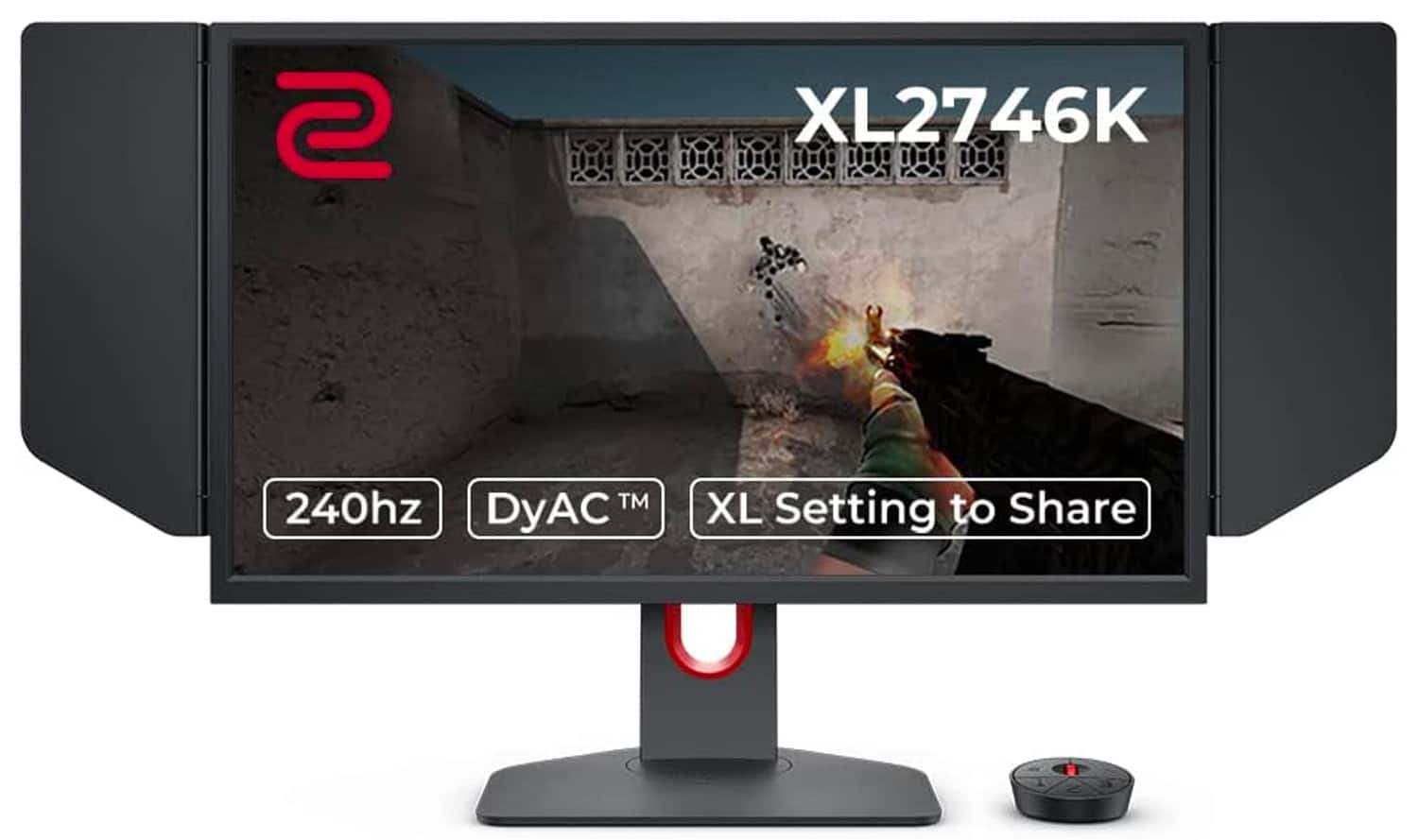
The BenQ Zowie XL2746K, released in 2022, represents the pinnacle of esports-focused monitor design. BenQ's Zowie brand has built its reputation by focusing exclusively on competitive gaming needs, often at the expense of features that general users might want.
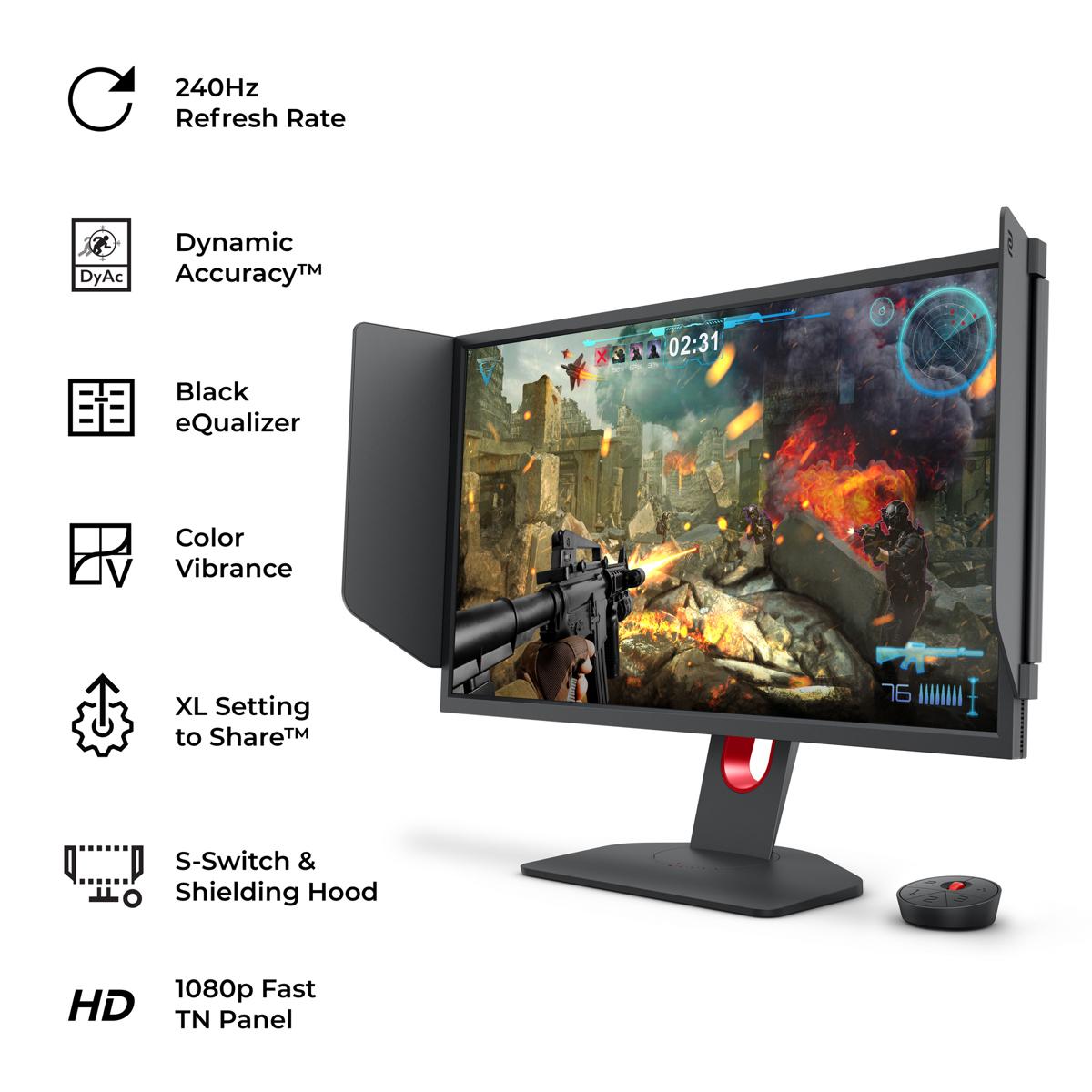
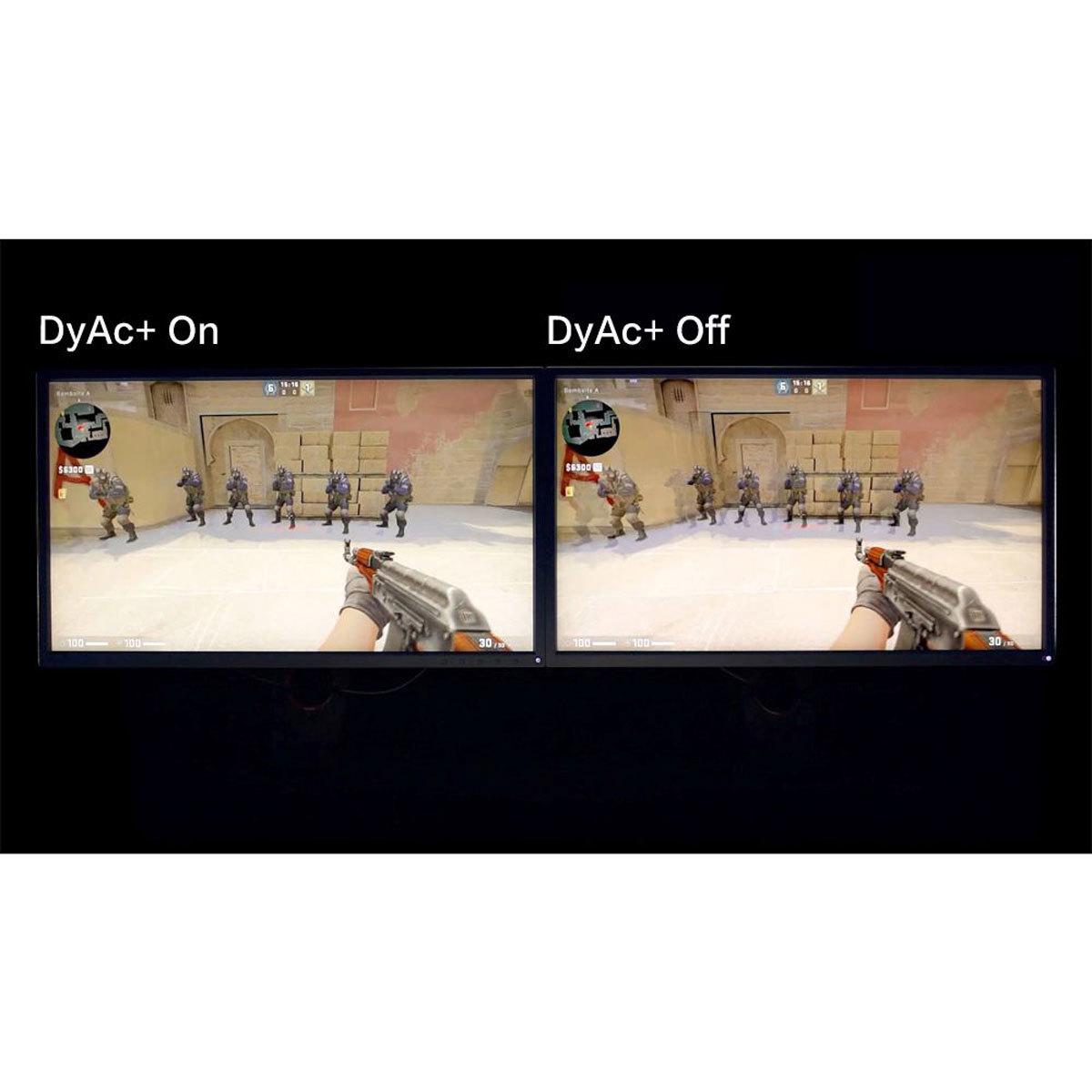
The standout feature of the BenQ Zowie is DyAc+ (Dynamic Accuracy Plus) technology. This is BenQ's proprietary backlight strobing system that dramatically reduces motion blur by controlling how the backlight illuminates the screen. Traditional displays show each frame for the entire refresh cycle, causing your eyes to track a blurry image during fast motion. DyAc+ flashes the backlight briefly for each frame, creating sharp, clear images even during rapid movement.
I've experienced DyAc+ firsthand, and the difference is remarkable for fast-paced FPS games. Tracking enemies during rapid firefights becomes noticeably easier, as their movement appears much clearer and more defined. However, this technology does reduce overall brightness and can cause some users to experience eye strain during extended sessions.
The 240Hz refresh rate of the BenQ monitor provides incredibly smooth motion, assuming your graphics card can generate enough frames. At 1080p resolution, modern GPUs can easily achieve 240+ fps in competitive games like Counter-Strike 2, Valorant, and Overwatch 2, making full use of the display's capabilities.
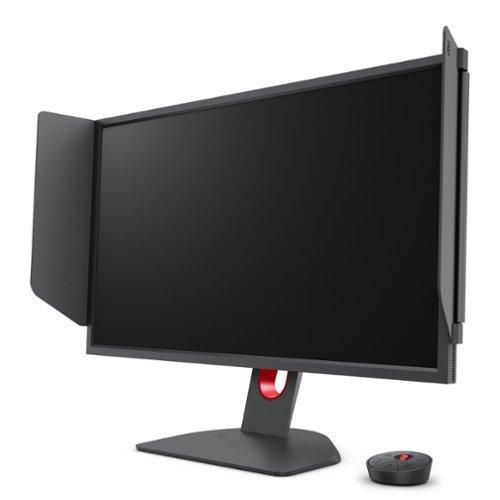
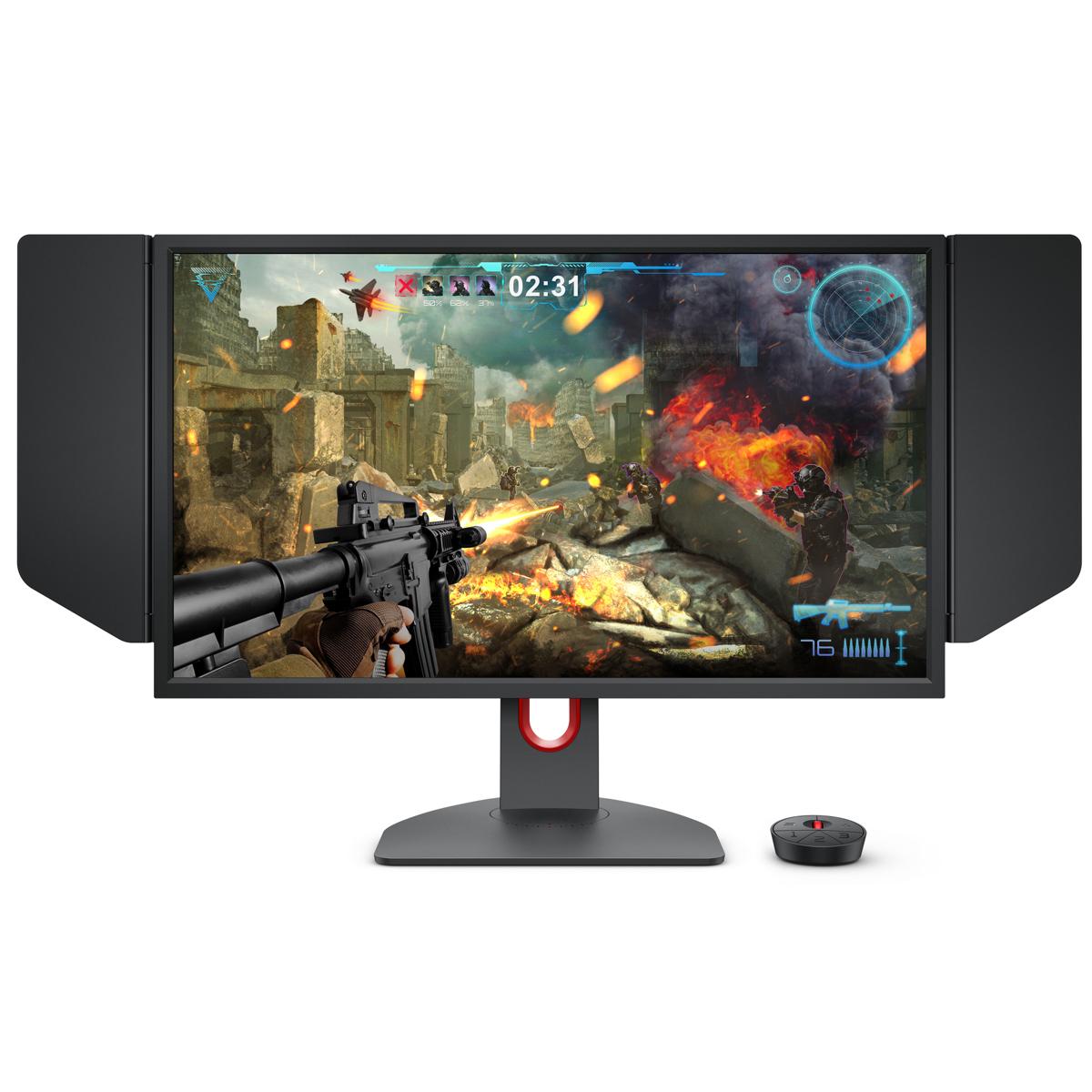
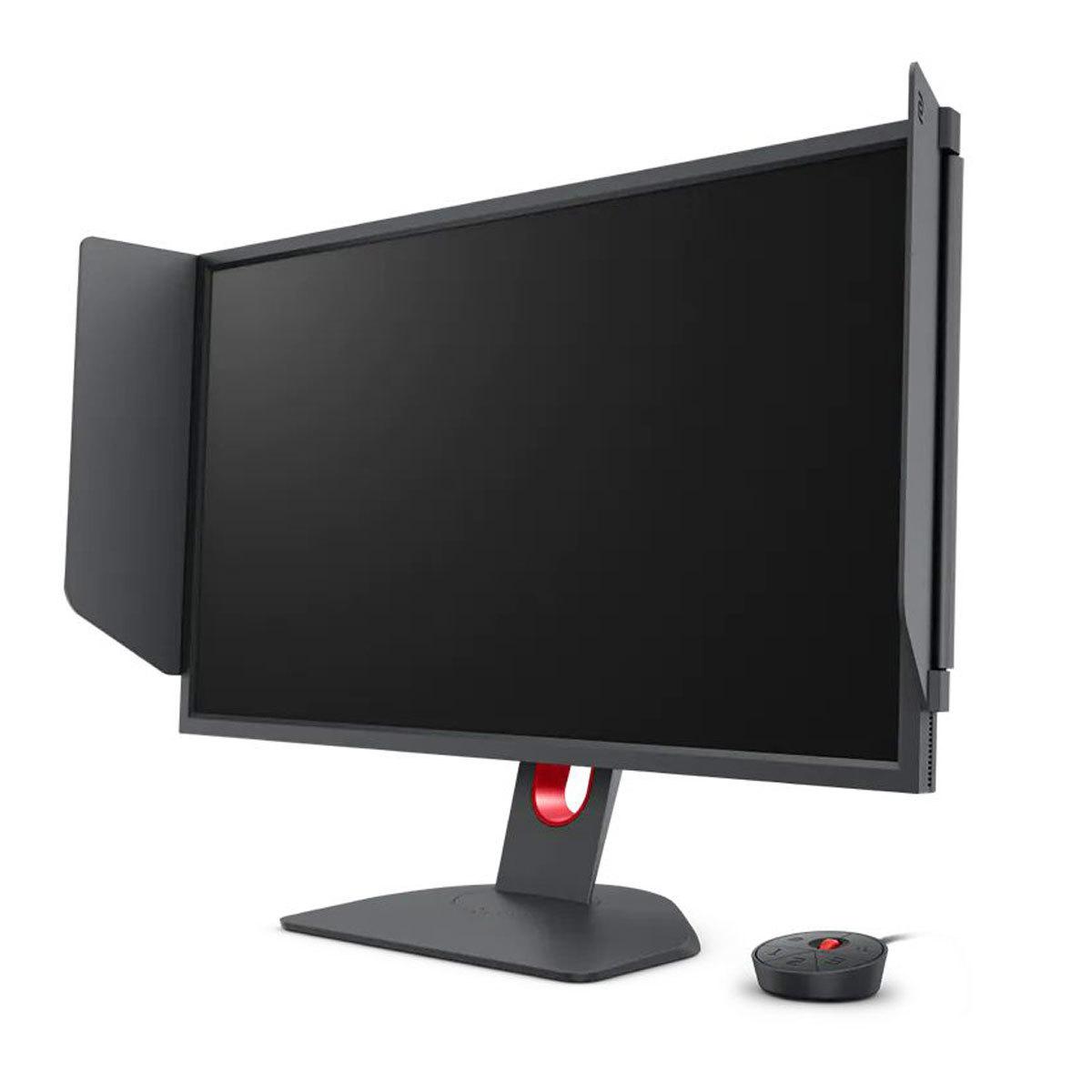
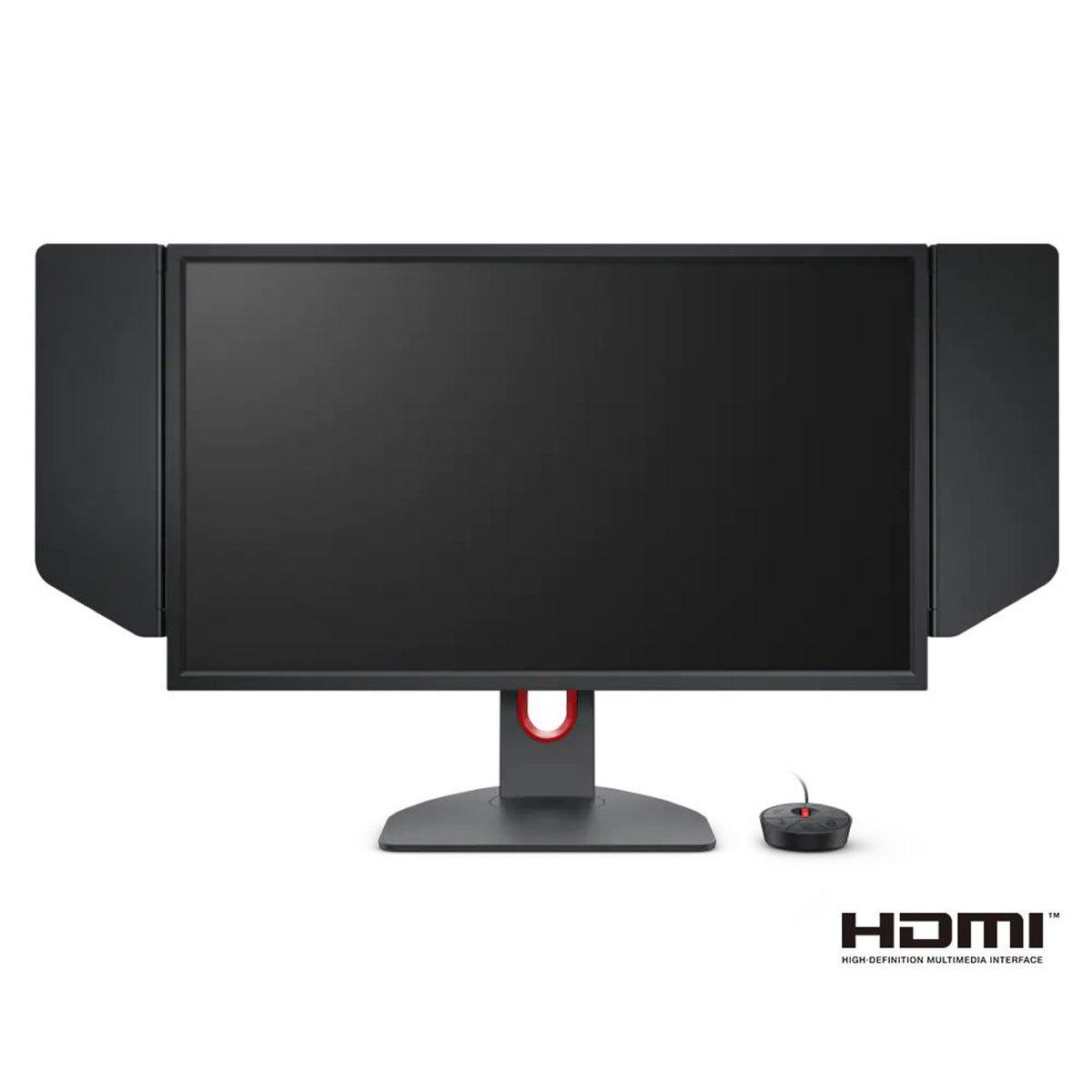
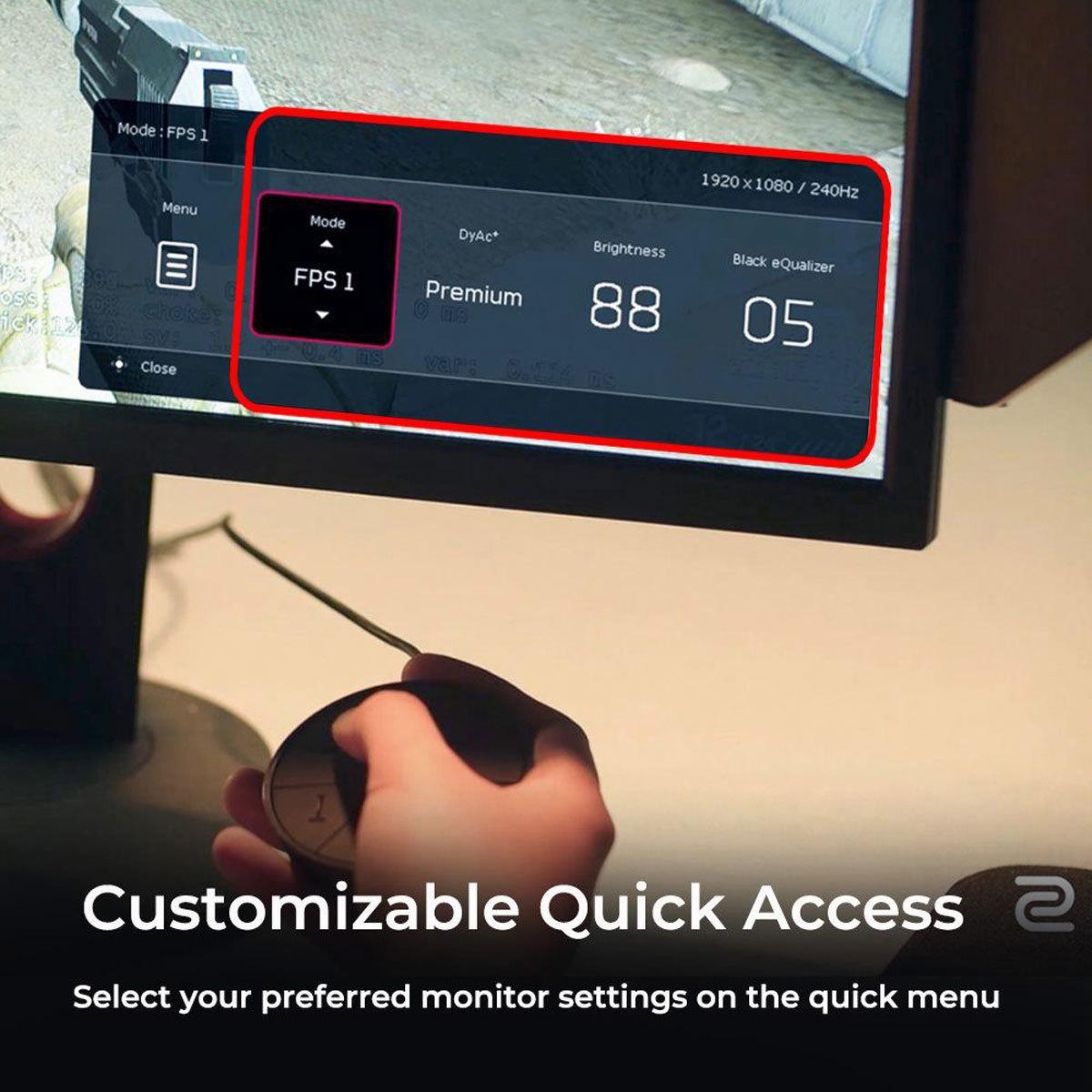
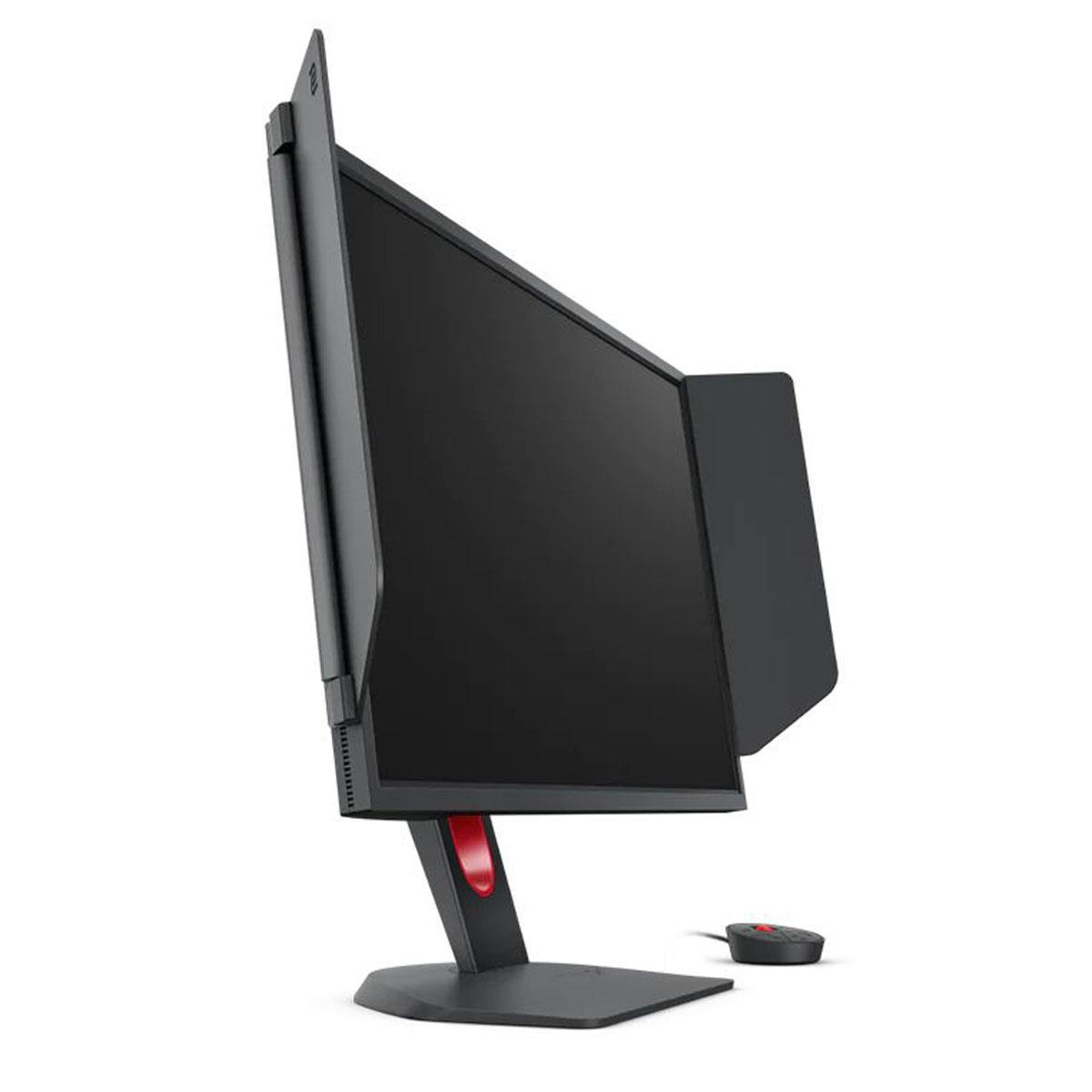
The BenQ Zowie XL2746K includes several features specifically designed for tournament and professional play. The S Switch is a wireless controller that lets you quickly change monitor settings without navigating on-screen menus – crucial when you need to adjust settings between matches or rounds.
Black eQualizer is another competitive feature that brightens dark areas without overexposing bright regions. This can reveal enemies hiding in shadows while maintaining visibility in well-lit areas. The Color Vibrance setting allows fine-tuning of color saturation to make enemy models stand out more clearly against backgrounds.
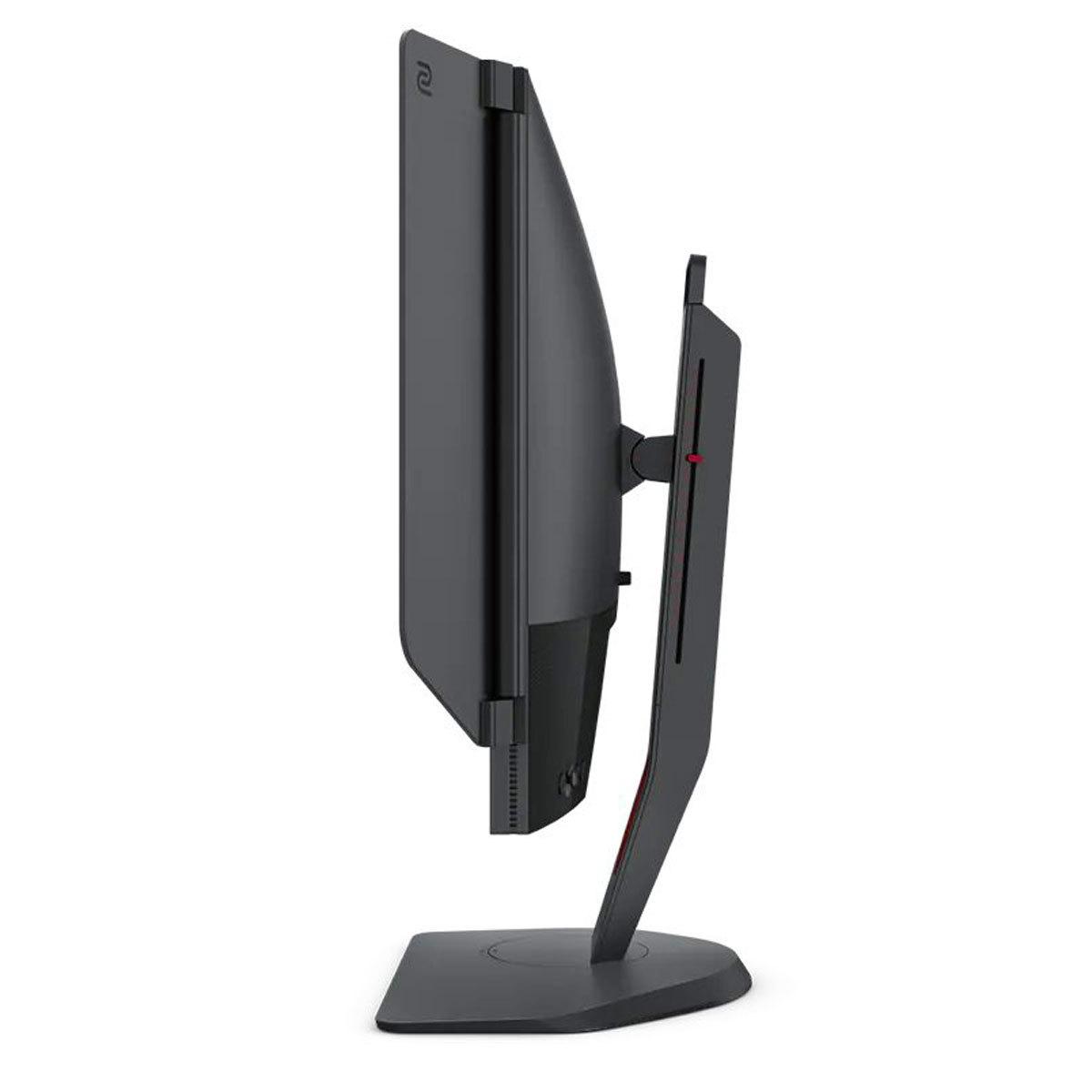
The detachable Shielding Hood blocks peripheral distractions and ambient light reflections – features you'll see at most professional esports tournaments. These might seem excessive for home use, but they demonstrate BenQ's commitment to competitive gaming performance.
The BenQ monitor uses a TN (Twisted Nematic) panel, which represents a deliberate choice prioritizing response time over visual quality. TN panels achieve the fastest response times available – often under 1ms for real transitions – but have narrow viewing angles and limited color reproduction compared to IPS panels.
Colors appear less vibrant, blacks look more gray, and the image quality degrades noticeably when viewed from the side. For competitive gaming where you're sitting directly in front of the screen, these limitations are less noticeable. However, they become apparent during casual gaming or any non-gaming activities.
The MSI MAG 274URFW delivers dramatically superior visual quality in every measurable way. The 4K resolution provides 4x the pixel density of the BenQ's 1080p panel, resulting in incredibly sharp text, detailed textures, and the ability to see fine details that simply aren't visible at lower resolutions.
Color accuracy heavily favors the MSI monitor, with its wide color gamut and IPS panel technology producing more realistic and vibrant colors. HDR support, while modest, adds another layer of visual improvement for compatible content.
For single-player games, RPGs, strategy games, or any scenario where visual quality enhances the experience, the MSI monitor is in a different league entirely.
The BenQ Zowie XL2746K takes the lead in pure competitive performance metrics. The 240Hz refresh rate provides smoother motion than the MSI's 160Hz, though the difference becomes more subtle beyond 144Hz for many users.
More importantly, the DyAc+ motion blur reduction gives the BenQ monitor a genuine competitive advantage in fast-paced FPS games. The combination of high refresh rate, minimal input lag, and exceptional motion clarity creates an optimal environment for competitive play.
However, it's worth noting that the MSI monitor's measured input lag performance is equally impressive, so the competitive advantage comes primarily from the higher refresh rate and motion clarity features rather than raw responsiveness.
At the time of writing, the MSI MAG 274URFW typically costs significantly less than the BenQ Zowie XL2746K, making it an exceptional value proposition. You're getting premium 4K performance at a price point that was unthinkable just a few years ago.
The MSI monitor also serves multiple roles effectively – it's excellent for gaming, capable for creative work requiring color accuracy, and suitable for media consumption. The BenQ monitor, while exceptional at its intended purpose, is essentially a single-purpose device optimized solely for competitive gaming.
For living room gaming or home theater setups, the MSI MAG 274URFW is the clear choice. Its 4K resolution matches modern streaming content and UHD Blu-rays, while the wide viewing angles of the IPS panel ensure good picture quality from various seating positions.
The multiple HDMI 2.1 inputs support modern gaming consoles at their full capabilities, and the monitor's color accuracy provides a more cinematic experience for movies and TV shows. HDR support, while modest, improves the viewing experience for compatible content.
The BenQ monitor, with its 1080p resolution and narrow viewing angles, isn't well-suited for home theater applications. Its specialized features are designed for close-proximity competitive gaming rather than casual entertainment.
You represent the majority of gamers who want one monitor to handle everything well. If you play various game genres – from competitive shooters to story-driven adventures to strategy games – the MSI monitor provides the best overall experience.
Content creators will appreciate the color accuracy for photo editing and video work. The 4K resolution provides ample screen real estate for productivity tasks, and the sharp text quality makes it comfortable for extended work sessions.
Console gamers particularly benefit from the 4K resolution and HDMI 2.1 connectivity, ensuring compatibility with current and future gaming hardware. The visual upgrade from 1080p to 4K is immediately apparent and enhances almost every gaming experience.
Budget-conscious buyers get exceptional value – premium features at a price point that makes 4K gaming accessible to a broader audience.
You're primarily focused on competitive FPS gaming and willing to sacrifice everything else for maximum performance. Professional and aspiring professional players will benefit from the proven tournament-standard features and exceptional motion clarity.
The BenQ monitor makes sense if you consistently play fast-paced competitive games where every millisecond and every visible detail can determine victory. Games like Counter-Strike 2, Valorant, Apex Legends, and Overwatch 2 showcase the monitor's strengths most clearly.
You should also have graphics hardware capable of driving 240+ fps consistently – otherwise, you won't benefit from the higher refresh rate. Modern high-end GPUs can achieve this in competitive games at 1080p settings.
After extensive analysis, these monitors serve distinctly different purposes, and both excel in their intended roles. The MSI MAG 274URFW represents the evolution of gaming monitors toward versatility and value, providing premium features at accessible pricing. It's the monitor I'd recommend to friends and family who want one display to handle all their gaming and computing needs excellently.
The BenQ Zowie XL2746K remains the choice for serious competitive players who prioritize performance above all else. If you're competing in tournaments, streaming competitive gameplay, or simply want every possible advantage in ranked play, the specialized features justify the trade-offs.
The gaming monitor market has matured to the point where both approaches can coexist successfully. Your choice should align with how you actually use your setup – not just how you imagine you might use it. For most readers, the MSI MAG 274URFW provides better long-term satisfaction and value, but the BenQ Zowie XL2746K serves its niche audience exceptionally well.
The key is being honest about your priorities: Do you want the best possible visual experience with excellent gaming performance, or do you want maximum competitive advantage in fast-paced games? Both monitors deliver on their promises – they just promise very different things.
| MSI MAG 274URFW | BenQ Zowie XL2746K |
|---|---|
| Resolution - Higher resolution means sharper text and more detailed visuals | |
| 4K UHD (3840 × 2160) - Exceptional detail and clarity | 1080p FHD (1920 × 1080) - Lower detail but easier to drive high frame rates |
| Refresh Rate - Higher rates provide smoother motion in fast games | |
| 160Hz - Excellent for most gaming, matches 4K GPU capabilities | 240Hz - Maximum smoothness for competitive esports |
| Panel Type - Affects color quality, viewing angles, and response time | |
| Rapid IPS - Superior colors and viewing angles | TN - Fastest response but limited colors and narrow viewing |
| Response Time - Lower times reduce motion blur and ghosting | |
| 0.5ms GtG (typical ~5-7ms real-world) | Optimized "fast liquid crystal" (~1ms real transitions) |
| Input Lag - Critical for competitive gaming responsiveness | |
| 0ms measured - Exceptional for all gaming types | Ultra-low optimized - Tournament-grade performance |
| Color Coverage - Wider gamuts show more vibrant, accurate colors | |
| 98% DCI-P3, 133% sRGB - Excellent for gaming and creative work | ~sRGB coverage - Adequate for competitive gaming only |
| HDR Support - Improves contrast in supported games and media | |
| VESA DisplayHDR 400 - Modest HDR improvement | None - Standard dynamic range only |
| Connectivity - More ports offer greater flexibility | |
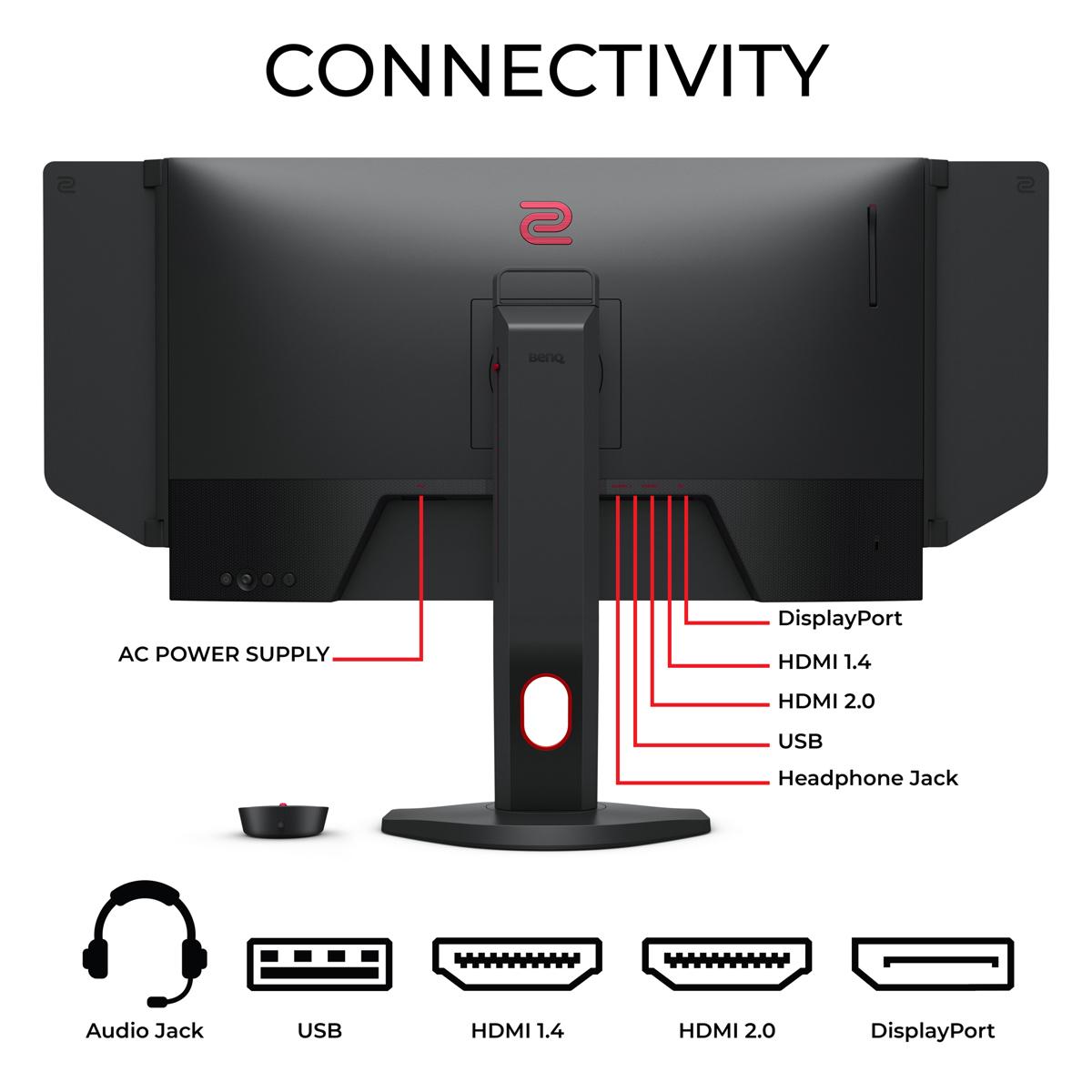
| 2× HDMI 2.1, 1× DP 1.4a, USB-C with power delivery | 3× HDMI 2.0, 1× DP 1.2 - Basic gaming connectivity |
| Special Gaming Features - Technologies that can provide competitive advantages | |
| AI Vision, Smart Crosshair, FreeSync Premium | DyAc+ motion blur reduction, Black eQualizer, S Switch controller |
| Ergonomics - Adjustment range affects comfort during long sessions | |
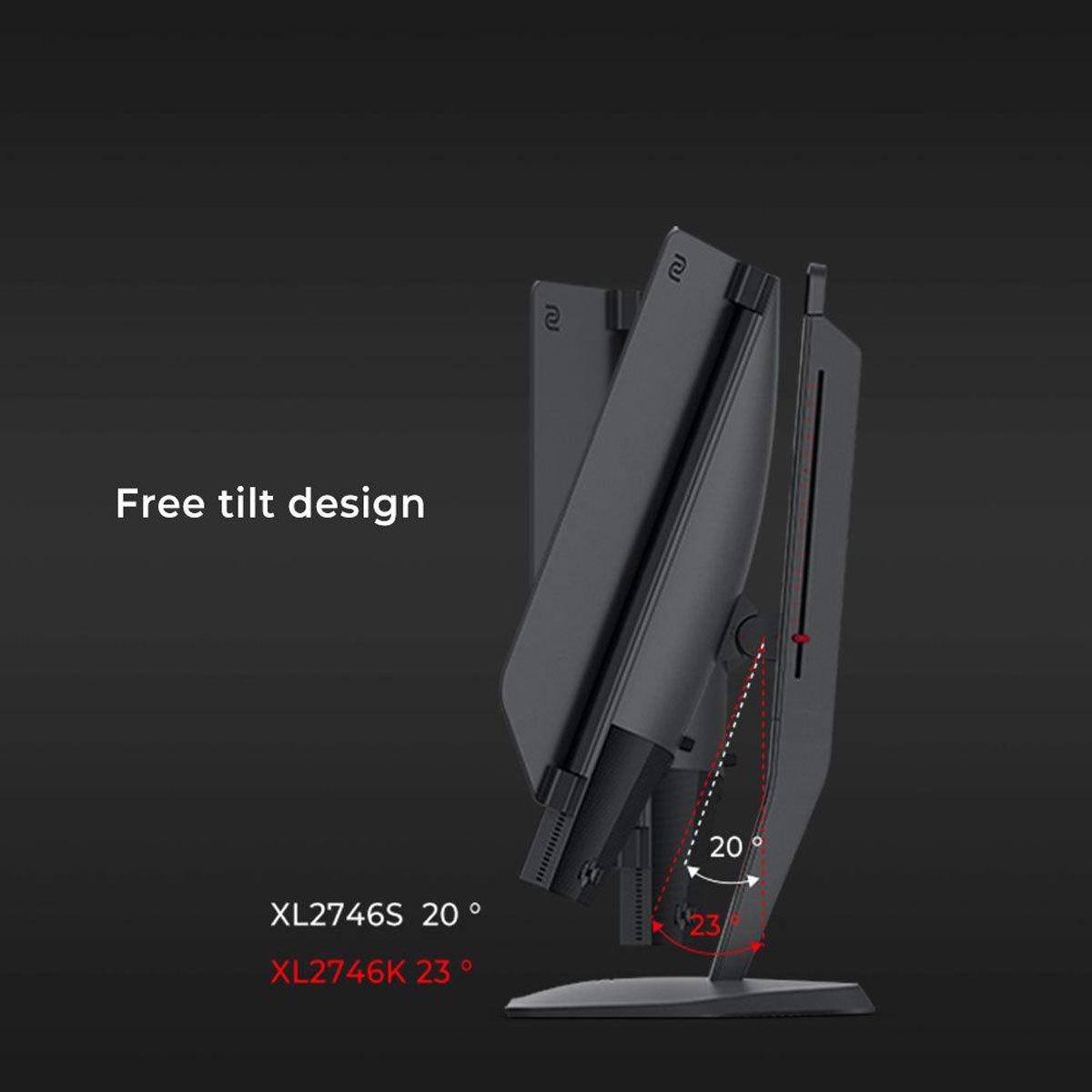
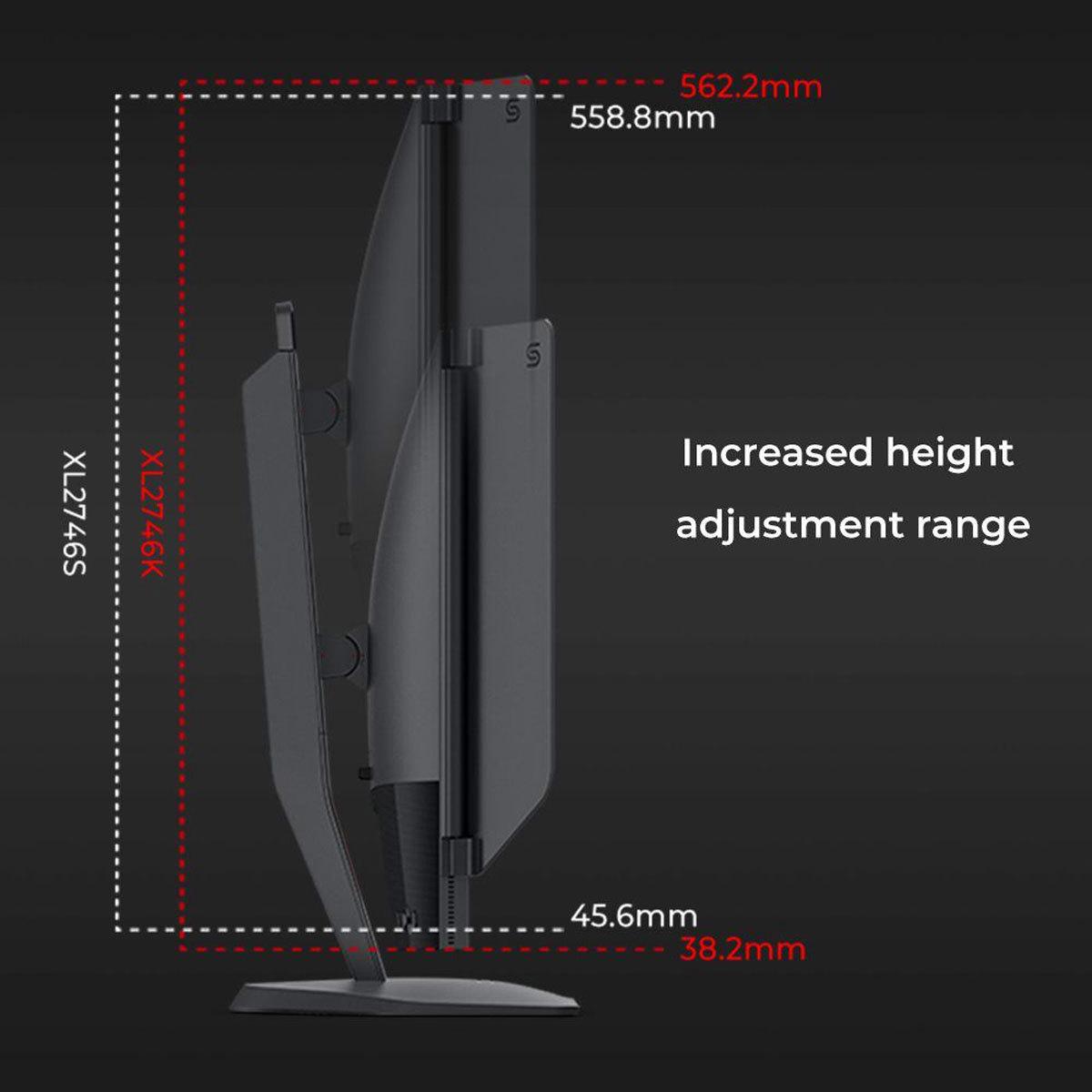
| Height, tilt, swivel, pivot with 110mm adjustment range | Height, tilt, swivel, pivot with 155mm adjustment range |
| Best Use Cases - Who should consider each monitor | |
| Versatile gaming, content creation, console gaming, value seekers | Competitive FPS gaming, esports professionals, motion clarity priority |
The MSI MAG 274URFW is better for most gamers due to its 4K resolution, excellent color accuracy, and versatile connectivity options. It handles everything from competitive games to single-player adventures exceptionally well, while the BenQ Zowie XL2746K is specifically designed for competitive esports players who prioritize motion clarity above all else.
The primary difference is resolution versus refresh rate optimization. The MSI MAG 274URFW offers stunning 4K visuals at 160Hz, perfect for immersive gaming and productivity. The BenQ Zowie XL2746K focuses on competitive performance with 240Hz refresh rate and specialized motion blur reduction at 1080p resolution.
The MSI MAG 274URFW has significantly better picture quality with its 4K IPS panel, covering 98% DCI-P3 color space and offering HDR support. The BenQ Zowie XL2746K uses a TN panel optimized for speed rather than visual quality, resulting in less vibrant colors and narrower viewing angles.
The MSI MAG 274URFW is excellent for console gaming with dual HDMI 2.1 ports supporting 4K at 120Hz for PS5 and Xbox Series X. The BenQ Zowie XL2746K supports 120Hz console gaming but only at 1080p resolution, making it less ideal for showcasing modern console capabilities.
The BenQ Zowie XL2746K is specifically designed for competitive esports with its 240Hz refresh rate, DyAc+ motion blur reduction, and professional gaming features like Black eQualizer. While the MSI MAG 274URFW offers excellent gaming performance, it's optimized for broader use cases rather than pure competitive advantage.
The MSI MAG 274URFW excels at productivity tasks with its sharp 4K resolution, accurate colors, and USB-C connectivity with power delivery. The BenQ Zowie XL2746K is less suitable for work due to its 1080p resolution, limited color accuracy, and narrow viewing angles of the TN panel.
The MSI MAG 274URFW typically offers better value for most users, providing premium 4K gaming features at a competitive price point. The BenQ Zowie XL2746K commands a premium for its specialized esports features, making it worthwhile only for serious competitive players.
The MSI MAG 274URFW is much better for streaming and content creation thanks to its accurate colors, 4K resolution for crisp overlays, and versatile connectivity. The BenQ Zowie XL2746K is designed purely for gaming performance and lacks the color accuracy needed for professional content work.
The MSI MAG 274URFW is far superior for entertainment with its 4K resolution matching modern streaming content, wide viewing angles, HDR support, and accurate colors. The BenQ Zowie XL2746K with its 1080p TN panel is not well-suited for media consumption.
Both monitors offer excellent response times for gaming. The MSI MAG 274URFW achieves 0.5ms specification with real-world performance around 5-7ms, while the BenQ Zowie XL2746K uses optimized TN technology for sub-1ms real transitions and superior motion clarity through DyAc+ technology.
The MSI MAG 274URFW offers superior connectivity with dual HDMI 2.1 ports, DisplayPort 1.4a, and USB-C with power delivery for laptops. The BenQ Zowie XL2746K provides basic gaming connectivity with three HDMI 2.0 ports and DisplayPort 1.2, but lacks modern convenience features.
Choose the MSI MAG 274URFW with 4K 160Hz if you play various game types, want exceptional visual quality, and have a powerful graphics card. Choose the BenQ Zowie XL2746K with 1080p 240Hz only if you primarily play competitive FPS games and prioritize maximum refresh rate and motion clarity over visual fidelity.
We've done our best to create useful and informative comparisons to help you decide what product to buy. Our research uses advanced automated methods to create this comparison and perfection is not possible - please contact us for corrections or questions. These are the sites we've researched in the creation of this article: youtube.com - bestbuy.com - rtings.com - youtube.com - guru3d.com - youtube.com - newegg.com - bhphotovideo.com - bestbuy.com - storage-asset.msi.com - shi.com - neweggbusiness.com - files.bbystatic.com - us-store.msi.com - msi.com - storage-asset.msi.com - storage-asset.msi.com - rtings.com - youtube.com - bestbuy.com - versus.com - youtube.com - versus.com - forums.blurbusters.com - pcmonitors.info - youtube.com - bhphotovideo.com - zowie.benq.com - bhphotovideo.com - device.report - newegg.com - bestbuy.com - displayspecifications.com - provantage.com - zowie.benq.com - smallonlineshop.com.sg - camcor.com

Privacy Policy
Terms and Conditions - Affiliate Policy
Home Security
© Copyright 2008-2026.
11816 Inwood Rd #1211, Dallas, TX 75244